
You know the feeling: the season’s over, the course is an hour away, and your swing feels like it’s falling apart. The idea of buying a launch monitor or a simulator cage feels like a pro-level expense, but the reality is that the market for budget-friendly home golf tech has matured. Doppler radar units under five hundred dollars now deliver spin rate, club path, and smash factor data that was locked inside -plus units just a few years ago.
I’m Min — the co-founder and writer behind Gadgets Feed. This guide represents hundreds of hours spent cross-referencing technical spec sheets, parsing real user data on accuracy versus indoor lighting conditions, and mapping the compatibility chain between launch monitors, enclosures, and simulation software so you don’t have to learn the hard way.
Whether you are building a garage sanctuary or just want to dial in your yardages at home, this guide to the best affordable golf simulators will save you money on the gear that actually moves the needle and help you avoid the traps that waste both time and dollars.
How To Choose The Best Affordable Golf Simulators
An affordable golf simulator is a compromise between sensor fidelity and space constraints. You are balancing the launch monitor’s ability to read spin axis indoors against the enclosure’s ability to stop a ball traveling at 150 mph without tearing. Prioritize the sensor technology that matches your hitting environment and the screen material that matches your swing speed.
Sensor Technology: Doppler vs. Photometric
Doppler radar units (like the Garmin R10 and Voice Caddie SC4 Pro) use radio waves to track ball flight. They require about 8 to 10 feet of ball flight to stabilize spin readings, which makes them ideal for nets and indoor setups with adequate depth. Photometric units (like the SkyTrak) use high-speed cameras to capture the ball at impact and require less flight distance but demand consistent lighting. If your garage has flickering fluorescent lights, a radar unit is the safer bet.
Enclosure Materials and Screen Tension
The impact screen is the most stressed component in your simulator. Premium enclosures use a three-layer polyester weave that absorbs energy and projects crisp visuals, while budget options often use a single-layer tarp that rips after a few hundred shots. Look for screens rated for ball speeds over 200 mph and frames that use powder-coated steel instead of thin aluminum tubing. The screen must also be properly tensioned via bungee cords or a roller system to prevent bounce-back that can injure the golfer.
Software Subscriptions and Course Access
Many affordable launch monitors require a monthly or annual subscription to unlock course simulation — the Garmin R10’s E6 Connect access costs extra, while the Voice Caddie SC4 Pro bundles free course play. A unit with “no annual fees” sounds great, but check whether the included software offers full-course play or just a driving range. The total cost of ownership over two years often exceeds the initial hardware price.
Quick Comparison
On smaller screens, swipe sideways to see the full table.
| Model | Category | Best For | Key Spec | Amazon |
|---|---|---|---|---|
| Rapsodo MLM2PRO | Launch Monitor | Spin axis & impact video | Dual camera + Doppler radar | Amazon |
| Voice Caddie SC4 Pro | Launch Monitor | Free 3D sim + no subscription | Prometrics Engine, 590g | Amazon |
| Garmin Approach R10 | Launch Monitor | Course simulation variety | 10-hour battery, 42,000 courses | Amazon |
| SkyTrak | Launch Monitor | Photometric accuracy | Camera-based, 4-hour battery | Amazon |
| Garmin Approach G80 | GPS / Launch Monitor | On-course + range combo | 15-hour battery, 3.5″ touchscreen | Amazon |
| Swinora GX-03 | Launch Monitor | Zero subscription fees | Aluminum body, OLED display | Amazon |
| Izzo Swami Pro | Launch Monitor | Quick setup, loud feedback | 30–420 yard range, weather sensors | Amazon |
| Anything Sports Enclosure | Enclosure | 4K-ready screen + projector mount | 8’4 x 8’4 x 5′, steel frame | Amazon |
| Net Return Home/Pro | Golf Net | Durability & instant ball return | 8×7.5 ft, aircraft aluminum | Amazon |
| ZEALFEEL Golf Cage | Enclosure | Full cage with side barriers | 11×8 ft, powder-coated steel | Amazon |
| Durbles Enclosure Kit | Enclosure | Triple-layer screen, tool-free setup | 10×8 ft, 3-layer impact screen | Amazon |
In‑Depth Reviews
1. Rapsodo MLM2PRO Launch Monitor

The Rapsodo MLM2PRO delivers tour-level shot tracking at a price that undercuts most dual-camera competitors by a wide margin. Its hybrid Doppler radar plus dual optical camera setup captures 15 metrics including spin rate, spin axis, club path, and carry distance with a consistency that users report stays within 2–3% of a TrackMan unit. The included 45-day premium trial unlocks simulated course play on 30,000-plus courses, impact vision slow-motion replay, and speed training modes that make this the most complete data package in the affordable tier.
Setup demands careful leveling and precise alignment with the target line — users who skip this step see erratic shot shape readings. The connection system uses direct Wi-Fi from the unit to your phone, which is rock-solid, but the shared Wi-Fi mode can drop during firmware updates. Short chips under 10 yards are occasionally missed, and the proprietary RPT balls required for spin capture wear out after a few hundred impacts, adding a recurring consumable cost.
For the golfer who wants granular club and ball data without jumping to a launch monitor, the MLM2PRO is the current value king. The video capture of both the full swing and the impact zone gives you instant feedback that standalone radar units cannot match. If you are willing to manage the connectivity quirks and the ball replacement cycle, this unit will shorten your learning curve faster than anything else at this price.
Why it’s great
- Dual camera plus Doppler captures spin axis and club path with near-TrackMan accuracy.
- Impact vision replay in slow motion reveals exactly where on the face you struck the ball.
- 45-day premium trial gives full access to 30,000-plus simulated courses for deep practice sessions.
Good to know
- Requires expensive RPT balls for spin data; dot pattern wears off after a few hundred hits.
- Short chips under 10 yards frequently go unread, limiting short-game practice.
- Direct Wi-Fi connection is stable, but shared network mode can disconnect during long sessions.
2. Voice Caddie SC4 Pro Launch Monitor

The Voice Caddie SC4 Pro is the rare launch monitor that includes a 3D driving range and E6 Connect access in the base price — no recurring subscription required to play on simulated courses. Its Prometrics Engine tracks ball speed, club head speed, carry distance, spin rate, launch angle, and apex through a Doppler radar system that users find consistent indoors with at least 14 feet of ball flight. The built-in OLED screen shows data instantly without needing a phone, and the included remote control makes it easy to switch between Practice, Target, and Speed Training modes.
The unit is plastic-bodied rather than metal, which makes it lighter at 590 grams but less durable if dropped. Some users report occasional opposite-direction shot shape readings when lighting is poor or the unit is not perfectly aligned. The E6 Connect software included is a basic version with five courses and a driving range — to unlock the full 100-plus course library, you need the paid subscription. Distance calibration can be adjusted per club between 80% and 120% to match real-world carry, which helps compensate for indoor constraints.
This is the perfect unit for the golfer who wants a turnkey indoor simulator without monthly fees. The SC4 Pro works with standard golf balls, sets up in under a minute, and pairs with any impact screen or net. For the mid-range buyer who prioritizes zero subscription lock-in over absolute spin precision, this is the smartest pick in the category.
Why it’s great
- Full 3D driving range and E6 Connect included with no annual subscription required.
- Built-in display and remote control allow standalone use without a smartphone.
- Club-specific distance calibration (80%–120%) compensates for limited indoor flight space.
Good to know
- Plastic housing feels less premium than aluminum competitors; may not survive a fall.
- Occasional opposite-direction shot shape readings under poor lighting conditions.
- Full E6 library requires separate paid subscription beyond the included basic courses.
3. Garmin Approach R10 Launch Monitor
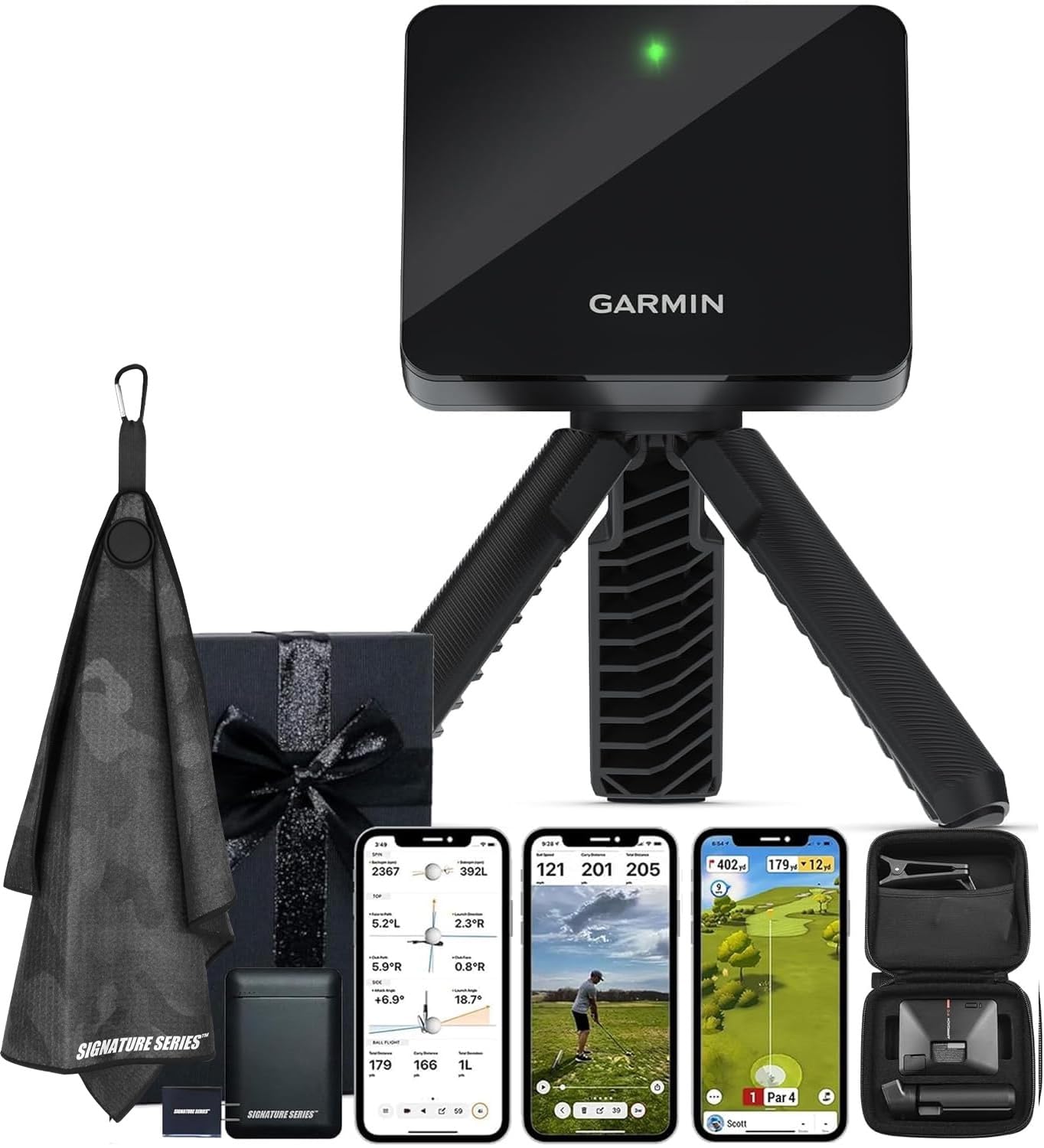
The Garmin Approach R10 is the most ecosystem-friendly launch monitor in this roundup, pairing with the Garmin Golf app to deliver club head speed, ball speed, swing tempo, ball spin, launch angle, and estimated distance data. Its Doppler radar reads shots from 30 to 420 yards and works both indoors with a net and outdoors on the driving range. The included phone mount attaches to your golf bag for easy app visibility, and the battery lasts up to 10 hours on a full charge — enough for multiple range sessions without recharging.
The R10 requires an active subscription for full course simulation via E6 Connect or the Garmin Golf app’s premium tier, adding a recurring cost that pushes the total two-year investment above some competitors. Users report that the unit occasionally misreads chip shots under 15 yards and that the carry distance can be off by 5–10 yards compared to an outdoor range session. The bundle version includes a 5000mAh power bank and microfiber towel, which adds useful value for the buyer who plans to take the unit to the course.
For the golfer who already uses Garmin wearables or wants the largest course library (42,000-plus courses via Garmin Golf app), the R10 is the obvious choice. The data accuracy is sufficient for dialing in yardages and identifying swing tempo issues, though spin axis readings are less precise than the MLM2PRO’s camera-based system. It is the best option for the golfer who values course variety and battery life over absolute spin fidelity.
Why it’s great
- 10-hour battery life supports full weekend range sessions and virtual rounds.
- Garmin Golf ecosystem provides 42,000-plus simulated courses for deep variety.
- Compact form factor with phone mount works seamlessly at the range and at home.
Good to know
- Full course simulation requires a separate paid subscription beyond the hardware cost.
- Occasional chip shot misreads under 15 yards limit short-game practice utility.
- Carry distance readings can be 5–10 yards off compared to outdoor range laser measurements.
4. SkyTrak Golf Launch Monitor

The SkyTrak uses a high-speed photometric camera to capture ball flight data at the moment of impact, making it the most accurate option in this list for indoor spaces where ball flight is limited. It measures ball speed, launch angle, spin rate, spin axis, carry distance, and shot shape without requiring a subscription for the basic driving range — only the Game Improvement software package or third-party sim courses like TGC 2019 cost extra. The unit is compact, wireless, and runs for up to 4 hours on its rechargeable battery, making it easy to move between the garage and the living room.
The photometric system demands consistent lighting and a perfectly level surface. Users report frequent misreads if the unit is not exactly aligned with the target line, and the laser alignment tool can be finicky. The base unit ships without a case, leaving the camera lens exposed to dust and potential damage during transport. Distances are often reported as 10–15 yards short compared to real-world outdoor play, which requires adjusting the elevation and humidity settings in the software to compensate.
The SkyTrak remains the gold standard for the budget-conscious golfer who values spin axis accuracy over portability. It pairs seamlessly with impact screens and projector setups for a full simulator experience, and the photometric data is generally more consistent than radar-based units in confined indoor bays. If you have the patience for the initial calibration and alignment work, the SkyTrak delivers professional-grade data at a fraction of the cost of a GCQuad or TrackMan.
Why it’s great
- Photometric capture provides highly consistent spin rate and spin axis data indoors.
- Wireless operation with 4-hour battery allows flexible placement without cable clutter.
- Basic driving range is free forever; only advanced sim software requires additional payment.
Good to know
- Requires precise leveling and alignment; misalignment causes frequent misreads and laser issues.
- Carry distance reads 10–15 yards short until you adjust elevation and humidity compensation settings.
- Base unit lacks a protective case, leaving the camera lens vulnerable during transport and storage.
5. Garmin Approach G80

The Garmin Approach G80 is a hybrid device — part GPS golf handheld with preloaded course maps for 41,000-plus courses, part integrated launch monitor using radar to track club head speed, ball speed, smash factor, and swing tempo. Its 3.5-inch sunlight-readable transflective touchscreen is crisp enough for on-course use, and the battery lasts up to 15 hours in GPS mode, easily covering two full rounds. The tempo trainer is a standout feature for golfers struggling with transition timing, giving audio feedback on every swing.
The launch monitor functionality is limited compared to dedicated units. It does not measure spin rate or spin axis, and users report that swing speed readings become unreliable above 100 mph. The ball flight distance estimation is approximate and often reads short compared to actual range data. The rubberized strap mounting system feels flimsy for a premium-priced device, and there is no way to export or store launch data for long-term trend analysis — each session is a snapshot without history.
The G80 shines for the golfer who wants a single device for both course GPS and pre-round warmup launch monitoring. It is not a replacement for a proper simulator launch monitor, but it eliminates the need to carry both a GPS rangefinder and a separate swing analyzer. If your priority is on-course utility with secondary range feedback, the G80 justifies its cost through sheer versatility.
Why it’s great
- Dual GPS course maps and integrated launch monitor eliminate the need for multiple devices.
- Sunlight-readable transflective screen works perfectly outdoors in direct sun.
- 15-hour battery life easily covers 36 holes with launch monitor data for warmup.
Good to know
- Launch monitor fails to read swing speeds above 100 mph, limiting utility for stronger players.
- No spin rate or spin axis data — provides smash factor and tempo only.
- Rubber strap mount and lack of data storage/export reduce long-term training value.
6. Swinora GX-03 Launch Monitor

The Swinora GX-03 packs an aluminum body, OLED display, and environmental sensors for temperature, humidity, and barometric pressure into a package that weighs just 0.65 kilograms and costs less than most entry-level putting mats. Its radar-based system measures 13 metrics including attack angle, launch angle, spin rate, and vertical clubface data, and the free companion app requires zero subscription fees — all features are unlocked on download. The magnetic mount and included tripod allow quick setup on any surface, and the device fits neatly into a golf bag pocket for transport.
The GX-03 requires a minimum of 15 feet of total space — 5 feet behind the ball and 10 feet of ball flight — which can be tight in smaller garages or apartments. Users report occasional Bluetooth disconnections, and the data can be inconsistent compared to premium launch monitors, with one reviewer noting ball speed readings that did not match a high-end simulator. The distance calibration function (80%–120%) helps compensate, but the unit struggles with mis-hits and shanks, emitting a beep and only capturing club speed for those shots.
For the absolute entry-level buyer who wants professional-looking data without any subscription commitment, the GX-03 is a compelling starting point. The build quality is excellent for the price, and the app’s 3D driving range with 45-degree and 90-degree viewing angles provides useful visual feedback. It is not accurate enough for serious club fitting, but it is more than capable of revealing tempo flaws and distance gaps in your bag.
Why it’s great
- Zero annual fees and no subscription required for full feature access.
- Aluminum body and OLED display provide premium build quality at an entry-level price.
- Built-in environmental sensors adjust shot data to real-time conditions for improved accuracy.
Good to know
- Requires 15 feet of total space (5 ft behind, 10 ft flight) — too large for some indoor setups.
- Ball speed data can be inconsistent; some users report readings not matching high-end simulators.
- Bluetooth connection can drop during extended sessions, requiring app reconnection.
7. Izzo Golf Swami Launch Master Pro

The Izzo Swami Launch Master Pro brings a brand name known for golf accessories into the launch monitor space with a device that measures total distance, carry distance, swing speed, ball speed, smash factor, launch angle, attack angle, spin rate, and apex. Its Doppler radar covers a wide 30–420 yard measuring range, so you can use it for wedge shots and driver bombs with the same setup. The integrated live weather sensors automatically adjust shot data for temperature, humidity, and altitude, giving you realistic results whether you practice in a humid garage or a dry basement.
The build is plastic, which keeps the weight down but does not inspire the same confidence as metal-bodied competitors. Some users report that carry distance readings are off by 10–15 yards compared to on-course laser rangefinders or Toptracer range data, even after calibration. The app interface is functional but lacks the polished graphics and course simulation of Garmin or Voice Caddie software. The audio feedback is loud and clear, which is helpful outdoors but potentially annoying in a shared indoor space.
The Swami Pro is a straightforward, no-fuss launch monitor for the golfer who wants raw data without gimmicks. It does not pretend to be a full simulator — it is a training tool that gives you the numbers you need to work on your swing. For the price-conscious buyer who trusts the Izzo brand and wants weather-adjusted data for range sessions, this is a reliable choice that does the basics well.
Why it’s great
- Wide 30–420 yard measuring range covers every club in the bag from wedges to driver.
- Live weather sensors adjust data for temperature, humidity, and altitude automatically.
- Loud audio feedback provides instant confirmation of shot data without looking at the screen.
Good to know
- Plastic construction feels less durable than aluminum or steel competitors.
- Carry distance can be 10–15 yards off compared to on-course rangefinder measurements.
- App interface is basic and lacks polished course simulation features.
8. The Net Return Home/Pro Series Golf Net
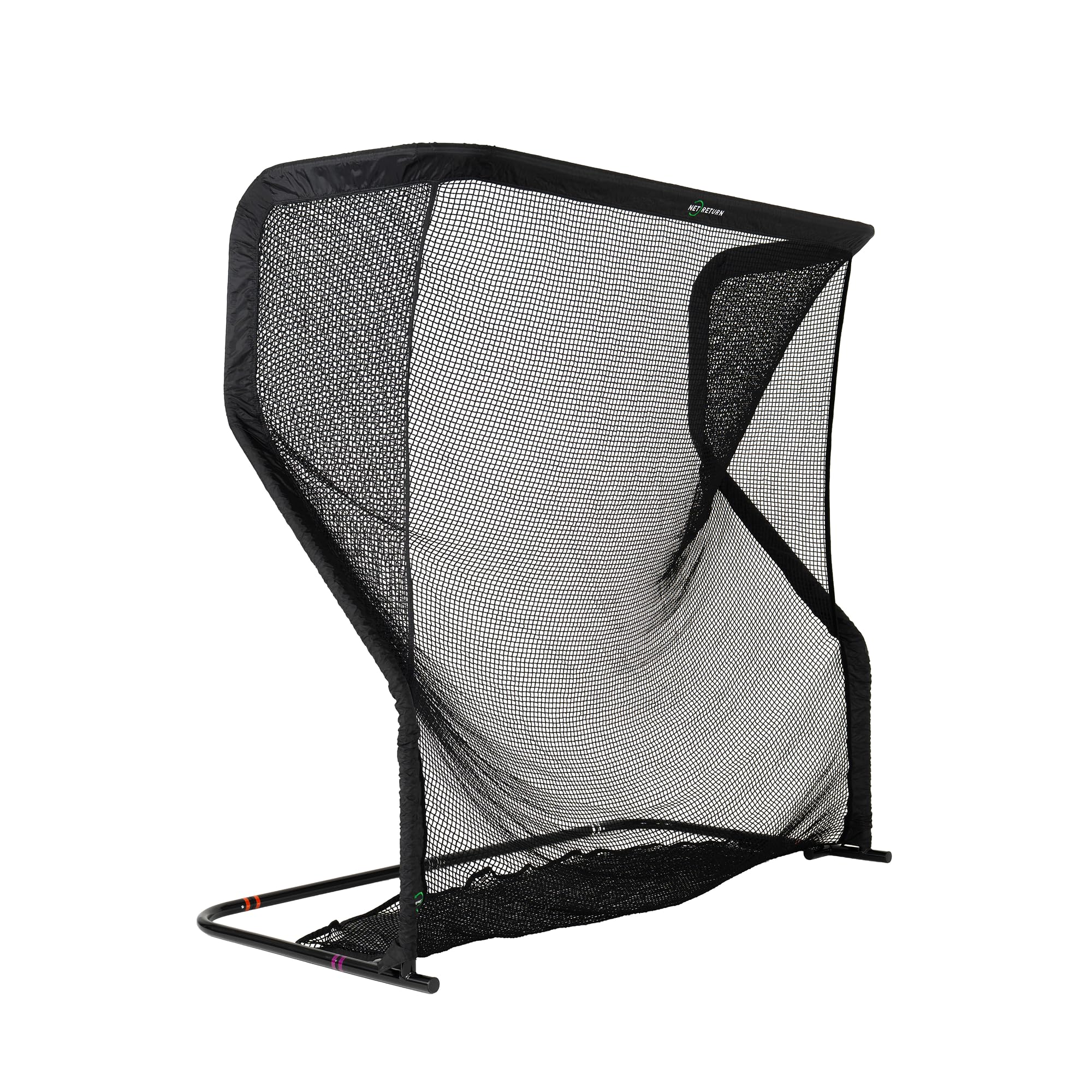
The Net Return Home/Pro Series is the net that elite players trust — Bryson DeChambeau and Kyle Berkshire use it to safely catch drives exceeding 240 mph ball speed. The 8×7.5 foot hitting area is constructed from aircraft-grade aluminum with a UV-shielded net, and the patented S-Shape return system rolls every ball back to your feet automatically. Assembly takes five minutes with the color-coded push-button system, requiring no tools. The 3-year warranty and 250,000-shot guarantee are unmatched in the category.
The net is expensive compared to budget alternatives, but the safety and durability justify the premium. Standard nets develop holes and become dangerous when the ball punches through the weakened weave — the Net Return’s smaller, thicker cord weave prevents this entirely. Off-center hits do not return straight to the ball position, which actually serves as useful shot shape feedback. The frame is stable but can dent if a ball hits the aluminum tubing directly, though the unit remains functional after such impacts.
If your simulator setup is built around a launch monitor that projects data onto a smartphone or tablet screen, this net is the most reliable strike-catching surface you can buy. It pairs with any launch monitor on this list and the included duffle bag makes it portable enough to take to the range. For the golfer who prioritizes safety and longevity over low initial cost, the Net Return is the definitive choice.
Why it’s great
- 250,000-shot guarantee and 3-year warranty provide industry-leading peace of mind.
- Aircraft aluminum frame and thick UV-shielded net safely stop balls at 240+ mph.
- Patented S-Shape return system rolls the ball back to your feet on every clean strike.
Good to know
- Premium price tag places it above most budget nets; trade-off is exceptional durability.
- Off-center hits do not roll back straight, which is useful feedback but slows practice flow.
- Direct ball strikes on the aluminum frame can dent the metal, though functionality is unaffected.
9. Anything Sports Golf Simulator Enclosure
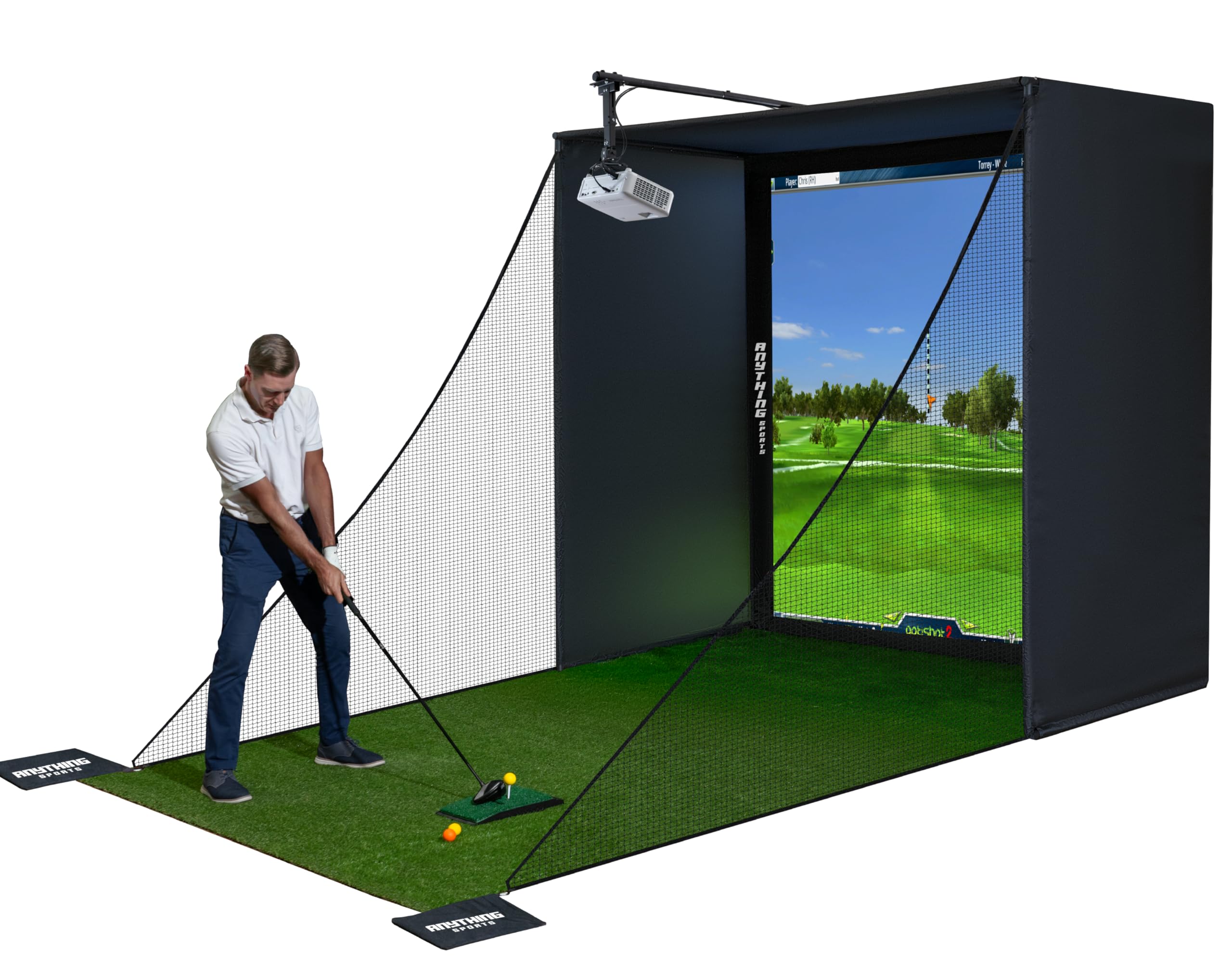
The Anything Sports enclosure is a complete package that includes a 4K-ready impact screen, blackout cage, projector mount, frame poles, and side shank nets — everything you need to convert a garage or basement into a simulator bay except the turf and projector. The screen is precision-sized to sit just 1 inch smaller than the frame, minimizing light bleed and creating an immersive hitting area. The steel frame is heavy-duty and the bungee tension system keeps the screen drum-tight for crisp projection visuals. The included projector mount extends approximately 12 inches, saving the cost and hassle of a separate mount purchase.
Assembly instructions are minimal, relying primarily on labeled parts and pictures. Some users struggled with the bungee cord system and found that balls bounce off the screen with more force than expected — adding foam padding to the frame poles is recommended to prevent ricochet injuries. The side nets and top coverage are adequate for most swings, but taller golfers with a steep swing plane may still see occasional balls escape over the top. Customer support is responsive, with a 12-month no-questions-asked warranty.
For the buyer building a dedicated simulator on a constrained budget, this enclosure delivers the most comprehensive feature set per dollar. It pairs seamlessly with the Garmin R10 or Voice Caddie SC4 Pro, and the 4K-ready screen ensures your investment remains relevant as projector technology improves. The assembly learning curve is manageable for anyone comfortable with basic DIY.
Why it’s great
- Includes projector mount, side nets, and blackout cage — no additional accessories required.
- 4K-ready impact screen with tight fit minimizes light bleed for immersive visuals.
- Heavy-duty steel frame with bungee tension system provides a stable, taut hitting surface.
Good to know
- Assembly instructions are minimal; relies on labeled parts and pictures for guidance.
- Balls bounce back off the screen with significant force; foam padding on frame is recommended.
- Taller golfers with steep swing planes may occasionally launch balls over the top coverage.
10. ZEALFEEL 11×8 ft Golf Cage Elite
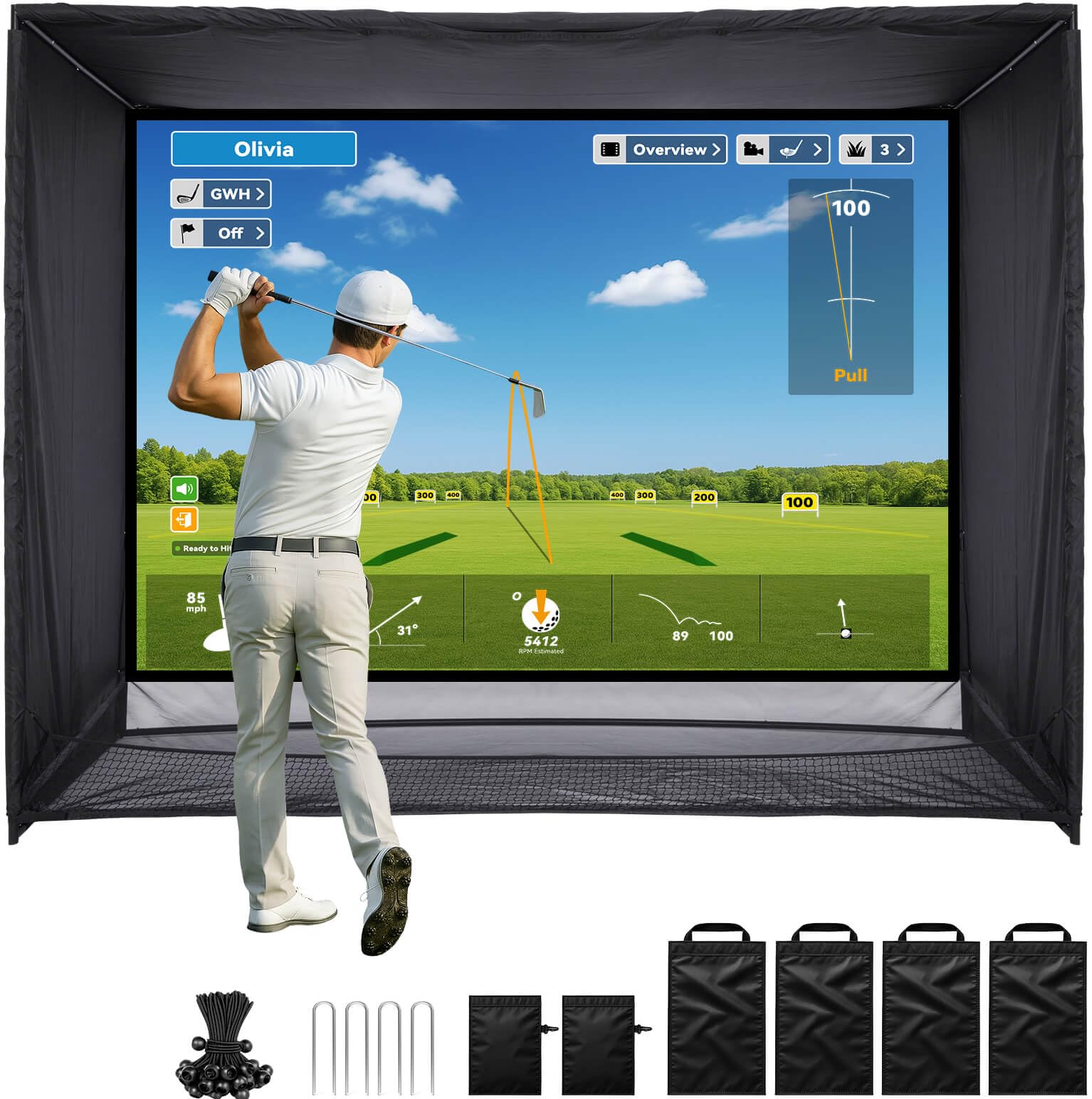
The ZEALFEEL Golf Cage Elite offers the largest hitting area in this roundup at 11 feet wide by 8 feet high by 5 feet deep, with a 118 x 88 inch HD impact screen supporting a 4:3 aspect ratio. The steel frame is powder-coated for rust resistance, and the package includes two side barriers, four long sandbags for ground stability, 22 bungee cords, and four ground stakes. The sloped bottom net design rolls balls back to the hitting zone, minimizing interruptions between swings. The anti-tear netting and noise-reducing target cloth are rated for repeated high-speed impacts.
The bottom netting is thinner than the main screen and some users report that shanked shots punch straight through the bottom material. The top of the screen can sag slightly, requiring a custom string lift to ensure the center is not blocked when using a ceiling-mounted projector. Gaps between the side barriers and the main frame occasionally allow balls to escape, though most users note this is manageable with minor adjustments. Assembly takes approximately 30 minutes with two people.
For the golfer who wants the widest hitting bay possible without moving to a custom-build frame, the ZEALFEEL Cage Elite provides excellent value per square foot of hitting area. It pairs well with any launch monitor and offers enough space for full swing practice with woods. The durability issues around the bottom netting and sagging screen are solvable with foam padding and a string lift, but they require the buyer to be handy with modifications.
Why it’s great
- Massive 11×8 ft hitting area accommodates full swings with woods and driver.
- Sloped bottom net design returns balls to the hitting zone automatically.
- Complete package includes side barriers, sandbags, bungees, and stakes — no extra purchases needed.
Good to know
- Bottom netting is thin and can tear from shanked shots or direct strikes.
- Top of impact screen sags, potentially blocking center view when using a ceiling-mounted projector.
- Small gaps between side barriers and main frame can allow occasional balls to escape.
11. Durbles Golf Simulator Enclosure Kit
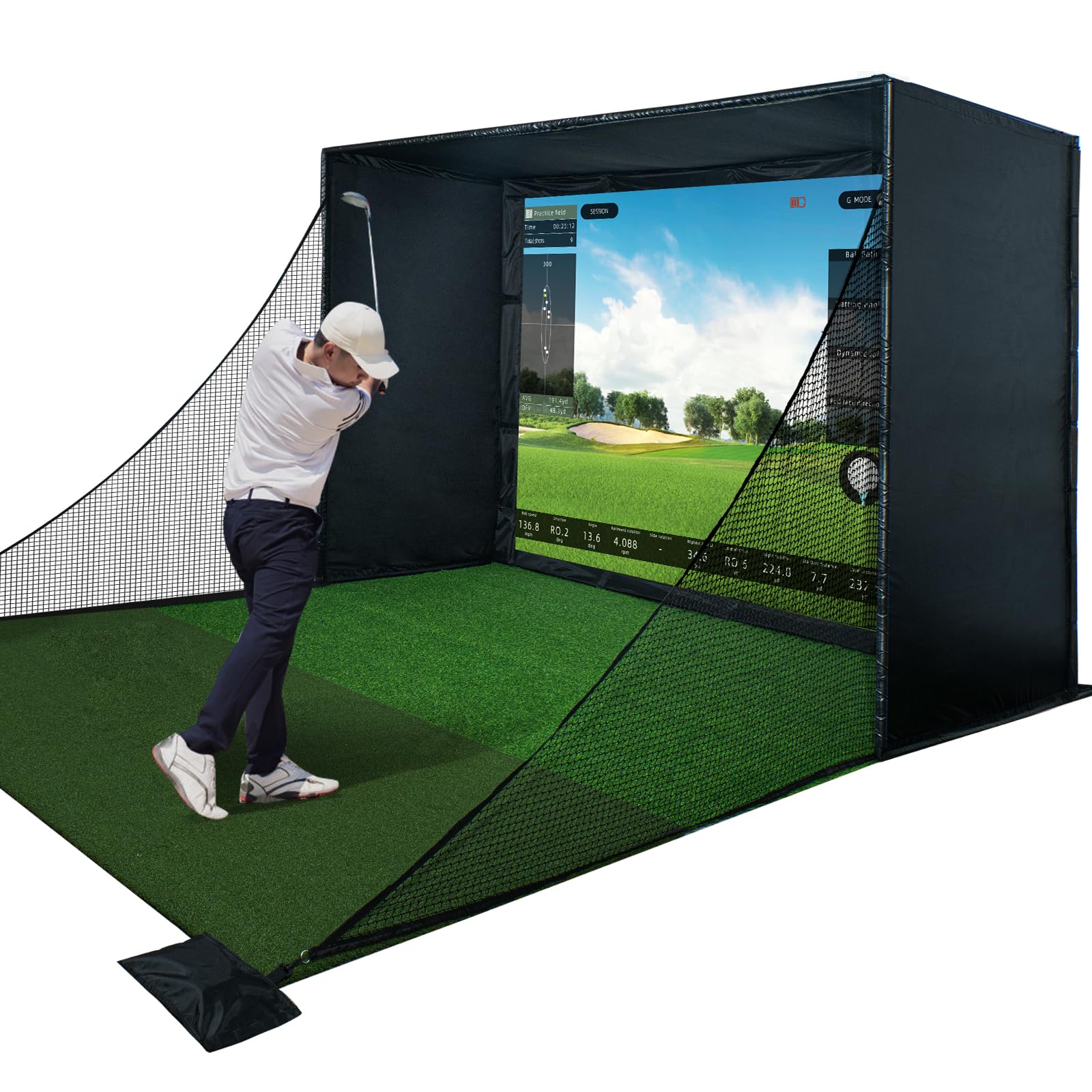
The Durbles Enclosure Kit competes at the premium end of the affordable spectrum with a triple-layer commercial-grade impact screen designed to absorb shock from fast ball speeds while delivering crisp HD visuals. The package includes a steel frame, full-coverage blackout curtain, side and top safety nets, and thick sponge padding that the manufacturer claims reduces ricochet by over 50%. The tool-free assembly system uses numbered parts and straightforward instructions, with most buyers reporting full setup in under three hours with no drilling required. The kit is compatible with most launch monitor systems and golf projectors.
The impact screen bounce-back is noticeable — some users report balls rebounding forcefully enough to pose a risk, though the foam padding mitigates the worst of it. The pipe ends on some units required extra sanding to fit properly, indicating occasional quality control inconsistencies at the connection points. The 33.88 kilogram total weight makes the kit heavy enough that a single person will struggle to move it into position, but the steel construction provides a rock-solid frame once assembled. Customer support is responsive, with the U.S.-based team answering questions within 30 minutes on one reported instance.
The Durbles kit is the right choice for the buyer who wants a near-commercial-quality enclosure without paying custom-build prices. The triple-layer screen provides the best image quality in this price bracket, and the foam padding system meaningfully reduces the safety concerns that plague cheaper enclosures. It is the most expensive option here, but for the dedicated simulator builder who wants a one-and-done purchase, it delivers the most complete, polished experience.
Why it’s great
- Triple-layer commercial impact screen delivers superior image clarity and absorbs high-speed impacts.
- Thick sponge padding reduces ricochet by over 50%, significantly improving safety.
- Tool-free assembly with numbered parts makes setup straightforward even for beginners.
Good to know
- Impact screen bounce-back is still noticeable despite foam padding improvements.
- Some pipe ends arrive needing extra sanding for proper fit, indicating QC variability.
- Heavy steel frame (33.88 kg) is difficult for one person to maneuver into position.
FAQ
Can I use a Doppler radar launch monitor in a small garage with only 8 feet of depth?
How do I calculate the minimum ceiling height for my simulator setup?
What is the difference between a direct Wi-Fi connection and a shared network connection for launch monitors?
Do I need special golf balls for my launch monitor to measure spin?
Final Thoughts: The Verdict
For most users, the best affordable golf simulators winner is the Rapsodo MLM2PRO because its dual-camera and radar hybrid system delivers the most comprehensive data set — including spin axis and impact video — at a price that undercuts dedicated photometric systems by hundreds of dollars. If you want the best bundle with zero subscription fees and a built-in display, grab the Voice Caddie SC4 Pro. And for the garage builder building a full simulator from scratch, nothing beats the complete package of the Anything Sports Simulator Enclosure for the balance of screen quality, included accessories, and overall value.