
Staring at your PC screen while drawing on a disconnected black slab is a workflow that kills spontaneity. A display tablet puts your canvas directly under your pen tip, turning digital sketching into something that finally feels natural. The catch is that most models with a built-in screen carry a premium that pushes them out of reach for students, hobbyists, and freelancers working with a tight budget. The market has shifted though, and several brands now deliver genuine pen-on-screen experiences without demanding a second mortgage.
I’m Min — the co-founder and writer behind Gadgets Feed. I’ve spent hundreds of hours dissecting spec sheets, comparing color gamut numbers, pressure curves, and driver stability reports to separate the genuinely capable display tablets from the ones that just look good on paper.
Whether you are upgrading from a pad-style tablet or buying your very first pen display, this guide breaks down the nine best options available right now. After reading through the detailed reviews and comparison, you will know exactly which affordable graphics tablet with screen fits your drawing style, software, and workspace without wasting a single dollar on features you do not need.
How To Choose The Best Affordable Graphics Tablet With Screen
Buying a pen display on a budget means knowing where to allocate your limited dollars. The screen size, lamination type, color gamut, and pen technology are the four pillars that separate a productive tool from a frustrating toy. Understanding each one prevents the common mistake of overpaying for a high spec number that does not improve your actual drawing experience.
Screen Lamination and Parallax
Non-laminated screens have a visible air gap between the LCD panel and the protective glass. When you draw, your pen tip appears to hover above the ink line, creating a disconnect that makes fine line work imprecise. Full lamination bonds the glass directly to the panel, eliminating that gap and placing the cursor directly under your nib. For under , many models now include full lamination, and it is the single feature worth prioritizing over almost everything else.
Color Accuracy and Gamut
If you do photo retouching, concept art, or any work where color consistency matters, pay attention to the sRGB percentage and the Delta E (ΔE) rating. A display covering 99% sRGB with ΔE under 2 means what you see is what you get when exported. Budget panels often skip factory calibration, so look for mentions of individual calibration or certified ΔE numbers in the product details.
Pen Pressure and Tilt
Pressure sensitivity determines how your strokes respond to the force of your hand. 8192 levels is the current baseline, and it works well for 90% of artists. The newer 16384 level pens offer finer granularity for ultra-light sketches and detailed inking, but the improvement is subtle unless you work with very delicate brush dynamics. Tilt support up to 60 degrees is more immediately useful for shading and calligraphy effects, and it is now standard even on entry-level models.
Quick Comparison
On smaller screens, swipe sideways to see the full table.
| Model | Category | Best For | Key Spec | Amazon |
|---|---|---|---|---|
| XP-Pen Artist 12 3rd Gen | Pen Display | Ultra-Portable Sketching | 16K Pressure / AG Etched Glass | Amazon |
| XP-Pen Artist 13.3 Pro | Pen Display | Wide Color Gamut Work | 123% sRGB / Red Dial | Amazon |
| XP-Pen Artist 13.3 Pro V2 | Pen Display | Beginner-Friendly Setup | 16K Pressure / 125% sRGB | Amazon |
| PicassoTab-X11 Standalone | Standalone Tablet | Drawing Without a PC | 2K Screen / 6GB RAM | Amazon |
| Wacom One 14 | Pen Display | Reliable Brand & Software | 14″ Screen / Battery-Free Pen | Amazon |
| PicassoTab-A12 Standalone | Standalone Tablet | Large 12″ Standalone Canvas | 2K Screen / Android 14 | Amazon |
| Huion Kamvas 16 (2021) | Pen Display | Large Screen on a Budget | 15.6″ / Full-Laminate / 120% sRGB | Amazon |
| Huion Kamvas Pro 16 | Pen Display | Touch Bar & Express Keys | 15.6″ / Full-Laminate / 8192 Pressure | Amazon |
| Huion Kamvas 16 (Gen 3) | Pen Display | Highest Resolution & Pressure | 2.5K QHD / 16384 Pressure / Dual Dials | Amazon |
In‑Depth Reviews
1. Huion Kamvas 16 (Gen 3)

The Huion Kamvas 16 (Gen 3) is the most feature-packed display tablet in this lineup, and it earns the top spot by delivering specs that were exclusive to + tablets just a couple of years ago. The 2.5K QHD resolution at 186 PPI makes text and fine lines razor sharp, and the 99% sRGB coverage with ΔE under 1.5 means you can trust the colors without a secondary monitor for proofing. The 16384 levels of pen pressure from PenTech 4.0, combined with a 2-gram initial activation force, captures the lightest feathering strokes without any dead zone at the top of the pressure curve.
Dual dial controllers on the left side let you map brush size to one and canvas zoom to the other, cutting down the time spent reaching for keyboard shortcuts. The nano-etched glass provides a subtle tooth that feels closer to marker on Bristol board than the slick surface found on older PenTech 3.0 tablets. It connects via a single full-featured USB-C cable, keeping the desk clean, though you will need a USB-C port that supports DisplayPort Alt mode on your computer to avoid using the included 3-in-1 adapter.
The bundled adjustable stand is functional but lacks the smooth articulation of premium stands, and the driver occasionally defaults to extending the desktop instead of mirroring when the tablet wakes from sleep. These are minor inconveniences on an otherwise outstanding device that gives you a legitimate professional-grade canvas at a price that undercuts every comparable Wacom by hundreds.
Why it’s great
- 2.5K QHD resolution delivers a noticeably sharper canvas than 1080p competitors
- Dual dials and silent press keys streamline your workflow without lifting the pen
- PenTech 4.0 with 16384 levels provides exceptional light-stroke response
Good to know
- Included stand feels plasticky and lacks smooth tilt adjustment
- Driver may default to extended display mode when waking from sleep
- No touch gesture support, which some artists prefer for zoom/rotate
2. XP-Pen Artist 13.3 Pro V2

The XP-Pen Artist 13.3 Pro V2 refines the formula of its predecessor by introducing the X3 Pro smart chip stylus, which delivers 16384 pressure levels with a faster initial response rate of 90ms. The difference is most noticeable when switching between a hard inking brush and a soft watercolor brush — the pen reads the transition without a hitch, and there is no visible line wobble even at slow speeds. The full-laminated display with AG film keeps parallax virtually nonexistent, so your cursor stays glued under the nib.
Beyond the pen, the 125% sRGB coverage with 107% Adobe RGB and 95% DCI-P3 makes this one of the most color-accurate panels in its price bracket. The red dial on the left side controls brush size, zoom, and canvas rotation with a smooth tactile click, and the eight customizable shortcut keys on the side eliminate the need to hunt for keyboard commands. The included S01 foldable stand offers a 90-degree tilt range, helping you find a comfortable posture for long studio sessions or late-night projects.
A small number of users have reported pen misalignment when running dual monitors at different resolutions, requiring both displays to be set to 1080p. This is a driver-level quirk that XP-Pen may address in future updates, but it is worth noting if your workflow depends on a high-resolution secondary monitor. Overall, the combination of 16K pressure, wide color gamut, and a full-laminated panel at this price point makes the V2 a compelling everyday driver for intermediate and advancing artists.
Why it’s great
- X3 Pro pen with 16384 levels and 90ms response feels immediate and natural
- Wide DCI-P3 coverage ensures accurate colors for print and video projects
- Red dial and eight shortcut keys dramatically reduce workflow interruptions
Good to know
- Dual-monitor setups with mismatched resolutions may cause cursor offset
- AG film can wear down over time; a screen protector is recommended
- Not a standalone unit — requires connection to a computer or Android device
3. Huion Kamvas 16 (2021)

The Huion Kamvas 16 (2021) proves that getting a 15.6-inch drawing canvas does not require emptying your savings account. The full-laminated anti-glare film virtually eliminates the air gap, so there is no distracting parallax, and the anti-glare coating prevents studio lights from washing out your view. With 120% sRGB color gamut volume and a 178-degree viewing angle, the colors stay consistent even when you lean in close for detail work or sit back for a broader composition review.
The battery-free PW517 pen offers 8192 levels of pressure sensitivity and supports 60-degree tilt. It is not as refined as the newer 16K pens, but the tilt tracking is accurate enough for convincing charcoal-style shading and calligraphic brush strokes. The ten customizable shortcut keys on the side panel are a genuine productivity booster — mapping undo, brush size, layer toggle, and zoom to dedicated buttons keeps your hand on the pen. The included ST300 adjustable stand attaches tool-free and supports a wide tilt range, though it does not lock into position, so bumping the desk can shift your angle mid-stroke.
The cable situation is flexible with both a 3-in-1 cable and a full-featured USB-C cable included, so you can choose between a single-clean-cable setup or legacy HDMI connections. Some users report that the pen side buttons are too easy to press accidentally, which can insert unwanted marks, but this is manageable by remapping the buttons to less disruptive functions. For artists transitioning from a pad tablet to a display tablet, the size and price of the Kamvas 16 (2021) make it a low-risk upgrade path.
Why it’s great
- 15.6-inch screen provides plenty of room for palettes and canvases simultaneously
- Full-laminated anti-glare display reduces parallax and eye fatigue
- Both 3-in-1 and USB-C cables included for flexible connectivity
Good to know
- Pen side buttons are easy to trigger accidentally
- Stand does not lock into position; can shift with desk bumps
- Older 8192-level pen lacks the ultra-light response of newer 16K models
4. Huion Kamvas Pro 16

The Huion Kamvas Pro 16 differentiates itself with its unique touch bar input, positioned alongside six physical express keys on the left side of the screen. The touch bar can be programmed for canvas zoom, brush-size adjustment, or page scrolling — slide your finger up and down for continuous control rather than tapping discrete buttons. The 15.6-inch full-laminated anti-glare display provides the same near-zero parallax advantage as the standard Kamvas 16, but the Pro model adds a premium build feel with a slimmer bezel profile.
The battery-free PW507 pen delivers 8192 pressure levels with 60-degree tilt, and the 266 PPS report rate keeps the line responsive without visible lag even during rapid crosshatching. The 120% sRGB color gamut volume with 16.7 million colors produces rich, saturated tones that hold up well for illustration and photo editing. The 3-in-1 cable is included, though some users have found that the cable can be a weak point over time due to the tight bend radius required by the angled port placement.
A quirk worth mentioning is that the driver sometimes needs to be relaunched with administrator privileges to properly map the pen to the display area. It is not a dealbreaker, but it adds an extra step to the initial setup process. The touch bar, while innovative, lacks haptic feedback, so you may overshoot your target value without looking at the on-screen indicator. For artists who frequently adjust brush size or zoom while drawing, the tactile feedback of a physical dial may still be preferable.
Why it’s great
- Touch bar provides smooth, continuous control for zoom and brush size
- 266 PPS report rate ensures lag-free stroke tracking
- Full-laminated anti-glare display keeps parallax to a minimum
Good to know
- Cable port angle can strain the 3-in-1 cable over repeated use
- Driver sometimes requires admin rights to function correctly
- Slim bezels leave little room to rest your palm without triggering touch inputs
5. Wacom One 14
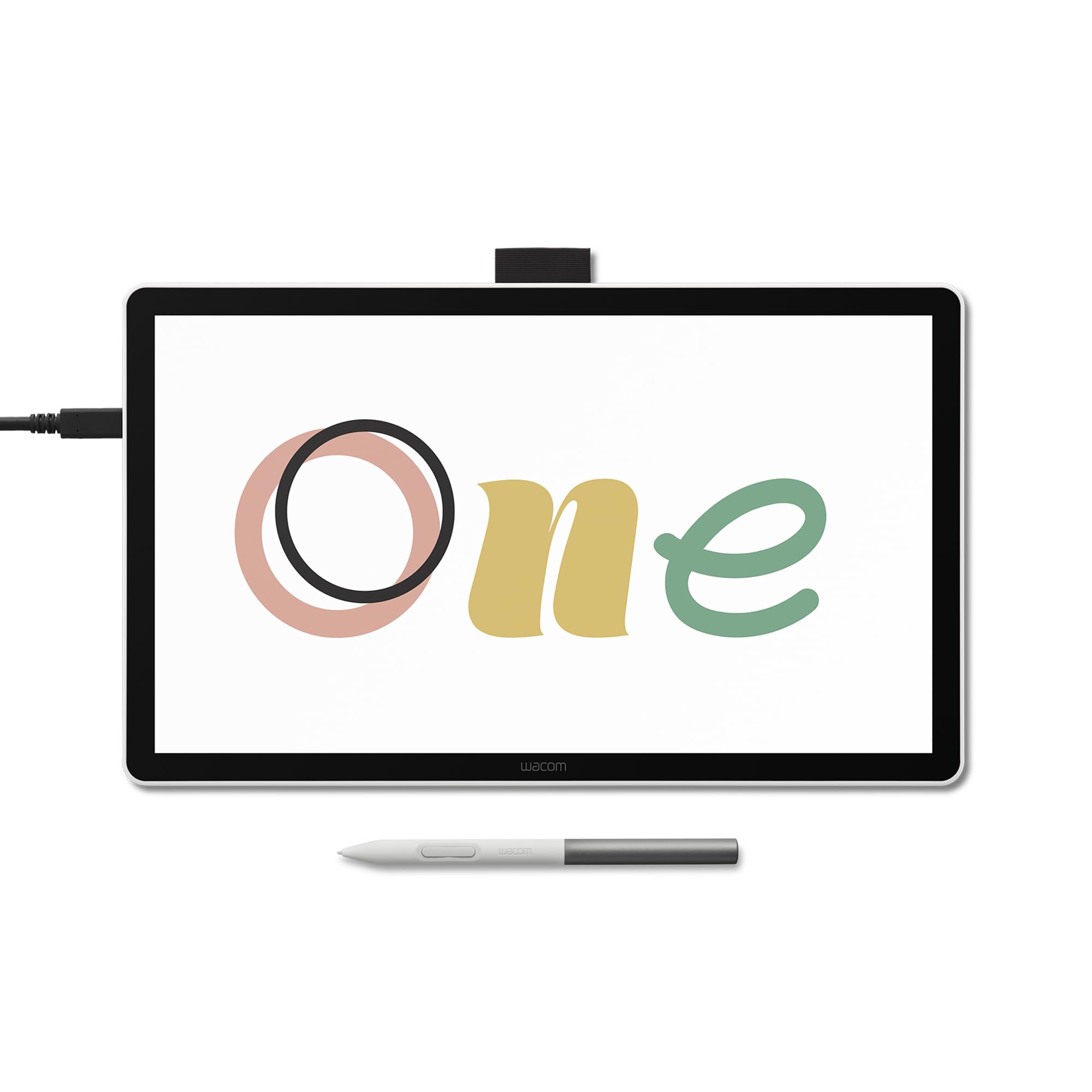
The Wacom One 14 brings the brand’s legendary driver stability and battery-free pen technology to a more accessible price tier. The 14-inch full-laminated IPS display offers 98% sRGB color accuracy with an anti-glare surface that resists smudges and reflections. The pen supports 60-degree tilt and captures a full range of pressure expression, from the lightest tick marks to bold, saturated fills, all without ever needing a charge. Wacom’s reputation for plug-and-play reliability is a genuine advantage — there are no driver fights, no mysterious disconnects, and no calibration drift mid-session.
The package includes trials of Clip Studio Paint Pro, Concepts, and Magma, plus a Skillshare training subscription, giving you a full creative ecosystem to start working immediately rather than hunting for software. The single USB-C connection simplifies the desk setup, but there is a catch: if your computer does not have a USB-C port with DisplayPort Alt mode, you must buy Wacom’s separate converter kit (ACK45219Z), which adds to the total cost. This is a significant gotcha that budget-conscious buyers need to factor in before purchasing.
The build quality is what you expect from Wacom — the tablet feels solid, the white chassis is a refreshing departure from the black slab aesthetic, and the pen sits comfortably in hand without feeling cheap. The screen resolution is 1920×1080, which is fine for drawing but noticeably less sharp than the 2.5K panels available from competitors at similar prices. For artists who prioritize a frustration-free setup and brand reliability above raw panel specs, the Wacom One 14 delivers a polished experience.
Why it’s great
- Rock-solid driver stability with no calibration drops or phantom inputs
- Battery-free pen works immediately without pairing or charging
- Includes software trials and tutorials to begin creating right away
Good to know
- Requires a converter kit for computers without USB-C DisplayPort Alt mode
- 1080p resolution looks soft compared to 2.5K competitors at the same price
- No touch gesture support; zoom and rotate must be done via keyboard or pen
6. PicassoTab-X11

The PicassoTab-X11 breaks the mold by functioning as a fully standalone drawing tablet — no computer connection required. The 11-inch fully laminated 2K screen (2000×1200) offers a crisp, paper-like drawing surface with reduced parallax and glare, and the included 4096-pressure-level stylus works with palm rejection for a natural sketching feel. The octa-core CPU, 6GB of RAM, and 128GB of storage mean you can run drawing apps, browse the web, and stream video without the lag that plagues cheaper standalone tablets.
One of the strongest selling points is the included software bundle: Concepts with a lifetime PRO upgrade, plus basic versions of Infinite Painter and FlipaClip, plus lifetime VIP access to Artixo tutorials. This eliminates the need to spend extra money on drawing apps and learning resources. The tablet runs a custom graphics-focused OS based on Android, and it supports Wi-Fi for downloading additional apps from the Google Play store, turning the device into a full entertainment and creativity hub.
The stylus is functional but not premium — some users report that the pressure sensitivity can be inconsistent near the edges of the screen, and the pen occasionally loses connection, requiring a tap to wake it back up. Customer support from Simbans is notably responsive, with several reviews mentioning quick replacements for hardware issues. For artists who want the freedom to draw on a train, in a park, or on a couch without being tethered to a laptop, the PicassoTab-X11 offers an appealing all-in-one package.
Why it’s great
- Operates completely independently with no computer or cables needed
- 2K laminated screen produces sharp, glare-free visuals
- Lifetime PRO drawing apps and tutorials included at no extra cost
Good to know
- Stylus pressure sensitivity can be inconsistent near screen edges
- Battery life is decent but requires daily charging with heavy use
- Custom OS may not support every Android drawing app perfectly
7. PicassoTab-A12
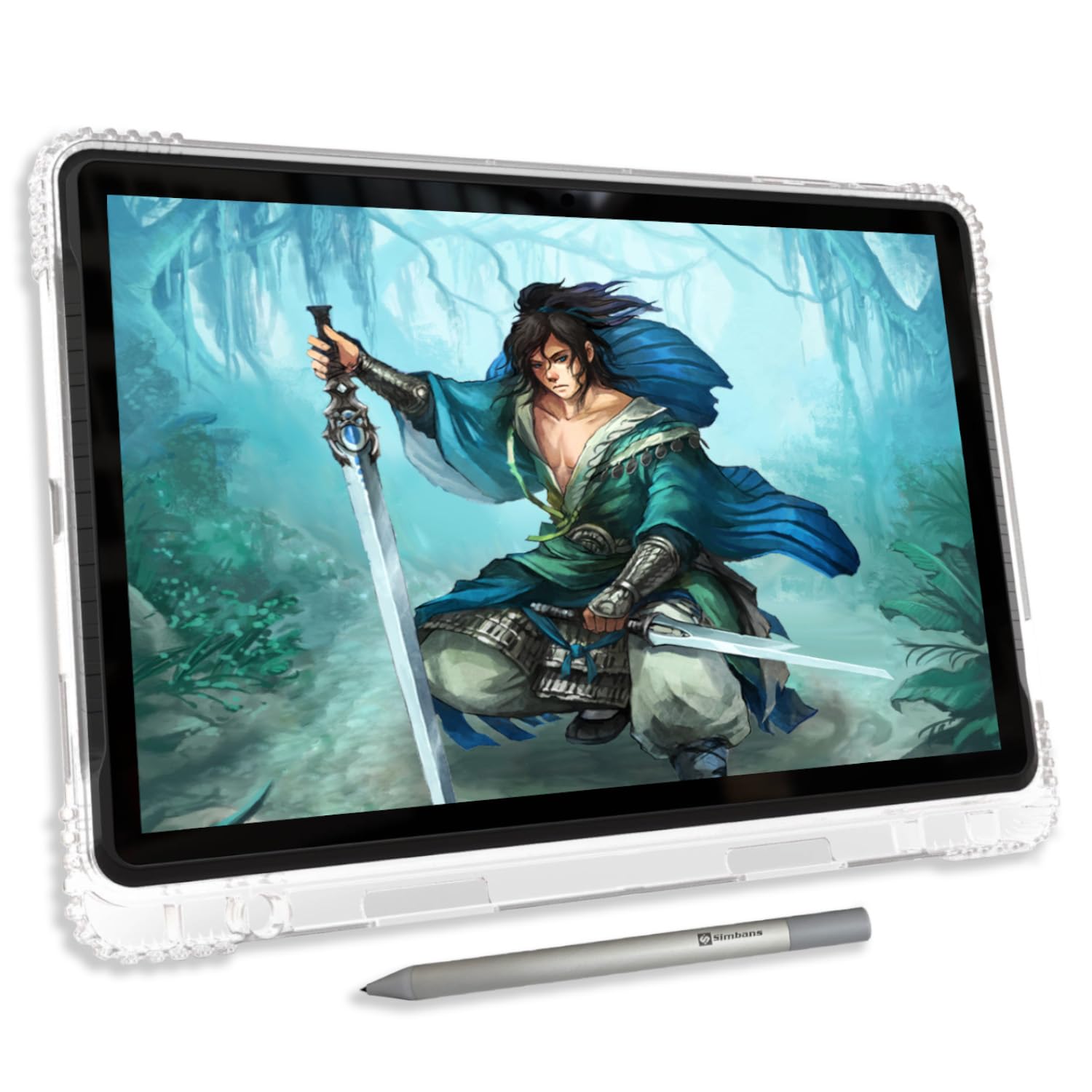
The PicassoTab-A12 expands on the standalone concept by offering a 12-inch fully laminated 2K display, giving you more canvas real estate without sacrificing portability. The larger screen makes a meaningful difference when working with complex multi-layered compositions or when using split-screen mode for reference images alongside your drawing app. The Picasso Pen 3 stylus offers 4096 pressure levels with palm rejection, and the laminated display keeps the cursor directly under the nib for accurate line placement.
Under the hood, the A12 runs Android 14 with an octa-core processor, 6GB of RAM, and 128GB of internal storage expandable to 1TB via microSD. The upgraded operating system provides broader app compatibility and a smoother multitasking experience compared to the custom OS on the X11 model. The built-in Concepts app with a lifetime PRO upgrade and Artixo tutorial access carries over from the X11, so you get the same comprehensive creative suite on a bigger screen. The bundle includes a protective case, glove, screen protector, stylus, and charger, so there is nothing else to buy.
The default stylus nib is hard and can mark the screen over time, so applying the included screen protector is strongly advised. Some users also note that the battery life drops noticeably if Wi-Fi and background apps are left running, so disabling unnecessary background processes helps extend drawing sessions. For growing artists or students who need a self-contained creative device that also handles schoolwork and streaming, the A12 delivers impressive versatility at a price that undercuts traditional iPad-based setups.
Why it’s great
- 12-inch laminated 2K display provides generous drawing space
- Android 14 with 6GB RAM ensures smooth app switching and performance
- Comprehensive accessory kit eliminates the need for separate purchases
Good to know
- Hard nib can scratch the screen without a protector installed
- Battery life suffers if Wi-Fi and background apps are not managed
- Limited case accessory market compared to mainstream tablets
8. XP-Pen Artist 13.3 Pro
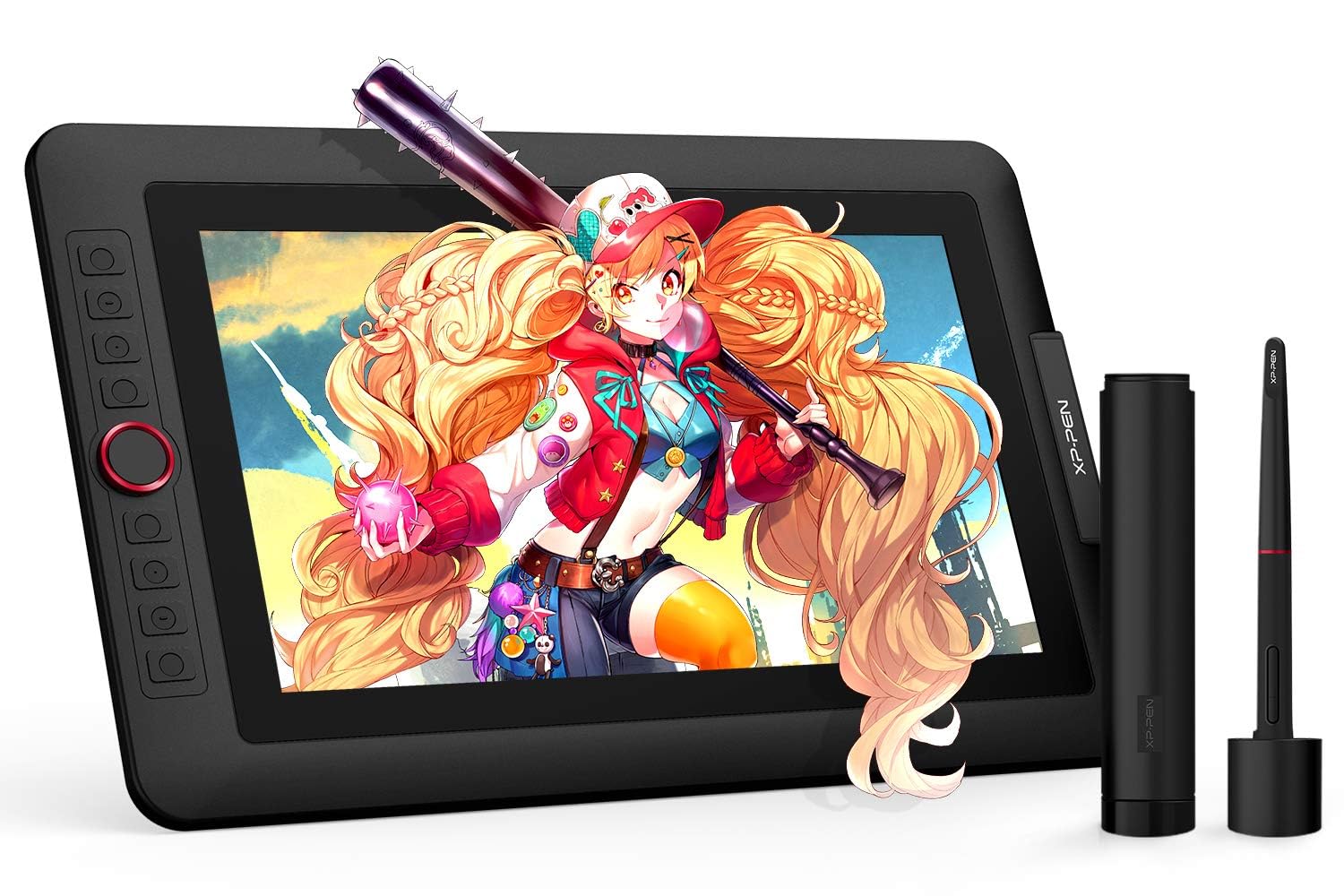
The XP-Pen Artist 13.3 Pro remains a rock-solid choice for artists who prioritize color fidelity above all else. The 13.3-inch fully laminated FHD display covers 123% sRGB and 91% Adobe RGB, putting its color gamut in the same league as monitors costing twice as much. Colors pop off the screen, and the 178-degree viewing angle means you can share your screen with a client or collaborator without the image washing out. The battery-free pen supports 16384 pressure levels and 60-degree tilt, delivering smooth, expressive lines with 220 RPS report rate and minimal initial activation force.
The red dial on the display side is a standout feature for workflow efficiency — zoom, brush size, and canvas rotation are all accessible with a single thumb motion, and the dial has a satisfying tactile detent that prevents overshooting. The eight customizable shortcut keys on the same side handle undo, redo, and other frequently used functions. The included portable stand props the tablet at a comfortable drawing angle, though it is not adjustable, so you may want to invest in a more ergonomic stand for all-day use.
Connectivity relies on a 3-in-1 cable that splits into HDMI, USB, and power connectors, which can create a slightly cluttered desk compared to the single USB-C setups found on newer models. Some users also report that the stand, while functional, is not height-adjustable, so pairing it with a separate laptop stand or monitor arm is recommended for long sessions. For the price, the combination of wide-gamut color coverage and the pressure-sensitive pen at 16384 levels makes this a compelling choice for illustrators and designers who need accurate color representation.
Why it’s great
- 123% sRGB and 91% Adobe RGB coverage is exceptional at this price
- Red dial provides tactile, precise control of brush size and zoom
- Fully laminated display with no visible parallax
Good to know
- 3-in-1 cable creates more desk clutter than single USB-C alternatives
- Included stand is not adjustable; may cause neck strain over long periods
- Older model lacks the refined driver setup of the newer Pro V2 version
9. XP-Pen Artist 12 3rd Gen
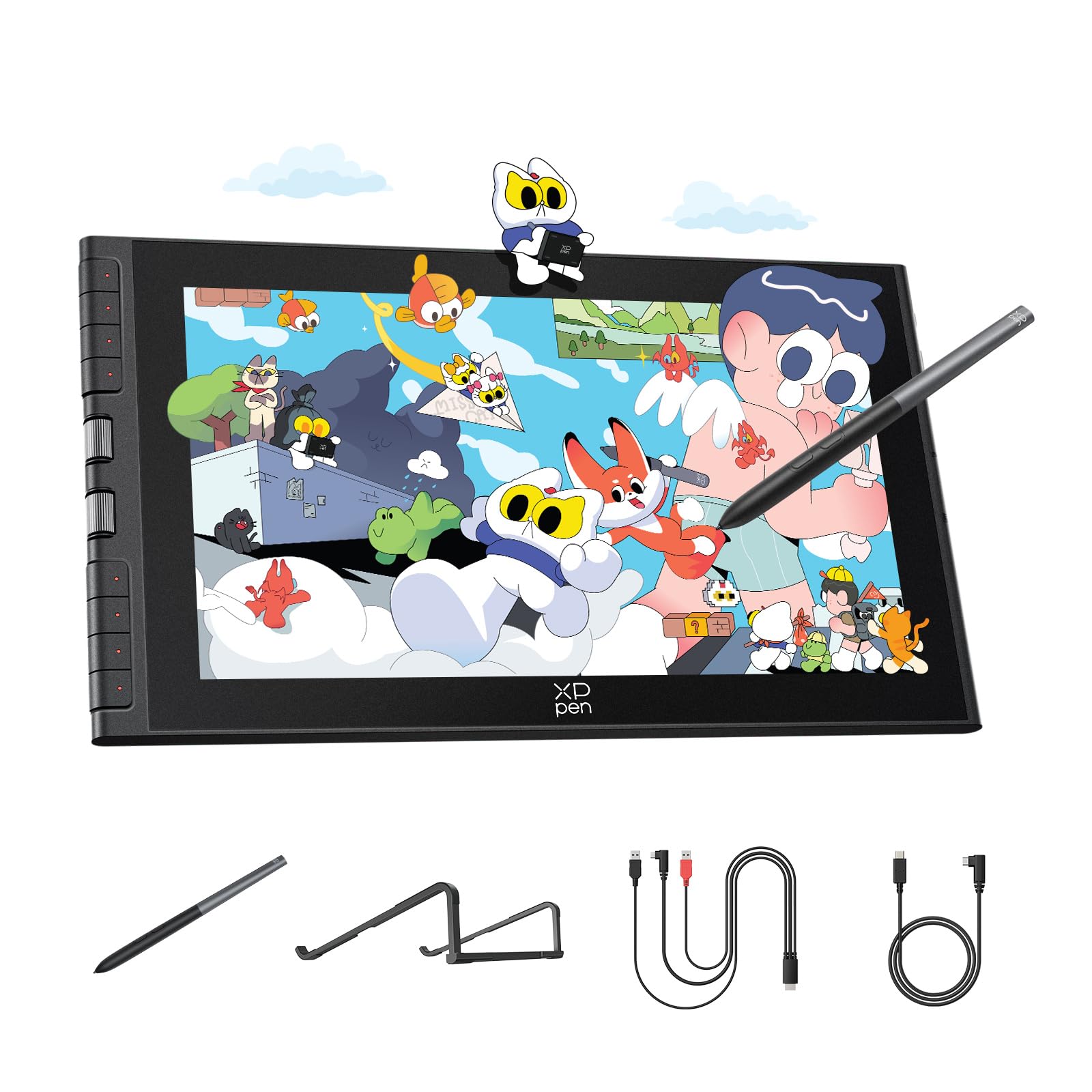
The XP-Pen Artist 12 3rd Gen is designed for artists who need a portable drawing solution without sacrificing screen quality. Weighing just 1.58 pounds with a 33% narrower bezel that maximizes the 11.9-inch drawing area, this tablet fits easily into a standard laptop bag alongside your notebook or tablet. The AG etched glass surface delivers a paper-like texture that reduces glare by 85%, making it usable in brightly lit coffee shops or near windows without fighting reflections. The dual X-Dial wheels on the side let you adjust brush size and canvas zoom on the fly, and the eight customizable shortcut keys prevent accidental presses by requiring a deliberate push.
The magnetic X4 pen supports 16384 pressure levels with 60-degree tilt and a 2-gram initial activation force, making it sensitive enough to capture the faintest pencil sketch lines. The pen attaches magnetically to the tablet body, so you will not lose it when packing up, and the kit includes ten replacement nibs to cover months of heavy use. The display delivers 1920×1080 resolution with 99% sRGB and a factory-calibrated ΔE under 1.5, ensuring that colors are accurate straight out of the box without manual adjustment.
Connectivity is handled by a single USB-C cable that carries video, data, and power — no separate power adapter needed for most laptops. The included foldable stand provides a comfortable 20-degree drawing angle that reduces wrist strain during extended sessions. The smaller 11.9-inch screen may feel cramped if you are used to a 15-inch monitor for your UI panels, but the portability trade-off is worth it for artists who draw on the go. The tablet is compatible with Windows, macOS, Android, ChromeOS, and Linux, making it one of the most versatile connectivity options in this lineup.
Why it’s great
- Ultra-portable at 1.58 lbs with 33% narrower bezels for a compact footprint
- AG etched glass provides a true paper-like drawing feel with minimal glare
- Dual X-Dial wheels and 8 customizable keys keep you productive on the go
Good to know
- 11.9-inch screen is smaller than the 13.3-inch options; UI panels take up space
- Driver installation required; firmware update may be needed for Chromebook/Android
- Magnetic pen attachment is convenient but less secure than a dedicated slot
FAQ
Is full lamination worth paying extra for on a budget tablet?
Can I use an affordable pen display without a computer?
Do I really need 16384 pressure levels or is 8192 enough?
Final Thoughts: The Verdict
For most users, the affordable graphics tablet with screen winner is the XP-Pen Artist 12 3rd Gen because it combines true portability with a paper-like AG etched glass surface and dual X-Dial wheels at a price that does not punish your wallet. If you want a larger canvas for studio work and better color accuracy, grab the XP-Pen Artist 13.3 Pro V2 with its 16K pressure and 125% sRGB coverage. And for the standalone experience without a computer, nothing beats the PicassoTab-A12 with its 12-inch 2K screen and lifetime software bundle.