
Our readers keep the lights on and my morning glass full of iced black tea. As an Amazon Associate, I earn from qualifying purchases.
Specs are compiled from manufacturer listings and verified buyer reviews and can change over time — please confirm the key details on the product page before buying.
The dreaded “graphing calculator” line on a school supply list usually means one thing: a scary price tag. You do not need a four-figure engineering workstation to pass high school math or college algebra. A genuinely capable graphing calculator that handles everything from pre-algebra to AP Statistics can cost far less than you think, and this guide shows you exactly which features matter so you do not overpay for a brand name.
I’m Min — the founder and writer behind Gadgets Feed. This guide is built by comparing the manufacturers’ published specifications and the patterns across verified customer reviews, so you get each pick’s real strengths and trade-offs instead of marketing spin.
You will find the best value, the budget champion, and the premium upgrade, all ranked by what real students and parents actually need from an affordable graphing calculator.
Our Picks at a Glance

How To Choose The Best Affordable Graphing Calculator
Before you compare buttons and brands, you need to lock down the one non-negotiable: exam approval. If your school requires a graphing calculator for a test, it must be on the approved list for that exam. A calculator that is not approved is a paperweight on test day.
Check the exam approval list first
Before you buy, check your school or exam board’s approved list—it usually includes AP, SAT, ACT, and IB. If your calculator isn’t on it, you can’t use it, no matter how powerful it is. Every model in this guide is approved for those major tests, but confirm with your specific institution first.
Match the features to your classes
A pre-algebra student and an engineering major need very different tools. If you are just starting, a simpler interface with clear menus beats a calculator stuffed with advanced functions you will never touch. If you are in higher-level math or science, look for things like complex matrix calculations and Python programming.
Decide between new, renewed, and premium
New units come with the full warranty and latest software. Renewed units cost less but carry the risk of past use and potential wear. Premium models offer faster processors and more memory, but you pay for that speed. For most high schoolers, a mid-range or budget pick does everything required.
Quick Comparison
| Model | Best For | Display | Weight | Programming | Amazon |
|---|---|---|---|---|---|
| NumWorks Graphing Calculator★ Best Overall | Intuitive daily use | 320×240 color | 219 g | Python shell | Amazon |
| Casio fx-9750GIII | Budget value | Natural Textbook LCD | 7.5 oz | MicroPython | Amazon |
| TI-83 Plus (Renewed) | Classic familiarity | 64 x 96 pixel | 9.6 oz | — | Amazon |
| TI-84 Evo, Pink | Premium speed | 50% more graph space | 7.2 oz | Python added | Amazon |
In‑Depth Reviews
1. NumWorks Graphing Calculator
Our pick — over 4.5★ from 8,500+ verified ratings; the strongest balance of quality and price.
The NumWorks’ intuitive interface and bright color screen make graphing feel easy.
The NumWorks wins people over with its sheer usability — the interface is so streamlined that you rarely need the manual. It is built to grow with you from middle school through college. The high-resolution color screen (320×240 pixels) makes graphs and tables crisp and easy to read, a real step up from the grayscale displays on older rivals.
It also brings modern touches the competition lacks: a built-in USB-C charging cable means you recharge it like a phone instead of swapping AAA batteries. The software is open-source and updates over the browser, so the calculator keeps improving without you buying a new one. Buyers report it “has a bright screen, seems to have fast performance, good battery life,” and the rechargeable lithium-ion battery lasts a long time between charges.
The trade-off is that it is not the most feature-packed unit on the list. It has a Python shell for programming, but the memory for Python scripts is limited, and there is no dedicated finance app. It also weighs 219 g (about 7.7 oz), making it lighter than the bulky TI-83 Plus at 9.6 ounces — a noticeable difference when it sits in a backpack all day.
What Owners Rave About
- Extremely intuitive and easy to use without instructions
- Bright, clear, customizable color display
- Rechargeable battery with a charging indicator LED
The Honest Trade-offs
- Limited Python memory and slow script editing
- Secondary key labels can be hard to see
- Sticky buttons reported by a few owners
The smart pick for: students and teachers who want a calculator that feels modern and intuitive, with a screen that is a joy to read.
Look elsewhere if: you need heavy finance functions or plan to run complex Python programs — this unit’s scripting is basic.
2. Casio fx-9750GIII Graphing Calculator
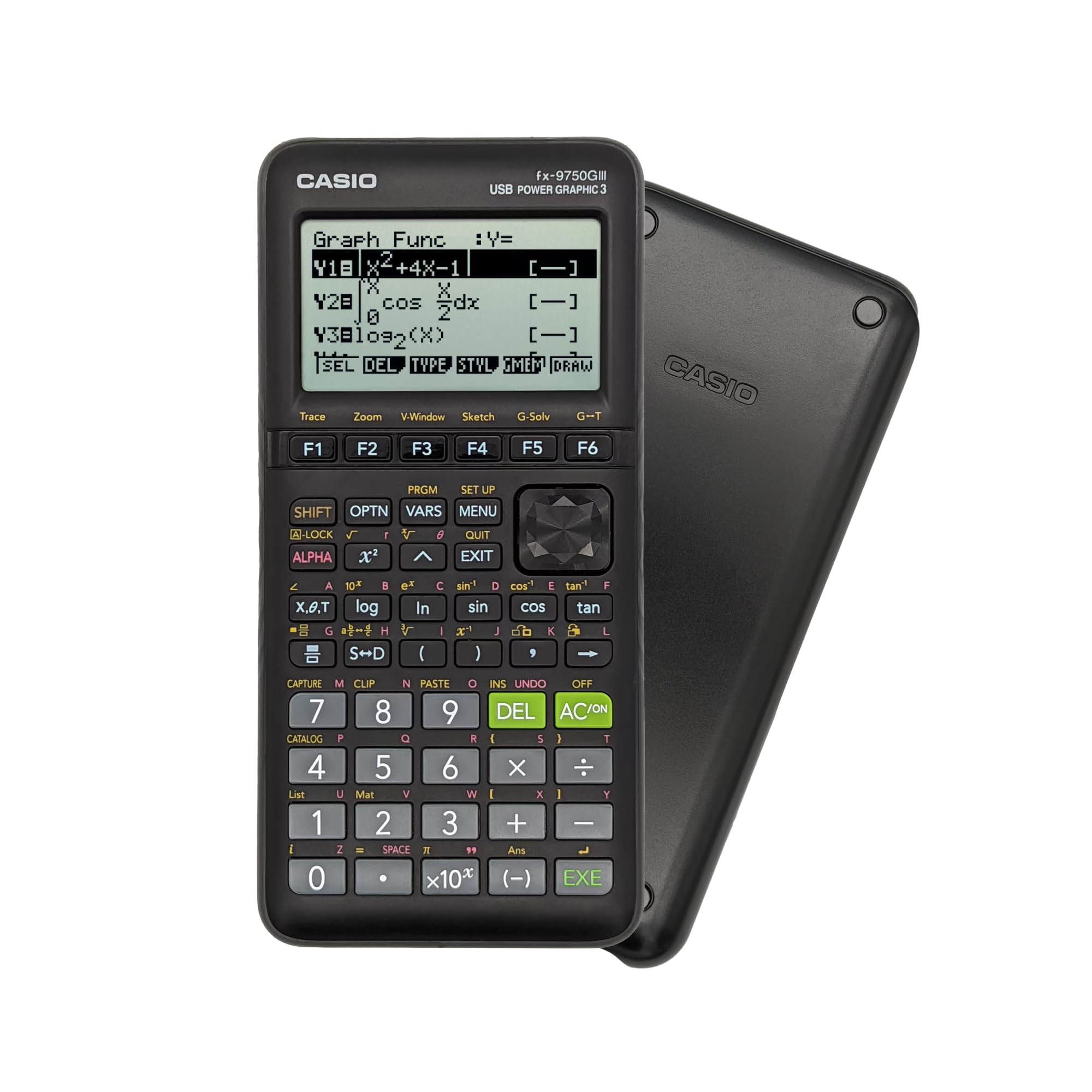
The Casio fx-9750GIII delivers flagship-level functions at a budget price.
If you want the most capability for your dollar, this Casio is the one. Owners mention it is “Half TI-84 price, same functions plus more,” and that sums up the appeal perfectly. It is approved for AP, SAT, ACT, and IB exams, so you are not sacrificing test eligibility to save money. It weighs only 7.5 ounces, making it noticeably lighter than the Texas Instruments TI-83 Plus at 9.6 ounces.
You’ll see math exactly as it appears in your textbook, thanks to the Natural Textbook Display. It shows exact values—like sin 60° as √3/2 or an angle as π/6—which the TI-84 doesn’t do. For pre-calc and college algebra, that alone justifies the price. You also get MicroPython (a beginner-friendly programming language) built in, plus a USB cable to transfer files to a PC.
It is not perfect. The graph screen resolution is lower than the NumWorks, and the menus for graphs and tables can feel clunky. The table range is limited (x = -20 to 20), which can be annoying. But as an electrical engineering professor put it, this is the cheapest “engineering capable” calculator around — it handles complex matrices far better than the TI-84.
The value king: delivers the same core functions as calculators costing twice as much, with exact math answers the pricier TI cannot show.
The catch: you trade a high-resolution screen for that low price, so graphs look a bit rougher than on the NumWorks.
3. Texas Instruments TI-83 Plus Graphing Calculator (Renewed)

The TI-83 Plus offers a familiar layout but shows its age with a low-resolution screen.
This is the calculator many parents remember from their own school days, and it still handles calculus, engineering, and financial functions. It is approved for SAT, ACT, PSAT/NMSQT, AP, and International Baccalaureate exams. The split-screen view lets you trace a graph while scrolling through table values at the same time, which is genuinely handy for comparing data.
The display is where this model shows its age — just 64 x 96 pixels, which is far lower resolution than the color screen on the NumWorks. It also runs on 4 AAA batteries, so you will be buying packs of replacements rather than plugging in a USB-C cable. At 9.6 ounces, it is the heaviest unit here, noticeably bulkier than the 7.2 oz TI-84 Evo.
Being “renewed” means it’s a used unit that’s been inspected and refurbished—a real gamble on reliability. Customers note the split-screen and classic button layout work, but they worry about long-term durability. The bigger catch, as one buyer reports: “neither of my kids were able to utilize fully in their pre cal classes this year as the next model – 84- is almost exclusively used.” Schools increasingly expect the TI-84 line, not the older 83.
Best for nostalgia: anyone who wants the exact layout they already know and needs a basic, exam-approved graphing tool for lower-level classes.
Think twice if: your school curriculum is built around the TI-84, or you want a sharp screen and modern charging.
4. TI-84 Evo Graphing Calculator Texas Instruments, Pink
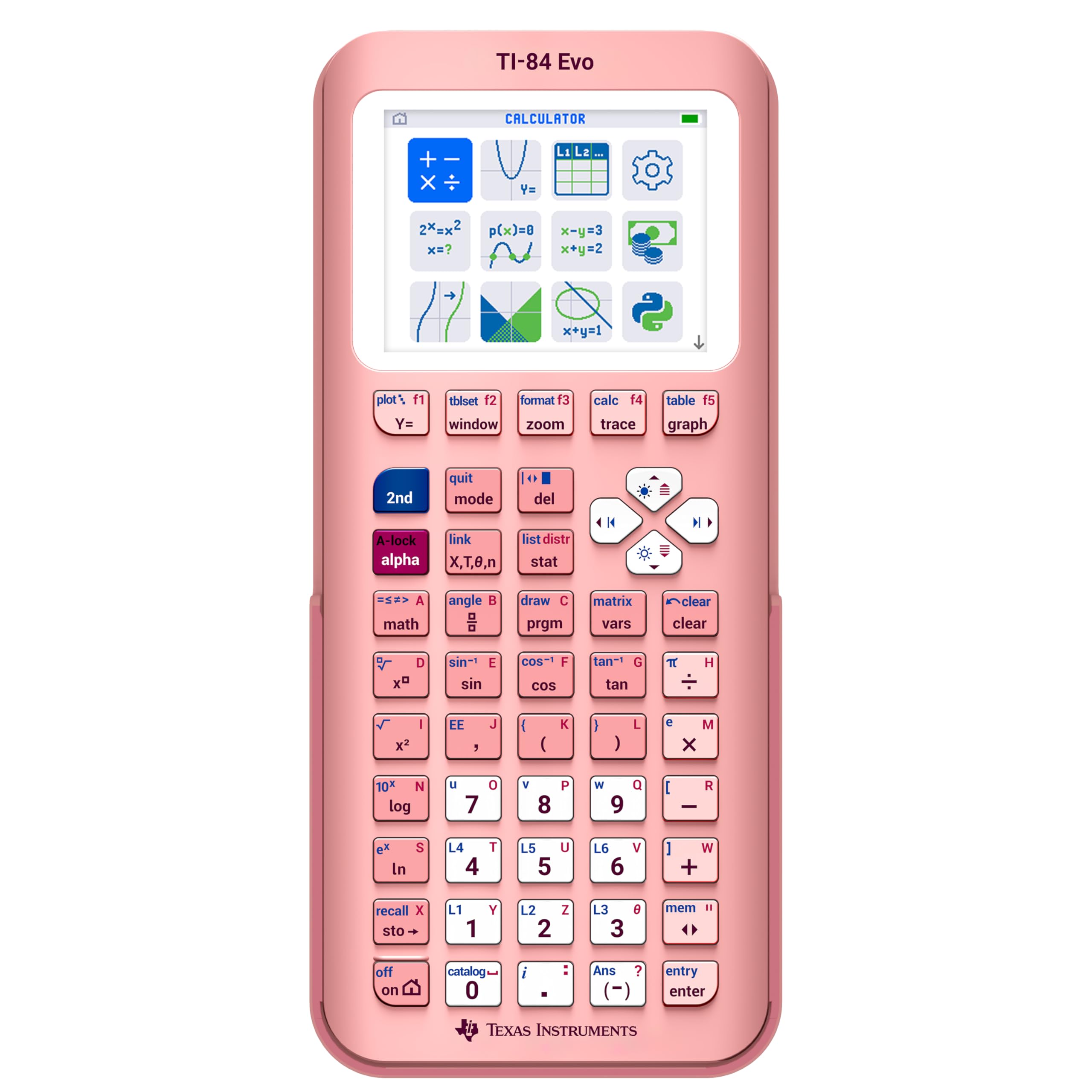
The TI-84 Evo modernizes the classic TI-84 with a faster processor and USB-C charging.
This is the newest addition to the TI-84 series, designed for everyday classroom use with a fresh icon-based home screen. The big claim is performance: a processor that is “3x faster” for quicker calculations, plus “50% more graphing space” so you can actually see patterns and relationships in your data. It is also the lightest TI here at just 7.2 ounces.
It modernizes the classic in the right ways. Charging is via USB-C, so it recharges like your phone instead of eating batteries, and the battery life is excellent. Buyers appreciate the bright screen with clear text and the clean keypad layout with larger buttons. It even adds Python programming, keeping it relevant for computer science students. A 4-year free online subscription with tutorials and an emulator is included.
The honest downsides: it is priced at the premium end of this list, and it is not a massive leap over the previous TI-84 CE. The APPS button has been removed, which confuses anyone with muscle memory from older models, and there is no PC program transfer tool — software is online only. But for an engineer or a student who wants the fastest, most modern TI experience, this delivers.
The Modern Upgrades
- USB-C charging with excellent battery life
- 3x faster processor for quick calculations
- 50% more graphing space on a bright screen
What to Know First
- Premium price tag on this list
- APPS button removed; online-only software
- Minor mold defects reported on some units
Reach for this if: you want the fastest, most modern TI-84 experience with USB-C charging and a bigger, brighter graphing area.
Look elsewhere if: you are on a strict budget or you rely on the classic APPS button and PC transfer software.
Understanding the Specs
Exam Approval
This is the non-negotiable spec. It tells you whether a calculator is allowed in standardized tests like AP, SAT, ACT, and IB. If a model is not on the approved list for your exam, you cannot use it on test day, full stop. Always check the approved list for your specific exam before buying.
Display Resolution and Type
The screen resolution determines how clear your graphs and text appear. A high-resolution color screen, like the NumWorks at 320×240 pixels, makes complex graphs much easier to read than a low-resolution grayscale display. Bigger graphing space, as on the TI-84 Evo, helps you spot patterns in data.
Programming and Charging
Python programming support turns your calculator into a mini coding tool, useful for computer science classes. USB-C charging means you recharge the unit like a modern device, instead of constantly buying AAA batteries. Weigh these against your actual classes — a pre-algebra student rarely needs Python.
Weight and Portability
Weight matters because the calculator sits in your backpack every school day. A heavier unit like the 9.6 oz TI-83 Plus adds noticeable bulk, while lighter models like the 7.2 oz TI-84 Evo are easier to carry. After a year of daily carry, the lighter models are noticeably more comfortable.
FAQ
Will the Casio fx-9750GIII work for AP Statistics?
What is the difference between the TI-83 Plus and the TI-84 Evo?
Is a renewed graphing calculator safe to buy?
How long does the battery last on the NumWorks?
Can I write Python programs on these calculators?
Does the Casio show exact math answers like square roots?
What kind of charging does the TI-84 Evo use?
Which calculator is best for a college engineering student?
Is the TI-83 Plus approved for the SAT?
Why is the NumWorks considered the best overall?
Final Thoughts: The Verdict
For most students, the affordable graphing calculator winner is the NumWorks because its intuitive interface and bright color screen make daily use genuinely pleasant, and the rechargeable battery is a modern convenience. If you want the absolute best value per dollar, grab the Casio fx-9750GIII — it delivers the same core functions for a fraction of the price. And for a premium speed boost with USB-C charging, the TI-84 Evo is the one to reach for, provided your budget allows it.
How We Picked
We do not accept paid placement. Every pick is matched to a real buyer and a real use-case; we do not hands-on test units.
Sources & Methodology
Specifications: manufacturer listings and product documentation. Review insights: verified customer reviews, as of August 2026. Pricing: not shown on this page (it changes often); check the current price via the retailer link.
As an Amazon Associate, Gadgets Feed earns from qualifying purchases. This does not affect which products we feature.