
Our readers keep the lights on and my morning glass full of iced black tea. As an Amazon Associate, I earn from qualifying purchases.
Specs are compiled from manufacturer listings and verified buyer reviews and can change over time — please confirm the key details on the product page before buying.
Finding an affordable laptop that can actually handle graphic design without choking on large files or washing out your colors is a real balancing act. Most budget machines rely on integrated graphics and standard screens that make your work look different on every monitor. Match the processor, RAM, and display quality to your daily design tasks rather than relying on brand loyalty.
I’m Min — the founder and writer behind Gadgets Feed. This guide is built by comparing the manufacturers’ published specifications and the patterns across verified customer reviews, so you get each pick’s real strengths and trade-offs instead of marketing spin.
Prioritize a color-accurate screen, 16GB of RAM, and a responsive processor to handle multiple creative apps and filters without lag, all within your budget. This breakdown of the best affordable laptop for graphic design options shows you exactly where your money goes and which specs actually matter for your workflow.
Our Picks at a Glance


How To Choose The Best Affordable Laptop For Graphic Design
On a budget, focus on three specs: color gamut, RAM, and processor cores. For graphic design, prioritize a color-accurate screen, 16GB of RAM, and a processor that handles filters and exports without lag. You can upgrade storage later, but a weak screen or soldered-in processor is permanent.
Look for the color coverage, not just the resolution
A 1080p screen is standard, but the number that tells you if it is good for design is the color gamut. Screens that cover 100% sRGB or 100% DCI-P3 reproduce colors closer to what your client will see on their monitor. Without this, your “perfect” blue may print or display as a completely different shade. For photo editing or any client-facing work, a panel with a wider color gamut is worth prioritizing over a higher resolution with poor color.
RAM and processor: the multitasking muscle
Design software demands at least 16GB of RAM. Having 16GB of RAM lets you run Photoshop alongside a browser with dozens of tabs without the system grinding to a halt. The processor (like an Intel Core i5 or AMD Ryzen 5) determines how fast your laptop can process those edits and exports. More cores and higher clock speeds speed up rendering and reduce wait times. For sustained daily loads, a 6-core chip with a high boost clock outperforms a dual-core chip.
Weigh the trade-off between portability and screen space
A 15.6-inch or 17.3-inch screen gives you more room for toolbars and timelines, which is a genuine productivity win. The catch is that larger screens usually make the laptop heavier and less pleasant to carry to a coffee shop or client meeting. Think honestly about where you will do most of your work. If the laptop mostly lives on a desk, the extra screen real estate is worth the weight. If you are always moving, a lighter 14-inch model with a great display may serve you better, even if the screen is smaller.
Quick Comparison
| Model | Best For | Display | Processor | Memory | Amazon |
|---|---|---|---|---|---|
| HP 17.3″ Laptop★ Best Overall | Best Overall Value | 17.3″ FHD IPS | Core i5-1334U | 16 GB | Amazon |
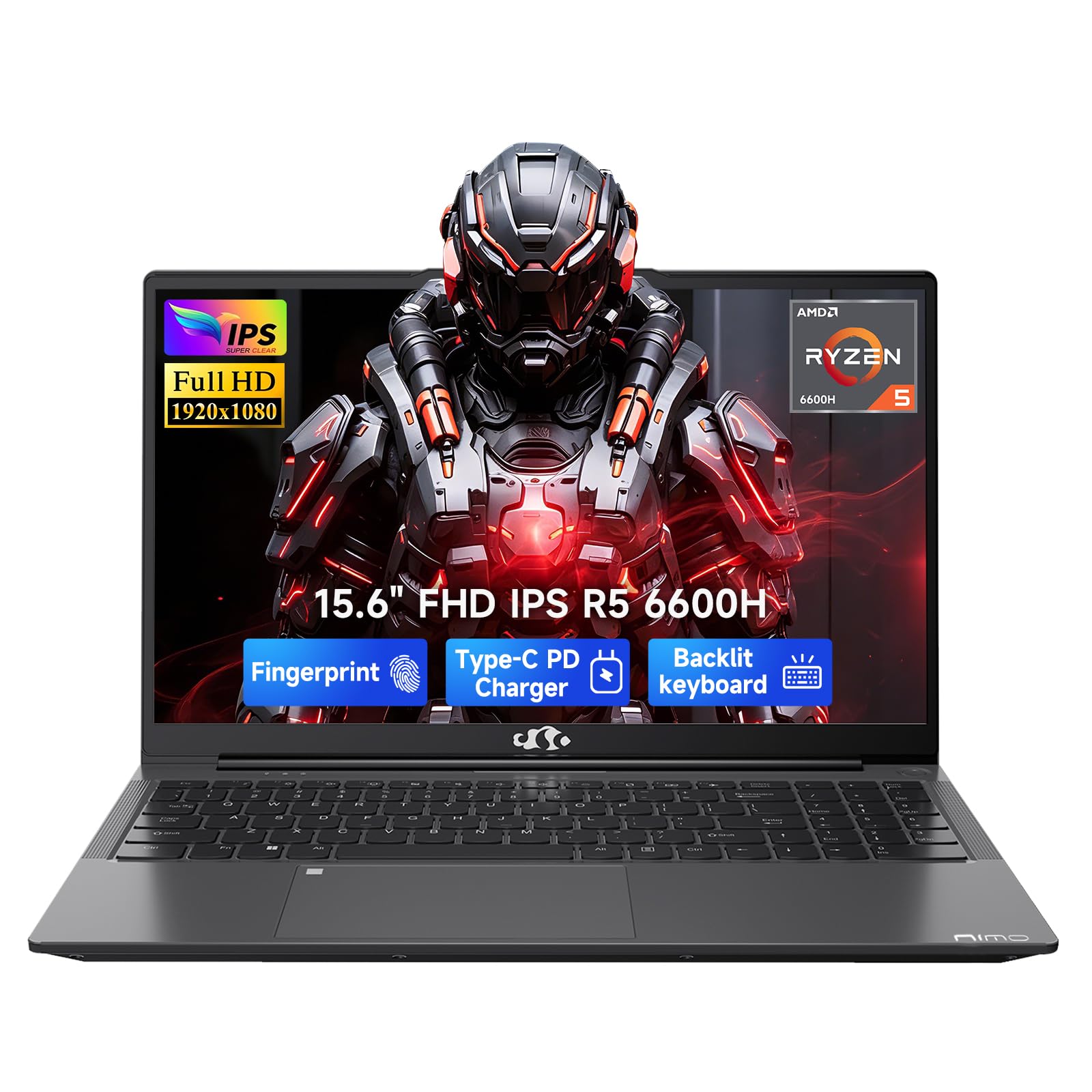
| NIMO 15.6″ LaptopTop Performer | Performance & Upgradeability | 15.6″ FHD IPS | Ryzen 5 6600H | 16 GB DDR5 | Amazon |
| Acer Aspire Go 15Sleek Daily Choice | Everyday Reliability | 15.6″ FHD IPS | Ryzen 7 7730U | 16 GB DDR4 | Amazon |
| HP 17.3″ Ryzen | Budget Big-Screen | 17.3″ HD+ | Ryzen 5 7520U | 16 GB LPDDR5 | Amazon |
| Lenovo IdeaPad Slim 3X | All-Day Battery Life | 15.3″ WUXGA | Snapdragon X | 16 GB | Amazon |
| Dell 15.6″ Laptop | Reliable Workhorse | 15.6″ FHD | Core i5 1334U | 16 GB | Amazon |
| MacBook Pro M1 | Color-Accurate Editing | 13.3″ Retina | Apple M1 | 16 GB | Amazon |
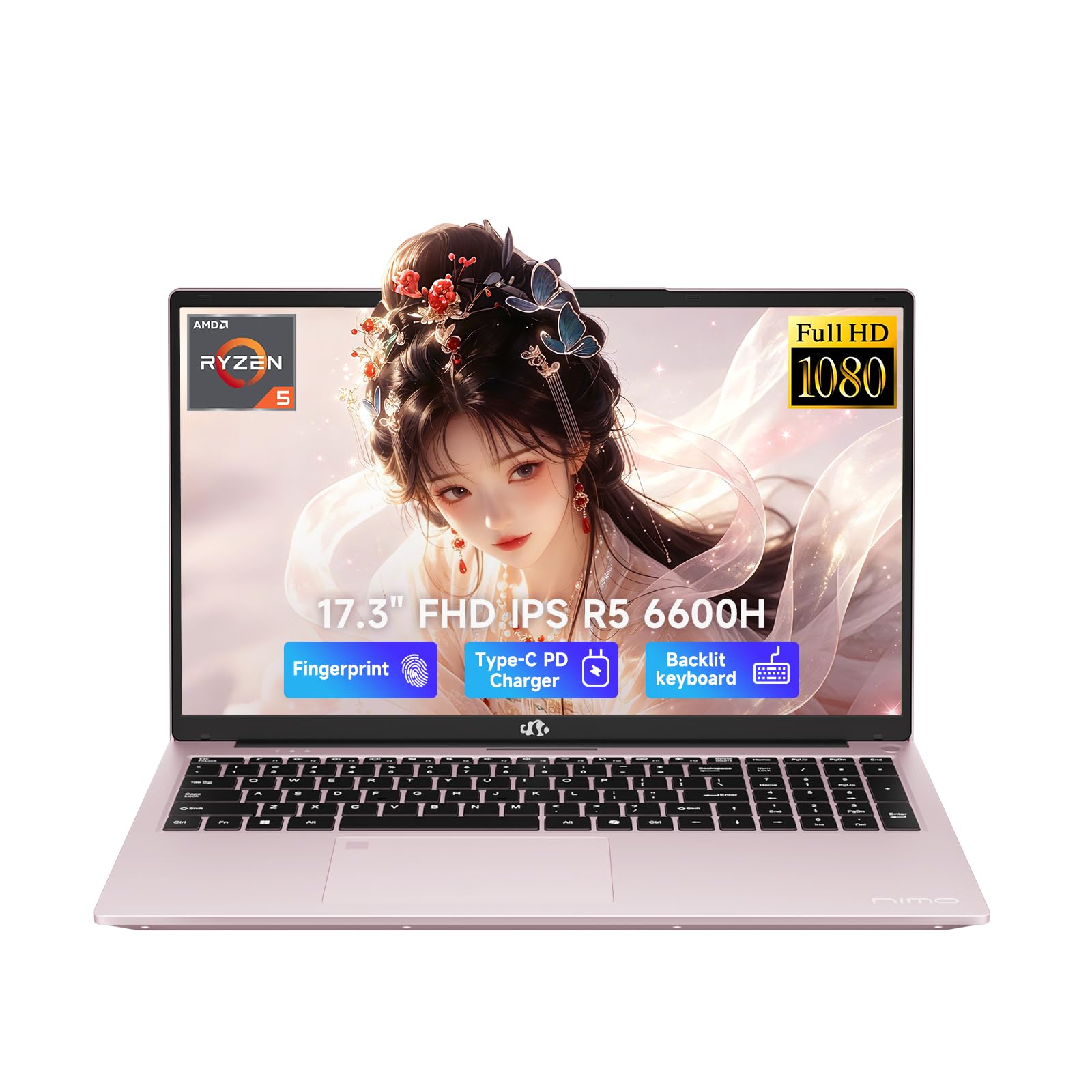
| NIMO 17.3″ AI-Creator | Large Storage & Screen | 17.3″ FHD IPS | Ryzen 5 6600H | 32 GB DDR5 | Amazon |
| Lenovo IdeaPad 2-in-1 | Touchscreen Flexibility | 16″ FHD+ Touch | Ryzen 7 8845HS | 16 GB DDR5 | Amazon |
| GEEKOM X14 Pro | Ultra-Portable OLED | 14″ 2.8K OLED | Core Ultra 9 185H | 32 GB LPDDR5x | Amazon |
| GEEKOM X16 Pro | The Full Package | 16″ 2.5K IPS | Core Ultra 9 185H | 32 GB LPDDR5x | Amazon |
In‑Depth Reviews
1. HP 17.3 inch Laptop, FHD Display, Intel Core i5-1334U, 16 GB RAM, 512 GB SSD
Our pick — over 4★ from 500+ verified ratings; the strongest balance of quality and price.
The big-screen workhorse that keeps your panels visible and your budget intact.
This HP is the pick for designers who want a spacious canvas without jumping to premium pricing. The 17.3-inch FHD IPS screen with 178-degree wide-viewing angles means you can see your artwork clearly even when you are not sitting dead-center in front of it. The anti-glare finish is a real help, letting you keep working near a window without fighting your own reflection.
You get smooth daily design work from the 13th Generation Intel Core i5-1334U processor, which runs up to 4.7 GHz (the speed at which it processes tasks). With 16 GB of DDR4 RAM (the memory that keeps apps running), you can keep your design app open alongside a browser and a messaging tool without stuttering. The 512 GB PCIe NVMe M.2 SSD (a fast storage drive) loads files quickly—buyers report data transfer takes roughly 20 minutes compared to hours on a traditional drive, with automatic password and username migration smoothing the switch.
It is surprisingly light for a 17-inch machine, which is a common point of praise from owners who expected a heavier device. The main trade-off is the battery, which is rated at 8 hours but gets mixed feedback in practice. It also has no touchscreen, so if you rely on touch input, this is not the one.
Big-screen i5 workhorse
- 17.3-inch FHD IPS panel with wide viewing angles
- Fast NVMe SSD for quick file access
- Light for its large screen size
Heavy for travel
- Battery life runs shorter than the 8-hour rating in real use
- No touchscreen
- Bluetooth earbuds can disconnect
daily driver: This suits designers who work mostly at a desk and want maximum screen real estate for the price.
think twice if: You need to work unplugged for a full day, as the real-world battery may not make it.
2. NIMO 15.6 AI Creator Laptop, 6 Core AMD R5-6600H 16GB RAM 512GB SSD FHD IPS
A performance-first chassis that lets you upgrade your RAM and storage as your design work grows.
The NIMO leans into raw processing power for its price. The AMD Ryzen 5 6600H is a 6-core, 12-thread chip that boosts up to 4.9 GHz, giving it a clear edge over the HP’s 4.7 GHz maximum for demanding, sustained workloads. This makes it a strong fit if you regularly run heavy filters, batch-exports, or keep several creative apps open at once.
It comes with 16GB of DDR5 memory — the faster, newer standard — and a 512GB PCIe SSD for smooth out-of-the-box performance. The real draw for creatives is the upgrade room: dual SO-DIMM slots and an M.2 2280 design mean you can push it up to 64GB of RAM and a 4TB SSD later. The backlit keyboard and fingerprint login are welcome daily conveniences, and the USB-C 100W PD charger keeps it topped up quickly.
Owners say it runs fast with no lag and call it an amazing value, though the battery life is a mixed story — some report great endurance while others note it lasts 3-4 hours on web surfing. The integrated Radeon 660M graphics handle light photo editing and casual gaming at 1080p, but this is not a machine for heavy 3D rendering.
Six-core creator value: The 4.9 GHz Ryzen chip and DDR5 memory give you a responsive canvas, and the headroom to double your RAM later makes this a longer-term investment.
Radeon limits gaming: Battery life is inconsistent in owner reports, and the speakers are mediocre, so plan for external audio and a charger nearby.
3. Acer Aspire Go 15 AI Ready Laptop
A fast, modern-feeling machine with an AI assistant key built right into the keyboard.
The Acer Aspire Go 15 brings an AMD Ryzen 7 7730U processor that boosts up to 4.5 GHz, a step up in core count that keeps multitasking fluid. Buyers describe it as very fast with a nice-looking display, and it is frequently praised for its value for money. The 15.6-inch 1080p Full HD IPS display with a narrow bezel keeps your work sharp, while Acer BluelightShield lowers blue light to reduce eye strain during long editing sessions.
Connectivity is a highlight here. The full-function USB Type-C port handles both charging and data, and Wi-Fi 6 keeps large file transfers moving on crowded networks. It also includes a dedicated Copilot key for on-device AI help, which some owners genuinely appreciate for quick tasks. Setup is reportedly easy, and the backlit keyboard is a nice find for a machine at this level.
The honest downsides are the sound and the fans. Several owners note the audio is weak even at full volume, and the fans are loud under load. It is also a larger machine, so it is better suited to a desk than to lap use. The 16GB of DDR4 memory and 512GB Gen4 SSD are solid, but the sound quality is the recurring gripe.
reach for this: You want a fast, easy-to-use laptop for daily design tasks and value Wi-Fi 6 and USB-C convenience.
look elsewhere if: You need strong built-in speakers or a quiet machine for a library or shared space.
4. HP 17.3 inch Laptop, HD+ Display, AMD Ryzen 5 7520U, 16 GB RAM, 512 GB SSD

The biggest affordable canvas around, with an anti-glare panel made for bright rooms.
If screen size is your priority, this HP 17.3-inch model is tough to top in its price tier. The anti-glare HD+ display (a screen with reduced reflections) is designed for working outside or near windows, with a low-gloss panel that cuts reflections. Owners say the screen is large enough to run two windows side by side—a genuine productivity boost for comparing design references or layouts.
It runs on an AMD Ryzen 5 7520U that boosts up to 4.9 GHz, paired with 16GB of LPDDR5 RAM — a power-efficient memory type that keeps things responsive. The 512GB PCIe NVMe SSD loads your software quickly. A comfortable lift-hinge design tilts the keyboard for easier typing, and the AI noise reduction filters background chatter during video calls, which is helpful if you present work to clients remotely.
The most-discussed downside is the keyboard, which some owners describe as “squishy” with an iffy trackpad. The display is HD+ rather than Full HD, so text and images are not as crisp as on a 1080p panel. Owners mention the fan gets loud under multitasking, and this model lacks USB-C charging, so you are stuck with the barrel charger.
Cheapest 17-inch route: You get a 17.3-inch non-reflective screen and a fast 4.9 GHz Ryzen chip for a price that undercuts most big-screen rivals.
Ryzen 3 weak spot: The keyboard feel, the lower-resolution display, and the lack of USB-C charging are the trade-offs you accept for the size.
5. Lenovo IdeaPad Slim 3X, Copilot+ PC, 15.3″ WUXGA Display

A featherlight metal chassis that keeps you working from morning meeting to evening deadline.
The Lenovo IdeaPad Slim 3X is the machine to grab if your biggest daily frustration is hunting for an outlet. Its 60Wh battery teams up with the efficient Snapdragon X processor for a rated 15 hours of life, and owners confirm the endurance is incredible. The 15.3-inch WUXGA 16:10 display adds extra vertical space, so you see more of your document or timeline without scrolling.
The build quality punches above its class with a premium-grade metal chassis that has passed military-grade MIL-STD 810H testing, meaning it is built to survive the bumps of daily carry. It is a Copilot+ PC with a 45 TOPS NPU (a neural processing unit that speeds up on-device AI tasks), which keeps video calls smooth and helps with AI-assisted workflows. A physical webcam shutter and fingerprint reader cover the privacy basics.
Owners love the speed, screen, and lightweight design, and it comes with a numerical pad and backlit keys. The main caveat is that it is a little heavier than some rivals at this size, and internal storage is modest, so a Microsoft 365 subscription or an external drive is worth planning for.
best for: Designers and students who work across campus, cafes, and client sites and need a full day of battery without the bulk.
skip it if: You rely on heavy local storage for massive project files, as the drive space is limited unless you expand it yourself.
6. Dell 15.6″ Laptop DC15250, FHD, Intel Core i5 1334U, Windows 11 Home

A familiar, reliable name with a comfortable keyboard and on-site support if things go wrong.
The Dell 15 is the safe, sensible choice for designers who want a known brand with dependable after-sales support. It runs on a 13th Generation Intel Core i5-1334U that boosts up to 4.6 GHz, which is plenty for browser-based design tools, layout apps, and general office work. Buyers consistently praise it as good value and easy to set up, with a roomy keypad and a separate numeric keypad for quick calculations.
You get meaningful confidence with Dell Services: a 1-Year Onsite Service that sends a technician to your home or office if an issue cannot be resolved remotely. Dell ComfortView software also reduces harmful blue light emissions, which helps your eyes during long stretches of screen time. The lifted hinges provide an ergonomic typing angle that keeps your wrists comfortable.
The honest negatives here are battery and heat. Several customers note poor battery performance, and some had the laptop fail after three months of use. It can also run hot, with the vents positioned on the bottom-center near the hinge, so it is not the most lap-friendly machine. There is no fingerprint reader, and USB ports are limited, so a hub is likely in your future.
i5 reliability bet: A trusted brand with a comfortable keyboard, a numeric keypad, and the rare bonus of on-site warranty service.
Dell QC gamble: Battery and durability get negative feedback from a portion of owners, so this is best for desk-bound work with a charger nearby.
7. 2020 Apple MacBook Pro with Apple M1 Chip (13-inch, 16GB RAM, 256GB SSD)

The design-world favorite that runs heavy creative apps without breaking a sweat.
For color-critical work, the MacBook Pro M1 is the pick that owners consistently rave about. The 13.3-inch 2560 x 1600 IPS Retina display with P3 Color Gamut and True Tone technology reproduces colors with the accuracy designers need, and the screen quality gets glowing feedback. The Apple M1 chip with its 8-core CPU and 16GB of unified RAM handles Photoshop, InDesign, and Illustrator running simultaneously without lag, according to buyers who push it hard.
The M1’s efficiency is legendary, and owners confirm the battery lasts a long time without constant charging. This is a renewed model, meaning it has been professionally inspected and tested to work like new with minimal cosmetic imperfections. The Touch Bar with Touch ID and the Magic Keyboard round out a premium-feeling package, and the 16-core Neural Engine speeds up machine-learning tasks in creative software.
The trade-offs are clear: there are only 2 Thunderbolt 3 / USB4 ports, and neither the RAM nor the SSD can be upgraded later, so the 256GB storage is the ceiling. It also has no touchscreen. An occasional unit arrives with scratches despite the “scratch-resistant” mixed feedback, so inspect it on arrival. And one owner hit a screen failure just after the 90-day return window, so consider the warranty terms carefully.
ideal for: Photo editors and illustrators who need accurate color and smooth multi-app performance in a lightweight, long-lasting machine.
not for you if: You need lots of local storage or expandability — the 256GB drive and non-upgradeable RAM are firm limits.
8. NIMO 17.3″ AI-Creator-Laptop, Ryzen 5 6600H, 32GB RAM, 1TB SSD
A 17.3-inch creator studio with 32GB of RAM so you never have to close a project again.
This NIMO is the answer for designers who constantly run out of memory or storage. It comes with 32GB of DDR5 RAM (the latest fast memory) and a 1TB PCIe SSD (a large, fast storage drive) straight from the start—enough headroom to keep multiple heavy design apps open, handle large video files, and store a substantial project library without an external drive. Owners describe the quality as superb and praise the quick boot-up time and versatility for everyday use.
The 17.3-inch 1920 x 1080 Full HD display gives you a bigger view for split-screen work and design previews, reducing constant window switching. The Ryzen 5 6600H chip with Radeon 660M graphics handles photo editing and HD media playback smoothly. It keeps the weight at 2.1kg or less despite the big screen, with a wide 175-degree hinge, making it more portable than its size suggests. The backlit keyboard and fingerprint login are both well-received.
Battery life is rated at 6 to 8 hours for light tasks, though reviewers point out mixed results — some note it runs warm when plugged in and that it is not built for heavy gaming. A couple of owners mention the power port can loosen with frequent plugging, though the 2-year warranty and quick US-based support are consistently praised.
32GB RAM monster: 32GB of DDR5 RAM and a 1TB SSD at this price point is exceptional headroom for design workflows that would choke a 16GB machine.
Heavy and loud: Battery life is moderate, and it runs warm under load, so this is best appreciated on a desk with a charger within reach.
9. Lenovo IdeaPad 2-in-1 Business Laptop, 16″ FHD+ Touch Display, Ryzen 7 8845HS

A touchscreen 2-in-1 that lets you sketch, pinch, and present directly on your canvas.
If you like to interact with your work, the Lenovo IdeaPad 2-in-1 is the standout. The 16-inch 1920 x 1200 touch LED screen is responsive, with owners noting the touchscreen works great. The 16:10 ratio expands vertical space, so you see more of your page or document without scrolling, which is a real boost for layout work. This is a genuine 2-in-1, so you can fold it into a tablet-like position for presenting or sketching.
Underneath, the AMD Ryzen 7 8845HS is a serious chip — 8 cores, 16 threads, speeds up to 5.1 GHz, and 24MB of total cache — paired with the AMD Radeon 780M graphics for smooth visuals. It ships with 16GB of LPDDR5 RAM and a 1TB SSD, which owners say is ample for storing large files like music and dance libraries. The backlit keyboard with numeric keypad, fingerprint reader, and camera privacy shutter round out a genuinely office-ready package.
The honest drawbacks are weight and battery. Owners are split on the weight — some find it lightweight while others say it is heavier than expected — and battery life gets mixed feedback. One owner experienced a reliability issue with a crash during initial setup, though the broader sentiment is that it is a fast, sturdy workhorse for daily tasks.
reach for this: You want a touchscreen for direct on-screen work and need the flexibility of a 2-in-1 form factor with serious processor power.
look elsewhere if: Portability and all-day battery are your top priorities, as the weight and endurance are only average.
10. GEEKOM GeekBook X14 Pro Laptop, 2.2 lb Ultra Thin 14″ 2.8K OLED Notebook

A featherlight OLED powerhouse whose true blacks and vibrant colors make your work pop.
The GEEKOM X14 Pro is the machine for designers who refuse to choose between portability and display quality. At just 2.2 lbs and 0.23 inches thick, it is built from aerospace-grade magnesium alloy with a precision-milled CNC unibody, so it slips into any bag without weighing you down. The 14-inch 2.8K OLED display is the headline feature — self-lit pixels deliver true blacks and rich contrast, and with 100% DCI-P3 color coverage, it reproduces a cinematic range of hues for color-accurate work.
Power comes from the Intel Core Ultra 9 185H with 16 cores, 22 threads, and speeds up to 5.1 GHz. Intel Arc graphics add ray tracing and AV1 encoding for smoother creative workflows, and the dedicated NPU (neural processing unit) handles on-device AI tasks like background blur and noise reduction. With 32GB of LPDDR5x memory at 7500MHz and a 1TB PCIe Gen4 SSD, this machine runs Fusion 360 alongside 15-20 Chrome tabs without breaking a sweat, per owners. The 72Wh battery is rated up to 16 hours, with a 65W GaN charger that hits 80% in about an hour.
Owners praise the speed, cool thermals, and excellent fingerprint reader, and the included docking station means you do not need dongles. The honest notes: the touchpad is not the smoothest, the speakers are underwhelming, and a couple of owners found the battery life shorter than the 16-hour claim. There is also no Windows Hello facial recognition, though the camera works fine for Zoom.
Ultra-light 2.2lb: A 2.2 lb laptop with a 2.8K OLED and 100% DCI-P3 coverage is a rare combination that gives you both travel freedom and editing-grade color.
Small keyboard: The touchpad and speakers are weak points, and real-world battery may not match the 16-hour rating.
11. GEEKOM GeekBook X16 Pro Laptop, 16″ 2.5K IPS, 2.8 lb Slim Portable Notebook

A 16-inch creator workspace with a 2TB drive and 17 hours of rated battery life.
The GEEKOM X16 Pro takes everything the X14 does well and scales it up for designers who want more screen. The 16-inch IPS display with a 16:10 aspect ratio gives you extra room for timelines, toolbars, and panels, showing more of your work at once. The sharp 2.5K (2560 x 1600) resolution keeps text crisp and fine details easy to see, with 100% sRGB color coverage for accurate, vibrant colors and up to 400 nits of brightness for bright offices.
It shares the same Intel Core Ultra 9 185H processor with 16 cores, 22 threads, and speeds up to 5.1 GHz, plus Intel Arc graphics with XeSS and AV1 encoding. The step up here is storage: a 2TB PCIe Gen4 NVMe SSD gives you massive space for project files without needing an external drive. The 77Wh battery is rated up to 17 hours, and the dual-fan IceBlade 2.0 cooling system keeps it cool even when workloads ramp up. At 2.8 lbs and 0.27 inches thick, it is remarkably portable for a 16-inch machine.
Owners are satisfied with the performance, with one calling it the best laptop they have ever owned and another saying it ran circles around their old Dell. The main criticism is the keyboard and trackpad combination, which one owner calls one of the worst they have used. The two 40Gbps USB4 Type-C ports, HDMI 2.1, and microSD slot cover connectivity well, and the fingerprint open up is fast and reliable.
best for: Designers who need a large, color-accurate screen and massive 2TB storage in a package that is still light enough to carry daily.
think twice if: You type for hours on end and are picky about keyboard feel, since the trackpad and keyboard draw mixed opinions.
Understanding the Specs
Color Gamut (sRGB, DCI-P3)
This tells you how many colors your screen can show. A panel covering 100% sRGB handles most web and print work accurately. DCI-P3 is a wider range used in video and photo editing. If a screen covers more of these, the colors you pick on screen match what you deliver to clients.
RAM and SSD Speed
RAM is your short-term working memory. 16GB is the comfortable minimum for design apps. An SSD, especially a PCIe NVMe type, determines how fast your laptop boots and loads files. A 512GB SSD is enough to start; a 1TB or 2TB drive saves you from constant external storage.
Integrated vs Dedicated Graphics
Most affordable laptops use integrated graphics, which share memory with the CPU. Newer integrated chips like Radeon 660M or Intel Arc handle light photo editing and casual gaming at 1080p. Heavy 3D rendering or video exports need more power, but for standard design work, a strong integrated chip is fine.
Battery Life Ratings
Manufacturer battery numbers come from light, controlled tests. Real-world use with creative apps drains faster. Look at the watt-hours (Wh) — a higher number like 72Wh or 77Wh predicts longer endurance than a lower one. Shoppers say that many machines fall short of their rated time under heavy design loads.
FAQ
Is 16GB of RAM enough for graphic design?
Can integrated graphics handle Photoshop and Illustrator?
Is a 17.3-inch screen too big and heavy to carry?
Is a touchscreen useful for design work?
Will these laptops run design software quickly?
What is the difference between sRGB and DCI-P3 color coverage?
Which laptop has the best battery life for long work sessions?
Is a renewed or refurbished laptop a good option for design work?
How much storage do I need for graphic design projects?
Does a backlit keyboard matter for design work?
Final Thoughts: The Verdict
For most designers, the affordable laptop for graphic design winner is the HP 17.3 inch Laptop because it delivers a large, color-friendly FHD IPS screen (a high-definition display with wide viewing angles) and a snappy 13th Gen Intel Core i5 with 16GB of RAM at a budget-friendly price. If you want the performance headroom to keep more apps open and upgrade later, grab the NIMO 15.6 with its 4.9 GHz Ryzen chip and DDR5 memory. And for the designer who needs accurate colors above all else, the MacBook Pro M1 with its P3-gamut Retina display (a screen that shows a wider range of colors) remains the crowd favorite for smooth, color-accurate editing.
How We Picked
We do not accept paid placement. Every pick is matched to a real buyer and a real use-case; we do not hands-on test units.
Sources & Methodology
Specifications: manufacturer listings and product documentation. Review insights: verified customer reviews, as of August 2026. Pricing: not shown on this page (it changes often); check the current price via the retailer link.
As an Amazon Associate, Gadgets Feed earns from qualifying purchases. This does not affect which products we feature.