
The home laptop market is crowded with models that look identical on paper but differ wildly in real-world stamina, screen quality, and build integrity. Choosing the wrong one means dealing with sluggish boot times, frustrating multitasking limits, or a display that causes eye strain after an hour of streaming. The right pick balances processor speed, memory capacity, and display resolution to match how your household actually works—whether that is spreadsheets, online classes, or family video calls.
I’m Min — the co-founder and writer behind Gadgets Feed. By cross-referencing thousands of customer reviews against real technical specifications like RAM bandwidth, SSD read speeds, and display color gamut coverage, I have identified the models that deliver genuine usability without inflating costs with unnecessary features.
This guide breaks down eleven carefully vetted options to help you find the ideal affordable laptop for home use that will serve your family reliably for years without breaking your budget.
How To Choose The Best Affordable Laptop For Home Use
Most home users overestimate their need for raw processing power and underestimate the daily impact of insufficient RAM and a mediocre display. The real differentiators are memory headroom, storage responsiveness, and screen clarity. Here are the three specs that separate a smooth daily driver from a frustrating compromise.
RAM: The Multitasking Bottleneck
Eight gigabytes of RAM used to be the standard, but modern browsers with multiple tabs, video conferencing apps, and background system processes can consume that capacity within minutes. If you regularly have ten or more browser tabs open while running Microsoft Office and Spotify, 8GB will force your system to rely on slower virtual memory, causing lag. Twelve or sixteen gigabytes of RAM provide a noticeable cushion for real-world home multitasking, keeping the experience snappy even with heavier workloads.
Display Resolution: The Eye-Strain Factor
Entry-level laptops often ship with 1366×768 panels that make text look fuzzy and require constant scrolling when viewing spreadsheets or documents. A 1920×1080 (Full HD) display offers significantly sharper text, more on-screen real estate, and reduces the need to zoom in and out. IPS panels also offer wider viewing angles, which matters when a family member watches from the side. Always prioritize a Full HD IPS screen over a higher processor number for home use.
Storage Type: Why UFS Is a Red Flag
Many budget-tier laptops use Universal Flash Storage (UFS) instead of a proper NVMe SSD. UFS is essentially a faster eMMC, but it still operates at a fraction of the read/write speed of an NVMe SSD. This difference translates directly into longer boot times, slower application launches, and a general feeling of sluggishness. A laptop with 8GB RAM and an NVMe SSD will feel dramatically faster in daily use than one with 16GB RAM and UFS storage. The SSD should be your baseline requirement.
Quick Comparison
On smaller screens, swipe sideways to see the full table.
| Model | Category | Best For | Key Spec | Amazon |
|---|---|---|---|---|
| Apple MacBook Neo 13 | Premium | All-day battery & premium feel | 16-hour battery life | Amazon |
| HP 15.6″ FHD (32GB/1TB) | Premium | Maximum storage & RAM | 32GB RAM + 1TB SSD | Amazon |
| Dell 15 FHD 120Hz | Mid-Range | Smooth display & build quality | 120Hz FHD display | Amazon |
| HP 17.3″ Laptop | Mid-Range | Large screen & number pad | 17.3-inch HD+ display | Amazon |
| KAIGERR Ryzen 5 Laptop | Mid-Range | Fast processor & ample RAM | AMD Ryzen 5 7430U | Amazon |
| Lenovo IdeaPad 1 | Mid-Range | High RAM & dual storage | 12GB RAM + 640GB storage | Amazon |
| Acer Aspire Go 15 | Mid-Range | Sharp FHD IPS display | 8-core Intel Core 3 | Amazon |
| Acer Aspire 3 | Mid-Range | Slim design & backlit keyboard | AMD Ryzen 3 7320U | Amazon |
| ASUS Vivobook Go 15 | Value | Military-grade durability | AMD Ryzen 5 7520U | Amazon |
| HP 15.6″ (N100) | Value | Basic computing with Office | Intel N100 processor | Amazon |
| HP 14″ Sky Blue | Budget | Lightweight & colorful design | Intel N150 processor | Amazon |
In‑Depth Reviews
1. Apple MacBook Neo 13

The Apple MacBook Neo 13 redefines what an affordable laptop can deliver with the A18 Pro chip, a fanless design that runs completely silent, and a Liquid Retina display that hits 500 nits of brightness. The 1080p FaceTime HD camera with a dual-mic array ensures crisp video calls, and the unibody aluminum construction provides a premium feel that rivals machines costing significantly more. The 512GB SSD offers ample space for family photos, documents, and media libraries.
With up to 16 hours of battery life, this laptop outlasts virtually any Windows competitor in the same tier, handling a full day of remote work, streaming, and light creative tasks on a single charge. The macOS ecosystem integrates seamlessly with iPhones and iPads, enabling features like iPhone Mirroring and universal clipboard sharing that simplify workflows for households invested in Apple products. The anti-glare screen coating reduces reflections during daytime use.
The base model comes with 8GB of unified memory, which is efficient on Apple silicon but may feel constrained for users who habitually keep dozens of browser tabs open alongside resource-intensive applications. The lack of a backlit keyboard on the entry-level configuration and the fixed memory mean you must choose your capacity carefully upfront. The limited port selection (two USB-C ports) requires adapters for legacy USB-A devices and HDMI displays.
Why it’s great
- Silent fanless operation with no moving parts.
- Exceptional 16-hour battery life for all-day use.
- Premium aluminum build with a brilliant 500-nit display.
Good to know
- 8GB unified memory cannot be upgraded after purchase.
- No backlit keyboard on the base configuration.
- Requires dongles for USB-A and HDMI connections.
2. HP 15.6″ FHD Laptop (32GB/1TB)

The HP 15.6″ FHD Laptop delivers an extraordinary memory and storage combination with 32GB of RAM and a 1TB NVMe SSD, effectively eliminating the two most common performance bottlenecks in home computing. The Intel N100 processor, while modest in core count, pairs well with the generous memory to keep dozens of browser tabs, Office applications, and streaming services running simultaneously without stuttering. The 15.6-inch anti-glare display at 1920×1080 resolution reduces reflections and eye strain during extended sessions.
Weighing only 3.64 pounds, this HP is exceptionally portable for a 15.6-inch chassis, and the inclusion of WiFi 6 ensures stable connectivity for video calls and large file transfers. The full-size keyboard with numeric keypad is a practical addition for home users who frequently work with spreadsheets or numerical data entry. The 45W USB-C fast charging capability means a quick top-up during a short break can provide several hours of additional runtime for a busy household schedule.
The N100 processor is not designed for demanding tasks like video editing or modern gaming; its quad-core, four-thread architecture will struggle with heavily multithreaded workloads. Some users have reported that the laptop arrived with pre-installed bloatware, requiring a short cleanup session after initial setup. The plastic chassis, while lightweight, does not match the rigidity of aluminum-built alternatives and may flex slightly under pressure when carried in a crowded bag.
Why it’s great
- 32GB RAM ensures seamless heavy multitasking.
- 1TB NVMe SSD provides fast boot times and ample storage.
- Lightweight 3.64-pound design with a numeric keypad.
Good to know
- Intel N100 processor limits performance in demanding applications.
- Chassis is plastic and may not feel as premium as metal builds.
- Pre-installed software may require manual removal.
3. Dell 15 Laptop (120Hz Display)

The Dell 15 stands out in this category with its 15.6-inch Full HD display running at a 120Hz refresh rate, delivering noticeably smoother cursor movement and scrolling than the standard 60Hz panels found on most budget laptops. The Intel Core 3 processor (100U) with a 4.7GHz maximum turbo frequency provides responsive performance for everyday tasks, and the 8GB of DDR4 RAM is sufficient for typical home workflows involving web browsing, document editing, and media consumption. The 512GB SSD ensures quick system responsiveness.
Dell has included ComfortView software to reduce harmful blue light emissions, a thoughtful addition for households where the laptop is used for evening streaming or late-night work sessions. The lifted hinge design creates an ergonomic typing angle that helps reduce wrist fatigue during prolonged typing sessions, and the separate numeric keypad is a productivity booster for anyone handling data entry. The one-year onsite service means a technician will come to your home if hardware issues arise, which provides valuable peace of mind for less tech-savvy users.
The 120Hz display, while smooth, is a TN panel rather than IPS, meaning color accuracy and viewing angles are not as strong as what you would get from an IPS alternative at a similar price point. The battery life is average, lasting around six to seven hours under mixed use, which may not be enough for a full day without recharging. Users have noted the webcam quality is merely adequate for video calls and may appear grainy in low-light conditions.
Why it’s great
- 120Hz refresh rate for fluid scrolling and navigation.
- Ergonomic lifted hinge design for comfortable typing.
- One-year onsite service included with the purchase.
Good to know
- TN panel has narrower viewing angles than IPS displays.
- Battery life is limited to around six to seven hours.
- Webcam quality is average, especially in low light.
4. HP 17.3″ Laptop with Fingerprint Reader
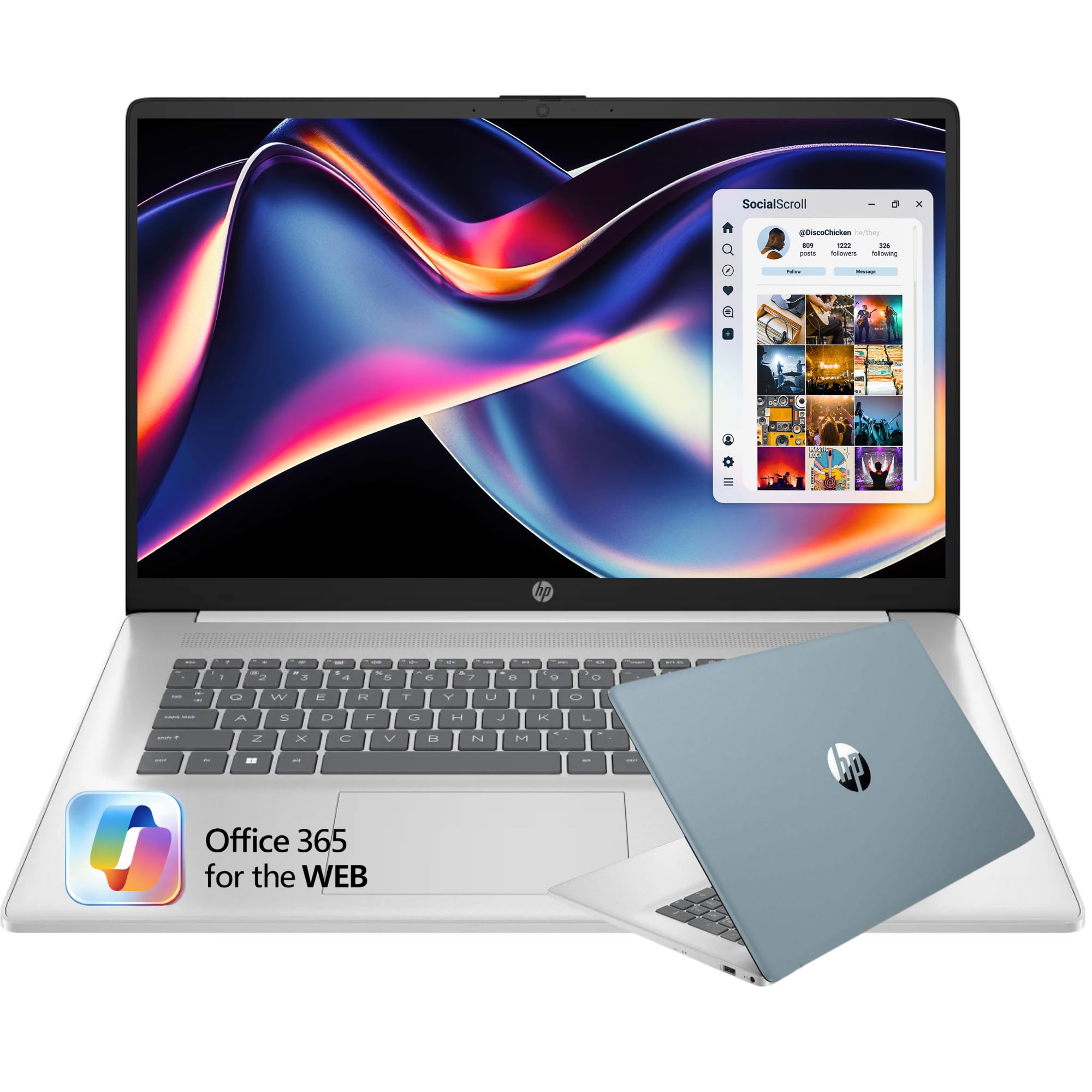
The HP 17.3-inch Laptop prioritizes screen real estate above all else, offering a spacious 1600×900 display that makes spreadsheet work, document editing, and split-screen multitasking far more comfortable than a 15-inch or smaller panel. The inclusion of a fingerprint reader allows for fast, password-free login, a convenience feature that is normally reserved for more expensive models. The brushed full-size keyboard includes a dedicated 10-key number pad, which is indispensable for home users who manage budgets, taxes, or data logs. The 256GB SSD keeps the system responsive for start-up and app launches.
The Intel dual-core processor and 16GB of RAM form a capable combination for everyday tasks like email, streaming, and light Office use, and the HP Fast Charge technology can bring the battery to 50 percent capacity in roughly 45 minutes. The 720p webcam with integrated digital microphones delivers clear enough audio and video for family video calls and virtual meetings. The natural silver finish and slim bezels give the large chassis a modern appearance that does not look bulky on a desk.
The 1600×900 display resolution is a step down from Full HD, meaning text and images will not appear as crisp as on a 1080p panel, and this is noticeable when reading small fonts or editing high-resolution photos. The battery life hovers around six hours under normal use, which is acceptable for a 17-inch laptop but means you will need to keep the charger nearby for longer sessions. Some users have reported the speakers lack bass and can sound tinny at higher volumes during movie playback.
Why it’s great
- 17.3-inch display offers generous screen real estate.
- Fingerprint reader enables quick and secure logins.
- Includes a full numeric keypad for data entry.
Good to know
- Display resolution is 1600×900, not Full HD.
- Battery life is average at approximately six hours.
- Speaker quality lacks low-end depth and can distort at high volume.
5. KAIGERR Laptop (Ryzen 5 7430U)
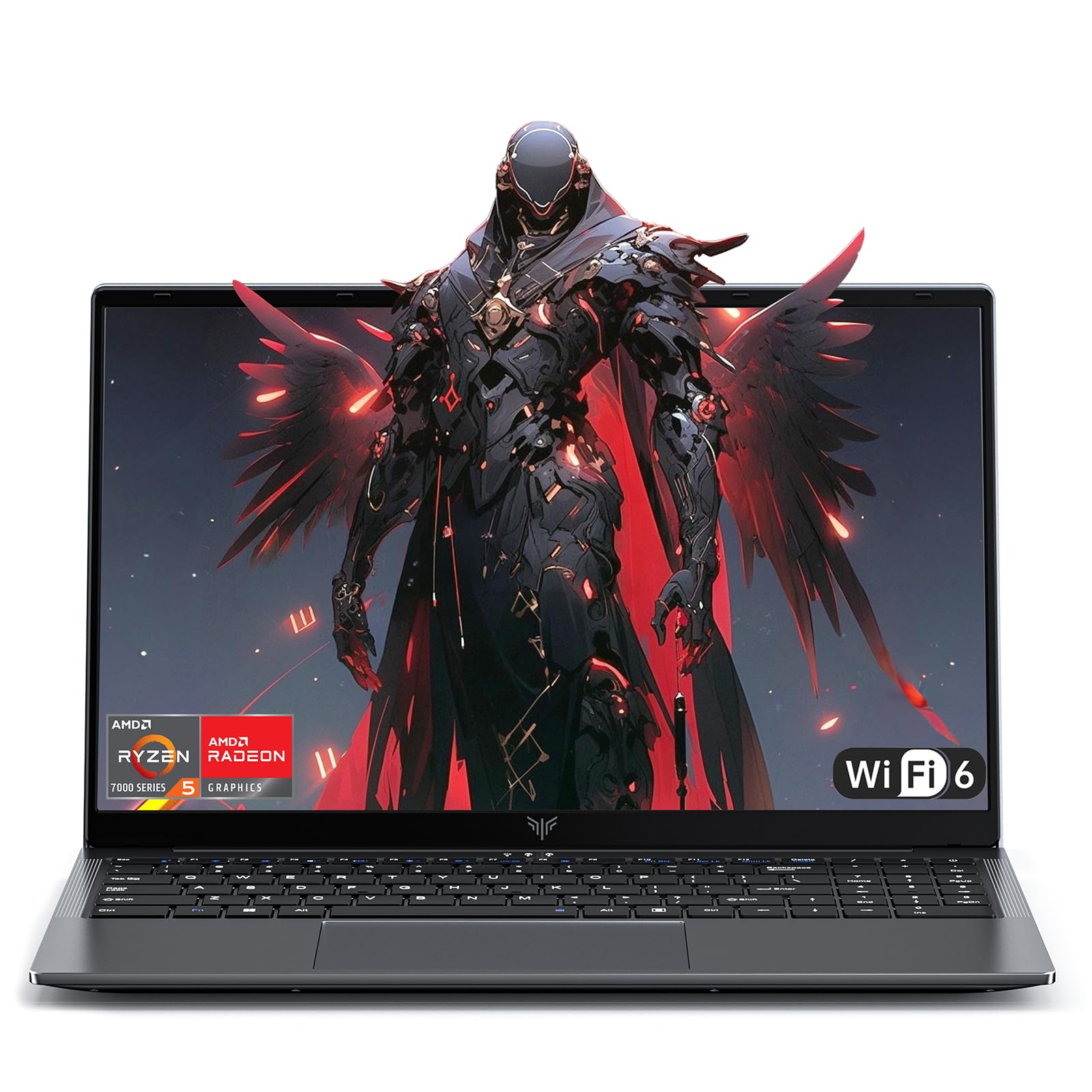
The KAIGERR laptop packs an AMD Ryzen 5 7430U processor based on Zen 3 architecture with 6 cores and 12 threads, making it one of the most powerful CPUs available at this price point for home users. The 16GB of SODIMM DDR4 RAM and 512GB NVMe SSD provide a smooth, responsive experience for multitasking between web browsers, Office suites, and even light photo editing. The 15.6-inch IPS display delivers sharp Full HD visuals with decent color accuracy for media consumption and casual creative work. The integrated Radeon Graphics are capable of handling older or less demanding games at playable frame rates.
The port selection is generous for a compact chassis, including three USB-A ports, a USB-C port, HDMI output, and a micro-SD card slot, accommodating a variety of peripherals without requiring a hub. WiFi 6 and Bluetooth 5.2 ensure fast wireless connectivity, and the physical webcam shutter provides an extra layer of privacy protection for video calls. The lightweight design at roughly 3 pounds makes it easy to move between rooms, and the construction uses a metallic-look plastic that feels more durable than typical budget laptops.
The KAIGERR brand does not have the same long-term reliability track record as major manufacturers like Dell, HP, or Lenovo, which may concern buyers looking for a multi-year investment. Customer support experiences have been mixed, with some users reporting delays in response times for warranty claims. The built-in speakers are described as mediocre, lacking volume and clarity for watching movies or listening to music without external speakers or headphones.
Why it’s great
- AMD Ryzen 5 7430U offers 6 cores and 12 threads for demanding tasks.
- 16GB RAM and NVMe SSD provide snappy performance.
- Generous port selection with physical webcam shutter.
Good to know
- Brand has limited long-term reliability history compared to major OEMs.
- Customer support response times may be inconsistent.
- Onboard speakers lack volume and audio clarity.
6. Lenovo IdeaPad 1
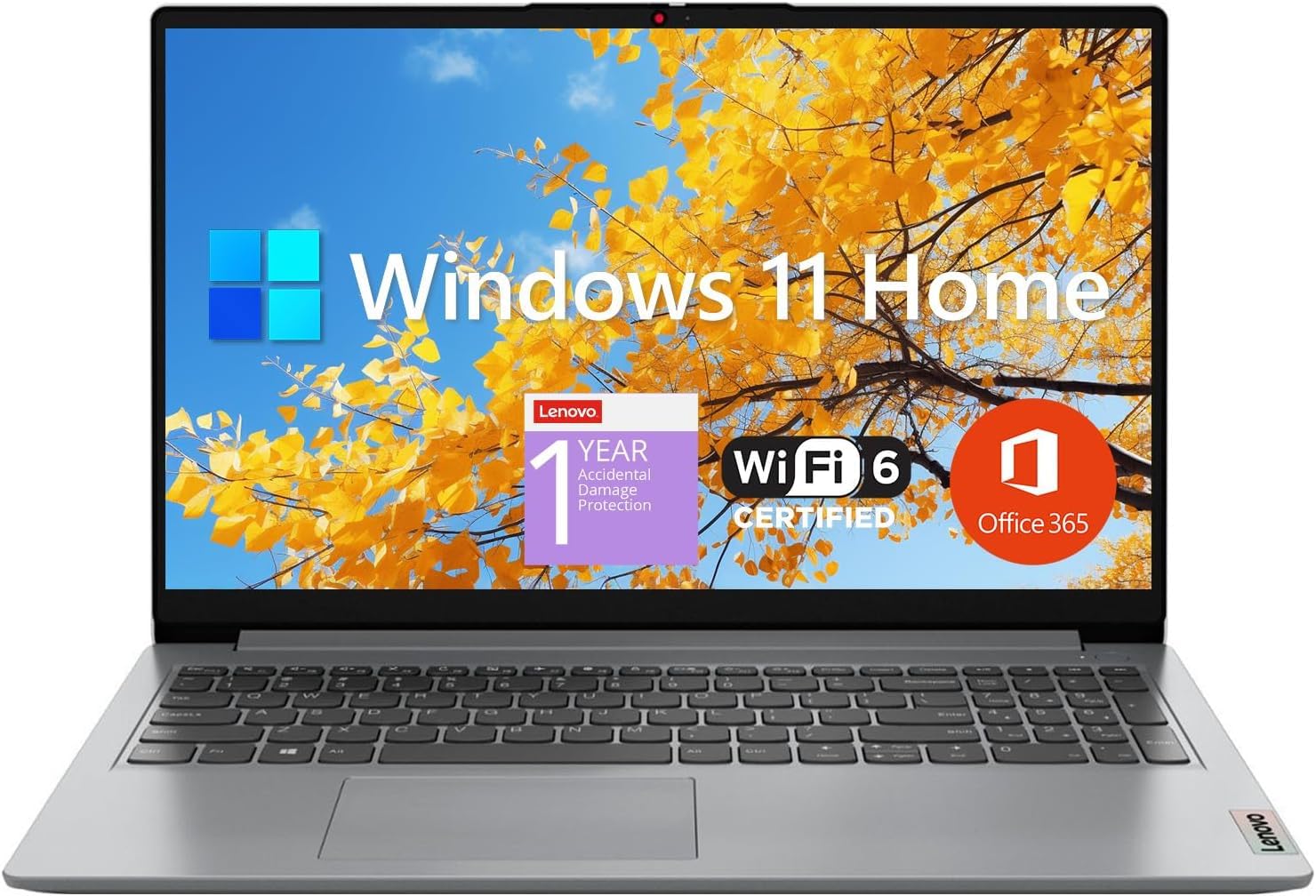
The Lenovo IdeaPad 1 offers a rare configuration in the budget space: 12GB of high-bandwidth RAM paired with a dual-storage system consisting of a 512GB PCIe NVMe SSD and a 128GB eMMC drive. This setup allows users to store the operating system and frequently used applications on the fast SSD while using the eMMC for bulk document and media storage, effectively combining speed and capacity. The 15.6-inch Full HD IPS display with anti-glare coating provides crisp, eye-friendly visuals that are ideal for reading articles, watching tutorials, or editing school assignments.
The processor is an Intel Celeron N4500, a dual-core chip with a 2.8GHz turbo speed, which is sufficient for basic computing tasks like web browsing and Office work but will struggle with more intensive applications. The inclusion of a one-year subscription to Microsoft 365 adds immediate value, covering Word, Excel, and PowerPoint for home and student use without an additional purchase. The port selection includes USB-C, USB 3.2, HDMI 1.4b, and a card reader, offering solid flexibility for connecting external drives and displays.
The Celeron N4500 is a significant performance bottleneck; users who try to run video conferencing, music streaming, and multiple browser tabs simultaneously may encounter lag and stuttering. The 128GB eMMC storage is considerably slower than the NVMe SSD, and storing large files on it will result in noticeably longer load times. Some owners have reported occasional freezing issues that require a restart, which can interrupt workflow and reduce the laptop’s reliability for time-sensitive tasks.
Why it’s great
- 12GB RAM is generous for budget-tier multitasking.
- Dual storage combines fast SSD with high-capacity eMMC.
- Full HD IPS display with anti-glare coating included.
Good to know
- Celeron N4500 processor limits performance for multitasking.
- eMMC storage is slower than NVMe for file access.
- Occasional freezing issues reported by some users.
7. Acer Aspire Go 15

The Acer Aspire Go 15 delivers an impressive package with its 8-core Intel Core 3 processor N355, 8GB of DDR5 RAM, and a 15.6-inch Full HD IPS display that offers sharp details and wide viewing angles for a genuinely pleasant visual experience. The Acer BluelightShield technology reduces blue light exposure, making long evening work sessions or movie marathons easier on the eyes. The laptop charges quickly via USB-C, reaching around 93 percent in just 30 minutes, which is a practical advantage for busy households where downtime is limited. The included Copilot key provides one-touch access to AI assistance for summarizing text or managing tasks.
The construction uses recycled plastic for 30 percent of the back cover, and the packaging is 100 percent recyclable, appealing to environmentally conscious buyers without sacrificing build quality. The Acer TNR (Temporal Noise Reduction) technology in the 720p webcam delivers improved image quality in low-light conditions, and the PurifiedVoice AI noise reduction filters out background sounds during video calls. The dual USB-C ports support display output and 45W charging, adding flexibility for connecting to external monitors.
The 128GB UFS storage is the weakest link in this configuration; it operates slower than a standard NVMe SSD, and the limited capacity fills up quickly once you install applications and store personal files. Windows 11 ships in S Mode, which restricts app installation to the Microsoft Store, and switching out of S Mode requires a one-time process that some users find inconvenient. The plastic chassis, while lightweight, is prone to scratching and may show wear more quickly than metal or higher-grade plastic alternatives.
Why it’s great
- 8-core Intel Core 3 processor provides capable performance.
- FHD IPS display with blue light reduction for eye comfort.
- Rapid USB-C charging reaches 93% in about 30 minutes.
Good to know
- 128GB UFS storage is slower and smaller than typical SSDs.
- Windows ships in S Mode, limiting app installation options.
- Plastic chassis is prone to scratches over time.
8. Acer Aspire 3 Slim

The Acer Aspire 3 A315-24P-R7VH offers a slim and lightweight design at a compelling price, powered by the AMD Ryzen 3 7320U quad-core processor with integrated Radeon Graphics. The 15.6-inch Full HD IPS display with narrow bezels delivers a modern look while providing crisp text and vibrant colors for media consumption and productivity work. The inclusion of a backlit keyboard is a rare find at this price point, enabling comfortable typing in dimly lit rooms. The 128GB NVMe SSD provides faster boot and load times than the UFS storage found on many similarly priced laptops.
The Acer TNR technology enhances the front-facing HD camera for better low-light video quality, and PurifiedVoice with AI noise reduction ensures clearer communication during online meetings by filtering out ambient sounds. The laptop runs cool under typical workloads, with the processor staying below 50 degrees Celsius during web browsing and Office tasks. The battery life reaches about six hours under performance settings and can extend to nine hours or more with power-saving mode enabled, making it feasible for a full day of light use away from a power outlet.
The 8GB of LPDDR5 RAM is soldered to the motherboard, leaving no upgrade path for users who might need more memory in the future. The 128GB NVMe SSD fills up quickly after installing Windows updates, Office applications, and a few personal files, and upgrading it requires opening the chassis and potentially voiding the warranty. Some users have reported that the fan can become loud and intrusive even during non-intensive tasks, and the keyboard, while backlit, feels hollow and lacks the tactile feedback preferred for extended typing sessions.
Why it’s great
- Backlit keyboard enables comfortable typing in low light.
- Full HD IPS display with narrow bezels for an immersive view.
- Runs cool and quiet during typical office workloads.
Good to know
- 8GB RAM is soldered and cannot be upgraded.
- 128GB storage fills quickly and replacement may void warranty.
- Fan noise can be intrusive during routine tasks.
9. ASUS Vivobook Go 15

The ASUS Vivobook Go 15 brings exceptional value through its AMD Ryzen 5 7520U processor, which offers four cores and eight threads capable of handling everyday workloads with ease, combined with the integrated Radeon Graphics for light creative tasks. The 15.6-inch NanoEdge display features super-slim bezels, creating an immersive viewing experience on a 1920×1080 IPS panel with 250 nits of brightness. The laptop has passed MIL-STD-810H military-grade durability testing, meaning it can withstand drops, vibration, and extreme temperatures that would damage a standard consumer laptop. The SonicMaster audio system delivers crisp, multi-dimensional sound that surpasses typical budget laptop speakers.
The 8GB of LPDDR5 RAM runs in dual-channel mode, maximizing memory bandwidth for faster data access and better overall system responsiveness. The 512GB SSD provides generous storage for a mid-range configuration, offering quick boot times and ample room for applications, documents, and media files. The webcam features a physical privacy shield, giving users a simple mechanical way to block the camera when not in use. The battery supports fast charging, and users consistently report six to nine hours of real-world battery life depending on the workload.
The 8GB of RAM is soldered to the motherboard with no available slot for expansion, capping the memory at 8GB for the life of the laptop. The build uses a plastic chassis that, while sturdy, feels less premium than metal alternatives and may flex slightly under pressure. Some users have reported difficulties with ASUS customer support, including issues with product registration and accidental damage protection enrollment, which can complicate warranty service if problems arise.
Why it’s great
- AMD Ryzen 5 7520U offers strong performance for the price.
- MIL-STD-810G certified for durability and reliability.
- Physical webcam shutter for privacy control.
Good to know
- 8GB RAM is soldered and not upgradeable.
- Plastic chassis lacks the premium feel of metal builds.
- Customer support experiences have been inconsistent.
10. HP 15.6″ Laptop (Intel N100)
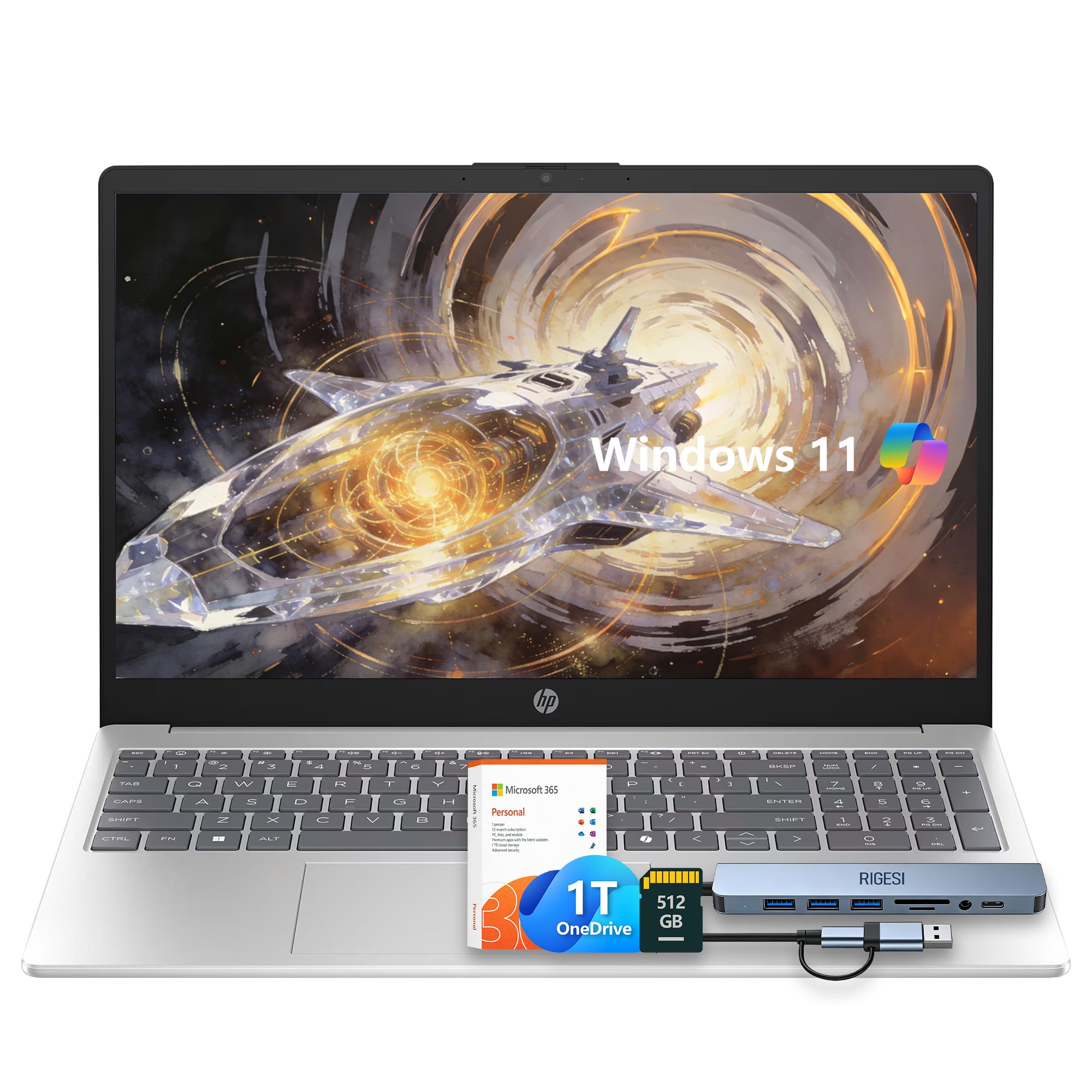
The HP 15.6 Laptop is built for straightforward, no-fuss home computing with its Intel N100 quad-core processor and 8GB of RAM, providing adequate performance for web browsing, email, streaming, and Office applications. The 15.6-inch HD display offers a comfortable viewing area for video calls and online shopping, and the lightweight silver chassis makes it easy to carry between rooms. The included one-year subscription to Microsoft 365 adds immediate productivity value, covering the essential Office suite without requiring an additional purchase. The 128GB UFS storage combined with a 512GB SD card offers a practical split between fast system operation and bulk storage for photos and documents.
The battery life has been praised by users as lasting a long time during typical use, reducing the frequency of recharging throughout the day. The keyboard is comfortable for typing, with good key travel that makes writing emails and documents a pleasant experience. The inclusion of Windows 11 with Copilot AI support brings modern features like AI-assisted search and task management to an entry-level laptop, and the variety of ports accommodates common peripherals like external drives and monitors without needing a hub.
The Intel N100 processor is a low-power chip designed for basic tasks, and it will show its limits when running multiple heavy applications simultaneously or handling modern web pages with complex scripts. The display resolution is 1366×768, which is noticeably less sharp than Full HD panels, making text appear fuzzy and reducing the usable screen space for multitasking. Some users have noted the absence of a keyboard backlight, which can be inconvenient for typing in dim environments.
Why it’s great
- Complete package with Microsoft 365 subscription included.
- Long battery life for extended away-from-charger use.
- Lightweight and portable design at a budget-friendly price.
Good to know
- N100 processor struggles with heavy multitasking scenarios.
- 1366×768 display is less sharp than Full HD panels.
- No keyboard backlight for low-light typing situations.
11. HP 14″ (Sky Blue)
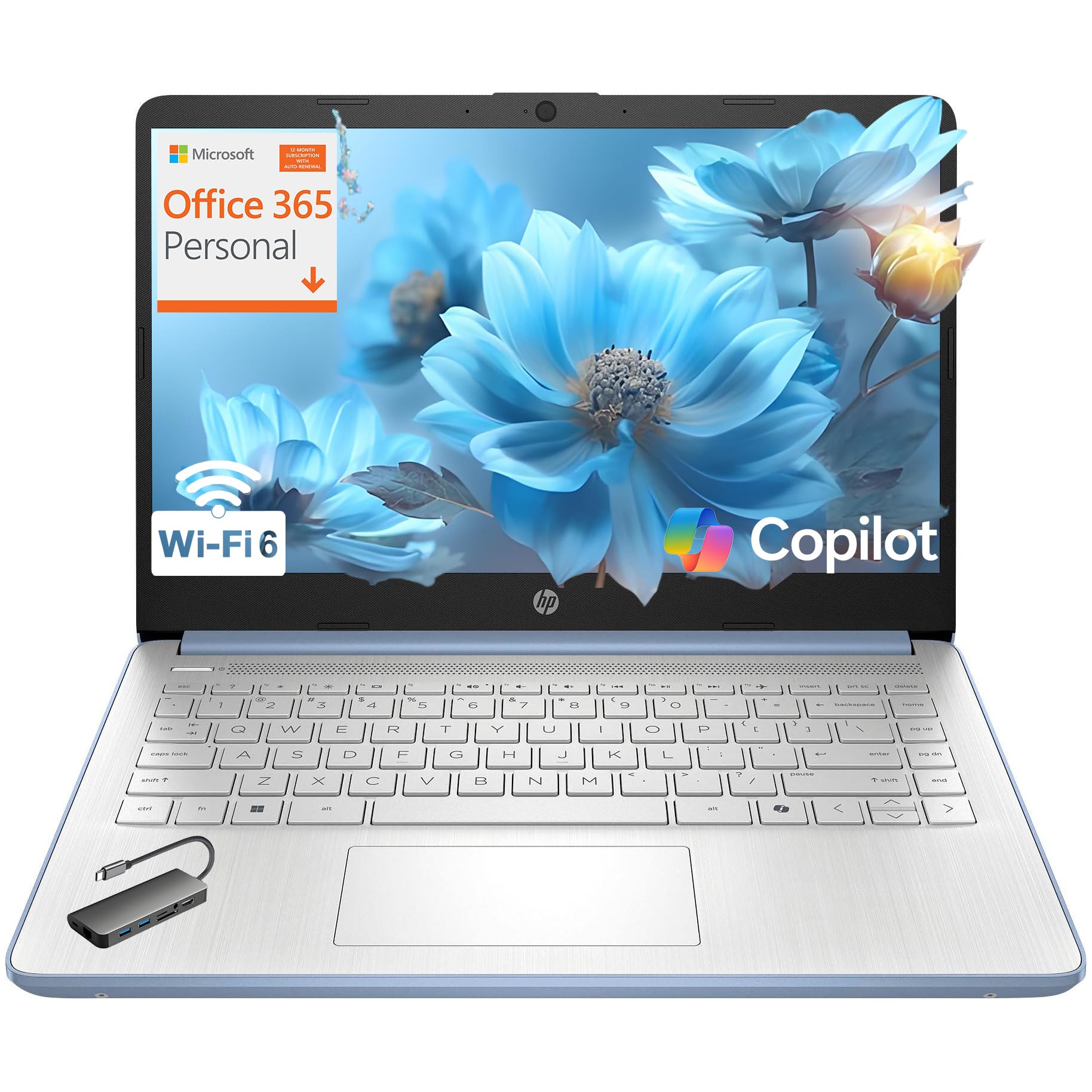
The HP 14-inch laptop in Sky Blue stands out visually with its colorful finish and matching crepe pink keyboard, offering a stylish entry point for students or household members who value aesthetics alongside function. The Intel N150 quad-core processor and 8GB of DDR4 RAM deliver adequate performance for web browsing, document editing, and streaming, while the 128GB UFS storage provides fast enough access for essential applications. The 14-inch micro-edge anti-glare display reduces reflections and is compact enough to fit into smaller bags for easy transport, with the laptop weighing just 3.11 pounds. The inclusion of a one-year Microsoft 365 Personal subscription provides immediate access to the Office suite.
The HP True Vision 720p HD camera with privacy shutter allows users to physically block the lens when the camera is not in use, addressing common privacy concerns for home users. WiFi 6 and Bluetooth 5.4 provide modern wireless connectivity that can handle high-bandwidth tasks like 4K video streaming and large file transfers. The laptop’s compact size and light weight make it ideal for users who move frequently between rooms or take their work to coffee shops and libraries.
The 14-inch display has a native resolution of 1366×768, which looks less sharp than Full HD panels especially when viewing high-resolution images or documents with small text. The N150 processor, while adequate for basic tasks, will lag when faced with multiple browser tabs, video calls, and background applications running simultaneously. The absence of a backlit keyboard is a common complaint among reviewers, and the UFS storage, while faster than older eMMC drives, still lags behind the responsiveness of a true NVMe SSD.
Why it’s great
- Unique Sky Blue color with a matching keyboard finish.
- Lightweight 3.11-pound design for easy portability.
- Privacy shutter included and one-year Office 365 subscription.
Good to know
- Display resolution is 1366×768, not Full HD.
- N150 processor is limited for multitasking-heavy use.
- Lacks a keyboard backlight and uses UFS storage.
FAQ
How much RAM do I really need for home use in 2026?
Is a Full HD display worth paying extra for on a home laptop?
Should I buy a laptop with Windows 11 Home in S Mode?
Can I upgrade the storage or RAM on a budget laptop later?
Final Thoughts: The Verdict
For most users, the best overall affordable laptop for home use winner is the Apple MacBook Neo 13 because it combines a fanless design, exceptional battery life, a brilliant display, and a premium build quality that outlasts typical budget Windows machines. If you want maximum storage and RAM for heavy multitasking, grab the HP 15.6″ FHD Laptop with 32GB RAM and 1TB SSD. And for a home environment where durability matters most, nothing beats the ASUS Vivobook Go 15 with its military-grade certification.