
Our readers keep the lights on and my morning glass full of iced black tea. As an Amazon Associate, I earn from qualifying purchases.
Specs are compiled from manufacturer listings and verified buyer reviews and can change over time — please confirm the key details on the product page before buying.
The search for a genuinely affordable laptop usually ends in frustration—you either sacrifice speed for a low sticker price or blow your budget on features you’ll never use. This guide cuts through that trade-off, showing you exactly what your money buys across eleven of the most popular budget and mid-range models, from everyday student workhorses to surprisingly capable multitaskers.
I’m Min — the founder and writer behind Gadgets Feed. This guide is built by comparing the manufacturers’ published specifications and the patterns across verified customer reviews, so you get each pick’s real strengths and trade-offs instead of marketing spin.
You’ll learn which specs genuinely matter for daily use, where to save, and where not to. Here is your definitive roadmap to finding the best affordable laptop that meets your needs without emptying your wallet.
Our Picks at a Glance

How To Choose The Best Affordable Laptop
When you’re shopping on a budget, you’ll have to trade off between speed, storage, and build quality—you rarely get all three at their best. Here’s how to pick the right one for your daily tasks without overspending.
RAM: The Multitasking Bottleneck
RAM is your computer’s short-term memory for running apps. If you like to have thirty browser tabs open while streaming music and editing a document, 8GB is workable, but 16GB is genuinely comfortable. Most budget machines ship with 8GB, and some feature 16GB versions for a slightly higher price—that extra memory is usually worth it if you hate waiting for tabs to reload.
Storage: SSD Speed and Space
Storage type and size determine how fast your laptop boots and how many files you can keep. An SSD (Solid State Drive) is the modern standard, offering quick boot times and snappy app launches—a 256GB SSD holds a comfortable collection of documents and photos, while 512GB is better for larger media files. UFS (Universal Flash Storage) is a cheaper alternative used to keep prices down, but it’s typically slower than a proper SSD.
Processor: Cores and Clock Speeds
The processor (CPU) is the engine of your laptop. You’ll see specs like “4-Core” or clock speeds like “3.6 GHz”—more cores handle more tasks simultaneously, and a higher clock speed does each task faster. For browsing and office work, a modern quad-core chip is plenty; for anything heavy, look for a hexa-core chip (six cores) like the AMD Ryzen 5 5500U.
Quick Comparison
| Model | Best For | Processor Speed | RAM / Storage | Display | Amazon |
|---|---|---|---|---|---|
| Lenovo IdeaPad Slim 3i★ Best Overall | Best Overall | 4.75 GHz | 4GB / 128GB SSD | 15.6″ FHD | Amazon |
| Acer Aspire Go 15 (AG15-32P)Best Value Specs | Performance Value | 3.9 GHz | 8GB / 128GB UFS | 15.6″ FHD IPS | Amazon |
| 15.6″ AI Laptop (AKCHART)Best Storage Combo | Massive Storage | 2.5 GHz | 12GB / 256GB SSD | 15.6″ FHD IPS | Amazon |
| HP Essential Laptop | Portability & Battery | 3.6 GHz | 4GB / 128GB UFS | 14″ HD | Amazon |
| Acer Aspire Go 15 (AG15-21P) | AMD Efficiency | 4.1 GHz | 8GB / 128GB SSD | 15.6″ FHD IPS | Amazon |
| 2026 Flagship (HILLSUSU) | Max RAM Workflows | 3.2 GHz | 16GB / 512GB SSD | 15.6″ FHD IPS | Amazon |
| KAIGERR N150 | Expandable Storage | 3.6 GHz | 16GB / 512GB NVMe SSD | 15.6″ FHD | Amazon |
| ASUS Vivobook Go (E1504FA-AS33) | Balanced Everyday | 4.1 GHz | 8GB / 128GB SSD | 15.6″ FHD | Amazon |
| ASUS Vivobook Go (E1504FA-AS54) | Light Gaming | 4.3 GHz | 8GB / 512GB SSD | 15.6″ FHD | Amazon |
| HP 255 G10 | Business Durability | 4.2 GHz | 16GB / 256GB SSD | 15.6″ FHD | Amazon |
| Lenovo V15 | Workhorse Specs | 4.0 GHz | 16GB / 512GB SSD | 15.6″ FHD | Amazon |
In‑Depth Reviews
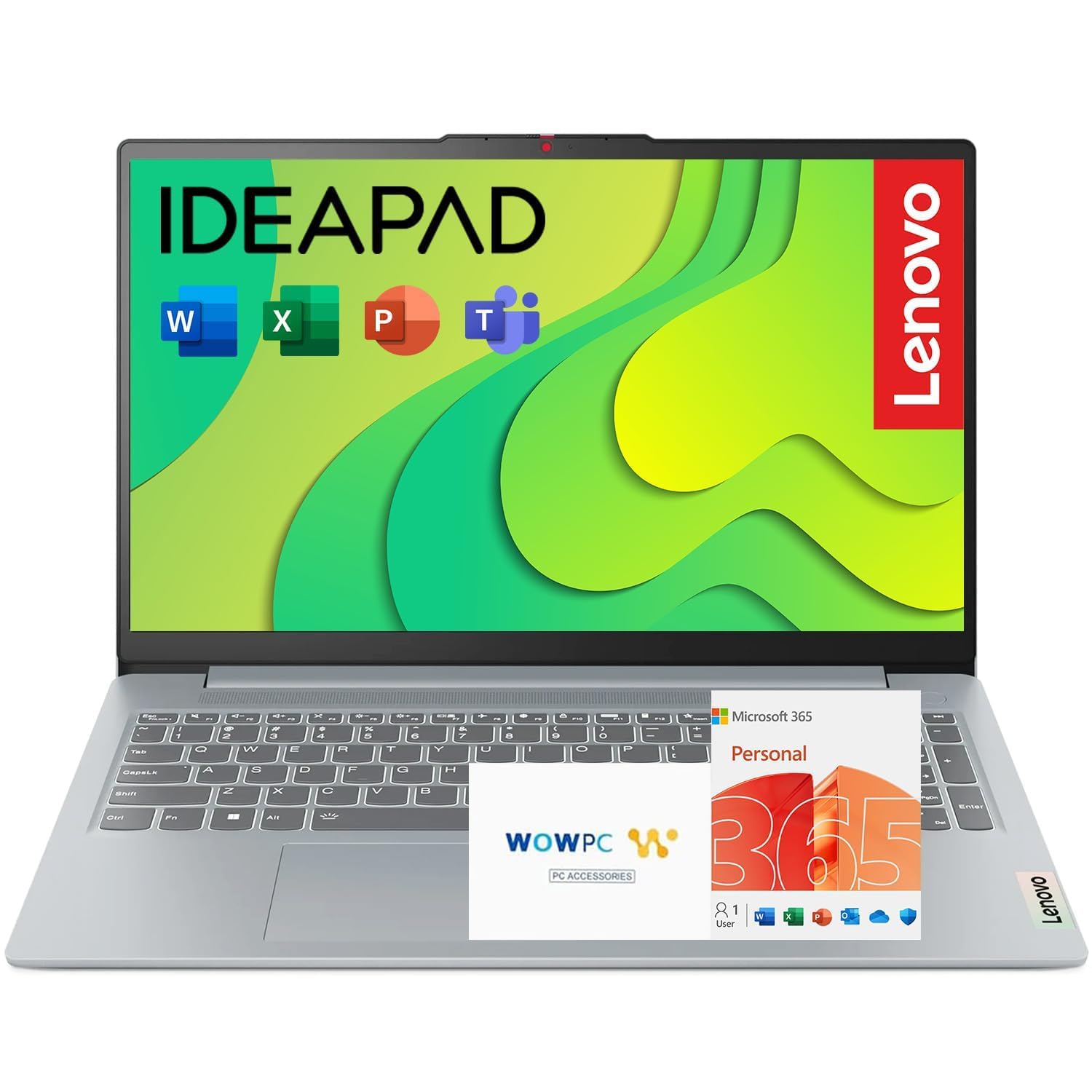
1. Lenovo IdeaPad Slim 3i
Our pick — over 4.5★ from 200+ verified ratings; the strongest balance of quality and price.
The featherweight champ with top-tier speed, built for students who need it all.
For anyone who wants the fastest engine on a budget, the IdeaPad Slim 3i is the pick. Its Intel Processor N100 can burst up to 4.75 GHz—that’s a 1.9x speed gap compared to the 2.5 GHz top speed on the AKCHART model—making it the quickest chip in this lineup for everyday tasks. Don’t be fooled by the modest 4GB RAM; for browsing, homework, and video calls, this combination feels zippy, and the review pages sum it up: “Love it. Personal laptop and amaWs at how easy it was to set up and pull data from old laptop.”
Your eyes will thank you during long study sessions. The 15.6-inch Full HD (1920×1080) display uses a 16:10 aspect ratio for extra vertical room, and TÜV Low Blue Light certification reduces eye strain during long study sessions.. It’s also tougher than it looks, holding MIL-STD-810H durability handles the bumps and drops of daily campus life, all while being up to 10% slimmer than the previous generation.
Connectivity is generous for the price. You get Wi-Fi 6 for faster wireless, a full-function USB-C port, HDMI, and multiple USB-A ports, plus a fingerprint reader built into the power button so you can open up with a tap instead of a password. One standout feature is Rapid Charge Boost, which gives you up to 2 hours of use from just a 15-minute charge—perfect for topping up between classes.
Reasons It Wins
- Fastest processor clock speed in the budget tier
- Rugged MIL-STD-810H durability rating.
- Rapid Charge Boost for quick top-ups
Know Before Buying
- 4GB RAM is tight for heavy multitasking
- 128GB SSD fills up quickly with large files
The Verdict: Reach for this if you want the best blend of price, speed, and durability for school or light home use.
Look Elsewhere If: You plan to keep dozens of tabs and heavy apps open simultaneously, where extra RAM matters more.
2. Acer Aspire Go 15 AI Ready (AG15-32P-39R2)
A workhorse with an 8-core brain and a 12.5-hour battery to match.
You get the most processing power per dollar with the Acer Aspire Go 15. Its 8-Core Intel Core 3 processor N355 (a mid-range chip that boosts up to 3.9 GHz) is one of the strongest CPUs in this price range, so everyday multitasking stays smooth. Owners call it a “great economy laptop” that’s “simple and efficient,” and the battery is rated for up to 12.5 hours on a charge.
This is an AI-ready machine, meaning it has a dedicated Copilot Key for instant access to Microsoft’s AI assistant. Pair that with the 15.6-inch Full HD (1920×1080) IPS display with Acer BluelightShield lowers blue light emission for comfortable evening viewing.. The display quality gets praised as “clear as day” by reviewers, making it great for streaming or casual browsing.
Ports are a real strength here: you get dual full-function USB Type-C ports (with up to 45W USB charging), plus HDMI 2.1 for crisp external display output. The design is thoughtful too, with AcerSense software giving you control over battery, storage, and apps, while Acer PurifiedVoice and TNR technology clean up your video calls with AI noise reduction.
Smart Buy For: Value hunters who want a responsive 8-core CPU and long battery life for work or school.
Watch Out For: The 128GB UFS storage is limited, and some owners note the plastic case can scratch easily—acceptable trade-offs at this price.
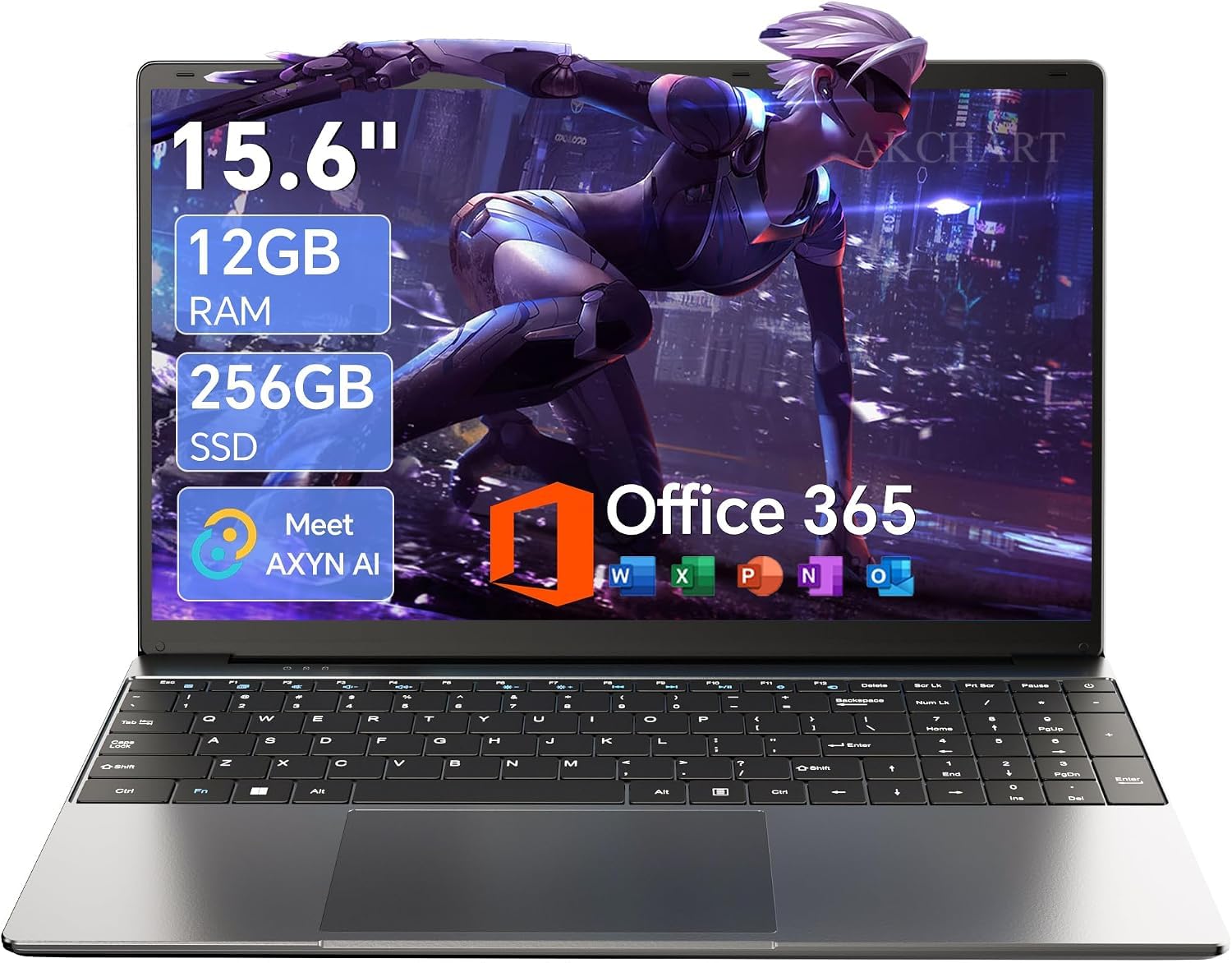
3. 15.6″ AI Laptop with Office 365 (AKCHART)
The smart-storage specialist—12GB RAM and expansion slots for growing file collections.
Storage capacity is the thing everyone raves about here. The AKCHART laptop pairs a 12GB DDR4 memory with a 256GB M.2 SSD, and it’s the only budget model that supports expansion up to 2TB SSD and TF card expansion up to 1TB. That means you can start small and grow your storage as your files pile up, without needing to buy a new laptop. The crowd favorite starts with a base of 12GB RAM, which is genuinely comfortable for multitasking between school apps and Netflix.
The 15.6-inch FHD IPS display delivers crisp 1920×1080 resolution, and the narrow bezel boost screen space. Owners call it “fast, easy to use, and has a nice screen,” noting it’s the “perfect starter laptop” for students—it includes Office 365, a larger screen than typical Chromebooks, and good battery life for homework and videos.
Battery life is supported by a high-capacity 7000mAh cell, ideal for long classes or meetings. A 180-degree lay-flat hinge lets you share your screen easily during presentations. Connectivity includes USB 3.2, Type-C, Mini HDMI, and 5G WiFi with Bluetooth 4.2—you’ll have solid options for peripherals and fast wireless internet.
Why It Stands Out
- 12GB RAM plus 256GB SSD for ample multitasking
- Expandable storage up to 2TB SSD
- 7000mAh battery for all-day classes
Consider This First
- 2.5 GHz processor tops out slower than rivals
- Bluetooth 4.2 is an older standard
Grab It If: You’re a student who wants plenty of RAM and room to grow storage without paying a premium.
skip it if: You need maximum processing speed for demanding software—check the Lenovo above instead.
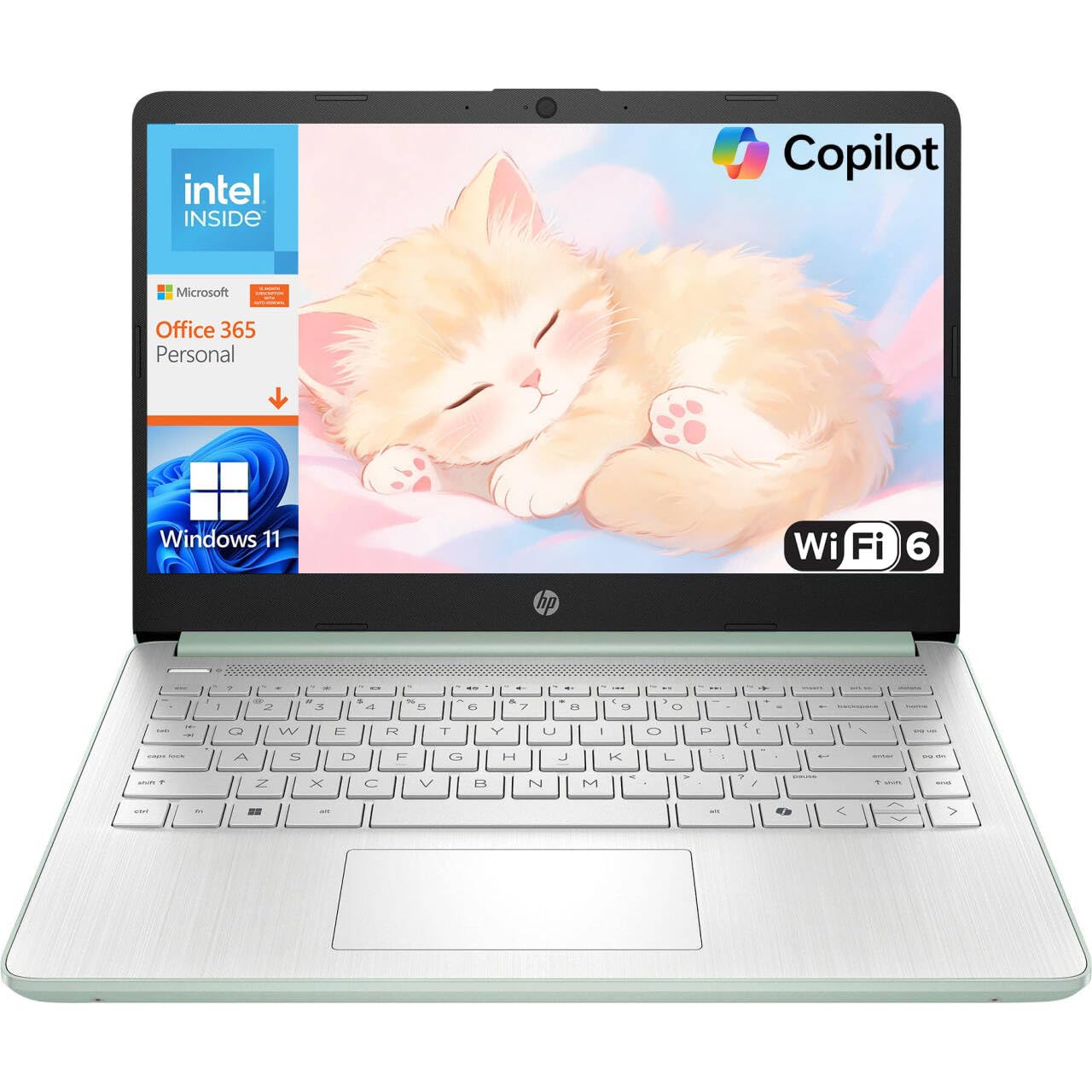
4. HP Essential Laptop 2026
A featherweight travel companion that slips into any bag and lasts a full workday.
If you’re always on the move, this HP is built for your lifestyle. At just 3.24 lb and only 0.71 inches thin, it’s the lightest and most portable option here, designed to fit easily in backpacks. The all-day battery delivers up to 11 hours of video playback or 7.5 hours of mixed usage—enough for a full day of classes or remote work without hunting for an outlet. Owners note it’s a “pretty good deal” and that the screen is “big and clear.”
The 14-inch HD (1366 x 768) anti-glare display uses a micro-edge bezel to achieve a 79% screen-to-body ratio, packing a large screen into a compact body. The integrated HP True Vision 720p HD camera with noise reduction and dual-array microphones makes you look and sound clear on video calls, whether for remote work or online learning. Plus, a dedicated Copilot key offers instant access to AI assistance.
Connectivity covers modern needs with Wi-Fi 6 (2×2) and Bluetooth 5.4. You get a USB Type-C port with DisplayPort 1.2 for external displays, two USB Type-A 5Gbps ports, HDMI 1.4b, and a multi-format SD card reader. The willow green top cover with a matte finish gives it a distinct, professional look that stands out from the typical gray laptop crowd.
Who It’s For: Commuters and students who prioritize a light, all-day machine for browsing, streaming, and document editing.
Who It Isn’t For: Power users need more than 4GB RAM and 128GB storage—this one is strictly for everyday essentials.
5. Acer Aspire Go 15 AI Ready (AG15-21P-R5YG)

AMD efficiency meets a 4.1 GHz turbo—smooth everyday performance with excellent battery life.
For those who prefer AMD’s efficiency, this Acer pairs a Ryzen 3 7320U processor (boosting up to 4.1 GHz) with 8GB LPDDR5 memory and a 128GB PCIe SSD. It’s a smooth operator for browsing, streaming, and Office work, and buyers report excellent battery life and easy setup. One owner wrote the review while using the laptop itself, noting, “Batttery life is excellent. Easy to carry. Fans runs smoothly overall excellent laptop. Is great for work or school.”
The 15.6-inch 1080p Full HD IPS display with Acer BluelightShield is perfect for casual web browsing and movie nights. The integrated AMD Radeon Graphics handle everyday visuals, and the machine supports Copilot via a dedicated key. It’s an easy machine to live with, whether you’re a non-tech user or just want a reliable daily driver.
The ports follow the same excellent recipe as its Intel sibling—dual full-function USB Type-C ports (with 45W charging), two USB 3.2 Gen 1 ports, and HDMI 2.1. Reviewers especially appreciate how easy it is to remove Windows S Mode for a full Windows experience. The 128GB SSD is replaceable, so technically-inclined owners have swapped in larger drives like a 1TB M.2 SSD.
Praised For
- Excellent battery life for all-day use
- Fast AMD Ryzen 3 performance
- Simplified S Mode setup for non-tech users
Good To Know
- 8GB RAM is non-upgradable
- 128GB SSD may feel small—but it’s swappable
Pick This If: You want a fast, battery-friendly laptop for work/school and don’t mind a modest base storage.
Think Twice If: You need lots of built-in storage without opening the machine—the AKCHART holds more from the start.
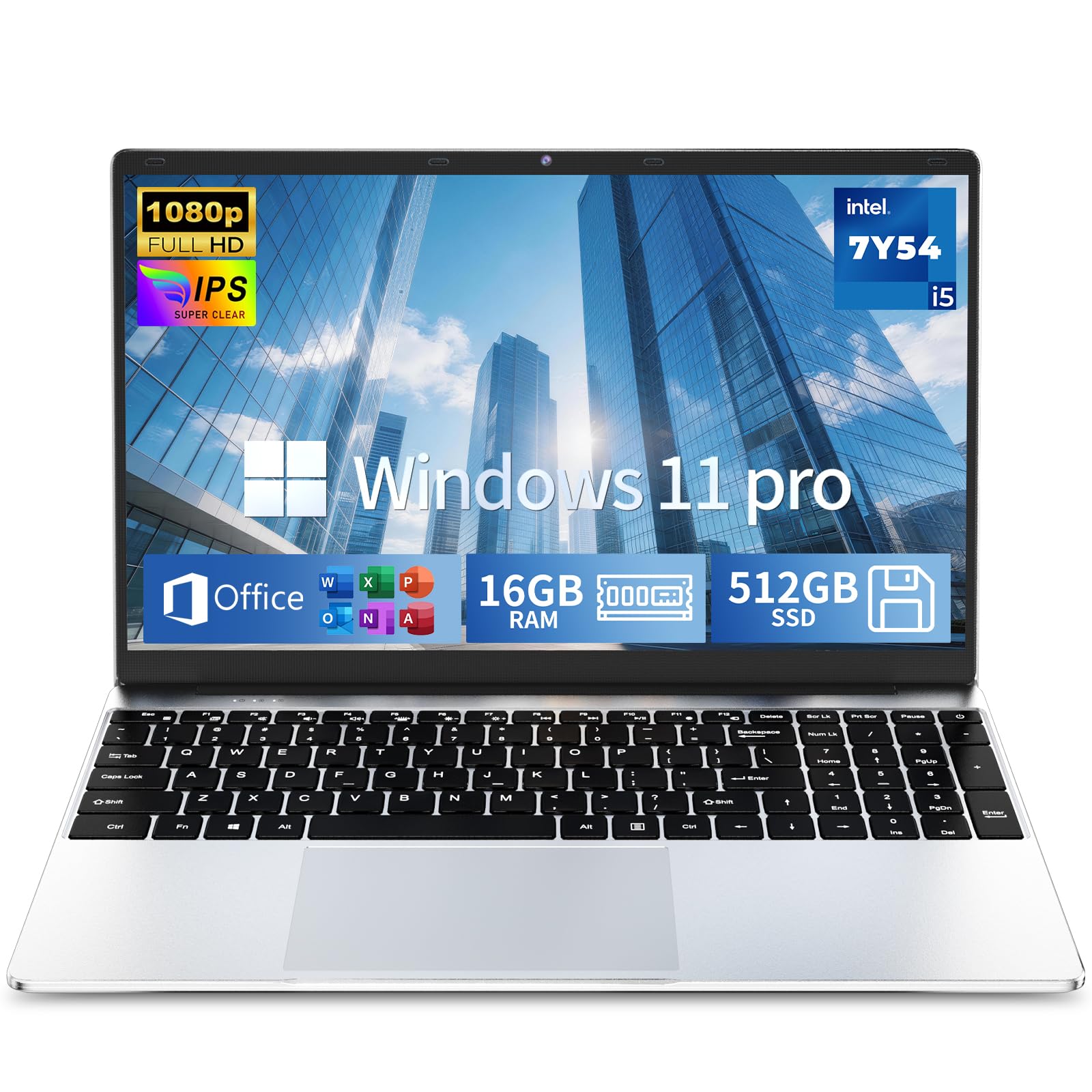
6. 2026 Flagship Business Laptop (HILLSUSU)
A spec-sheet giant—16GB RAM and 512GB storage—that still weighs just 3.5 lbs.
Here’s the rare budget machine that skips compromise on memory. The HILLSUSU flagship packs 16GB of high-speed RAM and a 512GB SSD, letting you run e-textbooks, note-taking, spreadsheets, and video calls simultaneously without lag. Owners call it “unbeatable value” with a “high-res crisp display,” noting it handles heavy workloads while staying light.
The 15.6-inch Full HD (1920×1080) anti-glare IPS screen is easy on the eyes during long document sessions. A backlit keyboard helps you type comfortably in dim environments, and the active fan cooling keeps the machine running smoothly during online meetings. The processor reaches up to 3.2 GHz, which is plenty for business and school tasks.
It ships with Windows 11 Pro and includes Office 365 Business (you contact support to get the account). At 3.5 lbs, it’s light enough to carry to class or the office, and the battery is built for all-day use—one owner took it on work trips and said it “boots up super fast and pulls up documents in seconds.” You also get a 2-year warranty and 180-day returns.
Ideal For: Business users and students who want desktop-level RAM and storage in a light, portable frame.
Know This: Sound quality and the short charging cord draw occasional gripes—small trade-offs for the spec level.
7. KAIGERR N150 Laptop

The expandability king—upgradeable storage and strong performance for gamers and multitaskers.
What stands out here is how much machine you get for the money. The KAIGERR laptop features a 16GB DDR4 RAM and a fast 512GB M.2 SSD, and it’s expandable—supporting a 128GB TF card and upgradable to a 2TB SSD. That makes it one of the few budget options that can grow with you, especially if you game or store large media files. Owners mention it “plays most games on medium/low” settings and handles multiple tabs without lag.
Video calls look sharp on the 15.6-inch Full HD (1920×1080) display with thin bezels, and the webcam sits centered above the screen. Inside, the Intel Twin Lake N150 processor (a budget chip that boosts up to 3.6 GHz) handles multitasking and graphics smoothly, so streaming or working won’t stutter.
You can plug in almost anything: HDMI Type A for monitors, three USB 3.2 ports (fast data transfer), a Type-C data port, and a 3.5mm headphone jack. WiFi 802.11ac (a common standard for strong download speeds) and Bluetooth 5.0 keep your wireless gear stable. The maker includes unlimited technical support and 12 months of repair coverage.
Strong Points
- 16GB RAM and 512GB NVMe SSD standard
- Storage expandable up to 2TB SSD
- 8-hour battery for daily work
Consider
- Some report occasional WiFi disconnects
- A few units arrived with delivery damage
Best For: Budget gamers and heavy multitaskers who want upgradeable storage and strong specs.
Not For: Perfectionists who’d be bothered by an occasional WiFi hiccup—the HP is more stable.
8. ASUS Vivobook Go 15.6″ (E1504FA-AS33)

A rugged all-rounder with a privacy-focused webcam shield and fast charging.
This ASUS is the definition of a balanced daily driver. It pairs an AMD Ryzen 3 7320U processor (boosting up to 4.1 GHz) with 8GB DDR5 RAM and a 128GB SSD, delivering smooth performance for browsing and productivity. The 15.6-inch NanoEdge display has a super slim bezel, a 60Hz refresh rate, and 250-nit brightness for clear, vibrant visuals. Owners call it an “excellent everyday laptop” that’s light and smooth.
Privacy is a genuine feature here—the 720p HD camera comes with a physical privacy shutter (webcam shield), so you can physically block the lens when not in use. It also boasts Military-grade durability withstands the tumbles of daily life.. Sound is handled by SonicMaster technology, delivering crisp, multi-dimensional audio through built-in speakers.
Fast charging is another highlight, helping you get back to full power quickly. The ErgoSense keyboard and precision touchpad are comfortable for long typing sessions, and the 180° hinge lets you lay the screen flat for easy sharing. At 3.59 lbs, it stays light enough for a backpack, and the comprehensive ports cover USB-C (for power and display), USB-A, and HDMI.
the balance: If you’re a student or home user who needs a tough, quick-charging laptop with a privacy webcam and dependable performance, this is your pick.
The Catch: The 128GB storage is lean—plan on cloud storage, an external drive, or the 512GB ASUS below.
9. ASUS Vivobook Go 15.6″ (E1504FA-AS54)

The step-up ASUS—a faster Ryzen 5 and double the storage for light gaming and heavy tabs.
When the base ASUS isn’t quite enough, this is the upgrade. The Vivobook Go (E1504FA-AS54) swaps in an AMD Ryzen 5 7520U processor (boosting up to 4.3 GHz) and doubles storage to 512GB, making it noticeably faster for browsing and even light gaming. It’s the same 15.6-inch NanoEdge display with a 60Hz refresh rate and 250-nit brightness, but the extra processing headroom handles more demanding tasks.
Buyers describe it as “fast, versatile for work/streaming/light gaming” with a “crisp 15.6-inch screen.” The Ryzen 5 chip is designed for thin laptops, delivering fast performance with integrated AMD Radeon Graphics and longer battery life. You still get the privacy webcam shield, military-grade durability, and fast charging that define the Vivobook Go line.
Sound is handled by SonicMaster with an array microphone for clear audio. At 8GB DDR5 RAM, it smoothly runs multiple applications at once, and the 512GB SSD offers supersized storage for files and documents. The 180° hinge, ErgoSense keyboard, and precision touchpad round out a thoroughly competent package for students and professionals.
Why It’s Worth More
- Faster Ryzen 5 processor for smoother multitasking
- Double the storage—512GB SSD
- All the ASUS durability and privacy features
Before You Buy
- Keyboard is not backlit
- Battery life varies; some owners want more
Grab It For: Light gaming, heavier multitasking, or anyone who wants the ASUS experience with more headroom.
Look At The Alternative: If battery life is your top priority, the 12.5-hour Acer Aspire Go 15 outlasts it.
10. HP 255 G10 Laptop
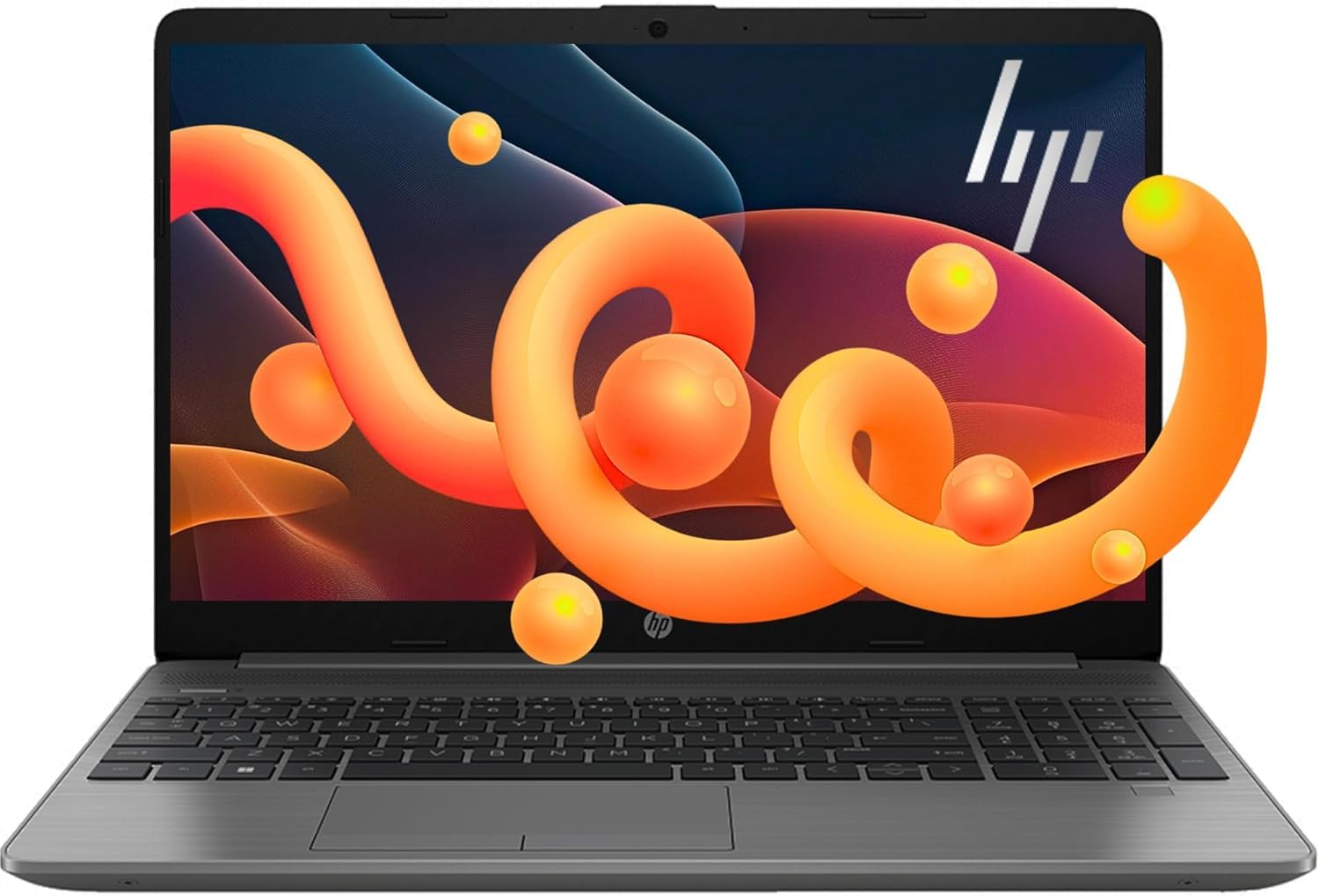
A business-grade workhorse with 16GB RAM, upgradeable to 64GB for serious multitasking.
HP’s 255 G10 is built for people who need business reliability with room to grow. The AMD Ryzen 3 7330U processor uses a powerful 4-core architecture that handles demanding tasks with impressive power efficiency. This particular config comes with 16GB RAM and a 256GB SSD, and it supports up to 64GB of RAM and 2TB of PCIe NVMe M.2 SSD storage, so you can upgrade it well into the future.
The 15.6-inch Full HD (1920×1080) LED-backlit display provides crisp visuals, and the integrated AMD Radeon Graphics offer solid performance for both work and entertainment. Buyers are impressed with its speed—one noted it “can run GTA 5 at 60 fps”—and describe it as fast, quiet, and impressive for the price. The thin and light design keeps up with mobile workstyles.
A “nice and light” build with a big screen-to-body ratio makes it easy to carry. It comes with Windows 11 Home, which brings new design, better multi-monitor functionality, and compatibility with Android apps. Fast charging gets you back up to speed quickly, and the touchpad offers perfect touch sensitivity, according to reviews, with minimal heat generation even during extended use.
Built For: Professionals and students who want strong 16GB performance today and the option to upgrade RAM/storage later.
Fair Warning: Screen quality and battery life get mixed feedback, so it’s not the pick for marathon unplugged sessions.
11. Lenovo V15 Laptop

The power-spec leader—a hexa-core Ryzen 5 with 16GB RAM and Windows 11 Pro.
If you can spend a bit more, the Lenovo V15 brings workstation-level power. Its AMD Ryzen 5 5500U (a six-core, twelve-thread chip boosting up to 4.0 GHz) is the fastest processor here—owners say it runs Fortnite and Rocket League with an XBOX controller responsively. It comes with 16GB RAM and a 512GB PCIe NVMe M.2 SSD (a fast solid-state drive) for quick bootups and file transfers.
This is also the only model here with Windows 11 Pro, which adds business features like Mobile Device Management, Group Policy, and Active Directory/Azure AD support. The 15.6-inch Full HD (1920×1080) display handles work and entertainment, while the numeric keypad is a boon for spreadsheet work. Owners praise it as “light weight, great price and easy to use functionality.”
Connectivity is business-focused with 1 x USB 3.0 Type-A, 1 x USB 2.0 Type-A, 1 x USB Type-C, 1 x HDMI, and a wired RJ45 ethernet port (a rarity in this price range). Bluetooth 5.3 keeps wireless accessories current. The “sturdy plastic” build is durable enough for daily commuting, and it boots fast and reliably—though owners suggest adjusting power settings to tame fan noise.
The Heavy Hitter
- Six-core Ryzen 5 for serious multitasking and light gaming
- 16GB RAM and 512GB SSD standard
- Windows 11 Pro with business features
Trade-Offs
- Screen quality is mediocre—manageable but not vibrant
- Battery life is modest under heavy use
Choose This When: You need maximum processing power and business-grade software without jumping to a premium price bracket.
Reconsider If: Display quality or all-day battery matter more to you than raw CPU muscle—look to the HP Essential instead.
Understanding the Specs
Processor Clock Speed
This is the “GHz” number—how fast your CPU can execute tasks. A higher number (like 4.75 GHz on the Lenovo) means faster single-task performance. More cores, like the six in the Lenovo V15, mean better multitasking. For everyday work, either is fine; for heavy workloads, prioritize cores.
RAM and Storage Type
RAM is your working memory—16GB lets you keep dozens of tabs open smoothly. Storage comes in two flavors: SSD is the modern fast standard, while UFS is a cheaper alternative that’s slower. A 256GB SSD holds a healthy library of files; 512GB is better for media-heavy users.
FAQ
How much RAM do I really need in an affordable laptop?
What is the difference between SSD and UFS storage?
Is a faster clock speed better than more processor cores?
What is Windows 11 S Mode on some affordable laptops?
Can I upgrade the storage on a budget laptop later?
What does the “AI” in these laptop names actually mean?
How important is battery life for an affordable laptop?
Do I need a laptop with a fan for cooling?
Is a 14-inch or 15.6-inch screen better for an affordable laptop?
Can I play games on these budget laptops?
Final Thoughts: The Verdict
For most people, the affordable laptop winner is the Lenovo IdeaPad Slim 3i because it pairs the fastest processor in the tier (4.75 GHz) with rugged MIL-STD-810H durability at a price that respects your budget. If you want more memory and storage for heavy multitasking, grab the HILLSUSU Flagship with its 16GB RAM and 512GB SSD. And for maximum portability with all-day battery life, the HP Essential is the one to reach for. Whichever you choose, focus on RAM and storage first—those are the specs you’ll feel every single day.
How We Picked
We do not accept paid placement. Every pick is matched to a real buyer and a real use-case; we do not hands-on test units.
Sources & Methodology
Specifications: manufacturer listings and product documentation. Review insights: verified customer reviews, as of August 2026. Pricing: not shown on this page (it changes often); check the current price via the retailer link.
As an Amazon Associate, Gadgets Feed earns from qualifying purchases. This does not affect which products we feature.