
Finding a laptop that handles a full course load in the morning and a competitive gaming session at night without draining your savings is one of the hardest balancing acts in consumer tech. The market is flooded with machines that over-promise on one front and severely under-deliver on the other.
I’m Min — the co-founder and writer behind Gadgets Feed. I’ve spent hundreds of hours decompressing spec sheets, cross-referencing real-world benchmarks with raw hardware data, and analyzing buyer feedback to separate the legitimate dual-purpose machines from the marketing traps that fail students and gamers alike.
This guide cuts through the noise to present only the most capable, verified machines that genuinely serve both roles, helping you confidently choose the best affordable laptops for gaming and school without wasting a single dollar on a compromise that lets you down on either front.
How To Choose The Best Affordable Laptops For Gaming And School
The Venn diagram overlap between a study machine and a gaming rig is narrower than most shoppers realize. A laptop great for writing essays might stutter on a modern game engine, while a raw gaming beast can have battery life measured in minutes and a weight that destroys your backpack. You need to enforce strict non-negotiables on both sides.
The Processor and Graphics Tug-of-War
The engine of a dual-use laptop is the pairing of its CPU and GPU. For school, an AMD Ryzen 5 or Intel Core i5 from the last two generations is more than sufficient for productivity apps and multitasking. For gaming, the graphics processor is the true bottleneck. Look for at least an NVIDIA GeForce RTX 2050 or an AMD Radeon 680M/780M integrated GPU. The RTX 3050 and RTX 4050 represent a significant step up in performance, capable of handling modern AAA titles at 1080p with acceptable settings.
RAM and Storage: The Silent Killers
8GB of RAM is the bare minimum for the school side of the equation, but it will choke when you have a browser with 15 tabs, Spotify, a PDF reader, and a game launcher open. 16GB of DDR5 RAM is the true starting point for any laptop that pulls double duty. An M.2 NVMe SSD is mandatory; a 512GB drive fills up fast with modern game installs, so confirm the laptop has an extra slot for future expansion before you buy.
Display Resolution and Refresh Rate
A 60Hz display is fine for word processing and spreadsheet work, but it introduces noticeable motion blur in fast-paced games. A 144Hz or 165Hz panel renders the gameplay dramatically smoother, giving you a competitive edge in shooters and action titles. FHD (1920×1080) is the sweet spot for this category, balancing sharp text for reading with a manageable load on the GPU for gaming at native resolution.
Quick Comparison
On smaller screens, swipe sideways to see the full table.
| Model | Category | Best For | Key Spec | Amazon |
|---|---|---|---|---|
| Acer Nitro V 15 | Premium | Best Overall Balance | Intel i5-13420H / RTX 4050 | Amazon |
| ASUS TUF Gaming F16 | Premium | Durability & Performance | Intel Core 5 210H / RTX 4050 | Amazon |
| MSI GF63 Thin | Mid-Range | Portable Gaming Power | Intel i5-11400H / RTX 3050 | Amazon |
| HP Victus 15 | Mid-Range | Reliable All-Rounder | AMD Ryzen 5 7535HS / RTX 2050 | Amazon |
| MSI Thin A15 | Mid-Range | Budget Esports Machine | AMD Ryzen 5 7535HS / RTX 2050 | Amazon |
| NIMO R7 8745HS | Mid-Range | Integrated GPU Power | AMD Ryzen 7 8745HS / Radeon 780M | Amazon |
| NIMO R7 Pro 6850U #1 | Mid-Range | High RAM, Light Gaming | AMD Ryzen 7 Pro 6850U / Radeon 680M | Amazon |
| NIMO R7 Pro 6850U #2 | Mid-Range | Student Productivity | AMD Ryzen 7 Pro 6850U / Radeon 680M | Amazon |
| NIMO R7 Pro 6850U #3 | Mid-Range | Business & Study Focus | AMD Ryzen 7 Pro 6850U / Radeon 680M | Amazon |
| Alienware 16 Aurora | Premium | Top-Tier Gaming & Display | Intel Core 7 240H / RTX 5050 | Amazon |
| Apple MacBook Pro M4 Pro | Premium | Creative & Professional Work | Apple M4 Pro (14-core) / 20-core GPU | Amazon |
| KAIGERR Ryzen R2544 | Budget | Entry-Level Study & Casual Play | AMD Ryzen R2544 / Integrated UHD | Amazon |
| MALLRACE Ryzen 7 | Budget | Expandable Student Workhorse | AMD Ryzen 7 7730U / Radeon Graphics | Amazon |
In‑Depth Reviews
1. Acer Nitro V 15 (ANV15-52-586Z)

The Acer Nitro V 15 hits the absolute sweet spot for this category by pairing a 13th-gen Intel Core i5-13420H with an NVIDIA GeForce RTX 4050 laptop GPU. This combination delivers ray tracing and DLSS 3.5 in a chassis that doesn’t feel out of place in a lecture hall. The RTX 4050’s 194 AI TOPS provide a genuine performance uplift for modern games that support frame generation, directly translating to higher, smoother frame rates in titles like Hogwarts Legacy.
The 15.6-inch FHD IPS display running at a 165Hz refresh rate is a standout feature at this price tier, offering a silky-smooth gaming experience with minimal ghosting while remaining sharp enough for essay writing and research. The single 8GB stick of DDR5 RAM is the primary bottleneck out of the box; buyers should budget for an immediate upgrade to 16GB or 32GB to unlock the machine’s full potential and prevent stuttering during heavy multitasking.
Connectivity is future-proof with Thunderbolt 4, Wi-Fi 6, and Killer Ethernet E2600, ensuring both fast campus network connections and low-latency online gaming. The efficient cooling system with dual fans keeps the machine from throttling during long sessions, though the fans are audible under load. This is a “project” laptop that rewards a small initial investment with performance that punches well above its class, making it the definitive recommendation for the diligent student-gamer.
Why it’s great
- Powerful RTX 4050 GPU delivers genuine ray tracing and DLSS 3.5 at a mid-range price.
- 165Hz FHD display is excellent for fast-paced competitive gaming and reduces eye strain.
- Thunderbolt 4 port offers massive bandwidth for external GPUs and high-speed docks.
Good to know
- 8GB of RAM is insufficient for modern gaming and multitasking; a user upgrade is mandatory.
- Battery life is limited to a few hours under load, typical for this class of machine.
- Spacebar lacks backlighting, which can be annoying in dim study environments.
2. ASUS TUF Gaming F16 (FX607VU-SS53)

The ASUS TUF Gaming F16 takes the “school” part of the equation seriously by offering military-grade durability (MIL-STD-810H tested) that can survive a drop from a dorm room desk or a bump in a crowded backpack. Inside, the Intel Core 5 210H processor paired with an NVIDIA GeForce RTX 4050 operating at a 115W Max TGP provides noticeably higher sustained performance than lower-wattage implementations found in thinner competitors.
The 16-inch FHD+ display with a 144Hz refresh rate and a 16:10 aspect ratio is a significant upgrade for productivity, offering more vertical screen real estate for coding, reading articles, and managing spreadsheets without extra scrolling. The 100% sRGB color coverage also makes this a viable machine for light photo and video editing in media classes, a rare bonus in this segment. The efficient cooling system using Arc Flow Fans, four exhaust vents, and five heat pipes keeps the RTX 4050 running at full power without uncomfortable chassis heat.
With 16GB of DDR5 RAM and a 512GB PCIe Gen4 SSD out of the box, this laptop is ready for immediate dual-use duty without any upgrades. The rugged build quality and balanced spec sheet make it a smart long-term investment for students who need a single machine to last through multiple years of demanding workloads and late-night gaming sessions without compromising on either.
Why it’s great
- MIL-STD-810H certification means it can handle the physical abuse of daily campus life.
- Full-power 115W RTX 4050 provides superior gaming performance to lower-TGP variants.
- 16:10 display with 100% sRGB is a productivity advantage for students and creators.
Good to know
- Larger chassis and weight make it less portable than ultra-slim student laptops.
- Fans are loud under full gaming load, though they are quiet during lighter tasks.
- AC adapter connector is positioned on the left side, which can be awkward in some setups.
3. MSI GF63 Thin (11UC-1276US)

The MSI GF63 Thin is a classic case of smart spec prioritization, offering a full 16GB of DDR4 RAM and an NVIDIA GeForce RTX 3050 4GB in a slim, lightweight chassis. The Intel Core i5-11400H is a last-gen CPU, but its six performance cores are still more than capable of driving schoolwork and modern games without bottlenecking the RTX 3050, providing a smooth 1080p experience in most titles.
The 15.6-inch FHD display with a 144Hz refresh rate is a strong inclusion at this price tier, ensuring that competitive games like Fortnite and Valorant run with the fluidity needed for fast reflex-based play. The 4-hour battery life is a genuine limitation for all-day campus use, requiring students to stay near an outlet. A cooling pad is a practical accessory to mitigate the thin chassis’s tendency to run hot under sustained gaming loads.
The included 512GB NVMe SSD fills up fast with modern game installs, so the availability of an additional M.2 slot is a critical feature for expansion. The lightweight design at under 2 kg makes it one of the most portable options in this list, a significant benefit for students who walk between classes. It offers a great balance of gaming capability and portability, provided you manage its thermal and power limitations realistically.
Why it’s great
- Comes with 16GB RAM out of the box, avoiding the need for an immediate upgrade.
- 144Hz display provides a smooth competitive gaming experience at a low price point.
- Very lightweight and thin design makes it easy to carry across campus all day.
Good to know
- Thin chassis leads to higher operating temperatures under load; a cooling pad is recommended.
- Battery life is short at around 4 hours, insufficient for a full day of classes.
- The 512GB SSD fills up quickly; factor in the cost of an extra drive for game storage.
4. HP Victus 15 (15-fb2000 series)

The HP Victus 15 presents a well-rounded package with an AMD Ryzen 5 7535HS and an NVIDIA GeForce RTX 2050, supported by a generous 16GB of DDR5 RAM and a 144Hz FHD display. While the RTX 2050 is an entry-level discrete GPU, the Ryzen 5’s Zen 3+ architecture and the DDR5 memory bandwidth ensure that the system feels snappy for schoolwork and can handle esports titles like CS2 and Overwatch 2 at high frame rates.
The anti-glare 144Hz display is a highlight, preventing distracting reflections in brightly lit lecture halls and libraries. The build quality is sturdy, with a subtle “silver” finish that doesn’t scream “gamer,” making it perfectly appropriate for professional or academic settings. The inclusion of Wi-Fi 6 and a full port selection, including HDMI 2.1 and RJ-45, covers all campus connectivity needs.
The 3-5 hour battery life is average for the category, but the laptop’s strength lies in its consistent, stable performance and effective cooling system. Users report that it runs cool even during extended work sessions, a trait that is often overlooked but essential for long study days. It is a safe, reliable choice that doesn’t try to be the fastest, but it also avoids the pitfalls of poor cooling or inadequate RAM that plague many budget gaming laptops.
Why it’s great
- 16GB of fast DDR5 RAM is standard, providing excellent out-of-box multitasking performance.
- Anti-glare 144Hz display is excellent for both gaming and reducing eye strain in bright rooms.
- Reliable thermal performance keeps the system stable during long study and gaming sessions.
Good to know
- RTX 2050 is a budget GPU; it will struggle with demanding AAA titles at high settings.
- Battery life drops significantly when gaming unplugged, limiting portable play.
- Fans are always on, even during light tasks, producing some constant background noise.
5. MSI Thin A15 (B7UCX-218US)

The MSI Thin A15 is a lean, focused machine that prioritizes core gaming performance and portability over premium extras. The AMD Ryzen 5 7535HS processor provides strong multi-core performance for compiling code or running virtual machines for class, while the dedicated NVIDIA GeForce RTX 2050 GPU ensures that games run on dedicated hardware rather than sharing system memory. The 144Hz display is a key gaming asset at this entry-level price.
The “Cooler Boost 5” technology uses dual fans and multiple heat pipes to manage thermals within a thin chassis. Real-world reports indicate it handles Fortnite at 144 FPS in creative mode and 80-120 FPS in public matches, a solid result that validates its gaming credentials for the vast majority of student players. The 8GB of DDR5 RAM is the primary weakness, limiting background tasks during gaming, but the RAM is upgradeable.
The overall design is understated, with a simple black finish that blends into any school environment. The primary trade-off for the thin and light form factor is a tendency to run hot during extended gaming, a common trait in this subcategory. For a student whose budget is tight and whose priority is high frame rates in competitive games, the MSI Thin A15 delivers where it counts.
Why it’s great
- Excellent 144Hz FHD display for smooth, competitive esports gaming.
- Thin and light design is easy to transport between home and campus.
- Dedicated RTX 2050 GPU offers a significant performance boost over integrated graphics.
Good to know
- 8GB of RAM is insufficient for heavy multitasking and needs immediate upgrading.
- Chassis can run hot under sustained gaming load, requiring a cooling pad.
- Some user reports indicate inconsistent performance requiring driver and BIOS tweaks.
6. NIMO 15.6″ R7 8745HS Gaming Laptop

The NIMO laptop equipped with the AMD Ryzen 7 8745HS and Radeon 780M graphics represents a paradigm shift for the “affordable” category, proving that a powerful integrated GPU can rival entry-level discrete solutions. The Radeon 780M, based on RDNA 3 architecture, is capable of running Valorant at high frame rates and even tackling lighter AAA titles, all while consuming far less power than a dedicated GPU, which directly translates to superior battery life.
The 16GB of DDR5 RAM and 1TB PCIe 4.0 SSD are generous for the price, and the RAM is fully upgradeable up to 64GB. The inclusion of a USB4 port is a future-proofing masterstroke, allowing the user to connect an external GPU dock for a massive performance boost down the line without replacing the entire laptop. The 180-degree hinge and 1.9 kg weight make it a genuinely practical machine for a student moving between a desk and a shared table.
The 58Wh battery with 100W PD fast charging delivers an unmatched battery life for a gaming-capable laptop in this price range, easily lasting through a full day of classes. The system runs cool and quiet for productivity tasks, a stark contrast to many budget gaming laptops. For students who need a machine that can play games and also survive a long day without a charger, this NIMO configuration is a compelling and intelligent choice.
Why it’s great
- Radeon 780M integrated GPU delivers surprising gaming performance with excellent power efficiency.
- Exceptional battery life and 100W fast charging for all-day campus use.
- USB4 port provides a clear upgrade path to an external GPU in the future.
Good to know
- The Radeon 780M lacks the raw power of a dedicated RTX 4050 for demanding games.
- NIMO is a lesser-known brand, which may affect resale value and local support.
- Some users report the system runs warm; elevating the laptop for airflow is recommended.
7. NIMO 15.6″ R7 Pro 6850U (N15A – 32GB/1TB)

This NIMO model’s defining feature is its inclusion of 32GB of LPDDR5 RAM and a 1TB PCIe 4.0 SSD, a configuration that is typically found in machines costing significantly more. The AMD Ryzen 7 Pro 6850U processor, with its eight cores and sixteen threads, provides powerful workstation-class performance for demanding school projects like compiling code, running VMs, or analyzing large datasets. The integrated Radeon 680M graphics, based on RDNA 2, handles light to medium gaming like Sims 4 with all add-ons without lag or overheating.
The 15.6-inch FHD IPS anti-glare display with an 85% screen-to-body ratio provides a clean, vibrant viewing experience. The 100W USB-C PD fast charging is a major convenience, allowing the laptop and other devices to share a single charger. The metal chassis feels premium and sturdy, a welcome departure from the plastic builds common at this price point. The fingerprint reader integrated into the touchpad adds a layer of biometric security that is useful for protecting schoolwork.
The battery life is exceptional for this class, with user reports indicating it can last an entire day of mixed use, a massive advantage for students without constant access to outlets. The Radeon 680M is not a replacement for a high-end gaming GPU, but it offers more than enough power for the vast library of games played on the go by most students. This is a sensible, future-proofed investment for the student who needs raw RAM and storage capacity above all else.
Why it’s great
- 32GB of RAM and 1TB SSD is a premium spec at a mid-range budget, eliminating upgrade costs.
- Excellent all-day battery life and fast 100W USB-C charging.
- Premium metal chassis and fingerprint reader feel more expensive than the price suggests.
Good to know
- Radeon 680M integrated graphics are a substitute for a discrete GPU for light gaming only.
- The keyboard layout has some quirks, such as the period key’s position on the numpad.
- No second M.2 slot for easy storage expansion; relies on external drives.
8. NIMO 15.6″ R7 Pro 6850U (N15A – 32GB/1TB Variant #2)

This near-identical configuration from NIMO offers the same core advantages: a powerful AMD Ryzen 7 Pro 6850U, 32GB of LPDDR5 RAM, and a 1TB SSD. The emphasis here is on a full-featured user experience, with a backlit keyboard that is essential for late-night dorm room gaming and studying, a physical webcam shutter for privacy during online classes, and a 175-degree lay-flat hinge for comfortable sharing in group study sessions or collaborative projects.
The 100W PD fast charger is compact and detachable, reducing the weight in a backpack. The comprehensive port selection, including two full-function USB-C ports, HDMI 2.0, three USB-A ports, and a Micro SD card reader, eliminates the need for dongles in most campus scenarios. The 53.58Wh battery provides the same all-day endurance as its sibling, making it a reliable partner for a busy academic schedule.
The performance of the Radeon 680M is validated by user reports of running games like Sims 4 smoothly, and the system’s quiet fans under light loads make it nearly silent in a library. The laptop is designed for the student who values security, convenience, and a clean, professional aesthetic, and who wants a machine that can handle a solid workload without the need for any post-purchase tinkering or expensive upgrades.
Why it’s great
- Massive 32GB RAM and 1TB SSD offer incredible out-of-box value and future-proofing.
- Backlit keyboard, physical webcam shutter, and 175-degree hinge are excellent features for students.
- Comprehensive port selection reduces the need for adapters on a daily basis.
Good to know
- Delivery color may not match the order; some users received black instead of blue.
- No dedicated M.2 slot for a secondary drive; storage expansion is via USB or microSD.
- Initial setup may require creating a new local account to fix administrative copy/paste permissions.
9. NIMO 15.6″ R7 Pro 6850U (N15A – 32GB/1TB Variant #3)

This third NIMO configuration reinforces the same powerful formula: an 8-core AMD Ryzen 7 Pro 6850U, 32GB of RAM, and a 1TB SSD, all in a lightweight metal chassis with a 100W PD fast charging system. The focus of this particular variant leans towards security and professional presentation, making it an ideal fit for the student who is also managing freelance work, internships, or positions that require handling sensitive information.
The 2MP HD camera with a physical privacy shutter and the integrated fingerprint reader provide robust layered security. The 175-degree flexible hinge is a practical feature for presenting work on a shared table or using the laptop in a cramped or unconventional space. The backlit keyboard ensures accuracy in any lighting condition, from the bright glare of a coffee shop to the dim light of a late-night editing session.
The underlying Radeon 680M GPU delivers excellent performance for everyday gaming and creative workloads. User feedback praises it for being economical, fast, and free of bloatware, with some noting that RAM speed can be manually corrected in the BIOS for a slight performance gain. It is a no-nonsense machine built for productivity that happens to include very capable gaming chops, a rare and valuable combination for the serious student-professional.
Why it’s great
- 32GB RAM handles extreme multitasking and virtual machines with zero lag.
- Biometric security (fingerprint + camera shutter) is ideal for privacy-conscious students.
- Amazing value proposition: high-spec machine at a budget-friendly price point.
Good to know
- Build quality is excellent for the price, but the chassis can feel a bit cheap to the touch.
- The touchpad has been reported as being slightly slow or unresponsive by some users.
- No touch screen option available; this is a traditional clamshell design.
10. Alienware 16 Aurora (AC16250-16)

The Alienware 16 Aurora is a statement piece, stepping up to the premium tier with an Intel Core 7-240H processor and an NVIDIA GeForce RTX 5050 with 8GB of VRAM. This GPU is built on the latest Blackwell architecture and delivers a significant performance jump for AI-accelerated tasks and the most demanding games, making it a machine for serious gamers who also need serious horsepower for their studies in areas like 3D modeling or data science.
The 16-inch WQXGA (2560×1600) 120Hz display is a visual upgrade, offering much higher pixel density for sharper text and more detailed visuals than standard FHD panels. The 300 nits brightness and Anti-Glare coating make it usable in a variety of lighting conditions. The newly designed Cryo-Chamber cooling structure focuses airflow on the core components, effectively managing the heat from this higher-power hardware without requiring a bulky rear thermal shelf.
The build quality is characteristically robust from Alienware, feeling solid and premium. The comfortable keyboard with customizable lighting is a highlight for long typing sessions. This machine is for the student who refuses to compromise on gaming fidelity and wants a top-tier display and GPU for school-related creative work, understanding that this level of performance commands a higher investment. The one-year on-site Dell service provides peace of mind for such a significant purchase.
Why it’s great
- RTX 5050 with 8GB VRAM is a powerful GPU for AAA gaming and AI-assisted creative workflows.
- WQXGA 120Hz display provides a sharp, premium visual experience for both work and play.
- Excellent build quality and effective cooling system from a trusted gaming brand.
Good to know
- Significantly heavier and larger than other options, reducing daily portability.
- The price point is substantially higher, placing it outside the “affordable” sweet spot.
- Dell’s pre-installed Alienware software can be buggy and may require troubleshooting.
11. Apple MacBook Pro 14″ M4 Pro

The Apple MacBook Pro with the M4 Pro chip is a different kind of beast for the “gaming and school” category. For schoolwork—especially creative fields like music production, video editing, 3D rendering, and software development—the M4 Pro’s 14-core CPU and 20-core GPU are unmatched in performance-per-watt. The 14.2-inch Liquid Retina XDR display with 1600 nits peak brightness is the gold standard for color-accurate work, a massive advantage for design and media students.
The 24GB of unified memory operates with incredible bandwidth, meaning that the entire system memory is available to the GPU, allowing for seamless multitasking and the ability to handle massive projects that would choke a 16GB Windows laptop. The all-day battery life is legendary, regularly lasting over 12 hours of real-world mixed use, making it the ultimate machine for students who are away from power for entire days.
The gaming landscape on macOS is improving but remains a secondary ecosystem compared to Windows. Native games like “Baldur’s Gate 3” and “Resident Evil Village” run exceptionally well, but the large library of Windows-only games requires workarounds like Parallels or CrossOver. It is a gaming-capable machine, but not a broad gaming machine. For the student whose primary focus is creative or professional work and who wants the best possible build and display, the MacBook Pro is the undisputed top choice.
Why it’s great
- Unmatched battery life and performance-per-watt for all-day productivity.
- Best-in-class Liquid Retina XDR display for professional creative work.
- Massive unified memory bandwidth handles huge creative projects with ease.
Good to know
- Native gaming library is smaller than Windows; many games require compatibility software.
- Premium price point is the highest on this list, aimed at professional-grade needs.
- Repairability and upgradeability are extremely limited compared to Windows laptops.
12. KAIGERR Light Gaming Laptop (Ryzen R2544)
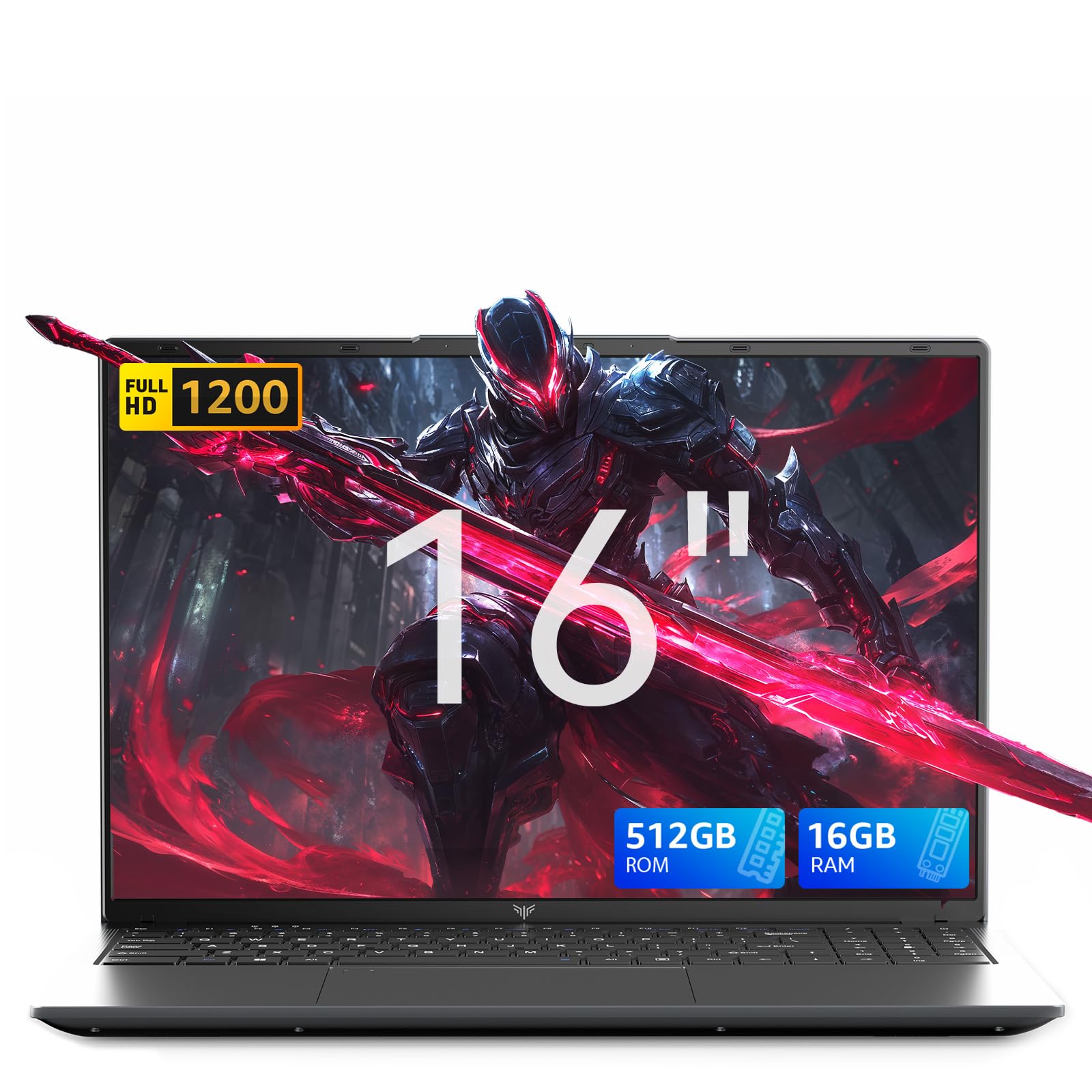
The KAIGERR Light Gaming Laptop is an entry-level machine that redefines “affordable.” Powered by an AMD Ryzen R2544 processor with integrated UHD graphics, it is not designed for demanding AAA titles. Instead, its strength lies in school productivity and lighter, older PC games. The 16GB of DDR4 RAM and 512GB SSD are generous for this price bracket, ensuring smooth operation for office applications, web browsing, and media consumption.
The 16-inch FHD display offers a larger-than-average canvas for schoolwork, reducing the need to scroll as much when reading documents or coding. The 54.72Wh battery provides decent endurance for a full day of classes. The machine includes a full complement of ports, including USB 3.2 and Type-C, for connecting campus peripherals. It is also remarkably thin and light for a 16-inch chassis.
This laptop is ideal for the student whose primary needs are schoolwork and casual gaming—games like League of Legends, older titles, or 2D indie games run fine. It relieves the pressure of buying a machine that needs to handle the latest ray-traced releases. It is a pragmatic, budget-conscious choice that delivers exactly what it promises: a reliable study partner that can also handle some light entertainment.
Why it’s great
- Very budget-friendly price point for students with a tight financial ceiling.
- Large 16-inch FHD display is excellent for reading, coding, and viewing documents.
- Includes plenty of RAM and a decent SSD for smooth daily computing.
Good to know
- Integrated UHD graphics cannot run modern or AAA games at playable settings.
- Processor is significantly less powerful than the Ryzen 5 or Core i5 laptops on this list.
- Performance expectations should be set for office work and light, older games only.
13. MALLRACE Gaming Laptop (Ryzen 7 7730U)

The MALLRACE laptop is powered by a capable AMD Ryzen 7 7730U processor, which provides substantial multi-core performance for demanding school projects like video editing, 3D rendering, or data analysis at a very low entry cost. The primary highlight is its exceptional expandability: the two DDR4 SO-DIMM slots support up to 64GB of RAM, and the dual M.2 slots each support up to 2TB SSDs, allowing the student to build a powerhouse over time without a huge upfront investment.
The 15.6-inch FHD display and the inclusion of a full-function Type-C port alongside HDMI 1.4 and USB 3.2 ports make it a functional study machine. The integrated AMD Radeon graphics are suitable for video playback and older or less demanding games, but they lack the power for modern AAA titles. The 180-degree hinge and physical camera switch are practical touches for a student environment.
This machine is best for the student who is either on a very tight initial budget with a clear plan to upgrade or who needs a workhorse for CPU-intensive schoolwork and plays very casual, non-demanding games. The massive future upgrade potential is its superpower, a feature almost entirely absent from other laptops in the entry-level price bracket. It is a strategic investment that grows with the user’s needs.
Why it’s great
- Excellent expandability with two RAM slots and dual M.2 SSD slots for future upgrades.
- Powerful Ryzen 7 7730U processor handles CPU-intensive schoolwork very well.
- Very budget-friendly price for a laptop with an 8-core processor.
Good to know
- Integrated Radeon graphics are not suitable for modern or AAA gaming.
- Speakers are reported to be quiet, which can be an issue in a dorm or shared space.
- The GPU is not the “2026” spec some listings imply; it’s a capable office GPU, not a gaming one.
FAQ
Can a laptop with integrated graphics really handle gaming?
What refresh rate display do I need for a student gaming laptop?
How much storage do I really need for games and school files?
Why does my new gaming laptop run so hot and are loud fans normal?
Is a laptop with a last-gen CPU still a good buy for gaming and school?
Final Thoughts: The Verdict
For most users, the best affordable laptops for gaming and school winner is the Acer Nitro V 15 because it offers the most balanced performance with its RTX 4050 GPU and high-refresh 165Hz display at a value that is hard to beat after a simple RAM upgrade. If you want exceptional battery life and a future-proof path to an external GPU, grab the NIMO R7 8745HS. And for uncapped durability and a full-power RTX 4050 that can survive campus life, nothing beats the ASUS TUF Gaming F16.