
Our readers keep the lights on and my morning glass full of iced black tea. As an Amazon Associate, I earn from qualifying purchases.
Specs are compiled from manufacturer listings and verified buyer reviews and can change over time — please confirm the key details on the product page before buying.
Finding an affordable laptop for programming that won’t stutter when you open six browser tabs, a code editor, and a couple of terminals used to feel like a pipe dream. The good news is that the market has finally caught up — you no longer need to spend a month’s rent to get a machine with a fast processor, enough RAM, and a decent screen to write and compile code on. The trick is knowing which specific chips, RAM amounts, and storage speeds actually matter for your daily workflow, and which ones are just marketing fluff.
I’m Min — the founder and writer behind Gadgets Feed. This guide is built by comparing the manufacturers’ published specifications and the patterns across verified customer reviews, so you get each pick’s real strengths and trade-offs instead of marketing spin.
Whether you are a computer science student, a bootcamp grad, or a self-taught developer building your next project, this guide separates the real workhorses from the pretenders to help you find the best affordable laptops for programming on the market right now.
Our Picks at a Glance

How To Choose The Best Affordable Laptops For Programming
Picking the right machine for writing code depends on four key areas: the brain of the laptop (CPU), the short-term memory (RAM), the filing cabinet (storage), and the window you look at all day (display). Get these four right, and your laptop will feel snappy for years. Get one wrong, and you’ll be staring at loading spinners while your compiler chugs along.
Processor (CPU): Core Count Over Clock Speed
For programming, having more cores is usually better than having a slightly higher top speed on a single core. A processor like the AMD Ryzen 5 or Ryzen 7 with 6 to 8 cores will handle parallel tasks—like running a local server, compiling code, and having 20 browser tabs open—much more smoothly than a dual-core chip. Look for modern architectures (Ryzen 5000 series or newer; Intel 12th Gen or newer) that balance power and battery life.
Memory (RAM): 16GB is the New Baseline
You can technically get by with 8GB of RAM if you only edit plain text files, but as soon as you open an Electron-based app like VS Code or Slack, a couple of Docker containers, and a database, that 8GB gets eaten up quickly. 16GB is the balance for an affordable programming laptop. It gives you room to multitask without the system slowing to a crawl. Some laptops let you upgrade RAM later, but many have it soldered on, so get what you need from the start.
Storage (SSD): Speed Is as Important as Space
A fast NVMe SSD is non-negotiable for programming. It drastically cuts down the time it takes to boot up, open large project files, and run builds. A 512GB drive is a comfortable starting point for your OS, tools, and a few projects. If you work with large datasets or virtual machines, look for models that let you add a second SSD later, or get a 1TB drive from the jump.
Display: Your Eyes Will Thank You
You’ll be staring at this screen for hours, so a 15.6-inch Full HD (1920×1080) display is a solid baseline. An IPS panel gives you much better viewing angles and colors than a cheaper TN panel. Some newer models offer a 16:10 aspect ratio, which gives you a few extra vertical lines of code — a small change that makes a real difference when you are scrolling through long functions.
Quick Comparison
| Model | Best For | CPU | RAM | Storage | Amazon |
|---|---|---|---|---|---|
| HP 15.6 Ryzen 5 5500U★ Best Overall | Casual Coding | Ryzen 5 5500U (6-Core) | 16GB | 512GB SSD | Amazon |
| NIMO Ryzen 7 8745HSTop Performer | AI & LLM Work | Ryzen 7 8745HS (8-Core) | 16GB | 1TB SSD | Amazon |
| NIMO Ryzen 7 Pro 6850UBest Value | Heavy Multitasking | Ryzen 7 Pro 6850U (8-Core) | 32GB | 1TB SSD | Amazon |
| Dell 15 i7-1355U | Smooth Daily Use | Core i7-1355U | 16GB | 512GB SSD | Amazon |
| HP 17.3 i5-1334U | Large Screen | Core i5-1334U | 16GB | 512GB SSD | Amazon |
| Lenovo V15 Ryzen 5 | Business & School | Ryzen 5 5500U (6-Core) | 16GB | 512GB SSD | Amazon |
| HP 17.3 Ryzen 5 7520U | Budget Big Screen | Ryzen 5 7520U | 16GB | 512GB SSD | Amazon |
| Acer Aspire 14 AI | Portability & Battery | Core Ultra 5 226V | 16GB | 512GB SSD | Amazon |
| Acer Aspire Go 15 | General Programming | Ryzen 7 7730U | 16GB | 512GB SSD | Amazon |
| Lenovo IdeaPad Slim 3X | AI & Battery Life | Snapdragon X | 16GB | 512GB SSD | Amazon |
| HP 255 G10 Ryzen 3 | Entry-Level Work | Ryzen 3 7330U (4-Core) | 16GB | 1TB SSD | Amazon |
In‑Depth Reviews
1. HP 2022 15.6in FHD Business Laptop, AMD Ryzen 5 5500U
A proven workhorse for home office coding tasks that has weathered years of daily use.
This HP laptop has been around long enough to have a deep well of customer feedback, and the consensus is clear: it is a reliable, “good enough” machine for the price. The AMD Ryzen 5 5500U is a 6-core processor that can handle a moderate development workload — think a React app, a local API server, and a MySQL database running at the same time — without complaint. Reviewers point out it is “reliable for 6 months of daily home office use” and that it performs “like a new model.” The 16GB of RAM is the current balance for programming, and the 512GB SSD boots up in seconds.
The display is a 15.6-inch Full HD anti-glare panel with a thin bezel, giving it a modern look. The laptop includes AMD Radeon graphics, which, while not for heavy gaming, can handle light graphical tasks and video playback without issues. One common warning from reviewers is to make sure you buy from a reputable seller, as there have been reports of warranty issues with certain third-party sellers. At 9 hours of battery life, it will get you through a standard workday without needing to recharge.
Proven reliability
- 6-core Ryzen 5 with 16GB RAM for multitasking
- Full HD anti-glare display with thin bezels
- 9-hour battery life for a full work day
A word of caution
- Some buyers had warranty issues with third-party sellers
- Integrated graphics are fine for coding, not for gaming
A safe bet for beginners: If you are starting your first coding bootcamp or need a reliable secondary machine, this is a value-hard laptop with a proven track record.
One reservation: The potential for seller-related warranty headaches means you should check the seller’s return policy before buying.
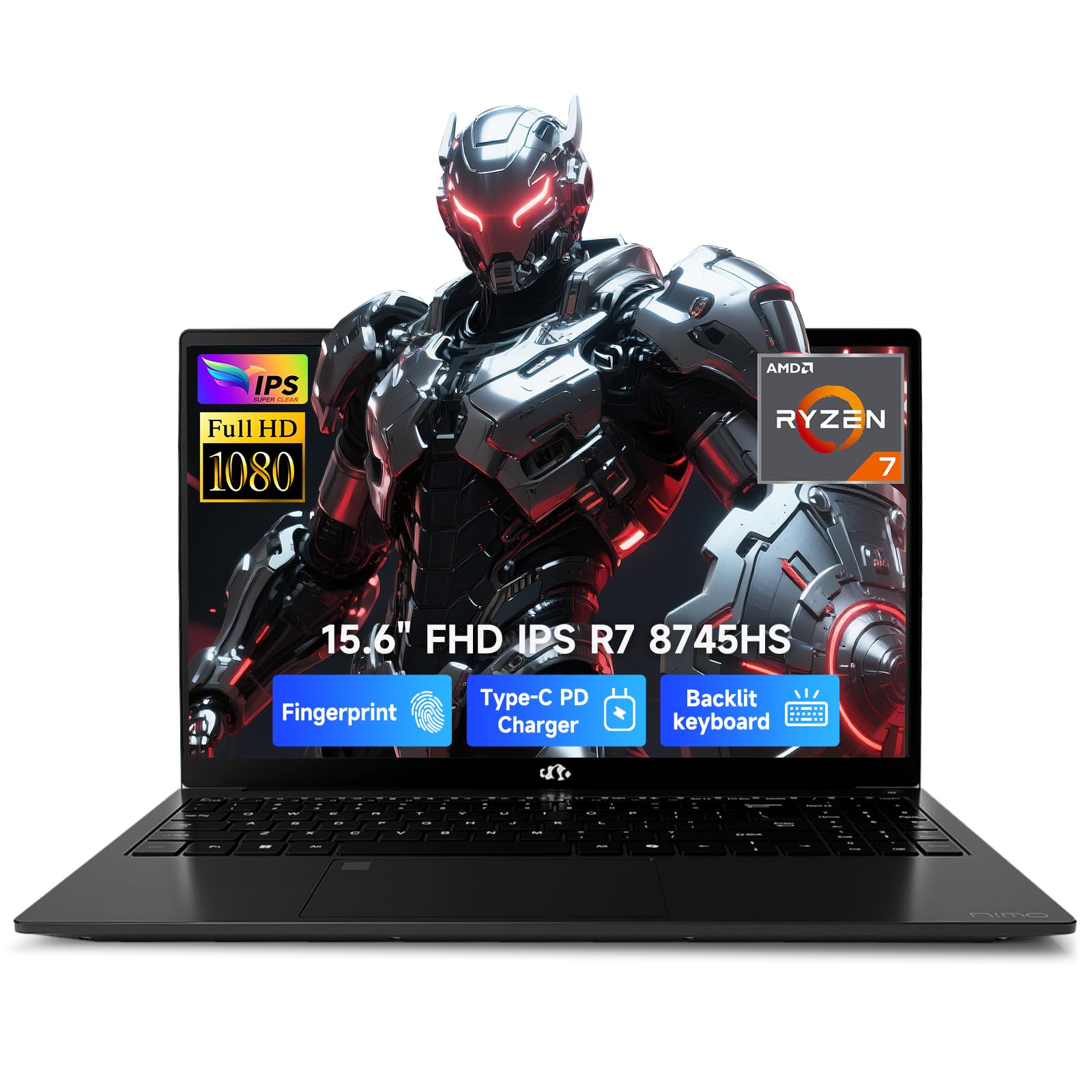
2. NIMO 15.6 AI-Ready Laptop, Ryzen 7 8745HS
The budget-tier powerhouse that handles local LLM prototyping like it’s nothing special.
For a programmer diving into data science or AI, the single most important hardware feature is a CPU with a high core count — and the AMD Ryzen 7 8745HS delivers 8 cores and 16 threads that boost up to 4.9 GHz. This lets you run large Jupyter notebooks, spin up Docker containers, and keep a database server humming in the background without a stutter. The Radeon 780M graphics (using the RDNA 3 architecture, the latest generation of AMD’s graphics design) is a bonus, providing smooth 1080p visuals if you ever dip your toes into GPU-accelerated computing. Buyers report that it handles multitasking like a champ, with one buyer reporting excellent performance for “video calls, programming, music, gaming” all at once.
Where this pick punches above its weight is the 15.5-hour battery life and the 100W USB-C fast charging, so you can move from desk to coffee shop without hunting for an outlet. The 1TB SSD means you can keep your entire development environment, multiple versions of Python, and a few game engines installed without constantly managing space. It also includes a physical webcam shutter and a fingerprint reader for quick, secure logins — small comforts when you’re hopping between pair programming sessions.
what separates it
- 8-core CPU at 4.9 GHz ideal for compiling and VMs
- 1TB SSD for large projects and datasets
- 15.5-hour battery with 100W fast charging
Considerations
- 16GB RAM is great, but some may want 32GB for heavy AI work
- Not a dedicated gaming machine despite strong integrated graphics
Ideal for data scientists and developers: This machine is built for those who run local LLMs, crunch data, and need serious processing power on a budget.
A trade-off to know: If you only write front-end code in a text editor, the raw power here goes untapped — a lighter, more portable machine might suit you better.
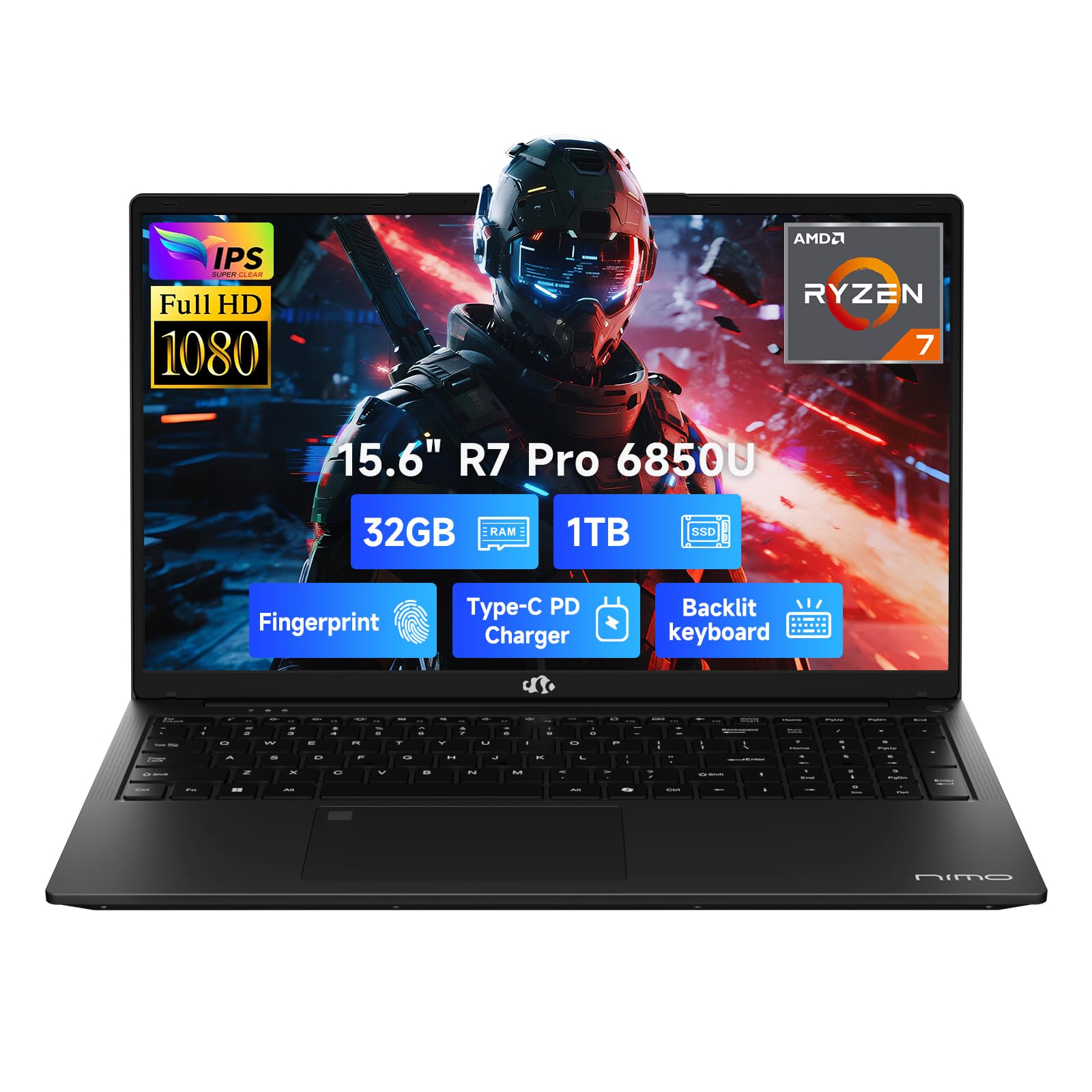
3. NIMO 15.6″ Light-Gaming-Laptop, Ryzen 7 Pro 6850U
32GB of RAM at this price is the kind of headroom developers dream about.
More RAM is almost always better for programming, and this NIMO laptop comes with 32GB of LPDDR5 memory — a huge advantage over competing machines that top out at 16GB in the same price range. The Ryzen 7 Pro 6850U is an 8-core processor that can hit 4.7 GHz, making it more than capable of chewing through complex builds. One reviewer who uses it for app development said it is “excellent for AI/development work (Claude, Gemini, Codex)” and specifically praised the 32GB RAM for preventing crashes. It holds a 9-hour battery life, and the 100W PD fast charger gets you back up and running quickly.
The build quality, however, is a mixed bag. Some reviewers mention the chassis feels “cheaply made,” and the trackpad can be slow. But if you are the type of developer who plugs into an external monitor and uses a mouse most of the time, the slight plasticky feel won’t bother you at all. The 15.6-inch Full HD screen is perfectly serviceable for a coding environment, and the backlit keyboard is a lifesaver for late-night debugging sessions in dim lighting.
Headroom for days
- 32GB RAM handles multiple IDEs, containers, and browsers with ease
- 8-core CPU at 4.7 GHz for parallel builds
- Backlit keyboard and fingerprint reader
Physical trade-offs
- Plastic chassis feels less premium
- Trackpad responsiveness could be better
Grab this for intense multitasking: If you run Docker, an IDE, and a database all at once, the 32GB RAM is a standout at this price.
Leave it on the shelf if: You need a premium metal chassis for frequent travel — this laptop prioritizes internals over exterior feel.
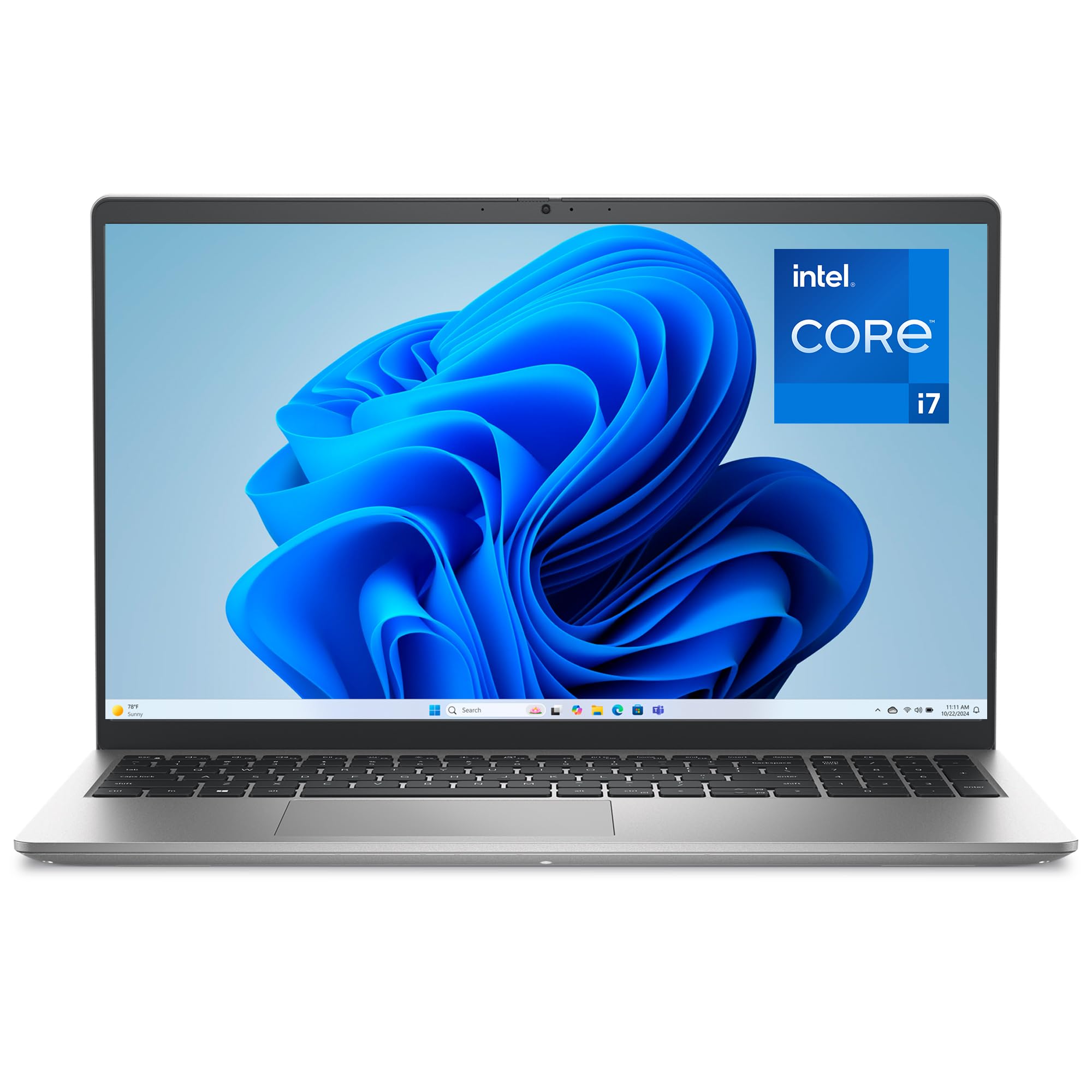
4. Dell 15 Laptop, 13th Gen Intel Core i7-1355U
A 120Hz display makes scrolling through long code files feel buttery smooth.
Most affordable laptops for programming cap their screens at a standard 60Hz refresh rate (how many times the screen refreshes per second), but the Dell 15 bumps that to 120Hz. This makes a real difference when you are rapidly scrolling through a massive file — the text stays readable and your eyes don’t get that dizzying blur. Under the hood, the 13th Gen Intel Core i7-1355U processor can boost up to 5.0 GHz, which is among the highest clock speeds in this lineup, giving you snappy single-threaded performance for tasks like syntax highlighting and real-time linting.
The 16GB of DDR5 RAM and 512GB SSD are a solid combo for most development work. One buyer commented that the “screen looks amazing” after upgrading from an older laptop. It also comes with Dell’s ComfortView software, a feature that reduces blue light emissions to help your eyes stay comfortable during long hours of staring at code. The lifted hinge creates a more ergonomic typing angle, which is a thoughtful touch for all-day coding sessions. Keep in mind, however, that it lacks a fingerprint reader, so you’ll be typing your password each time.
Why it stands out
- 120Hz high-refresh screen for smooth scrolling
- Intel Core i7 peak boost of 5.0 GHz
- Ergonomic lifted hinge design
Small omissions
- No fingerprint reader for quick logins
- Some owners mention the fan can be loud under load
Best for the screen-conscious coder: If you spend all day reading and scrolling through code, the 120Hz display is a genuine upgrade in comfort.
One thing to consider: The 512GB SSD is fine for most projects, but if you work with large media files or VMs, you may need an external drive sooner than later.
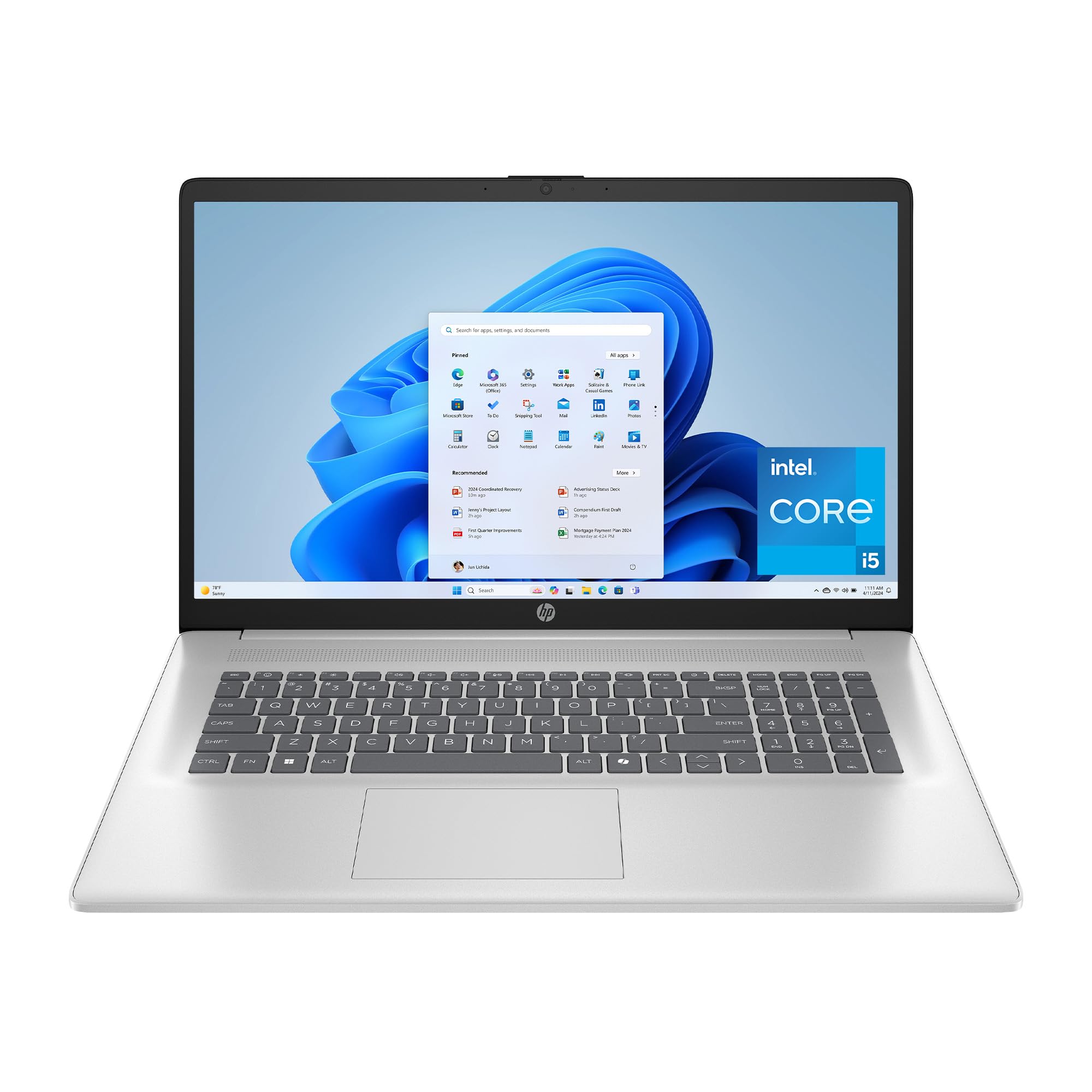
5. HP 17.3 inch Laptop, Intel Core i5-1334U
A massive 17.3-inch screen at this price is a luxury for split-screen coding.
A larger display gives you more room to place your editor on one side and your browser or terminal on the other without feeling cramped. The HP 17-cn3399nr delivers that with a 17.3-inch FHD IPS panel (a type of LCD screen known for better colors and viewing angles) that has 178-degree wide-viewing angles. The 13th Gen Intel Core i5-1334U handles everyday coding, web development, and light database work without breaking a sweat. While it lacks a dedicated numeric keypad, the keyboard is spacious and comfortable for typing.
Buyers consistently praise the “great size” and how “light” it feels for a 17-inch laptop — a common concern with larger screens. The 16GB of DDR4 RAM and 512GB SSD are plenty for a standard development environment. One buyer did note that the battery only lasts about 2.5 hours, which is shorter than expected, likely due to the large screen’s power draw. A physical webcam shutter gives you confidence when you are not on video calls, a nice privacy feature for a home-office setup.
The screen advantage
- 17.3-inch IPS display with wide viewing angles
- Physical webcam shutter for privacy
- Lightweight relative to its screen size
Power drawbacks
- Battery life around 2.5 hours under heavy use
- No backlit keyboard—harder to type in dim light
Reach for this if: Screen real estate is your top priority and you mostly work near a power outlet.
Look elsewhere if: You need to code on long train rides or in coffee shops — the battery drain is real with this big display.
6. Lenovo V15 Laptop, AMD Ryzen 5 5500U
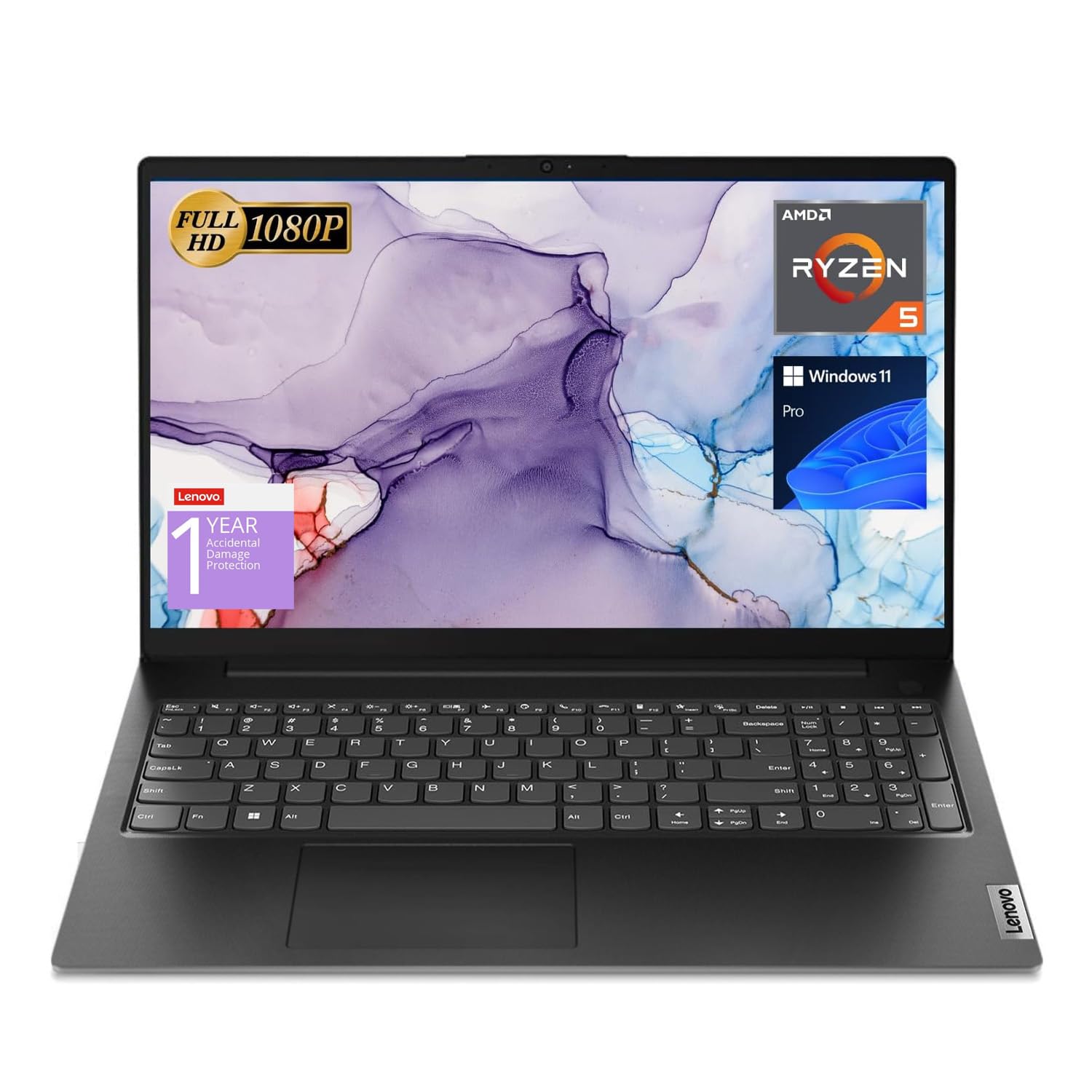
A dependable business-class machine for college projects and everyday coding tasks.
The Lenovo V15 is a no-fuss laptop built for productivity. It runs on the AMD Ryzen 5 5500U, a 6-core processor with 12 threads that can turbo up to 4.0 GHz. This is more than adequate for compiling moderate-sized projects, running a local server, and managing a half-dozen browser tabs for documentation. It comes with Windows 11 Pro from the start, which includes features like Group Policy and remote desktop — useful if you plan to connect to a school or work network. Throw in a numeric keypad, which spreadsheet-crunchers and data-entry tasks will appreciate, plus an RJ45 Ethernet port for a stable wired connection during important uploads.
One real compromise is the display quality. Multiple reviewers noted that the screen is “poor” and “mediocre,” with one buyer saying they use an external monitor for anything visuals-related. The battery life is also on the shorter side, with a reviewer reporting about 45 minutes under heavy use and around 1.25 hours on power-save mode. If you keep it plugged in at a desk and connect it to an external monitor, these issues mostly disappear, and the laptop becomes a strong, reliable coding station.
Core strengths
- Windows 11 Pro for business and educational networks
- 6-core, 12-thread CPU for smooth multitasking
- Includes RJ45 Ethernet port
Clear weaknesses
- Poor display quality — plan for an external monitor
- Very short battery life away from a plug
Buy this for stationary setups: If you code at a desk with an external monitor, this is a powerful, cost-effective workhorse.
Avoid for mobile work: The combination of a dim screen and short battery makes it frustrating to use on a train or in a library.
7. HP 17.3 inch Laptop, AMD Ryzen 5 7520U
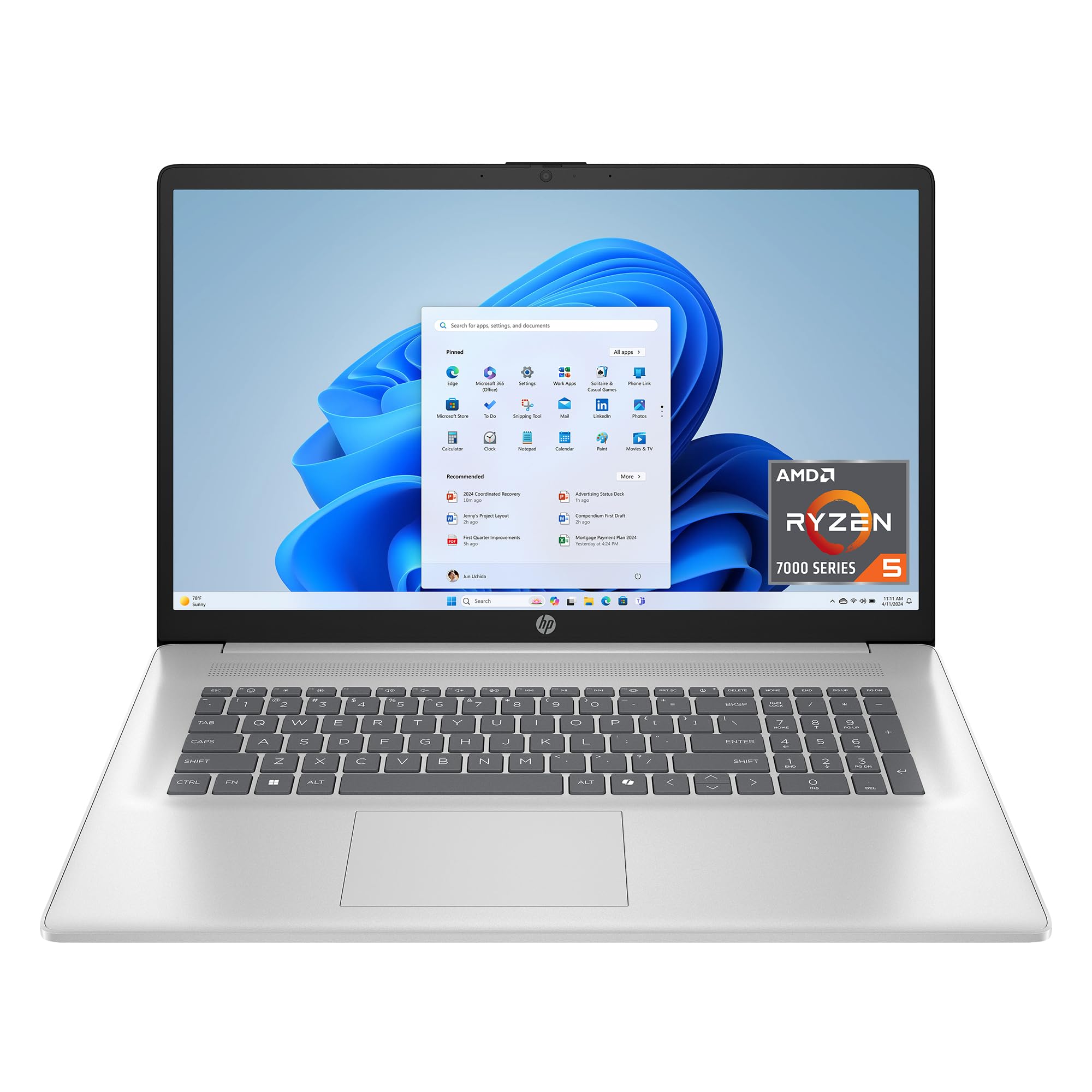
A spacious 17-inch screen for a price that usually buys a much smaller machine.
The AMD Ryzen 5 7520U inside this HP is a modern, power-efficient chip that handles all the basic programming tasks — writing Python, editing HTML/CSS, and managing git branches — with ease. The anti-glare HD+ display is a nice touch, making it usable near a window without a ton of reflections. With 16GB of LPDDR5 RAM, you can comfortably run VS Code, a local Node.js server, and a few browser windows before hitting any slowdowns. One reviewer noted it is a “high quality laptop” with an “excellent value,” praising its “crisp streaming, strong WiFi, clear speakers.”
The main compromise is the display resolution. This is an HD+ (1600 x 900) screen, not the sharper Full HD (1920 x 1080) that most programmers prefer. You will notice the difference when reading small text in your code editor — characters will appear slightly less crisp. At 7.15 hours of rated battery life, it should get you through a partial day of work. It also features AI noise reduction for the microphone and a physical camera shutter, making it a decent choice for remote stand-ups and pair programming sessions.
What you get
- Large 17.3-inch anti-glare display
- AI noise reduction for clearer voice calls
- Physical webcam shutter for privacy
Where it cuts corners
- HD+ resolution is lower than FHD — text is less sharp
- Some customers note the plastic casing feels a bit cheap
Grab it for the size: If you want the biggest possible screen for the lowest price and don’t need pixel-perfect sharpness, this is it.
Consider alternatives if: You read dense lines of code all day — the lower resolution will strain your eyes over time.
8. Acer Aspire 14 AI Copilot+ PC, Intel Core Ultra 5 226V
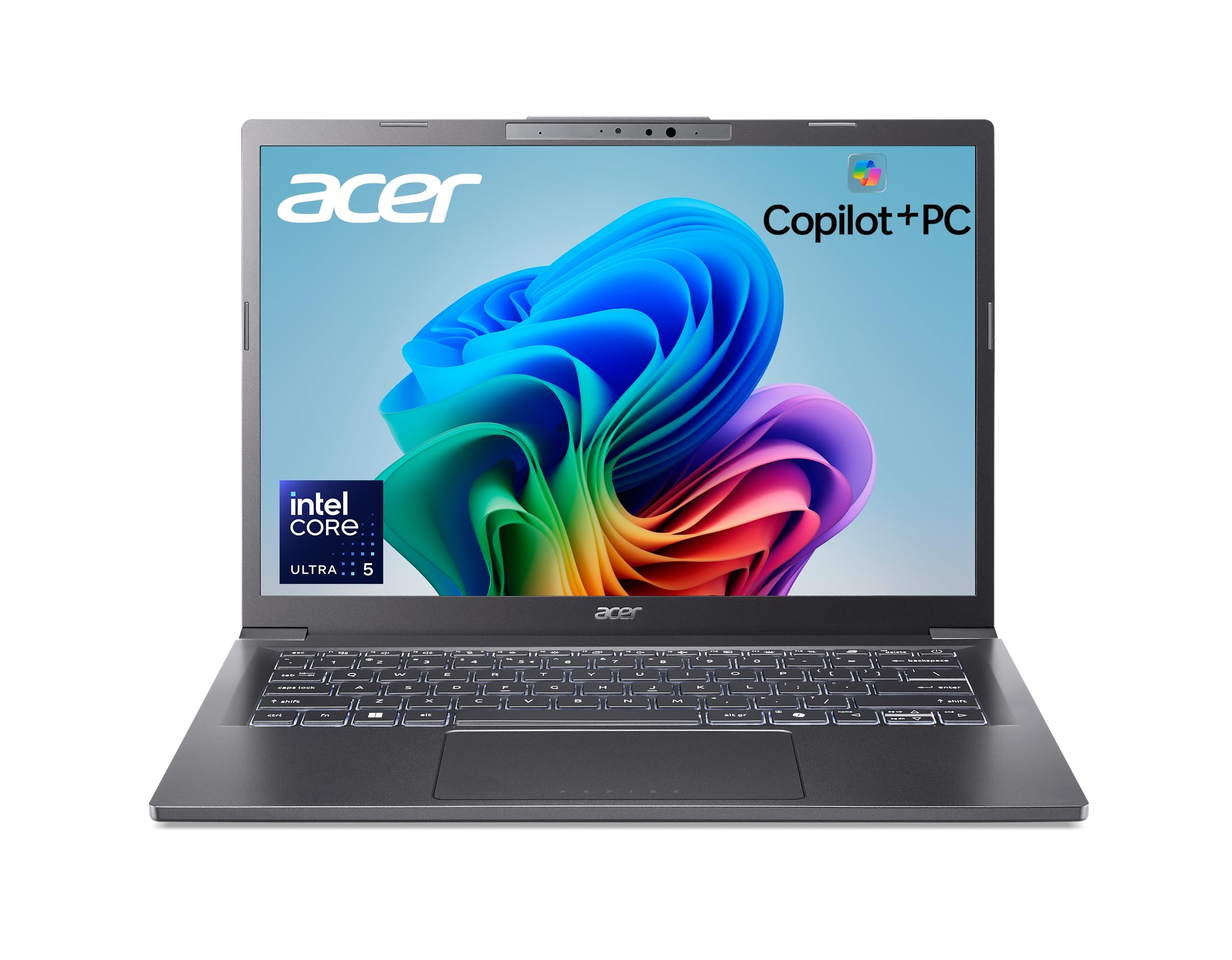
A lightweight 14-inch laptop that keeps running through a full day of classes and coding.
Battery life is the headline feature here. The Intel Core Ultra 5 processor 226V is designed to be extremely efficient, and it pushes the Aspire 14 to a rated 22 hours of video playback. For a programmer, this means you can leave the charger at home and still get through a full day of lectures, writing code in a library, and attending project meetings without anxiety. The 14-inch WUXGA (1920 x 1200) display has a taller 16:10 aspect ratio, which gives you a few more vertical lines of code compared to a standard 16:9 screen — a subtle but appreciated advantage for reading long functions. It also includes a 180-degree lie-flat hinge, making it easy to share your screen with a colleague.
With 16GB of LPDDR5X RAM and a 512GB SSD, this Acer has enough power for full-stack web development and light data analysis. It’s also an AI Copilot+ PC, which means it has a dedicated NPU (a processor core specifically for AI tasks) for features like real-time video effects and smarter search. One buyer mentioned that the AI features are “gimmicky” for now, but the core laptop experience — keyboard, trackpad, screen, and battery — is “all that most people need.” It does lack a numeric keypad and a touchscreen, but for pure coding portability, those are easy to sacrifice.
Perfect for portability
- 22-hour battery life is class-leading in this price range
- Lightweight aluminum chassis with 180-degree hinge
- 16:10 screen gives more vertical space for code
Small trade-offs
- No numeric keypad or touchscreen
- AI tools are still maturing — don’t buy just for them
Ideal for the mobile student-programmer: If you’re on campus from 8 AM to 8 PM, the battery alone makes this one of the best affordable laptops for programming.
skip it if: You need a larger screen for complex UIs or heavy data work — the 14-inch panel is great for portability but small for split-screen tasks.
9. Acer Aspire Go 15 AI Ready Laptop, AMD Ryzen 7 7730U
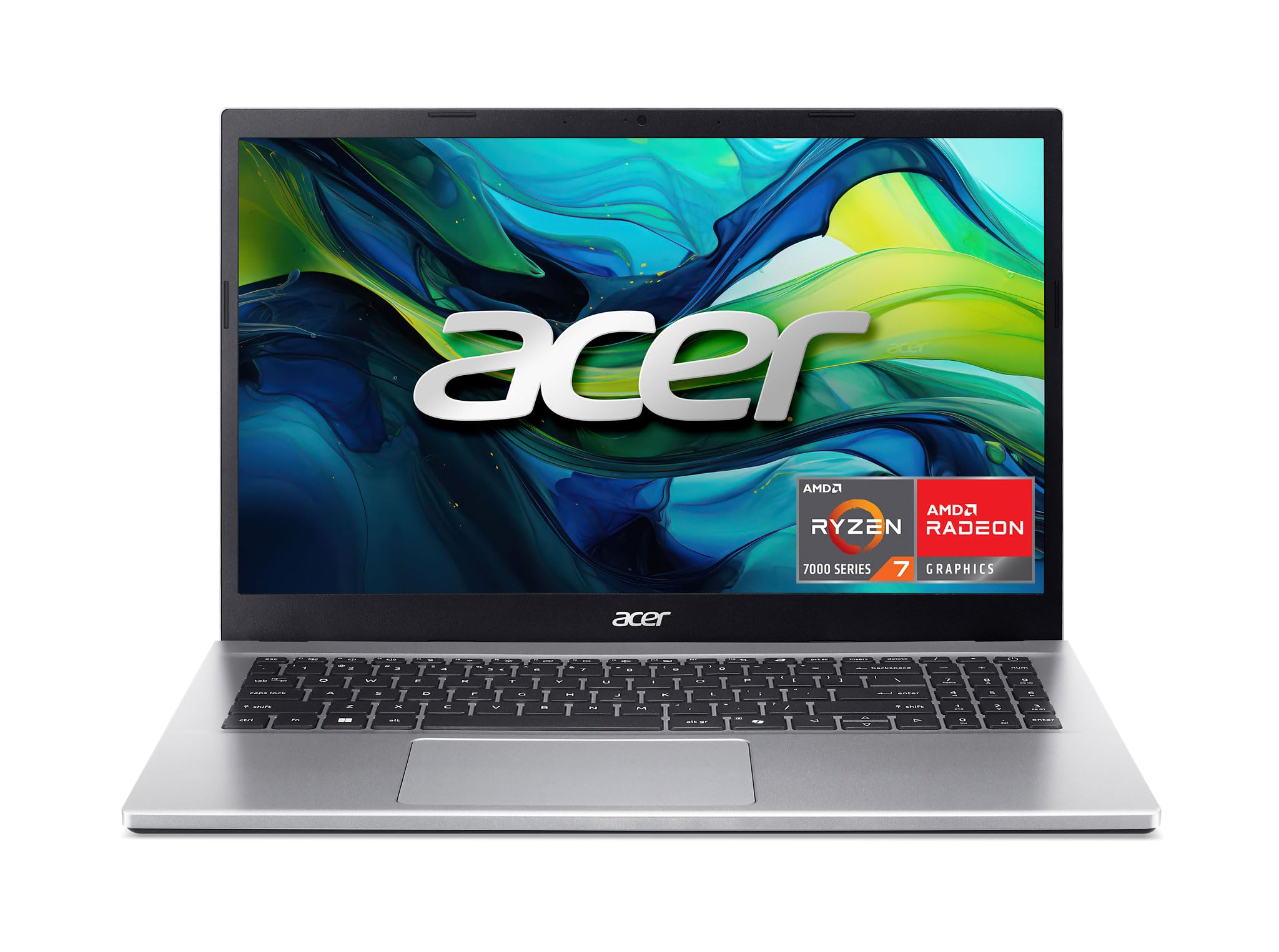
A sharp Full HD IPS screen paired with a fast Ryzen 7 makes this a coding balance.
The Acer Aspire Go 15 is one of the best-balanced affordable laptops for programming we have seen. It combines a powerful 8-core AMD Ryzen 7 7730U processor that boosts to 4.5 GHz with a 15.6-inch Full HD IPS display that delivers crisp text and good colors — no eye-strain compromises here. The 16GB of DDR4 RAM and 512GB PCIe Gen4 SSD are a standard but effective combo. Reviewers confirm the performance, with one buyer reporting it “runs very fast, graphics are great, hasn’t disconnected from wifi and runs Sims 4 (w mods), Steam, cities skyline, roblox, zoom, etc.” — a clear sign it can handle a heavy, multi-application workflow.
One small issue a few buyers have mentioned is a yellow tint on the screen from the start, which is easily fixed by disabling the Acer BluelightShield eye-saver mode in the settings. The laptop also includes a Copilot key for quick access to Microsoft’s AI assistant, and a full-function USB Type-C port for charging or connecting to a monitor. It is an excellent entry point for anyone who needs a reliable, all-around machine for web development, scripting, and light gaming on the side.
Why it dominates
- Powerful Ryzen 7 7730U with 8 cores at 4.5 GHz
- Full HD IPS display for crisp text
- Wi-Fi 6 and HDMI 2.1 for fast connections
Minor quirks
- Yellow tint on screen if eye-saver mode is left on
- Larger footprint not ideal for laps
Get this for the all-around experience: It has the CPU power, a great screen, and the right RAM — a true plug-and-play coding machine.
Think twice if: You need the absolute longest battery life; this model focuses on raw performance over extreme efficiency.
10. Lenovo IdeaPad Slim 3X – 2025, Snapdragon X

A futuristic ARM-based laptop that delivers incredible battery life for all-day coding on the move.
The Lenovo IdeaPad Slim 3X is a Copilot+ PC powered by a Qualcomm Snapdragon X processor, which is an ARM-based chip (a different architecture than the standard Intel/AMD x86 chips) designed for extreme power efficiency. This is not a cheap component — it is a notable shift in technology. The result is a rated 15-hour battery life, which is a massive advantage for programmers who spend long days away from an outlet. It has a 15-hour battery, compared to the HP 2022 model’s 9-hour battery, so you can code through two full workdays on a single charge. Reviewers call it a “super laptop” with “fast, incredible battery life.”
The 15.3-inch WUXGA (1920 x 1200) 16:10 display is a joy to read code on, giving you extra vertical space. The chassis is made from metal and meets military-grade MIL-STD 810H durability standards, so it can handle a few bumps in a backpack. It also has a 45 TOPS NPU (Neural Processing Unit), which handles AI tasks locally. The biggest consideration for a programmer is software compatibility: because it uses an ARM chip, some older or niche development tools written for x86 architecture may not run perfectly. For modern web and cloud-based development, however, this is a futuristic and capable choice.
Battery benchmark
- 15-hour battery life vs. the 9-hour batteries found in many rivals
- Premium metal chassis with MIL-STD 810H durability
- 16:10 display for reading more code at once
ARM architecture limits
- Some older x86 developer tools may have compatibility issues
- Peak CPU speed (2.97 GHz) is lower than many x86 rivals
Choose this for battery supremacy: If you are a digital nomad or student who needs to go a full day without charging, this is the top pick.
Hold off if: You rely on specific legacy x86 development tools or virtual machines that may not run smoothly on ARM architecture.
11. HP 255 G10 Laptop, AMD Ryzen 3 7330U
An entry-level machine that throws in a full terabyte of storage you won’t outgrow.
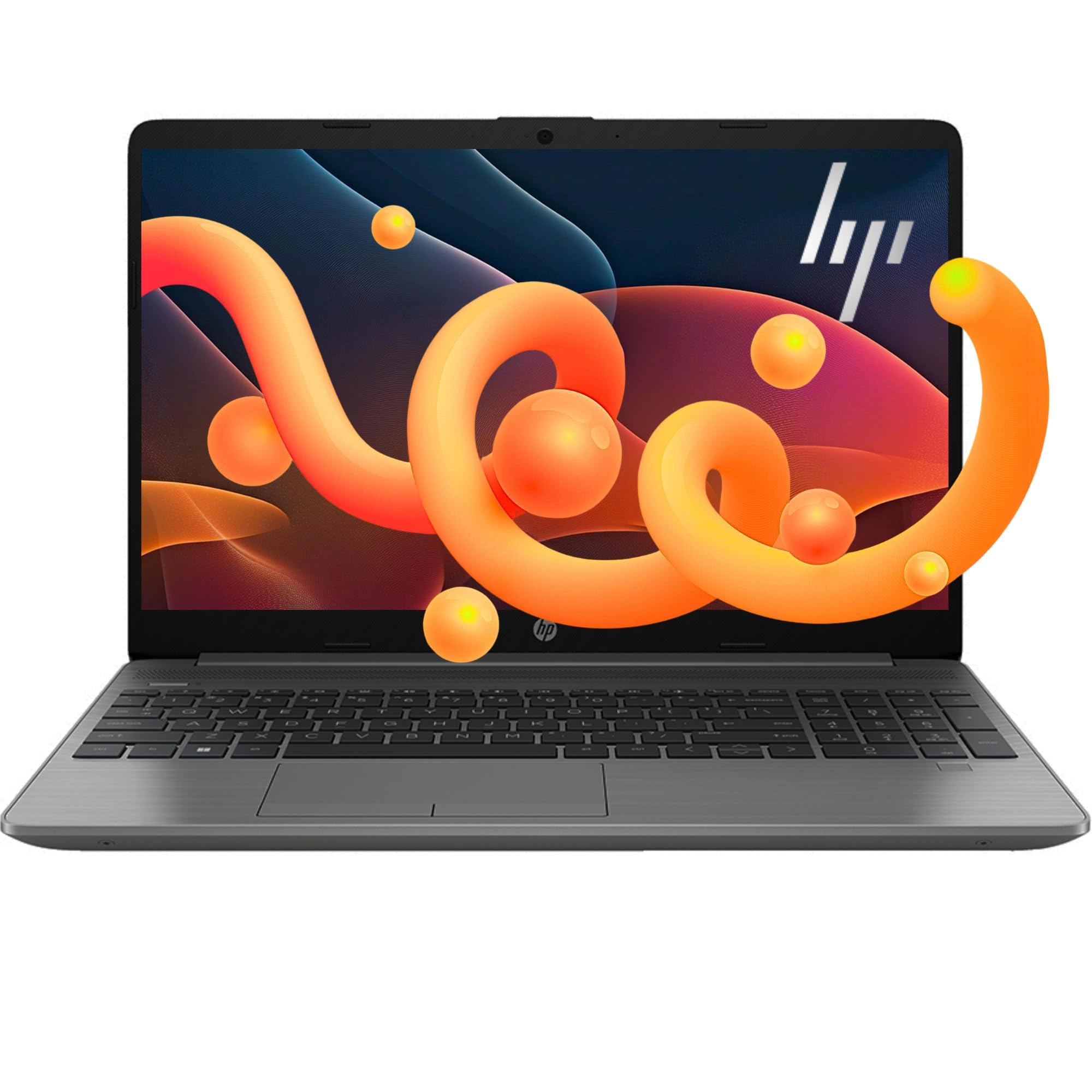
The HP 255 G10 is the most affordable laptop on this list, and it makes a smart trade-off: a slightly less powerful Ryzen 3 7330U processor for a massive 1TB SSD. For a budget-conscious student programmer, having a terabyte of storage means you can install multiple operating systems for dual-booting, keep all your course projects, and still have room for a Steam library without stress. The Ryzen 3 is a 4-core processor that boosts to 4.3 GHz, and while it will not compile large codebases as fast as an 8-core chip, it handles web development and scripting languages perfectly fine. One long-term reviewer says “Ive now had the computer a year and I love it.”
The 15.6-inch Full HD display provides clear, crisp visuals for reading code. It runs Windows 11 Pro, which is a nice bonus at this price point, giving you business-friendly features like remote desktop and bitlocker encryption. However, do note that it uses Bluetooth 4.2 (an older version of the wireless standard), and some buyers have reported the battery drains faster once it gets below 20%. The key takeaway is that for the core task of learning to code, this laptop removes the storage anxiety that plagues many budget machines.
Storage advantage
- 1TB SSD, while many competitors at this price offer 512GB
- Windows 11 Pro for advanced networking features
- Full HD display for a clear view of your code
Performance notes
- Ryzen 3 (4 cores) is the weakest CPU on this list
- Bluetooth 4.2 is an older, slower wireless standard
Ideal for the budget-first beginner: If you need the absolute lowest price point and refuse to run out of disk space, this is your laptop.
Not for compiling giants: If you plan to build massive C++ projects or run multiple VMs daily, the slower processor will become a bottleneck.
Understanding the Specs
CPU Cores vs. Clock Speed
Think of cores as workers in a factory. More workers (cores) means you can do more things at the same time — like running a build while your linter checks your code in the background. Clock speed (measured in GHz) is how fast each worker moves. For programming,n worker moves. For programming, having at least 4 to 6 cores is more important than a super-high single-core speed because compiling code and running servers are parallel tasks.
RAM: 16GB vs. 8GB
RAM is your short-term memory. An 8GB laptop will struggle if you open a modern IDE like VS Code, a browser with 10 tabs, and a database all at once. 16GB is the standard you should aim for. It gives you enough room to keep all your essential tools open without the system starting to swap data to your much slower SSD, which causes lag.
FAQ
Is 8GB of RAM enough for programming in 2025?
Do I need a dedicated graphics card for coding?
Is a 15.6-inch or 14-inch screen better for programming?
How important is an IPS display for reading code?
Can I upgrade the RAM in these laptops later?
What is the difference between an NVMe SSD and a SATA SSD?
Will an ARM-based laptop like the Snapdragon X run all my programming tools?
What is the minimum storage I should get for a programming laptop?
Final Thoughts: The Verdict
Across the board, the best affordable laptops for programming winner is the NIMO 15.6 AI-Ready Laptop (Ryzen 7 8745HS) because it offers an unbeatable combination of an 8-core high-speed processor, a large 1TB SSD, and a massive 15.5-hour battery — all at a price that undercuts the competition. If you want insane battery life for campus hopping, grab the Lenovo IdeaPad Slim 3X. And for the absolute best balance of performance and a crisp Full HD display, the standout is the Acer Aspire Go 15 (Ryzen 7 7730U).
How We Picked
We do not accept paid placement. Every pick is matched to a real buyer and a real use-case; we do not hands-on test units.
Sources & Methodology
Specifications: manufacturer listings and product documentation. Review insights: verified customer reviews, as of July 2026. Pricing: not shown on this page (it changes often); check the current price via the retailer link.
As an Amazon Associate, Gadgets Feed earns from qualifying purchases. This does not affect which products we feature.