
Finding a work-from-home laptop that handles daily demands without draining your budget is the single biggest challenge remote professionals face. You need reliable performance for video calls, document editing, and multitasking, but you also need a system that won’t feel sluggish by mid-afternoon. The market is flooded with compromises, but a few key specs separate the daily drivers from the frustrating duds.
I’m Min — the co-founder and writer behind Gadgets Feed. I spend my days analyzing market trends and dissecting technical specifications to find the real performance-to-value ratio in every portable workstation.
Every pick here was chosen for how well it balances processing power, RAM, storage speed, and display quality for a dedicated home office workload. This guide breaks down the very best affordable laptops for work from home to help you find your perfect productivity partner without the guesswork.
How To Choose The Best Affordable Laptops For Work From Home
Choosing a work-from-home laptop means prioritizing stability and smooth multitasking over raw gaming power. You need a machine that handles video conferencing, a dozen browser tabs, and office software without stuttering. Focus on these three critical areas to make the smartest choice for your remote setup.
RAM and Storage Speed Matter Most
For a remote workflow, 8GB of RAM is the absolute minimum, but 12GB or 16GB will keep your workflow fluid when juggling Slack, Zoom, and spreadsheets. Equally important is the drive type: a PCIe NVMe SSD (512GB or more) provides dramatically faster boot times and file access than an eMMC drive, which can feel sluggish under pressure. Prioritize SSD storage for a frustration-free daily experience.
Processor Choice for Productivity
An Intel Core i3, AMD Ryzen 3, or the newer Intel N-series processors are perfect for standard office tasks and video calls. These chips offer enough power for multitasking without driving up the cost. Avoid dual-core Celeron or Pentium models for primary work machines, as they often struggle with multiple apps and browser tabs running simultaneously.
Display and Keyboard Comfort
Staring at a screen for eight hours requires a quality display. A 1080p (Full HD) panel with an anti-glare coating is ideal for reducing eye strain, while a 1366×768 screen may feel cramped for complex spreadsheets. A comfortable, full-sized keyboard with a numeric keypad is a major plus for data entry and long typing sessions, directly impacting your daily productivity and comfort.
Quick Comparison
On smaller screens, swipe sideways to see the full table.
| Model | Category | Best For | Key Spec | Amazon |
|---|---|---|---|---|
| HP 17.3″ Laptop (Ryzen 5) | Premium Pick | Heavy multitasking | 16GB LPDDR5 RAM | Amazon |
| HP 255 G10 (Ryzen 3) | Premium Pick | Massive storage needs | 1TB PCIe NVMe SSD | Amazon |
| Microsoft Surface Laptop 15″ | Elite Choice | Premium touchscreen experience | Snapdragon X Elite (12-core) | Amazon |
| Lenovo IdeaPad 1 15.6″ | Best Value | Student budget, big screen | 12GB RAM + 512GB SSD | Amazon |
| ASUS Vivobook Go 15.6″ | Best Value | Balanced all-rounder | AMD Ryzen 3 7320U | Amazon |
| Dell 15 DC15250 | Mid-Range | Fast 120Hz display | Intel Core 3 + 120Hz screen | Amazon |
| HP Ultrabook (Pink) | Best Value | Portable home use | 8GB RAM + 256GB SSD | Amazon |
| HP Laptop (Sky Blue) | Best Value | Lightweight daily driver | 16GB RAM + 128GB UFS | Amazon |
| Lenovo IdeaPad 1 14″ | Budget Champion | Basic tasks and browsing | Intel Celeron N4500 | Amazon |
| Alienware 16 Aurora | Performance Beast | Gaming and content creation | RTX 5060 8GB GDDR7 | Amazon |
| Apple MacBook Neo 13″ | Premium Compact | Ecosystem and portability | A18 Pro chip + Liquid Retina | Amazon |
In‑Depth Reviews
1. HP 17.3″ Laptop, AMD Ryzen 5 7520U

The HP 17-cp2199nr is a serious workhorse that redefines what you can expect from a budget-conscious home office machine. Powered by the AMD Ryzen 5 7520U processor and 16GB of LPDDR5 RAM, this laptop chews through multitasking—think a dozen browser tabs, a video call, and a heavy spreadsheet running simultaneously—without a hint of lag. The 512GB PCIe NVMe SSD ensures near-instant boot times and rapid file access, making it a true productivity powerhouse.
The 17.3-inch HD+ anti-glare display is a standout feature for anyone who spends long hours staring at a screen. The non-reflective panel significantly reduces glare from overhead lights or windows, which is a godsend for home offices with tricky lighting. The lift-hinge design angles the keyboard for more comfortable typing over extended sessions, and the inclusion of AI noise reduction means your voice comes through crystal clear on conference calls, even if a neighbor is mowing the lawn.
Build quality is solid, though the chassis does feel a bit plasticky to the touch, which is typical for this price tier. Battery life comes in around 5.5 to 7 hours under heavy mixed use, which is adequate for a full workday if you’re near an outlet. The dedicated Copilot key and the inclusion of HP’s privacy shutter on the webcam are thoughtful touches that show HP designed this machine for the modern remote worker who values both productivity and security.
Why it’s great
- 16GB LPDDR5 RAM handles severe multitasking without slowdown
- Large 17.3-inch anti-glare screen reduces eye strain all day
- AI-powered noise cancellation for crystal-clear conference calls
Good to know
- Plastic chassis may feel less premium than metal alternatives
- Battery life is moderate at 5.5-7 hours under heavy use
- Laptop is noticeably heavier due to the large 17.3-inch form factor
2. HP 255 G10 Laptop, Ryzen 3 7330U

The HP 255 G10 is built for professionals who refuse to play the storage management game. With a full 1TB PCIe NVMe SSD and 16GB of RAM, this machine lets you keep every project, client file, and archived email locally without ever worrying about space. The AMD Ryzen 3 7330U processor delivers performance that rivals older Intel i5 chips, making it more than capable for running multiple business applications, spreadsheets, and video conferencing tools simultaneously.
The 15.6-inch Full HD display provides crisp, clear visuals that make reading documents and editing spreadsheets far more comfortable than lower-resolution panels. The thin and light design helps it slip into a briefcase or backpack with ease, and the full keyboard layout includes a numeric keypad for efficient data entry. Windows 11 Pro comes pre-installed, offering advanced management and security features that home-oriented versions lack, such as BitLocker encryption and Remote Desktop.
Some users have reported that the trackpad can feel sluggish and unresponsive, and the keyboard texture has been described as grainy. The power button placement is awkward, sitting where a Delete key might be expected. Battery life is decent but not outstanding, and the fan can become audible under sustained load. However, for a work-from-home machine with massive storage and strong performance, the HP 255 G10 offers undeniable value for those who prioritize file capacity and smooth multitasking.
Why it’s great
- 1TB SSD provides massive local storage for large project files
- 16GB RAM and Ryzen 3 handle heavy multitasking smoothly
- Windows 11 Pro includes BitLocker and Remote Desktop for business use
Good to know
- Trackpad can be unresponsive and requires a mouse for precision work
- Power button placement is awkward and easy to accidentally press
- Fan noise increases noticeably during longer processing sessions
3. Microsoft Surface Laptop 15″ (2024)

Microsoft’s Surface Laptop (2024) marks a major leap forward for the lineup, powered by the Snapdragon X Elite processor with 12 cores. This is a Copilot+ PC, meaning it has a dedicated Neural Processing Unit for AI tasks that can assist with writing, summarizing, and image generation directly on the device. The performance is genuinely impressive, often outpacing even the MacBook Air M3 in multi-core tasks while maintaining a fanless, silent operation in most scenarios.
The 15-inch PixelSense touchscreen display is absolutely gorgeous, with vibrant colors, high brightness, and thin bezels that make the laptop feel futuristic. The battery life is the star of the show—up to 20 hours of real-world mixed use means you can easily work for multiple days without reaching for a charger. The chassis is a single piece of precision aluminum, offering a premium feel that justifies its position at the top of the price range. Windows 11 runs beautifully on ARM architecture, with excellent battery efficiency.
The main catch is software compatibility. While the vast majority of modern apps have ARM-native versions, some older legacy applications and virtual machine software (like VMWare or VirtualBox) simply do not work. If your workflow relies on niche x86 software that hasn’t been updated, this could be a dealbreaker. Some users have reported receiving units that appeared pre-used, so inspect your delivery carefully. For those whose toolchain is compatible, this is arguably the finest Windows laptop money can buy for productivity.
Why it’s great
- Snapdragon X Elite delivers class-leading performance with all-day battery
- Stunning 15-inch touchscreen display with 20-hour battery life
- Premium aluminum build with AI capabilities built into Windows 11
Good to know
- ARM architecture may not support older x86 software or VMs
- Premium price point is significantly higher than other recommendations
- Quality control reports of units appearing pre-used have surfaced
4. Lenovo IdeaPad 1 15.6″ FHD

The Lenovo IdeaPad 1 strikes an incredible balance between price and capability for a home office laptop. It features 12GB of high-bandwidth RAM, which is a sweet spot that most budget laptops miss entirely—you get enough memory to keep dozens of browser tabs, Slack, and a video call all running without swapping to disk. The dual-storage configuration (512GB PCIe SSD plus a 128GB eMMC drive) provides fast boot times with plenty of space for files and applications.
The 15.6-inch Full HD IPS display with an anti-glare coating is a major selling point for anyone who values visual clarity. Colors are vibrant, text is sharp, and the matte finish makes it usable in bright rooms or near windows without annoying reflections. The inclusion of a numeric keypad is a thoughtful addition for anyone who does data entry or financial work. Wi-Fi 6 support ensures fast, reliable internet connectivity, which is essential for cloud-based work and video calls.
The Intel Celeron N4500 processor is the weakest link here. While it handles basic productivity tasks well, it will struggle with intensive workloads like video editing or compiling code. Some users have reported occasional freezing and stuttering, which may require a restart to resolve. The laptop also ships with Windows 11 in S Mode, which limits app installations to the Microsoft Store until you disable it. For standard office work, web browsing, and media consumption, this machine is an outstanding value.
Why it’s great
- 12GB RAM is rare at this price and makes multitasking fluid
- Full HD IPS anti-glare display with numeric keypad for data work
- Wi-Fi 6 and large dual-storage configuration for speed and space
Good to know
- Celeron N4500 processor limits performance for demanding apps
- Some units may experience occasional freezing requiring restart
- Comes in S Mode, requiring a one-time switch to install non-Store apps
5. ASUS Vivobook Go 15.6″ FHD

The ASUS Vivobook Go is a textbook example of smart engineering for the budget-conscious remote worker. The AMD Ryzen 3 7320U processor with four cores and eight threads delivers noticeably snappier performance than similarly priced Intel N-series chips, especially when multitasking between web apps, documents, and communication tools. The 8GB of DDR5 RAM is modern and speedy, though it is soldered to the motherboard, meaning you cannot upgrade it later.
The 15.6-inch Full HD display with 250 nits brightness offers clear visuals for spreadsheets and video content, though the 45% NTSC color gamut means colors look a bit washed out compared to more expensive screens. Battery life is a strong point, with up to 11 hours of real-world use on a single charge, supported by fast charging technology that gets you back to work quickly. The military-grade durability certification (MIL-STD-810H) means this laptop can handle bumps, drops, and temperature extremes better than most budget competitors.
The main downsides are the limited upgrade potential—8GB of RAM is acceptable today, but it may feel tight in three years, and you cannot increase it. The Wi-Fi 5 connectivity is a generation behind, though it still works fine for most home internet connections. The webcam privacy shutter is a welcome security feature, and the SonicMaster speakers provide decent audio for conference calls. For a balanced, durable, and highly portable work-from-home laptop, this ASUS delivers exactly what most remote workers need.
Why it’s great
- AMD Ryzen 3 offers superior multitasking vs. Intel N-series options
- Up to 11 hours of battery life with fast charging support
- Military-grade durability for peace of mind during daily commutes
Good to know
- 8GB RAM is non-upgradable due to soldered configuration
- Wi-Fi 5 is a generation behind current wireless standards
- Display color accuracy is limited at 45% NTSC coverage
6. Dell 15 DC15250, Intel Core 3

The Dell 15 DC15250 stands out in a crowded field thanks to its 120Hz 15.6-inch Full HD display. While most budget laptops are stuck at the standard 60Hz, this higher refresh rate makes every mouse movement, scroll, and window transition feel buttery smooth. It reduces visual fatigue during long work sessions and makes navigating dense spreadsheets or documents feel significantly more responsive. The Intel Core 3 processor (12th Gen) provides enough power for typical office tasks and web browsing.
The build quality is reassuringly solid, with a slim design that includes a lifted hinge for an ergonomic typing angle. The full-size keyboard with a numeric keypad is comfortable for extended typing sessions. Dell’s ComfortView software reduces harmful blue light emissions, which can help reduce eye strain during late-night work. The included 1-year onsite service is a nice peace-of-mind bonus, offering in-home repairs if something goes wrong.
Battery life is a notable weak point—under typical mixed use, it struggles to reach 5 hours, which may not cover a full workday unplugged. The webcam quality is mediocre, and there are only two USB ports, which can be limiting if you use multiple peripherals. Some users have reported difficulty accessing Dell’s warranty support. For those who value a supremely smooth visual experience for daily productivity, this Dell is a unique and compelling choice in the budget segment.
Why it’s great
- 120Hz display makes scrolling and multitasking feel ultra smooth
- Solid build with ergonomic lifted hinge and numeric keypad
- Includes 1-year Dell onsite service for in-home repairs
Good to know
- Battery life is short, often under 5 hours of mixed use
- Only two USB ports may require a hub for multiple peripherals
- Webcam quality is below average for video conferencing
7. HP Ultrabook Laptop (Tranquil Pink)
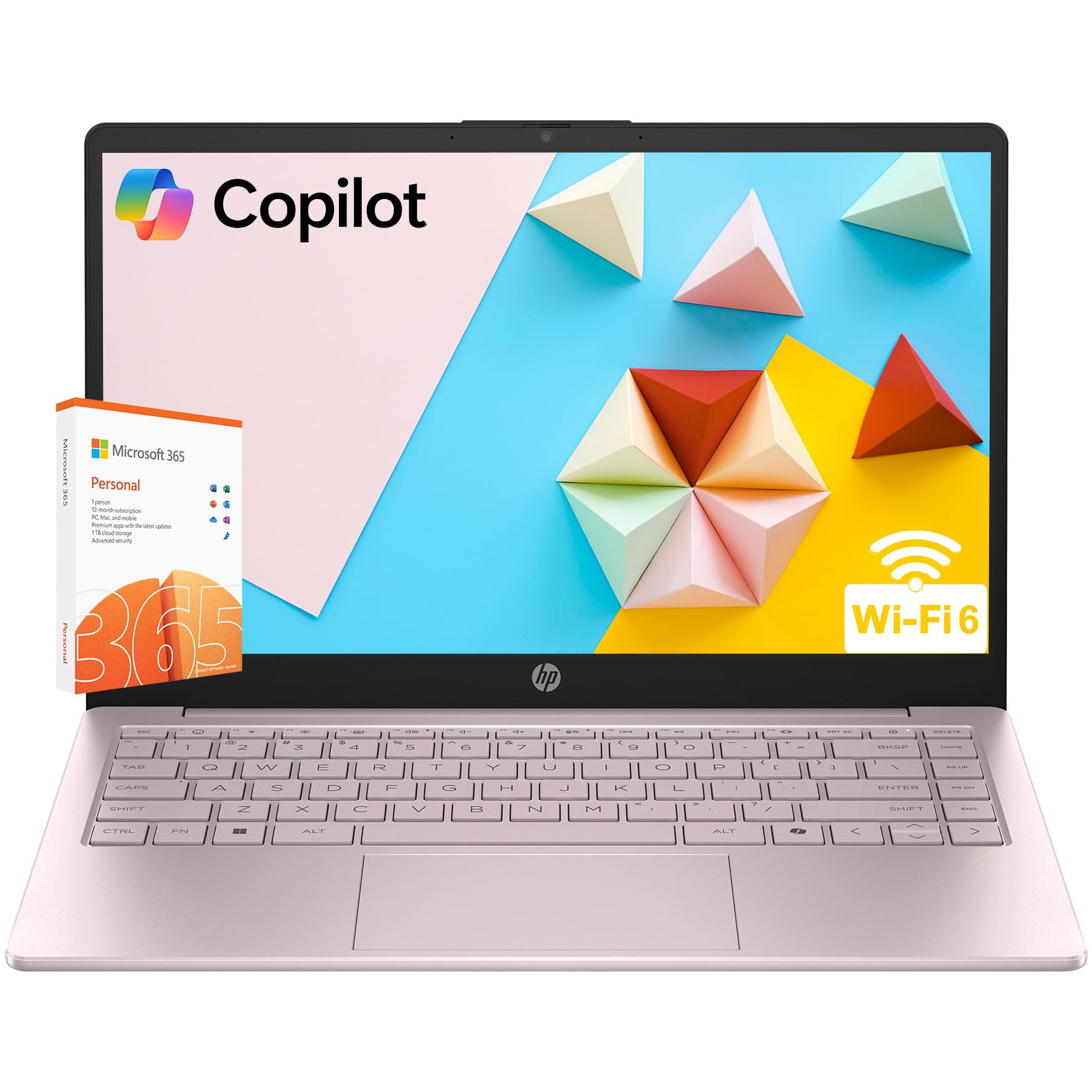
The HP Ultrabook in Tranquil Pink is designed for the home worker who wants style without sacrificing essential performance. Powered by an Intel Processor N150 with four cores and Intel UHD Graphics, it handles everyday tasks like web browsing, document editing, and video streaming with ease. The 14-inch HD anti-glare display with micro-edge bezels gives it a modern, expansive look, and the 84% screen-to-body ratio maximizes the viewing area in a compact chassis.
Portability is a key strength here. At just 3.11 pounds, this is one of the lightest laptops in this comparison, making it easy to move from desk to couch or to carry to a co-working space. The battery life is robust, allowing for a full day of lighter use. The inclusion of a physical webcam privacy shutter and a dedicated mic mute key are thoughtful privacy features for remote workers. WiFi 6 and Bluetooth 5.3 ensure fast, modern wireless connectivity.
The 1366×768 display resolution is a compromise—it lacks the sharpness of a Full HD panel, which can make fine text and detailed spreadsheets look slightly soft. The 8GB of RAM is adequate but will feel constrained if you push to heavy multitasking. Some users have noted that the 128GB eMMC storage (combined with the 256GB SSD) is less responsive than a pure SSD solution. For a lightweight, stylish, and security-conscious home companion, this HP delivers solid value.
Why it’s great
- Ultra-light 3.11-pound design is perfect for moving around the home
- Privacy shutter and mic mute key for secure video calls
- WiFi 6 and Bluetooth 5.3 provide fast, modern wireless connectivity
Good to know
- 1366×768 display is less sharp than Full HD alternatives
- eMMC storage component is slower than a pure SSD
- 8GB RAM may limit heavy multitasking over time
8. HP Laptop for Students (Sky Blue)
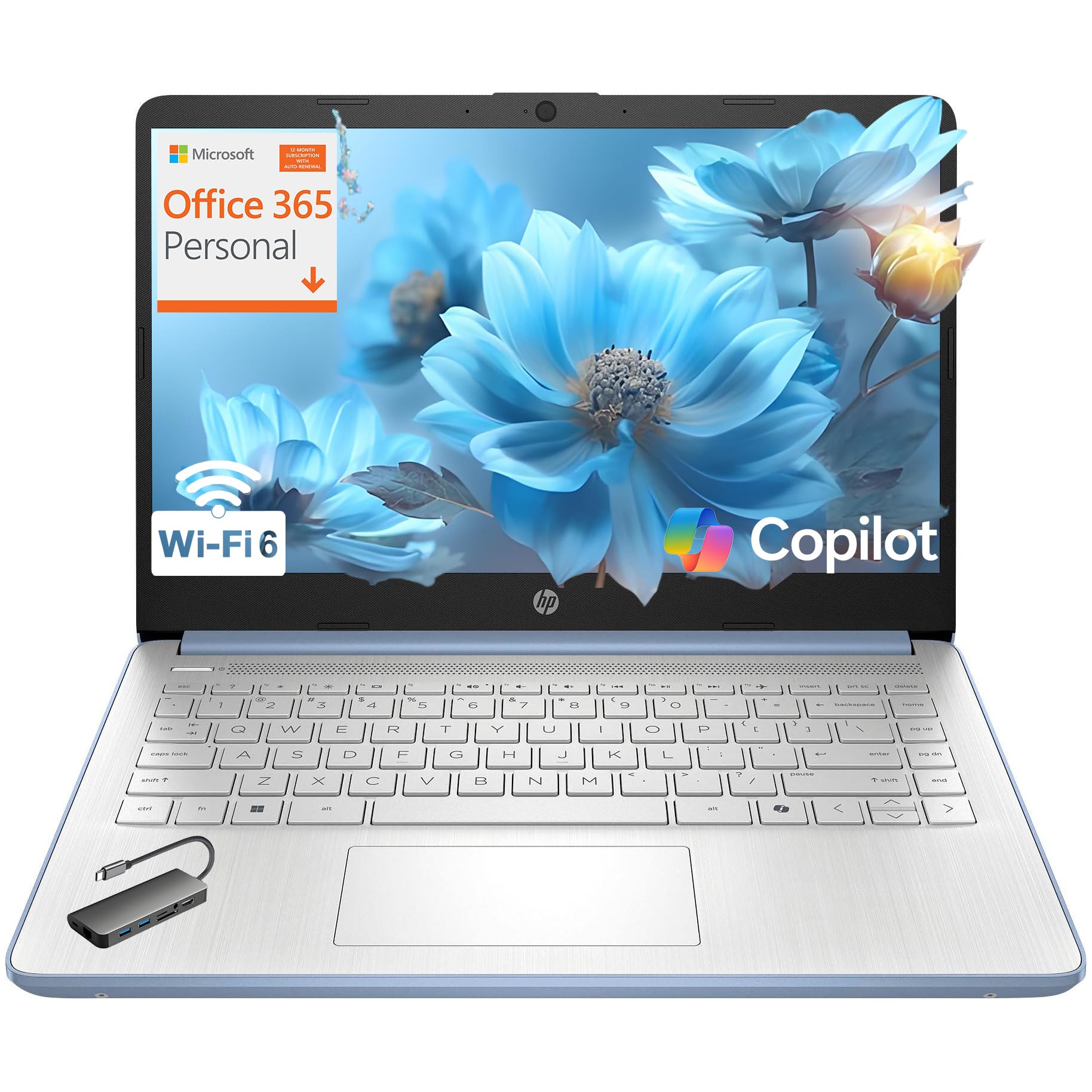
This HP laptop in Sky Blue offers a rare combination at its price point: a generous 16GB of DDR4 RAM paired with an Intel Processor N150. That amount of memory is typically reserved for more expensive machines, and it makes a tangible difference when you have a dozen browser tabs, Slack, and a video call running at the same time. The Intel UHD Graphics handle streaming and light photo editing without issue, while the included 1-year Microsoft 365 Personal subscription adds instant value.
The 14-inch HD anti-glare display with micro-edge design looks modern and helps reduce reflections during long work sessions. The 720p HP True Vision camera with a privacy shutter ensures you’re ready for meetings, and the dual microphones pick up your voice clearly. The Sky Blue color scheme with a crepe pink keyboard is distinctive without being gaudy, and the lightweight 3.11-pound chassis makes it easy to carry around the house or to a café.
The 128GB UFS storage is the main bottleneck here. While it’s faster than a traditional hard drive, it doesn’t match the speed of a proper PCIe NVMe SSD. This can be noticeable during boot-up or when launching large applications. The 1366×768 display resolution is also a step down from Full HD, making fine text less crisp. For the user who prioritizes multitasking RAM above all else, this HP delivers outstanding value, but the storage and screen are clear compromises.
Why it’s great
- 16GB RAM is exceptional value for fluid multitasking performance
- Includes a 1-year Microsoft 365 Personal subscription at no extra cost
- Lightweight 3.11-pound chassis with a modern, stylish design
Good to know
- 128GB UFS storage is slower than a full PCIe NVMe SSD
- 1366×768 display resolution lacks the sharpness of Full HD
- Storage capacity is limited for users with large local file libraries
9. Lenovo IdeaPad 1 14″ Laptop

The Lenovo IdeaPad 1 14-inch is the entry-level champion for those who need a simple, reliable machine for basic work-from-home tasks. The Intel Celeron N4500 processor with two cores is modest, but it handles web browsing, email, word processing, and light spreadsheet work without complaint. The 8GB of DDR4 RAM is enough to keep several browser tabs open, and the 256GB PCIe SSD provides fast boot and load times that make the experience feel much more responsive than eMMC-based alternatives.
The 14-inch HD anti-glare display is comfortable for reading documents and watching video content, and the Dolby Audio speakers produce clear sound for music and video calls. The 720p webcam with a privacy shutter is a welcome security feature. Wi-Fi 6 support ensures a fast connection to your home network, and the SD card reader is a nice touch for transferring files from a camera or other devices. The Cloud Grey design is professional and understated.
The dual-core Celeron processor will struggle with any heavy multitasking or demanding applications. If your workflow involves large datasets, video conferencing with background effects, or simultaneous heavy apps, this machine will feel slow. The Windows 11 S Mode restriction limits installations initially, though it’s easy to switch out of. For the user whose needs are truly basic—email, web, and office documents—this Lenovo is the most budget-friendly path to a functional home office setup.
Why it’s great
- Budget-friendly price makes it accessible for basic home office needs
- 256GB PCIe SSD provides fast boot times and responsive feel
- Wi-Fi 6 and SD card reader add modern connectivity options
Good to know
- Dual-core Celeron processor struggles with heavy multitasking
- 8GB RAM is adequate but leaves no room for expansion
- Comes in S Mode, requiring setup change for full app access
10. Alienware 16 Aurora Laptop AC16250

The Alienware 16 Aurora is a different beast entirely—a premium gaming laptop that doubles as an incredibly powerful workstation for demanding creative professionals. Powered by an Intel Core 7 240H processor and an NVIDIA GeForce RTX 5060 with 8GB of GDDR7 VRAM, this machine can handle video editing, 3D modeling, software compilation, and high-end data visualization with ease. The 16GB of DDR5 RAM ensures smooth multitasking, and the 1TB SSD provides ample fast storage.
The 16-inch WQXGA (2560×1600) 16:10 display with 120Hz refresh rate is a visual treat, offering more vertical screen real estate for productivity tasks like coding or reading long documents. The advanced Cryo-Tech cooling system keeps the powerful components from throttling under sustained loads, though it does produce noticeable fan noise. The build quality is typical Alienware—solid, premium-feeling materials with a bold, gamer-centric aesthetic.
This laptop is heavy and the battery life is limited (typical for high-performance gaming laptops), so it’s firmly a desk-bound workhorse rather than a portable companion. Some users have reported quality control issues with ports being defective out of the box. The price is significantly higher than any other laptop on this list. If your work-from-home involves content creation, simulation, or any task that benefits from a dedicated GPU, this Alienware offers performance that budget laptops simply cannot match.
Why it’s great
- RTX 5060 GPU handles video editing, 3D modeling, and gaming with ease
- Stunning 16-inch 120Hz WQXGA display with excellent color accuracy
- Advanced cooling system prevents thermal throttling under sustained loads
Good to know
- Heavy chassis and short battery life make it a non-portable desktop replacement
- Gamer-focused design may not suit all professional environments
- Some reports of defective ports and quality control issues at arrival
11. Apple 2026 MacBook Neo 13″ (A18 Pro)

The Apple MacBook Neo 13-inch is the newest entry point into the Mac ecosystem, powered by the A18 Pro chip built for AI and Apple Intelligence. In everyday tasks—web browsing, email, office documents, video calls—it feels incredibly fast and responsive, with the smooth, polished macOS experience that Apple users love. The 13-inch Liquid Retina display with 500 nits of brightness is gorgeous, offering vibrant colors and crisp text that make reading documents a pleasure.
Battery life is excellent, lasting up to 16 hours on a single charge, which easily covers a full workday and then some. The aluminum chassis is rigid and premium, with a selection of four colors (including Blush, Citrus, Indigo, and Silver) that make it stand out from the sea of gray and black laptops. The 1080p FaceTime HD camera delivers sharp video for conference calls, and the speakers with Spatial Audio provide impressive sound for a laptop this size.
The 8GB of unified memory and 256GB SSD are minimal by today’s standards. While Apple’s memory architecture is efficient, power users who run many heavy apps simultaneously may eventually hit a wall. The lack of a keyboard backlight on this model is a surprising omission, and the single USB-C port for charging may require an adapter hub. The MacBook Neo is a fantastic compact machine for light to moderate productivity, but the storage and RAM are entry-level, limiting its long-term versatility.
Why it’s great
- A18 Pro chip delivers excellent everyday performance with AI features
- Stunning Liquid Retina display with 500 nits brightness and wide color
- All-day 16-hour battery life and premium aluminum build quality
Good to know
- 8GB unified memory and 256GB storage are entry-level configurations
- Keyboard backlight is not available on this model
- Limited to a single USB-C port for charging and data transfer
FAQ
Is 8GB of RAM enough for video conferencing and multitasking?
Can I upgrade the RAM on a budget work-from-home laptop?
What is Windows 11 S Mode and should I keep it enabled?
Does a 120Hz display make a difference for productivity work?
Is it worth spending more for a laptop with a dedicated graphics card for work from home?
Final Thoughts: The Verdict
For most users, the affordable laptops for work from home winner is the HP 17.3″ Laptop with AMD Ryzen 5 because it combines 16GB of fast LPDDR5 RAM with a large anti-glare display and AI noise cancellation, delivering a premium productivity experience without an extreme price tag. If you want massive local storage for client files and projects, grab the HP 255 G10 with 1TB SSD. And for the best pure value-to-performance ratio on a tighter budget, nothing beats the Lenovo IdeaPad 1 with 12GB RAM.