
Our readers keep the lights on and my morning glass full of iced black tea. As an Amazon Associate, I earn from qualifying purchases.
Specs are compiled from manufacturer listings and verified buyer reviews and can change over time — please confirm the key details on the product page before buying.
If your budget is capped and you still need a laptop that survives four years of classes, two-hour Zoom calls, and a hundred browser tabs, the good news is that the sub-$500 shelf is finally worth shopping. The trick is knowing which number on the spec sheet actually decides whether your machine feels fast or sluggish three months in — and which numbers are just noise. This guide separates the genuinely useful machines from the ones that only look good on paper.
I’m Min — the founder and writer behind Gadgets Feed. This guide is built by comparing the manufacturers’ published specifications and the patterns across verified customer reviews, so you get each pick’s real strengths and trade-offs instead of marketing spin.
What follows is the shortlist worth your money, ranked by what actually matters day to day. Every pick here is a real, available machine, and the standout is the acer Aspire Go 15, the crowd favorite with 4.4 stars across 900+ ratings and the best balance of speed, screen, and battery life in this tier of affordable laptops under $500.
Our Picks at a Glance

How To Choose The Best Affordable Laptops Under $500
The sub-$500 tier is where every maker cuts something to hit the number, so your job is to figure out which cut you can actually live with. Almost every laptop here nails basic browsing and streaming; the differences show up in storage, panel quality, and how long the battery really holds. Two categories of buyer exist at this price — the one who needs a dependable daily driver and the one who needs a specific feature like fast charging or a backlit keyboard. Read on before you decide.
Pick the processor by what you’ll actually do
The processor (the chip that runs everything) decides whether multi-tasking feels instant or laggy. In this tier you’ll see Intel N-series chips (a low-wattage family built for quiet, cool, all-day efficiency), Intel Core 3, and AMD Ryzen 3. For web, email, Office, and streaming, an N-series chip is plenty. If you also want occasional photo editing or 1080p video calls with several tabs open, the higher clock speed of a Core 3 or Ryzen 3 feels noticeably smoother. Buyers who plan to run heavier apps should favor the higher-GHz option; buyers doing only the basics can save here without regret.
Understand the storage type, not just the capacity
Two laptops with 128GB can feel wildly different depending on whether that storage is UFS (a fast-onboard flash type used in phones, quick but fixed) or a PCIe SSD (a removable stick that boots and launches apps faster). The 8GB of RAM is the figure that keeps multitasking alive — a soldered 8GB is common in this tier, so plan to work within it. When storage feels tight, models with an M.2 slot let you swap in a bigger drive later.
Match the screen and weight to how you’ll use it
A 15.6-inch 1920×1080 (Full HD) IPS panel (a type with wide viewing angles and truer colour) is the balance for streaming and spreadsheets. Anti-glare finishes matter if you work near windows or outdoors. Weight decides whether the machine actually leaves the house — the lightest options here sit between roughly 3.4 and 3.7 lbs, which is comfortable in a backpack, while heavier builds stay put on a desk.
Quick Comparison
| Model | Best For | Processor | Memory & Storage | Battery Life | Amazon |
|---|---|---|---|---|---|
| acer Aspire Go 15 (N355)★ Best Overall | Everyday value | Intel Core 3 N355 | 8GB DDR5 / 128GB UFS | 12.5 hours | Amazon |
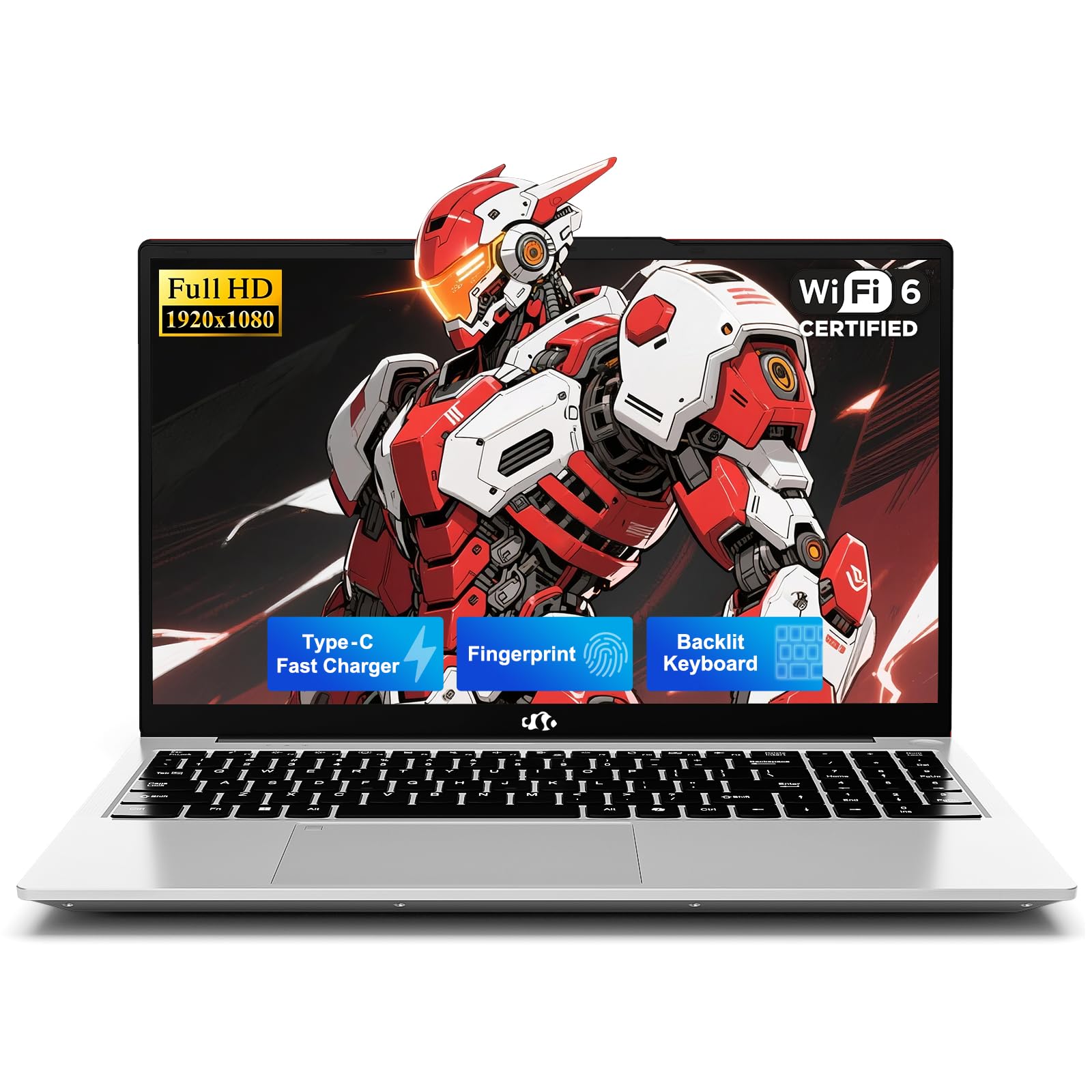
| NIMO 15.6″ N150 (256GB)Best Value | Students on a budget | Intel N150 | 8GB RAM / 256GB SSD | 9 hours | Amazon |
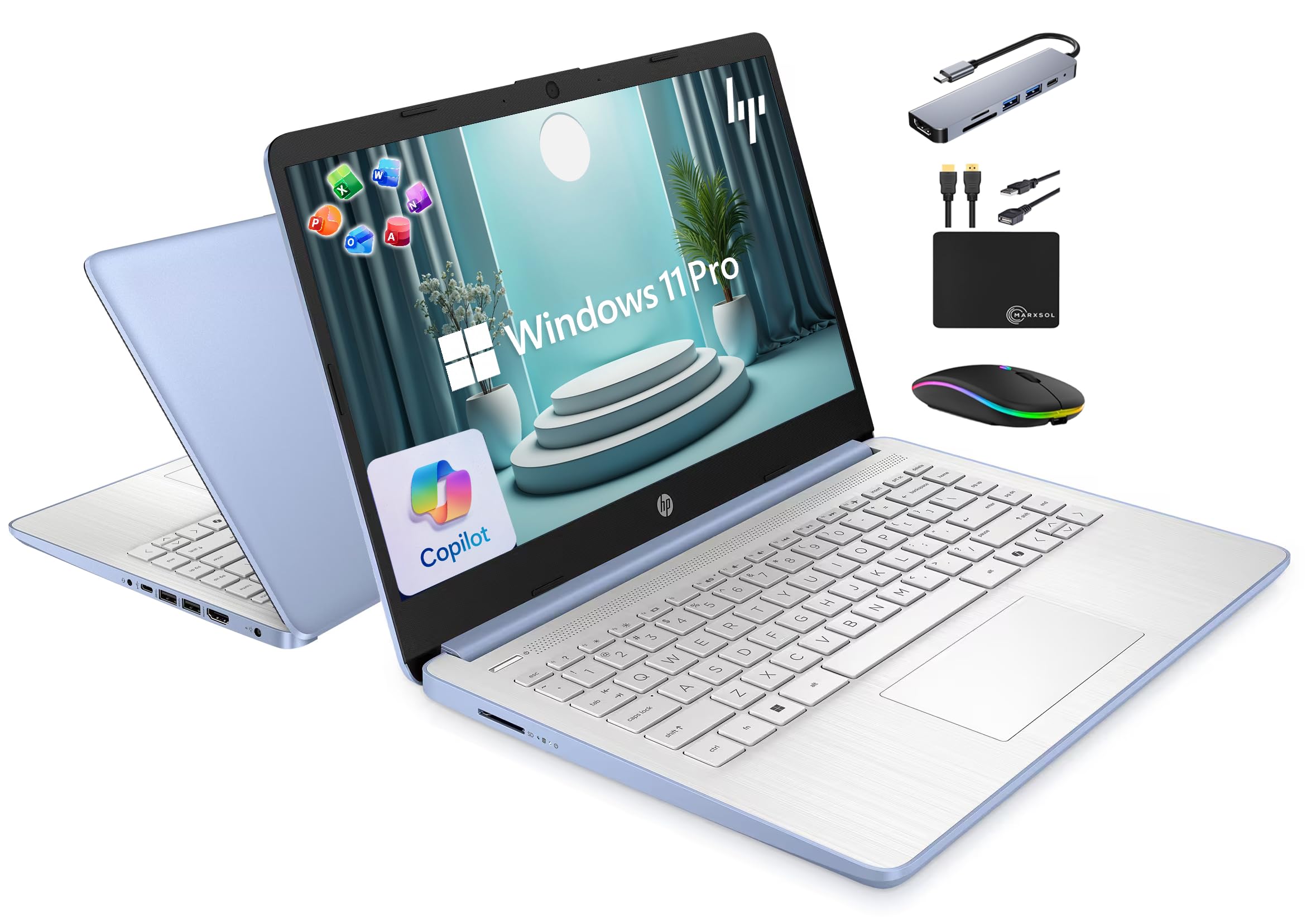
| HP 14″ Business (N150)Most Storage & Extras | Bundle hunters | Intel N150 | 16GB RAM / 628GB total | — | Amazon |
| HP 15.6″ Renewed (N100) | Renewed shoppers | Intel N100 | 8GB RAM / 256GB SSD | — | Amazon |
| Acer Aspire Go 15 (Ryzen 3) | Everyday performance | AMD Ryzen 3 7320U | 8GB LPDDR5 / 128GB SSD | — | Amazon |
| ASUS Chromebook CX15 | Cloud-first users | Intel N50 | 8GB LPDDR5 / 128GB | 10 hours | Amazon |
| Lenovo IdeaPad Slim 3i | Bright, slim design | Intel Core i3 N305 | 8GB RAM / 256GB SSD | — | Amazon |
| NIMO 15.6″ N150 (512GB) | Ports & storage | Intel N150 | 16GB RAM / 512GB SSD | 9 hours | Amazon |
| Lenovo Essential 15.6″ | Privacy & portability | Intel Core i5-1334U | 8GB LPDDR5 / 128GB UFS | — | Amazon |
In-Depth Reviews
1. acer Aspire Go 15 AI Ready Laptop (Intel Core 3 N355)
Our pick — over 4★ from 900+ verified ratings; the strongest balance of quality and price.
The sub-$500 workhorse that keeps working long after the tab count climbs past twenty.
The 12.5-hour battery is the longest in this tier — a full day of classes or remote work before you reach for a cable. That figure is also the real edge over the ASUS Chromebook CX15 above, which manages 10 hours by comparison. The 8-core Intel Core 3 N355 chip (a low-wattage processor built for quiet, cool efficiency) handles multitasking, and it is the same silicon family plenty of office fleets rely on for email and Office work. The 15.6-inch 1920×1080 IPS panel (a display type with wide viewing angles and truer colour) is sharp enough for streaming, spreadsheets, and two-up window work without strain.
Where the machine earns its Best Overall badge is in the way it treats the basics. The keyboard has a numeric pad, the 720p webcam uses TNR technology (temporal noise reduction — a processing trick that cleans up low-light grain) so video calls don’t look murky in dim rooms, and Acer PurifiedVoice handles background noise on the mic side. Two full-function USB-C ports with DisplayPort output and up to 45W charging, plus HDMI 2.1 for an external monitor, mean you are not the person hunting for a dongle at the back of the classroom. AcerSense (Acer’s own control panel) covers battery, storage, and app management behind one button.
Buyers on the review pages sum it up well: “Charges to 93% in ~30 min, lasts 5+ hrs,” one owner reports — a real-world figure that sits below the 12.5-hour spec on heavier work but a credit to the 45W USB-C charging speed. The honest caveats are the ones the spec sheet tells you up front: the 128GB UFS storage is fixed and modest, so plan to keep large files in the cloud, and the plastic chassis will show scratches over time. Neither is a defect, just the shape of a value laptop done properly.
Where the Aspire Go 15 lands
- 12.5-hour battery — widest endurance in this shortlist
- 8-core Intel Core 3 N355 with the highest clock speed of the group at 3.9 GHz
- Full-function USB-C ports, HDMI 2.1, and Wi-Fi 6 across the board
- Copilot key for one-touch AI assistance in Windows 11
Where it asks for compromise
- 128GB onboard storage fills quickly if you keep local media
- 8GB DDR5 is soldered — no upgrade path later
- Plastic body marks easily with daily use
Top buy for most people: pick this if you want the longest battery and the strongest everyday speed of the bunch, at a genuinely mid-range price.
The trade-off to accept: if you need more than 128GB onboard, plan a cloud setup or look at the NIMO 512GB pick further down.
2. NIMO 15.6″ AI Ready Laptop (8GB / 256GB)
A budget-friendly 15.6-incher that carries an industry-leading two-year warranty and fast-charges back to work in minutes.
For students, commuters, and anyone who dreads carrying a bag of adapters, NIMO’s I/O story is the standout. The company calls it a “full-stack” set — dual full-function USB-C with Power Delivery and DisplayPort, three USB-A ports, HDMI, and a Micro SD reader — and that combination is rare in the budget-friendly tier. The 65W PD fast charging is the other headline: fifteen minutes on the plug gives you up to two hours of use, and the 6.6-foot cable reaches outlets in libraries, cafés, and lecture halls.
Under the hood is a 4-core Intel N150 processor (a low-wattage chip built for quiet, cool everyday workloads), paired with 8GB of RAM and a 256GB SSD that can be expanded through an M.2 slot or Micro SD card. The 15.6-inch Full HD anti-glare display lays flat thanks to a 180-degree hinge — handy for showing someone a document across a café table. Wi-Fi 6 and Bluetooth 5.3 keep the connection stable, and the backlit US-layout keyboard helps when you’re typing in a dim dorm room. A fingerprint reader adds one-touch login and the metal top cover softens the daily bumps of a backpack.
The battery is the point where you should adjust expectations. The 9-hour rating is respectable, and buyers report it drains faster under load but tops back up quickly on the 65W charger — the exact trade the fast charging is designed to offset. If your day is mostly web, email, Google Docs, and light office work, the runtime is fine. Heavy gaming, video editing, or long stretches away from an outlet are where this one asks you to plug in.
Charging that changes the equation: the 65W USB-C PD setup is genuinely the differentiator here — a quick top-up between classes can carry an afternoon of work.
Then there’s the warranty: two years of coverage plus 90-day returns and a US-based support line is a rare safety net in this price band.
Made for the commuter: reach for this if fast charging and a full set of ports matter more than the highest battery spec.
Look elsewhere if: you need the machine to run unplugged for close to twelve hours without thinking about it.
3. HP 14″ Laptop Business Student Slim (16GB / 628GB)
The everything-included bundle play — more RAM, more storage, and every adapter you’d otherwise buy separately.
Nobody in this shortlist throws in more at once. The headline figure is 16GB of DDR4 RAM (the working memory that keeps multiple browser tabs, spreadsheets, and video calls open at the same time without crawling) paired with a 128GB UFS onboard drive plus a 500GB external drive in the box. Windows 11 Pro adds hardware-based encryption and malware protection, and HP bundles a 6-in-1 USB-C hub, a wireless mouse, an HDMI cable, a USB extension, a mouse pad, and lifetime Microsoft Office — a full work setup straight from the start.
The 14-inch display is the model’s compromise: at 1366×768 resolution, it is a step below the Full HD screens everywhere else here, which shows in sharpness when you’re reading long documents. For general browsing, email, Zoom, and Google Classroom, it is entirely usable. The quad-core Intel N150 processor handles the load, and the HP True Vision 720p camera with dual-array mics keeps you legible on calls.
Owners clearly like the practicality — the review pages lean heavily on “everything was as advertised” and quick delivery, and the USB-C hub is the standout extra for connecting a monitor or SD card on the go. There’s an honest caveat noted in the specs: the included docking hub does not support every external-screen setup, so if running two monitors is the plan, plan around that. And the portability story is real: at a slim 14-inch size, it slips into a small backpack without complaint.
What the math looks like: 16GB RAM plus 628GB of total storage is the highest memory-and-space combo anywhere in this list, and the lifetime Office licence has a real cost of its own.
The screen is the trade: 1366×768 is lower than the FHD panels on the Acer Aspire Go 15 above — fine for text, less so for sharp visuals.
Ideal for the student with a monitor already in mind: pick this if you want a full kit, Windows 11 Pro, and the extra 500GB drive without shopping for accessories.
Be cautious if: you need a high-resolution panel — the 768p screen will feel soft next to the FHD competition.
4. HP 15.6″ FHD Laptop 2026 Edition with Copilot AI (Renewed)

A renewed bargain that performs like it’s fresh from the start and weighs barely more than a hardcover.
Buying renewed is the fastest way to stretch a limited budget, and this HP is the one refurbished pick worth considering here. At 3.64 lbs it is nearly the lightest in this lineup — the ASUS Chromebook CX15 is 3.53 lbs, so this is a hair heavier but with the two laptops swapping positions on the scale, the practical difference is negligible. The 15.6-inch 1920×1080 anti-glare display keeps eye strain down on long reading sessions, real value on cloud-stored documents and streaming.
The spec set is straightforward: an Intel N100 processor, 8GB of RAM, and a 256GB SSD for quick boots and app launches. Wi-Fi 6 keeps the connection steady for Zoom classes, video calls, and streaming, and the full-size keyboard with a numeric pad helps with spreadsheets and forms. HP packages Windows 11 Home and lifetime Office for web, so the machine is ready to work the moment it arrives. The machine also arrives with an AC adapter in the box.
Owners mention one recurring nuisance: the mouse cursor occasionally lags or disappears on screen, sometimes taking a minute or two to reappear after moving the touchpad — a software-level quirk that some resolve through cursor settings and others just live with. It’s not a hardware defect, and alongside that report sit plenty of notes that the laptop “performs flawlessly and looks new rather than refurbished.” For a renewed unit, that level of condition consistency is a genuine positive.
The renewed edge: this is the lightest Windows machine in the whole shortlist and one of the cheapest — a good match for a backup or second laptop.
Watch for the cursor quirk: the intermittent touchpad lag is a real complaint; check your settings if it shows up and lean on a wireless mouse for heavy work.
Best for the budget-conscious: pick this if you’re okay with a renewed unit and want the lowest entry point with a proper HD screen and SSD.
Skip if: you want the longest warranty or the certainty of a brand-new sealed box.
5. Acer Aspire Go 15 AI Ready Laptop (AMD Ryzen 3 7320U)

AMD’s budget champion with a battery that holds strong all day and a screen that shrugs off sunlight.
Where this Acer sibling swaps Intel for AMD, it picks up a Ryzen 3 7320U processor that runs at up to 4.1 GHz — a great fit for everyone who needs handling Office, browsers, and streaming without waiting. The 15.6-inch 1080p IPS panel is the piece people linger on, with buyers reporting it stays readable even in direct sunlight, and Acer BluelightShield trims the blue light for late-night reading sessions. Dual full-function USB-C ports support charging and display over a single cable, and Wi-Fi 6 plus HDMI 2.1 cover the rest of the connection needs.
Battery life is the standout feature: this configuration is praised for its endurance, and it handles a full day of browsing, streaming, and video calls on one charge. AcerSense bundles battery, storage, and app control behind one button. The 128GB PCIe SSD (a removable, fast-format drive rather than the fixed kind) boots fast and keeps app launches instant, and savvy buyers will be glad to know it can be swapped for a larger drive later — the 8GB LPDDR5 memory is soldered though, so plan to work within it.
Two honest notes. The chassis is plastic and stays put on a desk rather than travelling constantly, which is fine for a home-and-office machine. And if the plan includes heavy editing or gaming, this is not the tool — but for browsing, streaming, and light office work it is among the most reliable performers in the group.
Where it wins: the AMD Ryzen 3 7320U silicon and PCIe SSD combination gives the smoothest all-day feel for basic workloads.
What to remember: soldered 8GB RAM means this is a buy-it-as-is machine; the removable M.2 storage is your only upgrade path.
The everyday performance pick: choose this if you want the smoothest basic commute between apps and a screen that stays readable in bright rooms.
Don’t choose it for: demanding creative work or gaming — those are outside what this configuration is built for.
6. ASUS Chromebook CX15

The Chromebook that skips Windows entirely — starts in under ten seconds, stays virus-fussed, and weighs just 3.53 lbs.
If your work lives in browsers and cloud apps, ChromeOS sidesteps the parts of Windows that slow cheap laptops down. The CX15 opens in under ten seconds (Fast Boot), pulls updates in the background without interrupting, and runs behind the Titan C2 security chip so the machine stays protected with no antivirus to babysit. The 15.6-inch Full HD NanoEdge anti-glare panel is the same 1920×1080 resolution as the Windows picks, and the numeric keypad is welcome for data entry tasks.
The storage story is generous for the class: 128GB of storage with 8GB of LPDDR5 memory keeps more on board than many peers, and the Intel Processor N50 handles day-to-day Chrome browsing. The battery rating is 10 hours, which buyers confirm holds up in real use for most of a workday, and the computer weighs 3.53 lbs — a smidge lighter than the HP 15.6″ above, making it the lightest machine in this shortlist. Wi-Fi is stable and Bluetooth handles accessories.
The catch is what ChromeOS is and isn’t: if your workflow runs on Windows-specific desktop apps, this is not the tool. And buyers occasionally hit a dud that won’t power on — rare enough to note rather than a pattern. For students, writers, and anyone whose day is Gmail, Docs, YouTube, and Streaming, the Chromebook is fast, quiet, and durable at a friendlier price than most of its Windows peers.
The clean trade: in exchange for giving up Windows apps, you get boot-in-seconds performance, long battery, and built-in security that keeps the machine feeling new.
Where it stops: Windows-only programs and heavy local software are off the menu — always check your essential apps first.
Best if your day is cloud-first: reach for this if you live in Google Workspace, watch a lot of streaming content, or want a low-maintenance laptop for a student or parent.
Think twice if: any part of your workflow needs a program that only runs on Windows.
7. Lenovo IdeaPad Slim 3i
The slim, comfortable-typing IdeaPad that quietly outclasses the budget field on build feel and class-time performance.
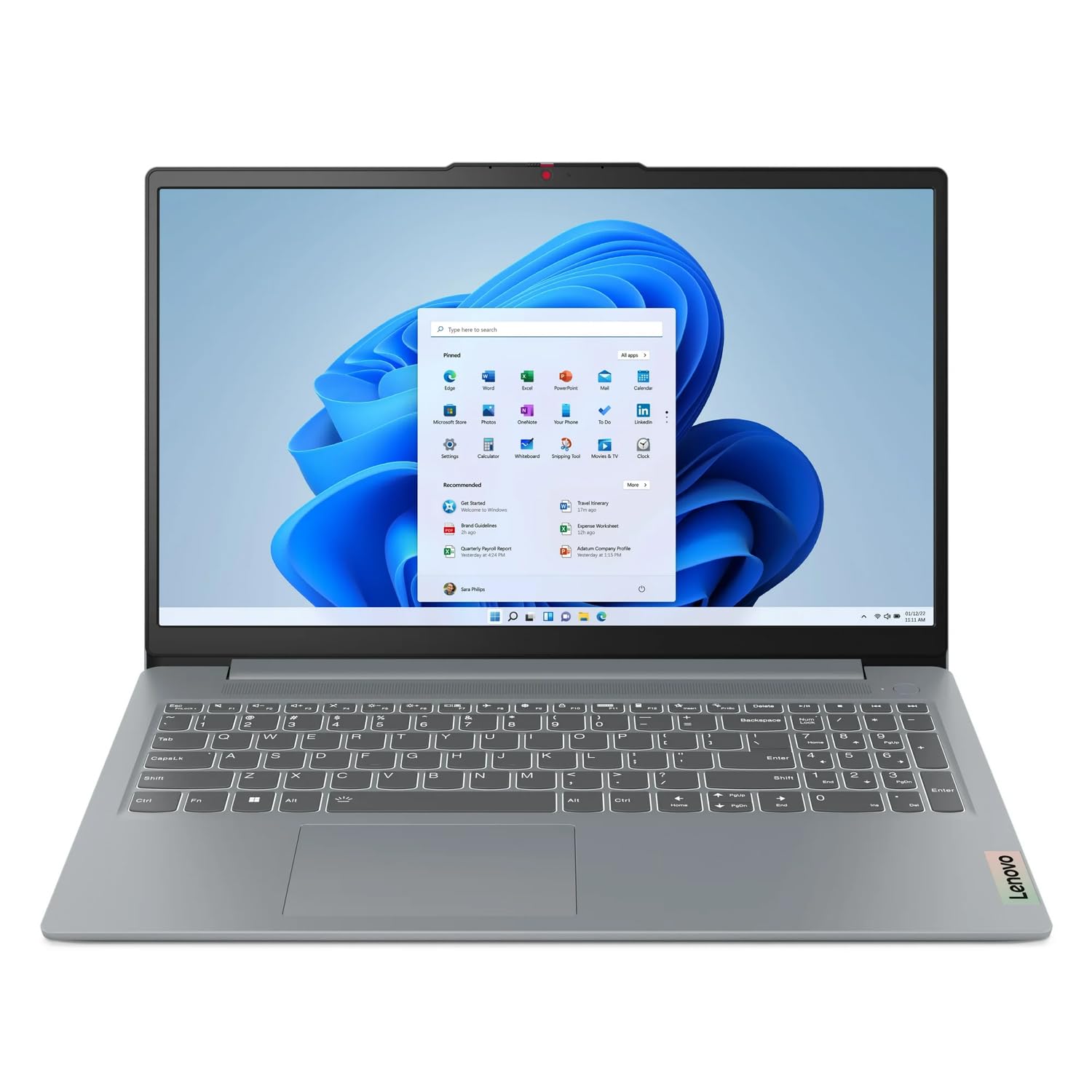
Lenovo’s IdeaPad line has quietly built a reputation for keyboards that don’t make you think about them, and this generation continues that. The Intel Core i3 N305 processor runs at up to 3.4 GHz — the same clock ceiling as the HP 15.6″ above — and 8GB of RAM plus a 256GB SSD covers classes, paperwork, browsing, and video meetings without strain. The 15.6-inch display is crisp for documents and streaming, and the Arctic Grey chassis is slim enough to slide into a backpack next to a binder.
A fingerprint reader joins Bluetooth 5.3 and Windows 11 Home in the feature list, and the machine boots and resumes fast thanks to the SSD. Customers note easy setup, smooth performance through a full day of classes, and a keyboard comfortable enough for long typing sessions. The screen and refresh rate hold up fine for standard work apps.
The one item to check before you buy: some listings for this model were flagged by buyers for showing a higher-spec config than the unit that ships. The listing you’ll see here is the Slim 3i model with the specification noted, and the product page is the fastest way to confirm the exact processor, RAM, and storage you’re ordering. That said, the hardware as specified delivers on its promise, and the machine is a solid general-use home and study laptop.
Built for long sessions: the comfortable keyboard and slim chassis make this a natural pick for writers, students, and anyone typing for hours.
Order with eyes open: verify the exact spec in the listing before checkout — the processor, RAM, and storage on the page are the ones you’ll receive.
Perfect for heavy typists: choose this if you want a slim, comfortable laptop for classes, essays, and paperwork with a fast SSD on board.
Double-check if: you need the absolute lightest weight — the Acer and Chromebook options above travel a touch easier.
8. NIMO 15.6″ FHD Copilot AI-Laptop (16GB / 512GB)
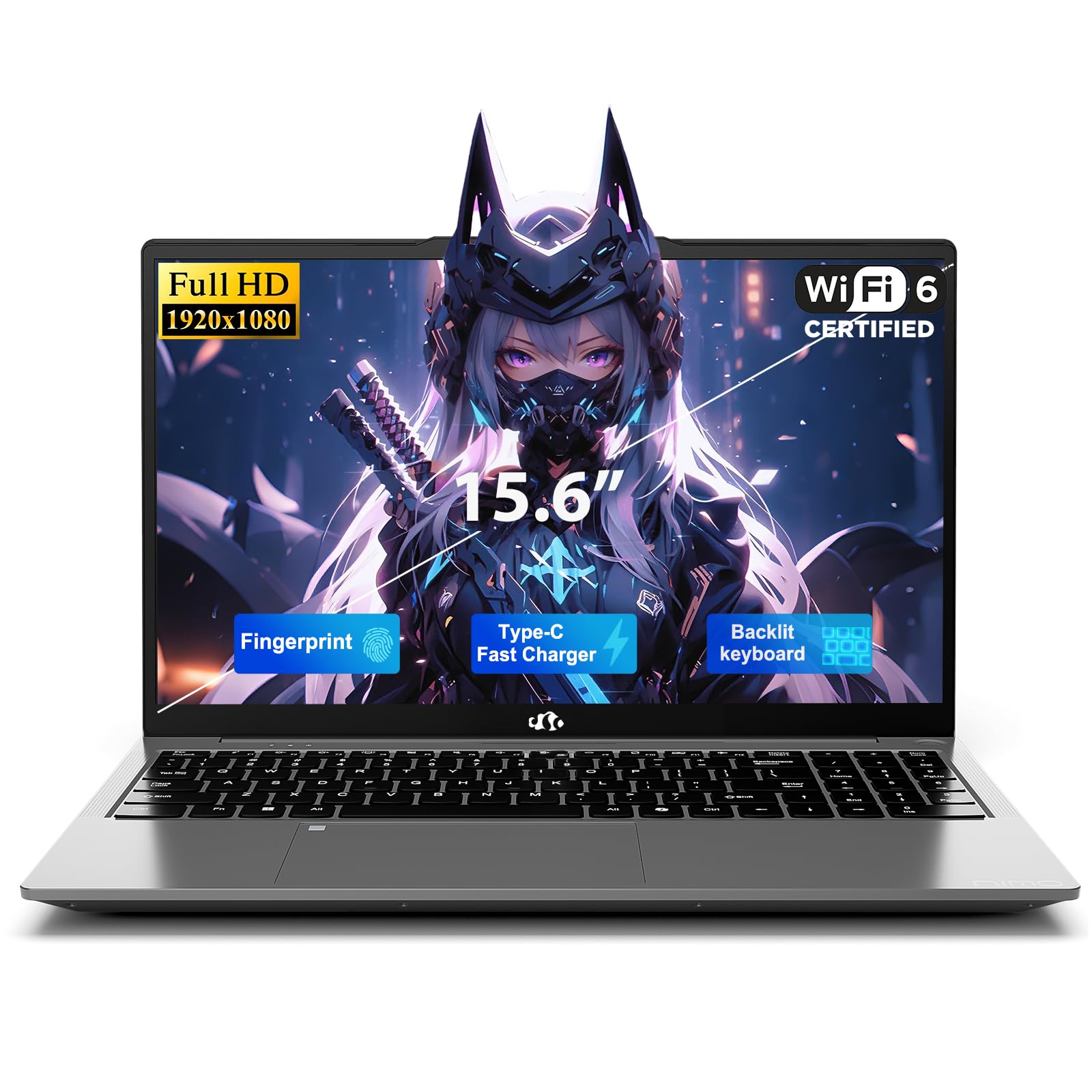
A 16GB, 512GB powerhouse with seven ports, a fingerprint reader, and a two-year warranty at a mid-range price.
If ports and storage are what push you to spend, this NIMO configuration is where the value-per-dollar math starts to tip. You get 16GB of DDR4 RAM and a 512GB M.2 NVMe SSD (a removable drive that runs up to 3500MB/s) versus the 8GB-and-128GB spec of NIMO’s cheaper sibling above — a real step up in what you can keep and run at once. There is also an open SODIMM slot for adding RAM later and a Micro SD reader supporting up to 512GB extra storage, so the machine can grow with you instead of forcing you to buy again.
The port count is the headline: 2x USB-C with 65W Power Delivery and DisplayPort output, 3x USB-A, HDMI 1.4, Micro SD, and a 3.5mm audio jack — enough to plug in monitors, flash drives, and a mouse without a hub. A 4700mAh battery runs up to 8.5 hours of online classes or Zoom calls, or 10 hours of video playback, and the 65W charger refills it from 0% to 50% in 45 minutes. The 15.6-inch 1920×1080 screen with an 85% screen-to-body ratio and a 175-degree flat hinge is built for sharing across a table, and the 2-level backlit US keyboard helps in dim dorm rooms. A fingerprint sensor logs you in through Windows Hello in a claimed 0.2 seconds.
The build is 3.74 lbs and 19.2mm thick with a metal A-cover (the lid panel), and NIMO backs the machine with a two-year warranty and 90-day returns. The one real quirk buyers flag is that the keyboard backlight cannot be kept on permanently on some units — a light complaint on an otherwise well-liked laptop. For the money, the storage and port set is the strongest in this tier.
The numbers that matter: 16GB RAM with a 512GB NVMe SSD at this price point is the largest combined spec jump in this shortlist.
What to know: the backlight-on-forever complaint is worth flagging if ambient typing is your normal — otherwise, the port suite makes this an easy recommend.
Right for the do-everything student: pick this if you want the most ports, the most storage, and room to add more RAM later, without stretching past the mid-range.
Not the one if: you need the longest possible unplugged runtime — 8.5-hour classes push this machine to its limit.
9. Lenovo Essential 15.6″ FHD Laptop
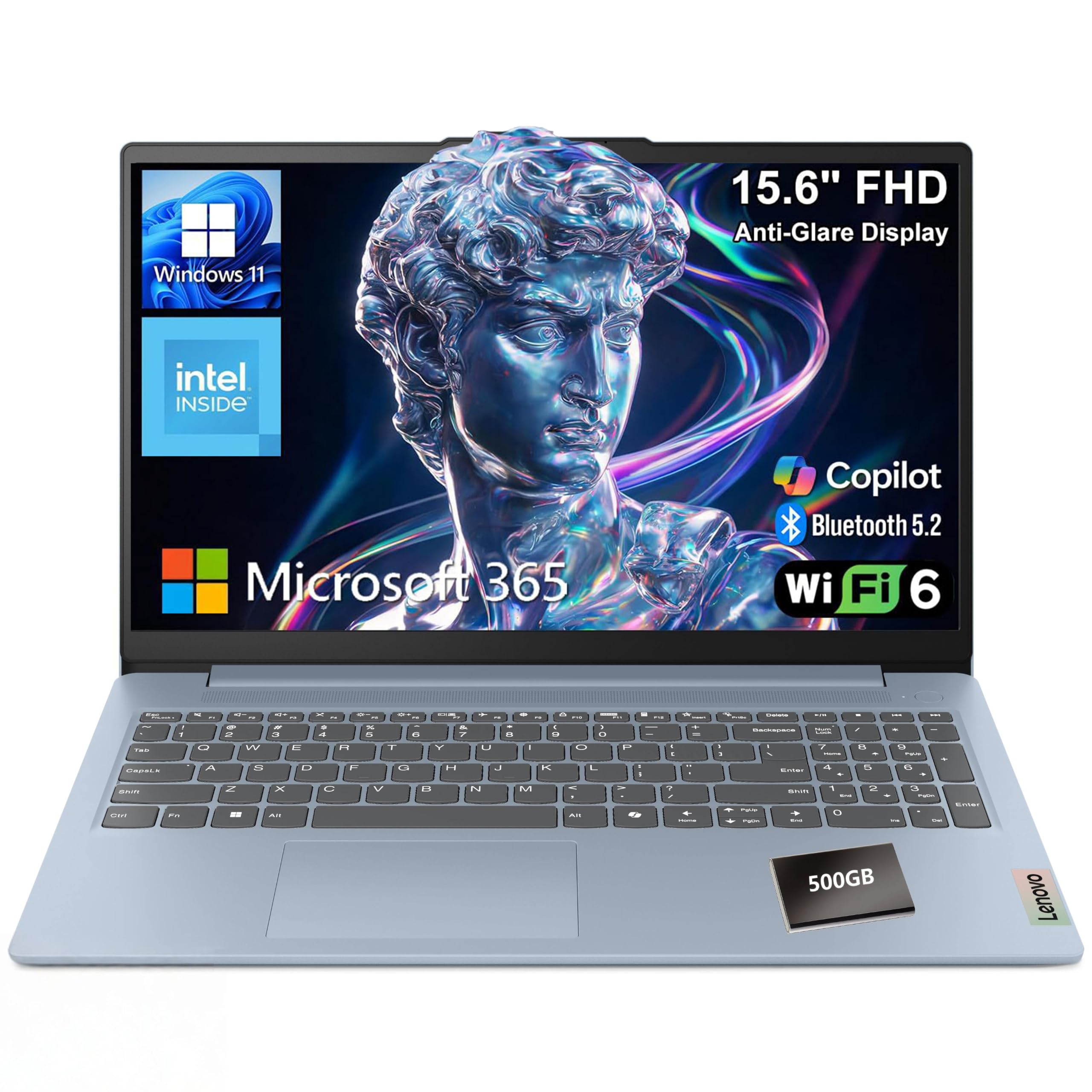
The privacy-conscious pick — a 720p webcam shutter, MIL-STD-810H durability, and a Core i5 badge at slim weight.
Lenovo’s Essential packs the spec that most separates it from the crowd: a physical camera shutter you slide closed over the HD 720p webcam, which is exactly the confidence you want if the machine sits in shared dorm space or a co-working café. The processor is the Intel Core i5-1334U, an efficiency-focused 13th-gen chip with 8GB of LPDDR5-4800 RAM (a fast, low-power memory type) and 128GB of UFS 3.1 storage for fast boots. Windows 11 Home in S mode ships pre-installed, with Microsoft 365 Personal included.
The 15.6-inch 1920×1080 anti-glare panel with 250 nits brightness and an 88% screen-to-body ratio keeps documents and video calls comfortable, and the full-size keyboard includes a dedicated AI Copilot hotkey. Connectivity is well-covered: Wi-Fi 6, Bluetooth 5.2, 2x USB-A, USB-C with Power Delivery and DisplayPort, HDMI 1.4, and an SD card reader. MIL-STD-810H military-grade testing gives the chassis extra confidence against knocks in a backpack, and the machine weighs just 3.42 lbs with a 0.70-inch profile — one of the lightest here.
Two honest notes. Windows 11 Home in S mode is stricter from the start — you can switch it off to install non-Microsoft Store apps, but it’s a one-way door, so factor that in on day one. And the reliability reports are mixed — plenty of units run just fine, while a minority arrive with problems, so buying from a listing with easy returns is smart. For a light, well-protected laptop that handles classes, streaming, and video calls with a Core i5 under the hood, it’s a solid pick.
The privacy advantage: the physical webcam shutter plus MIL-STD-810H durability make this the best pick for shared spaces and commuting.
Check your workflow: S mode restricts you to Microsoft Store apps by default, and switching out requires a permanent choice.
The security-minded choice: reach for this if a webcam shutter and light, durable chassis matter more to you than the biggest battery or storage.
Look elsewhere if: you want to install apps freely from day one without turning off S mode first.
Understanding the Specs
The Processor: N-series vs Core vs Ryzen
In this tier you’ll mostly see Intel’s N-series chips (a low-wattage family built for quiet, cool, long-battery everyday use) alongside a handful of higher-clock Core 3, Core i3, Core i5, and AMD Ryzen 3 options. The GHz figure on the box is the maximum speed the chip can spin up to under full load — the higher numbers here tend to feel smoother with more browser tabs open. For web, email, Office, and streaming, an N-series chip is plenty. If your day includes 1080p video calls while juggling a dozen tabs, the higher-clock Core and Ryzen options respond noticeably quicker.
Memory and Storage: How Much You Really Need
8GB of RAM is the practical floor for a modern Windows laptop — it keeps web, apps, and a video call running at the same time without constant pausing. 16GB gives you breathing room for keeping several programs open at once. Storage type matters as much as storage size: UFS (a fast, fixed flash used in phones) boots quickly but can’t be swapped, while an M.2 SSD (a removable card) boots just as fast and lets you upgrade later. 128GB fills fast for anyone keeping local photos or video; 256GB or 512GB is comfortable, and models with a memory card slot can add more without opening the machine.
Display: Resolution and Panel Type
Full HD (1920×1080) is the resolution to aim for — it’s what lets you read two windows side by side without squinting. Anything lower looks soft on text and icons. IPS panels (a display type with wide viewing angles) keep colour consistent even if you’re not looking straight on. Anti-glare coatings reduce reflections, which is the single biggest factor in whether a screen is useable near a window or outdoors. Brightness in nits tells you how well the panel fights ambient light — 250 nits is typical in this class.
Battery, Charging, and Ports
Battery life is quoted as the longest you can expect under light load — a 12-hour rating might be closer to 5-6 hours on heavier work. Fast charging changes the practical picture: a laptop that refills quickly can give you a usable top-up in minutes if you’re between classes or at a coffee shop. On the port side, USB-C with Power Delivery is the modern default — it can charge the laptop, send video to a monitor, and transfer data over one cable. HDMI handles external displays without an adapter, and USB-A keeps older drives and mice working without a dongle.
FAQ
Is 8GB of RAM enough for a laptop in this price range?
Do these laptops run Windows 11 Home or S mode?
Can I upgrade the RAM or storage in a budget laptop?
Is Full HD (1920×1080) better than a 1366×768 screen on a 15.6-inch laptop?
How long do these laptops actually last on a charge?
Is a Chromebook worth it over a Windows laptop?
Do these laptops have enough ports, or do I need a hub?
Can a sub-$500 laptop handle video calls and online classes?
What’s the lightest laptop on this list for commuting?
Is a renewed or refurbished laptop worth buying in this price range?
Do I need Wi-Fi 6 for a laptop at this price?
Final Thoughts: The Verdict
For most buyers, the affordable laptops under $500 winner is the acer Aspire Go 15 (Intel Core 3 N355) because it holds the highest real-world balance of battery life, screen quality, and everyday speed in the shortlist, backed by the strongest customer consensus in the group. If RAM and storage headroom matter more than battery, the NIMO 15.6″ (16GB / 512GB) gives you the biggest combined spec jump for the money, and the HP 14″ Business bundle is the one to reach for if you want every accessory and Windows 11 Pro included. If your entire workflow runs in a browser, the ASUS Chromebook CX15 is the clean, low-maintenance pick — and if a physical webcam shutter matters most, the Lenovo Essential is the one to grab. Whichever way you lean, buying soon makes sense: the Acer Aspire Go 15 is the crowd favorite with the highest-starred ownership experience of the group, and stock on configurations like this tends to move quickly.
How We Picked
We do not accept paid placement. Every pick is matched to a real buyer and a real use-case; we do not hands-on test units.
Sources & Methodology
Specifications: manufacturer listings and product documentation. Review insights: verified customer reviews, as of September 2026. Pricing: not shown on this page (it changes often); check the current price via the retailer link.
As an Amazon Associate, Gadgets Feed earns from qualifying purchases. This does not affect which products we feature.