
Our readers keep the lights on and my morning glass full of iced black tea. As an Amazon Associate, I earn from qualifying purchases.
Specs are compiled from manufacturer listings and verified buyer reviews and can change over time — please confirm the key details on the product page before buying.
The real question with any multicolor 3D printer is not how many colors it can print — it is how much filament it throws in the trash getting there. Purging systems bleed plastic every single color change, and that waste adds up fast on a long print. Tool-changing machines swap whole toolheads instead, so they barely waste anything. That single difference is what separates the picks below, and it is why the Snapmaker U1 takes the top spot.
I’m Min — the founder and writer behind Gadgets Feed. This guide is built by comparing the manufacturers’ published specifications and the patterns across verified customer reviews, so you get each pick’s real strengths and trade-offs instead of marketing spin.
Below you will find how to choose, a quick comparison, and eleven in-depth reviews sorted by how they actually print. The cheapest way in is not always the smartest, so this breakdown of an affordable multicolor 3d printer covers both the bargains and the traps.
Our Picks at a Glance


How To Choose The Best Affordable Multicolor 3D Printer
Buying a multicolor printer is really a bet on one thing: how the machine changes colors. That decision drives your filament bill, your print times, and how much babysitting the printer needs. Get that right and everything else is a detail.
Tool changers versus purge systems
A tool-changing printer carries several print heads, and each one holds its own color. When the print needs a new color, the machine parks one head and picks up another — no flushing plastic down a waste chute. A purge-based system feeds one nozzle and flushes the old color before the new one arrives, which is simple but wastes filament on every swap. The waste difference is not minor on a long, color-heavy model.
Build volume and what it means for you
Build volume is the box your model has to fit inside, listed as three figures in millimeters. The bigger the box, the fewer pieces you have to print and glue together later. If you want to print a helmet or a large cosplay prop in one shot, you need a plate in the 270mm range or larger. Smaller plates are fine for figurines, brackets, and gifts.
Calibration: what actually saves you time
Auto bed leveling means the machine measures the plate itself instead of you turning screws by hand. Some models probe the whole surface; others probe only where your model sits, which is faster. Vibration compensation is the other feature worth having — it lets the printer run quick without leaving ripples on the surface.
Filament compatibility
PLA and PETG are the everyday workhorses and nearly every printer in this list handles them. TPU (a flexible filament) needs a direct-drive extruder to feed reliably. ABS, ASA, and nylon want an enclosed or heated chamber so the part does not warp as it cools. Check the nozzle temperature rating before you buy — a 300°C nozzle opens up more materials than a 260°C one.
Quick Comparison
| Model | Best For | Build Volume | Max Speed | Tool Change / Purge | Amazon |
|---|---|---|---|---|---|
| Snapmaker U1★ Best Overall | Zero-waste multicolor | 270 x 270 x 270 mm | 500 mm/s | 5-second tool change | Amazon |
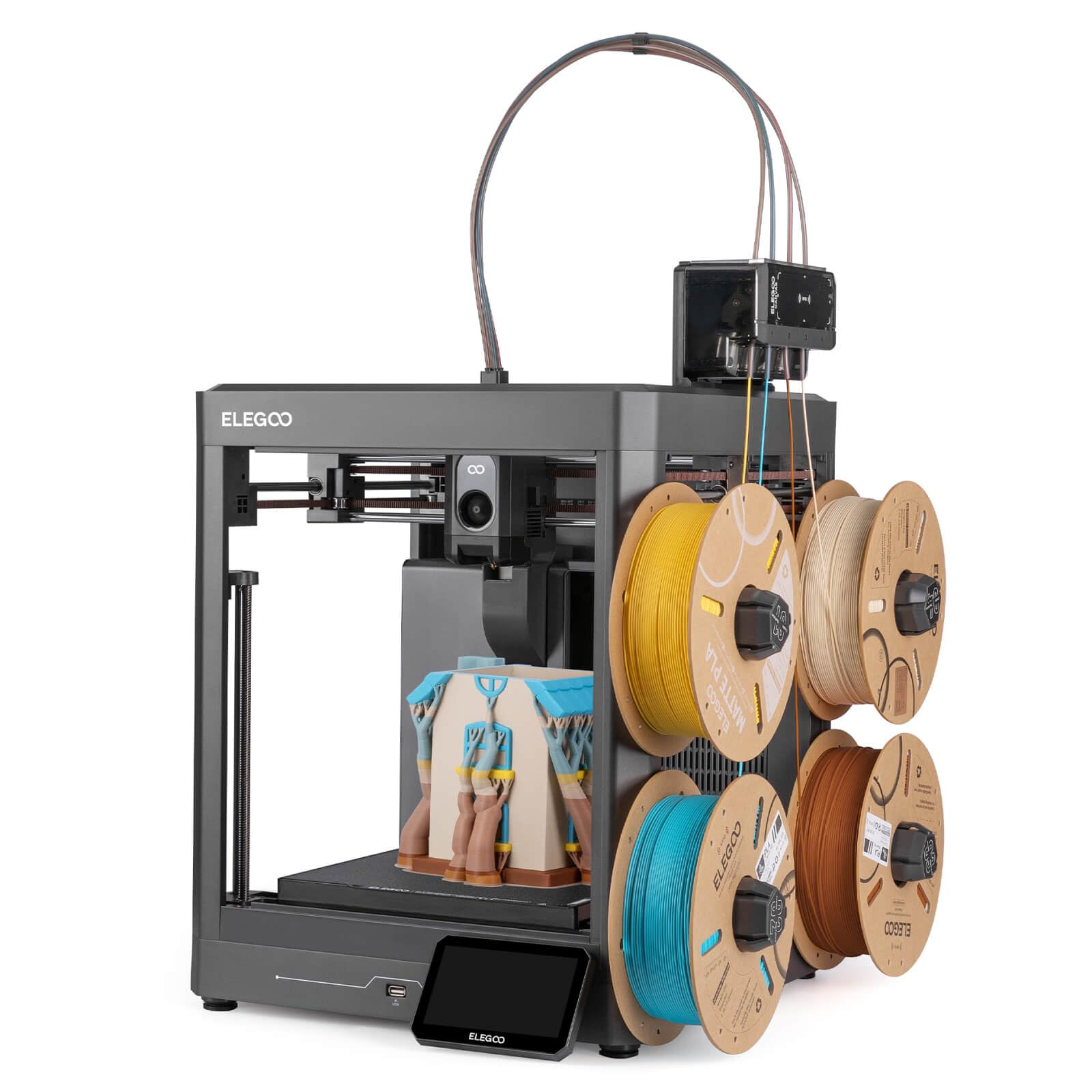
| ELEGOO Centauri 2 ComboBudget Champion | Budget beginners | 256 x 256 x 256 mm | 500 mm/s | Purge-based 4-color | Amazon |
| Anycubic Kobra XTop Performer | Print speed per dollar | 260 x 260 x 260 mm | 600 mm/s | Purge-based 4-color | Amazon |
| FLASHFORGE AD5X | Fleet and workshop use | 220 x 220 x 220 mm | 600 mm/s | Purge-based 4-color | Amazon |
| Creality SPARKX i7 Combo | AI photo-to-model fun | 260 x 260 x 255 mm | — | Purge-based multicolor | Amazon |
| Bambu Lab A1 Mini Combo | Compact starter kit | — | 10,000 mm/s² accel | Purge-based 4-color | Amazon |
| Creality K2 SE 4C | Small-footprint color | — | 500 mm/s | Purge-based 4-color | Amazon |
| Bambu Lab P1S Combo | Enclosed all-rounder | — | 500 mm/s | Purge-based, up to 16 colors | Amazon |
| Creality K2 Combo | Large-volume color | 260 x 260 x 260 mm | 600 mm/s | Purge-based, up to 16 colors | Amazon |
| QIDI Q2 Combo | Engineering filaments | — | 600 mm/s | Purge-based, up to 16 colors | Amazon |
| FLASHFORGE Creator 5 | Fast four-head workhorse | — | 600 mm/s | 7-second tool change | Amazon |
In‑Depth Reviews
1. Snapmaker U1 3D Printer, 4-Toolhead with 5s Toolchanger
Our pick — 4.5★ from 100+ verified ratings; the strongest balance of quality and price.
Four toolheads that swap in five seconds and throw almost no plastic away.
The number that changes how you print is five seconds. That is how long the SnapSwap system takes to switch between the U1’s four independent toolheads, down from roughly two minutes on a manual swap. Each head is preloaded and preheated with its own filament, so four different colors come out of one print with no purging between them. In a four-color test, the U1 finished in 32 hours with no purge waste, versus 58 hours and 350g of waste on a single-nozzle machine.
That efficiency is the whole pitch, and the crowdsourced verdict backs it. The U1 holds a 4.5-star rating, and the dominant praise centers on outright print quality — far ahead of every other theme buyers raise. Ease of use comes second. The quality shows up in the build: a rigid CoreXY (a belt-driven frame that moves the toolhead on two axes) with carbon-fiber X-axis rails that let it hit 500 mm/s. Calibration is automatic — toolhead offset, vibration compensation, extrusion tuning, and first-layer setup all run themselves.
For its size, the U1 is a substantial machine. At 59 pounds and 22.6 x 13 x 14.2 inches, it carries a good deal more mass than the ELEGOO Centauri 2 Combo at 33 pounds and 19.69 x 18.9 x 23.23 inches — a 79% weight gap you will notice when it comes time to lift it onto a bench. What that mass buys is a 270 x 270 x 270 mm build volume, which is the largest plate in this lineup and 5% more floor area than the Centauri 2’s 256 x 256 x 256 mm. That extra room is the difference between printing a model in one piece and printing it in two.
Where the U1 Pulls Ahead
- Four toolheads with their own filament means true multi-color with no manual swaps
- No purge waste on a four-color run that took 32 hours, versus 58 hours and 350g of waste on a purge-based machine
- Larger 270 x 270 x 270 mm plate than the ELEGOO Centauri 2 at 256 x 256 x 256 mm
- Automatic offset, vibration, and extrusion calibration take the setup guesswork out
What To Plan Around
- At 59 pounds it is a two-person lift and it needs a solid, dedicated bench
- Switching slicers is not instant — files from other ecosystems need converting to Orca format
- The top is open, so a lid helps if you print dusty or in a busy room
Buy it if: you print multi-colored models often enough that purge waste is eating your filament budget, and you want the biggest plate in this group.
Think twice if: your workspace is tight or you need a printer you can lift and move alone — the 59-pound frame wants a permanent home.
2. ELEGOO Centauri 2 Combo 3D Printer, Beginner-Friendly Multicolor Printing
The entry ticket to four-color printing that gets you running in minutes, not weekends.
If four colors on a starter budget is the goal, this is the machine most people land on. The CANVAS system does 4-color printing with independent motors and RFID filament recognition, so the printer reads what you loaded and adjusts itself. The setup story is the standout: buyers routinely describe unboxing in around 10 minutes and having a benchy — the standard test boat print — running 18 minutes later. One owner put it plainly: “Unboxed ~10 min, printing benchy in 18 min, better than old printer.”
Under the hood the Centauri 2 runs a CoreXY frame good for 500 mm/s and 20,000 mm/s² acceleration, held steady by a rigid aluminum frame and precision linear guides. Twenty-two sensors watch the machine, and full auto calibration plus pre-print checks mean you are not dialing in numbers by hand. The 5-inch touchscreen and magnetic printhead cover make the daily fiddling quicker, and the ELEGOO ecosystem ties slicing, models, and remote control together in one app.
The honest catch sits with reliability over time. Bed adhesion and auto-leveling land in mixed territory, with some owners reporting both work flawlessly and others hitting problems, and long-term durability draws more skeptical notes than praise. A cluster of owners also flag noisy vibration and a lid that blocks the filament tube without a riser. It is also noticeably lighter and more compact than the Snapmaker U1 — 33 pounds to the U1’s 59, and 19.69 x 18.9 x 23.23 inches against 22.6 x 13 x 14.2 inches — which makes it far easier to move but means a 256 x 256 x 256 mm plate that is 5% smaller.
The beginner math: ten minutes to unboxing, eighteen to a finished test print, and a slicer that talks you through it. For a first printer with color, that is about as gentle as the category gets.
The long-game question: owner sentiment on long-term durability is divided, so treat this as a machine you learn on rather than one you plan to run untouched for years.
Reach for this if: you want genuine four-color printing and a sub-hour first print with the least possible setup fuss.
Look elsewhere if: you need a proven long-term workhorse and cannot tolerate troubleshooting — the reliability record here splits both ways.
3. Anycubic Kobra X Multicolor 3D Printer, Easy Setup, Native 4-Color
Native four-color from the start, with room to grow to nineteen down the road.
Speed is the headline here. The Kobra X reaches 600 mm/s and knocks out a standard benchy in 14 minutes, and it is quick out of the gate too — buyers report being ready to print within about 15 minutes of unboxing. What surprises owners most is the color range: it ships as a native 4-color machine, and with four ACE 2 Pro units you can push the palette up to 19 colors. The LeviQ 3.0 leveling system runs a 49-point calibration and probes the active area, so the first layer is set without you turning screws.
The printer also trims its own waste. Anycubic shortens the filament and travel path by 81.25%, cutting material costs roughly in half and doubling speed versus a standard purge-based machine. Add a hardened steel nozzle, vibration compensation, dual-band Wi-Fi on both 2.4G and 5G plus LAN, and a 260 x 260 x 260 mm plate, and it covers a lot of ground. Nozzle temperature tops out at 300°C, which covers PLA, PETG, TPU, PVA, and ASA.
Owner feedback lines up cleanly: print quality is the most-praised trait, especially crisp five-star benchy results, with ease of use right behind it. Reliability is the split — most run clean for hundreds of hours, but a minority report trouble sets in after a couple of months. One gripe worth knowing: the four filament spools shown in the listing are display-only and are not in the box. Budget for filament separately.
The Money-Saving Math
- 81.25% shorter filament and travel path — roughly half the material cost per print
- 14-minute benchy and a 600 mm/s ceiling, among the fastest here
- Grows from 4 colors to 19 with the right add-on units
- 49-point LeviQ 3.0 leveling handles the tricky first layer for you
Before You Order
- Filament is not included — those spools in the photos are display props
- Reliability stories split, with a minority reporting issues after a few months
- Only compatible with ACE 2 Pro units; older ACE Pro will not work
The smart buy if: you want maximum print speed and a 19-color ceiling on a mid-range spend.
Skip past if: you need filament in the box on day one — you will have to order spools yourself.
4. FLASHFORGE AD5X Multi-Color & Material 3D Printer with IFS

Built to run unattended — four colors, four kilos of auto refill, and remote fleet control.
The AD5X is aimed at people who print more than one thing at a time. Its Intelligent Filament System handles 4-color printing, loads and unloads filament on its own, and refills automatically up to 4kg, so a long job does not stall because a spool ran dry. That, plus the ability to manage hundreds of printers remotely through Flash Maker and Orca-Flashforge, is what pushes this toward workshop and small-business use rather than a single desk.
Print specs hold up under that use. A CoreXY all-metal design drives travel speed to 600 mm/s and 20 m/s² acceleration, and a 300°C hotend paired with a 32mm³/s large-flow hotend keeps the waiting down — one buyer’s keychain test print finished in 6 minutes. A 4.3-inch color touchscreen, one-click auto leveling, filament detection, and resume-after-power-loss round out the workflow. The 220 x 220 x 220 mm plate is on the smaller side, so plan for that if you print large single-piece models.
Owners broadly like the output — clean, detailed prints and quick setup are the recurring themes, and several call it a great gift. The catch is that reliability and value feedback is split, and the enclosure layout draws complaints: the feed tube rubs the lid, the rear filament placement is awkward to reach, and the fans run constantly. None of those will stop you printing, but they are the day-to-day annoyances to expect.
Why workshops like it: 4kg of auto refill plus remote multi-printer management means jobs finish without someone standing over the machine.
The honest trade-off: reliability sentiment splits both ways and the fans never fully quiet down — fine at a distance, noticeable on a desk.
Best suited to: makers running multiple jobs or managing several machines who value auto refill over a huge build plate.
Not for you if: you want one big showpiece print — the 220 x 220 x 220 mm plate is the smallest here.
5. Creality SPARKX i7 Combo 3D Printer, Multi Color with CFS Lite
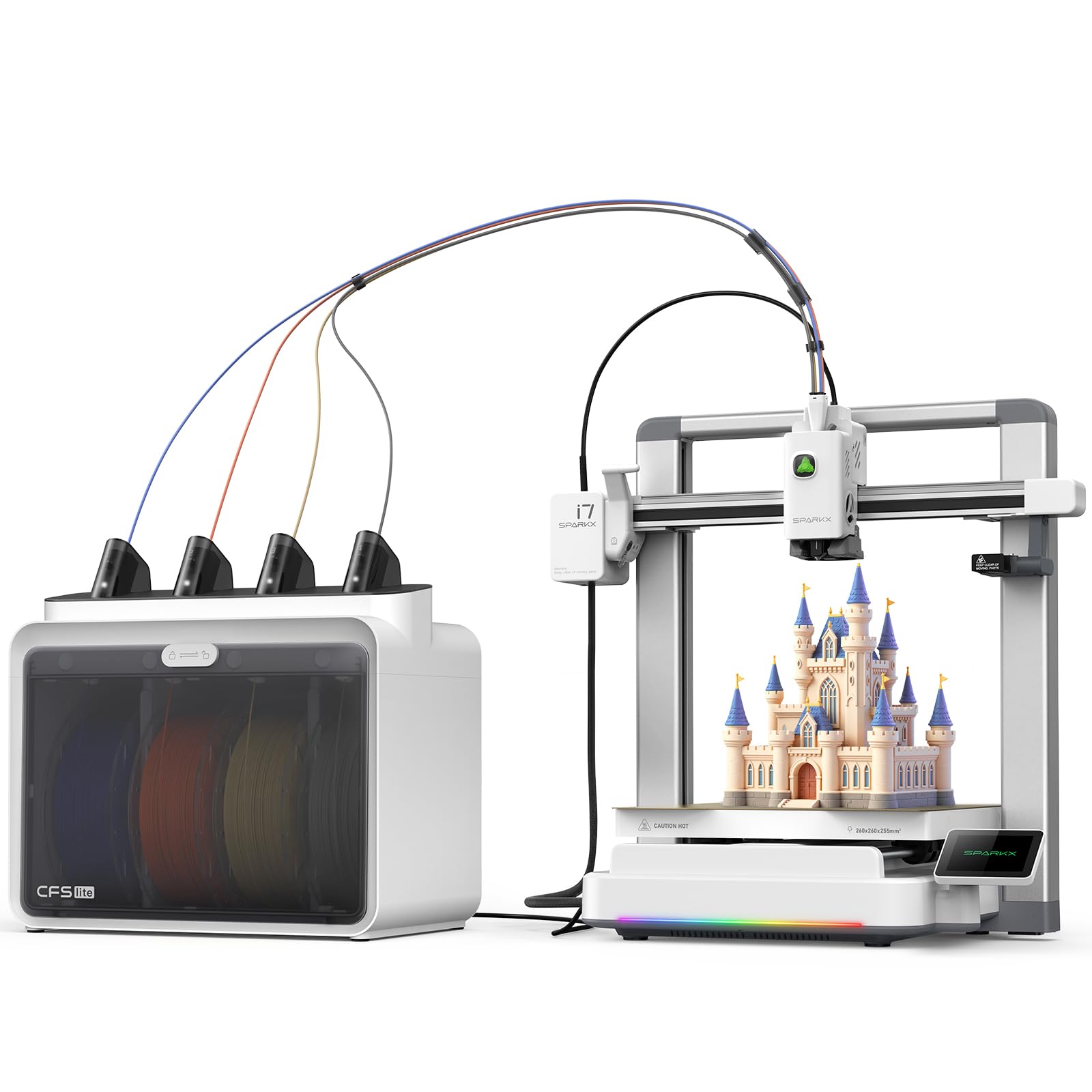
The one that turns a portrait into a printable model and gets you there in five minutes.
Most printers here assume you already have a model to print. The SPARKX i7 does not. Its CubeMe AI tool converts a portrait into a personalized 3D model in seconds — a genuinely different reason to buy a printer, aimed at gifts and desk ornaments rather than engineering parts. Setup is hands-off by design: the machine is 95% pre-assembled, and the pitch is first print in under five minutes with no parameter tweaking.
The CFS Lite system reads and syncs filament info to the slicer with one click and applies the optimal settings automatically. Multicolor runs produce 50% less purge waste and run 15% more efficiently than a standard change system, cutting both filament cost and print time. Output quality is strong: a 260 x 260 x 255 mm plate handles a large model or several parts at once, and real-time Pressure Advance reins in oozing so corners come out sharp. An AI camera watches for spaghetti and air printing and pings you when something goes wrong.
Buyer sentiment is warm for a machine at this level — print quality leads the praise, with ease of use close behind, and it is regularly called well worth the money. Reliability is the split note, so expect the usual first-printer learning curve. Worth knowing: the best value here is in single-color and simple multicolor work, and one buyer who wanted TPU found it fed best when bypassing the Bowden tube. The RGB lighting is a nice touch but purely cosmetic.
Making It Easy
- CubeMe AI turns portraits into 3D models — no modeling software needed
- 95% pre-assembled with a five-minute claim from box to first print
- 50% less purge waste and 15% better efficiency than a standard purge-based change system
- AI camera flags spaghetti and air printing in real time
Worth Knowing First
- Reliability feedback is mixed, so it suits a curious beginner rather than a production shop
- The RGB lighting is cosmetic and does not affect print results
- Best results are single-color or simple multicolor; complex models need patience
Pick this one if: you want a printer that makes personal, photo-based gifts and is ready a few minutes after unboxing.
Leave it if: you need a heavy-duty production machine — the reliability record here is mixed.
6. Bambu Lab A1 Mini Combo, A1 Mini 3D Printer & AMS lite

A quiet, compact starter that lets a twelve-year-old run it solo.
Quiet and small is the whole point of the A1 Mini Combo. It prints at 48 dB or below thanks to active motor noise cancellation, and at 22 pounds it is the lightest machine here — about a third the weight of the Snapmaker U1’s 59 pounds, so it slips onto a desk or shelf with no lifting drama. The AMS lite handles 4-color printing, and the printer reaches 10,000 mm/s² acceleration. Setup takes about 20 minutes from the start, and the 1-Clip quick swap nozzle makes a filament swap genuinely a one-hand job.
Auto-calibration removes the fiddly part — Z-offset and bed leveling run themselves — and active flow rate compensation adjusts extrusion on the fly for smoother surfaces. The user-friendly angle is clear in the reviews: one parent noted their 12-year-old figured out setup on their own and now prints something new every day. The AMS lite is the essential accessory here — the note in the listing is firm that without it, there is no multicolor printing. Buy the Combo, not the bare printer, if color is the point.
The counterpoint: the compact body comes with a compact plate, so large single-piece prints are out of reach. Long-term durability also splits — most owners are thrilled, but a small number report recurring nozzle clogs and bed adhesion trouble at the eight-month mark. Neither is unusual at this price tier, but it is worth knowing before you commit.
Why it wins the small-space crowd: 22 pounds, 48 dB or quieter, and a child can run it — this is the least intimidating machine in the list.
The limit to accept: the plate is small, so big cosplay or functional parts will need to be printed in sections.
Fits perfectly if: you have a small desk, thin walls, and a maker in the family who is still learning the ropes.
Move on if: you need to print large models in one piece or want a proven long-term workhorse.
7. Creality K2 SE 4C 3D Printer, Multi-Color, 500mm/s Fast Printing
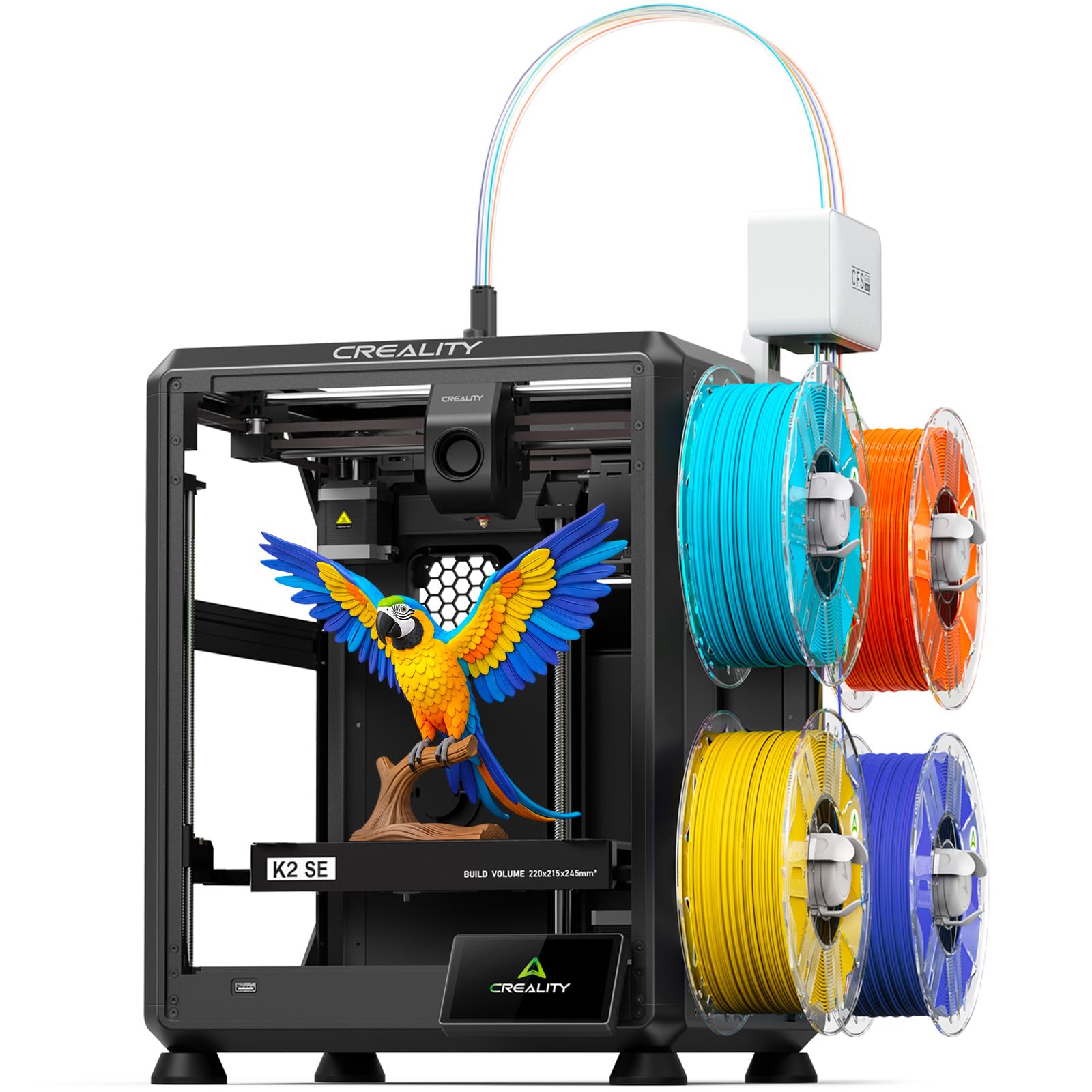
A four-color machine that takes up about a third less room than the usual setup.
Space is the reason to buy the K2 SE 4C. Creality builds it to occupy 37% less space than a traditional multicolor system, so it fits on a desk beside a monitor or in a classroom corner. It comes ready for 4-color printing with no upgrades or extra assembly, and a rigid all-metal frame holds accuracy at the 500 mm/s, 20,000 mm/s² pace. Auto bed leveling probes only the area your model occupies, so the first layer dials in faster than a full-surface sweep.
Protection features are unusually thorough for the tier. A filament runout sensor, tangle detection, power-loss recovery, and skip-partial-failure all work together to keep a long overnight job from scrapping out. Material support covers PLA, PETG, and dual-material breakaway supports for cleaner removal. For tinkerers, Creality OS, the Fluidd UI, root access, and offline USB printing open the machine up, though beginners can ignore all of that and just print.
The crowd is fond of it, calling it a great starter with easy, near plug-and-play printing and fast print times, and it is regularly described as well worth the price. The honest note is reliability and build quality, which split between owners who find it sturdy and a minority who hit constant failures. A listing-accuracy quirk also comes up: the photos show a cable guide that is not actually included, so buy based on the spec list, not the imagery.
Saving Space And Filament
- 37% smaller footprint than a traditional multicolor system — fits a desk or classroom corner
- Filament runout, tangle detection, and power-loss recovery protect long jobs
- Auto leveling probes only the print area for a faster, accurate first layer
- Root access and offline USB printing for those who like to tinker
Honest Caveats
- Reliability reports split — a majority love it, a minority hit failures
- A glue stick is often needed as a release agent to lift prints cleanly
- The cable guide shown in listing photos is not included
Worth grabbing if: desk or counter space is tight and you still want four colors with real speed.
Look past it if: you want a bulletproof reliability record — build quality feedback here is mixed.
8. Bambu Lab P1S Combo, P1S 3D Printer and AMS

Sealed, fast, and flexible enough to print ABS without warping the part.
The P1S Combo’s advantage over the open-frame machines here is the enclosed body, and that matters the moment you leave PLA behind. A closed chamber holds heat around the print, which is exactly what ABS, ASA, and PETG need to keep from warping as they cool. It prints at 500 mm/s with 20,000 mm/s² acceleration, sets up in about 15 minutes, and pairs with the AMS for up to 16 colors. Auto bed leveling means you are not chasing the first layer by hand.
Material support is broad for the price: PLA, PETG, TPU, PVA, PET, ABS, and ASA all list as ideal, with PA and PC capable. Skip carbon or glass fiber reinforced filaments, which the listing does not recommend. That is a wide enough menu for most home and small-shop work, from durable brackets to flexible parts. The comfortable build reputation carries real weight here — performance is the most-praised trait by a wide margin, with value for money a clear second.
Two realistic snags. The screen is dated and the software has a learning curve — some owners find the initial setup Bluetooth or Wi-Fi pairing slow, and one unit arrived with a defective hotend. The louder gripe is waste: with AMS color changes the P1S purges filament into a waste chute, so heavy multicolor jobs will cost you material unless you print the community waste-management add-ons. For plain multicolor on a budget, a tool-changer like the Snapmaker U1 wastes less.
Why owners love it: performance leads every other theme in feedback, and the enclosed chamber handles engineering filaments the open frames cannot.
The waste caveat: every AMS color change purges into the chute, so multicolor-heavy printing costs more filament than a tool-changer does.
Go for this if: you need an enclosed printer for ABS and ASA and want a proven, widely-loved machine.
Second-guess it if: your priority is multicolor output with minimal wasted filament — a tool-changer will serve you better.
9. Official Creality K2 Combo 3D Printer, Multicolor with CFS

A big-plate color machine that prints a full helmet in one go without splitting the model.
When you want to print something substantial — a cosplay helmet, a large prop, a batch of parts at once — the K2 Combo’s 260 x 260 x 260 mm plate is what makes it possible. The combination of the K2 and the CFS open up up to 16 colors in a single print, and the machine reaches 600 mm/s with 20,000 mm/s² acceleration. Three step-servo motors — one in the extruder, two driving the X and Y axes — keep extrusion consistent and the print accurate.
Build quality is a genuine selling point. The frame is a rigid exoskeleton of die-cast aerospace aluminum alloy with reinforced XYZ axes, and two auxiliary fans cool the part the moment it finishes. A chamber-mounted AI camera watches for spaghetti, foreign objects, and idling, and warns you if the heatbed is empty. The 40mm³/s high-flow hotend is driven by an 80W heater, and the nozzle hits 300°C with a hardened steel tip for abrasive engineering filaments. The quick-swap hotend and magnetic nozzle cover make repairs easier.
The community is largely enthusiastic: print quality and easy assembly lead the praise, with many calling it good value and noting it prints perfectly run after run. Reliability, though, is the recurring caveat, splitting between owners running 200 hours without trouble and those hitting mid-print failures. That is a wide spread, so plan a little slack in your budget and expectations if you buy it as your only machine.
Big-Job Strengths
- 260 x 260 x 260 mm plate prints a helmet or many parts in one run
- Up to 16 colors through the CFS system
- Die-cast aluminum frame with reinforced axes holds accuracy at 600 mm/s
- 300°C hardened-steel nozzle handles abrasive filaments
Worth Weighing Up
- Reliability feedback splits, with a minority reporting mid-print failures
- At 39.7 pounds it is a heavy machine to move once set up
- The step-servo setup rewards users who are willing to learn the settings
Ideal for: printing large, multi-part models and cosplay props in one go at a competitive mid-range price.
Not ideal for: buyers who want a set-and-forget machine — reliability across units is not uniform.
10. QIDI Q2 Combo Multi-Color 3D Printer, 65°C Heated Chamber
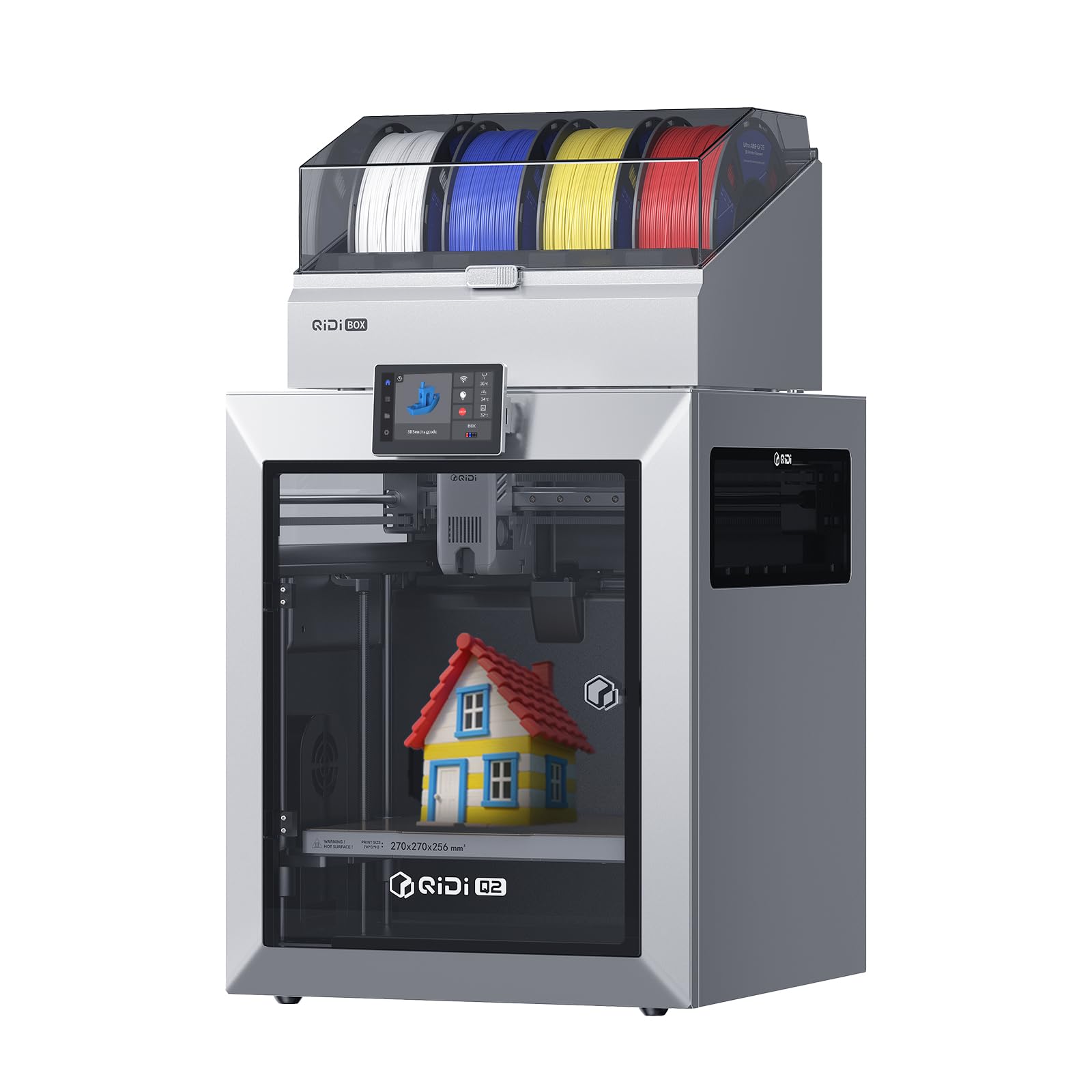
The one built for carbon fiber, nylon, and other filaments the entry machines cannot touch.
If you print engineering materials rather than decorative models, the QIDI Q2 Combo is the pick to study. Its second-generation heated chamber reaches 65°C to hold parts warm and fight warping, and the 370°C high-temp nozzle opens the door to advanced filaments — a combination most machines in this list simply cannot match. It also handles up to 16-color multi-material printing with dry-while-print technology, keeping filament dry so extrusion stays stable and surfaces stay smooth.
The QIDI BOX adds a hardened steel dual-gear extruder for tough material like carbon fiber, a built-in 65°C drying system, and automatic filament reloading to keep long jobs running. NFC reads and applies settings for QIDI filament automatically. A triple filtration setup — a G3 pre-filter, an H12 HEPA filter, and activated carbon — cuts odors and particles, and a flame-retardant chamber plus closed-loop temperature control keep a workshop space manageable. The full-metal CoreXY frame and precision linear rails handle 600 mm/s, and the nozzle itself acts as the leveling sensor for a true plug-and-play first layer.
Owners who gel with it are loud about it — the customizability and support draw praise, stock OrcaSlicer profiles run PETG, ASA, and PA12 without tuning, and the heated chamber is a genuine differentiator for advanced filaments. But this is not a frictionless machine. Reliability and connectivity feedback splits, and the box connection has been a stumbling block: one owner needed a firmware update plus persistence to clear a “box not connected” error, and another found the bowden tube ran too long and needed shortening to fix load failures. The QIDI box is also loud.
The engineering edge: the 65°C heated chamber and 370°C nozzle handle ABS, ASA, PA, PC and carbon-fiber composites, materials the entry machines here cannot print reliably.
The patience tax: expect a setup hurdle or two, particularly around the QIDI box connection — wiring kinks some find require a firmware update to clear.
Choose this if: your printing leans toward functional, high-temperature or carbon-fiber parts and you value a heated chamber over a huge plate.
Pass if: you want a zero-friction first printer — the box setup catches some buyers out.
11. FLASHFORGE Creator 5 3D Printer, 4 Toolheads 7S Toolchanger
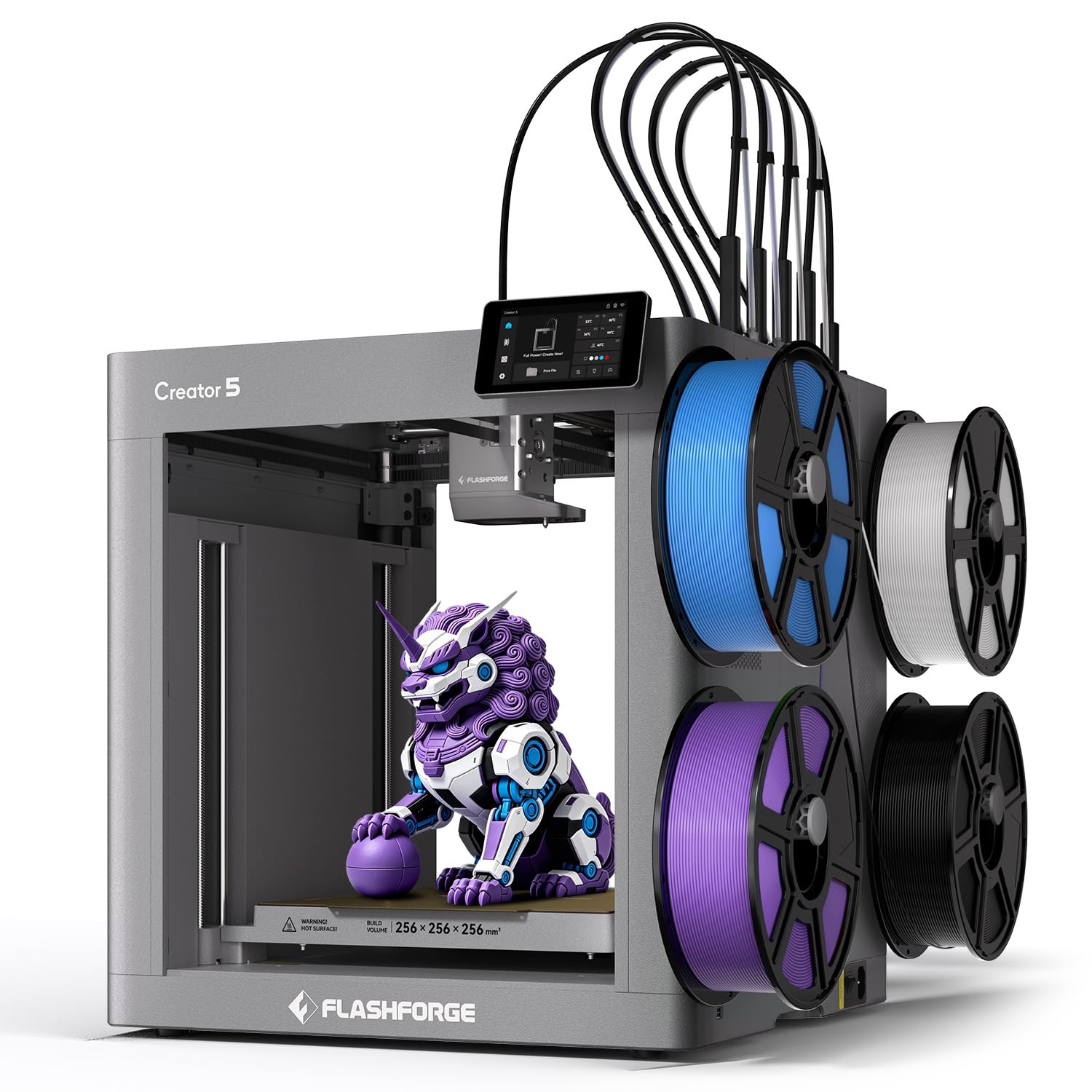
Four toolheads on a 7-second swap, so every color change skips the purge pile.
Moving from four colors to four material types is the real leap here. Flashforge’s FlashSwap system keeps all four toolheads loaded and preheated, and swaps them in about 7 seconds, down from roughly 2 minutes on a conventional changer. Because there is no purge between swaps, waste drops to near-zero — parallel to how the Snapmaker U1 above behaves, but with a different swap mechanism. The Creator 5 also mixes dedicated support materials — PETG, PVA, and BVOH — so overhangs and complex geometry separate cleanly after printing.
Speed and finish are handled together. The machine runs a CoreXY frame at 600 mm/s, and intelligent vibration cancellation suppresses ghosting and ripples so fast prints still come out smooth. Compensation algorithms keep every toolhead synchronized, fine-tune extrusion, and auto-level the plate, so multi-head prints stay dimensionally accurate. For a four-head machine it is fairly compact too, at 30.8 pounds and 14.8 x 14.29 x 16.26 inches — lighter and smaller than the QIDI Q2 Combo at 54.9 pounds and 21 x 20 x 23 inches, despite both being enclosed tool-oriented designs.
The reception is warm on the core promise, with quality and setup rated highest. Owners running PLA and PETG report fast jobs with no purge waste, and one notes it runs roughly twice as fast as the Anycubic Kobra X — that is the practical reward of tool-swapping over purging. The caveats are firmware-related: the slicer lacked a profile for the non-pro Creator 5 at launch, blocking some users until an update landed, and the suggestion is to hold off on the first firmware update for a month or two. Note that some reviews mention other Flashforge models by name — take those as general brand context, not this exact machine.
Why four heads win here: a 7-second swap with no purge means you get multicolor at roughly the speed of single-color printing, without the waste pile.
The launch caveat: early buyers hit slicer-profile gaps, so check for a current firmware and profile release before you commit.
Step up to this if: you want tool-changing multicolor that beats purge systems on speed and waste, and you print mostly PLA and PETG.
Hold off if: you need ABS or nylon without a chamber, or want software that is fully mature today.
Understanding the Specs
Tool Change Time and Waste
Tool change time is how long the printer spends getting a new color ready — five seconds on the Snapmaker U1, seven on the Flashforge Creator 5, versus roughly two minutes on a manual swap. Because each toolhead carries its own filament, there is nothing to purge, which is why these machines waste far less material on multi-color prints. Purge-based systems feed one nozzle and flush the old color every change, which is cheaper to build but consumes filament on every transition.
Print Speed and Acceleration
Print speed, listed in mm/s, is how fast the toolhead travels, while acceleration, listed in mm/s², is how quickly it reaches that speed. A machine rated at 500 mm/s with 20,000 mm/s² acceleration will finish a detailed model faster than a slower machine turning tight corners. Vibration compensation matters just as much here, since it cancels the ripples that high speed would otherwise leave on the surface.
Build Volume and Nozzle Temperature
Build volume is the printable box, given in millimeters — 270 x 270 x 270 mm on the largest plate here. Nozzle temperature sets which filaments you can melt: PLA and PETG print around 200°C, while ABS, ASA, and engineering materials need a hotter nozzle, up to 300°C or more. A 65°C heated chamber extends that further, holding parts warm so they do not warp.
Auto Leveling and Sensors
Auto bed leveling measures the plate and adjusts the nozzle gap so the first layer sticks evenly. Some systems probe the whole bed, while others probe only the print area for speed. Additional sensors watch for filament runout, tangles, and printing failures like spaghetti, so a long overnight job can pause or recover instead of scrapping the part.
FAQ
What is the cheapest way to get into multicolor 3D printing?
How much filament does multicolor printing actually waste?
Can I print TPU or flexible filament on these printers?
Do I need a heated chamber to print ABS and ASA?
What build volume do I need to print a helmet?
How long does setup take on these printers?
Is a tool changer better than an AMS system?
Will these printers work with third-party filament?
How noisy are multicolor 3D printers?
What does auto leveling actually do?
Final Thoughts: The Verdict
For most buyers, the affordable multicolor 3d printer winner is the Snapmaker U1 because it swaps toolheads in five seconds with essentially zero purge waste and offers the largest plate at 270 x 270 x 270 mm. If you want an enclosed machine that handles ABS and ASA, grab the Bambu Lab P1S Combo. And for a beginner who wants four colors on a tight budget, the ELEGOO Centauri 2 Combo is the one to reach for. The one honest nudge: the U1’s quality ratings are the highest in this group, so if waste reduction is what brought you here, it is the pick that delivers it.
How We Picked
We do not accept paid placement. Every pick is matched to a real buyer and a real use-case; we do not hands-on test units.
Sources & Methodology
Specifications: manufacturer listings and product documentation. Review insights: verified customer reviews, as of September 2026. Pricing: not shown on this page (it changes often); check the current price via the retailer link.
As an Amazon Associate, Gadgets Feed earns from qualifying purchases. This does not affect which products we feature.