
Our readers keep the lights on and my morning glass full of iced black tea. As an Amazon Associate, I earn from qualifying purchases.
A monitor is the single component you interface with most. The difference between a blurry, washed-out 60Hz panel and a sharp, fluid IPS display is the difference between squinting through your workday and breezing through it. A smart purchase in an affordable PC monitor directly impacts your posture, your productivity, and the clarity of every pixel you see.
I’m Min — the co-founder and writer behind Gadgets Feed. I’ve spent hundreds of hours cross-referencing panel types, refresh rates, color gamut coverage, and ergonomic adjustability to map exactly where the tipping point of quality meets a responsible budget.
Whether you need a second screen for spreadsheets, a high-refresh panel for light gaming, or a crisp 4K canvas for creative work, this guide dissects the specs that matter. Here is the final word on finding your ideal best affordable pc monitor.
How To Choose The Best Affordable PC Monitor
The affordable PC monitor market is crowded with trade-offs. Understanding where you can compromise and where you must hold the line is the key to getting the best value. Focus on these five pillars.
Panel Type: IPS is the Baseline
Stay away from TN panels for general use. IPS (In-Plane Switching) delivers superior color accuracy, high contrast ratios (1000:1 or better), and wide 178-degree viewing angles. VA panels offer deeper blacks at a slight cost to viewing angles, but for a mixed-use monitor, an IPS panel is the safest, most color-true choice.
Refresh Rate: 100Hz is the New 60Hz
A 60Hz monitor introduces perceptible flicker during scrolling. A 100Hz or 120Hz panel makes cursor movement and document navigation visibly smoother. Even for non-gamers, a 100Hz minimum refresh rate is a low-cost upgrade that reduces eye strain and improves the feel of everyday use.
Resolution and Pixel Density
At 24 inches, 1080p is sufficiently sharp for most office tasks. At 27 inches, 1080p appears pixelated, making QHD (2560 x 1440) or 4K (3840 x 2160) the preferred choice. 4K at 27 inches gives you razor-sharp text and immense screen real estate, but requires more GPU power. QHD at 27 inches is the sweet spot for clarity without scaling headaches.
Connectivity and Ergonomics
Ensure the monitor has an HDMI port, DisplayPort, and a headphone jack. VGA is a legacy connector. An ergonomic stand with height adjustment, tilt, and swivel prevents neck fatigue. If the stand is basic, look for 100x100mm VESA compatibility to attach a monitor arm later.
Color Gamut and Brightness
For general work, sRGB 99% or better ensures colors appear accurate. A brightness of 250 nits is adequate for indoor use, but 300 nits or higher is better for brightly lit rooms. HDR10 support is a nice-to-have but not essential in budget tiers.
Quick Comparison
On smaller screens, swipe sideways to see the full table.
| Model | Category | Best For | Key Spec | Amazon |
|---|---|---|---|---|
| Dell S2725QS | Premium | 4K Productivity | 27″ 4K 120Hz 1500:1 | $218.49$299.99Amazon |
| Alienware AW2725DM | Premium | High-Refresh Gaming | 27″ QHD 180Hz 1ms | $199.99$269.99Amazon |
| Acer Nitro KG271U | Mid-Range | QHD 180Hz Gaming | 27″ QHD 180Hz 0.5ms | $159.99$179.99Amazon |
| MSI PRO MP275Q | Mid-Range | QHD Office Work | 27″ QHD 100Hz 300 nits | $129.99$179.99Amazon |
| HP Series 3 327se | Mid-Range | Ergonomic All-in-One | 27″ FHD 100Hz IPS | $178.49Amazon |
| LG 27US500-W | Mid-Range | 4K HDR Work | 27″ 4K 60Hz IPS | $209.99$249.99Amazon |
| Gawfolk Ultrawide 34 | Mid-Range | Ultrawide Multitasking | 34″ UW 120Hz IPS | from $79.99Amazon |
| Dell SE2725HM | Budget | Basic Office Use | 27″ FHD 100Hz IPS | $109.99$139.99Amazon |
| ViewSonic VA2456A-MHD | Budget | Value 24″ Office | 24″ FHD 120Hz IPS | $109.99Amazon |
In‑Depth Reviews
1. Dell 27 Plus 4K Monitor S2725QS

The Dell S2725QS hits the sweet spot for anyone who needs pixel density, smooth motion, and long-term comfort from a single panel. Its 27-inch 4K IPS display at 120Hz with AMD FreeSync Premium makes text razor-sharp and scrolling utterly fluid. The 1500:1 contrast ratio and 350 nits of brightness deliver depth and pop that budget monitors typically lack.
ComfortView Plus reduces blue light emissions to below 35% without washing out colors, which matters for all-day use. The full ergonomic stand offers height, swivel, pivot, and tilt adjustments, plus integrated speakers deliver better-than-average sound for conference calls. The four-side ultra-thin bezel design in ash white looks modern on any desk.
It supports HDR playback and includes HDMI 2.1, allowing full 4K at 120Hz on newer consoles. This is the monitor that proves you do not need to sacrifice resolution or refresh rate to stay within a responsible budget. It is the definitive affordable PC monitor for hybrid work and play.
Why it’s great
- 4K resolution at 120Hz with FreeSync Premium
- Superior 1500:1 contrast ratio
- Full ergonomic stand with height adjustment
- Integrated speakers with improved sound profile
Good to know
- Limited sRGB coverage for professional color work
- Some users report slight vignetting on edges
2. Alienware 27 Gaming Monitor AW2725DM

The Alienware AW2725DM is engineered for high-performance gaming without crossing into absurd pricing. Its 27-inch QHD IPS panel runs at a native 180Hz with a 1ms gray-to-gray response time, making motion clarity a priority. It supports both NVIDIA G-Sync and AMD FreeSync Premium, ensuring compatibility with any modern graphics card.
The DCI-P3 95% color coverage and VESA DisplayHDR 400 certification deliver vibrant, punchy visuals that make games and media look rich. The fully adjustable stand provides height, pivot, swivel, and tilt, giving you precise ergonomic control. Anti-glare coating keeps reflections to a minimum during long sessions.
To hit the full 180Hz, you must use DisplayPort 1.4; HDMI caps at 144Hz. There are no built-in speakers, so a headset or external speakers are required. For the price, this is the best value pure gaming panel.
Why it’s great
- 180Hz refresh rate with 1ms GTG response
- Dual VRR support (G-Sync and FreeSync)
- DCI-P3 95% color with HDR 400 certification
- Fully adjustable ergonomic stand
Good to know
- No built-in speakers or headphone jack
- Full refresh requires DisplayPort connection
3. Acer Nitro KG271U

The Acer Nitro KG271U punches far above its price tag. It offers a 27-inch QHD IPS panel with a blistering 180Hz refresh rate and a 0.5ms GTG response time, specs typically found on monitors costing much more. The DCI-P3 95% color gamut and HDR10 support make this a legitimate choice for both competitive gaming and photo editing.
The zero-frame bezel design maximizes screen real estate, and AMD FreeSync eliminates tearing. It includes two HDMI 2.0 ports and one DisplayPort 1.2, giving you flexibility for multi-device setups. Built-in speakers are mediocre but functional for system sounds.
The stand is the weak point — it offers only tilt and feels slightly wobbly. You will want to use the 100x100mm VESA mount for stability. If panel performance is your priority and you can manage a basic stand, this monitor delivers elite specs at an entry-level price.
Why it’s great
- 180Hz / 0.5ms GTG performance for competitive gaming
- DCI-P3 95% color gamut with HDR10 support
- Zero-frame multi-monitor design
- Excellent price-to-performance ratio
Good to know
- Stand is flimsy and tilt-only
- Built-in speakers are passable
4. MSI PRO MP275Q

The MSI PRO MP275Q is built for productivity. Its 27-inch QHD IPS panel at 100Hz provides sharp text and smooth scrolling without taxing your GPU. The 300 nits brightness and 1300:1 contrast ratio ensure clear visuals even in bright office environments, and the anti-glare surface reduces reflections during long work sessions.
MSI’s EyesErgo technology includes TÜV Rheinland-certified Less Blue Light and Anti-Flicker protection, making this a strong choice for those sensitive to eye strain. The built-in 2W speakers are sufficient for conference calls, and the tool-free stand assembly includes a cable management clip for a clean desk layout.
Connection options include HDMI 2.0b and DisplayPort 1.2a, plus a headphone jack. The MSI Display Kit app unlocks split-screen multitasking and custom color profiles. The stand is tilt-only, but VESA compatibility allows for aftermarket arms. This is the monitor for the practical professional.
Why it’s great
- Sharp QHD resolution with 100Hz refresh rate
- Excellent 1300:1 contrast ratio and 300 nits brightness
- Eye-care certified with anti-glare coating
- Tool-free assembly with cable management
Good to know
- Stand offers tilt only, no height adjustment
- Included cable is HDMI, not DisplayPort
5. HP Series 3 327se

The HP Series 3 327se stands out for its superior ergonomic package. It includes height adjustment, tilt, swivel, and pivot capabilities directly out of the box — features you typically only get on premium monitors. The 27-inch IPS panel delivers FHD resolution at 100Hz with a 1300:1 contrast ratio, making it comfortable for productivity tasks.
HP’s Eye Ease with Eyesafe certification provides an always-on low-blue light filter that maintains color accuracy. Built-in dual 2W speakers are adequate for voice calls and background music. The three-sided micro-edge bezel design makes it suitable for multi-monitor configurations.
Connectivity includes HDMI 1.4, DisplayPort 1.2, and VGA, ensuring compatibility with older hardware. The stand is robust and lets you adjust the monitor to your perfect viewing angle. The FHD resolution at 27 inches results in lower pixel density than QHD alternatives, but the overall ergonomic value is unmatched.
Why it’s great
- Full ergonomic stand with height, tilt, swivel, pivot
- Eye Ease with Eyesafe certification
- Built-in dual speakers
- Three-sided micro-edge bezel for multi-monitor
Good to know
- FHD resolution shows visible pixels at 27 inches
- HDMI 1.4 limits bandwidth
6. LG 27US500-W Ultrafine

The LG 27US500-W provides entry into 4K UHD territory without the premium price. Its 27-inch IPS panel at 3840×2160 resolution delivers exceptional pixel density for sharp text and detailed imagery. The DCI-P3 90% color gamut and HDR10 support make this a viable option for content consumption and basic photo editing.
The UltraFine display features Flicker Safe and Reader Mode to reduce eye strain during long sessions. Onscreen Control software allows you to split the display and adjust settings with a mouse. The white finish and borderless design give it a clean, modern aesthetic distinct from the typical black monitor.
Connectivity includes HDMI and DisplayPort, but the stand offers tilt only and feels slightly wobbly. The 60Hz refresh rate is standard for a 4K panel in this price bracket and is adequate for office work and media, though not ideal for gaming. The crisp 4K resolution makes this a solid choice for productivity.
Why it’s great
- True 4K UHD resolution for razor-sharp text
- DCI-P3 90% with HDR10 support
- Unique white finish with slim bezels
- Onscreen Control software for multitasking
Good to know
- Stand is tilt-only and slightly wobbly
- Limited to 60Hz refresh rate
7. Gawfolk Gaming Monitor 34 Inch
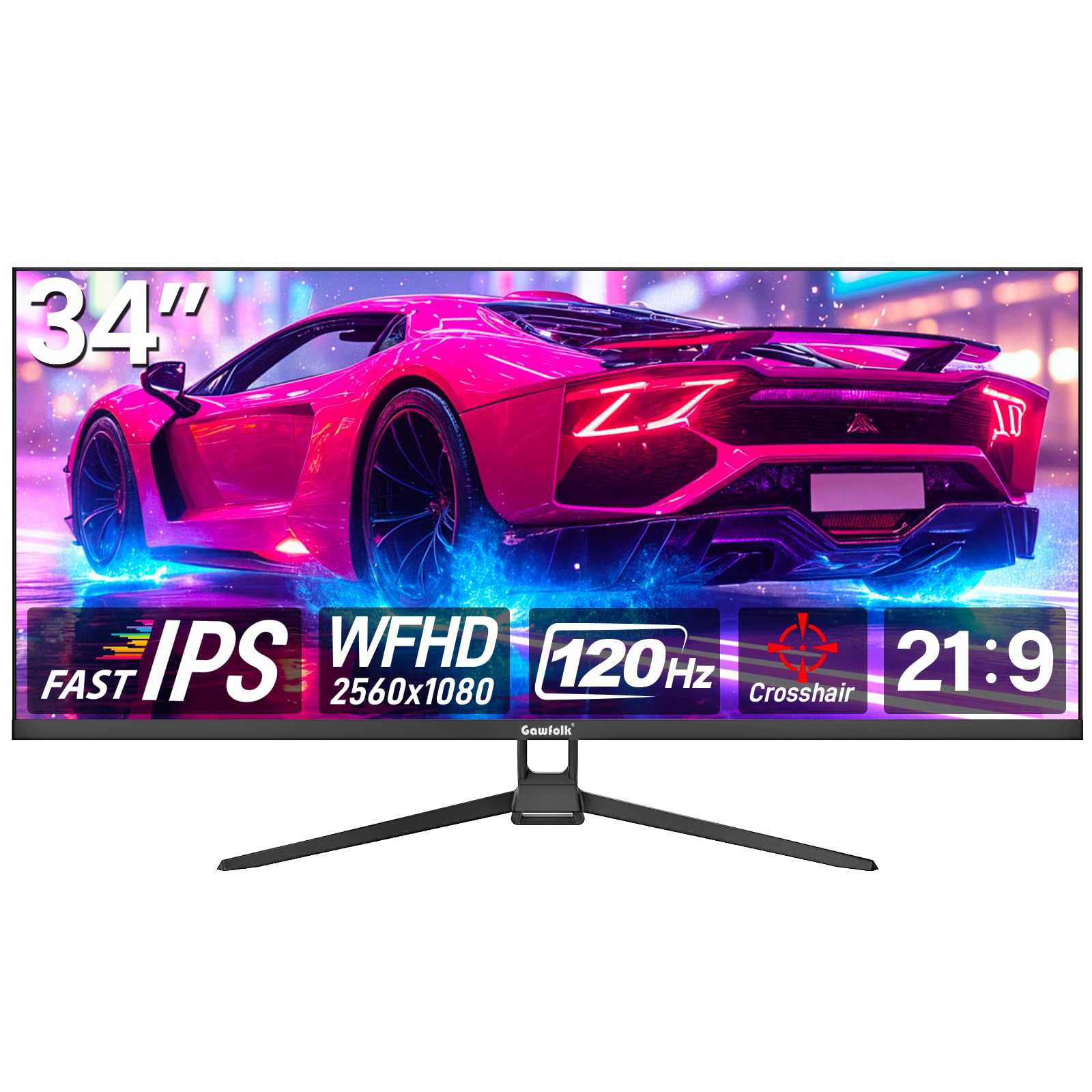
The Gawfolk 34-inch ultrawide monitor expands your workspace with a 21:9 aspect ratio and 2560×1080 resolution. This gives you roughly 30% more horizontal space than a standard 16:9 monitor, enabling efficient window management for productivity. The 120Hz refresh rate and FreeSync support ensure smooth motion.
The IPS panel offers 350 nits brightness and 128% sRGB coverage, providing vibrant colors and wide 178-degree viewing angles. The ultra-thin zero-frame bezel design minimizes distractions. Connectivity includes HDMI and DisplayPort inputs, and the monitor supports 75x75mm VESA mounting.
The stand provides tilt adjustment but no height adjustment. The 1080p vertical resolution on a 34-inch panel means lower pixel density than smaller monitors, so text clarity may appear slightly less sharp. This monitor excels for users who prioritize horizontal screen real estate for multitasking at a low price.
Why it’s great
- 34-inch ultrawide screen for multitasking
- 350 nits brightness with 128% sRGB coverage
- 120Hz refresh rate for smooth scrolling
- Bezel-less design for immersive feel
Good to know
- 1080p vertical resolution on 34-inch panel is less sharp
- No built-in speakers
8. Dell SE2725HM

The Dell SE2725HM brings Dell’s enterprise reliability to a consumer-friendly price. This 27-inch 1080p IPS monitor features a 100Hz refresh rate and ComfortView Plus, a built-in low-blue light filter that never needs toggling. The matte anti-glare panel and uniform color temperature make it an excellent choice for multi-monitor configurations.
The compact footprint houses a built-in power supply unit, reducing clutter. The cable holder keeps wires organized. The stand provides tilt adjustment, and the VESA 100x100mm mount is placed dead-center for perfect balance on monitor arms — a detail often overlooked in budget monitors.
Connectivity includes one HDMI and one VGA port. There are no USB ports, USB-C, or built-in speakers. The 1080p at 27 inches results in visible pixels. This is a dedicated productivity tool with solid build quality and excellent anti-glare performance for bright workspaces.
Why it’s great
- 100Hz refresh rate for smooth scrolling
- ComfortView Plus always-on low blue light
- Dead-center VESA mount for balanced articulation
- Compact footprint with built-in power supply
Good to know
- FHD resolution is pixelated at 27 inches
- No USB ports, USB-C, or speakers
9. ViewSonic VA2456A-MHD

The ViewSonic VA2456A-MHD is the definitive entry-level monitor. Its 24-inch IPS panel at 1080p with a 120Hz refresh rate delivers a visibly smoother desktop experience than the standard 60Hz panel. The 1500:1 contrast ratio is higher than average, producing deeper blacks and better definition for text.
SuperClear IPS technology ensures consistent color and brightness across wide angles. Flicker-Free technology and a Blue Light Filter reduce eye fatigue during extended use. Connectivity covers modern and legacy hardware with HDMI, DisplayPort, and VGA inputs, making it compatible with almost any system.
The stand offers a minimal tilt adjustment. The bezel is not the thinnest, but the overall build quality is reliable. For anyone on a tight budget needing a sharp, smooth 24-inch monitor for office or light gaming, this ViewSonic is the best value proposition available.
Why it’s great
- 120Hz refresh rate with FreeSync support
- Superior 1500:1 contrast ratio for an IPS panel
- Three video inputs (HDMI, DP, VGA)
- Flicker-Free and Blue Light Filter for comfort
Good to know
- Stand is basic with limited tilt only
- Thicker bezels than current-generation monitors
FAQ
Is 1080p resolution enough for a 27-inch monitor?
What does a 100Hz refresh rate actually improve?
Can I use a QHD monitor with an older laptop?
Does an affordable monitor need VESA mount compatibility?
Final Thoughts: The Verdict
For most users, the best affordable pc monitor winner is the Dell S2725QS because it delivers 4K clarity and 120Hz smoothness with a fully adjustable stand. If you want high-refresh gaming performance, grab the Alienware AW2725DM. And for the best pure value, nothing beats the Acer Nitro KG271U.
Product prices and availability are accurate as of the date/time indicated and are subject to change. Any price and availability information displayed on Amazon at the time of purchase will apply to the purchase of this product. As an Amazon Associate I earn from qualifying purchases.
CERTAIN CONTENT THAT APPEARS ON THIS SITE COMES FROM AMAZON. THIS CONTENT IS PROVIDED "AS IS" AND IS SUBJECT TO CHANGE OR REMOVAL AT ANY TIME.
Amazon and the Amazon logo are trademarks of Amazon.com, Inc. or its affiliates.