
Our readers keep the lights on and my morning glass full of iced black tea. As an Amazon Associate, I earn from qualifying purchases.
Specs are compiled from manufacturer listings and verified buyer reviews and can change over time — please confirm the key details on the product page before buying.
Small laptops are the answer for anyone tired of hauling a heavy bag. But “affordable” often means slow, or flimsy, or a screen that feels like a peephole. This guide cuts through the noise to find the small machines that actually hold up for everyday work, school, and streaming.
I’m Min — the founder and writer behind Gadgets Feed. This guide is built by comparing the manufacturers’ published specifications and the patterns across verified customer reviews, so you get each pick’s real strengths and trade-offs instead of marketing spin.
From budget Chromebooks to a renewed MacBook Air, these affordable small laptops prove you don’t need a big screen or a big budget to get real work done.
Our Picks at a Glance


How To Choose The Best Affordable Small Laptops
Choosing a small laptop is about deciding what you’ll do with it. A basic web browsing machine can be very different from a workhorse for multitasking. Matching the machine to your daily routine is the first step to a happy purchase.
Operating System: Windows, Chrome OS, or macOS
This is the biggest fork in the road. Chrome OS (Chromebooks) is the most locked-down and simple option, running mostly web apps. Windows 11 gives you the fullest compatibility with traditional software like Office or desktop apps. macOS, found only on Apple’s MacBook Air here, offers a polished, powerful experience with its own closed ecosystem.
RAM and Storage: The Real Engine
For a small laptop, 4GB of RAM is the minimum for basic browsing. If you plan to keep many tabs open or run heavier apps, you’ll want 8GB or 16GB. Storage comes in two flavors: faster solid-state drives (SSD) and slower eMMC flash memory. An SSD feels snappier for booting up and launching programs.
Build Quality and Portability
When you’re carrying your laptop everywhere, you want one that can take a bump and a spilled drink. That’s why ruggedized designs with spill-resistant keyboards are a smart pick for students or kids. Keep the weight under 3 pounds so it slips into your bag without weighing you down. A backlit keyboard (keys that glow) is a handy extra for typing in dim rooms.
Quick Comparison
| Model | Best For | Screen Size | RAM | Storage | Amazon |
|---|---|---|---|---|---|
| MacBook Air (M1)★ Best Overall | Performance & ecosystem | 13.3 inch | 8 GB | 256 GB SSD | Amazon |
| Asus BR1102FGARugged 2-in-1 | Rugged school use | 11.6 inch | 4 GB | 128 GB SSD | Amazon |
| acer 311 ChromebookStudent Value | Student budget pick | 11.6 inch | 4 GB | 64 GB eMMC | Amazon |
| ASUS Chromebook CR11 | Durable Chromebook | 11.6 inch | 4 GB | 64 GB eMMC | Amazon |
| Surface Laptop Go 2 | Premium Windows on a budget | 12.4 inch | 16 GB | 256 GB SSD | Amazon |
| Samsung Chromebook Plus V2 | 2-in-1 with built-in pen | 12.2 inch | 4 GB | 64 GB eMMC | Amazon |
| Svikou 11″ 2-in-1 | Max RAM & storage value | 11 inch | 16 GB | 256 GB SSD | Amazon |
| Dell Latitude 5330 | Business-class multitasking | 13.3 inch | 32 GB | 512 GB SSD | Amazon |
| Lenovo Duet Gen 9 | Detachable tablet-laptop | 10.95 inch | 4 GB | 128 GB | Amazon |
In-Depth Reviews
1. Apple Late 2020 MacBook Air (M1)
Our pick — over 4★ from 2,500+ verified ratings; the strongest balance of quality and price.
The renewed MacBook Air that brings desktop-class speed to a 13.3-inch frame.
The defining spec here is the Apple M1 chip. It’s the reason this 13.3-inch Retina display laptop feels so fast. With an 8-core CPU and up to 8 GPU cores, it handles everyday tasks and even some creative projects with ease, leaving most budget laptops in the dust.
Battery life is a huge selling point, with the maker claiming up to 18 hours on a single charge. The 8GB of unified memory keeps everything fluid. The crowd favorite — 4.3 stars across 2,500+ ratings — backs up the performance claims, with quality being what wins people over.
As a renewed product, the condition is mostly excellent, though you might find minor cosmetic scuffs. Buyers report the battery health often reads high, with one noting 97% capacity after 74 charge cycles. The main trade-off is the charging brick, which can be a generic third-party adapter.
Why it wins: Nothing else in this price range pairs this level of performance with this kind of efficiency. It’s the one to get if you want the best overall experience.
Reach for this if: You want a fast, premium laptop that will last you through college or a demanding job without breaking a sweat.
Look elsewhere if: You’re strictly on a Windows-only workflow or need more than 256GB of storage from the start.
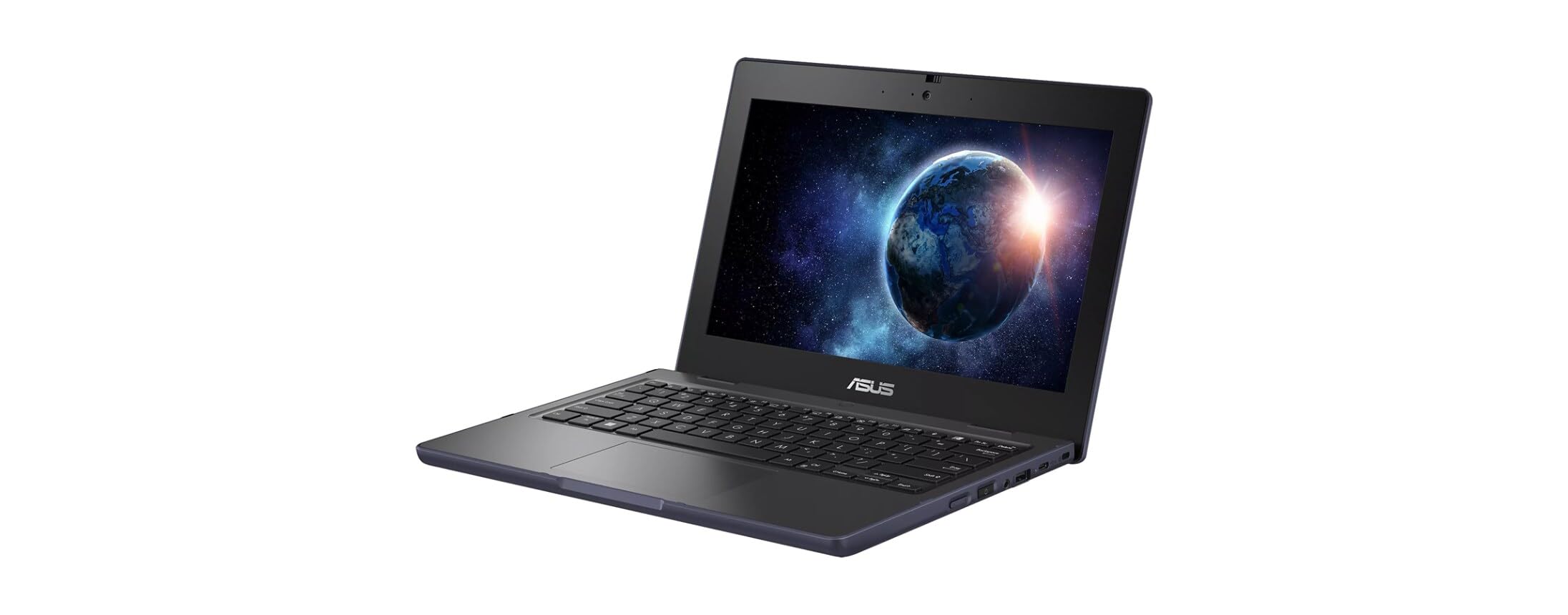
2. Asus BR1102FGA-YS14T
A tough 11.6-inch 2-in-1 that shrugs off drops and spills for younger users.
Built for the classroom, this Asus features an 11.6-inch anti-glare touchscreen with a 1366 x 768 resolution. Its rugged, spill-resistant design means it can handle the bumps and accidents of daily student life. At just under 3 pounds, it’s also light enough for a backpack.
Under the hood, a 3.4 GHz Intel Celeron N100 processor and 4GB of DDR4 RAM handle everyday tasks and web browsing. The 128GB SSD provides quicker boot times than a typical eMMC drive. The 2-in-1 flip design lets it switch between laptop and tablet modes.
Buyers praise the “flip keyboard” (a keyboard that folds back) and the included protective case. The biggest complaint is speed—one buyer notes, “I think it’s a little slow when opening some documents.” A few also say battery life is short for its weight, so treat this as a primary school device, not a long-haul travel buddy.
Where it shines
- Rugged, spill-resistant build
- Touchscreen with 360° flip
- Fast SSD storage
Where it struggles
- Performance can lag on heavier documents
- 4GB RAM limits heavy multitasking
Best for: Parents and schools wanting a durable first laptop that can take a knock.
Not for: Heavy multitaskers or those who need all-day battery life away from a plug.
3. acer 311 Chromebook
A no-fuss 11.6-inch Chromebook that arrives ready for school with a full accessory kit.
This Acer is pure simplicity. It runs Chrome OS, which is secure, fast, and perfect for web-based schoolwork and streaming. The 11.6-inch HD display and a dual-core Intel Celeron N4500 processor (up to 2.8 GHz) are enough for the essentials.
It ships with 4GB of RAM and 64GB of eMMC storage. The maker claims 8+ hours of battery life for a full school day. A standout feature is the “5-in-1 value bundle” which includes wireless earbuds, a mouse, a mouse pad, an HDMI cable, and a USB cable — everything you need to start right away.
Buyers call it “great for students,” and one family gave it as a birthday gift: “she loves it..all set up operational.” The catch is the slow eMMC storage (a type of flash memory that’s cheaper but slower than an SSD), which can make the system feel sluggish. Also, some report a restocking fee for returns, so check the seller’s policy before you buy.
Pick this if: You want the cheapest possible entry into a reliable, secure laptop for a young student.
skip it if: You need to run heavy Windows software or store large files locally.
4. ASUS Chromebook CR11

A rugged 11.6-inch Chromebook with antimicrobial protection for high-traffic school use.
This ASUS Chromebook CR11 is built for the chaos of a classroom. It features a ruggedized body with rubber edges for US military-grade durability. An antimicrobial guard inhibits bacterial growth by over 99% over 24 hours, a key feature for shared devices.
The 11.6-inch anti-glare HD display cuts down on reflections. It runs on an Intel Processor N100, with 4GB of RAM and 64GB of eMMC storage. An HD noise-reduction webcam with a privacy shield and AI noise-canceling mic makes for clear video calls.
Connectivity is ahead of the curve with Wi-Fi 6E and Bluetooth 5.3. Owners find it “perfect for home school” and appreciate that it “holds a charge.” It also limits what you can do compared to a full Windows PC, which some parents see as a feature for keeping kids focused. The main downside is the screen, which some find has poor viewing angles and low brightness.
Perfect for: Parents wanting a virus-resistant, durable Chromebook that protects kids from wandering online.
Think twice if: Screen quality and color accuracy are your top priorities.
5. Microsoft Surface Laptop Go 2

A 12.4-inch Windows laptop that packs 16GB of RAM into a premium, portable shell.
This is the Windows laptop that feels more premium than its price. The 12.4-inch (1536 x 1024) LCD touchscreen is crisp and responsive. Inside, an 11th Gen Intel Core i5-1135G7 CPU (up to 3.9 GHz) and 16GB of RAM mean it won’t choke on your multitasking.
With a 256GB SSD, it has plenty of space for apps and files. Windows 11 Pro adds business-grade features and security. You also get convenience features like Windows Hello sign-in and a fingerprint power button for one-touch setup.
This Certified Refurbished unit is tested to look and work like new. Owners mention it “works perfectly” and is a “good buy” for students who need something that runs “smooth and clean.” It may arrive in a generic box, and it’s not built for heavy tasks like coding or video editing. But it beats the budget Chromebooks on RAM—you get 4x the memory of the acer 311.
The verdict: If you want a touchscreen Windows laptop that feels premium and runs fast, this is one of the best values on the list.
Choose this for: A mobile professional or student who needs a smooth, clean Windows experience for basic to moderate tasks.
Don’t choose if: You plan to do intensive processing like 3D rendering or gaming.
6. Samsung Chromebook Plus V2

A 12.2-inch 2-in-1 Chromebook with a built-in pen for note-takers and sketchers.
The standout feature of the Samsung Chromebook Plus V2 is its built-in pen that never needs charging. It’s always ready to write, sketch, or take screenshots. The 2-in-1 design lets you fold it into tablet mode for a comfortable viewing angle.
It has a 12.2-inch, 16:10 aspect ratio display. A dual camera setup includes a 13MP world-facing camera with autofocus for taking clear photos in tablet mode. The battery is rated for 10 hours, covering a full day of classes or meetings.
It runs Chrome OS with access to the Google Play Store for Android apps. With 4GB of RAM and 64GB of storage (expandable up to 400GB via microSD), it’s a solid all-purpose device. The touchscreen and ease of use get consistent praise. The main caveat is reliability, which shows mixed results over the long term, so a warranty is worth considering.
The scoop: The convenience of a laptop, the feel of a tablet, and a stylus thrown in. Great for anyone who prefers writing by hand.
Grab this if: You take lots of handwritten notes or sketch and want a lightweight, versatile Chromebook.
Be aware: Long-term reliability varies, so an extended warranty is worth considering for confidence.
7. Svikou 11″ 2-in-1 Convertible
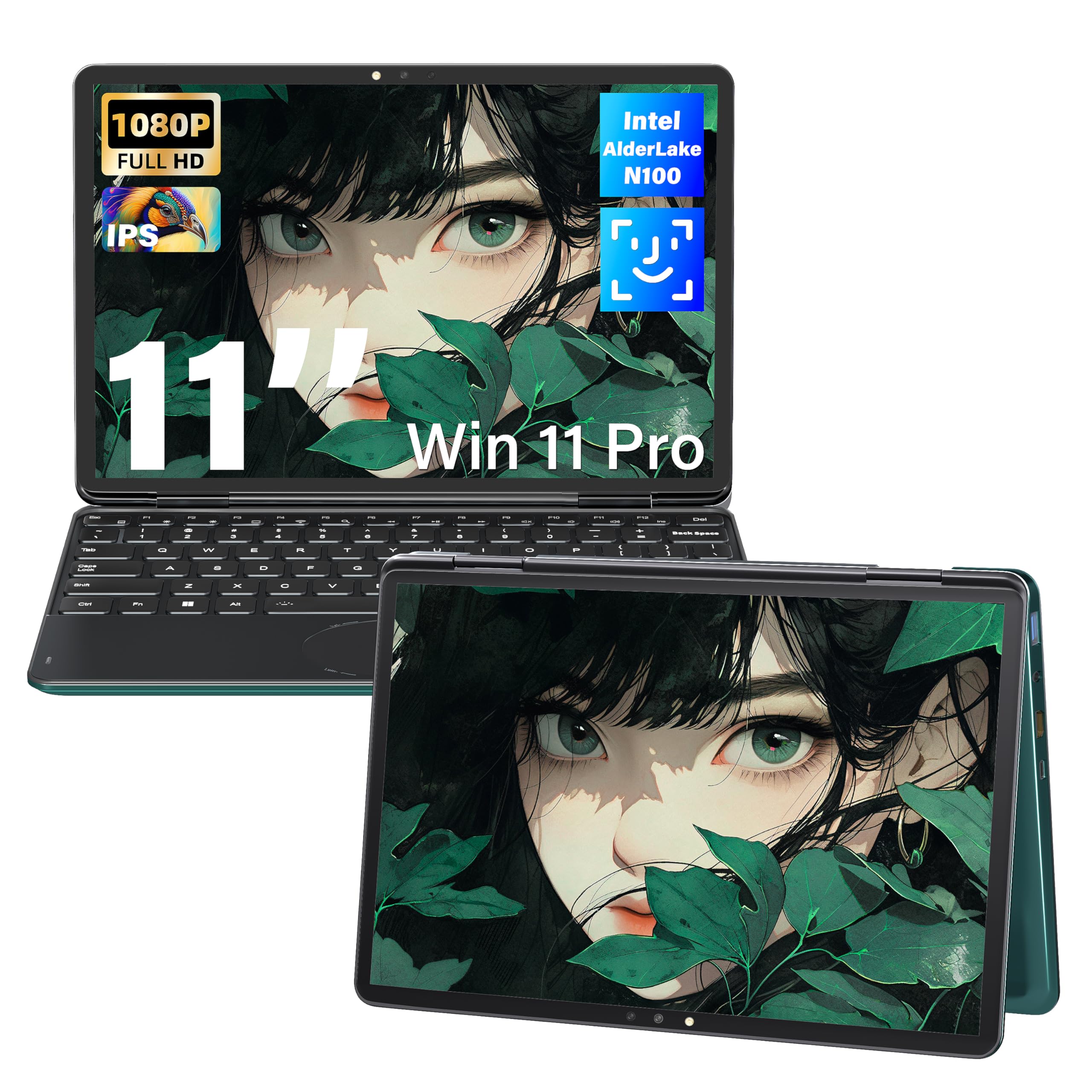
An 11-inch convertible with 16GB of RAM and a sharp FHD touchscreen that punches above its class.
This Svikou mini laptop packs a serious spec sheet for the price. The 11-inch 1920×1200 IPS touchscreen is significantly sharper than the standard HD panels on other 11-inch laptops. It covers 100% of the sRGB color range, making colors look accurate.
With 16GB of DDR4 RAM and a 256GB SSD, this is a multitasking champ. The 4-core N100 processor (up to 3.4 GHz) keeps things responsive. It boots in seconds and handles multiple open applications without slowdown. The 360° flip design allows transitions between laptop, tent, and tablet modes.
It includes a backlit keyboard and facial recognition for easy login. Buyers love the “luxurious backlit keyboard” and find it “perfect for on-the-go life.” The recurring issue is battery life, which some find short at around 1.5 hours of heavy use. It’s a performance-focused pick, not an all-day travel companion.
Pros
- 16GB RAM for heavy multitasking
- High-resolution FHD IPS touchscreen
- Backlit keyboard and face open up
Cons
- Short battery life under load
- Non-universal charging plug
Reach for this if: You want maximum RAM and a sharp screen for productivity without paying a premium price.
Pass on it if: You frequently work unplugged for hours at a time.
8. Dell Latitude 5330 2-in-1
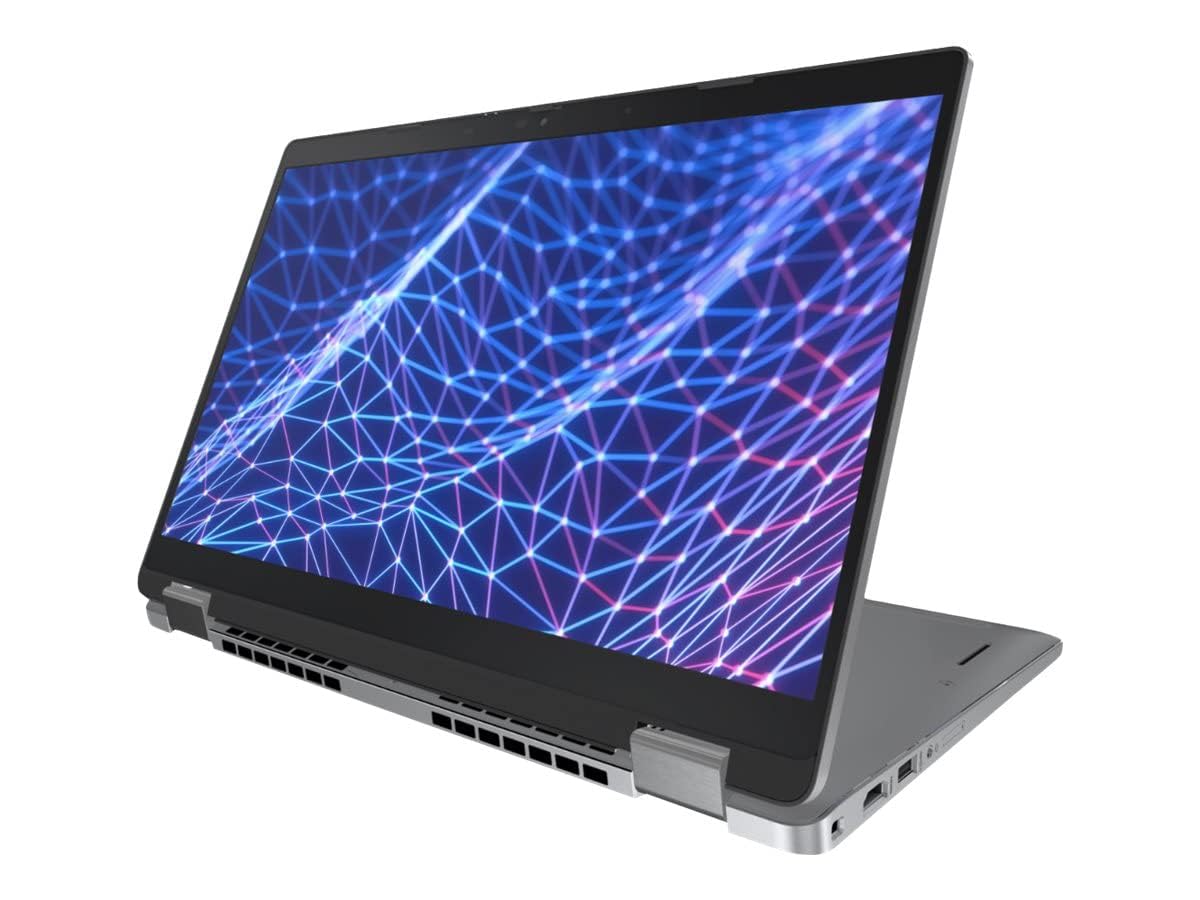
A 13.3-inch business-grade 2-in-1 loaded with 32GB of RAM and a 10-core processor.
This renewed Dell Latitude 5330 is the most powerful machine on this list. The 12th generation Intel Core i7-1265U processor (up to 4.8 GHz) has 10 cores for exceptional multitasking. The 32GB of DDR4 RAM clocked at 3200MHz lets you run demanding applications and browser tabs simultaneously without a hiccup.
The 13.3-inch touchscreen has a sharp 1920×1080 resolution. A 512GB Solid State Drive provides fast startup and plenty of space for large files. It runs Windows 11 Professional, a platform built for business with enhanced security and manageability.
Customers note it’s “beyond expectations” for speed, with a fast boot time. The most significant trade-off is the battery, which one buyer found only lasts about 3 hours and takes 7 hours to charge. It’s a performance-first device that’s best used near a power outlet.
The bottom line: If raw power and RAM for virtualization or heavy spreadsheet work are what you need, this is the pick.
Best for: Professionals and power users who need to run heavy software on a portable 2-in-1.
pass on it if: You travel all day and need reliable, long battery life.
9. Lenovo Chromebook Duet Gen 9
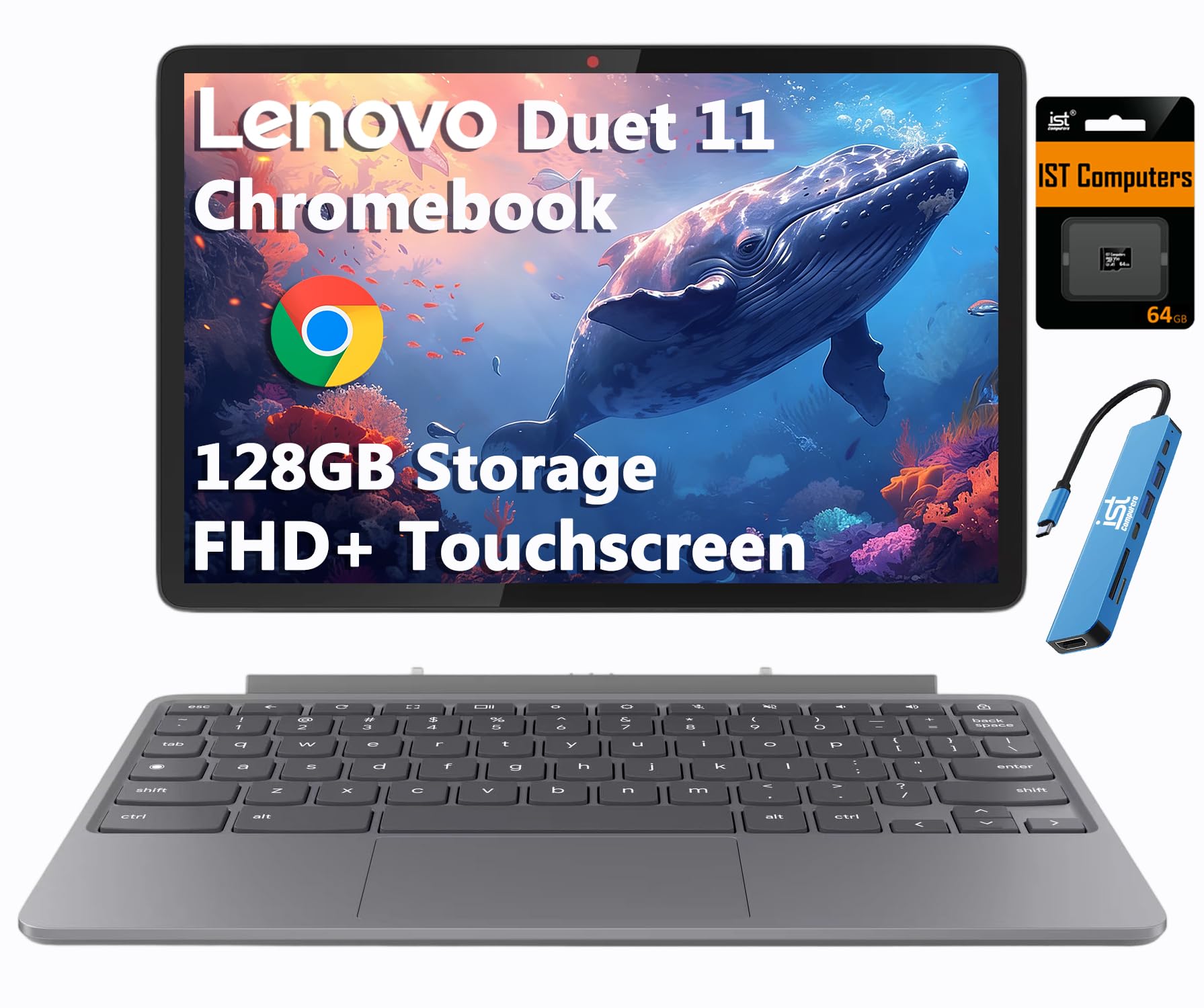
An ultra-portable 2-in-1 with a detachable keyboard and up to 12 hours of battery life.
The Lenovo Duet Gen 9 is a tablet that becomes a laptop. The entire kit weighs just 2.43 lbs, making it the lightest option here. The 10.95-inch WUXGA (1920×1200) IPS touchscreen has 400-nit brightness for clear outdoor viewing. It’s protected by Corning Gorilla Glass 3.
It runs on an 8-core MediaTek Kompanio 838 processor with 4GB of RAM. Storage is a combined 128GB (64GB eMMC plus a 64GB SD card). It includes a 5MP front camera with a privacy shutter and an 8MP rear camera, plus dual stereo speakers tune with Waves MaxxAudio.
The battery is rated for up to 12 hours, ideal for all-day travel. The aluminum tablet body is engineered to meet MIL-STD-810H military standards for rugged reliability. Buyers praise the “premium” materials and solid battery. The keyboard lacks dedicated Caps Lock and Delete keys, and performance is mid-tier Android tablet level, so it handles light gaming well but not heavy tasks.
What stands out
- Ultra-light 2.43 lb detachable design
- Exceptional 12-hour battery life
- Sharp, bright, scratch-resistant display
What to know
- Keyboard lacks some keys (Caps Lock, Delete)
- Performance is best for light tasks
Pick it for: Students and travelers who want the lightest possible device that still has a real keyboard.
Not for: If you type all day and need dedicated keyboard keys or strong processing power, this isn’t the one.
Understanding the Specs
RAM & Storage
RAM is your laptop’s short-term memory. It determines how many programs you can run at once before things slow down. For small laptops, aim for 8GB if you can. Storage is your long-term space for files. SSDs (Solid State Drives) are much faster than eMMC storage, meaning quicker boot times and app launches.
Processor (CPU)
The CPU is the brain of your laptop. Cores handle tasks, so a quad-core (4-core) chip is better than a dual-core (2-core) for multitasking. Clock speed, measured in GHz, indicates how fast each core works. A higher GHz generally means snappier performance for everyday tasks. The Intel Celeron N100 and N4500 are common budget chips, while the Core i5 and i7 are more powerful.
FAQ
What is the difference between a Chromebook and a Windows laptop?
Is 4GB of RAM enough for a small laptop?
What does “renewed” or “refurbished” mean?
Which is better for a student: a touchscreen 2-in-1 or a standard clamshell?
How long does the battery last on these small laptops?
Can I upgrade the RAM or storage later?
What is a 2-in-1 laptop?
Are these laptops good for gaming?
Final Thoughts: The Verdict
For the majority of shoppers, the best affordable small laptops winner is the Apple MacBook Air (M1) because it offers the best balance of performance, build quality, and efficiency at a surprisingly low price for a renewed unit. If you want a Windows machine that feels premium and runs smoothly, the Surface Laptop Go 2 is a fantastic choice with its 16GB of RAM and sharp touchscreen. And for the most rugged, budget-friendly option for a student, the Asus BR1102FGA will survive the school year.
How We Picked
We do not accept paid placement. Every pick is matched to a real buyer and a real use-case; we do not hands-on test units.
Sources & Methodology
Specifications: manufacturer listings and product documentation. Review insights: verified customer reviews, as of August 2026. Pricing: not shown on this page (it changes often); check the current price via the retailer link.
As an Amazon Associate, Gadgets Feed earns from qualifying purchases. This does not affect which products we feature.