
Our readers keep the lights on and my morning glass full of iced black tea. As an Amazon Associate, I earn from qualifying purchases.
Specs are compiled from manufacturer listings and verified buyer reviews and can change over time — please confirm the key details on the product page before buying.
You want a tablet laptop that fits your budget, but the first choice is yours: a laptop that folds into a tablet, or a tablet that snaps into a keyboard. That decision shapes the keyboard feel, the operating system, and how much storage you can carry. Below, the best 2-in-1 convertibles and detachables are sorted by what they do well in real daily use, from school deadlines to movie nights.
I’m Min — the founder and writer behind Gadgets Feed. This guide is built by comparing the manufacturers’ published specifications and the patterns across verified customer reviews, so you get each pick’s real strengths and trade-offs instead of marketing spin.
Whether you prioritize raw RAM, battery endurance, or a responsive touchscreen, this roundup of the best affordable tablet laptop options pairs each device with the buyer it fits best.
Our Picks at a Glance


How To Choose The Best Affordable Tablet Laptop
Every device here fills the same basic role—a touchscreen you can type on—but they split into two camps. Convertibles use a 360° hinge to fold a real laptop keyboard underneath the screen. Detachables are tablets with a keyboard that clips on or connects wirelessly. Your choice affects weight, battery life, and how stable the device feels on your lap.
RAM and Storage Matter More Than the Processor
In this price range, the amount of memory (RAM) determines how many browser tabs and apps you can keep open before things slow down. Storage (often labeled eMMC or UFS) holds your files and apps. A 4GB RAM model handles email, Docs, and streaming fine; an 8GB or higher model lets you juggle heavier multitasking. The differences are dramatic—one Android pick packs 24GB of RAM against a Chromebook’s 4GB, a 6.0x gap in multitasking headroom.
Match the Screen to the Task
Screen resolution and refresh rate change how content looks. A 1920×1080 Full HD (FHD) display is sharp for everyday use. A 1920×1200 WUXGA screen adds vertical space, great for reading documents. A 2K panel with a 120Hz refresh rate makes scrolling and animations feel much smoother. If you plan to draw or take notes with a stylus, look for a touchscreen that responds well to palm rejection.
Battery Life Is a Promise, Not a Guarantee
Manufacturers quote battery life in hours, but real-world usage—screen brightness, Wi-Fi, and streaming—drains faster. A claimed 10-hour battery might give you 7-8 hours of heavy use. Look for fast charging (measured in watts) so you can top up quickly between classes or meetings. The devices here range from a solid 10-hour estimate to an 11-hour claim on the ASUS pick.
Quick Comparison
| Model | Best For | RAM | Screen | Max CPU Speed | Amazon |
|---|---|---|---|---|---|
| HP 14 2-in-1 Chromebook★ Best Overall | Family & student value | 4GB | 14″ FHD IPS | 3.4 GHz | Amazon |
| TABWEE 13.4″Also Great | Multitasking power | 24GB | 13.4″ 2K 120Hz | 2.2 GHz | Amazon |
| ASUS Chromebook Flip CX1Most Versatile | Lightweight 360° flexibility | 8GB | 14″ FHD NanoEdge | 2.8 GHz | Amazon |
| Samsung 12.2″ Chromebook Plus | Travel-ready bundle | 4GB | 12.2″ FHD | 1.5 GHz | Amazon |
| Lenovo Chromebook (N150) | Everyday productivity | 4GB | 14″ WUXGA IPS | 3.6 GHz | Amazon |
| TABWEE 12.2″ Android 16 | Art & entertainment | 48GB (12+36) | 12.2″ 2.5K QHD | 2.2 GHz | Amazon |
| Lenovo Chromebook Plus (N355) | Premium portable power | 8GB | 14″ WUXGA IPS | 2.9 GHz | Amazon |
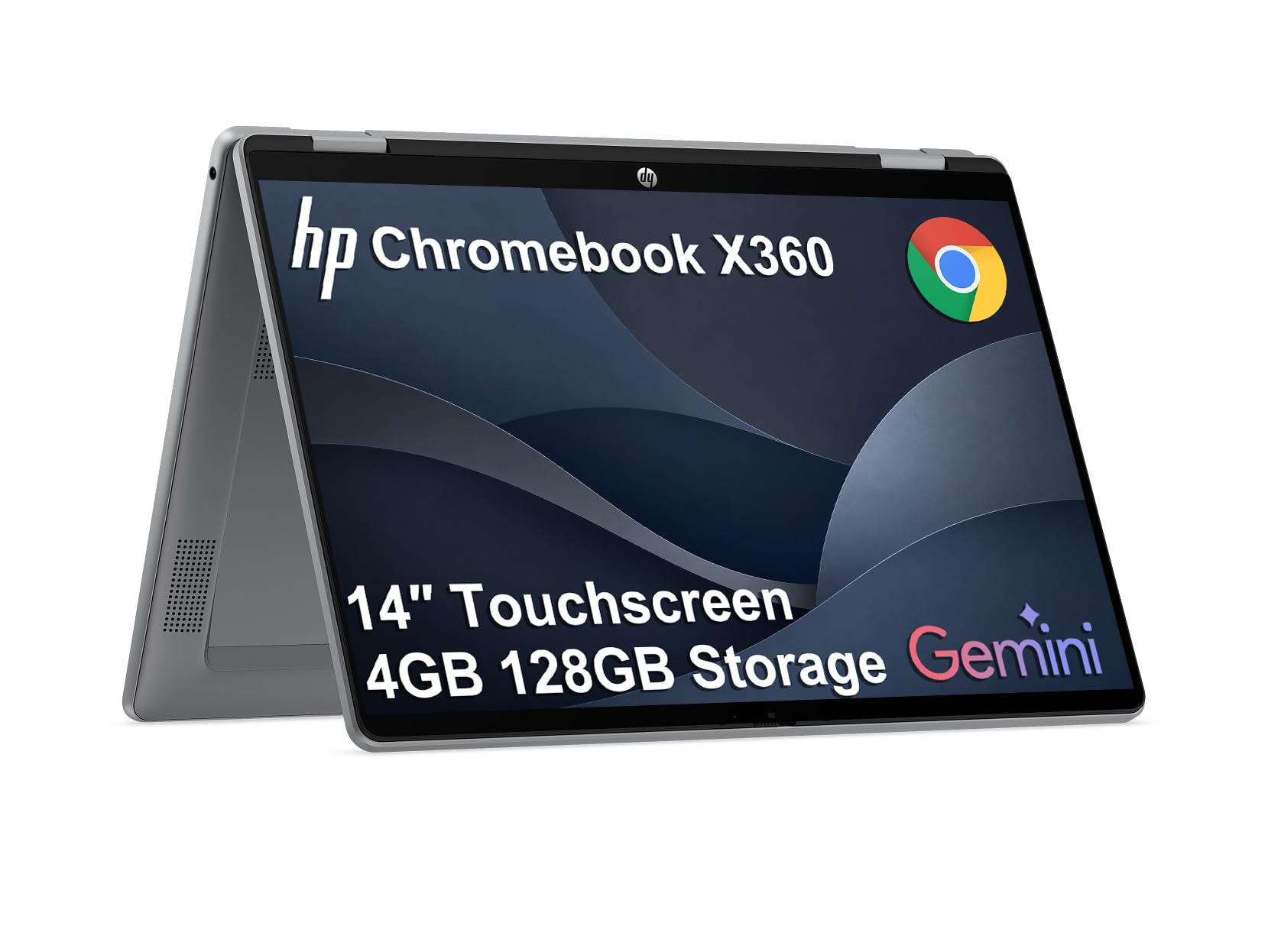
| HP Chromebook x360 14″ | Clean renewals with long battery | 4GB | 14″ FHD IPS | 3.4 GHz | Amazon |
| HP Chromebook 14 x360 Plus | Durable student builds | 4GB | 14″ WUXGA Touch | 3.6 GHz | Amazon |
In‑Depth Reviews
1. HP 14 2-in-1 Chromebook 14in FHD Intel CPU 4GB 64GB Storage
Our pick — 4.5★ from 350+ verified ratings; the strongest balance of quality and price.
A crowd-pleasing convertibles that wins over families, students, and even self-confessed Apple fans.
You get a fast, reliable daily driver here, and buyers praise it for doing the basics brilliantly. The 14-inch FHD IPS touchscreen (a full high-definition, in-plane switching display that keeps colors clear from wide angles) flips a full 360° so you can fold it into a tablet or prop it in tent mode. An Intel N100 processor (a low-power chip for everyday tasks) clocks up to 3.40GHz, paired with 4GB of DDR5 RAM (the latest fast memory standard) and 64GB of storage. Buyers report it is “great fit for 10yr old; clear screen, long battery, thin, responsive keyboard/touch, fast, no lag, good value.”
Connectivity is well-rounded for the price: super fast 6th gen Wi-Fi, Bluetooth 5, one USB Type-C, one USB Type-A, and a headphone/microphone jack. The 720p webcam with integrated dual array digital microphones keeps video calls clear. It ships with Chrome OS in a serenity blue color and the AC charger is included.
This is a Chromebook, which means it runs Google’s Chrome OS rather than Windows. One owner noted the OS lacks familiar Windows features, making it better suited for education than business. That same review praised the included stylus and noted the device looks new, which makes sense for a renewed unit. Performance is the aspect owners praise most—38 call it out—with value for money close behind at 26 mentions.
The winning traits
- Fast and responsive for daily tasks, with no noticeable lag
- Touchscreen works well in both keyboard and tablet modes
- Thin and lightweight enough to carry between classes
Keep in mind
- Chrome OS, not Windows—fewer familiar desktop apps
- Only 64GB storage and 4GB RAM limit heavy multitasking
- Mixed feedback on long-term durability
Best for: households that want a dependable, easy-to-use Chromebook for kids, homework, and streaming at a fair price.
Not ideal for: anyone who relies on Windows-only business software or needs to store large local media libraries.
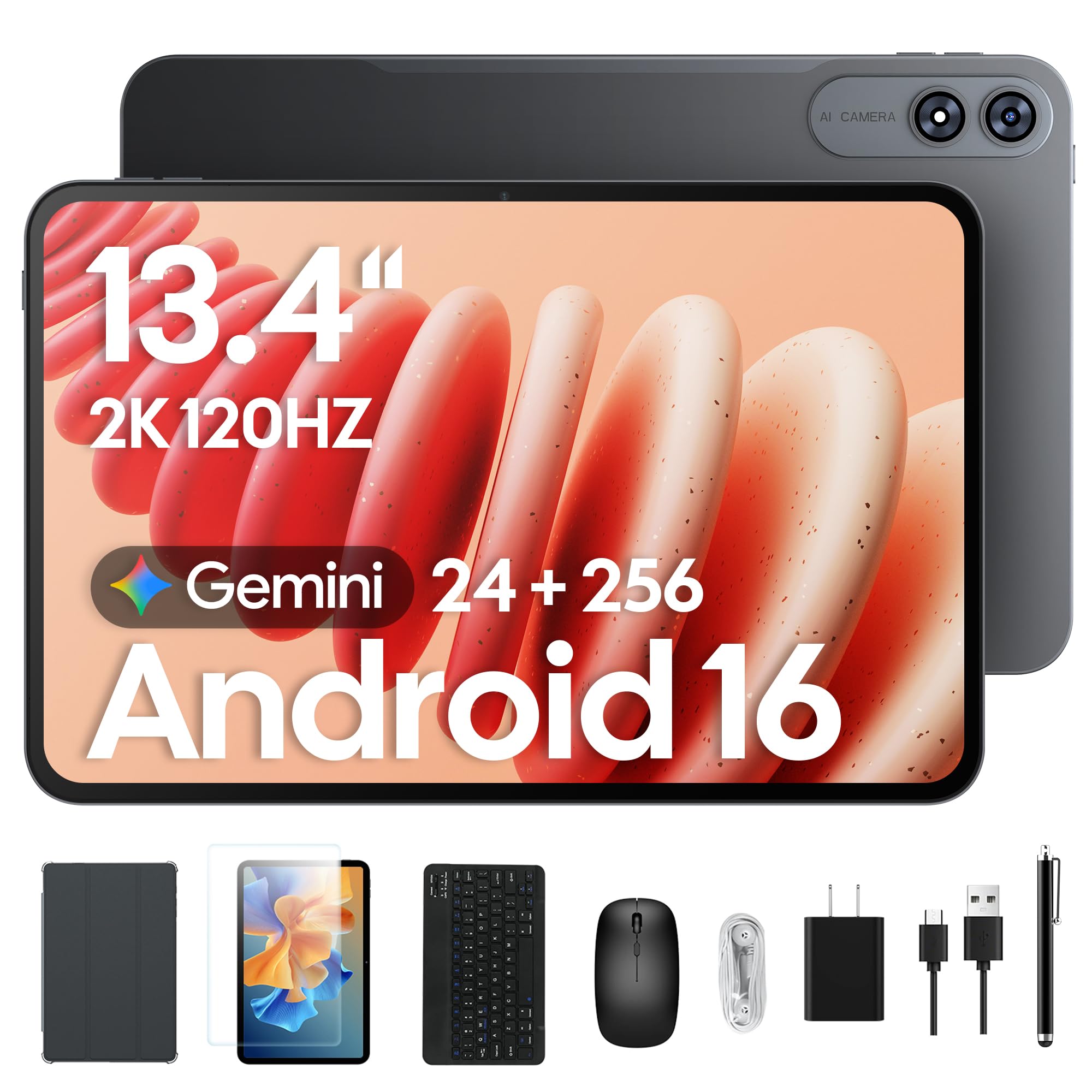
2. TABWEE 13.4 Inch Android 16 Tablet with Keyboard
The rare budget hybrid that genuinely muscles past the entry-level Chromebooks on multitasking.
This is the pick for anyone who has felt a 4GB laptop choke on too many open tabs. That headroom lets you pause a game, check a research PDF, and jump back without the app reloading.
The 13.4-inch 2K screen with a 120Hz refresh rate makes scrolling feel fluid and video look crisp—owners call the display large and vibrant, ideal for photo editing and streaming marathons. The bundle includes a keyboard, mouse, stylus, case, charger, tempered glass, and a stand, so there are no extra buys before you can work or draw. A 10,000mAh battery and 18W fast charging aim to kill power anxiety, and the whole package is backed by a total 4-year warranty (2 years standard plus 2 extended).
It is not a perfect laptop replacement for everyone. The battery life gets mixed feedback in reviews—some owners say it lasts a long time while others report it won’t hold a charge, so treat the 10,000mAh figure as a starting point. It is also heavy and large for handheld tablet use, so think of it as a lap-friendly workhorse rather than a one-handed reader.
Why buyers love it
- Enormous 24GB RAM for lag-free multitasking across apps and games
- Complete kit in the box—keyboard, stylus, mouse, case, and stand
- 120Hz 2K screen makes streaming and scrolling feel smooth
Who should think twice
- Battery life reports are mixed, so expect variability
- Heavy and large for true handheld tablet use
- Android apps, not full Windows software
Reach for it if: you want the most multitasking muscle and the biggest bundle for the money in this entire list.
Look elsewhere if: you need guaranteed all-day battery endurance or a truly lightweight tablet to hold in one hand.
3. ASUS Chromebook Flip CX1 Convertible Laptop
A featherweight 360° flipper that disappears into a bag and lasts through a full workday.
If you prioritize portability, this ASUS is the lightest path to a full laptop experience. It weighs just 3.59 lbs and folds at a 360° NanoEdge touchscreen into four modes—clamshell, tent, stand, and tablet. The 14-inch FHD 1920×1080 display is flanked by thin bezels, keeping the footprint compact. With 8GB of RAM and a 2.8 GHz Intel Celeron N4500, it offers double the memory of many budget Chromebooks, which makes multitasking noticeably smoother.
The battery claim is the headline: up to 11 hours, though real-world reports settle in at 7-8 hours typical with light work stretching to 14. Fast memory arrives via 128GB eMMC storage, Wi-Fi 6, and Bluetooth 5.2. Connectivity is generous with 2x USB 3.2 Gen 1 Type-C (with display and power delivery support), 2x USB 3.2 Gen 1 Type-A, a Micro SD card reader, and dual audio jacks. It’s built to US Military Grade standard MIL-STD 810H, and the box includes a free 3-month Google One AI Premium plan with Gemini Advanced and 2TB of cloud storage.
Owners value the touchscreen and ease of use—a teacher uses hers for Google Classroom and likes the responsive screen. The honest caveat is that performance gets mixed feedback; some find it struggles with basic tasks, so keep expectations to web work, document editing, and streaming rather than gaming or heavy graphics. The review pages also note occasional slowness, which is typical for this processor class.
Our read: the best balance of weight, RAM, and battery life among the convertibles here—just don’t expect it to replace a gaming rig. Value for money is what owners praise most, with 19 singling it out.
Choose this if: you want a light, long-lasting 2-in-1 for school, travel, and streaming with double the RAM of entry models.
skip it if: you need sustained performance for gaming, video editing, or other processor-heavy work.
4. Samsung 12.2″ FHD 2-in-1 Touchscreen Chromebook Plus Laptop

A compact 12.2-inch flip that packs a surprising amount of gear for the road.
Buyers who want a travel-first companion will appreciate the smaller footprint. The 12.2-inch FHD touchscreen rotates on a 360° hinge, and the whole unit weighs just 2.98 lbs—light enough to “pull it out and work from anywhere,” as one frequent traveler puts it. The package includes a stylus pen and wireless mouse, so you can sketch or click without extra purchases.
Storage is the Samsung’s a neat extra: 64GB eMMC built-in plus a 128GB 7-in-1 docking station plus a 32GB MicroSD card adapter, totaling 224GB of file space. That docking station expands your ports too. The 720p HD camera and Intel HD Graphics handle video calls and everyday visuals. The Intel Celeron 3965Y processor is a 7th-generation chip with a modest 1.5 GHz max speed, which sets expectations: smooth for study materials, browsing, and streaming, not for demanding apps.
The honest caveat is reliability. Reviews describe apps freezing and running slowly, and the reliability aspect shows the highest count at 57—framed as mixed, not praise. That said, value for money is the top positive aspect with 24 owners calling it out, and ease of use and versatility each earn 9 positive mentions. It gets the job done for schoolwork and web browsing, which is exactly who this is for.
The trade-off: a genuinely loaded bundle—docking station, stylus, mouse, extra storage—attached to a slower processor. Great for light tasks and travel, frustrating for power users.
Grab it if: you want a light Chromebook with a complete accessory kit and lots of expandable storage for travel or study.
Pass if: you expect snappy performance for multitasking or faster-paced apps—the 1.5 GHz chip will hold you back.
5. Lenovo Chromebook 2-in-1 with Intel N150
A slim military-grade shell with a crisper WUXGA screen and a privacy shutter you can trust.
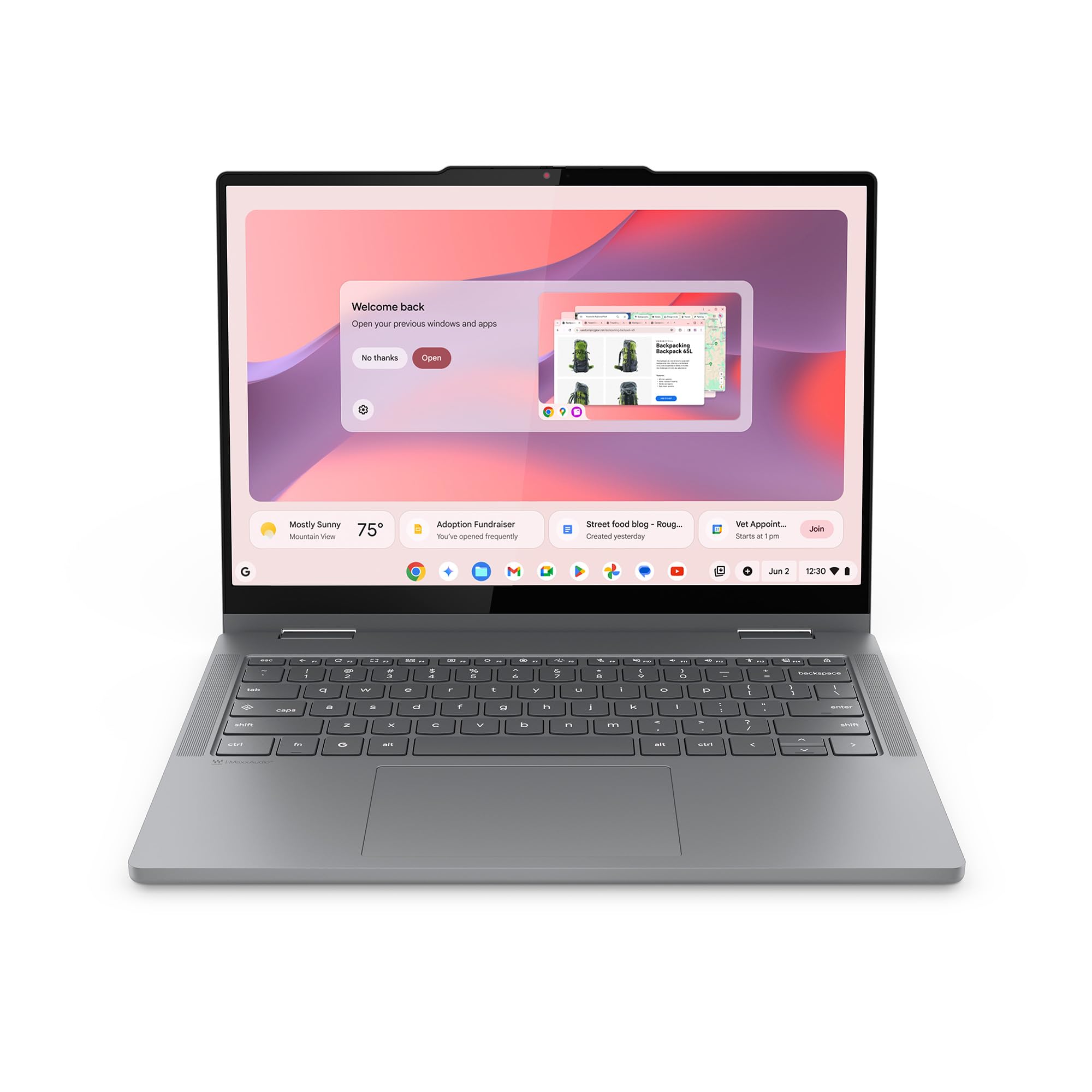
Lenovo’s take on the 2-in-1 leans into durability and display quality. At just 0.69 inches thick and 3.3 lbs, it’s built to military-grade standards to survive daily knocks. The 14-inch WUXGA IPS touchscreen—1920×1200 resolution—gives you extra vertical space compared to standard FHD screens, which means less scrolling through documents and spreadsheets. The Intel N150 processor tops out at 3.6 GHz, a 6% higher max speed than the older 3.4 GHz chips in earlier HP models.
Privacy is handled smartly with a physical shutter on the FHD webcam—slide it closed when you’re not on calls. Audio is tuned by Waves MaxxAudio for fuller sound. Connectivity includes two USB-C ports, two USB-A ports, and an HDMI port, so plugging into a monitor or projector is straightforward. It ships with a 65W USB-C charger and a 13.2-hour standby battery rating, with an 11-hour active estimate.
Buyers praise the easy setup and the touchscreen, and one notes the display is “high resolution and super thin bezel.” The recurring minor gripe is that it’s not quite as lightweight as hoped despite the 3.3 lbs spec. It’s worth remembering this runs Chrome OS, not Windows—a Lenovo owner coming from a Yoga laptop flagged the distinction—so pair it with cloud-based workflows.
What stands out
- WUXGA screen with thin bezels for a sharper, roomier view
- Physical webcam shutter for privacy confidence
- Fast 3.6 GHz N150 processor and 65W fast charging
The small catches
- Heavier in hand than the 3.3 lbs spec might suggest
- 4GB RAM limits heavy multitasking
Best suited to: students and professionals who want a durable Chromebook with a better screen and solid privacy features.
Think twice if: you need more than 4GB of RAM for intensive multitasking or prefer a lighter chassis.
6. TABWEE 12.2 Inch Android 16 Tablet with Keyboard
A display-first Android hybrid built for artists, binge-watchers, and heavy multitaskers.
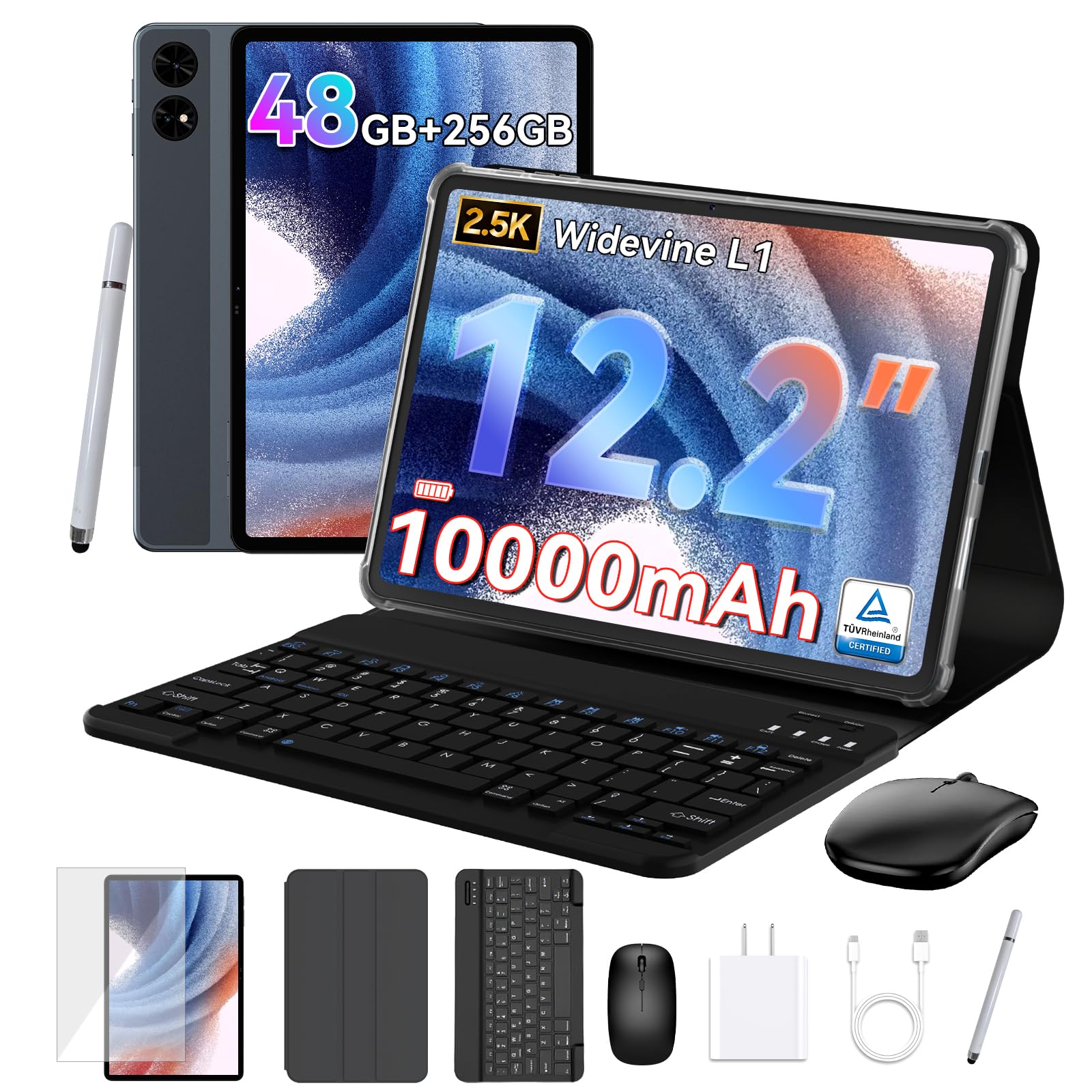
This sequel to the top pick doubles down on what made the 13.4-inch model popular: raw RAM and screen quality. The 12.2-inch CSOT panel runs at 2.5K QHD resolution with 99% sRGB color gamut coverage, which matters for digital art and photo editing—colors come out true to life. An anti-glare coating keeps it readable in bright sunlight, a real plus for reading e-books outdoors. At 16:10 aspect ratio, it’s slightly taller than widescreen, so documents fit better on screen.
The memory figure is the standout: 48GB total RAM, made up of 12GB physical plus 36GB smart virtual expansion. That’s a quantum leap for multitasking—you can pause a graphics-heavy game, check a PDF, reply to a message, then jump back without the app reloading. Storage is 256GB and expandable up to 2TB via a microSD/TF card. A 10,000mAh battery targets all-day power for travel, work, and streaming.
Owners are unreservedly positive here. Owners mention the screens are “bright and Cristal clear” and that setup was the easiest they’ve done, auto-loading data from another device in a few clicks. Quality is the most-praised aspect at 11 mentions, with value for money close behind at 9. It includes a keyboard, mouse, stylus, case, and screen protector, plus a 4-year warranty and 24/7 support. The 2.2 GHz octa-core processor is the ceiling—great for apps and streaming, not for intensive desktop-grade software.
Reach for this if: you want the sharpest, most color-accurate screen in the list plus 24GB of RAM (so apps switch without stutter).
Look elsewhere if: you need Windows software or the lightest possible device—this is a substantial tablet.
7. Lenovo Chromebook Plus 2-in-1 with Intel N355
The refinement of the Chromebook formula, with a fingerprint reader and 256GB of storage.
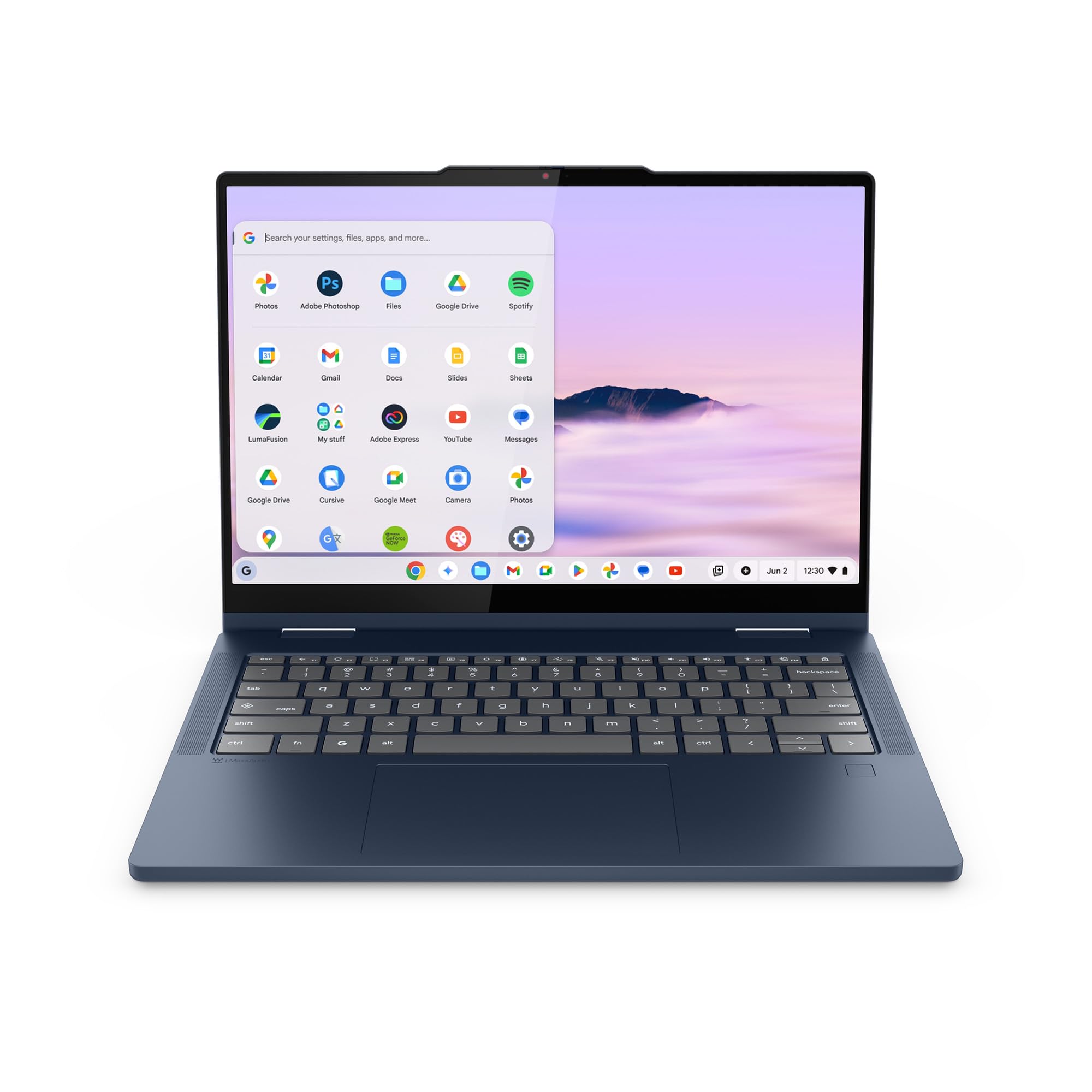
Step up within Lenovo’s lineup and you get notable upgrades where it counts. This Chromebook Plus doubles the RAM to 8GB and quadruples the storage to 256GB UFS, which means faster app launches and room for bigger files. The Intel N355 processor runs at a 2.9 GHz max speed, and the 14-inch WUXGA IPS touchscreen keeps the crisp 1920×1200 resolution. It weighs the same 3.3 lbs and measures 0.69 inches thick, so the extra power doesn’t cost you portability.
The headline feature is the fingerprint reader—open up the Chromebook with a tap of a finger, no typing a password. A physical webcam shutter adds privacy on video calls, and audio is tuned by Waves MaxxAudio. Connectivity mirrors its sibling: two USB-C, two USB-A, and an HDMI port, plus a 65W USB-C charger in the box. Battery life is rated at 11 hours, and Google Gemini AI is built in to help plan, write, and learn.
Owners are nearly unanimous in their enthusiasm. Customers note it’s “exactly what I needed,” with touch sensitivity “just right” and a keyboard that’s easy to love. A picky spouse gives it “no complaints,” and setup is described as very easy. The one adjustment for newcomers is Chrome OS—a buyer who didn’t realize it wasn’t Windows spent time getting the hang of it. This is the premium end of the affordable spectrum, and it shows.
The upgrades that matter
- Fingerprint reader for instant, secure login
- 256GB UFS storage—4x the base Lenovo model
- 8GB RAM handles heavier multitasking smoothly
Worth noting
- Chrome OS requires a mindset shift from Windows
- Premium price within the affordable category
Choose this if: you want the best-rounded, most premium-feeling Chromebook here, with security and storage to grow into.
Consider cheaper if: you only need light browsing and email—this is more machine than that requires.
8. HP Chromebook x360 14 inch FHD IPS Touch 2-in-1 Laptop

A spotless renewed Chromebook that looks new and offers exceptional battery stamina for the price.
If you’re open to a refurbished unit, this HP x360 delivers a near-new experience at a friendlier price. Reviewers point out it arrives “look just like new,” with “no scratches,” and the seller earns repeated thumbs up for excellent condition. The 14-inch Full HD IPS touchscreen folds 360° for tablet use, powered by an Intel Processor N100 that reaches 3.4 GHz with 4GB of LPDDR5 RAM and 64GB of eMMC storage.
Battery life is a standout: up to 10 hours and 15 minutes of mixed usage, among the best claims in this roundup. That’s a full school or work day without hunting for an outlet. Graphics run through Intel UHD Graphics, fine for streaming and everyday tasks. It ships with Chrome OS in sky blue, and connectivity includes USB ports for mice, keyboards, external displays, and printers.
The reviews read like a love letter to the seller’s refurbishment quality—”100% Works great” and “a great laptop always buy hp” are typical. Buyers consistently note it performs as if it were brand new. The trade-off is the standard one for renewed gear: no original laptop box, and you’re relying on the seller’s quality check rather than a factory seal. For the price, few renewed Chromebooks inspire this much confidence.
Our take: the best-value path to a long-lasting Chromebook if you trust renewed units—spotless condition and battery life that outlasts many new rivals at a lower price.
Go for it if: you want maximum battery life and a pristine-looking machine while keeping the budget tight.
Hesitate if: you prefer a factory-new sealed unit without any refurbishment history.
9. HP Chromebook 14 x360 Plus with Intel N150
A MIL-STD-tested shell with a bright WUXGA screen, built for kids who take their tech everywhere.
This is the rugged option on the list, designed with families and students in mind. It passed MIL-STD 810H testing, a military standard for durability across diverse environments—meaning it can take the bumps of a backpack better than most. The 14-inch WUXGA (1920×1200) touchscreen delivers 300 nits of brightness with an anti-glare coating to reduce eye strain during long homework sessions, and narrow borders boost screen real estate.
Under the hood, the Intel N150 processor runs up to 3.6 GHz—the fastest max speed in this roundup—paired with 4GB LPDDR5 RAM and 128GB UFS storage, double the base models’ 64GB. That storage bump is meaningful for families sharing one device. The 360° hinge offers four modes—laptop, tent, stand, and tablet—and the FHD camera with temporal noise reduction keeps video calls clear in dim lighting. Wi-Fi 6 and Bluetooth 5.4 round out wireless connectivity, and Chrome OS support runs through June 2033.
Buyers describe it as “good and practical for personal use,” with one mom noting her 8-year-old daughter took to it naturally since her school uses Chromebooks. It’s “perfect for kids or internet browsing where a lot of computing power isn’t necessary.” One unlucky owner hit a stuck keyboard key—a reminder that any unit can arrive with a defect, so check your return window promptly. With a one-year HP warranty on remaining components, there’s some safety net.
Build quality note: the MIL-STD 810H certification and 128GB storage make it the most student-proof Chromebook here, backed by software support into the next decade.
Best for: parents of school-age kids who want a durable, long-supported Chromebook with double the base storage.
Not for: buyers who need more than 4GB RAM for their own heavy multitasking—this is a student-first device.
Understanding the Specs
RAM & Storage
RAM (random access memory) is your device’s short-term workspace for open apps and tabs. More RAM means smoother multitasking—4GB handles light work, 8GB feels comfortable, and the 24GB or 48GB Android picks barely break a sweat. Storage (eMMC, UFS, or SSD) is your long-term file space. Chromebooks often offer 64GB or 128GB; Android tablets here range from 256GB up, with some expandable via microSD.
2-in-1 Form Factors
A 360° hinge convertible flips the screen all the way around, folding the keyboard underneath—great for lap use. A detachable tablet with a keyboard case is lighter but less stable on soft surfaces. Chromebooks run Google’s Chrome OS, while Android tablets run Google’s mobile operating system; neither runs full Windows software, though both handle web apps, Google Docs, streaming, and most school tasks.
FAQ
What is the difference between a Chromebook 2-in-1 and an Android tablet with a keyboard?
How much RAM do I really need for basic tasks?
Can I use Microsoft Office on these devices?
Will a stylus work on these touchscreens for drawing or note-taking?
How long should the battery last on a full charge?
Is a renewed or refurbished Chromebook worth buying?
What does the 360° hinge let me do that a regular laptop cannot?
Can I expand the storage on these devices?
Final Thoughts: The Verdict
For most people, the TABWEE 13.4 Inch Android 16 Tablet wins because its 24GB of RAM and 120Hz 2K screen (a high-refresh, high-resolution display that makes scrolling and video look fluid) deliver the smoothest multitasking at a price that undercuts traditional laptops. It ships with every accessory you need—keyboard, stylus, mouse, case, and stand. If you prefer the classic laptop feel with a durable hinge, the ASUS Chromebook Flip CX1 is the lightest way to get a full 360° convertible with double the RAM of entry models. And for families who want a dependable, easy-to-use Chromebook that looks new without the premium cost, the HP 14 2-in-1 Chromebook remains the value pick owners praise most for its speed and price.
How We Picked
We do not accept paid placement. Every pick is matched to a real buyer and a real use-case; we do not hands-on test units.
Sources & Methodology
Specifications: manufacturer listings and product documentation. Review insights: verified customer reviews, as of August 2026. Pricing: not shown on this page (it changes often); check the current price via the retailer link.
As an Amazon Associate, Gadgets Feed earns from qualifying purchases. This does not affect which products we feature.