
Finding a tablet that doesn’t force you to choose between a sharp screen and a reasonable price tag used to mean settling for a blurry, dim display that feels outdated the moment you swipe. The market has shifted, and several models now deliver high-resolution panels and smooth refresh rates without demanding a premium budget. This guide cuts through the noise to identify which affordable tablets actually deliver on their promises for streaming, note-taking, and everyday multitasking.
I’m Min — the co-founder and writer behind Gadgets Feed. I’ve spent hundreds of hours researching the tablet market, analyzing spec sheets, and cross-referencing real-world performance data to separate genuine value from marketing fluff in this crowded category.
After weeks of deep analysis comparing processors, display resolutions, battery capacity, and storage configurations across dozens of models, I’ve narrowed the field to the seven strongest contenders for anyone searching for the best affordable tablet right now.
How To Choose The Best Affordable Tablet
Shopping for a tablet on a budget is a game of trade-offs. A lower price often means compromises in display quality, processor speed, or storage speed. Understanding which compromises matter for your specific use case — and which are unacceptable — is the key to making a smart purchase. Below are the three most critical factors to evaluate before clicking buy.
Display Resolution and Refresh Rate
The display is the one component you interact with constantly. A 1280×800 HD panel is the entry-level standard, but it looks noticeably softer than a 1920×1080 Full HD or 2560×1600 2.5K panel when reading small text or viewing high-resolution photos. Refresh rate is another spec often ignored at this price tier — 60Hz is standard and feels smooth for basic navigation, but 90Hz panels provide visibly less motion blur when scrolling through long documents or web pages. Budget models rarely exceed 60Hz, so a 90Hz display at this price point is a standout feature that dramatically improves daily usability.
Processor, RAM, and Storage Configuration
Entry-level tablets often pair a low-power chip with 3GB or 4GB of RAM. That combination works for light web browsing and video playback, but multitasking between three or four apps will trigger reloads. Look for at least 6GB of physical RAM if you plan to run multiple apps simultaneously or use split-screen mode. Storage speed matters just as much as capacity — UFS 2.x storage is noticeably faster than eMMC, meaning apps launch quicker and file transfers take less time. Avoid tablets that pair a decent processor with slow eMMC storage, as that bottleneck will frustrate you daily.
Battery Capacity and Charging Speed
A large battery is essential, but charging speed determines whether a depleted tablet is usable again within a reasonable window. Tablets with 6000mAh to 7000mAh batteries deliver 8 to 12 hours of mixed use, which covers a full day for most people. The charging standard, however, varies wildly. A 10W charger will take over four hours to refill a 7000mAh battery, while 18W to 30W fast charging cuts that time in half. Verify that the tablet supports fast charging via USB-C — some budget models ship with slow chargers even though the hardware supports faster charging.
Quick Comparison
On smaller screens, swipe sideways to see the full table.
| Model | Category | Best For | Key Spec | Amazon |
|---|---|---|---|---|
| Lenovo Idea Tab Plus | Premium | Students & media lovers | 12.1″ 2.5K 90Hz display | Amazon |
| Lenovo Idea Tab | Premium | College note-taking | 11″ 2.5K 90Hz + 256GB storage | Amazon |
| TECLAST Artpadpro | Mid-Range | Art & entertainment | 12.7″ 2K + 10000mAh battery | Amazon |
| Amazon Fire HD 10 | Mid-Range | Ecosystem loyalists | 10.1″ 1080p + 13hr battery | Amazon |
| FEONAL 11 | Mid-Range | 4G LTE on a budget | 7000mAh + 4G cellular support | Amazon |
| URAO 10.1 | Budget | Basic browsing & video | Wi-Fi 6 + 128GB storage | Amazon |
| Urao Kids Tablet | Budget | Children’s first tablet | Included case + parental controls | Amazon |
In‑Depth Reviews
1. Lenovo Idea Tab Plus

The Lenovo Idea Tab Plus sets a new benchmark for what an affordable tablet can offer. Its 12.1-inch 2.5K IPS panel clocks in at a smooth 90Hz refresh rate, making scrolling through long documents and web pages feel far more fluid than the 60Hz norm at this price. The MediaTek Dimensity 6400 processor paired with 8GB of RAM handles split-screen multitasking and casual gaming without noticeable stutter, while the 128GB of UFS storage ensures apps launch quickly.
Beyond the screen, Lenovo includes the Tab Pen and a folio case in the box — a rarity at this price tier. The pen supports the Circle to Search feature, which is genuinely useful for highlighting text or images and getting instant search results without switching apps. Battery life reaches up to 13 hours of YouTube streaming, and the 20W charging gets the 13-hour battery back to a usable level faster than most competitors.
The quad Dolby Atmos-tuned speakers provide clear, room-filling audio for video calls and media consumption, though bass response is limited at higher volumes. The 8MP rear camera is acceptable for document scanning but won’t replace a dedicated camera. For anyone seeking a premium viewing and note-taking experience without crossing into high-end pricing, this is the tablet to beat.
Why it’s great
- 12.1″ 2.5K 90Hz display is outstanding at this price
- Includes Lenovo Tab Pen and folio case in the box
- Quad Dolby Atmos speakers provide clear, rich audio
- 13-hour battery life covers a full day of mixed use
Good to know
- Low-light camera performance is mediocre
- No cellular option — Wi-Fi only
2. Lenovo Idea Tab

The Lenovo Idea Tab is the smaller sibling of the Tab Plus, but it punches just as hard where it counts. The 11-inch 2.5K IPS display delivers the same 90Hz refresh rate, and the MediaTek Dimensity 6300 processor with 8GB of RAM keeps the experience snappy for note-taking, streaming, and light gaming. Where this model pulls ahead is storage — 256GB of internal space doubles the Tab Plus, making it ideal for students who download textbooks, PDFs, and lecture recordings locally.
The included Lenovo Tab Pen works well with pre-installed apps like Lenovo AI Note, Squid, and Nebo, giving students a ready-to-use note-taking setup out of the box. The 7216mAh battery delivers up to 12 hours of YouTube playback, which comfortably covers a full day of classes and study sessions. The 20W charger included in the box replenishes the battery reasonably quickly, though a higher-wattage brick would be appreciated.
The quad Dolby Atmos-tuned speakers deliver clear audio for video playback, but they lack the fullness of the Tab Plus’s larger chamber design. The camera setup is rudimentary — fine for scanning documents or occasional video calls, but not for capturing memories. At this price point, the combination of 256GB storage, a 90Hz 2.5K display, and a bundled stylus makes this the best value proposition for students and heavy readers in the affordable tablet segment.
Why it’s great
- 256GB internal storage is double the typical capacity at this price
- 11″ 2.5K 90Hz display is sharp and smooth
- Includes pen and folio case for immediate productivity
- Pre-installed learning apps tailored for students
Good to know
- Speakers lack bass compared to the larger Tab Plus
- Cameras are basic, suitable only for scanning
3. TECLAST Artpadpro

The TECLAST Artpadpro is a direct challenge to the idea that you need to spend a premium for a large, high-resolution display. Its 12.7-inch screen uses a 2176×1600 IPS panel with a 4:3 aspect ratio — the same proportions as an iPad Pro — which makes it significantly better for reading PDFs, sheet music, and drawing than the taller 16:10 panels found on most competitors. The TDDI technology improves panel light transmittance, resulting in a noticeably brighter and more responsive touch experience.
Under the hood, the Artpadpro runs Android 15 with 8GB of physical RAM plus 12GB of virtual expansion, totaling a marketed 20GB. The 256GB of UFS storage provides ample space for apps and media, and the microSD slot allows expansion up to 1TB. The 10000mAh battery paired with 30W fast charging is one of the largest capacity combinations available at this price point, delivering two to three days of moderate use between charges.
The included T-Pen stylus offers 4096 levels of pressure sensitivity and global palm rejection, though users report that light strokes can produce skippy lines, and the pen lacks wireless charging. The Artpadpro supports Widevine L1 for HD streaming on Netflix and other services, and the four-speaker Symphony Sound Chamber system provides immersive audio. The cameras are mediocre, and long-term software update support is uncertain, but for anyone needing a large canvas for drawing or document reading with exceptional battery life, this tablet delivers remarkable value.
Why it’s great
- 12.7″ 2K 4:3 display is ideal for reading and drawing
- 10000mAh battery with 30W fast charging is class-leading
- 256GB storage with microSD expansion up to 1TB
- Widevine L1 certification for HD streaming
Good to know
- Included stylus has mixed performance with light strokes
- Software update frequency is uncertain from TECLAST
4. Amazon Fire HD 10

The Amazon Fire HD 10 occupies a unique position in this guide because it runs Fire OS, not standard Android. This means the default app store is the Amazon Appstore, not Google Play. While many popular apps like Netflix, Hulu, and Zoom are available, you will find gaps — Google apps, certain banking apps, and specific games are missing. For users who primarily stream Prime Video, read Kindle books, or use Amazon’s ecosystem, this limitation is manageable. For everyone else, sideloading Google Play via a third-party guide is possible but not officially supported.
The hardware itself is solid for the price. The 10.1-inch 1080p Full HD display is bright and colorful, and the octa-core processor with 3GB of RAM provides enough power for smooth streaming and light gaming. The 13-hour battery life is excellent for long flights or binge-watching sessions, and the strengthened aluminosilicate glass makes the tablet notably durable — Amazon claims it is 2.7 times as durable as the Samsung Galaxy Tab A8 in tumble tests.
The 5MP front and rear cameras are adequate for video calls but produce grainy photos in anything other than bright light. The lock screen carries advertisements by default, which can be removed for a fee. The Fire HD 10 is a strong choice for casual users who are already embedded in Amazon’s ecosystem, but its software limitations and app availability gaps make it less versatile than standard Android tablets for users who need a broad range of app support.
Why it’s great
- 13-hour battery life leads the category
- 1080p Full HD display is sharp and vibrant
- Durable construction with strengthened glass
- Deep integration with Prime Video, Kindle, and Alexa
Good to know
- Fire OS limits app availability compared to standard Android
- Lock screen includes ads unless you pay to remove them
- Only 3GB RAM limits heavy multitasking
5. FEONAL 11

The FEONAL 11 stands out in the affordable tablet segment because it includes 4G LTE support at a price point where cellular connectivity is almost unheard of. The dual SIM card slots allow you to insert a data SIM for on-the-go internet access, though the tablet does not support voice calls or SMS — it is strictly data-only. The MediaTek MTK8786 octa-core processor and 20GB of RAM (8GB physical plus 12GB virtual) deliver smooth performance for streaming, browsing, and basic productivity tasks.
The 11-inch Incell display runs at 1280×800 HD resolution, which is lower than the 2K panels on the Lenovo models but acceptable for video playback and reading at arm’s length. The 7000mAh battery provides up to 480 hours of standby time, and typical mixed use yields a full day of operation between charges. The dual-band Wi-Fi (2.4GHz and 5GHz) along with Bluetooth 5.0 ensures stable wireless connections, and the USB-C port supports 5V/2A fast charging.
The 13MP rear camera and 8MP front camera are a step above typical budget tablet cameras, producing usable photos in good lighting. The build quality is solid, but some users have reported that the advertised 11-inch display actually measures closer to 10 inches. The FEONAL 11 is a great choice for users who need reliable cellular data connectivity for travel or areas with unreliable Wi-Fi, and it offers excellent value for those who prioritize connectivity over the highest resolution display.
Why it’s great
- 4G LTE support provides internet access anywhere
- 7000mAh battery delivers all-day usage
- 13MP rear camera is better than most budget tablets
- Dual SIM slots for flexible data management
Good to know
- Display resolution is only 1280×800, not Full HD
- Cellular is data-only — no voice calls or SMS
- Some feedback suggests screen is slightly smaller than advertised
6. URAO 10.1
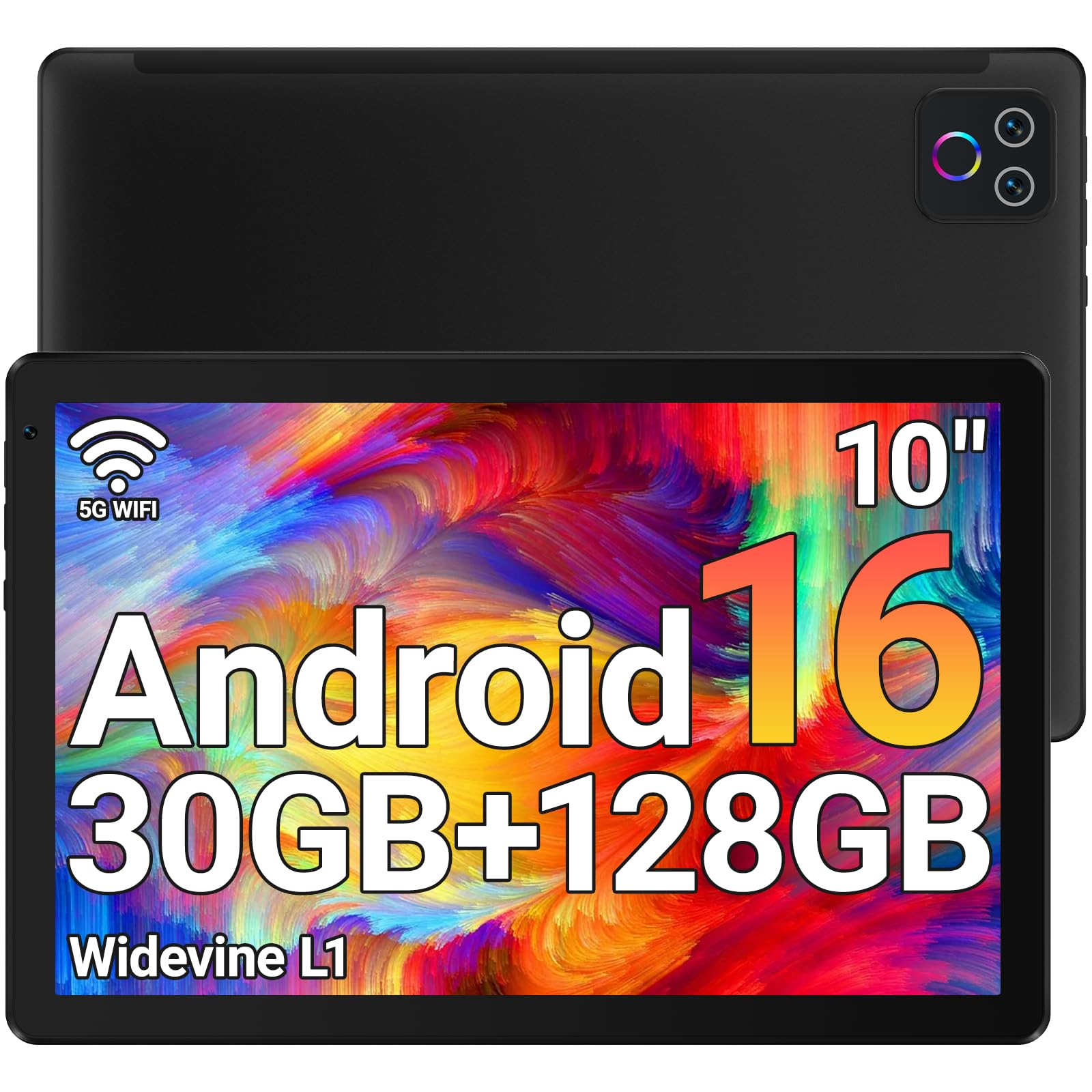
The URAO 10.1 tablet proves that a sub-100-dollar price does not mean sacrificing modern wireless standards. It is one of the few tablets in this budget tier to support Wi-Fi 6 and Bluetooth 5.4, ensuring faster data transfer speeds and more stable connections with modern routers and accessories. The octa-core processor running at 2.0GHz handles basic tasks like web browsing, email, and video streaming without significant lag, and the 128GB of internal storage provides ample space for apps and media.
The 10.1-inch 1280×800 IPS display is bright and clear for its resolution, and the low blue light technology reduces eye strain during extended reading sessions. The 8-hour battery life is sufficient for a day of casual use, and the fast charging technology refills the battery in about 1.5 hours via USB-C. The storage configuration includes 30GB of RAM — 6GB physical and 24GB virtual — which allows the tablet to keep more apps in memory than most budget competitors.
The front 5MP and rear 8MP cameras are adequate for video calls and document scanning but will not produce sharp photos. The tablet does not include a GPS module, so location-based apps will rely on Wi-Fi positioning. The build quality feels solid for the price point, and the Android 16 operating system provides a clean, ad-free experience. For users who need a reliable tablet for basic tasks and want modern Wi-Fi connectivity without spending a premium, the URAO 10.1 offers excellent value.
Why it’s great
- Wi-Fi 6 and Bluetooth 5.4 are rare at this price point
- 128GB internal storage is generous for the budget tier
- Fast charging fills the battery in about 90 minutes
- Clean Android 16 interface with no bloatware
Good to know
- No built-in GPS for navigation apps
- Camera quality is basic, suitable only for video calls
- Display resolution is HD, not Full HD
7. Urao Kids Tablet

The Urao Kids Tablet is purpose-built for families, and the included food-grade silicone case with an adjustable kickstand immediately sets it apart from general-purpose tablets. The case provides genuine drop protection, and the kickstand allows children to watch videos or use learning apps hands-free at various angles. The tablet runs Android 16 with pre-installed parental controls that let parents create custom profiles, set screen time limits, and approve or block specific apps and websites without needing to monitor their child constantly.
The 10-inch 1280×800 IPS display features low blue light technology and a dedicated reading mode that reduces eye strain during long study sessions. The 20GB of RAM (configuration as marketed) and 64GB of internal storage provide enough space for educational apps, games, and downloaded videos, and the microSD slot supports expansion up to 1TB. The octa-core processor delivers smooth performance for age-appropriate games and learning apps, and the 6-hour battery life covers a typical day of classroom and home use.
The dual cameras are adequate for basic video calls with grandparents or taking pictures of art projects, but image quality is not a priority here. The tablet lacks the latest connectivity standards like Wi-Fi 6, sticking with standard Wi-Fi, which is fine for most home networks. The Urao Kids Tablet is an excellent choice for parents who want a durable, easy-to-manage tablet for their children without paying for an ecosystem lock-in. The included case, parental controls, and thoughtful design make it the strongest dedicated kids tablet at this price.
Why it’s great
- Included food-grade silicone case with kickstand offers real drop protection
- Advanced parental controls with custom profiles and screen time limits
- Low blue light display with reading mode for eye comfort
- Expandable storage up to 1TB for offline content
Good to know
- Only standard Wi-Fi, no Wi-Fi 6 or Bluetooth 5.x
- Battery life is shorter at 6 hours compared to general-purpose tablets
- Storage is limited to 64GB before expansion
FAQ
Can I install Google Play on an Amazon Fire tablet?
Does 4G LTE on an affordable tablet support voice calls?
What does virtual RAM do and should I care about it?
Is a 90Hz display worth the extra cost on an affordable tablet?
Final Thoughts: The Verdict
For most users, the best affordable tablet winner is the Lenovo Idea Tab Plus because it delivers a premium 12.1-inch 2.5K 90Hz display, included stylus and case, and excellent battery life at a price that undercuts the competition. If you need maximum storage for college textbooks and note-taking, grab the Lenovo Idea Tab with 256GB of internal space. And for artists or heavy readers who want a massive canvas with exceptional battery endurance, nothing beats the TECLAST Artpadpro with its 12.7-inch 4:3 display and 10000mAh battery.