
Our readers keep the lights on and my morning glass full of iced black tea. As an Amazon Associate, I earn from qualifying purchases.
Specs are compiled from manufacturer listings and verified buyer reviews and can change over time — please confirm the key details on the product page before buying.
You bought a WiFi extender hoping the signal would finally reach the back bedroom, the garage, or the patio — only to end up frustrated with a connection that is just as weak as before. This guide cuts through the noise and points you to the models that actually deliver a strong, stable connection without busting your budget.
I’m Min — the founder and writer behind Gadgets Feed. This guide is built by comparing the manufacturers’ published specifications and the patterns across verified customer reviews, so you get each pick’s real strengths and trade-offs instead of marketing spin.
If your home has stubborn dead zones or you just need more reliable WiFi in a specific spot, finding the right affordable wifi extender is about matching the coverage and device count to your actual space, not chasing the biggest number on the box.
Quick Picks
- KradGingo 2026 WiFi Extender Signal Booster — Best Overall
- Mekupc AC1200 WiFi Extender — Great Value
- ROQRL 2026 WiFi Extender Signal Booster — Best for Outdoors
- Gorzhesua 1200Mbps WiFi Extender Signal Booster — Most Reliable
- TP-Link RE550 AC1900 WiFi Range Extender — Mesh Upgrade
- NETGEAR WiFi Range Extender EX6120 — Compact Pick
- TP-Link AX3000 Wi-Fi 6 Range Extender RE705X (Renewed) — Wi-Fi 6 Speeds
How To Choose The Best Affordable WiFi Extender
The key to a good extender is matching three things to your home: how far the signal needs to travel, how many devices you need to keep connected, and what kind of speeds you expect. Ignore any one of these and you end up with a paperweight.
Coverage vs. Reality
The claimed coverage on a package — say 10,000 square feet — is measured in ideal lab conditions with no walls. In a real house, with drywall, furniture, and floors in the way, expect the usable range to be about half of what the box says. A model with external antennas will always push a signal further through obstacles than a tiny plug-in unit with internal ones.
Device Limits Matter More Than You Think
Budget extenders often choke when more than a handful of devices connect at once. If your household has phones, tablets, laptops, streaming sticks, cameras, and smart bulbs, you need an extender specifically rated for 30, 50, or even 80 devices. Exceed the limit and every device slows down, not just the new one.
The Ethernet Port Isn’t Optional
A wired connection to your extender via an Ethernet port is the single best way to deliver stable, full-speed internet to a gaming console, smart TV, or desktop PC that sits in a dead zone. Even if you don’t plan to use it today, having that port is cheap insurance for future flexibility.
Quick Comparison
| Model | Best For | Coverage | Device Limit | Ethernet Port | Amazon |
|---|---|---|---|---|---|
| KradGingo 2026 | Whole-home coverage | 13,880 sq. ft. | 100+ devices | 100 Mbps | Amazon |
| Mekupc AC1200 | Large property range | 12,980 sq. ft. | — | LAN Port | Amazon |
| ROQRL 2026 | Backyard/outdoor reach | 10,000 sq. ft. | — | RJ45 | Amazon |
| Gorzhesua 1200Mbps | Heavy device households | 3,600 sq. ft. | 80 devices | 100 Mbps | Amazon |
| TP-Link RE550 | Mid-range mesh upgrade | 2,200 sq. ft. | 32 devices | Gigabit | Amazon |
| NETGEAR EX6120 | Small-space simplicity | 1,500 sq. ft. | 25 devices | 100 Mbps | Amazon |
| TP-Link RE705X | Wi-Fi 6 performance | ~1,614 sq. ft. (150m) | — | Gigabit | Amazon |
In‑Depth Reviews
1. KradGingo 2026 WiFi Extender Signal Booster
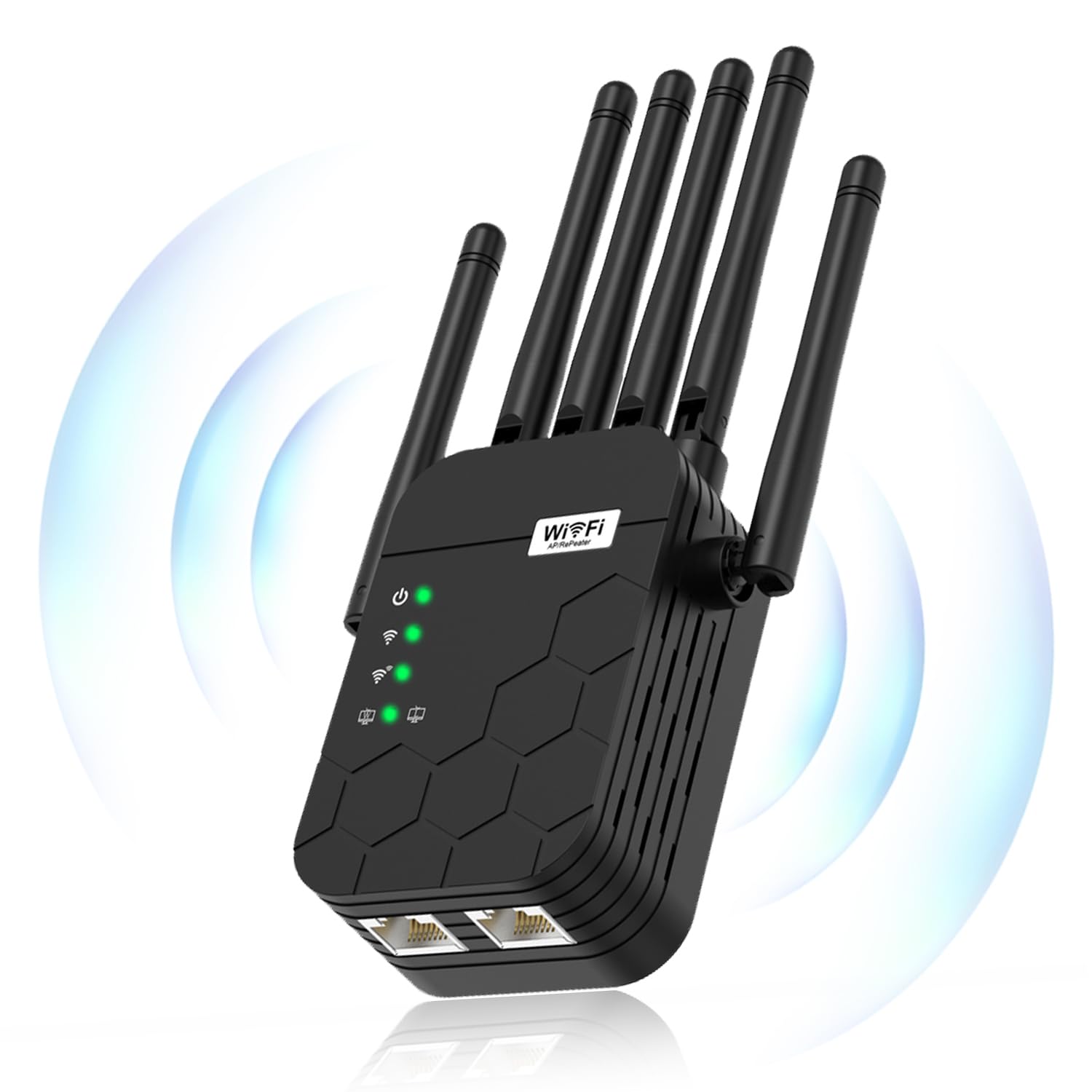
The whole-home powerhouse that buries dead zones for good without making you sell a kidney.
The KradGingo 2026 claims a massive 13,880 sq. ft. of coverage, which is a 9.3x gap over the 1,500 sq. ft. the NETGEAR EX6120 offers — real-world reach will be less, but that headroom means it handles even a sprawling ranch-style home or a house with a detached garage. It pushes 1200 Mbps across dual bands (2.4 GHz and 5.8 GHz), so streaming 4K on the back porch and browsing in the basement happen without buffering. Buyers report it “covers up to 13,880 sq ft, connects 100+ devices,” which lines up with the specs for a household packed with phones, tablets, and smart gadgets.
The 2-Core processor and Band Steering (a feature that automatically moves your device to the faster band) keep things snappy even when the whole family is online. For anyone who has struggled with a cheap extender that overheats or drops connections, this one runs cool and stays stable.
Setup is dead simple — plug it in, select its WiFi name, enter your router’s password, and you are live. No app to hunt down. The catch is that finding the perfect wall outlet may take a few tries; the indicator lights help guide you to the balance.
Why it wins: class-leading coverage for the price, a huge device capacity, and genuinely simple setup that non-techies can handle in minutes.
The one honest trade-off: The 100 Mbps Ethernet port is slower than a Gigabit port, so wired gaming consoles won’t get max speed — but for WiFi-only homes, this is a non-issue.
Reach for this if: You have a large home with multiple dead zones, own more than a handful of smart devices, and want a single extender to fix it all without any monthly fees.
Look elsewhere if: You need a wired Gigabit connection for a PC that sits in a dead zone — you will want a model with a faster Ethernet port.
2. Mekupc AC1200 WiFi Extender
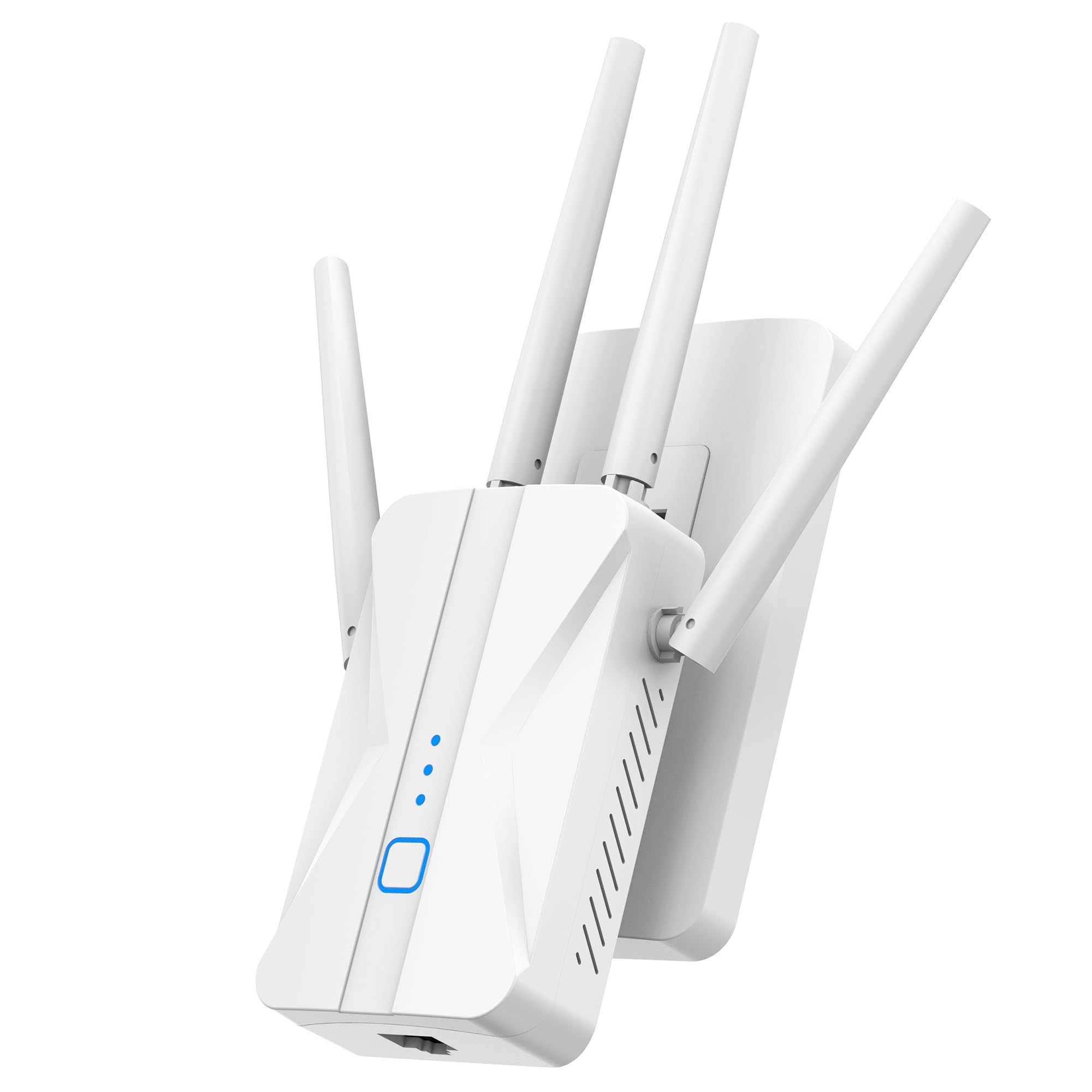
The compact extender that somehow reaches the far end of a 1.8-acre lot.
Rated for 12,980 sq. ft. of coverage, the Mekupc AC1200 is a strong contender for anyone with a big yard or an outbuilding that needs WiFi. It uses four high-gain antennas to punch through walls, and owners mention it “works great” for poolside speakers and even reaches the garage on the far side of a 1.8-acre property. That is a level of real-world range that rivals the best in this list, and it comes at a very budget-friendly price.
The three working modes — Repeater, AP, and wired network mode via the built-in LAN port — give you flexibility. You can plug a smart TV or a camera directly into the extender for a rock-solid connection, which is useful in rooms where WiFi is still shaky. Setup is one-touch WPS, so you are up and running in seconds rather than fiddling with a browser.
The main difference between this and the top pick is the device capacity: the Mekupc does not advertise a specific device limit, while the KradGingo is rated for 100+. If your household has a ton of smart gadgets, the KradGingo is a safer bet. But for most homes, the Mekupc’s signal strength is more than enough.
Standout spec: The real-world range that stretches across 1.8 acres, which is exceptional for a plug-in extender at this price.
One buyer note: The directions are “a bit confusing,” so be ready to rely on the WPS button for the simplest path.
Go for it if: You need to bring WiFi to a backyard, garage, or basement that is far from the router, and you want a simple, fast setup.
skip it if: You have a smart home with dozens of connected devices and need a guaranteed device limit — the KradGingo is a better fit for dense environments.
3. ROQRL 2026 WiFi Extender Signal Booster

The extender that holds a strong signal all the way from the basement router to the backyard fence.
This ROQRL model covers up to 10,000 sq. ft. with 1200 Mbps dual-band speed, but the real story is how it handles distance. Customers note that moving it to a garage “hundreds of feet from router” still kept a steady connection and extended WiFi across the entire backyard. If you have a detached shop, a pool house, or a far-flung bedroom that has been a dead zone, this is a strong candidate.
It offers three operation modes — Repeater, AP Mode, and Ethernet Port Mode — which is more versatile than some similarly priced models. The Ethernet port lets you plug in a desktop or a TV for a wired connection, and the setup is straightforward enough that buyers call it “simple phone setup in minutes.”
The main limitation versus the top pick is the coverage gap: at 10,000 sq. ft. (claimed), it falls short of the KradGingo’s 13,880 sq. ft. For a typical suburban home, though, 10,000 sq. ft. is still generous.
What Buyers Love
- Maintains full speed even at long distance from the router
- Three versatile modes cover wireless and wired use
- Setup is fast and straightforward
The Small Hiccup
- Setup instructions had a broken QR code that led to a product page instead of setup guide
Pick this if: Your main need is extending a strong signal to a far-off building or a big backyard, and you want a model that handles hundreds of feet without dropping the connection.
Pass on this if: You prefer a single-network name for smooth roaming — this model creates a separate SSID, so you will need to manually switch networks as you move.
4. Gorzhesua 1200Mbps WiFi Extender Signal Booster
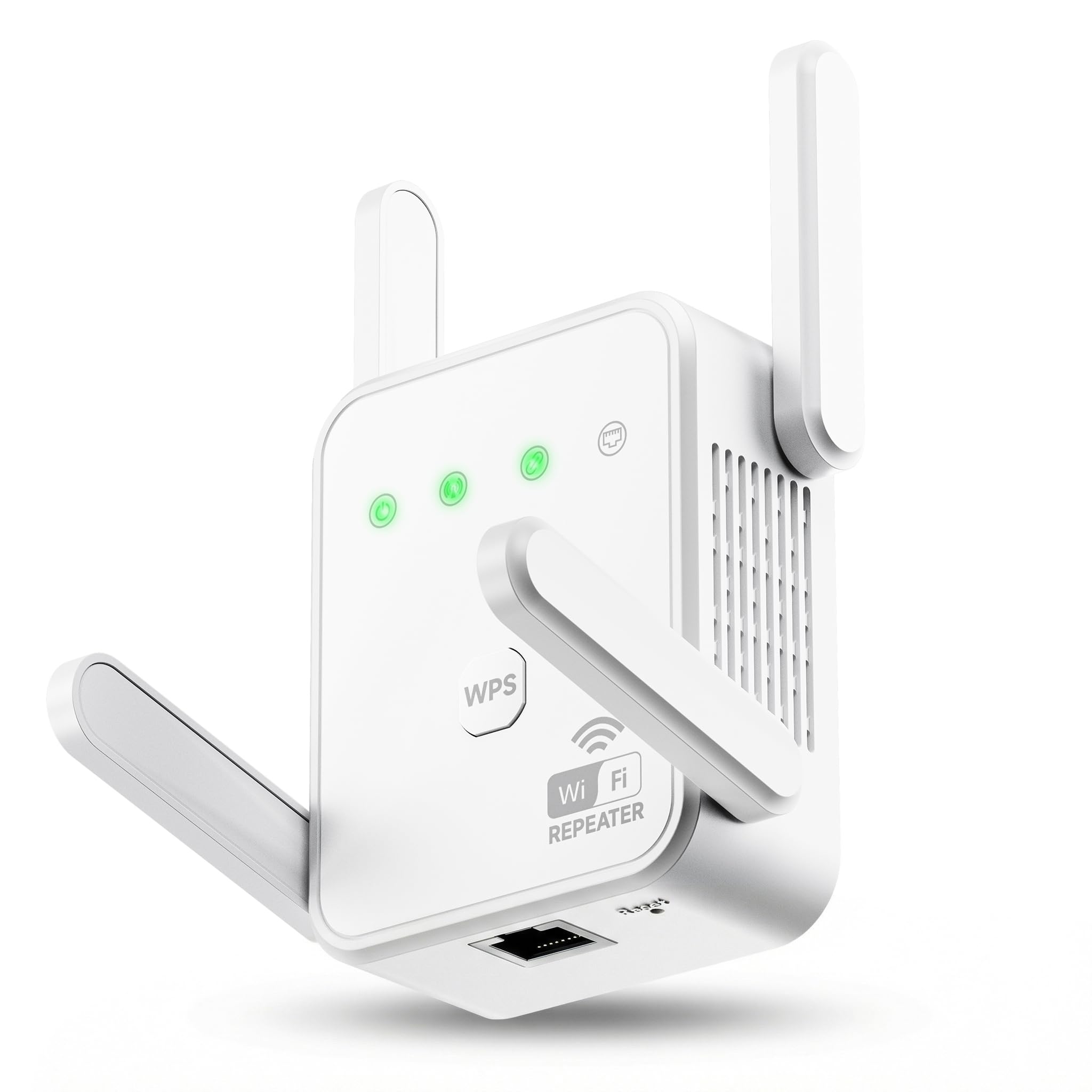
The budget extender that handles a massive device load without breaking a sweat.
Most extenders in this price range tap out after 30 connections. The Gorzhesua is rated for 80 devices simultaneously — a feature that matters if your home is littered with smart bulbs, security cameras, tablets, and streaming sticks. Buyers confirm it “provides strong, steady signal for family use, fixing weak areas for smooth video and fast pages.” The 3,600 sq. ft. coverage is more modest than the top picks, but for a typical two- or three-bedroom home that is plenty of reach.
The four external antennas are adjustable, which helps you aim the signal around obstacles. The WPS one-button setup is as easy as it gets, and it has an AP Mode (a mode that turns a wired Ethernet connection into a WiFi hotspot) for turning a wired connection into a hotspot. The built-in 100Mbps Ethernet port handles a game console or PC just fine for most online gaming, though it is not Gigabit.
Where this model falls short of the KradGingo is coverage area (3,600 sq. ft. vs. 13,880 sq. ft.). If you live in a small or medium home with lots of devices, the Gorzhesua is a better value. If you have a massive house, the KradGingo is worth the extra few dollars.
Key strength: An 80-device capacity that absolutely destroys the competition at this price point — most extenders are only rated for 25 to 32 devices.
One buyer insight: It does not increase your ISP’s base speed, but for coverage expansion and handling many gadgets, buyers call it a “great value for fixing WiFi issues.”
Buy this for: A medium-sized home packed with smart devices where you need a reliable extender that will not choke when everyone connects.
Skip it for: A large open floor plan or a two-story home with distant corners — you will want a model with a bigger coverage footprint.
5. TP-Link RE550 AC1900 WiFi Range Extender

The extender that blends into a mesh network for smooth roaming throughout your home.
The RE550 is a step up from the budget crowd because it supports EasyMesh — a standard that lets you pair it with an EasyMesh-compatible router to create a single, unified network. You walk from room to room and your phone automatically switches to the strongest signal without dropping the call or pausing your stream. It covers up to 2,200 sq. ft. and handles 32 devices, which is more than enough for a medium-sized home.
The Gigabit Ethernet port is a major upgrade over the 100 Mbps ports on budget extenders. If you have a desktop PC in a dead zone, plugging it into the RE550 via Ethernet gets you wired speeds up to 1 Gigabit — ideal for large file downloads or competitive gaming. Reviewers point out getting “190 Mbps download, 40 Mbps upload, 19 ping” through the extender, which is impressive for a wireless repeater.
The trade-off is that setup is a bit more involved than a simple WPS button press. The app-based setup via the TP-Link Tether app works well, but some buyers found it took multiple attempts. Once running, though, it is rock solid with no drops.
The Advantages
- EasyMesh support for smooth roaming with compatible routers
- Gigabit Ethernet port gives wired devices full-speed connections
- Three adjustable antennas provide strong, focused signal
The Catch
- Setup requires the app and a bit of patience — not as instant as a WPS-only extender
Choose this if: You have a TP-Link EasyMesh router and want to expand your network without adding a second SSID or dealing with manual switching.
Pass if: You just need a basic plug-and-play extender for a single dead spot — the simpler budget models are easier to set up and cost less.
6. NETGEAR WiFi Range Extender EX6120

The no-nonsense plug-in that fixes one dead zone without any fuss.
If you only need to extend WiFi to one room — a bedroom that buffers, a home office with a weak signal — the NETGEAR EX6120 is the simplest solution. It covers 1,500 sq. ft. and supports up to 25 devices, which is exactly right for a small apartment or a single floor of a house. That is a much smaller footprint than the top pick’s 13,880 sq. ft., but if you do not need whole-home coverage, you should not pay for it.
Setup is via the WPS button or a web browser; no app is required. Shoppers say that “easy setup via Netgear page” worked well, though a few hit snags with the mywifiext.net portal. The compact wall-plug design means it disappears behind furniture, and the single 100Mbps Ethernet port is there for a console or streaming player in the same room.
The biggest gotcha with this model is that it creates a separate SSID (WiFi network name), so you have to manually switch your phone or laptop to the extender’s network when you move into its range. For a single-room fix, that is not a big deal. For anyone wanting smooth roaming, the TP-Link RE550 or an EasyMesh setup would be a better fit.
Best part: It just works. Plug it in, press WPS, and you get an instant signal boost in the room that needed it — no apps, no accounts, no fuss.
The limit: The 100Mbps Ethernet port is not Gigabit, and some buyers reported the port failed after a few months of use.
Perfect for: A renter or homeowner who needs to fix one specific dead zone with the simplest, most reliable plug-and-play extender on the market.
Not for: Anyone who wants a single network name throughout the house or needs to cover more than about 1,500 sq. ft.
7. TP-Link AX3000 Wi-Fi 6 Range Extender RE705X (Renewed)
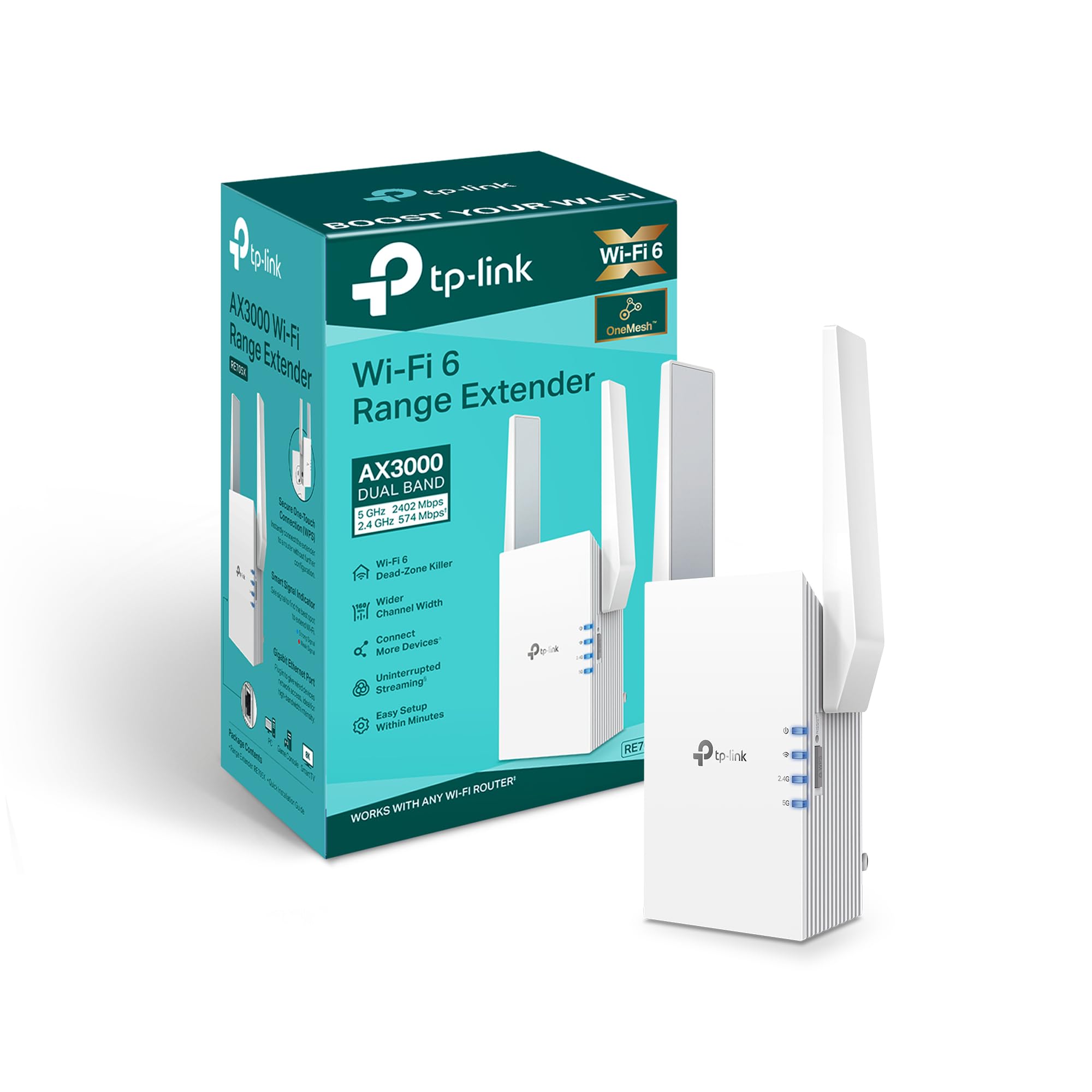
The future-ready extender that brings Wi-Fi 6 speeds to your whole home while staying affordable.
The RE705X is a renewed model that packs Wi-Fi 6 technology — the newest generation of WiFi that handles more devices at higher speeds with lower latency. It delivers up to 3 Gbps total bandwidth (2402 Mbps on 5 GHz, 574 Mbps on 2.4 GHz), which is more than double what the AC1200 extenders can manage. If you have a Wi-Fi 6 router and a house full of modern gadgets, this extender open up the full potential of your network.
It is also OneMesh-compatible with TP-Link routers, which gives you a single network name and automatic handoff as you move around the house. Buyers rave that it “works great for OneMesh with TP-Link router; smooth plug-and-play.” The Gigabit Ethernet port ensures your wired devices get the fastest possible connection — a big step up from the 100 Mbps ports on budget models.
The catch is that this is a renewed unit, meaning it is pre-owned or refurbished. Buyers noted it came with “fingerprints and poor packaging,” though it worked perfectly fine. Also, the 2.4 GHz band is slower than the 5 GHz band, with one buyer reporting “avg 30 Mbps down, 28 Mbps up” on 2.4 GHz. For most streaming and browsing, the 5 GHz band is where you will live.
The Upgrades
- Wi-Fi 6 speeds up to 3 Gbps for faster streaming and gaming
- OneMesh compatibility for smooth roaming with TP-Link routers
- Gigabit Ethernet port for wired devices
The Downsides
- Renewed unit may show cosmetic wear from previous use
- Passive cooling can cause it to run hot in non-ventilated spaces like garages
Buy it for: A home with a Wi-Fi 6 router where you want to maintain top speeds in a far room — the Gigabit port and Wi-Fi 6 compatibility make this a unique value.
Pass if: You need outdoor or garage coverage — the passive cooling design makes it prone to overheating in those environments.
Understanding the Specs
Dual-Band vs. Single-Band
A dual-band extender broadcasts on both the 2.4 GHz band (longer range, slower speeds, better for browsing and smart home devices) and the 5 GHz band (shorter range, faster speeds, ideal for streaming and gaming). A single-band extender uses only the crowded 2.4 GHz frequency, which means slower speeds and more interference from neighbors. Every extender on this list is dual-band, which is the bare minimum for a decent experience today.
Coverage Area (Sq. Ft.)
Coverage is the manufacturer’s estimate under perfect lab conditions with no walls. In a real home with drywall, furniture, and floors, expect roughly half the claimed range. If a box says 3,600 sq. ft., you can realistically cover a two-bedroom apartment or a single floor of a house. For a whole, multi-story home, look for 10,000+ sq. ft. claims to have a cushion for signal loss through obstacles.
FAQ
Will a WiFi extender work with any router?
How far should I place the extender from my router?
Does a WiFi extender slow down internet speed?
How many devices can an affordable extender handle?
What is the difference between Repeater Mode and AP Mode?
Does a WiFi extender need a separate power outlet?
Can I use a WiFi extender with a mesh system?
How do I know if I need an extender or a mesh system?
Is the Ethernet port on an extender the same speed as my router’s port?
What does “renewed” mean for the TP-Link RE705X?
Final Thoughts: The Verdict
For most buyers, the affordable wifi extender winner is the KradGingo 2026 because it covers up to 13,880 sq. ft., handles 100+ devices, and sets up in seconds without an app — a combination that beats everything else at this price. If you want smooth mesh roaming with a Gigabit Ethernet port, grab the TP-Link RE550. And for the absolute simplest fix for one dead room, the standout is the NETGEAR EX6120.
How We Picked
We do not accept paid placement. Every pick is matched to a real buyer and a real use-case; we do not hands-on test units.
Sources & Methodology
Specifications: manufacturer listings and product documentation. Review insights: verified customer reviews, as of July 2026. Pricing: not shown on this page (it changes often); check the current price via the retailer link.
As an Amazon Associate, Gadgets Feed earns from qualifying purchases. This does not affect which products we feature.
Product prices and availability are accurate as of the date/time indicated and are subject to change. Any price and availability information displayed on Amazon at the time of purchase will apply to the purchase of this product. As an Amazon Associate I earn from qualifying purchases.
CERTAIN CONTENT THAT APPEARS ON THIS SITE COMES FROM AMAZON. THIS CONTENT IS PROVIDED "AS IS" AND IS SUBJECT TO CHANGE OR REMOVAL AT ANY TIME.
Amazon and the Amazon logo are trademarks of Amazon.com, Inc. or its affiliates.