
Cutting the cord without cutting corners is the defining challenge in the affordable wireless gaming mouse space. You want the freedom of a cable-free desktop without the lag, the weight penalty, or the battery anxiety that plagued early models. The market has responded with a wave of sub- options that deliver flagship-tier sensors, sub-60g weights, and battery life measured in weeks, making this the best time in years to go wireless on a budget.
I’m Min — the co-founder and writer behind Gadgets Feed. I’ve spent countless hours dissecting the technical specifications, poring over user testing data, and comparing sensor performance, switch durability, and real-world battery endurance across dozens of models to separate the genuine contenders from the spec-sheet mirages.
After methodically analyzing every product in this segment, I’ve narrowed the field to the seven models that deliver uncompromising performance without breaking the bank. This is your definitive, data-driven guide to finding the best affordable wireless gaming mouse for your specific grip style, game genre, and budget.
How To Choose The Best Affordable Wireless Gaming Mouse
Your goal is to match a specific combination of weight, sensor accuracy, switch feel, connection reliability, and battery endurance to your personal hand size and game library. Getting the balance right determines whether your aim feels snappy or sluggish in competitive titles.
Weight and Shape: The Foundation of Control
Sub-60g ultralight mice dominated the premium tier and have now cascaded down to affordable options. Lighter mice reduce inertia during flicks and micro-adjustments, directly improving tracking in fast-paced shooters. But weight is only half the equation — shape determines how naturally your hand rests on the mouse. Look for a shape that supports your preferred grip (palm, claw, or fingertip) and matches your hand size. An ultralight mouse with a poor shape will still cause fatigue and inconsistency.
Sensor Generation and Polling Rate: Beyond the DPI Number
Ignore the maximum DPI ceiling — modern sensors from PixArt like the PAW3311, PAW3335, and PAW3395 all offer flawless tracking on standard cloth pads at the DPI levels anyone actually uses (400–3200). The real differentiator is the polling rate. Standard affordable mice offer 1000Hz (1ms response), but several models now support 2000Hz or higher with an optional receiver, providing visible smoothness improvements on high-refresh-rate monitors. Prioritize sensor generation and polling rate over DPI bragging rights.
Battery Life and Recharging: Runtime vs Convenience
Battery life in this category spans from a few days of heavy gaming on a built-in 500mAh cell to over 250 hours on a single AA battery. Rechargeable mice with USB-C offer convenience and lower long-term cost, while AA-powered options like the Logitech G305 deliver the peace of mind of instant battery swaps — valuable for LAN parties or travel. Pay attention to the real-world battery averages reported in user reviews, as manufacturer claims are often measured with RGB disabled and light usage.
Switch Quality and Click Feel
The switches under your left and right buttons determine the tactile feedback and durability of your mouse. Mechanical switches rated for 10–20 million clicks are standard at this price, but higher-end options like Kailh GM8.0 Black Mamba switches (rated for 80 million clicks) deliver a crisper, more responsive feel that directly translates to faster double-taps in shooters or rhythm games. Scroll wheel encoder quality also matters for weapon-switching precision — TTC encoders are favored for their defined steps.
Connectivity Modes and Latency
Tri-mode mice (2.4G / Bluetooth / USB-C wired) offer the most flexibility, letting you use low-latency 2.4G for gaming, Bluetooth for office productivity, and wired for zero-latency while charging. Bluetooth mode typically introduces higher latency and is unsuitable for competitive shooters, while 2.4G implementations now match wired performance. Check whether the mouse includes a receiver storage slot inside the chassis — a small detail that prevents dongle loss during transport.
Quick Comparison
On smaller screens, swipe sideways to see the full table.
| Model | Category | Best For | Key Spec | Amazon |
|---|---|---|---|---|
| Attack Shark X3 | Premium Sensor | Competitive FPS | PAW3395, 49g, Kailh GM8.0 | Amazon |
| ATK VXE R1 SE+ | Ultralight Value | Marathon Gaming | PAW3395 SE, 55g, 2000Hz | Amazon |
| Logitech G309 | Dual-Use Champ | Gaming & Work | HERO 25K, 300hr+, LIGHTFORCE | Amazon |
| Redragon M913 | Button-Rich | MMO / MOBA | PAW3335, 170hr, 9 macros | Amazon |
| Logitech G305 | Battery King | 250hr+ on 1 AA | HERO, 250hr, LIGHTSPEED | Amazon |
| Attack Shark X11 | RGB Dock | Style & Performance | PAW3311, 59g, magnetic dock | Amazon |
| AULA SC580 | Best Budget | Entry-Level Wireless | 12000 DPI, 500mAh, 3-mode | Amazon |
In-depth Reviews
1. Attack Shark X3

The Attack Shark X3 delivers what many budget mice only promise: flagship-tier sensor performance in a genuinely ultralight chassis. At just 49 grams, it’s one of the lightest mice in any price bracket, and the PixArt PAW3395 optical sensor provides flawless 26000 DPI tracking with zero smoothing or acceleration. The 1000Hz polling rate feels instant in fast-paced titles like Valorant or Apex Legends, and the TTC scroll wheel encoder offers satisfyingly defined steps for weapon switching.
The Kailh GM8.0 Black Mamba mechanical switches are rated for 80 million clicks and produce a crisp, tactile response that’s noticeably more defined than standard Omron switches found in similarly priced competitors. Tri-mode connectivity (2.4G, Bluetooth 5.2, USB-C wired) covers every scenario, and the 5 programmable buttons are more than sufficient for FPS and battle royale titles. Battery life is strong — users report weeks of mixed gaming and office use before needing a charge.
The downside is shape specificity: the X3 is designed to replicate the G Pro X Superlight form factor but in a smaller package, meaning palm grip users with large hands will find it cramped. The included grip tape helps compensate, but this mouse clearly favors claw and fingertip grips. The software driver is functional but basic, lacking the polish of Logitech G Hub or Razer Synapse. Still, for pure raw performance per gram, the X3 punches far above its price point.
Why it’s great
- Flagship PAW3395 sensor at a budget price
- 49g weight rivals premium ultralight mice
- Kailh GM8.0 switches offer tactility and 80M click durability
Good to know
- Smaller shape unsuitable for large hands using palm grip
- Basic driver software lacks advanced customization
- No on-board memory for profile storage
2. ATK VXE Dragonfly R1 SE+
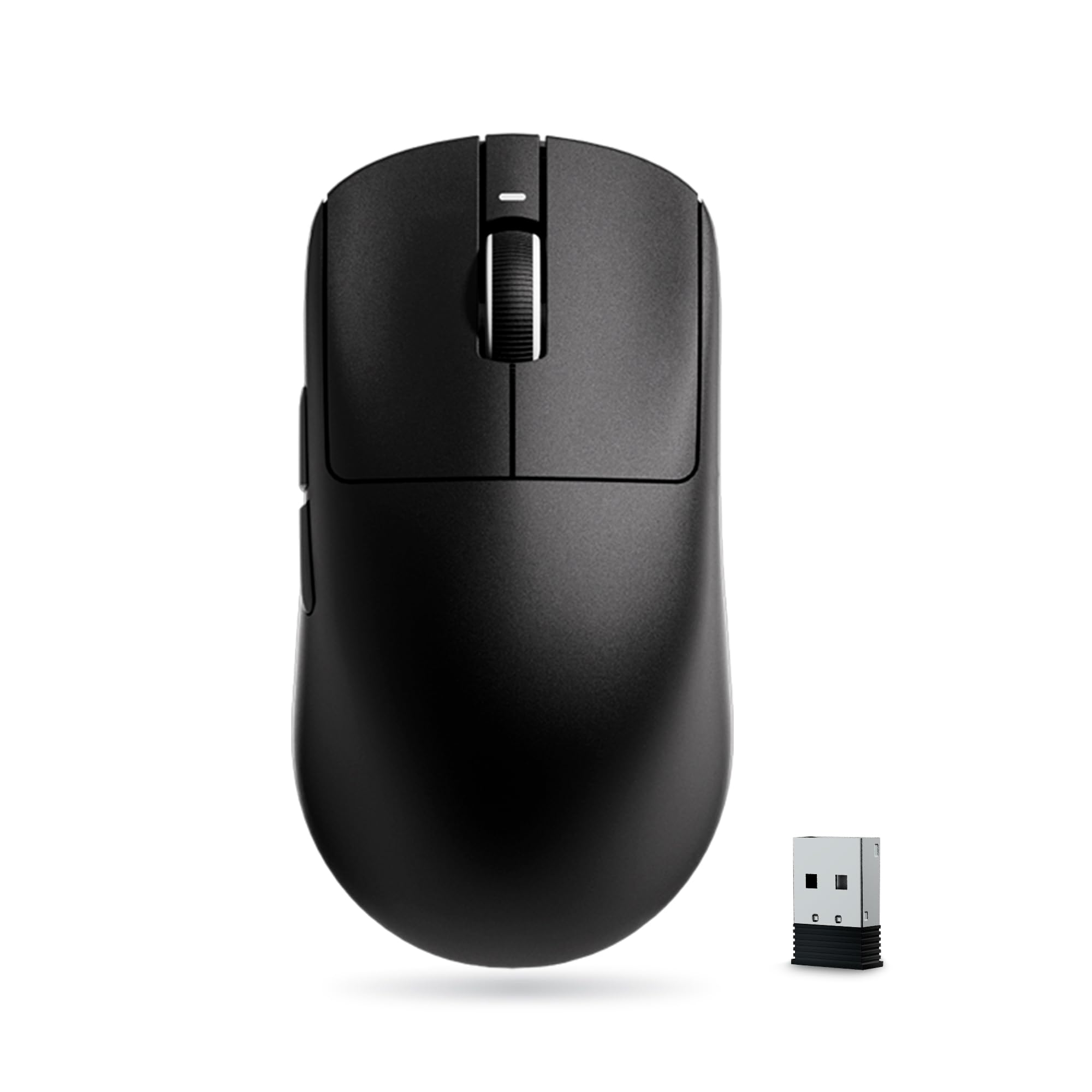
The ATK VXE Dragonfly R1 SE+ brings a surprising feature to the affordable segment: an adjustable polling rate up to 2000Hz out of the box. That’s double the standard 1000Hz, translating to visible smoothness on 144Hz and 240Hz monitors. The PAW3395 SE sensor, while technically a slightly pared-down version of the flagship PAW3395, still delivers pixel-perfect tracking up to 18,000 DPI with no noticeable jitter or spin-out, even during aggressive flicks.
The 55-gram chassis (48–55g depending on model variant) achieves its lightness without the creaking or flex common in super-budget ultralights — the shell feels solid and tightly assembled. The symmetrical, low-profile shape is versatile across all grip styles, though the flatter hump makes it less suited for pure palm grippers. The tri-mode connectivity includes Bluetooth and USB-C wired alongside 2.4G, and the SmartSpeed X wireless technology keeps latency imperceptible in competitive play.
Battery life hits 70–75 hours at 1000Hz, and users report three weeks of mixed use per charge. The main compromises are the buttons, which require slightly more actuation force than the crispest switches, and the lack of a 4K receiver in the box (sold separately for those wanting 4K polling). The software is straightforward and free of bloatware, though limited in RGB customization compared to bigger brands.
Why it’s great
- 2000Hz polling rate at a budget price point
- Solid, flex-free construction at 55g
- Excellent 70-75 hour battery life in real-world use
Good to know
- Flatter shape not ideal for palm grip users
- Side buttons require more force than competitors
- 4K polling requires separate receiver purchase
3. Logitech G309 Lightspeed

The Logitech G309 sits at the premium end of the affordable spectrum, and it earns that position with a set of features no competitor matches at this price. The HERO 25K sensor is Logitech’s current-generation optical, offering sub-micron tracking precision with zero smoothing across its entire 25,600 DPI range — overkill for most players, but a reassurance that the sensor will never be a limiting factor. The LIGHTFORCE hybrid switches combine the instant response of an optical switch with the tactile feel of a mechanical switch, solving the mushy feeling that plagued early optical designs.
Battery life is the headline: over 300 hours on a single AA battery in LIGHTSPEED mode, or unlimited battery life with the POWERPLAY wireless charging pad. That’s weeks of daily gaming without battery anxiety, and the AA form factor means you can swap in a fresh cell instantly if it does die mid-session. The 86-gram weight (with battery) is not ultralight by modern standards, but the balanced chassis and excellent skates make it feel lighter during use. Bluetooth and LIGHTSPEED dual connectivity are managed through a single button on the underside, and the included receiver extender cable ensures optimal signal placement.
The shape is a refined take on Logitech’s medium-sized ergonomic design, comfortably supporting palm and claw grips for small-to-medium hands. The G Hub software remains a mixed bag: powerful with per-game profile customization and on-board memory support, but somewhat resource-heavy and prone to occasional sync issues. The 300-hour battery claim is validated in practice — users consistently report months between battery changes with moderate daily use, making this the most maintenance-free option in this roundup.
Why it’s great
- Over 300 hours battery life on a single AA battery
- LIGHTFORCE switches combine optical speed with mechanical feel
- POWERPLAY compatibility enables unlimited wireless charging
Good to know
- 86g weight is heavier than the ultralight competition
- G Hub software can be slow and resource-intensive
- Shape is medium-sized, not ideal for very large hands
4. Redragon M913

The Redragon M913 throws the playbook of ultralight minimalism out the window and instead focuses on delivering a serious advantage in macro-heavy games. With 9 programmable buttons including a dedicated rapid-fire key and two side macro buttons, this mouse is built for MMOs, MOBAs, and any game where keybinding speed matters more than flick-aim precision. The PAW3335 PixArt sensor is a generation older than the 3395 found in the X3, but still offers flawless 16000 DPI tracking with zero acceleration — more than enough for any non-competitive scenario.
The ergonomic shape is distinctly right-handed with a pronounced thumb rest and textured rubber side grips, providing a locked-in feel that reduces fatigue during extended sessions. Battery life is a standout: up to 170 hours with RGB disabled, and users consistently report 1-2 weeks of daily gameplay before needing to recharge the built-in battery. The RGB lighting is extensive with zone customization via the Redragon Pro software, which is functional if not as polished as premium alternatives.
The trade-offs come in weight and connectivity. At over 100 grams, this is firmly in the traditional weight category — players coming from a 55g ultralight will notice the inertia immediately. The dual-mode (wired/wireless) approach lacks Bluetooth, so it’s strictly 2.4G or USB-C. The rapid-fire key is a mechanical triple-click mechanism that can be prone to accidental activation in tense moments. But for the player who needs macro versatility over featherweight speed, the M913 offers unmatched button density at its price tier.
Why it’s great
- 9 programmable buttons with rapid-fire key for macro-heavy games
- Excellent 170-hour battery life with RGB disabled
- Ergonomic shape with textured grips for fatigue-free long sessions
Good to know
- Weighs over 100g — not for ultralight enthusiasts
- No Bluetooth connectivity, only 2.4G and wired
- Rapid-fire key may trigger accidentally during intense play
5. Logitech G305 Lightspeed

The Logitech G305 is the veteran of the affordable wireless gaming mouse space, and its longevity is earned through an unshakeable combination of performance, battery life, and build quality. The HERO sensor delivers the same flawless low-latency tracking as Logitech’s premium mice, with up to 12,000 DPI sensitivity and 400 IPS tracking speed. The LIGHTSPEED wireless technology provides a 1ms report rate that remains indistinguishable from wired in blind testing — a claim many budget mice still struggle to deliver consistently.
The battery life is the defining feature: 250 hours of continuous gaming on a single AA battery, which translates to months of daily use for most players. The battery compartment houses the nano receiver, solving the dongle storage issue that plagues smaller mice. The 99-gram weight (with battery) is not light by modern ultralight standards, but the balanced weight distribution and excellent PTFE feet make it feel nimble on the pad. The compact shape suits claw and fingertip grips best, though medium-sized hands can still palm it comfortably.
The trade-offs are well-documented: there’s no RGB lighting, no Bluetooth, and no USB-C charging (it uses a single AA battery). The six programmable buttons are functional but limited compared to the Redragon’s nine, and the G Hub software is required for customization. The G305 has been on sale long enough that most of its reliability issues are known — and the consensus is that it’s one of the most durable mice in its class, with many users reporting 3-5 years of daily use without failure. For someone who values absolute reliability over spec-sheet excitement, the G305 remains peerless.
Why it’s great
- 250-hour battery life on a single AA battery — months of use
- Hero sensor delivers LIGHTSPEED-tier tracking at a budget price
- Proven durability with years of positive user reports
Good to know
- No RGB lighting or Bluetooth connectivity
- AA battery means no rechargeable convenience
- 99g weight is heavier than the newest ultralight options
6. MAGIC-REFINER Attack Shark X11

The Attack Shark X11 brings something unusual to the affordable segment: a magnetic RGB charging dock that acts as both a wireless charger and a USB 2.0 hub. The dock provides fast charging — ten minutes on the dock delivers five hours of gameplay — and the RGB lighting on the dock is a striking visual addition to any desk setup. The X11 itself weighs in at 59±3 grams, placing it squarely in the ultralight territory that competitive players crave, with a PEBBLE PAW3311 sensor offering up to 22000 DPI and 1000Hz polling rate.
The shape is larger than the X3 or VXE R1 SE+, making it a better fit for medium-to-large hands using a claw or relaxed palm grip. The included non-slip grip tape is pre-cut for the X11 and provides genuine traction improvement for sweaty gaming sessions. The TTC encoder on the scroll wheel delivers precise, audible steps that are great for weapon slots in competitive shooters, and the HUANO micro switches are rated for 20 million clicks with a crisp, snappy feel that avoids the hollow sound of cheaper switches.
The main drawback is that the dock’s RGB lighting is not fully customizable — only the mouse LED is adjustable through the software, while the dock cycles through a preset pattern. The Bluetooth connectivity introduces a slight input lag that makes it unsuitable for competitive play, so stick to 2.4G for gaming. The skates are functional but not as smooth as the competition; some users report they benefit from replacement after a few months. However, the overall package of ultralight build, comfortable shape, and dock charging convenience is hard to beat at this price.
Why it’s great
- Magnetic RGB charging dock with fast charging capability
- 59g weight comfortable for medium-to-large hands
- Pre-cut grip tape included for better control
Good to know
- Dock RGB is not fully customizable
- Stock skates are mediocre and may need replacement
- Bluetooth mode has input lag for competitive gaming
7. AULA SC580

The AULA SC580 is the entry point to the world of affordable wireless gaming mice, and it delivers a remarkably complete feature set for the price. The SC580 supports tri-mode connectivity (2.4G, Bluetooth 5.0, USB-C wired) with the ability to pair up to four devices simultaneously — a feature usually reserved for premium productivity mice. The PAW3335-class sensor (listed as custom 12000 DPI) provides accurate tracking, and the 1000Hz polling rate ensures low-latency performance in 2.4G mode that feels responsive even in moderately fast shooters.
The 500mAh rechargeable battery is generous for the price bracket, and user reports confirm that it lasts 10–14 days with around five hours of daily use when RGB is set to conservative modes. The included anti-slip stickers add genuine comfort for claw and fingertip grips, and the 82-gram weight is light enough for longer gaming sessions without causing fatigue. The six programmable buttons are editable through the AULA driver (Windows only), allowing macro assignments for the side buttons and DPI cycling.
The compromises are clear when held against the more expensive options. The build quality is entirely plastic with some flex under heavy grip pressure, and the glossy finish shows fingerprints and smudges quickly. The sensor starts to feel less consistent at the highest DPI settings, though this is irrelevant for the 400–1600 DPI range most players use. The Bluetooth mode introduces a noticeable sleep delay after two minutes of inactivity, and the battery indicator only flashes red when critically low — no software-level percentage readout. For the absolute low-cost entry to wireless gaming, however, the SC580 is a surprisingly complete package that prioritizes essential features over frills.
Why it’s great
- Tri-mode connectivity with 4-device pairing at a very low price
- Large 500mAh battery delivers 10-14 days of mixed use
- Includes anti-slip grip tape and 1000Hz polling rate
Good to know
- Build quality shows flex under heavy grip pressure
- Glossy finish attracts fingerprints quickly
- Sleep delay in Bluetooth mode can be disruptive
Frequently Asked Questions
Is 2.4G wireless truly lag-free for competitive gaming at this price?
What grip style is best for lightweight mice under 70 grams?
How do I choose between rechargeable and AA battery mice?
Final Thoughts: The Verdict
For most users, the best affordable wireless gaming mouse is the Attack Shark X3 because it delivers a flagship PAW3395 sensor and ultralight 49g chassis at a price that undercuts every comparable option. If you prioritize battery endurance and build reliability, grab the Logitech G305 for its legendary 250-hour battery life. And for macro-heavy MMO or MOBA play, nothing beats the Redragon M913 with its nine programmable buttons and 170-hour battery endurance.