
Finding a wireless keyboard and mouse combo that delivers a whisper-quiet typing experience, a strain-free wrist position, and a reliable wireless connection under a sensible budget is no small task. Most sets either cut corners on comfort with rock-hard plastic wrist rests or use cheap sensors that skip and stutter under normal use.
I’m Min — the co-founder and writer behind Gadgets Feed. I’ve spent hundreds of hours combing through spec sheets, decoding DPI ranges, battery chemistry, and membrane key feel to separate the genuine daily-driver combos from the flimsy stuff that ends up in a drawer after a month.
This guide distills that research into the seven combos that legitimately earn their spot on your desk, helping you find the best affordable wireless keyboard and mouse for your actual workflow without wasting time on duds.
How To Choose The Best Affordable Wireless Keyboard And Mouse
When you’re shopping in this crowded tier, the difference between a combo you love and one you tolerate comes down to three factors: the keyboard’s ergonomic contour, the mouse’s DPI adaptability, and the wireless stability of the shared receiver. Ignore brand names for a moment — focus on the physical build and the sensor logic.
Ergonomic Design and Wrist Support
The keyboard’s shape dictates how much your fingers, wrists, and forearms fatigue. Straight, flat keyboards force your wrists to bend inward. Wave-shaped or split-contour keyboards let your hands fall naturally. A cushioned wrist rest — ideally leather over foam rather than bare hard plastic — absorbs pressure points during long stretches.
Mouse DPI and Button Configuration
A mouse with at least three DPI levels (800/1200/1600 or the 1000/1600/2400 range) lets you adjust cursor speed for precision tasks like spreadsheets versus fast scrolling through pages. Side buttons for forward and backward navigation save time without lifting your hand.
Battery Life and Power Management
Auto-sleep circuitry is non-negotiable: a combo that powers down after 10-15 minutes of inactivity can stretch standard AA or AAA cells to a full year or more. Look for sets that clearly state their sleep-wake behavior — hidden battery drain kills the “affordable” part of the equation quickly.
Quick Comparison
On smaller screens, swipe sideways to see the full table.
| Model | Category | Best For | Key Spec | Amazon |
|---|---|---|---|---|
| SABLUTE MA41 | Premium Wave | All-day Ergonomic Comfort | Leather wrist rest, 30dB quiet | Amazon |
| Logitech MK370 | Business Secure | IT Deployments & Dual Connection | Logi Bolt + Bluetooth, spill-proof | Amazon |
| MOFII Split Curved | Style + Ergo | Split-Key Typing & Aesthetics | Curved split keycaps, vertical mouse | Amazon |
| Faadar Wave Keys | Phone Holder Wave | Built-in Phone/Tablet Cradle | 2.8″ palm rest, 3-level DPI | Amazon |
| Logitech MK345 | Classic Reliable | Spill-Resistant Office Duty | 3-year keyboard battery life | Amazon |
| EDJO Ergonomic | Value Ergonomic | Phone Holder + Budget Ergo | 12-month battery, 3 DPI settings | Amazon |
| MEETION Wave Keys | Mini Desk Wave | Natural Finger Alignment | Wave-shaped keys, USB-C adapter | Amazon |
In‑Depth Reviews
1. SABLUTE MA41 Wave Combo
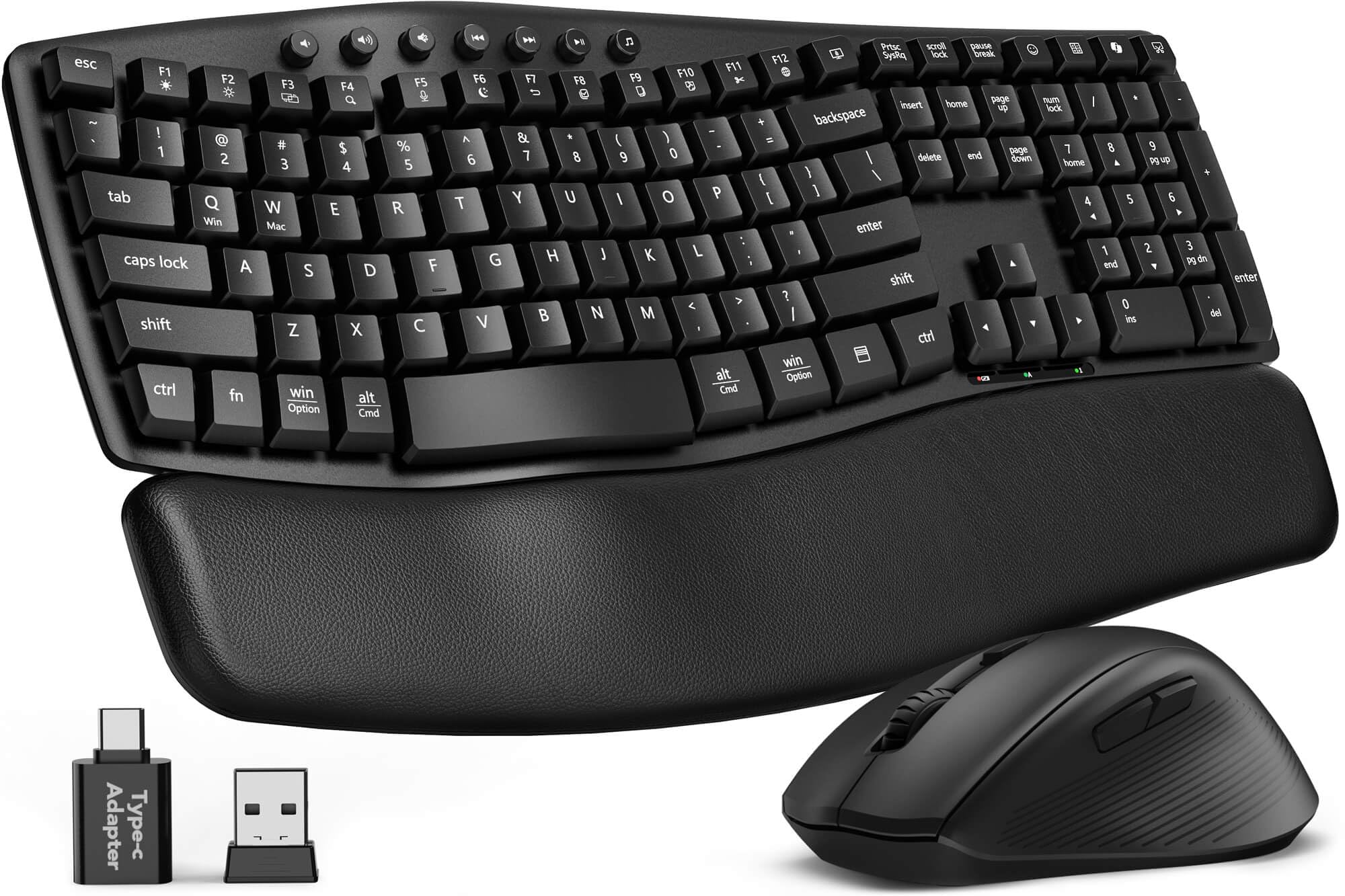
The SABLUTE MA41 earns the top spot because it solves the two biggest problems of budget ergonomic combos: the wrist rest is genuine cushioned leather rather than hard slippery plastic, and the 30dB noise reduction makes it genuinely office-quiet. The wave contour aligns your fingers at a relaxed angle, and the 2 adjustable tilt legs let you fine-tune the slope.
Under the hood, the 2.4GHz shared receiver maintains a stable connection up to 33 feet, and the laser-etched keys resist fading — a durability detail most sets in this price range skip. The 12 productivity shortcuts (screenshot, calculator, AI assistant) save real time, though macOS users lose the Music App and AI shortcut access. Battery life is rated at 6-12 months on 2 AAA + 1 AA, and the spill-resistant membrane add confidence for desk-side coffee risks.
Customer feedback consistently highlights how quickly the wrist rest adapts to heavy use and how the mouse’s ergonomic curve fits medium-to-large palms naturally. Some users noted slight connectivity issues during gaming, but the 2-year replacement warranty and responsive support quickly resolved those cases.
Why it’s great
- Premium cushioned leather wrist rest, not hard plastic.
- Ultra-quiet 30dB typing reduces distraction by 90%.
- 2-year replacement warranty backed by good support.
Good to know
- MacOS lacks Music App and AI shortcut support.
- Keys may feel closer together for users with larger hands.
2. Logitech MK370 Combo for Business

The MK370 is Logitech’s enterprise-grade answer to secure wireless at a mid-range price. The Logi Bolt receiver uses fully encrypted connections with a locked pairing mode that prevents unauthorized device interference — a spec that matters for IT departments managing fleets of keyboards across sensitive workstations. It also adds Bluetooth as a secondary connection, letting you toggle between a desktop and a laptop without unplugging anything.
The full-size keyboard retains the classic K120 layout that millions of office workers know, complete with spill-resistant drainage channels and sturdy tilt legs. Silent Touch technology cuts mouse click noise by 90%, and the ambidextrous mouse shape accommodates left- and right-handed users equally. Battery life is strong: the keyboard runs up to 36 months on 2 AAA cells, while the mouse gets 18 months on 1 AA.
Real-world users report effortless pairing with both Windows and Mac, though Mac-specific shortcut keys (copy/paste equivalents) don’t appear on the printed keycaps — you’ll need to memorize the Mac command keys. The mouse runs slightly on the small side for larger palms, but the overall reliability and Logitech support make this a solid choice for anyone prioritizing security and brand consistency.
Why it’s great
- Encrypted Logi Bolt security for sensitive environments.
- Dual connectivity (USB receiver + Bluetooth).
- Spill-resistant keyboard with proven K120 durability.
Good to know
- No printed Mac shortcut keys on the keyboard.
- Mouse is slightly undersized for large hands.
3. MOFII Split Curved + Vertical Mouse
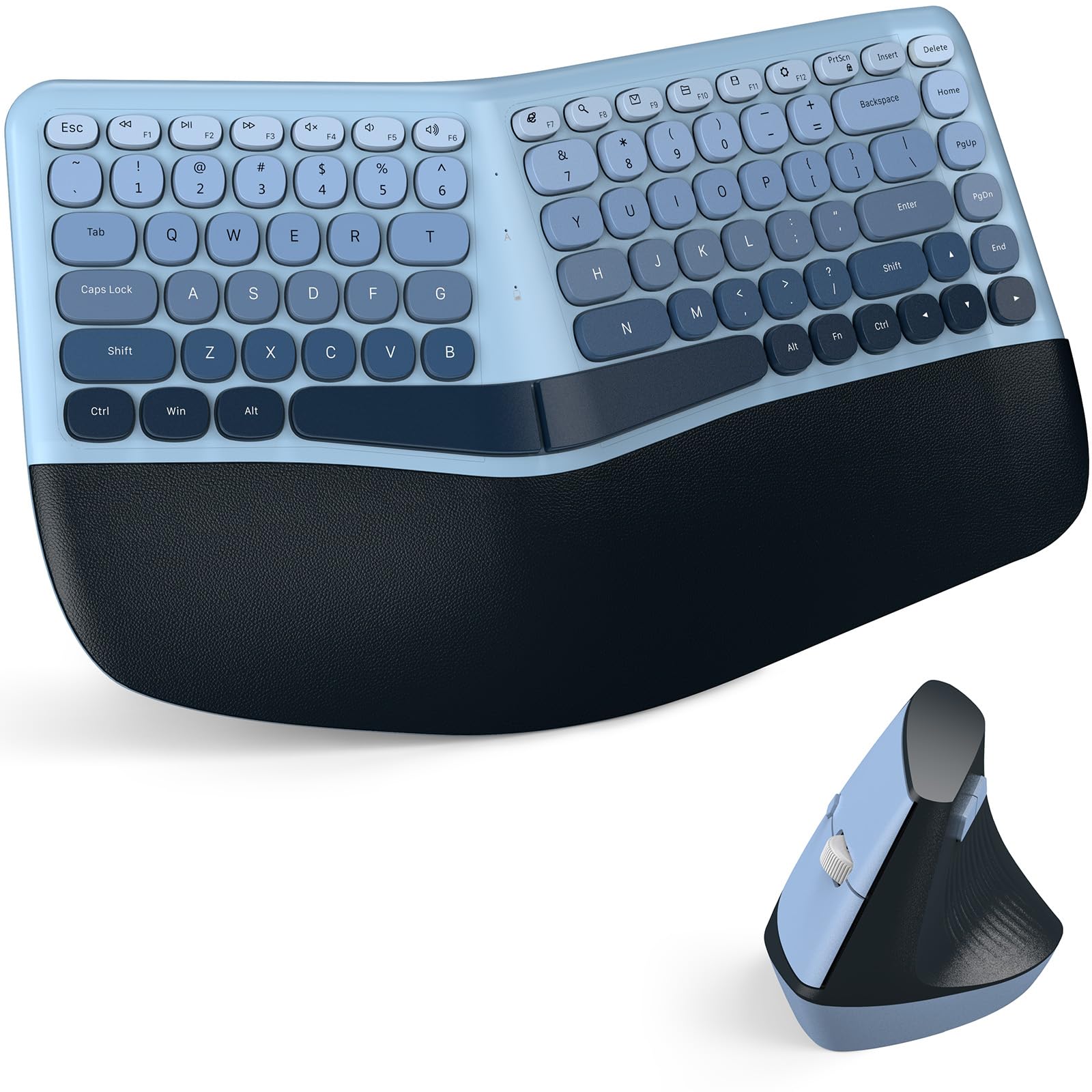
MOFII takes a different ergonomic approach: the keyboard uses split curved keycaps that angle each finger into a more natural rounded arc, while the mouse adopts a vertical handshake posture that keeps your forearm from twisting. This combination directly targets the muscle tension that builds up in the wrist and forearm throughout a full workday. The leather-like padded palm rest is stain-resistant and easy to wipe clean.
Connectivity is straightforward plug-and-play via a single USB nano receiver stored inside the mouse — no drivers, no pairing menus. The mouse offers 3 DPI levels (not specified in the listing, but user feedback indicates 800/1200/1600 range) that handle office navigation and casual browsing without stutter. The round retro keycaps are a visual standout: the Blue Gradient finish looks like a premium desk accessory rather than a utility peripheral.
Some users noted that the USB connection port can be fragile if bent repeatedly, and there is no physical on/off switch on the keyboard — it relies on auto sleep timeout. The aesthetic design is a divisive point: it draws compliments (and jokes about looking like a makeup palette), but it undeniably upgrades the visual appeal of your desk. The 12-month warranty and 30-day money-back guarantee provide reasonable peace of mind.
Why it’s great
- Split curved keycaps reduce fingertip pressure naturally.
- Vertical mouse promotes neutral forearm posture.
- Unique retro aesthetic stands out on any desk.
Good to know
- No physical power switch on the keyboard.
- USB receiver port may loosen with repeated plugging.
4. Faadar Wave Keys Combo
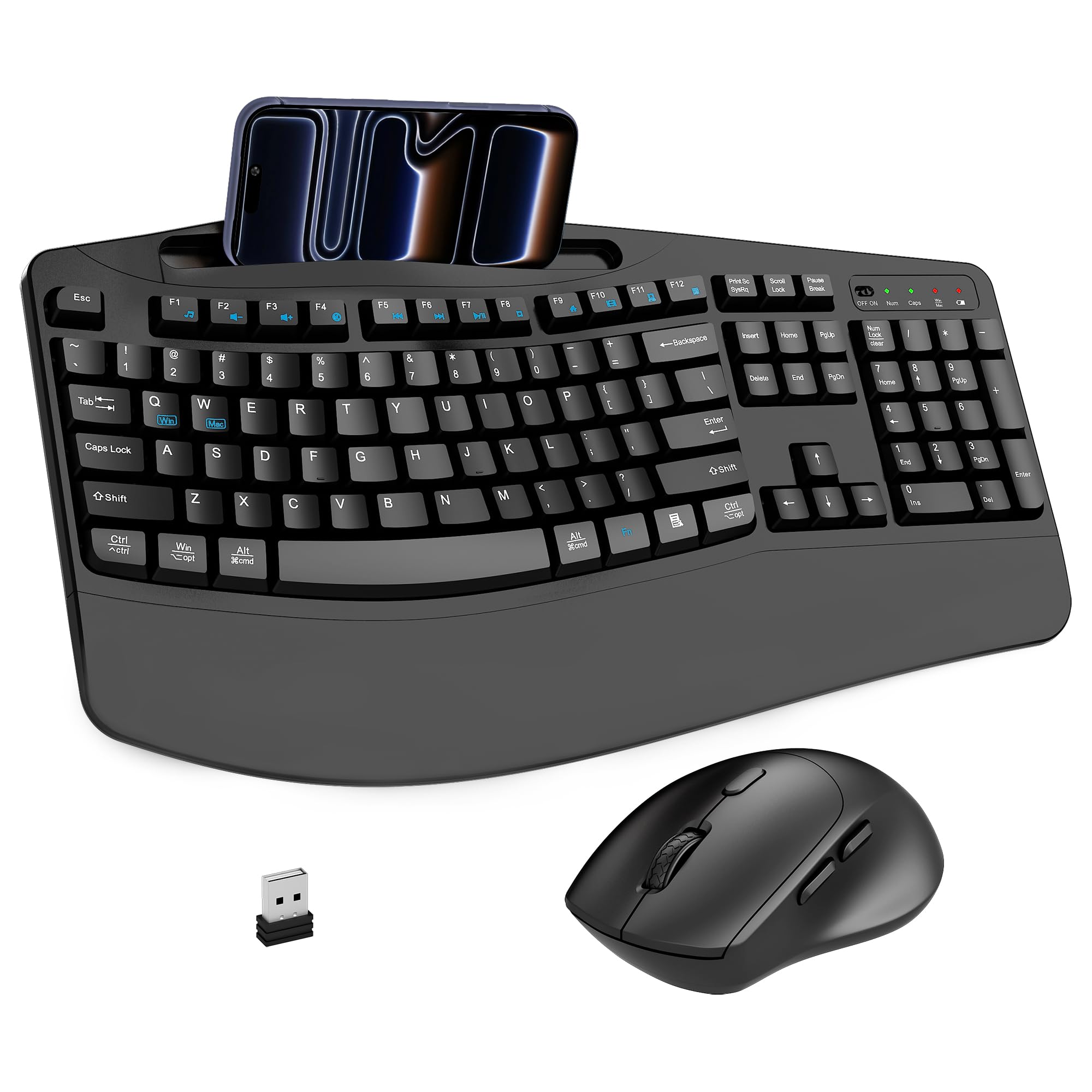
The Faadar combo adds a practical twist to the wave-keyboard formula: a recessed phone and tablet holder built directly into the keyboard deck. This lets you keep your secondary device at eye level without a separate stand, which is genuinely useful for monitoring notifications, following video calls, or watching content during breaks. The 2.8-inch integrated palm rest supports your wrists without adding desk footprint.
The mouse’s 3-level DPI switch cycles through 800/1200/1600, and the forward/backward navigation buttons speed up web browsing significantly. The 104-key full-size layout includes dedicated media and function keys, and the soft membrane keys are noticeably wider-spaced than typical budget sets — reducing accidental multi-key presses. Battery life is respectable: the AA-powered keyboard and mouse enter deep sleep after 3-5 seconds and 15 minutes respectively.
Some users found the keyboard slightly more cramped than a Microsoft Sculpt, and one review noted that the mouse felt sluggish at the lowest DPI setting. The quiet click rating of 95% noise reduction holds true in practice. If you frequently juggle a phone for work alongside your primary computer, the integrated cradle alone justifies the consideration.
Why it’s great
- Built-in phone/tablet holder keeps a second screen visible.
- Wider membrane key spacing reduces accidental presses.
- 3-level DPI with forward/backward navigation buttons.
Good to know
- Keyboard is slightly cramped for users of premium ergo boards.
- Mouse can feel sluggish at the lowest DPI setting.
5. Logitech MK345 Combo

The MK345 is the dependable workhorse of the Logitech wireless family — it lacks the wave-shape ergonomics or cushioned wrist rest of newer designs, but it compensates with a proven track record of durability and zero-fuss setup. The full-size keyboard includes a contoured palm rest (hard plastic, not padded) and dedicated media keys for volume, play/pause, and internet shortcuts. The spill-resistant design has saved many desks from coffee disasters.
The mouse is a straightforward right-handed optical unit with smooth tracking and a solid scroll wheel. It’s on the smaller side, which users with large hands may find limiting, but the 2.4GHz connection is rock-stable at up to 10 meters. Logitech ships Duracell batteries in the box, and the keyboard longevity of up to 3 years on 2 AAA cells is best-in-class for this category. The mouse runs 18 months on a single AA.
The old-school key profile actually reduces typos for some users compared to shallower modern membranes. Reviews consistently highlight the “buy it and forget it” reliability — it’s not flashy, but it rarely glitches. The main tradeoff is the dated aesthetic and the hard plastic wrist rest, which may cause fatigue during marathon typing sessions.
Why it’s great
- Industry-leading 3-year keyboard battery life.
- Spill-resistant design with proven Logitech reliability.
- Batteries included in the box.
Good to know
- Hard plastic wrist rest, no cushioning.
- Mouse is small for larger hands.
6. EDJO Ergonomic Combo
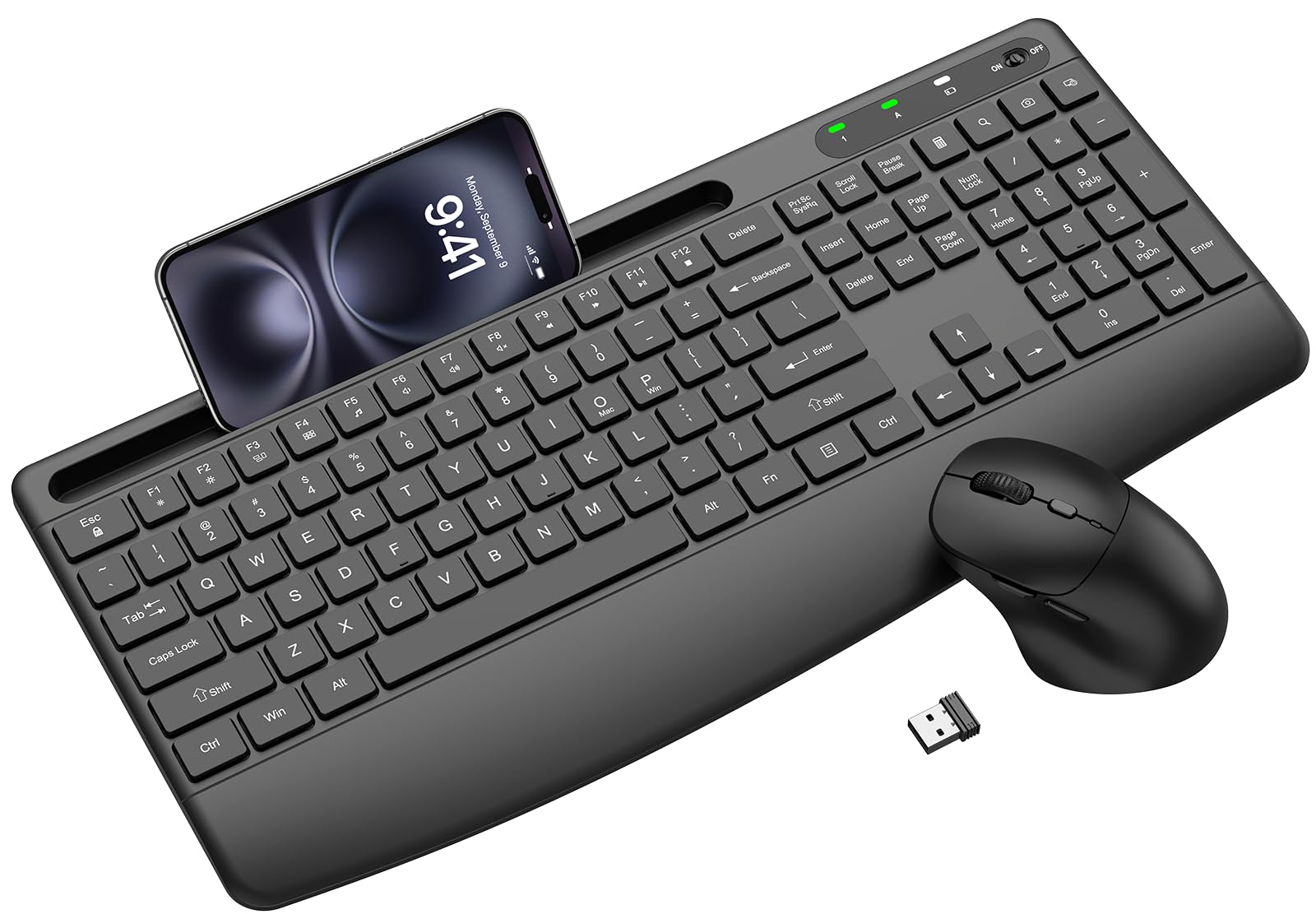
The EDJO combo punches well above its entry-level cost by bundling an extended palm rest, adjustable tilt legs, a phone holder, and a 3-DPI mouse into a single receiver package. The keyboard uses slim soft membrane keys that are genuinely quiet — good enough for shared office spaces. The mouse adds forward/back thumb buttons and a contoured shape with a matte finish that resists fingerprints.
The 2.4GHz connection is stable and lag-free up to 33 feet, and the intelligent auto-sleep kicks in after 10 minutes of inactivity, extending the claimed 12-month battery life. Both the keyboard and mouse wake instantly with a keystroke or click. Compatibility spans Windows, macOS, ChromeOS, and Linux, with a handy FN+O / FN+P hotkey combo to toggle between Windows and Mac layouts.
Not every unit is perfect: one verified review reported a non-functional Insert key, and some users needed a brief adjustment period for the larger keyboard footprint. The 1-year free replacement warranty is a solid safety net. For strict budget buyers who still want a wrist rest, phone cradle, and quiet operation, the EDJO is the smartest play in the lowest tier.
Why it’s great
- Extended palm rest + phone holder at a budget price.
- 3 DPI levels (1000/1600/2400) with forward/back buttons.
- 1-year free replacement warranty included.
Good to know
- Occasional QC issues like unresponsive Insert key.
- Larger keyboard footprint may feel bulky on small desks.
7. MEETION Wave Keys Combo
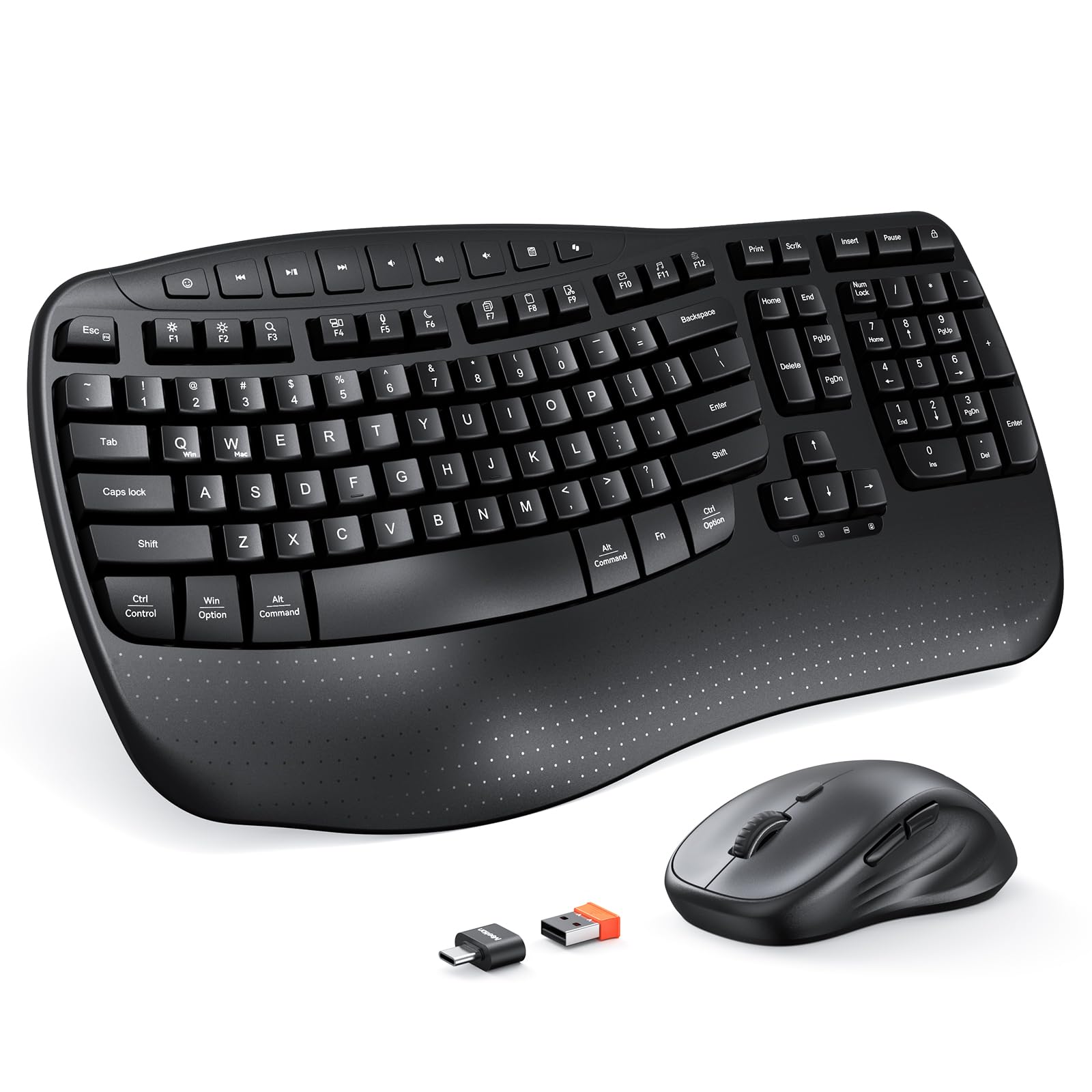
MEETION’s Director-D model focuses on the wave-key concept with a compact footprint that saves desk space while still delivering a full-size keyboard experience. The hard plastic wrist rest follows a wave-like contour to offer stable support without the heat-trapping feel of foam in warmer environments. The mouse offers 4 DPI levels (likely 800/1200/1600/2400) for more granular cursor speed control than the standard triple-setting competitors.
The 2.4GHz connection uses a shared USB-A receiver and includes a USB-C adapter in the box — a thoughtful inclusion for modern laptops with only USB-C ports. Compatibility covers Windows 10/11 and macOS 10.12+, but does not support Windows 8.1 or older macOS versions. The keyboard runs on 2 AAA batteries and the mouse on 1 AA, with batteries not included. The keystrokes are notably quiet, with a smooth, dampened feel that avoids the scratchy membrane feedback of cheaper sets.
Customer feedback highlights the “perfect ergonomic replacement for Logitech K350” sentiment, and the pink color option is a hit among users wanting personality in their peripherals. The scroll wheel on some units has a sandy sound that fades with use, and a few users noted occasional keyboard unresponsiveness on startup. The overall value proposition is strong if you want wave ergonomics at a smaller footprint and a lower investment.
Why it’s great
- Compact wave-key design saves desk real estate.
- 4 DPI levels offer finer cursor speed control.
- Includes USB-C adapter for modern laptops.
Good to know
- Not compatible with Windows 8.1 or macOS below 10.12.
- Scroll wheel can have a sandy sound initially.
FAQ
Is the SABLUTE MA41 compatible with MacOS fully?
Does the Logitech MK370 support both Bluetooth and its dongle at the same time?
How long do AA and AAA batteries last in these wireless combos?
Can I use the mouse and keyboard from different combos together with one receiver?
Final Thoughts: The Verdict
For most users looking for an affordable wireless keyboard and mouse, the winner is the SABLUTE MA41 because its leather-padded wrist rest, 30dB quiet operation, and 2-year warranty set a new comfort standard that other budget combos simply do not match. If you need enterprise-grade security and dual connectivity, grab the Logitech MK370. And for a retro split-key design with a vertical mouse that eases forearm tension, the MOFII Split Curved is your desk centerpiece.