
For years, running serious AI workloads meant renting GPU time in the cloud or waiting for inference results on a painfully slow laptop. That era is over. A new class of machines now puts 80+ TOPS of dedicated NPU power on your desk, letting you run large language models, fine-tune diffusion pipelines, and process multi-turn agent tasks entirely offline — without monthly compute bills or data privacy concerns.
I’m Min — the co-founder and writer behind Gadgets Feed. I’ve spent hundreds of hours researching the NPU architectures, unified memory configurations, and thermal designs that separate true AI workstations from marketing gimmicks, so you can buy with confidence.
Whether you need a compact mini PC for local LLM inference or a full tower for training, this guide cuts through the marketing to identify the absolute best ai computer for your specific workflow and budget.
How To Choose The Best AI Computer
AI-ready computers differ from conventional PCs in three critical areas: the neural processing unit (NPU), unified memory architecture, and sustained thermal performance. Ignoring any one of these leaves you with a machine that runs out of VRAM mid-inference or throttles under sustained load.
Prioritize NPU TOPS Over CPU Clock Speed
The NPU (Neural Processing Unit) handles AI inference far more efficiently than the CPU or GPU alone. Look for processors offering at least 40 TOPS (trillion operations per second) for basic language models; 50+ TOPS ensures smooth operation with 7B–13B parameter models. The AMD Ryzen AI 9 HX 470 delivers 86 TOPS total (55 TOPS from the XDNA 2 NPU), while the Intel Core Ultra 9 285 features a dedicated NPU rated at 13 TOPS. For serious local LLM work, aim for the highest NPU TOPS number you can find.
Unified Memory Determines Model Size
Large language models require massive contiguous memory. A 7B parameter model in FP16 needs roughly 14GB; a 70B model needs 140GB. Systems with unified memory — like those from Apple and GMKtec — let the NPU and GPU access the entire RAM pool. That’s why 128GB unified memory (often configurable as up to 96GB VRAM) is the sweet spot for running models like DeepSeek 70B or Llama 3 locally. Machines with separate GPU VRAM are capped at 16GB or 24GB, limiting you to smaller models. Prioritize unified memory capacity if you intend to run demanding LLM workloads.
Sustained Thermal Performance Under AI Load
AI inference pushes the processor to 100% utilization for extended periods. A laptop or mini PC that thermal-throttles after 20 minutes of LLM inference will deliver inconsistent token generation speeds. Look for liquid cooling or robust vapor-chamber solutions on desktop towers, and check whether mini PCs offer performance modes that sustain the TDP — 85W or higher — without throttling. The GEEKOM A9 Max and GMKtec EVO-X2 both advertise dedicated cooling systems designed for marathon AI sessions.
Quick Comparison
On smaller screens, swipe sideways to see the full table.
| Model | Category | Best For | Key Spec | Amazon |
|---|---|---|---|---|
| GEEKOM A9 Max | Mini PC | Local AI model training & 8K editing | 86 TOPS / 55 TOPS NPU | Amazon |
| GMKtec EVO-X2 | Mini PC | Large local LLM inference (70B+) | 128GB unified memory | Amazon |
| MacBook Air 15″ M5 | Laptop | Portable AI productivity & Apple Intelligence | M5 Neural Engine | Amazon |
| MSI Aegis R2 | Desktop Tower | AI-enhanced gaming & creative workflows | RTX 5070 Ti + Ultra 9 | Amazon |
| Alienware Aurora ACT1250 | Desktop Tower | High-fidelity AI gaming & creation | RTX 5080 liquid cooled | Amazon |
| NVIDIA DGX Spark | Desktop Supercomputer | Enterprise AI research & 200B model experiments | 1 PFLOPS (FP4) | Amazon |
| Dell Pro Micro Plus | Mini PC | Business AI apps & multi-display productivity | 13 TOPS NPU (Intel) | Amazon |
In‑Depth Reviews
1. GEEKOM A9 Max Top AI Productivity Mini PC
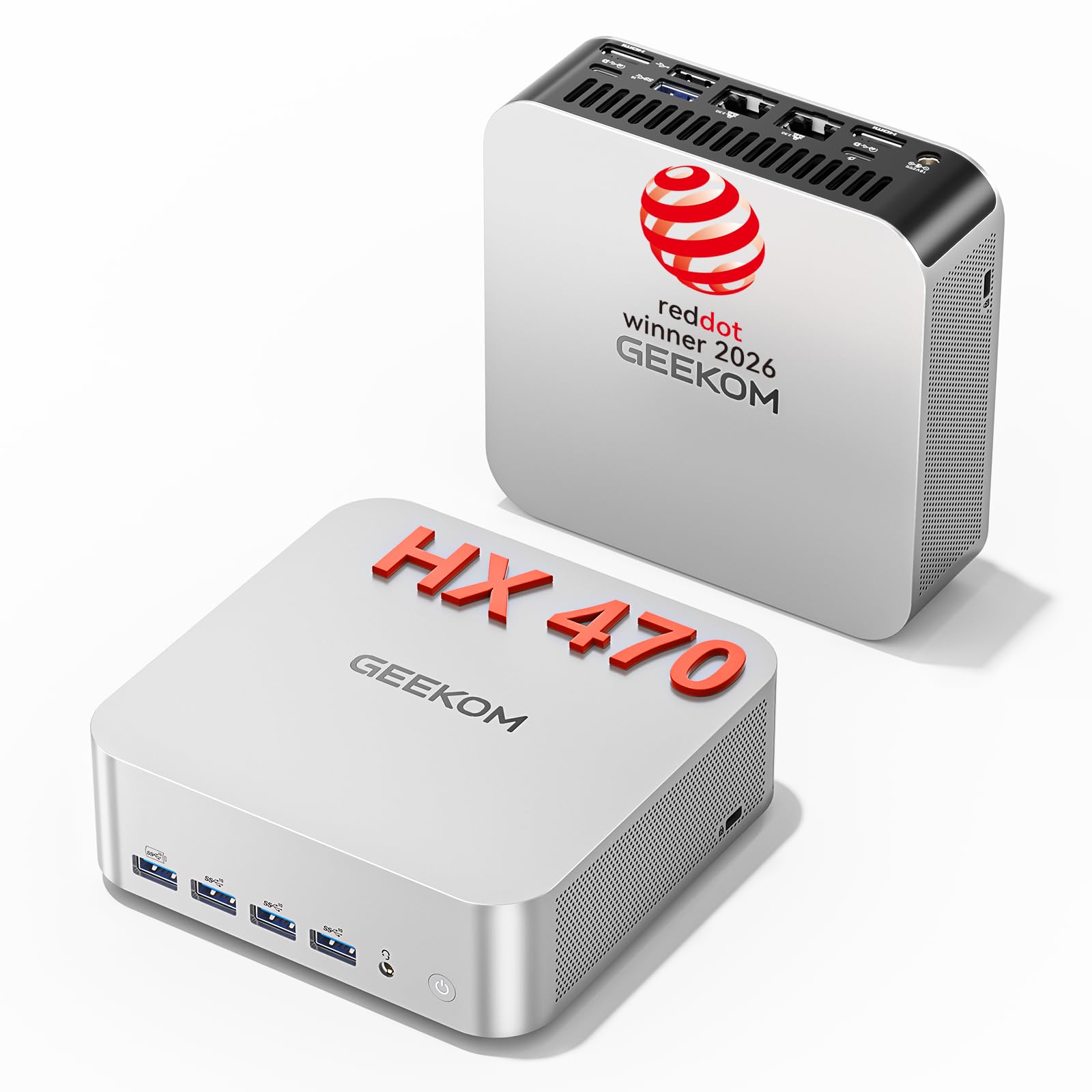
The GEEKOM A9 Max is armed with the AMD Ryzen AI 9 HX 470 processor — the current king of consumer NPU performance at 86 total TOPS and a dedicated XDNA 2 NPU delivering 55 TOPS. That means it can run local AI models, 8K video editing, and advanced 3D rendering without breaking a sweat. Paired with 32GB of DDR5 RAM (expandable to 128GB) and a 2TB PCIe Gen4 SSD, this mini PC delivers workstation-level AI compute in a chassis that fits behind a monitor.
Connectivity is future-proof: dual HDMI 2.1, dual 2.5GbE LAN, Wi-Fi 7, Bluetooth 5.4, and USB4. The IceBlast 3.0 cooling system with dual heat pipes and three performance modes (Quiet/Standard/Performance) keeps the thermals manageable even during marathon AI training sessions. It runs Windows 11 Pro out of the box and supports Ubuntu and other Linux distros for developers who need PyTorch or TensorFlow on local hardware.
Customer feedback confirms strong performance for running multiple virtual machines, Hyper-V workloads, and professional photography software simultaneously. Some users noted BIOS quirks (S0 Low Power Idle issues resolved with newer BIOS revisions) and the fan ramps up audibly under sustained load, but the raw NPU horsepower and expandable memory make it the most versatile AI mini PC in this list.
Why it’s great
- Industry-leading 86 TOPS including a 55 TOPS XDNA 2 NPU for local inference
- Expandable up to 128GB DDR5 RAM and dual PCIe Gen4 SSD slots
- Comprehensive connectivity: USB4, dual 2.5GbE, Wi-Fi 7, dual HDMI 2.1
Good to know
- Can be noisy under heavy AI/rendering loads
- BIOS updates may be needed to resolve idle wake issues
- No dedicated GPU — relies on integrated Radeon 890M graphics
2. GMKtec EVO-X2 AI Mini PC

The GMKtec EVO-X2 is built around the monstrous AMD Ryzen AI Max+ 395 — the most powerful x86 APU on the market for AI computing. Its 16 Zen 5 cores, 40 RDNA 3.5 compute units, and XDNA 2 NPU combine to deliver 128GB of unified LPDDR5X memory running at 8000MT/s. That unified pool can be allocated as up to 96GB of VRAM, which is exactly what you need to run 70B parameter models like DeepSeek or Llama 3 locally without cloud dependency.
Practical AI performance is outstanding: owners report running Qwen3-235B-A22B at roughly 8 tokens per second with 96GB allocated as VRAM, and GPT-OSS-120B hitting 36–40 t/s after ROCm driver optimization. The integrated Radeon 8060S (40 CUs) positions gaming performance between an RTX 4060 and 4070 laptop GPU, making this a dual-use machine for both local LLM inference and FHD gaming. Quad-screen 8K output via HDMI 2.1, DisplayPort 1.4, and dual USB4 ports handles any multi-monitor research setup.
The triple-fan cooling keeps noise to a claimed 35 dB in Quiet Mode, and the three performance modes (54W/85W/140W) let you balance power draw against thermal output. Some users report the fans are audible under sustained 140W load, and the machine runs warm enough to require good airflow. But for AI enthusiasts who need 128GB unified memory to run massive models locally, the EVO-X2 is unmatched at this form factor.
Why it’s great
- 128GB unified LPDDR5X memory — up to 96GB available as VRAM for large LLMs
- Radeon 8060S iGPU bridges AI work and 1080p high-fidelity gaming
- Quad 8K display output, Wi-Fi 7, Bluetooth 5.4, and SD 4.0 card reader
Good to know
- Heavier than expected for a mini PC (substantial cooling hardware)
- AI driver optimization on Linux may require workarounds
- No S3 sleep support — S0 idle state only
3. Apple 2026 MacBook Air 15-inch with M5 chip
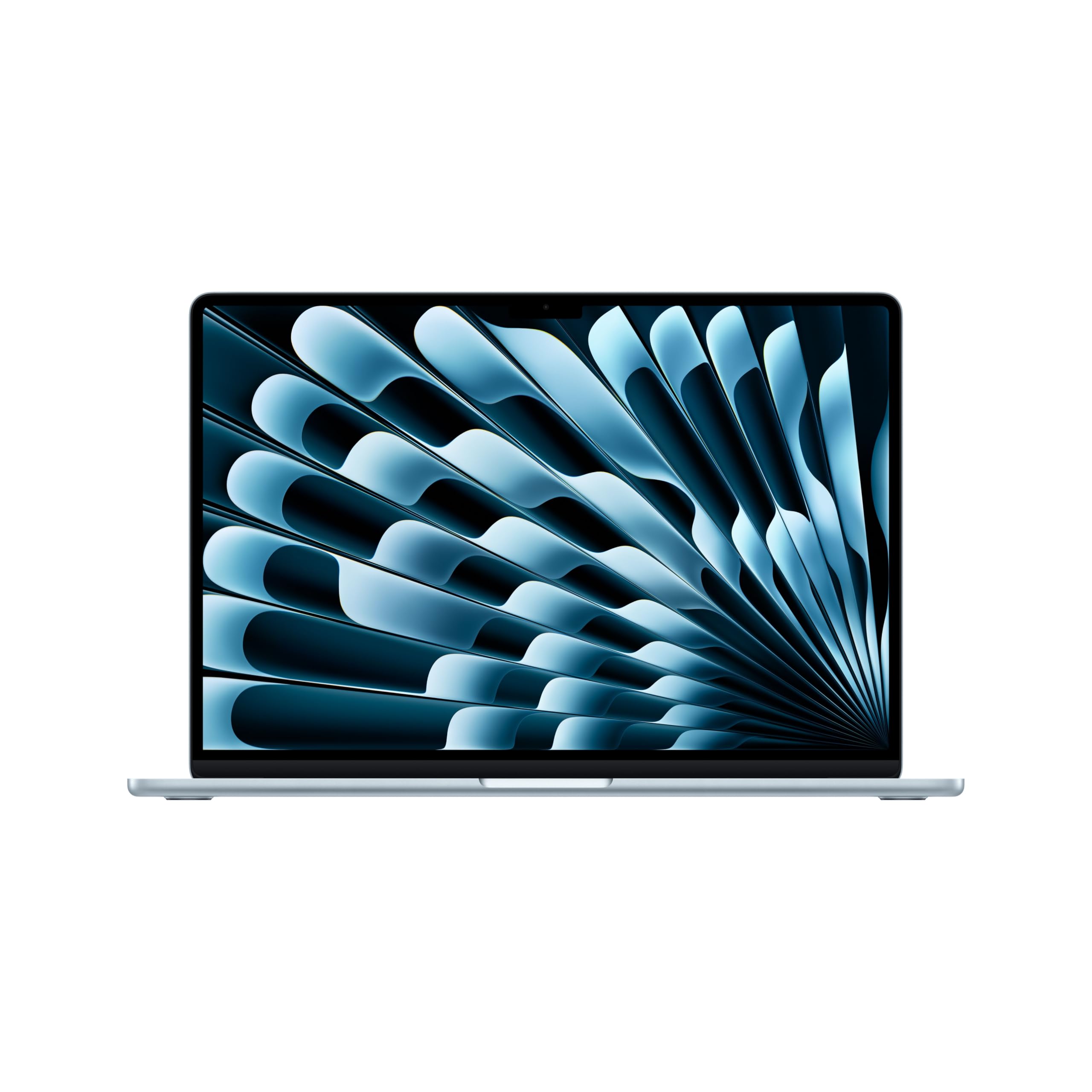
The 2026 MacBook Air with the M5 chip is Apple’s most portable AI-capable laptop. The M5’s Neural Engine — the company’s dedicated on-chip AI accelerator — powers features like real-time voice transcription, image upscaling, and Apple Intelligence workflows directly on-device. With 24GB of unified memory and a 1TB SSD, this machine handles local AI tasks like photo editing with machine-learning denoising, natural-language search, and video call background processing without any cloud latency.
The 15.3-inch Liquid Retina display (1 billion colors) and 12MP Center Stage camera make it a compelling choice for creative professionals who need AI-enhanced video conferencing, document scanning, and content creation on the go. Battery life is rated at up to 18 hours, and the fanless design means it’s completely silent during AI inference — ideal for a library or co-working space. Connectivity includes Thunderbolt 4, MagSafe, Wi-Fi 7, and Bluetooth 6.
Users praise the M5’s responsiveness for multitasking and AI-assisted apps, with the caveat that it’s not designed for heavy local LLM training or large model inference — the 24GB unified memory max is far smaller than the 128GB options in dedicated AI workstations. For running 7B parameter models, Apple Intelligence, and everyday creative AI, this is the most portable, best-balanced option on the list.
Why it’s great
- Silent, fanless operation with the M5’s efficient Neural Engine
- Up to 18 hours battery — full-day AI productivity away from a plug
- 15.3-inch Liquid Retina display with 1 billion colors for creative AI work
Good to know
- 24GB unified memory max limits local LLM size to 7B parameters
- No dedicated GPU — not suited for AI training or rendering
- Thunderbolt 4 only, no USB-A or HDMI port onboard
4. MSI Aegis R2 AI Gaming Desktop

The MSI Aegis R2 combines the Intel Core Ultra 9 285 processor with a dedicated NPU accelerator and an NVIDIA GeForce RTX 5070 Ti GPU to deliver a hybrid gaming-and-AI experience. The Ultra 9’s NPU handles lightweight AI tasks like voice commands, background blur, and game upscaling in the background, while the RTX 5070 Ti’s Tensor Cores accelerate AI-driven features like DLSS 4 and generative fill in creative apps. With 32GB of DDR5 RAM and a 2TB NVMe SSD, this desktop is ready for both VR gaming and AI-enhanced workflows out of the box.
Cooling is handled by four system fans plus an RGB CPU air cooler — reviewers report peaks around 75°C under load with stable frame rates between 100 and 150 FPS in modern titles. The air cooler is noticeably quiet compared to liquid-cooled alternatives, though users note it runs warm enough to require good case airflow. Front USB-C connectivity and tool-less drive bays simplify upgrades, and the included RGB lighting controllable via MSI Center adds a personal touch.
Customer feedback is overwhelmingly positive regarding build quality and cable management, with one reviewer calling it “one of the better pre-builts on the market.” The RTX 5070 Ti’s 16GB of GDDR7 VRAM is adequate for running 7B-parameter models locally via Ollama or LM Studio, but the dedicated NPU peaks at 13 TOPS — far below AMD’s 55 TOPS for serious inference tasks. This is best for gamers and content creators who want AI acceleration as a bonus, not the primary job.
Why it’s great
- Excellent price-to-performance — cheaper than building with equivalent parts
- Quiet air cooling with stable thermals under gaming load
- RTX 5070 Ti Tensor Cores accelerate AI upscaling and generative fill
Good to know
- NPU limited to 13 TOPS — not competitive for serious local LLM inference
- 16GB VRAM cap restricts model size to 7B-13B parameters
- Some units shipped with incorrectly documented Wi-Fi antenna style
5. Alienware Aurora Gaming Desktop ACT1250

The Alienware Aurora ACT1250 pushes the boundary of consumer AI gaming with an Intel Core Ultra 9 285 processor (liquid-cooled via a 240mm heat exchanger) paired with an NVIDIA GeForce RTX 5080 packing 16GB of GDDR7 VRAM. The 5080’s 4th-gen Tensor Cores offer enormous AI throughput for tasks like real-time DLSS 4 frame generation, AI-powered video editing, and local inference of moderate-sized models via CUDA acceleration. The 1000W Platinum-rated PSU ensures stable power delivery during sustained AI workloads.
Build quality stands out: the clear side panel with customizable AlienFX stadium lighting, tool-less drive bays, and high-quality cable management make this a desktop you actually want on display. One reviewer reported world-record 3D Mark scores with the i9-285K boosting to 6.2GHz, and the liquid cooling kept temperatures at 66°C under full load — quiet enough for a living room or office. Dell includes 1-year onsite service, which adds peace of mind for such a high-investment purchase.
However, the 16GB VRAM cap on the RTX 5080 limits local model size similarly to the MSI Aegis R2 — you can run 7B models comfortably, but 70B models are out of reach. Several reviewers noted motherboard failures requiring replacement (one after only two weeks), and a deactivated Windows license after repair caused serious frustration. For buyers who want the absolute best gaming AI hardware with liquid cooling, this is a top contender, but reliability concerns require careful consideration.
Why it’s great
- 240mm liquid cooling keeps the Ultra 9 at 66°C under sustained load
- RTX 5080 with 4th-gen Tensor Cores delivers industry-leading AI acceleration
- Premium build quality with customizable AlienFX lighting and 1-year onsite service
Good to know
- 16GB VRAM limits local LLM inference to small-medium models
- Reported motherboard failures and Windows license issues after repair
- Only Gen4 SSDs supported — no Gen5 for future-proof storage
6. NVIDIA DGX Spark Personal AI Desktop Supercomputer

The NVIDIA DGX Spark is the only machine on this list purpose-built from the ground up as an AI supercomputer. It uses the NVIDIA GB10 Grace Blackwell Superchip — a unified ARM architecture pairing 20 Cortex-X925/A725 cores with an integrated GPU that delivers up to 1 petaFLOP of FP4 AI performance. That’s enough to run large models up to 200 billion parameters at FP4 precision locally, with 128GB of coherent unified system memory acting as both RAM and VRAM. It runs the full NVIDIA AI software stack, including CUDA, TensorRT, and NeMo, enabling seamless local development and deployment to cloud DGX infrastructure.
Owners report running Qwen 3.6:27B via Ollama for ITAR-compliant codebase review, and the 128GB unified memory allows context windows of up to 27k tokens on large models before slowdown. The machine is completely silent in operation (no moving fans in the review units), and the compact chassis fits easily on a desk. Connectivity includes a ConnectX-7 Smart NIC, Wi-Fi, Bluetooth, and a self-encrypting 4TB NVMe SSD. It’s the only option here that includes enterprise-grade features like secure boot and remote attestation.
However, the DGX Spark runs a proprietary OS (NVIDIA DGX OS) that some users found limiting — one reviewer returned the unit citing intermittent OS issues and poor throughput compared to a 5090 GPU (except in VRAM capacity). Another noted initial boot delays with no power indicator, causing concern. For serious AI researchers who need to run 200B models locally and value an integrated enterprise ecosystem over flexibility, the DGX Spark is the definitive choice. For general AI enthusiasts who want more OS freedom, the GMKtec EVO-X2 offers similar memory capacity with greater software flexibility.
Why it’s great
- 1 PFLOPS FP4 AI performance supports models up to 200B parameters locally
- 128GB unified memory with full CUDA/TensorRT software stack
- Silent operation and compact desktop form factor
Good to know
- Proprietary DGX OS limits software flexibility and upgrade path
- AI throughput lower than a 5090 GPU for most tasks outside VRAM capacity
- No power indicator light — initial boot can cause concern
7. Dell Pro Micro Plus Desktop 2026
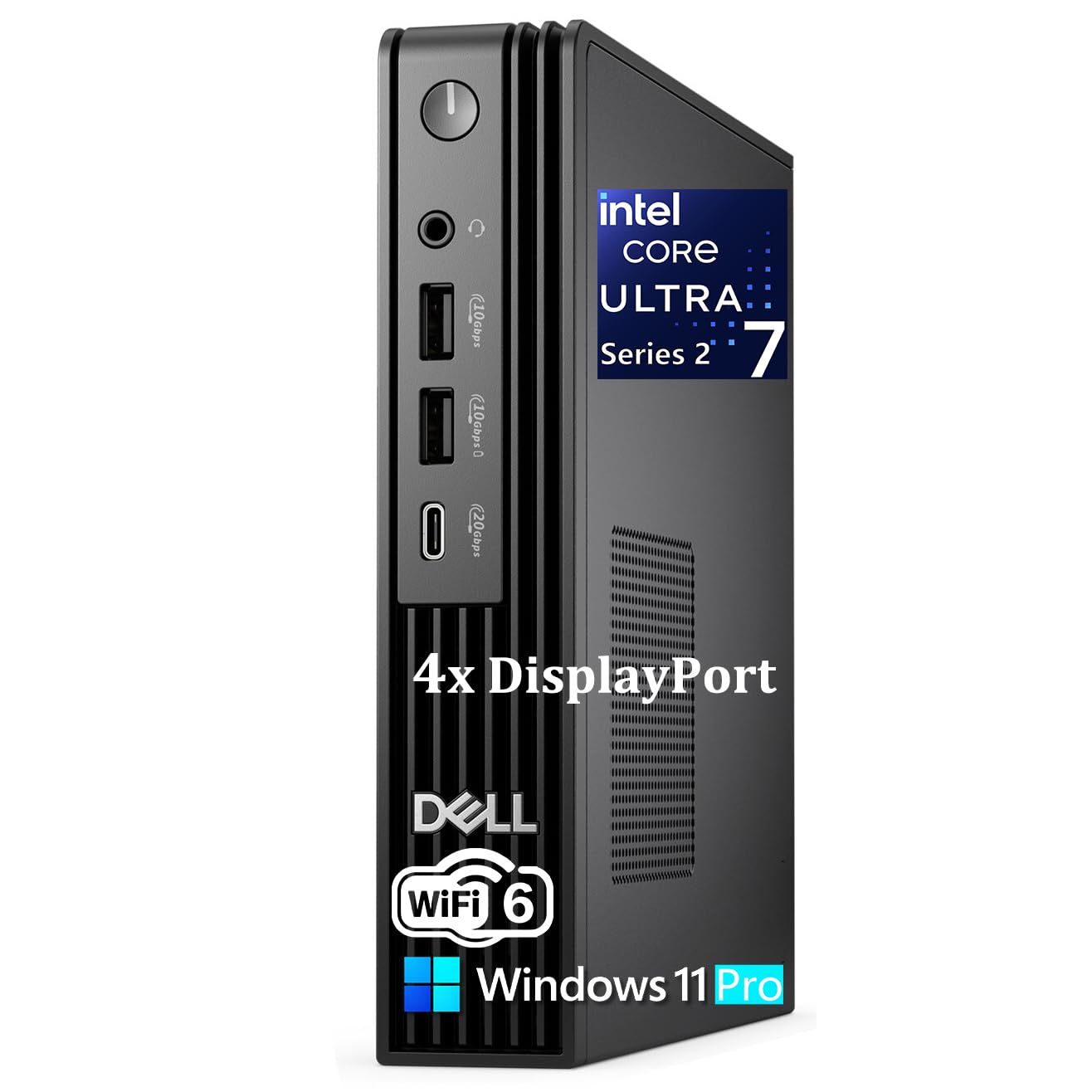
The Dell Pro Micro Plus Desktop is built for business environments that need AI acceleration without sacrificing desk space. Powered by the Intel Core Ultra 7 265 (20 cores) with a dedicated 13 TOPS NPU, 16GB of DDR5 RAM, and a 1TB PCIe NVMe SSD, this micro PC fits behind a monitor via VESA mount and supports up to four 4K displays via DisplayPort. The NPU accelerates AI-driven business apps like real-time transcription, document summarization, and predictive analytics without relying on cloud services — critical for sensitive workflows.
Measuring just 7.17 x 7.01 x 1.41 inches and weighing under 3.15 pounds, it’s the most space-efficient AI-ready PC in the lineup. Connectivity includes seven USB ports (including USB-C at 20Gbps), Gigabit Ethernet, and Wi-Fi 6E. Windows 11 Pro comes preinstalled with enterprise management tools like domain join and BitLocker, and Dell’s SmartPower On allows remote power management — useful for IT departments rolling out AI assistants fleet-wide.
A reviewer running an accounting office purchased two and praised the boot speed and multi-monitor performance. However, the 13 TOPS NPU is the weakest dedicated AI accelerator in this guide — fine for lightweight business AI, but incapable of running serious local LLM inference. Users also noted the included wired keyboard and mouse instead of the advertised wireless, and some units ran hotter than expected. For budget-conscious businesses that need basic AI acceleration and a tiny footprint, the Dell Pro Micro Plus is a solid entry point.
Why it’s great
- Ultra-compact design fits behind a monitor — saves valuable desk space
- Supports four independent 4K displays for financial dashboards and monitoring
- Windows 11 Pro with enterprise-grade management and security features
Good to know
- 13 TOPS NPU is far too weak for local LLM inference or model training
- May run hot under sustained load — no high-performance cooling
- Reported discrepancy between advertised wireless peripherals and wired included
FAQ
How much NPU TOPS do I need to run a 7B parameter model locally?
Can I use a regular gaming GPU for AI inference instead of a dedicated NPU?
What is the difference between NPU TOPS and GPU TFLOPS for AI work?
Final Thoughts: The Verdict
For most users, the best ai computer winner is the GEEKOM A9 Max because its 86 TOPS, expandable memory, and balanced portability cover every AI workload from local LLMs to 8K rendering without a second machine. If you need to run 70B+ parameter models locally, grab the GMKtec EVO-X2. And for enterprise researchers who demand 200B model capability and a full NVIDIA stack, nothing beats the NVIDIA DGX Spark.