
Our readers keep the lights on and my morning glass full of iced black tea. As an Amazon Associate, I earn from qualifying purchases.
Specs are compiled from manufacturer listings and verified buyer reviews and can change over time — please confirm the key details on the product page before buying.
Running a large language model on your own desk used to mean renting cloud GPU time or putting together a desktop PC that sounds like a jet engine. The new generation of desktop AI supercomputers changes that — they pack the kind of neural-processing power that used to fill a server rack into a box that sits beside your monitor. The hard part is picking the right one for your actual work, because each of these four systems serves a very different kind of AI builder.
I’m Min — the founder and writer behind Gadgets Feed. This guide is built by comparing the manufacturers’ published specifications and the patterns across verified customer reviews, so you get each pick’s real strengths and trade-offs instead of marketing spin.
These four best ai cpu systems each solve a different problem. Pick the one that matches your actual workflow — from edge robotics to high-throughput production inference — and you get local AI power without the jet-engine noise.
Our Picks at a Glance

How To Choose The Best AI CPU
An AI CPU is not your typical desktop processor. These systems are built around a unified architecture — the CPU, GPU, and memory work together as a single fast pool so large neural networks can be loaded and queried without shuttling data back and forth. The most important question is if you need a full development kit you build from scratch, or a ready-to-run supercomputer that boots into an AI-tune operating system.
Unified Memory — The Real Bottleneck Breaker
Traditional computers split RAM and VRAM, which limits how large a model you can fit. Unified memory lets the CPU and GPU access the same pool. The systems here offer either 64GB or 128GB. That 128GB capacity is what lets you load models with up to 200 billion parameters (200B) — and the 2.0x memory gap between 64GB and 128GB is the single biggest performance divider between the lower-cost and higher-cost options.
AI Performance — PetaFLOPs vs TOPS
You will see two numbers: TOPS (trillions of operations per second) and petaFLOPs (quadrillions of floating-point operations per second). The 275 TOPS rating on one system tells you how fast it can process neural-network math, while the 1 petaFLOP rating on the others signals they can handle the largest models at the precision levels (FP4) that matter for real inference. A higher number means faster token generation when you prompt the model.
Software Maturity — The Hidden Decider
Hardware is only half the story. Some of these run NVIDIA’s own DGX OS (Ubuntu-based) with pre-configured drivers and containers. Others require you to flash firmware, rebuild drivers, or compile PyTorch from source. If you want to spend your time building AI rather than debugging Linux, the software stack is your real selection filter.
Quick Comparison
| Model | Best For | Unified Memory | Peak AI Performance | Storage | Amazon |
|---|---|---|---|---|---|
| NVIDIA Jetson AGX Orin 64GB★ Best Overall | Edge AI & Robotics Prototyping | 64 GB | 275 TOPS | — | Amazon |
| ASUS Ascent GX10 | Secure Agentic AI Workflows | 128 GB | 1 petaFLOP | 1TB Gen4 NVMe | Amazon |
| NVIDIA DGX Spark | Local LLM Research & Prototyping | 128 GB | 1 petaFLOP | 4TB NVMe | Amazon |
| MSI EdgeXpert AI Mini Desktop | High-Throughput Production Inference | 128 GB | 1000 TOPS | 4TB Gen5 NVMe | Amazon |
In‑Depth Reviews
1. NVIDIA Jetson AGX Orin 64GB Developer Kit
Our pick — over 4★ from 100+ verified ratings; the strongest balance of quality and price.
The compact board that brings server-grade AI to the edge.
The Jetson AGX Orin 64GB Developer Kit is built for a different mission than the other three systems here. Instead of sitting on a desk running a chatbot, this kit is designed to be embedded into robots, drones, and autonomous machines. Its 64GB of unified memory and 275 TOPS of AI performance let you run complex perception and sensor-fusion pipelines directly on the device. That is roughly the compute power of eight Jetson AGX Xavier systems packed into a single small board.
What wins people over is the raw hardware performance — it tackles advanced AI projects like natural language understanding and 3D perception without breaking a sweat. The setup process is generally straightforward, though the real buyers here are clear-eyed: this is a low-power, self-contained AI development platform, and buyers report it is best for “home-rolled AI development, not running others’ tools.” You will want to budget time for firmware updates, which can be a several-hour affair on first boot. The 64GB storage fills fast, so an external SSD is almost mandatory for serious model work. It runs Ubuntu and taps into the full NVIDIA AI software stack, including Isaac for robotics and DeepStream for vision AI.
The trade-off is that compared to the 128GB systems below, you are working with half the unified memory — a 2.0x gap that matters when loading today’s largest open-source models. The compatibility feedback is mixed; the device is powerful but some report booting quirks. Stability is also a recurring note, with several owners describing the system as “unstable and brittle” under certain workloads. This is not a consumer plug-and-play device — it is for engineers and researchers who are comfortable in a Linux environment and need to prototype advanced autonomous machines.
edge robotics ready: If your work involves building robots, multi-sensor fusion, or vision AI that needs to run off the grid, this kit delivers more AI per watt than any desktop supercomputer.
power hungry beast: Half the memory of the 128GB units means frontier models above 70B parameters will not load comfortably — pair it with an SSD and plan your model sizes accordingly.
reach for this if: you are prototyping an autonomous machine or edge AI system where power efficiency and compact size matter more than raw LLM throughput.
look elsewhere if: your primary goal is running large language models locally — the 128GB unified-memory systems below offer twice the capacity for that task.
2. ASUS Ascent GX10 AI Supercomputer
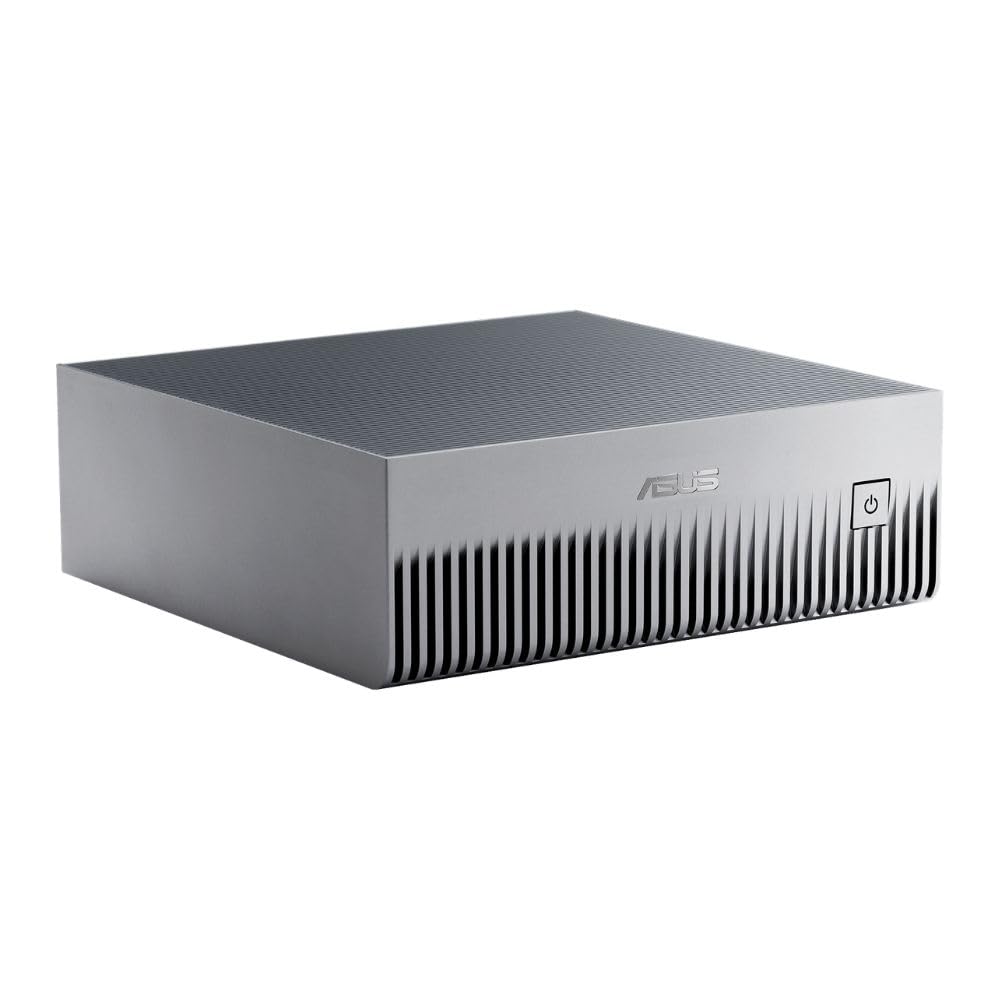
The MIL-STD certified supercomputer for secure, long-running agentic workflows.
Powered by the NVIDIA GB10 Grace Blackwell Superchip, the ASUS Ascent GX10 delivers 1 petaFLOP of AI performance and 128GB of LPDDR5x unified memory — enough to fine-tune a 200-billion-parameter model right on your desk. What sets this apart from the other 128GB options is its MIL-STD 810H certification: this box is built to withstand drops, vibration, and extreme temperatures. The cooling system is engineered to sustain high performance in an ultra-small form factor, and the stackable magnetic feet let you mount multiple units vertically to scale compute density.
The hardware quality is the most-praised aspect, and the value-to-price ratio earns consistent positive feedback. Owners mention it runs “reliable and stable, getting better every week” thanks to frequent NVIDIA Ubuntu updates. For agentic AI — long-running, autonomous workflows that need sandboxed execution and governed data access — this is the most thoughtfully designed platform of the group, supporting frameworks like OpenClaw and NemoClaw natively. The NVIDIA NVLink-C2C interconnect ensures ultra-fast CPU-GPU memory communication, and the ConnectX-7 SmartNIC enables dual-unit stacking for larger deployments.
The catch is the mixed reception on performance. Some customers note “very good results” for inference using VLLM and Qwen models, while others find the decoding speed bottlenecked for consumer-facing LLM tasks — one reviewer noted it runs “only for researchers — not inference, not small scale fine tuning,” with fine-tuning actually slower than an RTX 3090. The cooling is also mixed: owners say it runs hot under sustained load, effectively acting as a “space heater” that needs a cool room and good airflow. As reviewers point out, “the first major update may hang for ~25 min,” so patience during initial setup is required. This is an enthusiast-grade tool, not an IT-pro plug-and-play system.
agentic ai tuned: If you are building secure, governed AI workflows that run for days without intervention, this stackable chassis with ConnectX-7 networking is the most purpose-built option here.
inference speed mixed: For high-throughput chatbot-style inference, an RTX 5090 is faster and cheaper — this is built for researchers, not consumer LLM serving.
reach for this if: you need MIL-STD durability and a platform that handles autonomous agentic workflows with private on-device inference.
look elsewhere if: your main goal is fast LLM token generation — the decoding bottleneck means a consumer GPU may serve you better for that single task.
3. NVIDIA DGX Spark
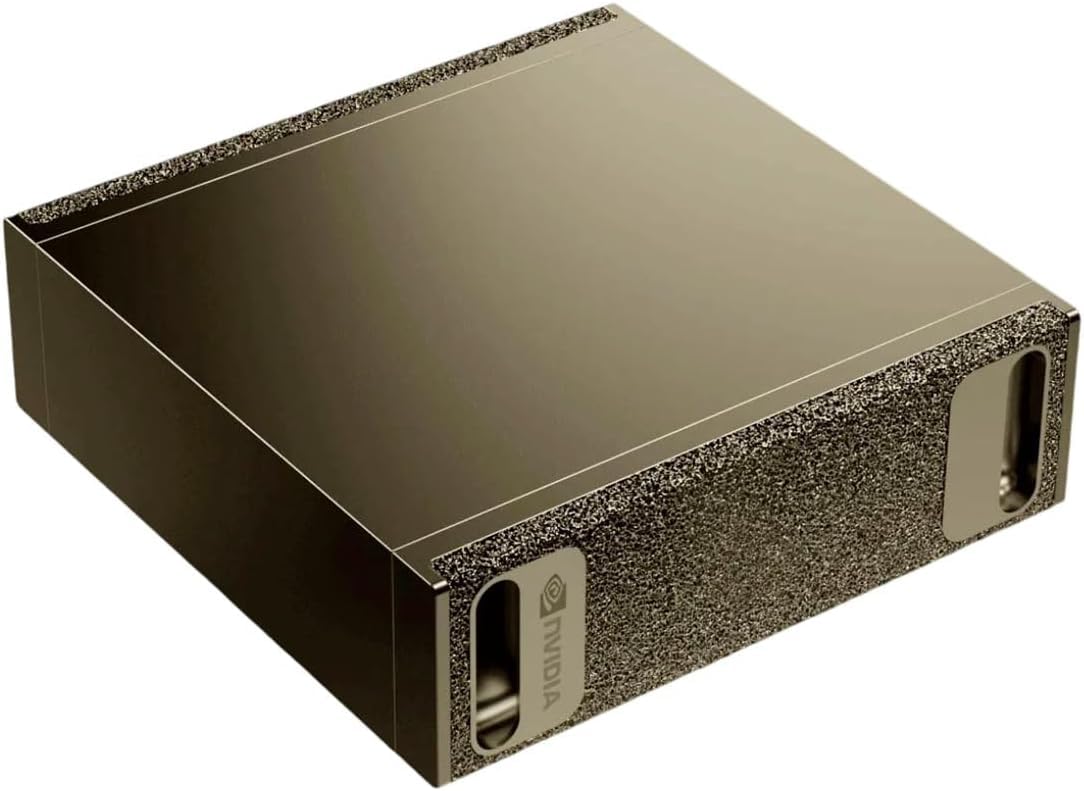
Silent, desk-ready supercomputing for local LLM research and prototyping.
The DGX Spark is the official NVIDIA-branded version of the GB10 Grace Blackwell system, and it is the pick that feels most like a finished product rather than a development board. It delivers up to 1 petaFLOP of AI performance with 128GB of coherent unified memory, letting you run models with up to 200 billion parameters at FP4 precision directly from your desk. The 4TB NVMe SSD with self-encryption means you can store multiple large models without constantly swapping storage. It is completely silent in operation — there is no power indicator light, which owners find both elegant and occasionally confusing on initial boot.
Functionality and speed are the two most-praised aspects. Shoppers say it is “excellent for local LLM research” and call it an “OpenClaw monster” that “loads massive models with zero problems.” It integrates smoothly with the full NVIDIA AI software stack — ollama for model serving, ComfyUI for image generation, and NGC Docker containers for GPU-accelerated PyTorch. Because it runs NVIDIA DGX OS (Ubuntu-based), you develop locally and deploy anywhere, which is the core promise of the DGX ecosystem. The 128GB of unified memory is the same pool used by the ASUS and MSI systems, giving you the same large-model headroom.
The reliability feedback is mixed — the most common complaint, and the highest-count aspect overall. One owner reported a “severe thermal issue causing crashes” that led to a restocking fee when they returned it, advising to “buy from Amazon or Nvidia, not Micro Center.” The initial boot sequence also has a confusing delay — it takes time to start before showing any signs of life. The review pages sum it up: users praise the huge resources and zero-problem model loading, but thermal management and support logistics are the two things to budget for. This is a powerful research tool, but it demands a buyer who understands that early-adopter hardware sometimes has teething pains.
silent research tool: For local LLM experimentation with 200B models, the DGX Spark delivers in a completely silent, compact package that disappears on your desk.
reliability question: Most units run flawlessly, but an occasional thermal issue and the confusing initial boot mean you should buy from a retailer with a clear return policy.
reach for this if: you want the official NVIDIA experience with 4TB storage, silent operation, and smooth integration with the full NVIDIA AI software stack.
look elsewhere if: you need guaranteed enterprise-level reliability with a known support channel — this is still early-adopter territory for the first-generation hardware.
4. MSI EdgeXpert AI Mini Desktop
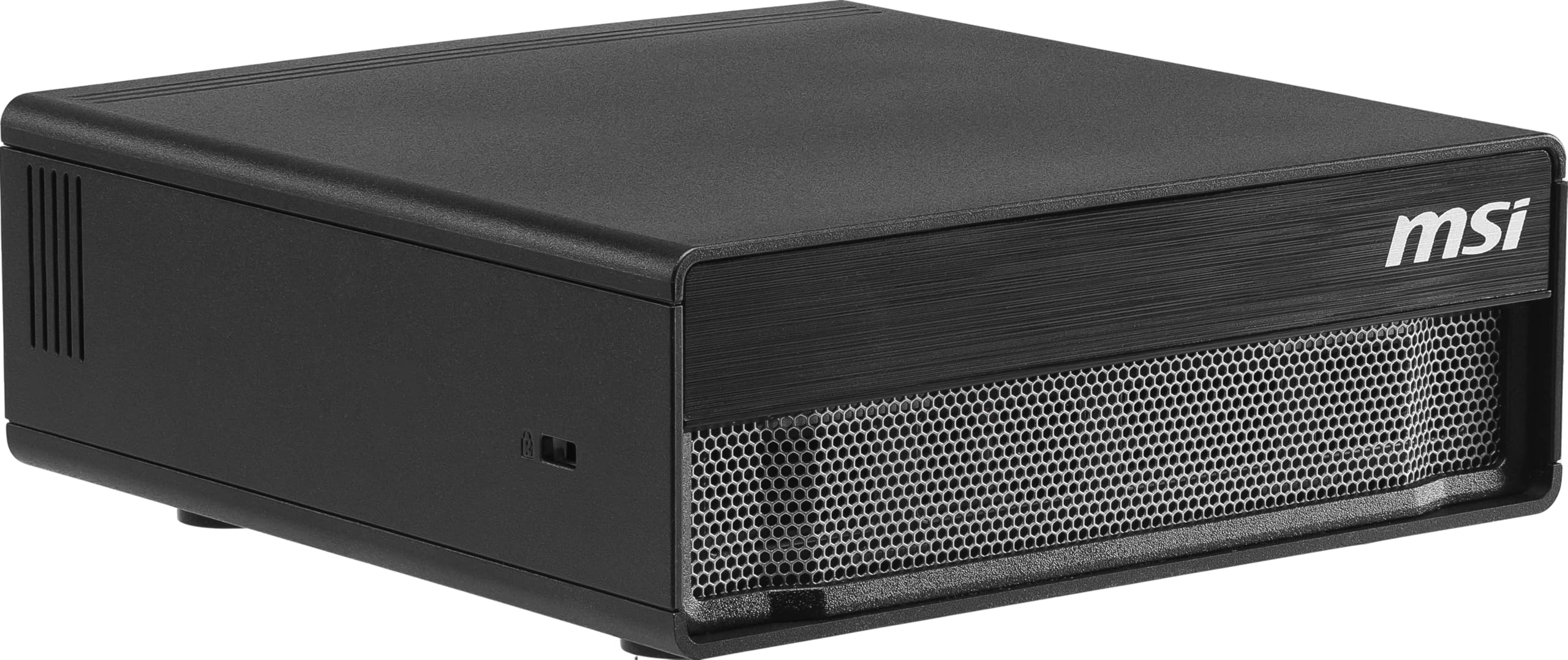
The quiet workhorse that pushes the GB10 platform to its thermal and throughput limits.
The MSI EdgeXpert AI Mini Desktop takes the same NVIDIA GB10 Grace Blackwell architecture and adds MSI’s own thermal engineering and a 4TB PCIe Gen5 NVMe SSD that reads at up to 10,000 MB/s. Its 20-core ARM CPU — 10 Cortex-X925 performance cores and 10 Cortex-A725 efficiency cores running up to 3.8 GHz — handles multitasking between AI inference and edge data processing without stutter. The unified 128GB LPDDR5X memory delivers up to 273 GB/s of bandwidth, enough to handle models up to 200 billion parameters. And at 1000 TOPS of AI performance, this is the highest raw throughput rating of any system here.
What the review pages make clear is that this unit runs cool — buyers report temperatures below 80°C under sustained load with the extra fan, and single-task temps in the 70s. It is “quiet” enough for an office environment. The real standout is its throughput with large models. One owner reported running Intel’s qwen3.5-122b-a10-int4-autoround at 30 tokens per second, jumping to an impressive 65 tokens per second with concurrency set to 4. Another user ran Nemotron 3 Super LLM with a 400k context window while simultaneously generating Stable Diffusion images at 1080p+, noting that dedicated LLM use yields better than 1 million tokens of context. The GB10 processor handles large-context processing better than similarly-priced consumer hardware, and vLLM with nvfp4 delivers over 5 tokens per second on a 70B llama 3.3 model with a 128K context window.
The edge goes to the MSI for its thermal design and software flexibility. Owners confirm there is “no throttling under heavy load,” and the NVIDIA DGX OS (Ubuntu-based) is pre-installed and tuned for machine learning. The catch: official PyTorch lacks GB10 support, so you must run models through NVIDIA’s PyTorch container on the EdgeXpert. Software maturity is still evolving, with documentation that “gets outdated quickly.” And at 128GB unified memory, the bandwidth is slower than a dedicated Blackwell card for raw GPU speed — this is a trade-off of unified memory versus discrete GPU performance. If you are doing inference on large models with high concurrency, this is the fastest option. If you need raw GPU speed for training, a discrete card still wins.
thermal throughput king: The MSI runs cooler than the competition while delivering the highest concurrency throughput, making it ideal for production-grade inference of large models.
software immature: You will need NVIDIA’s container environment for PyTorch, and documentation trails the hardware — be comfortable with command-line debugging.
reach for this if: you are deploying large LLMs (up to 200B parameters) with high concurrency needs and want the best thermal performance of the GB10 platforms.
look elsewhere if: you need raw GPU training speed — the unified memory bandwidth is slower than a discrete Blackwell card for that workload.
Understanding the Specs
Unified Memory
Unified memory means the CPU and GPU share a single pool of RAM, rather than having separate system memory and video memory. This is critical for AI because large models often exceed the dedicated VRAM of a consumer GPU. With 128GB of unified memory, you can load models up to 200 billion parameters directly into the shared pool — the model lives in one place and both the CPU and GPU access it without copying data back and forth. The 64GB vs 128GB difference is a 2.0x capacity gap that determines whether frontier-sized models can load at all.
TOPS vs PetaFLOPs
TOPS (trillions of operations per second) and petaFLOPs (quadrillions of floating-point operations per second) both measure AI compute speed. TOPS typically refers to integer math used in neural network inference, while petaFLOPs refers to floating-point math used in model training and inference. A 275 TOPS system handles most edge AI tasks comfortably, while 1 petaFLOP (equivalent to 1000 TOPS at FP4 precision) is what you need to run the largest models at interactive speeds. Higher numbers mean the system can process more tokens per second when you prompt a model.
FAQ
Can I use a regular desktop GPU instead of an AI CPU system?
Can I run PyTorch on these systems?
How loud are these systems under load?
Do these systems come with storage pre-installed?
Can I stack multiple units together for more compute?
What operating system do these run?
What is the difference between the ASUS GX10 and the NVIDIA DGX Spark?
Do I need to be a Linux expert to use these?
Can these systems replace a cloud GPU subscription?
How long do firmware updates take on first boot?
Final Thoughts: The Verdict
For most users looking for the best ai cpu to run large models locally, the NVIDIA DGX Spark is the cleanest balance of performance, storage, and out-of-box readiness — silent operation, 4TB storage, and the official NVIDIA ecosystem make it the easiest entry into 200B-parameter local AI. If you need the highest concurrency throughput and the best thermal engineering for production inference, the MSI EdgeXpert leads on raw throughput with its 1000 TOPS rating and cool-running design. And for edge robotics and autonomous machine prototyping, the NVIDIA Jetson AGX Orin remains the most power-efficient choice for real-world AI deployment outside the data center.
How We Picked
We do not accept paid placement. Every pick is matched to a real buyer and a real use-case; we do not hands-on test units.
Sources & Methodology
Specifications: manufacturer listings and product documentation. Review insights: verified customer reviews, as of July 2026. Pricing: not shown on this page (it changes often); check the current price via the retailer link.
As an Amazon Associate, Gadgets Feed earns from qualifying purchases. This does not affect which products we feature.