
Our readers keep the lights on and my morning glass full of iced black tea. As an Amazon Associate, I earn from qualifying purchases.
Specs are compiled from manufacturer listings and verified buyer reviews and can change over time — please confirm the key details on the product page before buying.
Every laptop maker is shouting about “AI” right now, but a marketing sticker doesn’t make a machine faster or smarter. This guide cuts through the noise to focus on what actually matters in an AI-enhanced laptop: the Neural Processing Unit (a dedicated chip that handles AI tasks like background blur and live captions), the processor, and the memory that lets you run AI tools locally without a cloud connection. You will find the right balance of raw power, battery stamina, and real-world usefulness for how you actually work.
I’m Min — the founder and writer behind Gadgets Feed. This guide is built by comparing the manufacturers’ published specifications and the patterns across verified customer reviews, so you get each pick’s real strengths and trade-offs instead of marketing spin.
Whether you’re a student, a creative, or a business pro, finding the right ai enhanced laptops means matching the NPU’s power to the specific AI features you will actually use every day.
Our Picks at a Glance



How To Choose The Best AI Enhanced Laptops
Before comparing models, it helps to understand that “AI laptop” is a broad term. The core difference lies in the hardware inside — specifically, whether the machine has a dedicated NPU (a neural processing unit, which is a special chip designed to accelerate AI tasks) and how powerful that chip is. This determines how smoothly features like real-time video effects, voice recognition, and local language models will run.
The NPU and TOPS Rating
The most important spec for an AI-enhanced laptop is the NPU’s performance, measured in TOPS (Tera Operations Per Second, which is a measure of how many trillion operations the chip can handle each second). A higher TOPS number means the laptop can handle more complex AI tasks locally, without sending your data to the cloud. The new Copilot+ PCs from Microsoft are built around this concept, requiring a certain level of NPU performance to open up features like Live Captions and advanced Windows Studio Effects.
Memory, Storage, and Battery Life
AI workloads are memory-hungry. More RAM (random access memory, which is the short-term memory your computer uses to run applications) allows you to multitask and run complex AI models smoothly, while a fast SSD (solid state drive, which is the long-term storage for your files) ensures quick load times. Battery life is the final piece of the puzzle — a powerful AI chip is useless if the laptop dies in the middle of a workday. Look for a balance that matches your needs, whether that’s an all-day workhorse or a performance beast that lives near a power outlet.
Quick Comparison
| Model | Best For | Processor | Display | Battery Life | Amazon |
|---|---|---|---|---|---|
| Apple MacBook Air 15″ M5★ Best Overall | Everyday AI + Portability | Apple M5 chip | 15.3-inch Liquid Retina | Up to 18 hours | Amazon |
| ASUS Vivobook S16 (AMD)Stunning Display | Visuals & Creative Work | AMD Ryzen AI 7 350 | 16-inch 3K OLED | Up to 14 hours | Amazon |
| Acer Nitro V 16S AIBest Value Gaming | Entry AI Gaming | AMD Ryzen 7 260 + RTX 5060 | 16″ WUXGA IPS 180Hz | — | Amazon |
| HP OmniBook X 14 | All-Day Productivity | Intel Core Ultra 7 356H | 3K Touchscreen OLED | Up to 27.5 hours | Amazon |
| ASUS Vivobook S16 (Intel) | Business AI Power | Intel Core Ultra 9 285H | 16″ 3K OLED | — | Amazon |
| MSI Vector 16 HX AI | High-FPS Gaming | Intel Core Ultra 7 255HX + RTX 5070 Ti | 16″ FHD+ 144Hz | 6.5 hours | Amazon |
| HP OmniBook AI Laptop | Power + AI Acceleration | Intel Ultra 9 285H | 16″ IPS Touchscreen | — | Amazon |
| GEEKOM GeekBook X16 Pro | Lightweight Powerhouse | Intel Core Ultra 9 185H | 16″ 2.5K IPS 120Hz | Up to 17 hours | Amazon |
| Lenovo ThinkPad P14s Gen 6 | Mobile Workstation | AMD Ryzen AI 7 PRO 350 | 14″ WUXGA IPS | 8 hours | Amazon |
| GIGABYTE AERO X16 | Creator Performance | AMD Ryzen AI 9 HX 370 + RTX 5070 | 16″ WQXGA 165Hz | 14 hours | Amazon |
| NIMO 17.3″ AI Laptop | Massive Memory for AI | AMD Ryzen AI 9 HX 370 | 17.3-inch FHD 144Hz | 12 hours | Amazon |
| Acer Predator Helios Neo 16 | Desktop-Replacement Gaming | Intel Core Ultra 9 275HX + RTX 5070 Ti | 16″ WQXGA 240Hz | — | Amazon |
| ASUS ROG Flow Z13 | Local AI Datacenter | AMD Ryzen AI MAX+ 395 | 13″ 2.5K 180Hz Touchscreen | 10 hours | Amazon |
In-Depth Reviews
1. Apple 2026 MacBook Air 15-inch Laptop with M5 chip
Our pick — over 4.5★ from 550+ verified ratings; the strongest balance of quality and price.
The serene all-rounder that makes AI and everyday multitasking feel easy.
The M5 chip’s Neural Engine powers Apple Intelligence with on-device privacy, while the 15.3-inch Liquid Retina display renders 1 billion colors for vivid visuals. But the real headline is the up to 18 hours of battery life — this thin, light machine is the one you can carry from morning classes to a late project without hunting for an outlet.
Owners consistently praise the speed of the M5 chip and the fluid multitasking that 16GB of unified memory delivers. What wins people over is the total package: the 12MP Center Stage camera that keeps you framed in video calls, the six-speaker sound system with Spatial Audio and Dolby Atmos support, and a fanless design that stays quiet under pressure. Buyers report it runs smoothly without lag and that the sound quality is genuinely rich.
This is a machine that gets the balance right: Wi-Fi 7 and Bluetooth 6 for fast connections, two Thunderbolt 4 ports plus MagSafe charging, and support for up to two external displays. As buyers put it: “Battery life is exceptional, size is perfect for those who do a lot of different things, much lighter than previous models makes for easier travel.” The main setup complaint from some owners was that configuring can feel complicated, though most find it quick and easy.
M5 speed leader: If you want one laptop that nails portability, battery life, and AI features with zero fuss, this is it. The 15.3-inch screen gives you room to work, while the 3.32-pound weight keeps it easy to travel with.
premium price tag: Heavy gamers or anyone needing a Windows-exclusive app ecosystem will want to look at the dedicated gaming picks below.
2. ASUS Vivobook S16 Laptop, Copilot+ PC
A 16-inch OLED canvas with AI muscle for visual work that pops.
The 16-inch 3K OLED display (2880 x 1800) hits 600 nits peak HDR brightness and 100% DCI-P3 for true-to-life color. It’s a screen that makes photos, videos, and design work look stunningly vivid, and the smooth 120Hz refresh rate keeps scrolling fluid — a real step up from the 15.3-inch panel on the MacBook Air above if color accuracy is your priority.
Under the hood, the AMD Ryzen AI 7 350 processor with its AMD XDNA NPU delivers up to 50 TOPS of AI processing power, making it a genuine Copilot+ PC. With 16GB of memory and a 1TB SSD, it handles fast multitasking and stores vast amounts of data. The 75Wh battery offers up to 14 hours of life, a solid gap behind the MacBook Air’s 18 hours but plenty for a full workday.
The whole package stays travel-friendly at 0.55″ thin and 3.31 lb, with an anti-fingerprint metal finish. Owners rave about its speed and responsiveness — the review pages sum it up: it’s “fast, responsive, and has a beautiful large screen that makes everything look great.” The main gripe from one buyer was the charging port being only on the left side, which is more of a desk-layout annoyance than a flaw.
AI feature set
- The 3K OLED display with 100% DCI-P3 for true-to-life colors
- Up to 50 TOPS of NPU AI power for Copilot+ features
- Ultra-portable at 3.31 lb with a premium anti-fingerprint finish
build feels light
- Battery life (14 hours) trails the MacBook Air’s 18 hours
- The single charging port location won’t suit every desk setup
pick for AI: You’re a creator or student who lives in color-accurate visuals and wants real Copilot+ AI power in a slim, light body.
avoid for gaming: You need maximum battery endurance for all-day unplugged sessions.
3. Acer Nitro V 16S AI Gaming Laptop
The budget-friendly entry into AI-powered gaming with serious DLSS muscle.
The NVIDIA GeForce RTX 5060 Laptop GPU delivers 572 AI TOPS, enabling full ray tracing and DLSS 4 neural rendering for next-level graphics. For gamers and content creators on a budget, this is the AI-enhanced laptop that brings next-level graphics fidelity without the premium price tag of higher-tier GPUs.
The 16″ WUXGA 1920 x 1200 display runs at a fast 180Hz refresh rate with 100% sRGB color coverage, keeping fast-paced action fluid and colors true-to-life. Inside, 32GB of DDR5 5600MHz memory and a 1TB PCIe Gen 4 SSD (with a spare M.2 slot) mean you have room to grow. The AMD Ryzen 7 260 CPU adds up to 38 AI Overall TOPS for AI-driven tasks, so it’s ready for both gaming and content creation with 4K HDR streaming.
Owners find the performance exceeds expectations, with one noting it handles shooters and grand strategy games smoothly and “outperforms Xbox.” Value is the recurring theme — one buyer called it “Best Mid Price Gaming PC Option,” praising how cool and quiet it runs even after hours of Cyberpunk and Stalker 2. An AI engineering owner confirmed it handles PyTorch and TensorFlow after removing the bloatware. The honest trade-offs are the loud fans under load and short battery life, which is typical for this class of machine.
value gaming: If you want real RTX AI gaming power without spending flagship money, this is the smart buy for both play and AI development.
skip for pros: You need all-day battery life — this is a machine that prefers being plugged in.
4. HP OmniBook X 14 inch Next Gen AI PC

The marathon runner of AI laptops — a battery life that outlasts your entire workday.
The standout spec is up to 27.5 hours of battery life, the longest on this list. If you’re a business traveler or a student who plugs in once a day (or less), the Intel Core Ultra 7 processor 356H combined with that huge battery means you can leave the charger at home. HP Fast Charge also restores the battery from 0 to 50% in approximately 30 minutes when you do need a boost.
The 3K OLED touchscreen lights each pixel separately, giving you deeper blacks and richer contrast than traditional LED screens. The 16:10 aspect ratio (which means the screen is slightly taller than a typical 16:9 display, giving you more vertical space) makes it great for documents and web pages. With 24GB of LPDDR5x RAM and a 1TB PCIe Gen4 NVMe M.2 SSD, multitasking stays smooth, and the HP 5MP IR camera with HDR auto-switch keeps you looking good on video calls.
What stands out in owner feedback is the build quality and the display. One reviewer noted it’s “an outstanding and fast notebook computer… I have never seen a better display.” Another praised the quiet fans and durable metal case, noting it “feels big when you’re using it” despite the small 14-inch frame. The Smart Sense AI-driven optimizer automatically adjusts performance, temperature, and fan noise based on what you’re doing, which is AI that works quietly in the background for your comfort.
all-day battery: No other laptop here approaches this endurance, and it pairs that stamina with a gorgeous OLED touchscreen and a sturdy metal build.
limited ports: This is a productivity-focused machine with integrated Intel graphics — don’t expect it to replace a dedicated gaming laptop.
5. ASUS Vivobook S16 OLED Laptop – Intel Core Ultra 9 285H
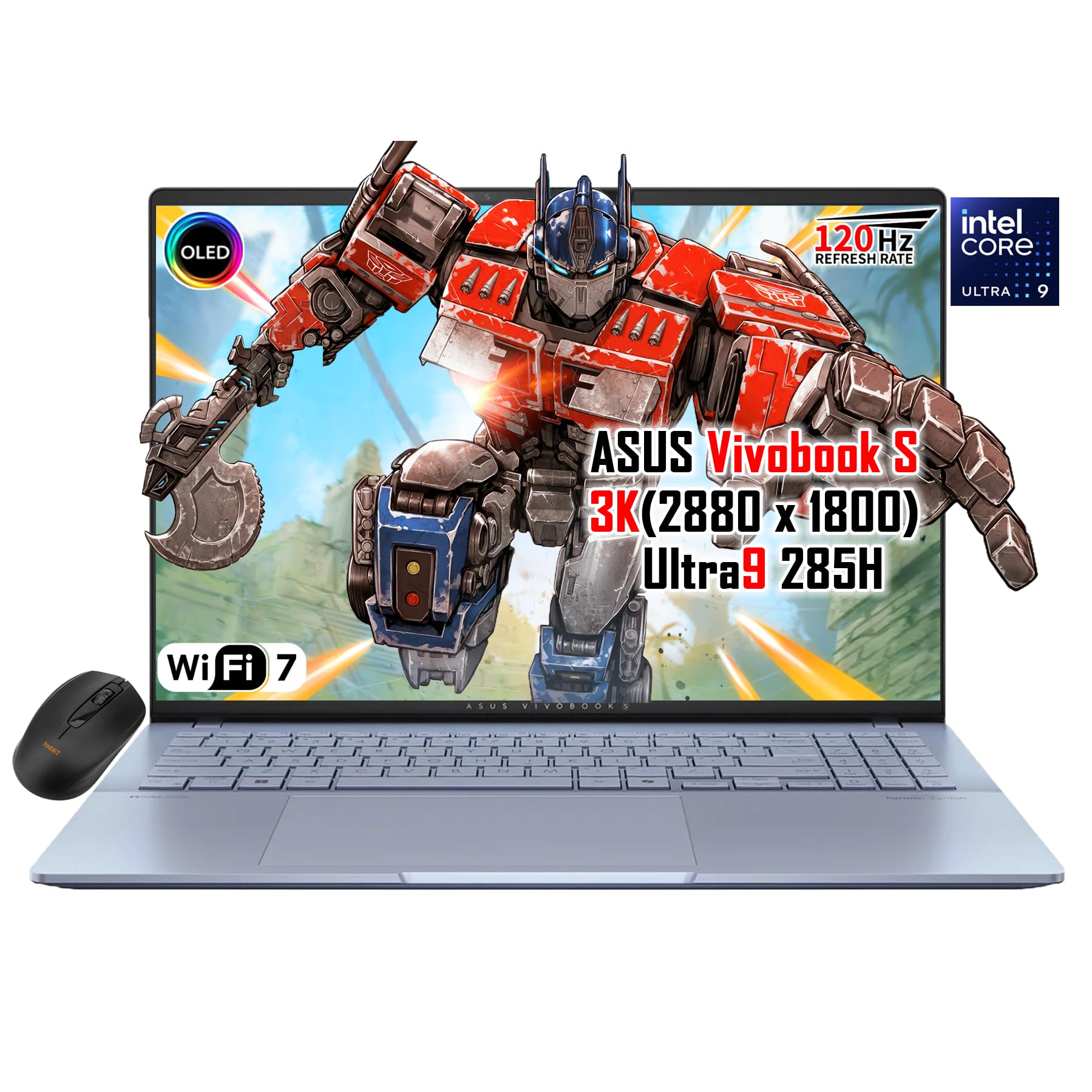
A business-grade Intel AI workhorse with an OLED screen that designs itself.
The Intel Core Ultra 9 285H runs up to 5.4 GHz across 16 cores/16 threads, with an integrated Intel AI NPU for smooth AI-assisted tasks. This makes it a solid Copilot+ PC for heavy multitasking, content creation, and productivity workloads, backed by a generous 32GB of RAM and 1TB SSD for large files.
The 16″ 3K OLED display at 2880×1800 resolution with 100% DCI-P3 color gamut and 400 nits of OLED True Black contrast makes everything from movies to design work look breathtaking. The dual Thunderbolt 4 ports, HDMI 2.1, and Wi-Fi 7 give you modern connectivity for remote work and video calls, while the full-size RGB backlit keyboard adds a touch of style. At just 3.31 lb, it’s built to MIL-STD-810 durability standards, so it travels well between workspaces.
Owners call it “close to perfection,” praising the stunning 120Hz OLED display for its color accuracy and the I/O (input/output, meaning the ports and connections) as top-tier. One satisfied buyer noted the Harman Kardon sound and that hyperthreading let them have “about 100 browser tabs open” without slowing down. The honest trade-offs, as some found, are that bottom speakers are weak, it runs hot under heavy loads, and the battery lasts a modest 5-6 hours despite the big screen.
business OLED: You get flagship Intel AI performance, a gorgeous OLED panel, and premium build quality — a real value for professionals who move between desks.
skip for quiet: If you need all-day unplugged endurance, the battery here is average, not exceptional.
6. MSI Vector 16 HX AI Gaming Laptop

RTX 5070 Ti power with future-proof Thunderbolt 5 for competitive play.
The NVIDIA GeForce RTX 5070 Ti delivers high-FPS gaming, advanced ray tracing, and DLSS AI boosts for smooth competitive play. The 16″ high-refresh display gives you a larger view for tracking action, making this a strong choice for competitive players and livestreamers who need responsive graphics.
The Intel Core Ultra 7-255HX processor (running up to 5.2 GHz) is tuned for gaming, streaming, and AI tools, with built-in acceleration for Microsoft Copilot and creator-focused AI apps. The MSI Cooler Boost shared-pipe cooling system keeps temperatures in check during marathon sessions, helping maintain high FPS. And with Thunderbolt 5, Wi-Fi 6E, DDR5 memory, and NVMe storage, you’ve got pro-level connectivity for fast external drives and multi-monitor setups.
Owners find it performs well for gaming, with one noting it runs Battlefield 6 at high FPS without issues and calling it “great value for money” as an upgrade from an older GPU. Another praised it as “plenty of power” that “works perfectly,” though they noted the keyboard gets hot during use. The criticism is honest and real: a few owners reported issues with reliability and the cooling system running warm, and one had a frustrating display failure in the first week.
raw gaming power: Competitive gamers and streamers who want RTX 5070 Ti power with the latest Thunderbolt 5 connectivity in a solid, fast package.
heavy chassis: Quality control concerns and heat under load are worth a careful unboxing and testing during the return window.
7. HP OmniBook AI Laptop Computer | Intel Ultra 9 285H
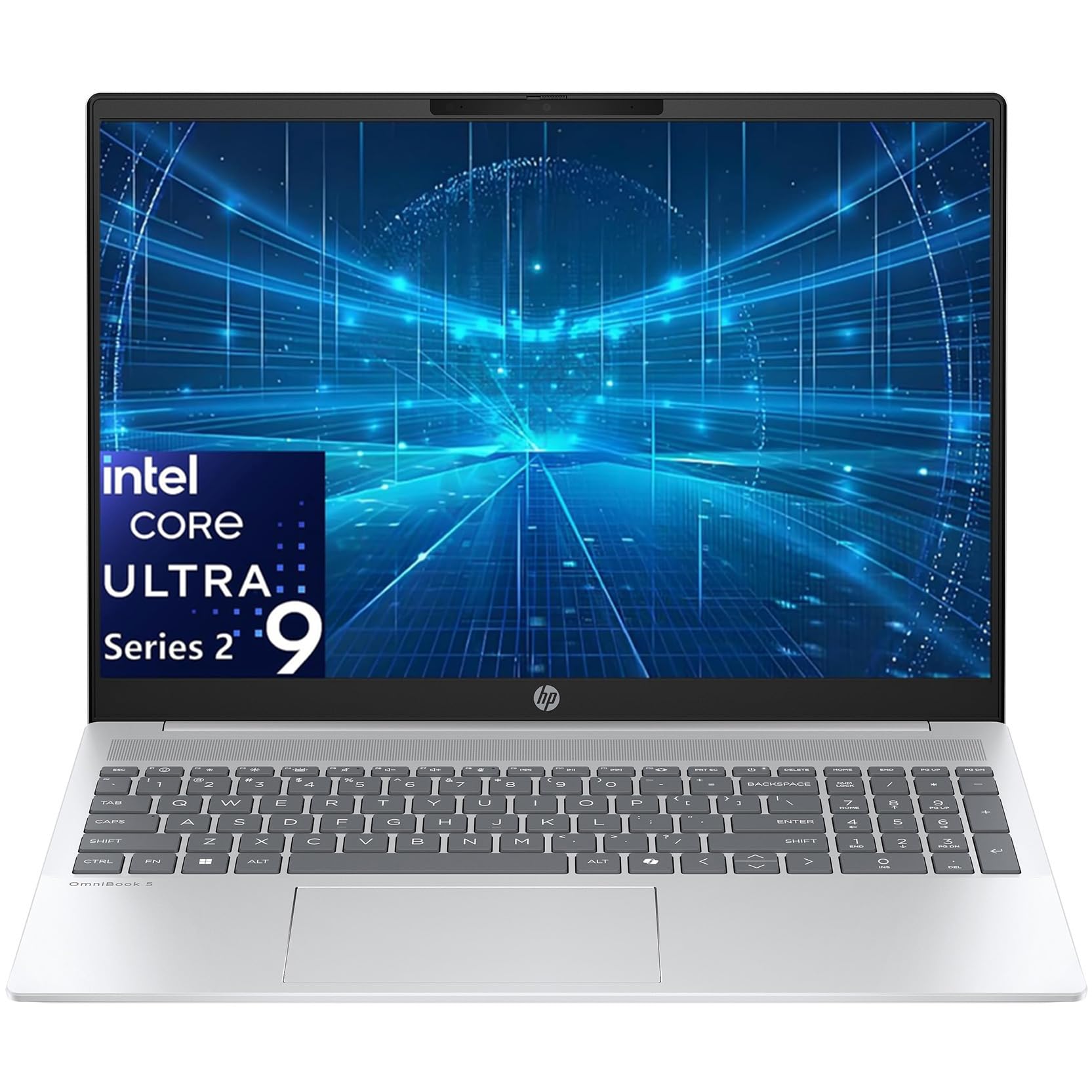
A 16-core Intel monster that crushes demanding workflows with rocket-fast memory.
The Intel Ultra 9 285H is a 16-core processor up to 5.4 GHz, with a 13 TOPS NPU for AI acceleration. This is a Copilot+ PC that handles demanding workflows, creative projects, and heavy multitasking with ease. The 32GB of LPDDR5X-7467 MT/s RAM (one of the fastest memory speeds available) combined with a 1TB NVMe SSD means apps load in seconds and you can run everything simultaneously.
The 16″ IPS touchscreen at 1920×1200 with anti-glare coating and 300 nits of brightness is workable, though not the standout feature on this list. The Intel Arc 140T GPU powers smooth 4K video and casual gaming. With 2x USB-C 10Gbps ports (with Power Delivery and DisplayPort), HDMI 2.1 for 4K displays, Wi-Fi 6E, and Bluetooth 5.3, you can connect everything you need. The 1080p FHD camera with privacy shutter and backlit keyboard with numeric keypad round out a premium package that includes Office 365.
Owners appreciate the easy setup and good battery time, with one noting the included AI features are “so cool.” The hardware itself gets solid marks for build quality and speed. The recurring word of caution comes from a single buyer who reported a serious data-loss issue with the Copilot+ AI experience, which is worth keeping in mind since cloud-synced AI features depend on reliable service. This is an exception rather than the consensus, but it’s the trade-off of heavy reliance on AI-assisted features.
AI office: You want maximum 16-core CPU power and ultra-fast LPDDR5X memory for heavy multitasking and creative projects at a value-oriented spec loadout.
skip for media: You’re nervous about relying on Copilot+ AI features, or you want a brighter, higher-resolution display.
8. GEEKOM GeekBook X16 Pro Laptop

The 2.8-pound ultraportable that packs a Core Ultra 9 and a 17-hour battery.
At 2.8 lbs and 0.27 inches thick, this aerospace-grade magnesium alloy laptop is the lightest here, easy to carry all day. But it’s no lightweight on specs: the Intel Core Ultra 9 185H processor (16 cores, 22 threads, up to 5.1 GHz) with a dedicated NPU delivers on-device AI that integrates with Copilot. The 77Wh battery provides up to 17 hours on a single charge, matching the MacBook Air’s endurance in a Windows package.
The 16-inch IPS display with a 16:10 aspect ratio at 2.5K (2560 × 1600) resolution covers 100% of the sRGB color gamut (a standard color space for accurate colors) at up to 400 nits of brightness. The 120Hz refresh rate keeps scrolling fluid. With 32GB of ultra-fast LPDDR5x memory at 7500MHz and a 2TB PCIe Gen4 NVMe SSD, it handles demanding apps and stacks of browser tabs without breaking a sweat. The IceBlade 2.0 cooling system with dual fans keeps performance steady under load.
Owners call it a “sleek fast powerhouse” and one Dell loyalist was so impressed they declared it “ran circles around the Dell!” they replaced. The consensus is that it’s fast, light, and fairly priced for the hardware. One critical review flagged the keyboard and trackpad combo as one of the worst they’d used, so if you type all day, it’s worth trying before committing — though this appears to be the minority experience.
compact portability
- Incredible 2.8 lb weight with aerospace-grade magnesium alloy build
- 17-hour battery life matches the best on this list
- 2TB SSD gives you double the storage of most rivals
smaller screen
- The keyboard and trackpad experience is a personal-fit question — try it if you can
- Some owners mention it’s not the flashiest design
portable pick: If you move between desks all day and won’t compromise on weight or battery, this is a rare mix of both in one chassis.
not for desktop: Test the typing experience before you buy if your day is 90% keyboard time.
9. Lenovo Copilot+ PC ThinkPad P14s Gen 6

Lenovo’s thinnest mobile workstation, built for business pros who need reliable AI power.
The Lenovo ThinkPad P14s Gen 6 is designed for business professionals who need portable power. The AMD Ryzen AI 7 PRO 350 processor delivers AI performance for real-time workload optimization, with a dedicated AI-driven neural processing unit that crunches datasets, automates repetitive tasks, and tune workflows. The 32GB of DDR5 memory and 1TB SSD ensure smooth multitasking and efficient workflows even with demanding applications.
The 14″ WUXGA 1920×1200 IPS display hits 500 nits of brightness with 100% sRGB color accuracy — bright enough for detailed work even in well-lit offices. It’s a no-nonsense panel focused on clarity rather than flashy OLED colors. The port selection is comprehensive for a business machine: 1x USB-A (USB 5Gbps), 1x USB-A Always On, 2x USB-C (Thunderbolt 4 / USB4 40Gbps) with PD 3.0 and DisplayPort 1.4, plus HDMI 2.1, Ethernet (RJ-45), and a security keyhole. ThinkPad build quality is legendary, and this model is more sturdy than the X1 Carbons one owner was using before.
Real-world feedback confirms its workstation credentials: one controls engineering owner says it handles “multiple compilers with CAD, with no issue.” Another long-time ThinkPad user switched from X1 Carbons and found this “runs cooler, is more powerful, and is much more sturdy” — calling it the best laptop they’ve ever purchased. The honest complaints are narrower: a power button that can require multiple presses on some units, and one catastrophic network adapter failure report that suggests it’s worth testing thoroughly on arrival.
workstation reliability: If you need a durable, reliable business machine with a professional look and Ethernet for office networks, this is the most workstation-focused pick here.
battery drains fast: At 8 hours, it’s not the marathon runner — it’s built for a solid workday, not two days away from a charger.
10. GIGABYTE AERO X16, Copilot+ PC

A slim, quiet creator machine pairing Ryzen AI with RTX 5070 graphics.
The GIGABYTE AERO X16 combines the AMD Ryzen AI 9 HX 370 processor with the NVIDIA GeForce RTX 5070 Laptop GPU, a pairing built for creators and gamers who want premium performance in a thin chassis. At just 0.65 inches thick and 4.18 lbs, it’s measured as one of the thinnest RTX laptops, designed with Max-Q optimization for long battery life. The RTX 5070 brings DLSS 4 and NVIDIA Studio features for accelerated image generation and creative workflows.
The 16″ WQXGA 2560×1600 display runs at a smooth 165Hz refresh rate, giving you crisp visuals for both gaming and creative work. With 32GB of DDR5 RAM and a 1TB SSD, it handles heavy tasks like video editing and gaming without skipping a beat. The 14-hour battery life is surprisingly good for a machine with this much power, and the 2x 2W speakers are decent for a slim laptop.
Owners describe it as “Powerful, Cool, and Premium – Worth Every Dollar,” with one noting the aluminum build quality and near-instant boot times with zero bugs or crashes. Another praised it as “solid, fast, well built… Great Gaming Performance, Battery life is decent, and it is very quiet.” The most common praise centers on its functionality and performance. The honest caveat: its GiMATE AI software can cause issues on some units (disabling the GPU or causing crashes on wake), so it’s worth uninstalling if you hit instability.
creator color accuracy: If you want RTX 5070 power, a 165Hz display, and 14-hour battery in a slim, premium aluminum body, this is a well-balanced machine.
pricey configs: The GiMATE AI software has been the source of glitches for some — it’s the first thing to address if you see instability.
11. NIMO 17.3″ AI Laptop
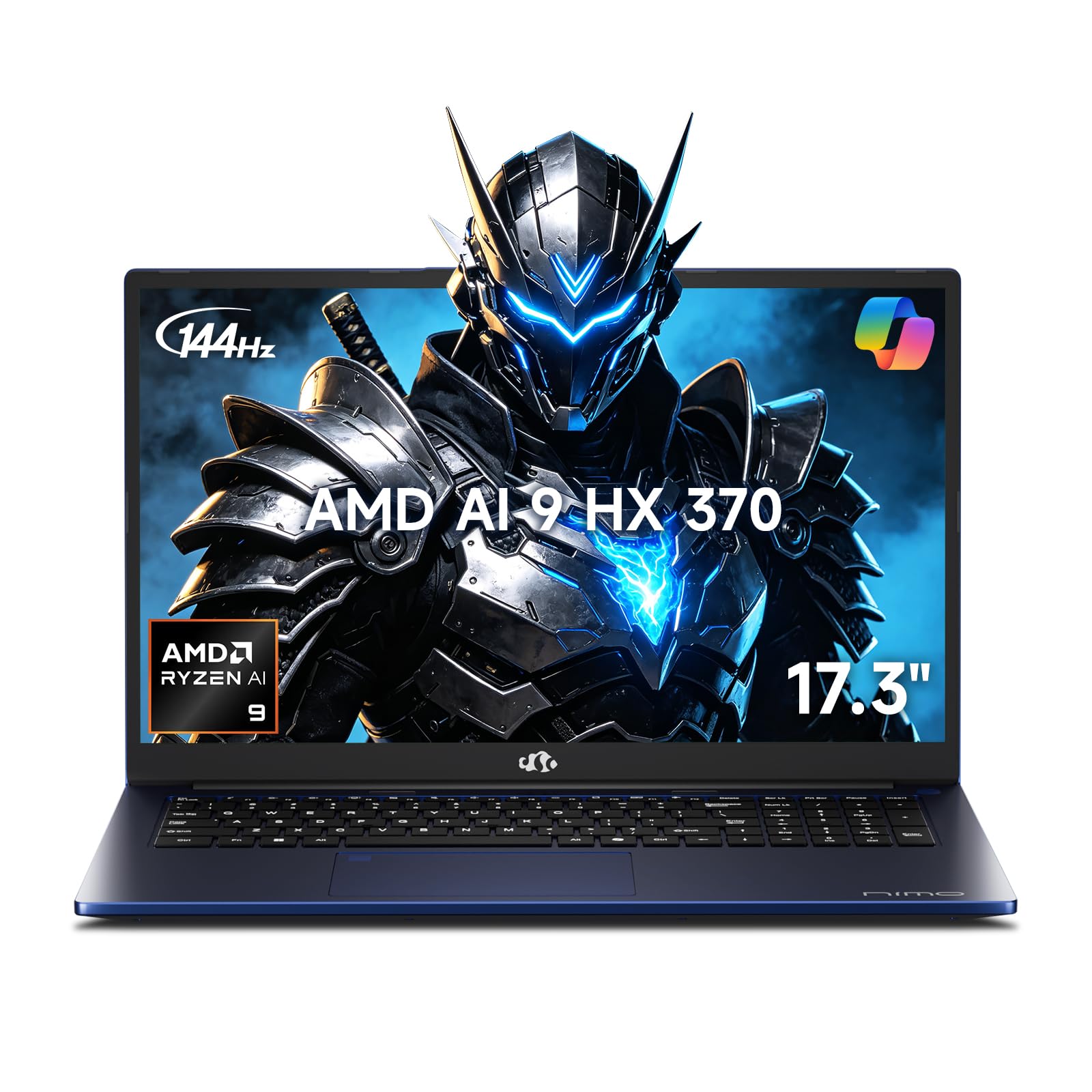
A giant 17.3-inch screen with a massive 64GB of RAM and 4TB of storage.
The NIMO 17.3″ AI Laptop is defined by its sheer capacity: a massive 64GB of high-speed DDR5 memory and a 4TB PCIe 4.0 SSD. This is the pick for anyone who hits limits on other laptops — whether you’re running professional-grade software, storing heavy data, or multitasking intensely. The AMD Ryzen AI 9 HX 370 processor with Radeon 890M graphics delivers AI-accelerated performance for complex coding, 4K video editing, and high-end gaming.
The 17.3-inch FHD display with a 144Hz refresh rate delivers smoothly, making it great for esports, scrolling through long spreadsheets, and HD video calls. A 75Wh battery supports long study sessions and full workdays, and the included 100W PD fast charger delivers 2 hours of use from just a 15-minute charge. The full-size numeric keypad and soft illuminated backlit keyboard are built for accounting, data entry, and heavy spreadsheet work. With USB-C 4.0, you get data transfers up to 40Gbps and support for dual 8K external displays.
This U.S.-assembled laptop comes with a 2-year warranty and 90-day returns, which owners appreciate. It’s described as a “solid laptop especially for the price” — great for internet, movies, spreadsheets, and docs, with good battery and low heat. The 64GB of RAM is the thing people value most; one owner said it holds “50k-100k photos without issues” and survived a sticky drink spill. The honest limits are that it’s not built for heavy gaming and, as one buyer mentioned, the charger is a separate USB-C purchase in some cases.
big screen: You need a big screen with desktop-level memory and storage — the 64GB RAM and 4TB SSD are class-leading on this list for data-heavy users.
skip for portability: You’re a serious gamer or you want the most portable machine; this is a large, functional workhorse, not a gaming specialist.
12. Acer Predator Helios Neo 16 AI Gaming Laptop

Desktop-level gaming power with a lightning-fast 240Hz display that truly replaces a tower.
The headline spec is the NVIDIA GeForce RTX 5070 Ti Laptop GPU with a massive 992 AI TOPS of horsepower, powered by NVIDIA Blackwell architecture. This enables full ray tracing, DLSS 4 Multi Frame Generation, and neural rendering for cinematic-quality visuals. Paired with the Intel Core Ultra 9 275HX processor (up to 13 NPU TOPS for AI tasks), it delivers legendary gaming performance that one owner confirmed can truly “replace a desktop” — handling games at over 100 FPS with DLSS and even driving a 3440×1440 ultrawide monitor.
The 16″ WQXGA 2560×1600 display operates at an astonishingly fast 240Hz refresh rate with a 3ms overdrive response time, covering up to 100% DCI-P3 color gamut at 500 nits of brightness. With NVIDIA G-SYNC and Advanced Optimus, whatever’s on-screen is a distinct viewing delight. The 16GB DDR5 RAM and 1TB Gen 4 SSD provide ample storage, though the 16GB RAM is the one spec that some owners say needs upgrading to 32GB for heavy multitasking.
Owners are impressed with the performance, calling it “Absolutely worth it” as a huge upgrade from older GPUs, running all games at ultra settings. One owner reported it’s “the Best value gaming laptop w/ 5070ti,” praising the RTX 5070 Ti and fast Intel Core Ultra 9. The honest trade-offs are the loud fans during heavy load (fans are very loud under turbo), a common USB-C port issue flagged by some owners, and battery life around 2 hours of regular use — this is a desktop replacement, not a portable. An occasional unit arrives dead on arrival.
high refresh gaming
- 992 AI TOPS with the RTX 5070 Ti for maxed-out ray tracing and DLSS 4
- 240Hz display with 3ms response for ultra-smooth competitive play
- Handles ultrawide 3440×1440 gaming without breaking a sweat
loud fans
- Fans get very loud under turbo load
- Battery life is short — it lives near a power outlet
esports ready: If you want a desktop-replacement gaming rig that you can actually move, the RTX 5070 Ti and 240Hz panel make this the most powerful pure-gaming pick here.
avoid for quiet: You need quiet operation or all-day battery — this is built for performance first, portability second.
13. ASUS ROG Flow Z13 (2025) Gaming Laptop

A 13-inch 2-in-1 that runs giant local AI models like a portable datacenter.
The defining spec here is the 128GB of LPDDR5X 8000MHz quad-channel memory — the most RAM on any laptop in this guide. The AMD Ryzen AI MAX+ 395 processor has 16 cores, up to 50 TOPS of NPU power, and RDNA 3.5 graphics, all packed into a 13-inch chassis. This is the pick for serious AI work: one owner tested it as a local AI workstation, running Llama 3.1 70B with full 128k context entirely in VRAM (video memory used for graphics and compute), which is impossible on most RTX laptops with their 16-24GB of memory.
The flexibility comes from its 2-in-1 design: a flexible 170° kickstand, larger touchpad, and a detachable keyboard that adapts for creating, gaming, and working on the go. The 13″ ROG Nebula 16:10 2.5K touchscreen runs at 180Hz with a 3ms response time and covers 100% DCI-P3 color space, validated by PANTONE for color accuracy. The stainless steel vapor chamber with liquid metal keeps the CPU cool and quiet under load. Battery life is up to 10 hours.
Owners who are into AI are ecstatic. One called it a “Local AI datacenter on the go,” scoring it 9.5/10 for AI work thanks to the ability to assign up to 96GB of RAM to the GPU. Another called it “Super powerful cpu and the most powerful igpu, that you can assign up to 96gb of ram to.” The honest fit notes: it requires some tuning to avoid crashes when the GPU allocation starves the OS of RAM, and the keyboard wobbles when typing, making it less comfortable for long sessions than a traditional laptop. Battery life is average under load.
hybrid gaming: If you’re a researcher, developer, or AI enthusiast who needs to run massive local models, the 128GB memory is a transformative advantage no other pick here offers.
not for AAA: If you just want a comfortable everyday laptop, the detachable keyboard and tuning requirements make this a specialist tool, not a generalist.
Understanding the Specs
NPU TOPS and AI Performance
The most important spec for an AI-enhanced laptop is the NPU (Neural Processing Unit), a dedicated chip that accelerates AI tasks. Its performance is measured in TOPS (Tera Operations Per Second — how many trillion operations the chip handles each second). A higher TOPS number means the laptop runs AI features like live captions, background blur, and local language models more smoothly and efficiently, without needing the cloud. For example, the ASUS Vivobook S16 offers up to 50 TOPS, while the GIGABYTE AERO X16 and NIMO pack a similar Ryzen AI processor. Real AI horsepower also comes from the GPU — the RTX 5060 in the Nitro V 16S delivers 572 AI TOPS for gaming-focused DLSS, while the RTX 5070 Ti in the Predator Helios pushes 992 AI TOPS.
Memory, Storage, and Battery
AI workloads are memory-hungry. RAM (random access memory — your computer’s short-term memory for running apps) determines how many tasks and AI models you can run simultaneously. The ROG Flow Z13 takes this to an extreme with 128GB of the fastest LPDDR5X memory, while the NIMO pairs 64GB with a huge 4TB SSD for data-heavy work. Battery life is the other critical spec: the HP OmniBook X 14 leads with up to 27.5 hours, while the MacBook Air 15″ and GEEKOM X16 Pro both deliver up to 18 and 17 hours respectively — machines you can genuinely use all day. The trade-off is that high-performance gaming laptops like the Predator Helios and MSI Vector sacrifice battery for raw power, so choose based on whether you’re tethered to a desk or always on the move.
FAQ
What is an NPU and why does it matter for an AI laptop?
Is a Copilot+ PC the same as having an AI laptop?
How much RAM do I need for local AI models?
Can these AI laptops game as well as regular gaming laptops?
What is DLSS and how does it use AI to improve gaming?
Will a MacBook Air with M5 run Windows AI apps?
How does battery life compare across AI laptops?
What should I check if I want to run AI on the laptop without the cloud?
Are AI-enhanced laptops worth the premium over standard models?
How does a touchscreen help with AI features on laptops like the HP OmniBook X 14?
Final Thoughts: The Verdict
The winner for most people is the ai enhanced laptops crown belonging to the Apple MacBook Air 15″ M5, because it pairs genuinely useful AI features with the best balance of portability, performance, and all-day battery life at 18 hours. If you want a Windows machine with a stunning OLED display and real Copilot+ power, the ASUS Vivobook S16 is a strong alternative. And if gaming is your priority, the Acer Nitro V 16S delivers exceptional RTX AI value. For the dedicated AI enthusiast who runs massive local models, the ASUS ROG Flow Z13 is in a class of its own — backed by over 4.4 stars from owners who praise its unique 128GB memory advantage.
How We Picked
We do not accept paid placement. Every pick is matched to a real buyer and a real use-case; we do not hands-on test units.
Sources & Methodology
Specifications: manufacturer listings and product documentation. Review insights: verified customer reviews, as of August 2026. Pricing: not shown on this page (it changes often); check the current price via the retailer link.
As an Amazon Associate, Gadgets Feed earns from qualifying purchases. This does not affect which products we feature.