
The term “AI Personal Computer” isn’t just marketing fluff anymore. It describes a machine built with a dedicated Neural Processing Unit (NPU) — a chip designed to accelerate on-device AI tasks like running local large language models, real-time video analysis, and intelligent content creation without relying on the cloud. The real distinction between a standard PC and an AI PC comes down to measurable TOPS (Trillions of Operations Per Second), memory bandwidth, and the efficiency of the system’s NPU for sustained workloads.
I’m Min — the co-founder and writer behind Gadgets Feed. After cross-referencing NPU performance metrics against real-world inference speeds for models like Llama 3 and Stable Diffusion, and evaluating thermal headroom across a broad spectrum of discrete and integrated AI accelerators, this guide targets the machines that actually deliver on their promised AI throughput without throttling.
Whether you are fine-tuning a model, running local agentic workflows, or just want your next desktop to handle real-time Copilot tasks without slowing down, this guide to the best ai personal computer will help you buy with objective hardware knowledge.
How To Choose The Best AI Personal Computer
The market now segregates AI PCs by NPU capability, but not all TOPS are equal for every workload. Understanding the hardware hierarchy — from a 13 TOPS NPU to a 1 petaFLOP superchip — is the first step in cutting through the noise.
NPU Performance and TOPS Rating
The NPU is the dedicated AI engine. A rating of 40+ TOPS is the threshold Microsoft set for the Copilot+ PC experience, enabling features like real-time captions and image Cocreator. For local model inference (running a 7B parameter LLM, for example), you want at least 45-50 TOPS from the NPU combined with high memory bandwidth. Systems like the Lenovo ThinkPad P14s Gen 6 leverage the AMD Ryzen AI 9 HX PRO 370 with its 50+ TOPS NPU to handle these tasks smoothly, while Intel’s Lunar Lake and Arrow Lake processors push beyond 40 TOPS for the Core Ultra series.
Memory Capacity and Bandwidth
For AI tasks, RAM is your model’s playground. Running a 13B parameter model in 4-bit quantization requires roughly 8-10 GB of free memory just for the model weights. If you are pushing 100B+ parameter models, systems like the ASUS Ascent GX10 with 128 GB of LPDDR5x become mandatory. Beyond capacity, bandwidth matters: LPDDR5x at 8000 MT/s (as found in the GMKtec EVO-X1) provides significantly lower latency for token generation than standard DDR5 SODIMMs.
Discrete GPU vs. Integrated NPU
For image generation (Stable Diffusion), the discrete GPU still dominates. The NVIDIA GeForce RTX 5070 with 12 GB of VRAM in the Ocean of Stars desktop will generate images 3-5x faster than an integrated NPU. The NPU excels at always-on, low-power tasks like background blur, voice isolation, and meeting transcription. Your choice depends on whether you need batch AI processing (GPU heavy) or real-time assistive AI (NPU heavy).
Quick Comparison
On smaller screens, swipe sideways to see the full table.
| Model | Category | Best For | Key Spec | Amazon |
|---|---|---|---|---|
| ASUS Ascent GX10 | Supercomputer | 200B Model Fine-tuning | 1 petaFLOP / 128GB LPDDR5x | Amazon |
| Dell Alienware 18 Area-51 | Gaming Laptop | High-End AI + 4K Gaming | RTX 5090 / 64GB DDR5 | Amazon |
| ASUS ROG Strix SCAR 18 | Gaming Laptop | DLSS 4 + Ray Tracing | RTX 5080 / 240Hz Mini LED | Amazon |
| LG gram 17 AI Copilot+ | Ultra-light | Portable AI Productivity | 47 NPU TOPS / 3.2 lbs | Amazon |
| Lenovo ThinkPad P14s Gen 6 | Workstation | Mobile AI Workstation | AMD Ryzen AI 9 HX PRO 370 | Amazon |
| Alienware Aurora Desktop ACT1250 | Desktop | Marathon AI Training | RTX 5070 / 1000W PSU | Amazon |
| Ocean of Stars AI Gaming Desktop | Desktop | Local LLM + 4K Creation | RTX 5070 / 3TB Hybrid Storage | Amazon |
| GEEKOM IT15 | Mini PC | 4K Concept Art Generation | 99 TOPS / Intel Ultra 9 285H | Amazon |
| MINISFORUM AI X1 Pro-370 | Mini PC | Multi-monitor AI Assistant | AMD Ryzen AI 9 HX 370 | Amazon |
| Acer Nitro V 16S AI | Gaming Laptop | DLSS 4 Gaming + AI Tasks | 572 AI TOPS / RTX 5060 | Amazon |
| ACEMAGIC M1A Pro | Mini Workstation | Discrete GPU in Mini Form | ARC A770 MXM / i9-13900HK | Amazon |
| GMKtec EVO-X1 | Mini PC | eGPU Expansion + 8K | 50 TOPS NPU / Oculink | Amazon |
| HP OmniBook 5 14 | Laptop | Ultra-Long Battery AI | 34h Battery / Snapdragon X Plus | Amazon |
In‑Depth Reviews
1. ASUS Ascent GX10 AI Supercomputer
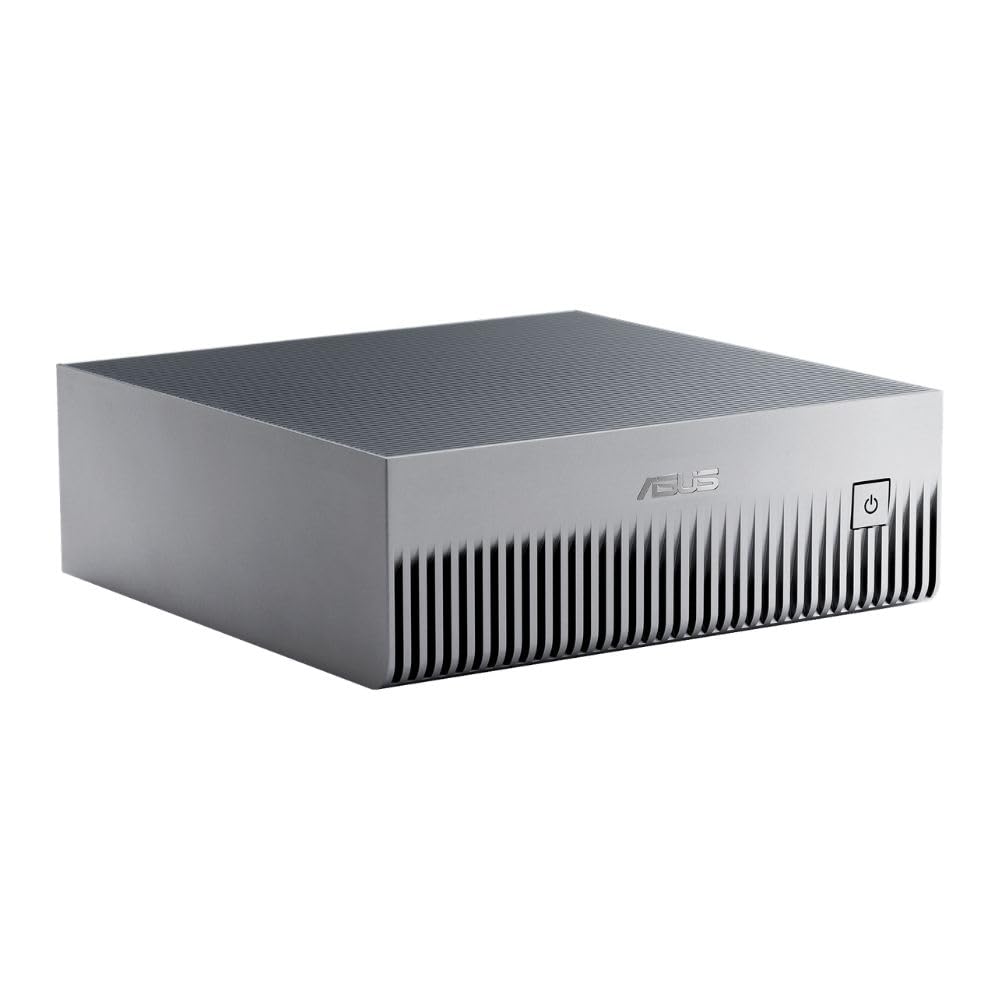
The ASUS Ascent GX10 is not a standard PC — it is an NVIDIA GB10 Grace Blackwell superchip-driven appliance designed for developer-grade AI workloads. With 128 GB of unified LPDDR5x memory, it can load a 200B parameter model directly into memory, far exceeding the capacity of any consumer desktop. The NVLink-C2C interconnect between the Grace CPU and Blackwell GPU eliminates traditional memory bottlenecks, providing a single coherent memory pool for massive inference and fine-tuning tasks.
Aggregate token generation for a 31B parameter model (like Qwen 3) runs at roughly 58-60 tokens per second after initial setup, which is competitive with a multi-GPU workstation at a fraction of the physical footprint. The system runs Ubuntu Linux out of the box and supports OpenClaw and NemoClaw frameworks for agentic workflows. Build quality meets MIL-STD 810H standards, and the thermal solution includes a custom vapor chamber that keeps the system operational under sustained load without throttling.
It is not a general-purpose gaming machine — the integrated graphics are optimized strictly for AI compute, not traditional rasterization. The initial setup requires some comfort with Linux command-line tools (Gemini or similar for guidance is recommended). For researchers and developers building secure, long-running agentic AI pipelines, this is the only true “supercomputer-in-a-box” option on this list.
Why it’s great
- 128GB unified memory allows 200B model fine-tuning without offloading
- 1 petaFLOP AI performance in a stackable chassis
- MIL-STD 810H build quality with custom vapor chamber cooling
Good to know
- Not suitable for gaming or standard GPU compute (no dGPU for raster)
- Linux-based OS requires developer-level comfort for setup and updates
- Single SSD slot starts at 1TB — insufficient for heavy model storage without external drives
2. Dell Alienware 18 Area-51 Gaming Laptop

The Area-51 moniker returns with a vengeance, packing an Intel Core Ultra 9 275HX and a full-power NVIDIA GeForce RTX 5090 Laptop GPU. This combination yields the highest GPU TOPS of any system on this list — over 1,000 AI TOPS from the RTX 5090 alone, enabling local Stable Diffusion XL generations in under 2 seconds and raw ray-traced frame rates exceeding 120 fps at native 2.5K resolution. The 64 GB of DDR5 ensures you can run multiple AI model instances simultaneously without memory contention.
The 18-inch 2.5K WQXGA anti-glare display at 2560×1600 provides the pixel real estate needed for monitoring model training runs while keeping reference materials visible in adjacent windows. The keyboard features CherryMX ultra-low-profile mechanical switches for a tactile typing experience that developers will appreciate during long coding sessions. The thermal solution uses a quad-fan design with vapor chamber and liquid metal on both CPU and GPU, keeping core temperatures under 85°C during sustained AI inference loads.
At over 8 pounds with the power brick, portability is sacrificed. The fans under gaming load are audible, though the laptop runs quieter during non-gaming AI tasks. The M.2 slots do not accept SSDs with thick heat shields (common on high-capacity drives), so plan your storage upgrade around single-sided NVMe modules. For the user who wants local AI inference capability plus uncompromised gaming, this is the most powerful portable option available.
Why it’s great
- RTX 5090 delivers over 1,000 AI TOPS for rapid local model inference
- 64GB DDR5 and 2TB PCIe SSD handle large model storage and multitasking
- Mechanical keyboard with CherryMX switches improves development workflow
Good to know
- Heavy chassis and large power adapter reduce portability
- M.2 slots incompatible with SSDs using thick aftermarket heat shields
- Fans run loud under sustained GPU load in gaming scenarios
3. ASUS ROG Strix SCAR 18 (2025)

ROG’s flagship 18-inch gaming laptop integrates the Intel Core Ultra 9 275HX with an RTX 5080 Laptop GPU, delivering a combined system AI TOPS rating that exceeds 600. The standout feature is the ROG Nebula HDR Mini LED display: 2,000+ dimming zones produce a per-pixel contrast ratio that is critical for accurately visualizing AI-generated imagery and HDR content. The 240 Hz refresh rate ensures zero ghosting during training visualization or fast-paced gaming.
The tool-less access design is a practical advantage for AI developers who frequently upgrade RAM and SSDs. The bottom panel slides off without a screwdriver, revealing dual DDR5 SODIMM slots (handling up to 64 GB) and dual PCIe Gen 4 M.2 slots. The Conductonaut Extreme liquid metal on the CPU and the tri-fan vapor chamber allow sustained 175W GPU TGP without thermal throttling, making it viable for overnight model fine-tuning sessions.
Battery life under AI workloads is limited — expect roughly 2 hours when the dGPU is active. The AniMe Vision lid display is purely aesthetic; there is no functional AI-related use for it. The 32 GB DDR5 base memory is adequate for 7B models but will need an upgrade for 13B parameter models. For the creator who demands both a premium visual experience and the ability to train on the go, the SCAR 18 hits a unique sweet spot.
Why it’s great
- Mini LED display with 2,000+ dimming zones for HDR model visualization
- Tool-less bottom panel for easy RAM and SSD upgrades
- Sustained GPU wattage enables overnight fine-tuning without throttling
Good to know
- Battery life drops sharply under active GPU workloads (under 2 hours)
- Base 32GB RAM requires upgrading for 13B+ parameter models
- Heavy chassis and loud fans under Turbo profile
4. LG gram 17 AI Copilot+ Laptop
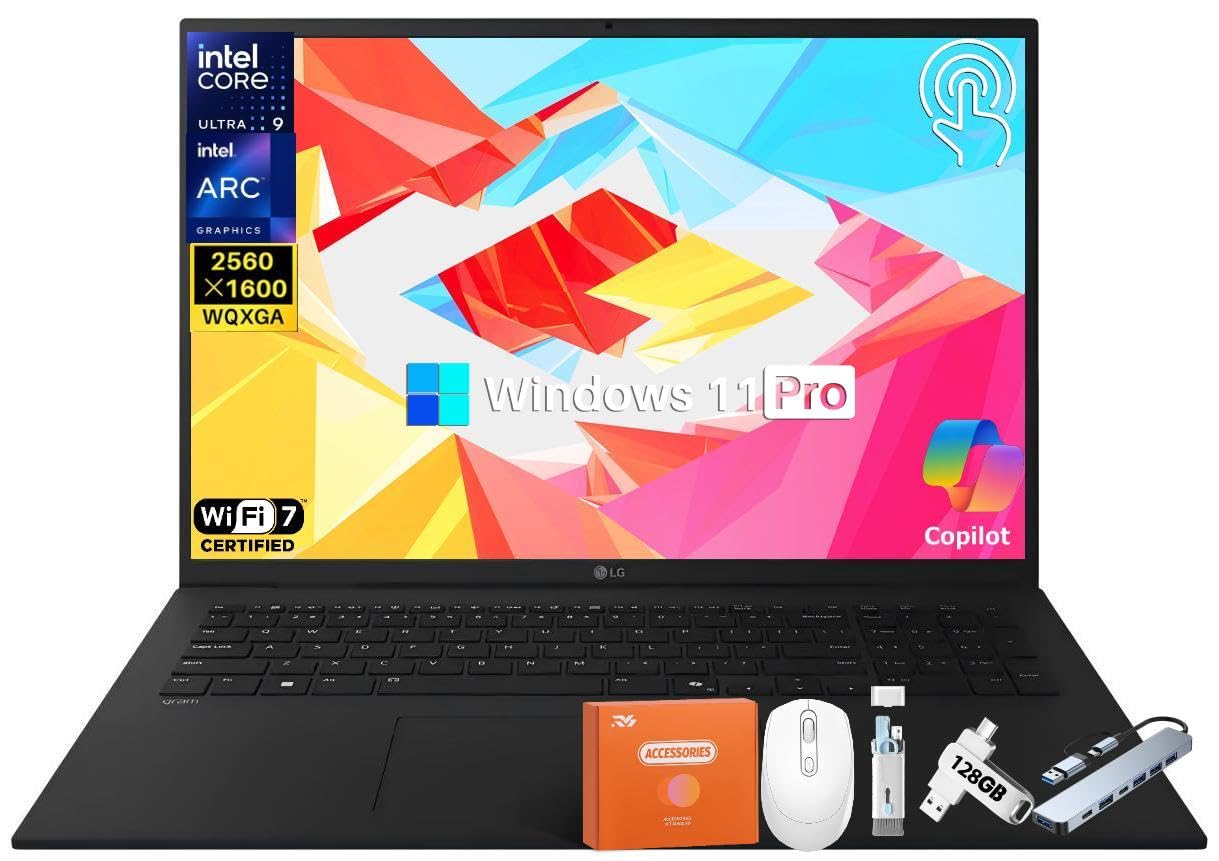
The LG gram 17 is the lightest full-featured AI Copilot+ laptop available, weighing just 3.2 pounds despite its 17-inch WQXGA anti-glare touch display. Powered by the Intel Core Ultra 9 288V with a 47 TOPS NPU, it handles all Copilot+ features — including real-time captions, background blur, and Paint Cocreator — entirely on-device without any GPU fan spin. The 77 Wh battery provides up to 23.5 hours of video playback, making this the most endurance-focused AI machine in the premium tier.
The display is the core differentiator: 2560×1600 resolution with 99% DCI-P3 coverage and anti-glare coating ensures color-accurate work for photo editing and UI design augmented by AI tools. The touch layer supports accurate stylus input for the Cocreator feature. Connectivity includes dual Thunderbolt 4 ports, HDMI 2.1, and a MicroSD card slot that supports up to 2 TB for expanding model storage without a USB dongle.
Integrated Intel Arc Graphics means this is not suitable for local image generation tasks (Stable Diffusion runs at roughly 5-7 seconds per iteration on NPU alone). The chassis, while ultra-light, flexes slightly under pressure at the keyboard deck. The fan can occasionally loop during NPU-heavy tasks, although it remains largely silent during office productivity. For the traveling professional who needs AI assistance features and portability above all else, this is the best-in-class selection.
Why it’s great
- Ultra-light 3.2-pound chassis with a 17-inch 99% DCI-P3 touch display
- 47 TOPS NPU handles all Copilot+ features without GPU fan activation
- 77 Wh battery delivers over 23 hours of video playback for all-day use
Good to know
- Integrated Intel Arc Graphics insufficient for local image generation tasks
- Chassis has minor keyboard deck flex under sustained pressure
- Fan can audibly cycle during demanding NPU workloads
5. Lenovo ThinkPad P14s Gen 6 Mobile Workstation

Lenovo’s thinnest mobile workstation earns the Copilot+ PC badge through the AMD Ryzen AI 9 HX PRO 370 processor, which integrates an NPU capable of over 50 TOPS. The real differentiator is 64 GB of DDR5-5600 memory, which allows the P14s to load a 13B parameter 4-bit LLM (like CodeLlama) entirely in system memory while still having 30+ GB free for multitasking. The 14-inch WUXGA IPS display at 500 nits and 100% sRGB delivers accurate color for data visualization dashboards.
Build quality adheres to ThinkPad’s MIL-STD 810H standards, including tests for temperature extremes, humidity, and vibration. The full port selection includes two Thunderbolt 4 / USB4 40 Gbps ports, HDMI 2.1, a dedicated RJ-45 Ethernet jack, and a headphone/mic combo jack — no dongles needed for standard enterprise environments. The fingerprint reader integrated into the power button supports Windows Hello for quick authentication without exposing biometric data to third-party apps.
The 14-inch form factor does limit thermal headroom — sustained NPU loads can push chassis temperatures to 45°C on the bottom panel. The integrated Radeon 890M graphics are not suitable for discrete GPU-accelerated AI training, but that is not the target use case. For business professionals running local NLP models, Copilot-based workflow automation, and real-time translation, this is the most focused mobile AI workstation available today.
Why it’s great
- 64GB DDR5 supports 13B parameter models locally with overhead for multitasking
- MIL-STD 810H tested for harsh environmental conditions
- Full enterprise port selection including Thunderbolt 4, HDMI, and RJ-45
Good to know
- Bottom panel reaches 45°C under sustained NPU loads
- Integrated Radeon 890M insufficient for local model training
- Plastic casing may feel less premium than aluminum competitors
6. Alienware Aurora Gaming Desktop ACT1250

The Alienware Aurora ACT1250 pairs an Intel Core Ultra 7 265F with the NVIDIA GeForce RTX 5070, delivering over 500 AI TOPS through the GPU alone. The 1000W Platinum-rated PSU provides sufficient headroom for sustained GPU compute loads — critical for AI training sessions that run 12+ hours. The 32 GB of DDR5 is adequate for 7B model inference, with the motherboard supporting dual-channel upgrades up to 64 GB for larger models.
The Alienware Command Center provides granular control over power states, allowing users to lock the GPU into a dedicated compute profile that prioritizes memory clock stability over boosting. This is particularly valuable for training stability, where fluctuating GPU clocks can introduce training artifacts. The 1-year Onsite Service from Dell means a technician will visit your home for hardware repairs, reducing downtime for professionals dependent on local AI infrastructure.
The case uses a proprietary motherboard form factor, limiting future upgrade flexibility to Dell-specified components. The air cooler, while adequate for the 265F, will spin audibly under sustained AI loads. Active cooling is provided by four fans in a positive-pressure configuration. For the user who wants a turnkey desktop for both AI inference and gaming without building a system, this delivers solid baseline performance with the safety net of manufacturer support.
Why it’s great
- RTX 5070 delivers over 500 AI TOPS for local generation and inference
- 1000W Platinum PSU ensures stable power for sustained compute loads
- 1-year Onsite Service from Dell reduces downtime for repairs
Good to know
- Proprietary motherboard limits future upgrade paths to Dell components
- Air cooler becomes audible under sustained AI training loads
- Base 32GB RAM may need upgrade for 13B+ parameter models
7. Ocean of Stars AI Gaming PC Desktop
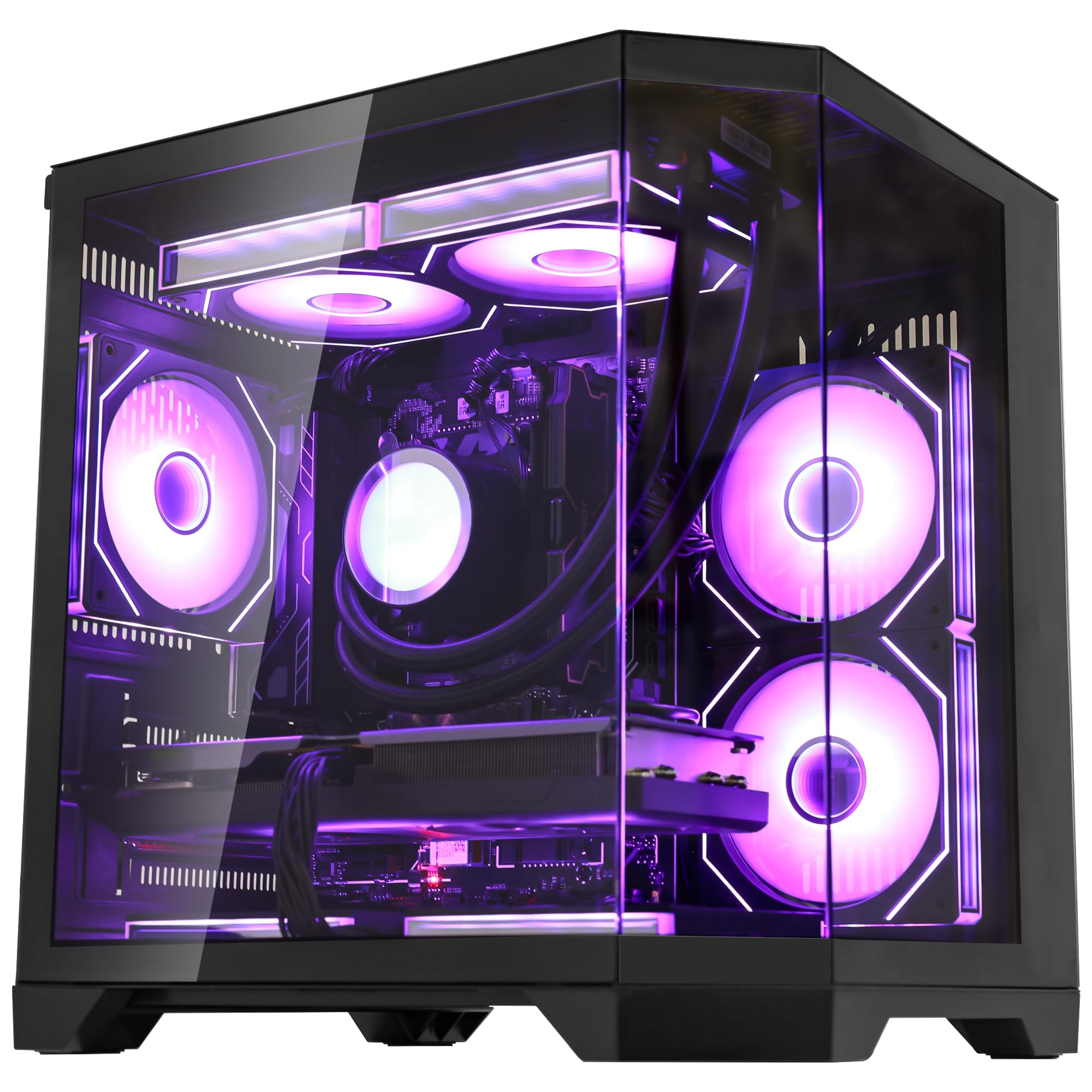
The Ocean of Stars desktop is architecturally optimized for the AI content creator. The combination of an AMD Ryzen 7 9700X (8 cores, up to 5.5 GHz) and a 12 GB NVIDIA GeForce RTX 5070 provides the dual-engine horsepower needed for simultaneous data preprocessing and image generation. Zen 4 architecture excels at the tokenization and encoding steps required before feeding data into a model, while the RTX 5070 handles the generation step itself.
The 3 TB hybrid storage configuration (1 TB PCIe Gen 4 NVMe SSD plus 2 TB SATA SSD) is the most thoughtful storage layout in this roundup. The NVMe drive acts as the runway for Windows, CUDA toolkits, and active AI applications, while the 2 TB SATA drive serves as a dedicated model repository for LLMs, LoRAs, and Stable Diffusion checkpoints. The 32 GB of DDR5-6000 RAM provides high bandwidth for loading 7B models without page file thrashing.
The 240 mm AIO liquid cooler keeps the CPU under 75°C during sustained workload peaks, and the 850W PSU leaves headroom for future GPU upgrades. The chassis is prebuilt with RGB lighting and a panoramic side panel, but more importantly, it ships without bloatware — a meaningful time saver. For the creator who needs a ready-to-run machine for local LLM and image generation workflows, this offers the best storage-per-dollar value of any desktop here.
Why it’s great
- 3TB hybrid storage (1TB NVMe + 2TB SATA) provides ample space for model repositories
- 240mm AIO liquid cooler keeps CPU temperatures under 75°C on sustained loads
- 12GB VRAM on RTX 5070 enables high-resolution Stable Diffusion outputs
Good to know
- Zen 4 CPU, while excellent for preprocessing, is last-gen versus Zen 5 alternatives
- SATA SSD is slower for model loading than a second NVMe drive
- Some users report minor frame drops in the most demanding AAA games
8. GEEKOM IT15 Mini PC

GEEKOM’s IT15 is the first mini PC to break the 99 TOPS barrier, driven by the Intel Ultra 9 285H processor which combines a 13 TOPS NPU, a 77 TOPS Intel Arc GPU, and 9 TOPS from the CPU cores. This aggregate TOPS count allows the system to generate 4K concept art in approximately 8.3 seconds using Stable Diffusion with the Intel OpenVINO runtime — a performance level previously exclusive to discrete GPU-equipped desktops. The 32 GB DDR5 (upgradeable to 128 GB) provides headroom for running 13B parameter models in memory.
The chassis is rated for 441 lbs of pressure (PC+ABS metal frame), and the internal cooling system keeps fan noise under 35 dB even during sustained AI loads. Connectivity is enterprise-grade: dual USB4 Type-C ports with 40 Gbps bandwidth and PD 4.0, dual HDMI (4K@120Hz), WiFi 7, Bluetooth 5.4, and a 2.5 GbE Ethernet port. The system supports quad 8K displays, making it a viable candidate for AI-powered multi-monitor dashboards and trading stations.
The factory driver package for the Intel Arc GPU requires manual updates for optimal AI workload performance — the initial shipping drivers may not include the latest OpenVINO optimizations. The default fan curve is tuned for silence, which can allow temperatures to creep up during prolonged 99 TOPS workloads. For the user who needs a compact, unobtrusive AI workstation that fits under a monitor, the IT15 delivers desktop-class AI performance in a truly small footprint.
Why it’s great
- Aggregate 99 TOPS enables 4K image generation in 8.3 seconds via OpenVINO
- Compact metal frame rated for 200 kg of pressure with fan noise under 35 dB
- Quad 8K display support and dual USB4 make it a powerful command center base
Good to know
- Arc GPU drivers require manual updating for optimal OpenVINO AI performance
- Default fan curve can cause thermal creep under sustained full-load workloads
- Some HDMI cables may not work well with the dual HDMI ports at 8K
9. MINISFORUM AI X1 Pro-370 Mini PC

The MINISFORUM AI X1 Pro-370 is built specifically around the AMD Ryzen AI 9 HX 370 processor, which integrates the XDNA 2 NPU architecture capable of 50 TOPS. This makes it a certified Copilot+ PC with a dedicated Copilot button for instant AI assistant activation. The system also includes a built-in dual DMIC microphone array and speakers for voice interaction with local AI assistants — a rare feature in the mini PC category.
The cooling system uses independent fans for the CPU and SSD, with a separate heat dissipation path for the built-in 135W power supply, eliminating the external power brick that typically clutters mini PC setups. The full-load noise level is rated at 45 dB, and the maximum power consumption is 65 W from the APU, keeping the system cool enough for 24/7 operation. Storage is handled by three PCIe 4.0 M.2 slots with a combined potential of up to 12 TB, while the 32 GB DDR5-5600 RAM is user-upgradable to 128 GB.
The built-in speakers and microphone are adequate for voice interaction but not for music playback. The fingerprint sensor is integrated into the power button, providing Windows Hello authentication. The included stand allows either vertical or horizontal placement. For the power user who wants a silent, always-on Copilot+ PC as a personal AI assistant hub, this mini PC offers the most polished all-in-one AI experience in its size class.
Why it’s great
- Built-in Copilot+ PC with dedicated button, DMIC microphone, and speakers for voice AI
- User-upgradable to 128GB RAM and 12TB storage via three M.2 slots
- Built-in 135W power supply eliminates external brick for a cleaner setup
Good to know
- Built-in speakers and mic adequate for voice commands but not media consumption
- Full-load noise of 45 dB is audible in a quiet room
- Limited software ecosystem for the built-in AI assistant features
10. Acer Nitro V 16S AI Gaming Laptop

The Acer Nitro V 16S delivers an exceptional AI TOPS-to-price ratio. The NVIDIA GeForce RTX 5060 Laptop GPU, based on the Blackwell architecture, provides 572 AI TOPS — enough for DLSS 4 Multi Frame Generation in supported games and fast local generation in Stable Diffusion. The AMD Ryzen 7 260 contributes an additional 38 AI Overall TOPS from its NPU, enabling Copilot+ features like live captions and Windows Studio Effects simultaneously with gaming workloads.
The 16-inch WUXGA (1920×1200) IPS display runs at 180 Hz with 100% sRGB coverage, providing the low-latency visual feedback needed for both competitive gaming and model training monitoring. The 32 GB DDR5-5600 memory in dual-channel configuration ensures that the integrated NPU and GPU do not contend for system memory during simultaneous AI feature usage. Storage is handled by a 1 TB PCIe Gen 4 SSD, with an open M.2 slot for expansion.
The 135W power adapter is insufficient to maintain the RTX 5060 at its rated TGP in performance mode — under sustained gaming, the system draws from the battery to supplement the adapter, which can lead to gradual battery drain. The FHD display, while fast, lacks the contrast of OLED. For the budget-conscious gamer who also wants to experiment with local AI tools and DLSS 4, this represents the most affordable entry point into the RTX 50-series ecosystem.
Why it’s great
- 572 AI TOPS from RTX 5060 delivers DLSS 4 and fast local generative AI
- 32GB DDR5 dual-channel memory prevents NPU/GPU memory contention
- 180 Hz 100% sRGB display provides smooth feedback for gaming and model monitoring
Good to know
- 135W adapter insufficient for sustained GPU TGP; battery may drain during gaming
- FHD display lacks OLED-level contrast for HDR content creation
- Pre-installed bloatware requires manual removal for optimal performance
11. ACEMAGIC M1A Pro Mini PC Workstation

The ACEMAGIC M1A Pro is the only system on this list that uses a discrete MXM GPU — the Intel ARC A770 — inside a mini PC chassis. This is a critical distinction for AI workloads: the ARC A770 features 32 XMX AI engines for hardware-accelerated matrix multiplication, supporting both XeSS upscaling and AV1 encoding at the hardware level. The Intel Core i9-13900HK (14 cores, 20 threads, up to 5.4 GHz) provides the CPU side, while the 32 GB DDR5 is upgradeable to 96 GB.
The thermal system sustains a 54W TDP for both CPU and discrete GPU, which is respectable for a chassis of this size. The system supports four simultaneous 8K displays via USB4 Type-C (40 Gbps, with PD output), dual DisplayPort 2.0, and dual HDMI 2.0. This extensive display support makes it ideal for AI-powered data visualization platforms, financial trading screens, and medical imaging workstations.
The factory Windows image includes suboptimal drivers that cause reduced performance in AI workloads. A clean install of Windows or using Intel’s driver update tool and Snappy Driver Installer is recommended for the 32 GB version. The A770 MXM is not as fast as a desktop RTX 4070 for raw CUDA-accelerated training, but for inference tasks using OpenVINO, it performs competitively. For the user who wants a discrete GPU in a mini PC form factor, this is the most capable configuration available.
Why it’s great
- Discrete Intel ARC A770 MXM GPU with 32 XMX AI engines in a mini chassis
- Four 8K display outputs via USB4, DP 2.0, and HDMI for multi-monitor data visualization
- Sustained 54W thermal envelope for both CPU and discrete GPU
Good to know
- Factory Windows image requires driver clean-up for optimal AI workload performance
- ARC A770 is significantly slower than NVIDIA alternatives for CUDA-based training
- Not recommended for non-technical users due to driver maintenance requirements
12. GMKtec EVO-X1 AI Mini PC

The GMKtec EVO-X1 uses the AMD Ryzen AI 9 HX 370 (Strix Point) processor with its XDNA 2 NPU delivering 50 TOPS for AI workloads. The standout feature is the Oculink port, which provides PCIe x4 bandwidth directly to an external GPU enclosure — a capability that significantly outperforms Thunderbolt 4 for eGPU setups. This makes the EVO-X1 the most future-proof mini PC for users who want to start with integrated AI compute but have the option to add a discrete GPU later.
The memory configuration uses quad-channel LPDDR5x running at 8000 MT/s, providing 1.3x the bandwidth of standard DDR5 SODIMMs. This directly benefits NPU inference tasks, where higher memory bandwidth reduces token generation latency. The Radeon 890M integrated GPU, using RDNA 3.5 architecture, outperforms the previous Radeon 780M by up to 57% in gaming, and provides solid baseline performance for AI image generation using AMD’s Ryzen AI software stack.
The three performance modes (Quiet at 35W, Balanced at 54W, Performance at 65W) allow fine-tuning of thermal and acoustic profiles. In Quiet mode, fan noise drops to 35 dB, making it barely perceptible in a living room. The dual Intel i226V 2.5 GbE NIC ports enable advanced networking configurations like firewall, soft routing, and multichannel aggregation, which is rare in the mini PC segment. For the money, this is the most versatile AI-capable mini PC available today.
Why it’s great
- Oculink port enables PCIe x4 eGPU connection with lower latency than Thunderbolt
- Quad-channel 8000 MT/s LPDDR5x provides significant AI inference bandwidth advantage
- Dual 2.5GbE NICs support advanced networking configurations for AI data pipelines
Good to know
- Integrated Radeon 890M still slower than entry-level discrete GPUs for model training
- Limited native software ecosystem for AMD XDNA2 NPU outside of Ryzen AI tools
- Oculink enclosures and cabling add cost to the complete system
13. HP OmniBook 5 14 inch Next Gen AI PC

The HP OmniBook 5 achieves an extraordinary 34-hour battery life through the combination of the Snapdragon X Plus X1P-42-100 processor and a 2K OLED display. The Snapdragon X Plus integrates an NPU that supports all Copilot+ features, including Paint Cocreator and Live Captions, while consuming significantly less power than x86 alternatives. The OLED panel at 1920×1200 with 300 nits of brightness and a 0.2 ms response time delivers deep blacks and vibrant colors for content consumption and AI-generated image display.
HP Fast Charge restores the battery from 0 to 50% in approximately 30 minutes, making it viable for users who work away from power. The chassis uses ocean-bound plastic in the bezel and speaker enclosures, with recycled metal in the top cover and base — a sustainability angle that does not compromise build quality. The 16 GB of LPDDR5x RAM is sufficient for running Copilot+ features and lightweight LLM inference, but not for larger model workloads.
The port selection is limited: two USB-C, one USB-A, and a 3.5 mm headphone jack. There is no HDMI port, requiring a USB-C adapter for external displays. The trackpad has a slight audible click that some users find distracting. The display is not a touchscreen, which limits the Paint Cocreator experience. For the professional who needs all-day battery life for Copilot+ productivity features and rarely touches local model training, this is the most efficient AI laptop on the market.
Why it’s great
- 34-hour battery life sets a new standard for AI-capable laptops
- 2K OLED display with 0.2 ms response provides exceptional visual clarity
- 30-minute fast charge to 50% enables all-day unplugged productivity
Good to know
- Limited to 16GB LPDDR5x RAM — insufficient for 7B+ local model inference
- No HDMI port; requires USB-C adapter for external display connectivity
- Non-touch OLED display limits Paint Cocreator functionality
FAQ
How much NPU TOPS do I need for local LLM inference?
Can an AI PC with an integrated NPU replace a dedicated GPU for Stable Diffusion?
Is the Copilot+ PC certification meaningful for AI performance?
Final Thoughts: The Verdict
For most users, the best ai personal computer winner is the ASUS Ascent GX10 because it is the only system architected exclusively for AI workloads, supporting 200B parameter models out of the box. If you want a compact AI workstation for your desk, grab the GEEKOM IT15 with its 99 TOPS aggregate performance. And for a portable AI gaming powerhouse, nothing beats the Dell Alienware 18 Area-51 with its RTX 5090 and 64 GB of RAM.