
Our readers keep the lights on and my morning glass full of iced black tea. As an Amazon Associate, I earn from qualifying purchases.
Specs are compiled from manufacturer listings and verified buyer reviews and can change over time — please confirm the key details on the product page before buying.
Your old photo frame held one frozen moment behind glass. An AI photo frame brings that moment to life: it can colorize your grandmother’s faded portrait, turn a still shot into a moving memory, or shift its glow to match a sunset in a landscape. Your choice hinges on three factors: the level of AI automation, the display size, and whether you prefer a backlit LCD or a paper-like e-ink screen.
I’m Min — the founder and writer behind Gadgets Feed. This guide is built by comparing the manufacturers’ published specifications and the patterns across verified customer reviews, so you get each pick’s real strengths and trade-offs instead of marketing spin.
Whether you are hunting for a gift or upgrading your own wall, this round-up breaks down the standout AI ai photo frame options by what they actually do best, from desk-sized smart displays to wall-sized art canvases.
Our Picks at a Glance

![Magic Frame [Old Photo Alive] 10.1'](https://m.media-amazon.com/images/I/81RI++-D+BL.jpg)
How To Choose The Best AI Photo Frame
An AI photo frame curates, enhances, and animates your photos automatically, so decide how much control you want over that process before choosing.
Match the AI to Your Photos
Some frames use AI to automatically adjust the neon glow around the screen to match the dominant color of the photo you are viewing. Others use AI to restore and colorize blurry old photos, or even turn a still portrait into a short video with subtle movement. If your collection is mostly modern smartphone shots, the ambient lighting effect might matter more to you. If you have a box of old family prints, seek out a frame with restoration or “photo to video” features.
Think About Storage and Subscriptions
Frames fall into two camps: those that store photos on a built-in memory card (like 32GB or 64GB) and those that rely on unlimited cloud storage. Cloud-based frames often have no subscription fee built into the price, but you should check if features like AI generation or long video uploads require a paid plan. Local storage is private and works even if your Wi-Fi goes down, but you will eventually hit a capacity limit.
Choose Your Screen Technology
Most frames use a backlit LCD or IPS screen that glows like a tablet. These are bright, colorful, and great for detailed photos. A newer option is a large electronic ink (e-ink) display, which looks like a printed poster and uses almost no power. E-ink is beautiful in a living room and it works wirelessly on a battery for up to two years, but it shows muted colors and has a lower resolution—so you view it from a distance, not up close.
Quick Comparison
| Model | Best For | Display Size | Resolution | Storage | Amazon |
|---|---|---|---|---|---|
| ApoloSign 14″★ Best Overall | Desk Showpiece | 14.1 inches | 1920×1200 | 32GB + SD | Amazon |
| Cozyla 10.1″Gift Favorite | Gift Giving | 10.1 inches | WXGA | Unlimited Cloud | Amazon |
| Magic Frame 10.1″Old Photo Reviver | Restoring Old Photos | 10.1 inches | 1920×1200 | Unlimited Cloud | Amazon |
| Nixplay 10.1″ | Proven Reliability | 10.1 inches | HD | Cloud | Amazon |
| Divoom Times Frame | Desk Dashboard | 10.1 inches | 1080p | 64GB | Amazon |
| Canvia Canvas | Fine Art Display | 24 inches | Full HD | 16GB | Amazon |
| Cozyla 32″ | Wall Centerpiece | 32 inches | 1080p | Unlimited Cloud | Amazon |
| SwitchBot Art Frame | Wireless E-ink | 31.5 inches | E-ink | 10 Images Local | Amazon |
In‑Depth Reviews
1. ApoloSign 14″ Neon Light Digital Picture Frame
Our pick — over 4.5★ from 500+ verified ratings; the strongest balance of quality and price.
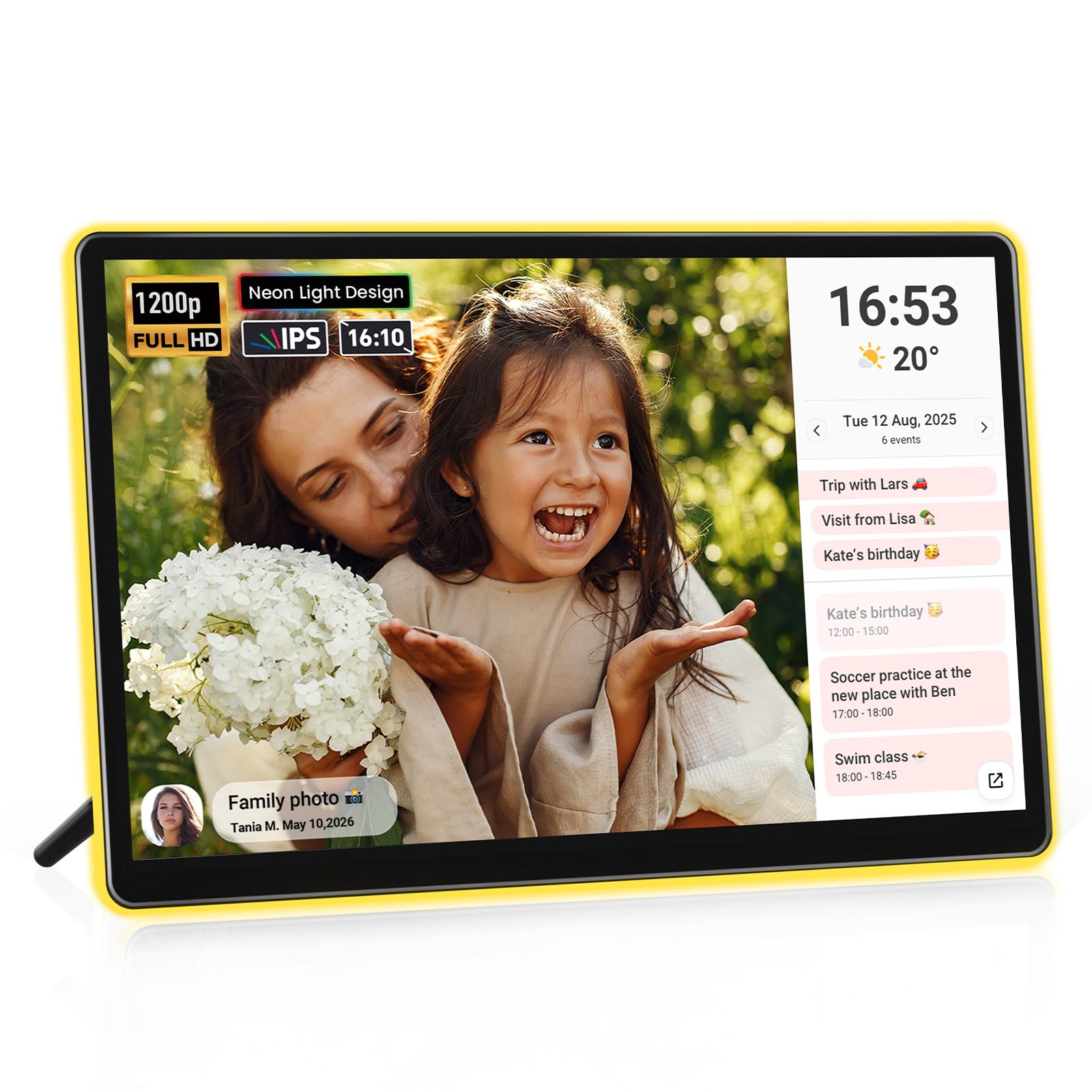
A 14.1-inch desk frame with an AI-powered neon border that shifts color to match the on-screen photo.
What wins people over here is the image quality, with picture clarity earning the most praise by far. The 14.1-inch screen delivers 1920×1200 FHD resolution on a 16:10 panel, so photos look crisp and colors stay true. The signature trick is the AI-powered neon border: a 3W LED rim reads your photo’s tone and shifts its ambient color in real time, casting a soft halo that warms up landscapes and family shots.
It is also a 2-in-1 device—a photo frame and a smart calendar in one. You add your Google, Outlook, or iCloud calendar in the free Frameo app, and your schedule syncs over Wi-Fi in real time. It comes with 32GB of internal storage and can expand another 32GB via SD card, which holds thousands of photos and videos.
The upload speed gets mixed feedback: buyers report that bulk-loading a huge library “took hours (uploaded 700 photos),” but the auto on/off timer works well once it is set. At 4.2 pounds, it is a substantial desktop presence, and its 13″L x 8.3″W footprint is noticeably larger than smaller frames like the Cozyla 10.1-inch, which measures 10.5″L x 7.3″W.
The Crowd Favorites
- crisp 14.1-inch display with adjustable brightness
- AI neon lighting auto-matches photo colors
- Built-in smart calendar with real-time sync
- 32GB storage expandable via SD card
Things to Weigh
- Bulk photo upload can be slow
- Some owners mention video length may be capped
- Does not support WPA3 Wi-Fi security
Reach for it if: you want a feature-rich, beautifully lit frame for a desk or nightstand that doubles as a calendar.
Look elsewhere if: you plan to upload a massive photo archive in one sitting and expect instant results.
2. Cozyla Digital Picture Frame 10.1″
A 10.1-inch gift-ready frame with preloaded videos and AI photo restoration, no subscription required.
This one is built for giving. Setup is the most-discussed strength, with owners finding it remarkably simple—you can preload inside jokes, family photos, and a custom video greeting before it ships. It connects via Wi-Fi and Bluetooth, uses the Cozyla app, Google Photos, or even email to push new content, and it handles full-length video clips without choking.
The AI angle here is restoration: it automatically cleans up blurry, aged, or damaged pictures, and a voice feature lets you narrate the story behind each shot. There is no subscription and no paywall—storage is free and unlimited in the cloud, backed by encrypted servers. The 10.1-inch WXGA touchscreen auto-rotates between landscape and portrait, and it brightens in sunlit rooms or slips into sleep mode when the lights go out.
Customers note liking the “clear pics/videos, front speaker, varied slideshow, folders, no paywall, unlimited cloud, gift mode, notes/voice.” The trade-offs are real: it must be plugged in 24/7, there is no SD or USB port, and the glossy screen is a fingerprint magnet. It also cannot fully disable the built-in art gallery, and a 2.5-minute video upload can fail.
Best for gifting: a non-tech-savvy parent or grandparent who wants a simple, subscription-free way to see family photos appear from anywhere.
One honest limit: the clunky app and finicky video uploads mean this is not for heavy video users.
3. Magic Frame [Old Photo Alive] 10.1″
A 10.1-inch frame that colorizes and animates old photos into moving memories.
This frame’s whole reason to exist is turning still photos into living ones. It colorizes old photos in FHD and uses AI motion to make people in single or group portraits gently move—a genuinely magical effect for family archives. It ships with a free 2,000 AI credits card in the box, which is enough to restore up to 20 old photos or create 20 “AI Magic Moments.”
After the initial credits, each AI video costs 100 credits (roughly a dollar’s worth), and more credits are available through an AI Plan. The 10.1-inch IPS touchscreen runs 1920×1200 resolution, and it uses the Homture app for sharing. The cloud storage is free and unlimited, which owners appreciate as a living family album rather than just a slideshow.
What impresses buyers most is the display: they describe it as crisp, bright, and vivid with great viewing angles, plus packaging that feels premium and gift-ready. The catch is that the most notable features—the AI video and restoration—consume credits that run out. If you only want a simple photo viewer, you are paying for AI tools you might not use.
Choose this for: families with old prints who want to see ancestors colorized and moving, not just displayed.
Think twice if: you dislike the idea of buying credits for features after the included 2,000 run out.
4. Nixplay 10.1″ Digital Picture Frame

A proven 10.1-inch frame with auto face-framing and motion-sensor power, trusted for years.
Nixplay is the most battle-tested frame in this lineup, with a massive base of owners who have used it for half a decade. Its AI works quietly in the background: it automatically centers faces for perfect framing, rotates images between landscape and portrait, and uses a built-in activity sensor to power the frame on when you enter a room and off when you leave. It even supports one-tap TV casting and in-app photo editing.
The 10.1-inch HD touchscreen is bright and responsive, and you can upload photos through the mobile app, the web app, or by emailing images straight to the frame. Multiple family members can each use their own app account to push photos to a shared frame, which is why it is such a popular gift for keeping distant relatives connected. Cloud storage is secured with end-to-end encryption and is CCPA and GDPR compliant.
Reviewers point out that the ease of use is what wins them over, and one long-term owner notes it is “still perfect after 5 years.” The honest caveats: some features like longer video uploads sit behind a paid upgrade, and a few owners hit upload failures with very high-resolution phone photos that required resizing. It is a reliable, well-supported choice rather than the flashiest one here.
Pick this for: a dependable gift for older relatives who need guided setup and dead-simple photo sharing.
The trade-off: you may want a paid plan for long videos, and very large phone images can occasionally need a resize.
5. Divoom Times Frame 10.1″
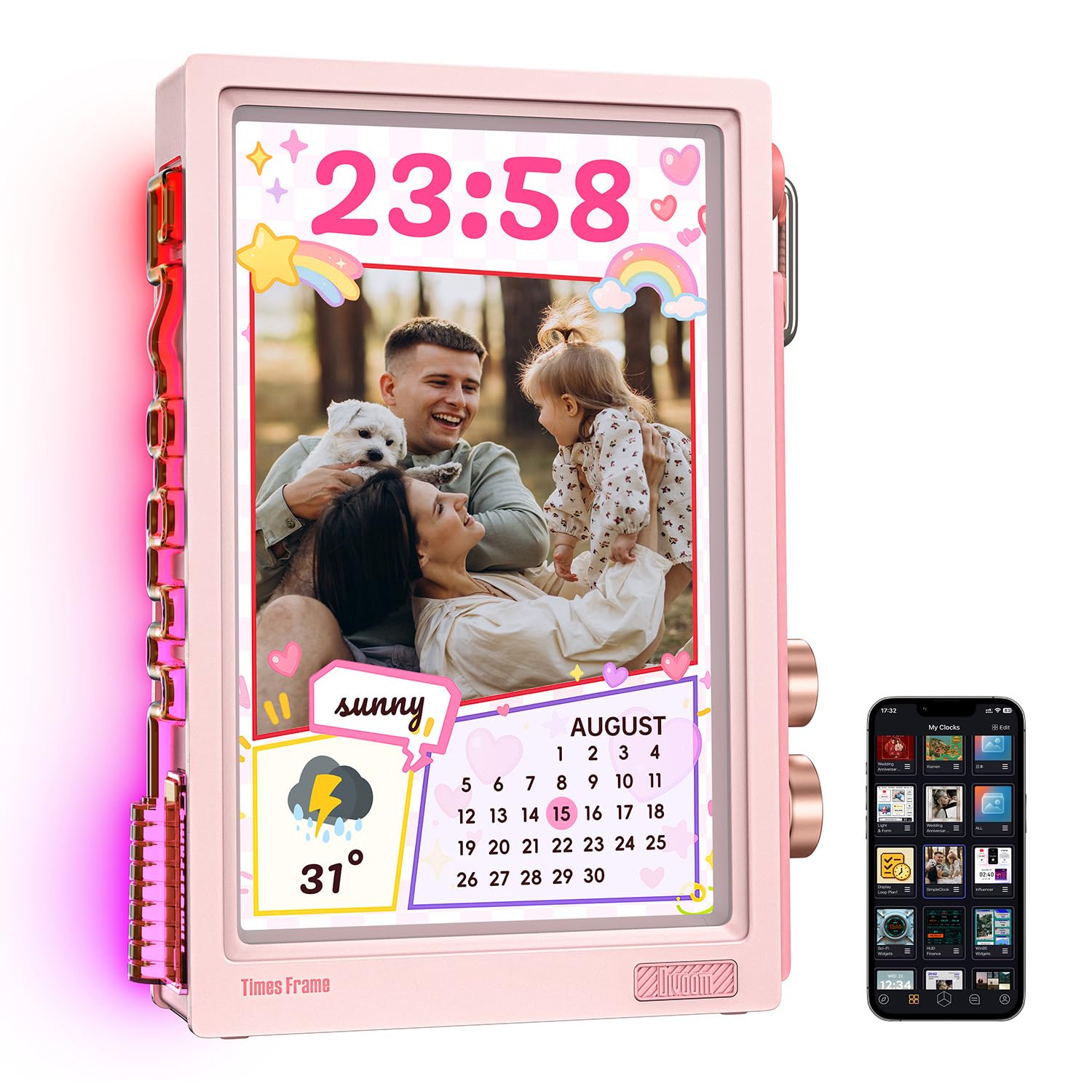
A 10.1-inch transparent display with live widgets for stocks, weather, and 400+ clock faces.
Divoom rethinks what a frame can be. Instead of a black slab, the Times Frame uses a transparent IPS panel with layered depth and customizable RGB edge lighting, making it a futuristic showpiece on a desk, shelf, or nightstand. It is not just a slideshow—it is a smart dashboard with 400+ clock faces and live widgets for weather, calendar, to-do reminders, and even stock tickers that one owner confirms refresh every 15 seconds.
It is also a creator’s toy: you can generate AI images in different styles, upload your own pixel art and animations, and control everything through the Divoom app. The 64GB of built-in storage holds up to roughly 700K photos or 6,000+ minutes of video, and slideshows keep playing even if Wi-Fi drops because the content stays local.
Build quality is the most-praised aspect, with owners loving the smooth rotary knobs and solid feel. The honest catches: there is no battery, so it needs a 5V/2A USB-C adapter (not included), and a few shoppers say the strong backlight can glare easily and is better hidden in photos than in person. It is small, at 10″L x 5.5″W, so it suits a desk far better than a living room wall.
Reach for this if: you want a compact gadget for a desk or bedside that tracks stocks, shows weather, and displays art, not just photos.
skip it if: you want a large family photo display for a wall or a device that works without a power cord.
6. Canvia Smart Digital Canvas 24″

A 24-inch wood-framed canvas with ArtSense tech that mimics printed fine art.
If you want your wall to look like a gallery, this is the frame. The 24-inch display uses Canvia’s patented ArtSense technology, which adjusts each image in real time based on ambient light so photos look like they are painted on canvas. It comes with a free one-year subscription to a library of over 10,000 paintings and photographs from museums, and 500 artworks are always free even without a subscription.
The maple hardwood frame blends into any decor, and the anti-glare matte finish keeps reflections down. It supports vertical or horizontal positioning with VESA mount support, and it works with Alexa for voice control. You can integrate a crypto wallet to display purchased NFTs, view Google Photos, and store hours of your own content in the 16GB of built-in memory.
Picture quality is what owners praise most, with images looking like “printed art.” However, this is the pick with the most mixed software feedback—buyers find the app and website clunky and confusing, and some report the device stops working after a couple of months. It also requires an unprotected network to set up, which is a security consideration. This is gorgeous hardware with software that demands patience.
Choose this for: art lovers who want a museum-quality display of classic paintings and high-resolution photos on a wood-frame wall piece.
Be prepared for: a frustrating app and setup process; this is not a plug-and-play gift for non-techies.
7. Cozyla 32″ Digital Picture Frame
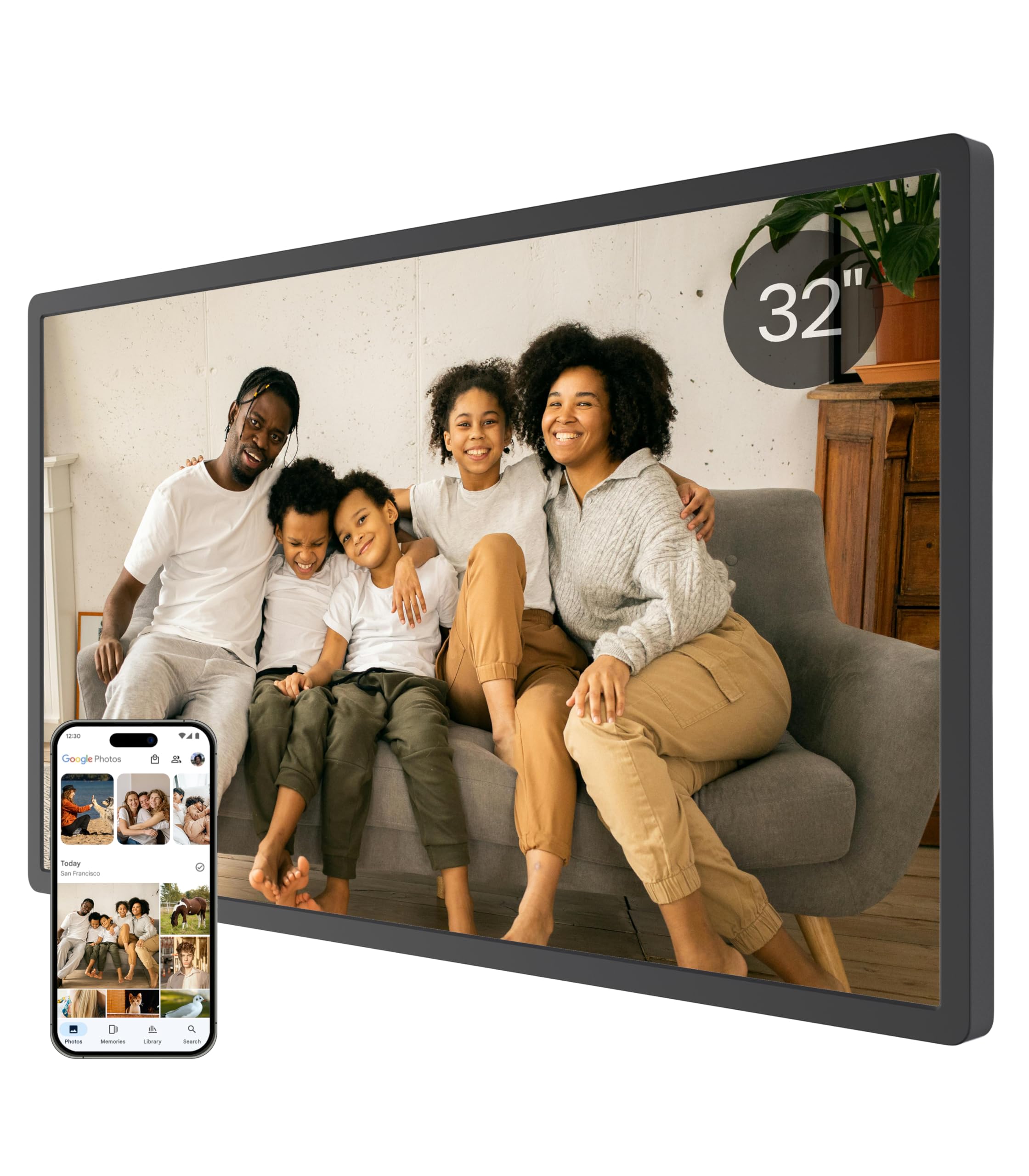
A life-size 32-inch frame that turns a blank wall into a family photo gallery.
Size is the story here. At 32 inches with a 16:9 aspect ratio, this frame delivers a life-size viewing experience that makes it the focal point of any living room. It supports auto-rotation and wall mounting to fit your decor, and it auto-adjusts brightness by day and slips into sleep mode at night. The 1080p resolution keeps photos sharp even at this large size.
Like its smaller sibling, it leans on AI to restore blurry or damaged photos and adds a voice feature to narrate the story behind each image. There are no subscription fees—storage is unlimited in the cloud with bank-level AWS encryption. You share content via the app, Google Photos, the web, or email, and it supports long video clips for full graduation speeches or a baby’s first steps.
Ease of use and quality are the top praised aspects, and buyers report it is an excellent gift for parents who value simplicity. The honest caveats: a few owners mention Google Photos upload can freeze, there is no video support in some cases, and the stand feels flimsy with portrait orientation being unstable. If you go this big, wall-mounting is the more stable path.
Best for: long-distance families who want a large, always-on wall display where new memories appear instantly from anywhere.
Who should skip: anyone who wants to rely heavily on Google Photos sync or who will use the included stand in portrait mode.
8. SwitchBot AI Art Frame 31.5″
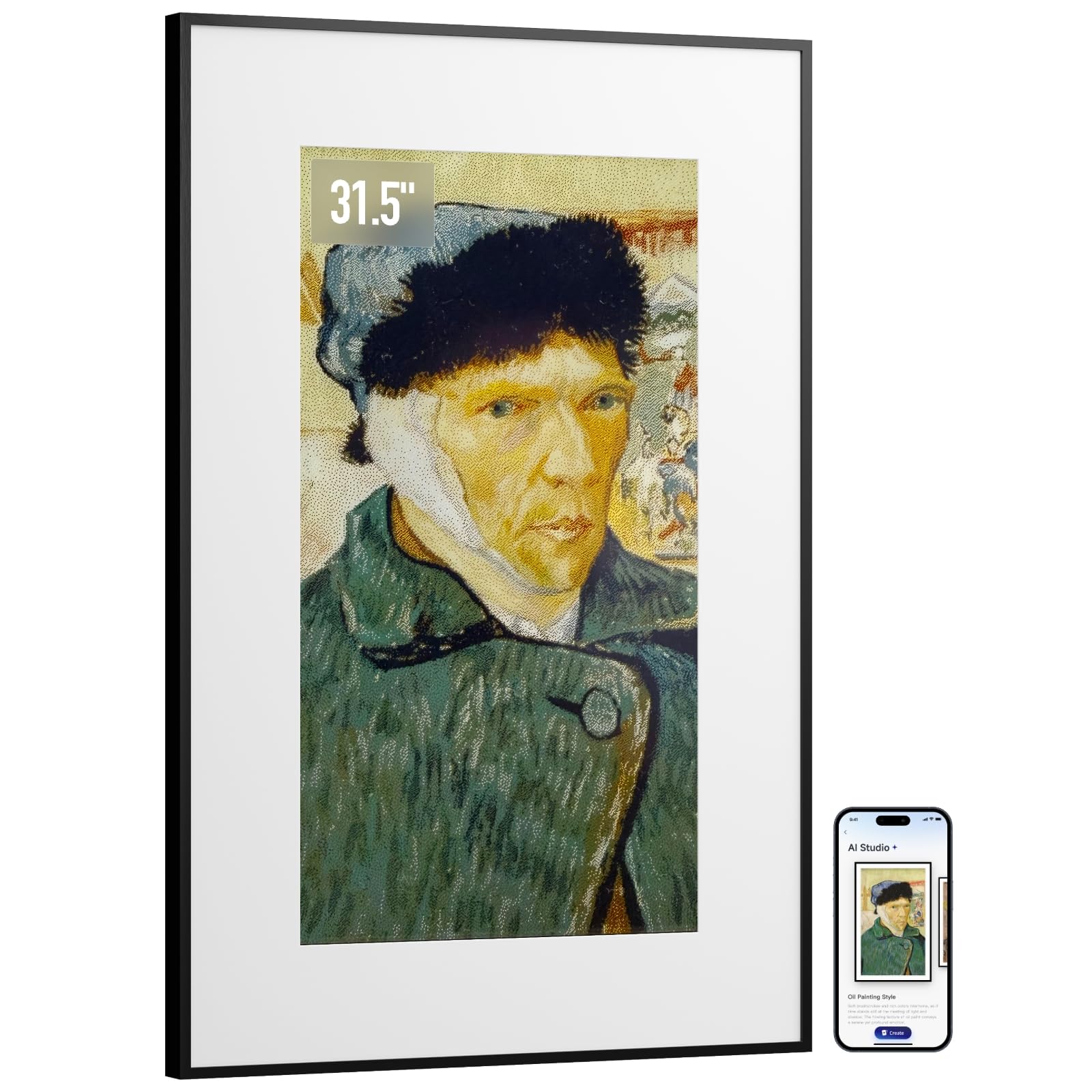
A wireless 31.5-inch e-ink canvas that looks like a real picture, not a screen.
This frame breaks every convention of a digital display. It uses the latest electronic ink technology, so it looks like a framed painting rather than a glowing screen. There is no glare, no blue light, and no illumination at night—just a paper-like image that stays visible even after the battery is depleted. It is completely wireless, powered by a built-in 2000mAh rechargeable battery that lasts up to two years at one refresh per week.
The AI here is about generation: you can create personalized artworks using AI prompts and display them on a vibrant 6-color electronic ink canvas via the SwitchBot App. It is compatible with Alexa for voice control, and you can schedule artwork to update by time of day, holiday, or special event. The 31.5-inch size makes a striking focal point on a sofa wall or entryway.
The biggest thing to understand is that this is not photo-realistic. Owners describe the images as “painterly, muted” and say the color is darker than expected—it is best with crisp, simple images viewed from about 4 feet away. The device stores only up to 10 images locally, which some buyers find limiting. It is a beautiful, tinkerer-friendly art piece, not a high-resolution photo viewer.
Reach for this if: you want a wireless, zero-glare, battery-powered wall piece that looks like original art and runs for years without a cord.
Look elsewhere if: you want detailed, vibrant family photos on a large screen, or if you want to rotate more than ten images at once.
Understanding the Specs
Display Technology: LCD vs E-Ink
Most frames use a backlit IPS or LCD panel that glows like a tablet. These screens are bright, colorful, and ideal for detailed photos, and they work well in any lighting. Electronic ink (e-ink) screens are the opposite—they reflect light like paper, use almost no power, and show muted, painterly colors. Choose LCD for photo realism, e-ink for a printed-art look and wireless battery life.
Resolution and Aspect Ratio
Resolution determines how sharp a photo looks. A 1920×1200 FHD panel on a 10.1-inch screen is very sharp, while the same resolution spread across a 32-inch screen is softer. The aspect ratio (16:10 vs 16:9) affects whether your photos are cropped or letterboxed. If you have lots of old portrait photos, look for a frame that auto-rotates or displays them side-by-side without distortion.
FAQ
Will an AI photo frame work without a subscription?
How many photos can an AI photo frame hold?
Can I send photos to the frame from anywhere?
What does the AI actually do in an AI photo frame?
How long do videos play on these frames?
Do I need to leave an AI photo frame plugged in?
Can these frames display portrait and landscape photos correctly?
Which frame is the best gift for elderly parents?
Is a large 32-inch frame worth it over a 10-inch one?
Does a frame with a touchscreen matter for daily use?
Final Thoughts: The Verdict
For most buyers, the ai photo frame winner is the ApoloSign 14″ because it pairs the most praised picture quality with a genuinely unique AI neon glow and a smart calendar, all at a price that undercuts larger rivals. If you want a subscription-free gift that is easy for parents to use, grab the Cozyla 10.1″. And for a wall-sized family gallery, the 32″ Cozyla is the one to reach for, while the SwitchBot delivers the most artistic, wireless, paper-like look of all.
How We Picked
We do not accept paid placement. Every pick is matched to a real buyer and a real use-case; we do not hands-on test units.
Sources & Methodology
Specifications: manufacturer listings and product documentation. Review insights: verified customer reviews, as of August 2026. Pricing: not shown on this page (it changes often); check the current price via the retailer link.
As an Amazon Associate, Gadgets Feed earns from qualifying purchases. This does not affect which products we feature.