
Our readers keep the lights on and my morning glass full of iced black tea. As an Amazon Associate, I earn from qualifying purchases.
Specs are compiled from manufacturer listings and verified buyer reviews and can change over time — please confirm the key details on the product page before buying.
You want a picture frame that changes its art to match your room or mood, using AI to generate fresh images or restore old family photos. The real trick is finding a frame that handles AI features easily without a frustrating app.
I’m Min — the founder and writer behind Gadgets Feed. This guide is built by comparing the manufacturers’ published specifications and the patterns across verified customer reviews, so you get each pick’s real strengths and trade-offs instead of marketing spin.
The right ai poster frame displays your photos and AI-generated art without looking like a clunky screen on your wall. The right ai poster frame does that — whether it is a large 32-inch canvas for digital signage or a subtle e-ink display that mimics a real painting.
Our Picks at a Glance

How To Choose The Best AI Poster Frame
Picking the right AI-powered frame boils down to where you will put it and how you want it to work with your phone. The most important decisions revolve around screen technology, storage capacity, and app quality.
Screen Type: LCD vs E-Ink
An LCD or IPS screen is bright, colorful, and great for sharp photos and videos — it looks like a tablet. An e-ink screen, on the other hand, mimics the look of printed paper and artwork, with no glare and no blue light. E-ink is best for a frame that blends into your decor like a real painting, while LCD is better for vivid slideshows.
AI Features You Will Actually Use
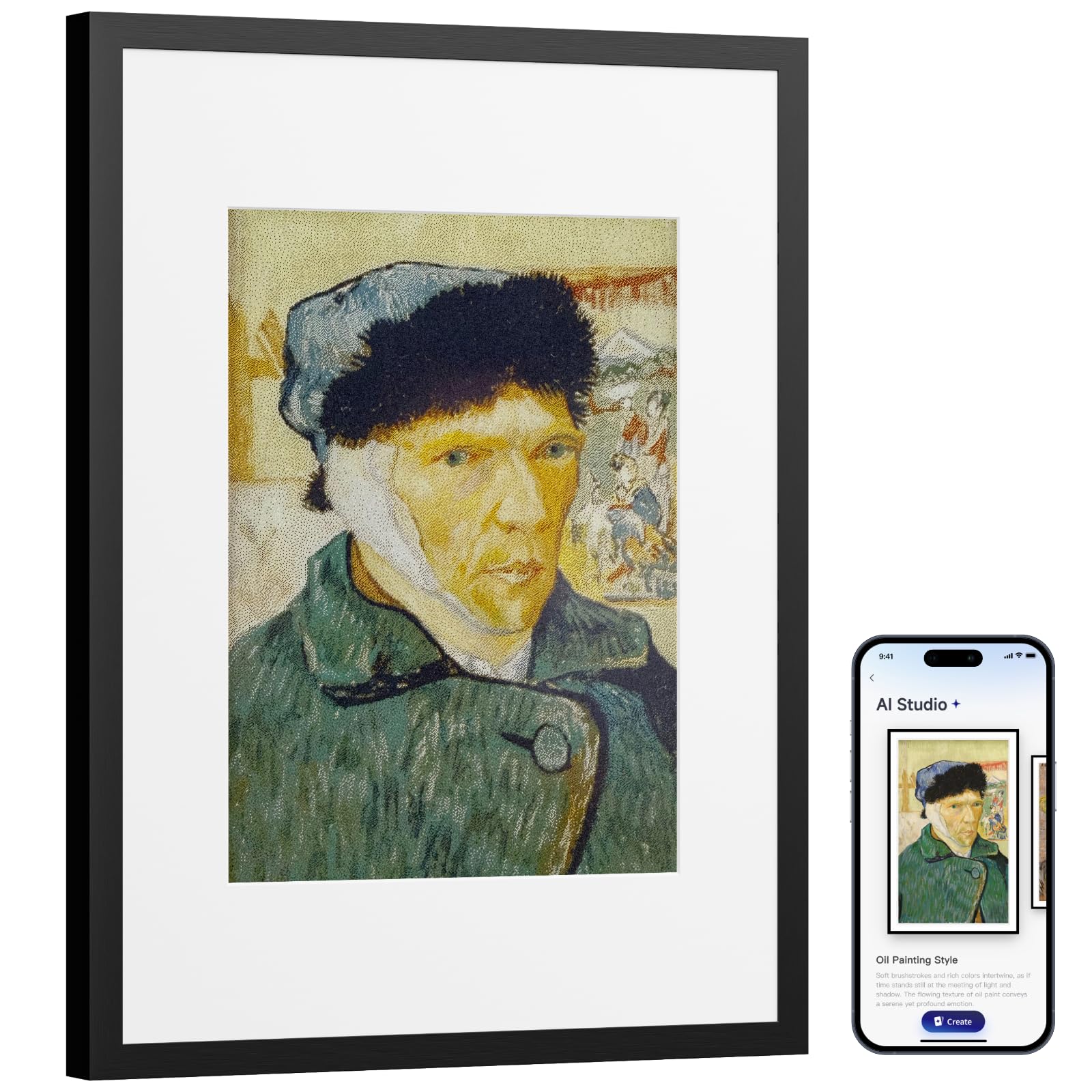
Some frames offer AI that generates original art from text prompts (often requiring a subscription). Others use AI to restore blurry or damaged old family photos automatically. A few frames even adjust a built-in neon light to match the colors of the photo being displayed. Decide which matches your hobby: creativity or memory-keeping.
Storage and Sharing
A frame with 32GB or 64GB of built-in memory holds thousands of photos. If you want to send pictures from anywhere, look for a frame with a reliable app and Wi-Fi connectivity. Some offer unlimited cloud storage with no subscription, which is a huge plus for families who like to send photos often.
Quick Comparison
| Model | Best For | Display Size | Resolution | Storage | Amazon |
|---|---|---|---|---|---|
| Dragon Touch 21.5″★ Best Overall | Large screen value | 21.5 Inches | 1080p | 32GB | $189.99$249.99Amazon |
| ApoloSign 14″ NeonAlso Great | AI color-matching LED | 14.1 Inches | 1920×1200 FHD | 32GB | $129.99Amazon |
| SwitchBot AI Art Frame 13.3″Premium Art Pick | E-ink art display | 13.3 Inches | 4:3 e-ink | 0.64 MB | $279.29$349.99Limited time dealAmazon |
| KODAK 10.1″ WiFi | AI photo art creation | 10.1 Inches | 1920×1200 | 32GB | $125.99$149.99Limited time dealAmazon |
| Cozyla 10.1″ Battery | Remote sync for families | 10.1 Inches | WXGA | Unlimited cloud | $139.99Amazon |
| FANGOR 21.5″ 64GB | Extra large storage | 21.5 Inches | 1920×1080 | 64GB | Amazon |
| FULLJA 32″ | Ultra large display | 32 Inches | 1080p | 64GB | $339.99$399.99Limited time dealAmazon |
| Cozyla Frame 32″ | Premium cloud sync | 32 Inches | 1080p | Unlimited cloud | $599.99Amazon |
In‑Depth Reviews
1. Dragon Touch 21.5″ Large Digital Picture Frame
Our pick — 4.5★ from 9,500+ verified ratings; the strongest balance of quality and price.
A huge 21.5-inch canvas that turns family photos into a centerpiece.
This frame gives you a massive 21.5-inch screen at a mid-range price point, — at 21.5 inches versus the KODAK’s 10.1-inch screen. The 1080p resolution keeps pictures crisp from across the room, and the auto-rotate feature switches between portrait and landscape depending on how you mount it. You can share photos through the Vphoto app, email, or cloud, and the built-in 32GB memory holds plenty of images.
Buyers consistently praise the image quality and ease of setup, though one common note is that “you must refresh access code every ~12 hrs to avoid transmission interruption” — a small hassle if you share photos frequently. The frame is not a touchscreen, so you control it with the included remote. The smart brightness adjustment is a nice touch: the screen automatically dims or brightens based on the room’s ambient light.
If you want a big, budget-friendly frame with clear 1080p (Full HD) resolution and easy app sharing, the Dragon Touch delivers. Owners mention you may need to refresh an access code occasionally when sending multiple photos in one day.
The Big Screen Perks
- 21.5-inch 1080p display — more than double the size of 10-inch frames
- Auto-rotate and auto-brightness for any room lighting
- 32GB built-in storage plus TF card and USB support
- Dual-band 2.4G+5G Wi-Fi for fast transfers of up to 50 photos at once
The Small Annoyances
- Must refresh access code every ~12 hours to keep sharing working
- No touchscreen — remote control only
- Video upload from computer can fail (phone app works better)
Grab this for: a sizable family photo display that fits a tabletop or wall while staying affordable.
Look elsewhere if: you want touchscreen controls or need completely interruption-free remote sharing.
2. ApoloSign 14″ Neon Light Digital Picture Frame
The frame that paints its own light to match every photo you show.
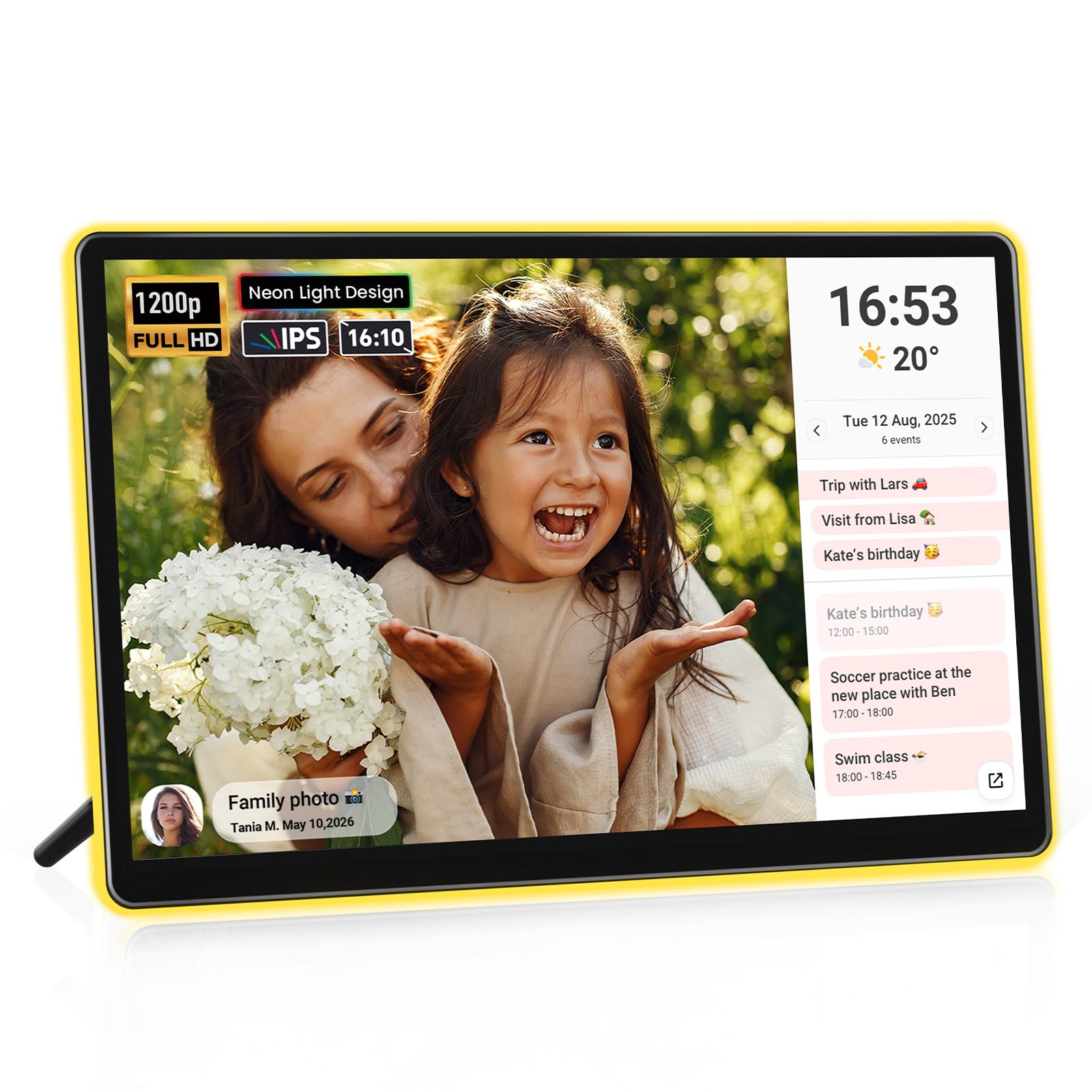
This 14.1-inch frame stands out because its AI-powered neon border automatically changes color to match the tones in your photo. You get a 1920×1200 FHD resolution on a 2.5D glass touchscreen, so every image looks sharp and the colors pop. The integrated 3W light system casts a soft halo around the frame that buyers report “auto-matches photo colors” for a truly ambient experience. At 13 inches long by 8.3 inches wide.
It runs on the Frameo app, which syncs your Google, Outlook, or iCloud calendar automatically, turning the frame into a smart desk calendar alongside your slideshow. The 32GB internal storage holds plenty of pictures, and you can expand it with a microSD card. The setup process is quick, though some buyers with the 10″ version noted that operating instructions were sparse and adding photos took several hours to figure out.
If you want a frame that feels like a living art piece that changes its mood with each photo, this is the one to get. The only real catch is that the 14.1-inch size means it lives best on a desk or tabletop rather than blending into a gallery wall.
The Light Show
- AI neon border auto-matches photo colors for an ambient glow
- 2K FHD touchscreen delivers crisp, vibrant image quality
- Calendar syncs automatically with Frameo app and Google/Outlook/iCloud
- 32GB storage expandable via SD card
Watch Out For
- Setup instructions are limited — you may spend hours figuring out photo management
- Lacks WPA3 Wi-Fi support (fine for most home networks)
- Not designed for wall mounting
Reach for this if: you want a desk frame that doubles as ambient art and a smart calendar.
Consider another if: you cannot deal with a confusing initial setup or need a wall-mounted display.
3. SwitchBot AI Art Frame 13.3″
A wireless frame that turns your wall into an ever-changing art gallery.
This is not a typical photo frame. The SwitchBot uses a 13.3-inch electronic ink display (e-ink) that mimics the look of printed paper and art. It has no glare, no blue light, and the image stays visible even after the battery dies — the built-in 2000mAh rechargeable battery can last up to 2 years if you refresh the image just once a week. Because the e-ink screen does not emit light, it fits perfectly in a bedroom or a relaxing living space where you want a calm, painterly look rather than a bright screen.
You can use the SwitchBot app to generate AI art from text prompts, though that feature requires a separate subscription of per month. Buyers who love this frame describe the images as “painterly” and note that the e-ink display makes photos look like actual painted canvases. The trade-off is that the resolution is coarse and the colors are more muted than an LCD screen — the maker recommends viewing from about 3 feet or more for the best effect. It only holds 10 images locally, so you rely on Wi-Fi to swap the gallery.
If you want your frame to disappear into the decor and look like a real framed painting, this e-ink frame delivers that illusion better than anything else on the list. Just know that sharp, vivid photo reproduction is not its strength.
The Gallery Feel
- Wireless design with a battery that lasts up to 2 years at low refresh rate
- Paper-like e-ink screen with no glare and no blue light
- AI art generation from text prompts (via subscription)
- Image stays visible even if battery is completely empty
The Trade-Offs
- Colors and resolution are muted compared to LCD — not ideal for sharp photos
- Only holds 10 images locally without cloud syncing
- AI art subscription is per month extra
Perfect for art lovers who want a wireless, glare-free frame that looks like a real painting.
skip it if you want bright, sharp family photos with vivid colors — get an LCD frame instead.
4. KODAK 10.1″ WiFi Digital Picture Frame

A compact frame that lets you turn phone snaps into stylized AI art.
The KODAK 10.1-inch frame is built around a 1920×1200 Full HD touchscreen with a 16:10 aspect ratio, housed in a frame made from 100% natural ash wood rather than plastic. The dedicated companion app includes an exclusive AI Art Creation feature that transforms your mobile photos into unique AI-generated art before uploading to the frame. With next-gen Wi-Fi 6 (2.4G+5G), you can upload up to 120 photos at once or a 2-minute video, and the 32GB internal storage handles thousands of images.
However, this frame comes with a major caveat. Some customers note that the app is “totally worthless — could not set up an account on two different iPhones” and note that the app developer is Changsha Qiuguo Tech (not Kodak), with the opening page misspelling “Kodka”. If you are lucky and the app works for you, the frame itself offers great image quality, a wooden finish, and a 3-day weather forecast built in. But the app reliability is a real gamble.
The KODAK frame offers unique AI art tools inside a wooden chassis that looks premium. But reviewers point out the app setup can be finicky, so pass on it if you want a plug-and-play experience.
Creative Tools
- AI Art Creation transforms photos into stylized artwork via the app
- 100% natural ash wood frame feels premium and durable
- Wi-Fi 6 for fast bulk uploads (up to 120 photos at once)
- 1920×1200 FHD touchscreen with crisp, vibrant colors
App Roulette
- App from third-party developer has serious account setup issues on iPhones
- No customer helpline for app problems
- Some buyers found the product completely unusable due to app failure
Choose this if: you love the idea of AI-generated art and are comfortable troubleshooting a finicky app.
Avoid it if: you need a reliable, no-hassle setup right from the start.
5. Cozyla 10.1″ Battery Operated Digital Picture Frame
A portable frame that promises zero fees and unlimited cloud storage forever.
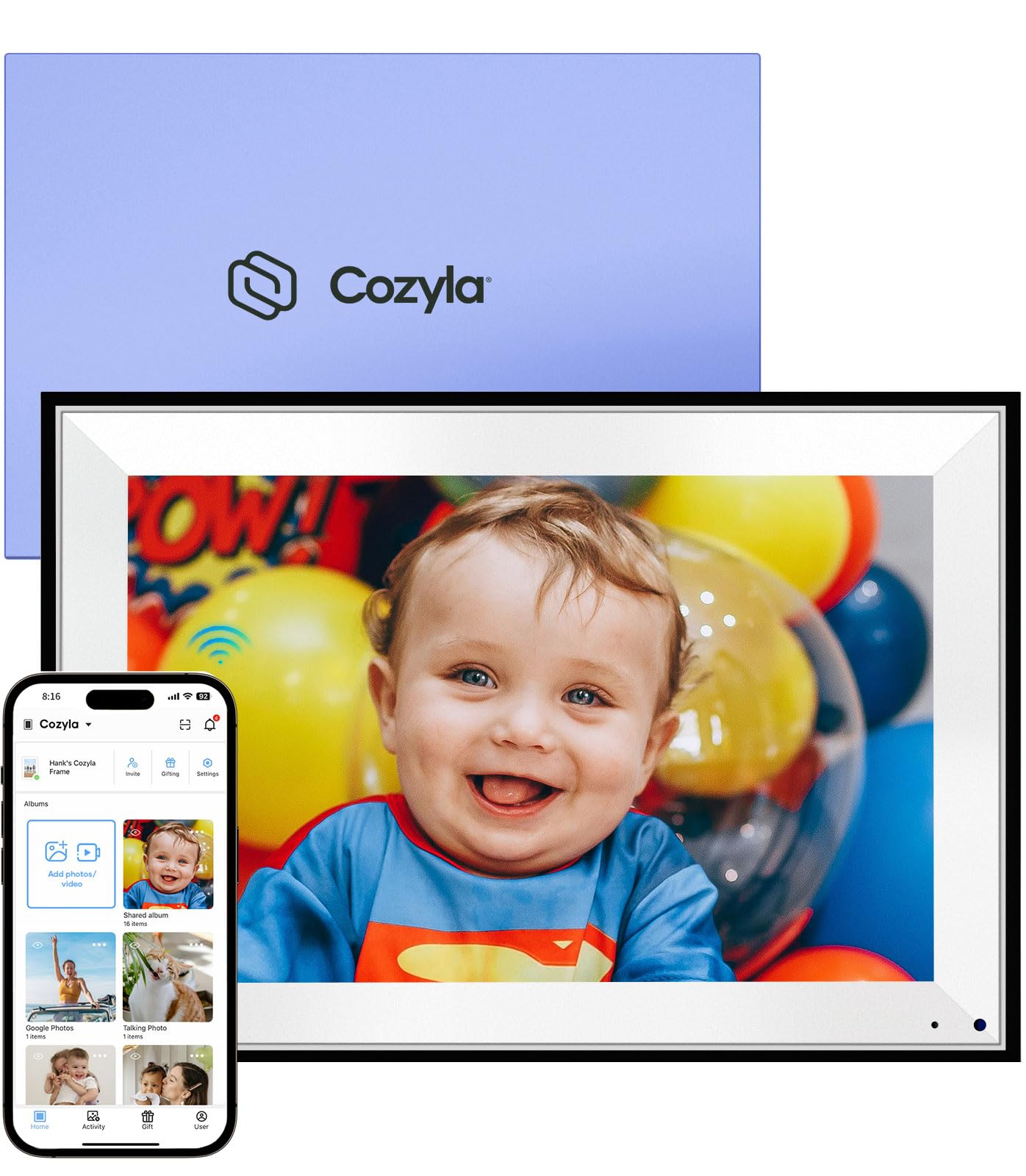
The Cozyla 10.1-inch frame distinguishes itself with a bold offer: unlimited free cloud storage backed by AWS encryption, with no annual subscription. The AI Enhancement feature automatically cleans up blurry or damaged old photos, while the voice feature lets you narrate stories behind each image. It is battery-operated (corded electric for charging), so you can move it from room to room or even gift it preloaded with a custom video greeting before the recipient opens the box.
Buyers are emphatic about the cloud integration, calling it “the best for any digital frame on the market” and praising the ability to create virtual folders from Google Photos. The setup is simple enough that multiple frames can be synced across time zones for different family members. The 10.1-inch WXGA display is sharp enough for casual viewing, though it does not match the resolution of the KODAK’s 1920×1200 screen or the ApoloSign’s 2K panel.
If you want a frame that you never have to worry about running out of space on, and you value AI photo restoration features, this Cozyla is a smart pick. The smaller screen size and WXGA resolution are the main trade-offs for the unlimited storage promise.
Storage Freedom
- Unlimited free cloud storage with no subscription fees
- AI restoration for blurry or damaged old photos
- Voice feature to narrate stories behind photos
- Preload photos and video before gifting
Screen Limits
- WXGA resolution is lower than FHD competitors — photos are less sharp
- 10.1-inch screen is on the smaller side for group viewing
- Battery is rechargeable, not removable — must stay near a plug eventually
Ideal for families who constantly share photos and want unlimited space without paying a cent.
it’s not for you if display sharpness and larger screen size matter more to you than cloud storage.
6. FANGOR 21.5″ Large Digital Picture Frame 64GB

A 21.5-inch frame with 64GB of storage — enough for over 160,000 photos.
This FANGOR frame matches the 21.5-inch 1920×1080 FHD display of the Dragon Touch but doubles the built-in storage to 64GB, which holds over 160,000 photos. The anti-glare matte display makes images look like real prints, and the remote control lets you operate the frame from across the room — no touching the screen at all. It uses the Uhale app for sharing, and you can send up to 100 photos at a time via the app, or up to 500 photos at once through the Uhale web portal.
Buyers love the size and clarity, with one noting “the clarity is amazing.” The wall-mountable design with auto-rotate orientation makes it flexible for different rooms. The 64GB storage bypasses the app’s 100-photo limit — you can load longer videos and more images directly via SD card or USB. One reviewer warned that with “thousands of photos” the frame may have issues with capacity, so managing album sizes is wise. The remote is essential since there is no touchscreen, and some find the app interface a bit low-budget.
If you want a massive photo library accessible on a large screen without hunting for space, this FANGOR is the best storage-focused pick in the large category.
Storage Champion
- 64GB built-in memory — holds over 160,000 photos
- 21.5-inch 1080p matte display for a print-like look
- Supports bulk web upload of up to 500 photos at once
- Wall-mountable with auto-rotate
Operations
- No touchscreen — remote control only, and it is needed for nearly everything
- Cannot delete images via the app
- Videos can be slightly choppy on the display
Best for photo hoarders who want every memory stored and displayed on a big screen.
Consider another if you prefer touchscreen controls or smooth video playback.
7. FULLJA 32″ Digital Picture Frame
A 32-inch display that turns any room into a personal gallery or digital signage.
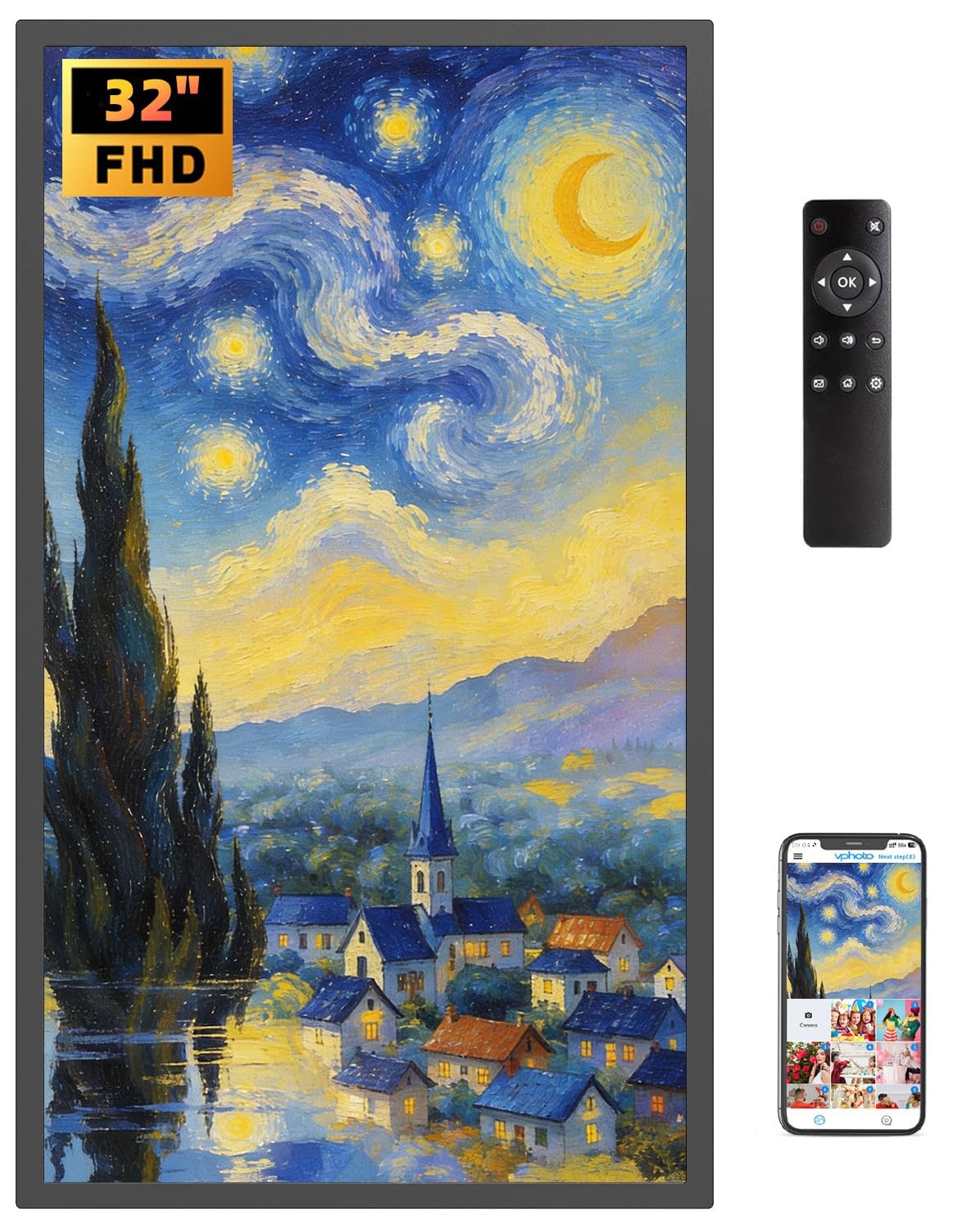
With a massive 32-inch 1080p IPS screen, this FULLJA frame offers a 16:9 aspect ratio with a 180-degree viewing angle. The 64GB storage holds over 160,000 photos, and the dual-WiFi (2.4GHz and 5GHz) ensures fast transfers via the VPhoto app. Beyond photo slideshows, this frame packs extra features like an alarm clock, projection screen mode, split-screen display, music playback, and a weather station — making it more of a smart display than a basic frame.
Buyers mention the frame is “heavy strudel” and does not feel cheap like other models, and the ability to mirror social media feeds from Instagram, Facebook, and TikTok is a standout for commercial use. The remote control makes it easy for non-tech-savvy family members to operate. The 32-inch size is genuinely impressive for showcasing oil paintings, family photos, or restaurant menus. But at this size, you need to plan for wall mounting or a sturdy table — the dimensions are 29.02 inches wide by 17.05 inches tall.
If you want a screen that dominates the wall and doubles as a smart home info hub, this 32-inch flagship delivers. Just make sure you have the wall space to do it justice.
Big Screen Power
- 32-inch 1080p IPS display with 180° viewing angle
- 64GB storage for over 160,000 photos
- Multi-functional: weather, music, split-screen, alarm clock
- Mirror social media feeds from Instagram, Facebook, TikTok
Size Commitment
- Very large frame — requires significant wall or desk space
- Remote control is essential (battery not included)
- Some users find the app interface basic
Perfect for a living room or business that needs an oversized display with smart extras.
Not for you if you want a subtle, discreet frame or have limited wall space.
8. Cozyla Frame 32″ WiFi Digital Picture Frame
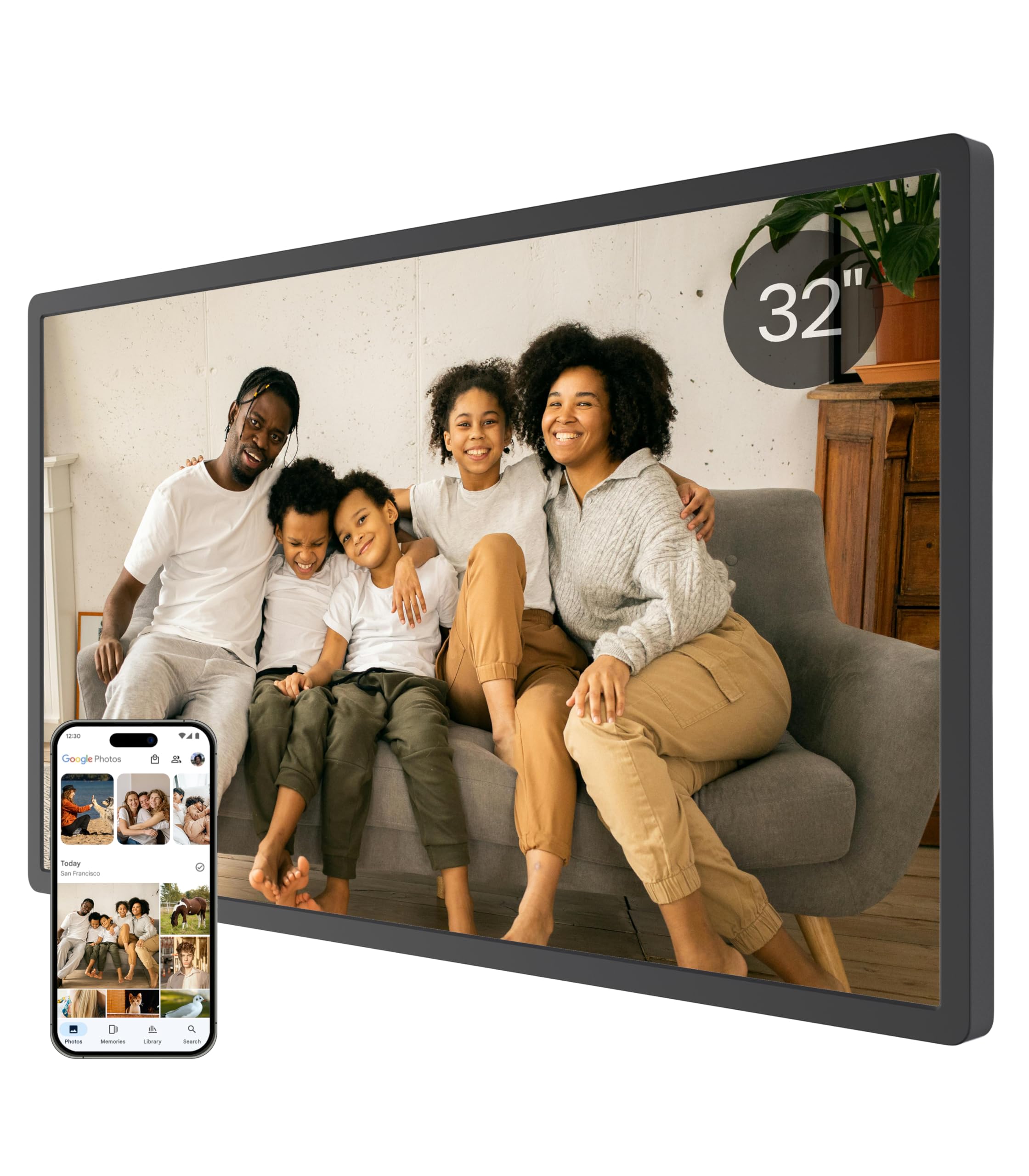
A 32-inch touchscreen frame with AI restoration and unlimited cloud — no fees, ever.
The Cozyla 32-inch frame combines the largest screen size with the best cloud storage offer: unlimited space backed by bank-level AWS encryption, with zero subscription fees. The 1080p touchscreen display lets you swipe through photos directly, and the built-in AI Restoration feature automatically cleans up blurry or damaged old pictures. The voice feature allows you to attach sound to each image, so a slideshow becomes a narrated story.
Buyers consistently mention the “amazing” customer service, with one reviewer noting that Cozyla shipped a free replacement stand when their cat knocked the original over. The app supports sharing via Google Photos, email, web, and the Cozyla app itself, making it easy for multiple family members to contribute. The 32-inch size comes in an elegant gift box and supports auto-rotation for wall mounting. One drawback: some users reported that direct upload from Google Photos froze or was no longer supported after a certain update, so the app-based method is more reliable.
If you want the biggest possible screen with the best storage deal and AI photo tools, this Cozyla is the top-tier choice. The occasional software hiccup with Google Photos integration is the main thing to watch.
Storage & Support
- Unlimited cloud storage with AWS encryption — no subscription
- 32-inch touchscreen for intuitive swiping and browsing
- AI restoration for old or damaged photos
- Voice feature to narrate stories behind images
- Exceptional 24/7 customer support (free replacement parts reported)
Software Snags
- Direct Google Photos upload may freeze or no longer be supported
- Massive size requires careful placement
- Premium pricing puts it in the high-end bracket
Choose this for: the ultimate combination of large touchscreen, AI restoration, and unlimited storage.
look elsewhere if you rely entirely on Google Photos direct sync — stay with a smaller Cozyla or an alternative.
Understanding the Specs
Screen Technology: E-Ink vs IPS LCD
The biggest decision you will make is screen type. An IPS LCD display (like on the Dragon Touch, FANGOR, or FULLJA frames) is bright, colorful, and great for vivid photo slideshows — it looks like a tablet or TV. An e-ink display (like the SwitchBot AI Art Frame) mimics the look of printed paper and painted canvas. It has no glare, no blue light, and the image stays visible even when the battery dies. E-ink is best for art lovers who want a frame that disappears into the decor. LCD is best for families who want bright, sharp photos.
AI Features and Subscriptions
Not all AI is the same. Some frames (like the KODAK and SwitchBot) let you generate entirely new art from text prompts or photo transformations, but these features may require a subscription (the SwitchBot costs per month). Other frames (like both Cozyla models) use AI to restore blurry or damaged old photos — a one-time feature with no ongoing fee. The ApoloSign uses AI to match a neon border light to the colors in your photo. Decide which type of AI you actually want before buying, and check if it comes with a hidden recurring cost.
FAQ
Can I use an AI poster frame without a smartphone app?
How much storage do I really need for a digital frame?
Will an e-ink frame show my photos as clearly as an LCD frame?
Do any of these frames have a subscription fee?
Can I hang these frames on the wall?
What is the difference between Frameo and VPhoto apps?
Will the AI features work on old, low-resolution photos?
Which frame is best for a business or restaurant?
Do I need Wi-Fi to use these frames?
Which frame has the best AI for generating new art from scratch?
Final Thoughts: The Verdict
For most buyers, the ai poster frame winner is the ApoloSign 14″ Neon because it combines a vivid 2K (2560×1440) touchscreen, a smart calendar, and a unique AI-powered neon light that makes every photo feel like a living artwork — all at a mid-range price point without subscriptions. If you want a wireless, glare-free frame that looks like a real painting on your wall, grab the SwitchBot AI Art Frame 13.3″. And for the ultimate family frame with unlimited storage and AI photo restoration, the Cozyla Frame 32″ is the one to pick.
How We Picked
We do not accept paid placement. Every pick is matched to a real buyer and a real use-case; we do not hands-on test units.
Sources & Methodology
Specifications: manufacturer listings and product documentation. Review insights: verified customer reviews, as of July 2026. Pricing: not shown on this page (it changes often); check the current price via the retailer link.
As an Amazon Associate, Gadgets Feed earns from qualifying purchases. This does not affect which products we feature.
Related Guides
Product prices and availability are accurate as of the date/time indicated and are subject to change. Any price and availability information displayed on Amazon at the time of purchase will apply to the purchase of this product. As an Amazon Associate I earn from qualifying purchases.
CERTAIN CONTENT THAT APPEARS ON THIS SITE COMES FROM AMAZON. THIS CONTENT IS PROVIDED "AS IS" AND IS SUBJECT TO CHANGE OR REMOVAL AT ANY TIME.
Amazon and the Amazon logo are trademarks of Amazon.com, Inc. or its affiliates.