
Our readers keep the lights on and my morning glass full of iced black tea. As an Amazon Associate, I earn from qualifying purchases.
Specs are compiled from manufacturer listings and verified buyer reviews and can change over time — please confirm the key details on the product page before buying.
Most toys that claim to be “smart” just replay a handful of recorded lines — press the same button twice and you hear the same phrase. A true AI toy listens to you, answers in its own words, and changes how it behaves as it learns your voice and your habits. That difference decides whether a toy gets played with for a week or stays on the shelf for a year. This guide sorts the current picks by how genuinely interactive they are, what they actually do in daily play, and who each one suits best.
I’m Min — the founder and writer behind Gadgets Feed. This guide is built by comparing the manufacturers’ published specifications and the patterns across verified customer reviews, so you get each pick’s real strengths and trade-offs instead of marketing spin.
Some picks here are desk companions for adults, some are build-it-yourself robotics kits, and some are plush pets aimed at young kids — so the right answer depends on who will actually use it. Below you’ll find the honest breakdown of each one, including where the smart features fall short, laid out in a clear ai toys comparison.
Our Picks at a Glance

How To Choose The Best AI Toys
The single biggest mistake buyers make is assuming every “AI toy” holds a real conversation. Many use a fixed script: a sensor triggers one of a dozen pre-recorded clips. A genuine AI toy runs your words through a language model or an adaptive learning system, so the reply is generated fresh. Check the listing for the words “GPT,” “ChatGPT,” “Gemini,” “LLM,” or “machine learning” — that is the clearest signal that the toy generates responses rather than replaying them.
Match the age rating before anything else
These products span a huge range. Some are aimed at kids as young as 3, while robotics kits and desk companions carry 15+ or “teens and adults” ratings. A build-it-yourself kit with metal axles and small screws is a different purchase from a plush panda that a toddler can hug. Read the manufacturer’s recommended age carefully, because a kit rated for older kids will frustrate a younger one within minutes.
Decide if you want a companion or a project
Companion bots respond to touch and voice and ask nothing of you. Project kits demand assembly, coding, and often a separate computer. If the goal is a cuddle-and-chat friend for a child, look at plush or pet-style models. If the goal is learning Python or robotics, a kit with a circuit board and servos is the better route. Mixing those two goals usually leads to disappointment.
Check what the toy needs to run
Some companions work standalone; others need a phone app, a Wi-Fi connection, or a Raspberry Pi board that is sold separately. Battery life also varies widely — some run for hours on a charge, others need a charging bed every night. Confirm the included components list before buying, so nothing essential arrives missing.
Quick Comparison
Every row uses the same three specs so you can scan trade-offs at a glance: the age band the maker recommends, the power source setup, and the key interactive feature that defines the toy.
| Model | Best For | Recommended Age | Power / Runtime | Signature Feature | Amazon |
|---|---|---|---|---|---|
| Caydo T3 AI Drawing Projector★ Best Overall | Young artists who want AI-generated drawing prompts | 5 – 12 years | Power adaptor included | Type a prompt, AI projects the outline | Amazon |
| Shoot Robot DogBest Performer | Kids who want a performing robot pet | 36 months – 18 years | 600mAh, 6-hour runtime | 30+ actions with voice commands and APP coding | Amazon |
| Thames & Kosmos KaiBest STEM Build | Older kids ready to build and train a robot | 10+ with adult help, 12+ solo | 2 motors, AI circuit board | Six-legged bot that learns gestures and sounds | Amazon |
| GOLABS Panda Plush AI Toy | Preschoolers who want a talking plush friend | 3+ | Replaceable battery, up to 8 hours | GPT-4o conversation in 64 languages | Amazon |
| SunFounder PiDog | Makers and students learning real robotics | 15 and above | Raspberry Pi required (not included) | 12 servos, 32 actions, multi-LLM voice | Amazon |
| WhalesBot Pubbo Air | Kids learning coding through play | 6 and up | Lithium-Ion battery | Scratch coding quests and voice control | Amazon |
| LOOI Robot-Space Black | Desk owners who want a chatty screen companion | Ages 8 and up | 10W wireless charging base | ChatGPT voice plus visual understanding | Amazon |
| EMOPET Aibi Pocket Pet | Anyone who wants a pocketable AI buddy | 15 years and up | Rechargeable, carry anywhere | ChatGPT chat with magnetic attachment | Amazon |
| Casio Moflin | Animal lovers who can’t keep a real pet | 13 years and up | Up to 5 hours play per charge | Emotional AI that grows a personality over 50 days | Amazon |
In‑Depth Reviews
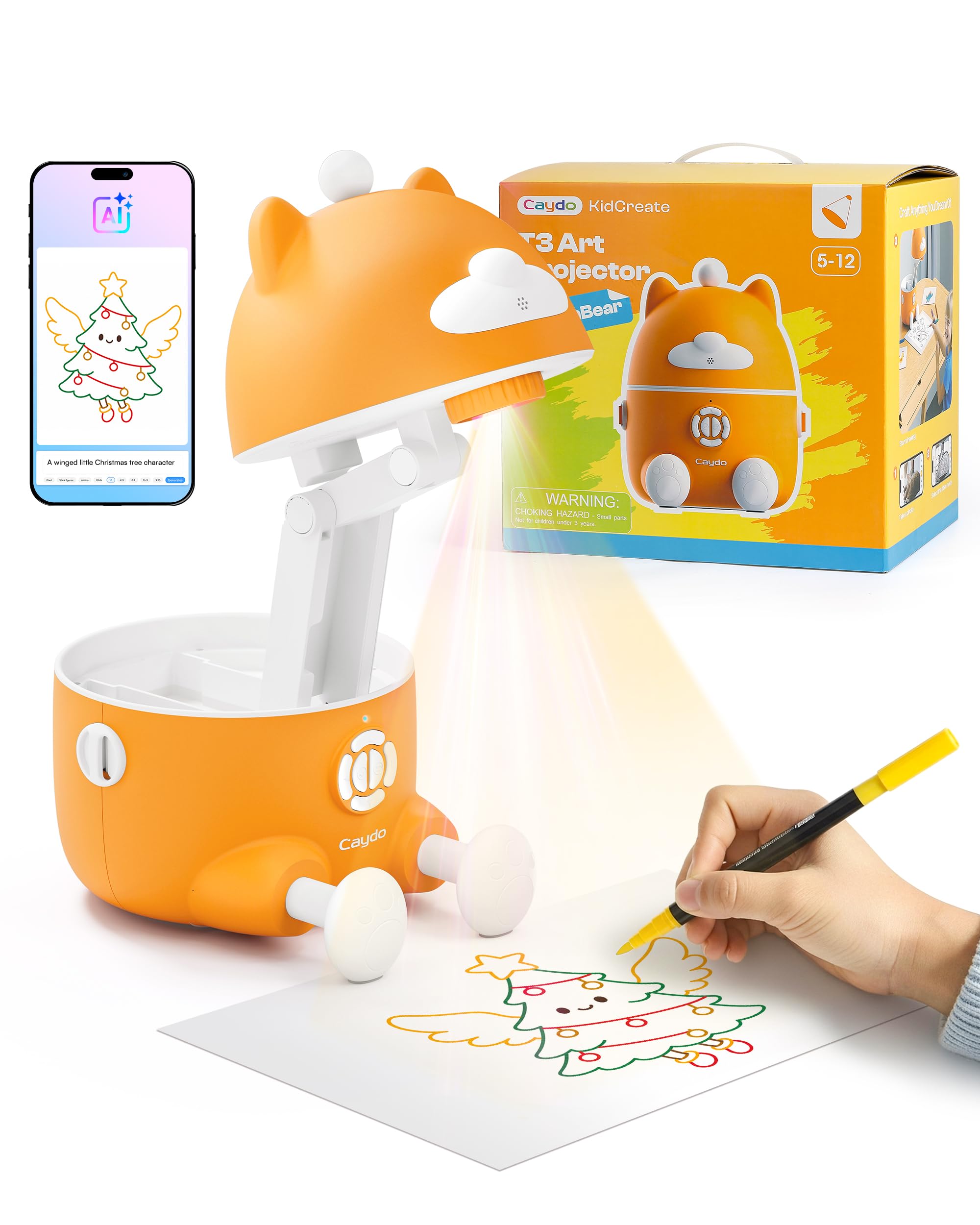
1. Caydo T3 AI Drawing Projector
Our pick — 4.5+★ from 200+ verified ratings; the strongest balance of quality and price.
A projector that turns a typed sentence into a traceable drawing outline in seconds.
The Caydo T3 earns the top spot because it solves a real childhood frustration: wanting to draw something you cannot picture how to start. Type “a dinosaur riding a skateboard” into the companion app and the AI generates the scene, then projects it onto paper for your child to trace and color. That is a genuinely different experience from a stencil book, because the idea comes from the kid, not the page.
The drawing library is large and structured — the app holds 200+ patterns across 5 categories, covering Letters, Numbers, Basic Strokes, Tracing, and Coloring. Tracing and Coloring patterns come with follow-along guides, so a child who gets stuck has a next step rather than a blank page. Reviews single out the value: a drawing tutor, projector, and speaker in one machine. That three-in-one range is why it leads this list. Reviews frequently single out the drawing activity itself as the reason kids keep coming back, and the projected lines stay sharp on the wall.
After art time, your child can stream cartoons onto the wall or play music from the T3, because it is a true native 720P projector (720P means 1280×720 pixels, sharp enough for cartoons) with built-in WiFi and Bluetooth. The light shines down onto the paper and away from your child’s eyes, so it reflects a soft image back instead of beaming a harsh bulb at them. It also carries SGS certification at RG0 (an eye-safety rating for the lowest blue-light risk) with no blue light hazard. A built-in timer (0.5, 1, or 2 hours) reminds them to rest. The catch is connectivity: the app-side experience draws mixed feedback, so expect to help younger kids get the Wi-Fi pairing settled once.
What earns it first place
- AI prompt-to-outline drawing, so any idea becomes a traceable scene
- 200+ drawing patterns across 5 learning categories with follow-along guides
- Doubles as a native 720P WiFi and Bluetooth projector for cartoons or music
- Auto-brightness plus a 0.5, 1, or 2-hour rest timer
Where it asks a little patience
- App connectivity is the most mixed area — pairing takes a helping hand at first
- At 3.2 pounds it is a sit-on-the-desk unit, not something a child carries around
Reach for this if: you have a 5-to-12-year-old who loves to draw but freezes when facing a blank page.
Look elsewhere if: you want a handheld toy — this one stays put on a table or shelf.
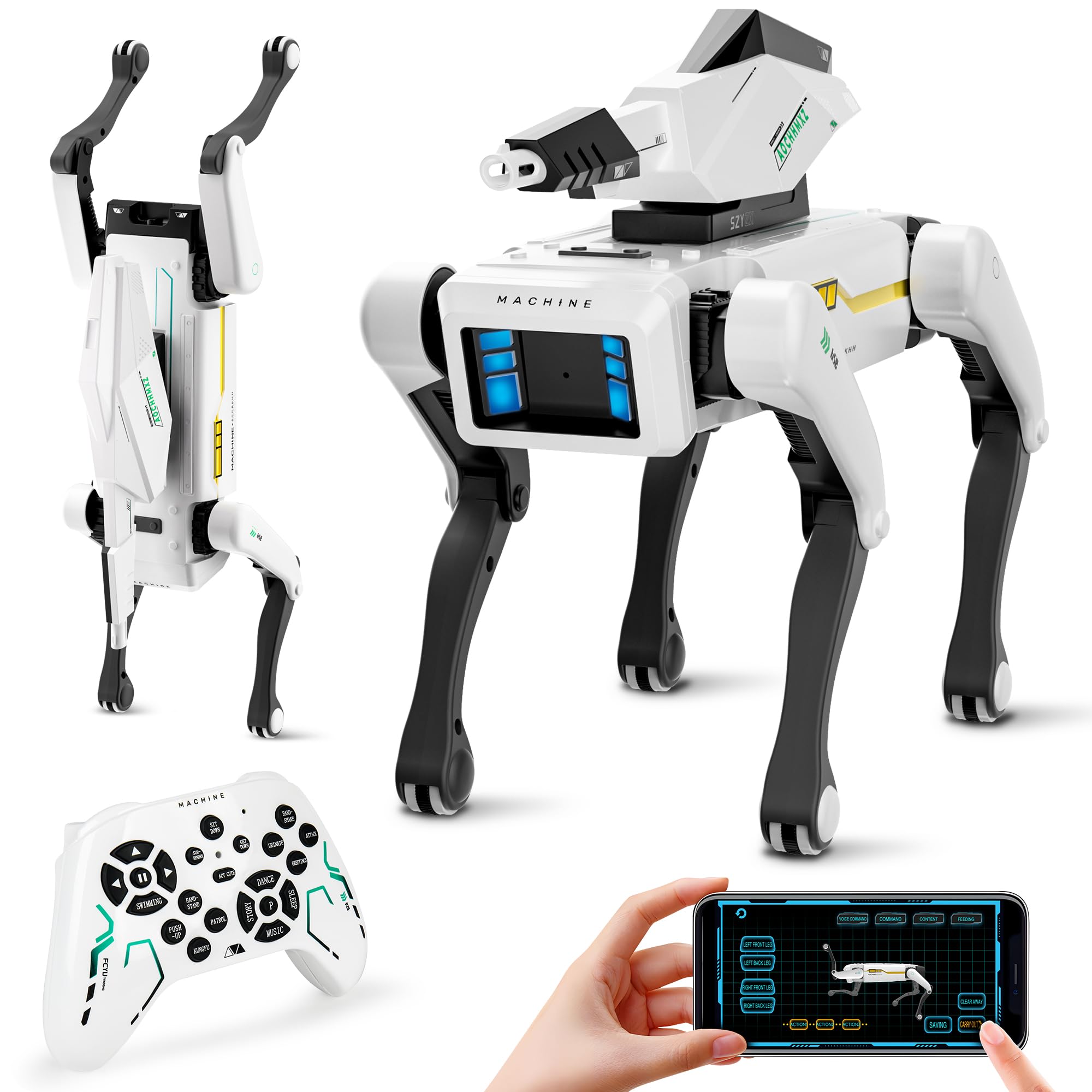
2. Shoot Robot Dog
A robot dog that performs kung fu, somersaults, and a “pee attack” prank on command.
This one is built for pure entertainment rather than learning. The robot dog runs through 30+ lifelike actions — kung fu moves, handshakes, somersaults, and a comedic “pee attack” — and you trigger them with English voice commands, the touchscreen app, or a physical remote. For a kid who wants a performing pet, the volume of tricks is the draw. Its ABS plastic shell draws steady praise for build quality, which matters for a toy that tumbles and bumps.
There is a coding layer underneath the fun. A STEM mode lets kids design custom action sequences, which builds logic skills while they play. Parents get a free iOS/Android app to adjust volume, switch languages between Chinese and English, or lock the controls. Running the dog is simple: USB-C fast charging fills it in 1.5 hours, and the 600mAh battery delivers 6-hour runtime — enough for a full afternoon of play between charges.
The honest note here is functionality. The water bomb launcher is the recurring weak spot in feedback, and value perception splits, so treat the trick roster as the real reason to buy and the launcher as a bonus that may not hold up. The body is non-toxic ABS plastic with smooth surfaces, and auto-shutdown protects the motors during collisions. At 12.2 x 5.5 x 7.2 inches it is a substantial toy — bigger than a hand-sized figure, which suits kids who want a pet that feels present.
Built for the show: With 30+ actions and three ways to control it, this is the pick for a child who wants a robot pet that performs rather than one that chats. The ABS plastic shell and motor auto-shutdown make it a reasonable match for rough play.
Worth knowing: The water bomb launcher is the most-cited weak point, and value sits in mixed territory — so buy for the tricks, not the extra.
Suits: families with a kid who wants a loud, active robot pet with a remote and an app.
Think twice if: conversational AI is what you are after — this one performs commands rather than talking back.
3. Thames & Kosmos Kai: The Artificial Intelligence Robot
A six-legged robot your kid builds, then teaches to read their gestures and sounds.
Kai is the pick for the child who wants to understand how AI works rather than just talk to one. You build a six-legged robot from plastic pieces, metal screws, metal axles, two motors, and an AI circuit board, then assign movements to its functions through the included app. As the robot learns the gestures and sounds assigned to it, the idea of machine learning becomes something a kid can see and touch. That hands-on lesson in machine learning is the real product.
The supporting materials do a lot of work. A 64-page, full-color step-by-step manual walks through the assembly, and a comic book-style story carries the mechanics alongside an intro to the history and future of AI. At 1.5 pounds it is light enough to move between the table and a shelf when a session ends — and noticeably lighter to handle than the much heavier Caydo projector at 3.2 pounds. It is aimed at kids aged 10+ with adult help, or 12+ working independently.
Here is the trade-off you should plan around. Assembly is genuinely challenging — it is the most-cited negative, and it is not a build a younger child can do alone. The motors also get stuck intermittently for some builds, which is the second recurring frustration. Neither kills the appeal for a patient builder, but a kid who expects a working robot from the start will lose interest fast. By the feedback, building it alongside a parent is what carries this kit.
Why the right kid loves it
- Teaches machine learning by having the robot learn your gestures and sounds
- 64-page full-color manual plus a comic-style story on AI history
- At 1.5 pounds it moves easily between table and shelf
Where it gets demanding
- Assembly is the most-mentioned hurdle — this is a build, not a plug-in toy
- Motors can stick intermittently on some builds
Best fit: a 10-to-12-year-old with a patient adult nearby and an interest in how robots think.
Pass on it if: the gift needs to work straight from the start with zero setup.
4. GOLABS Panda Plush AI Toy
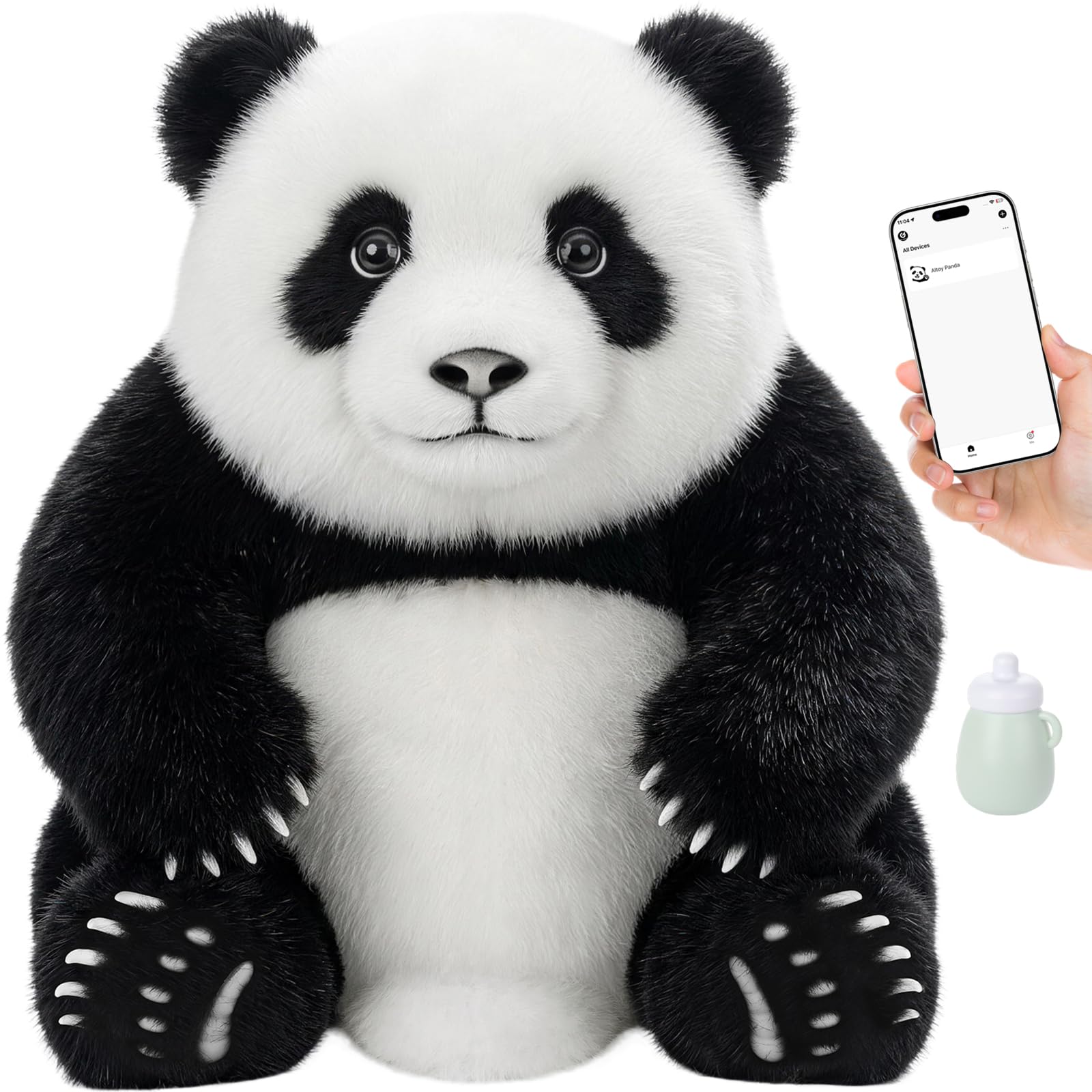
A plush panda that holds real GPT-4o conversations and giggles when you toss it.
For a child aged 3 and up, this is the most interactive plush on the list. The panda runs on GPT-4o for instant, natural responses in 64 languages, and you can create up to 10 unique characters with different voice options. Conversation is the headline, but the physical play is what keeps little ones engaged: 5 modes spanning Feed, Interactive, Parrot, Rest, and AI, each with its own reactions.
The detail work is what makes it feel alive. Pet the forehead for one of 8 panda sounds, or bring the bottle near its mouth to trigger drinking sounds, then pull it away gently for burping variations. Toss it and it giggles; turn it upside down and it cries; lay it on its back and it snores. Parrot mode repeats whatever your child says, which turns into a language game. A replaceable battery carries it up to 8 hours per the manufacturer, so it survives a long day of play.
You can see highlights of what your child discussed, because smart conversation summaries sit in the app. The design uses no GPS tracking (no location tracking) and no cameras. It carries a 1-year warranty. The trade-off is that this is a screen-free companion with an app behind it, so you will want a phone nearby to check summaries and switch modes. At 1.6 pounds it is a stay-at-home plush rather than a take-along. For the preschool set, no other plush here pairs a huggable body with real GPT-4o conversation.
Why it stands out for little ones: Real GPT-4o conversation in 64 languages inside a huggable panda, plus a full menu of feeding, giggling, and burping reactions built for ages 3+. The parent summary view adds a layer most plush toys never offer.
The trade-off: You need the app to get the most from it, and it stays home — 1.6 pounds is not a pocket companion.
Ideal for: a preschooler who wants a talking, laughing plush friend and a parent who wants a peek at the conversation.
skip it if: you want an open-ended chat bot for an older kid — the charm here is aimed squarely at the youngest users.
5. SunFounder PiDog AI Robot Dog Kit
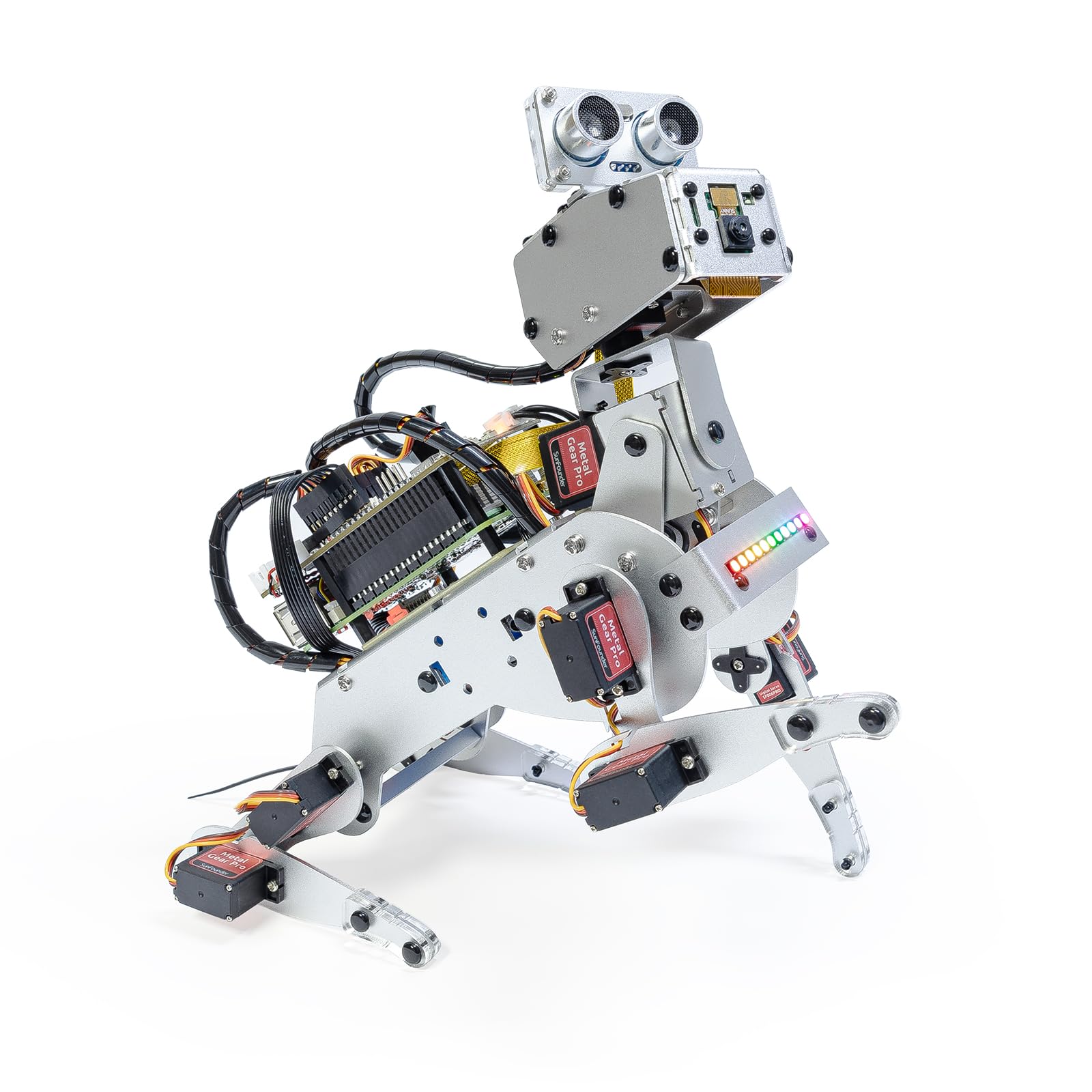
A twelve-servo robot dog that runs real language models once you supply the Raspberry Pi.
PiDog is the most capable machine here, and the most demanding. Behind it sits a Raspberry Pi (5, 4B, 3B+, 3B, or Zero 2W — not included) running OpenClaw alongside large language models like ChatGPT, Gemini, Grok, DeepSeek, Qwen, and Ollama. The 12 servos drive 32 dog-like actions: walking, sitting, standing, head shakes, tail wags, and trick sequences. With a camera, gyroscope, hearing and touch sensors, it can see, listen, and respond. This is an AI development robot built for engineers, rated for ages 15 and above.
The sensor suite is what creates the interaction. Ultrasonic, touch, gyroscope, sound, camera, speaker, and microphone together let it detect obstacles, respond to a hand, and recognize sounds — so it reacts to the world rather than running a script. Vision and gesture recognition mean it can interpret hand gestures and even recognize math problems. Quality is the aspect owners appreciate most, and build quality and instructions earn solid marks, so the kit arrives coherent. Documentation is detailed, with video tutorials and an active forum for support.
The warning is honest: this is not a beginner’s project. Educational value and assembly both split in feedback, with some finding the build approachable and others saying it is not for the faint-hearted. Budget for the Raspberry Pi and expect a weekend of setup. Unlike the plug-in companion bots, PiDog rewards someone who wants to write Python and tune behaviors. If that sounds like a fun project rather than a chore, it delivers 12-servo, multi-LLM depth nothing else here touches.
The depth you are paying for
- 12 servos drive 32 dog-like actions, from walking to tail wags
- Multi-LLM voice with OpenClaw and models like ChatGPT, Gemini, and Grok
- Camera, gyroscope, ultrasonic, touch, sound, and microphone sensors
- Python, OpenCV, and MediaPipe support for real development
What it demands from you
- Raspberry Pi sold separately — budget for the board
- Assembly and educational value split in feedback; not a beginner kit
Go for it if: you are a maker or student who wants to program a robot dog with real language models.
Hold off if: you want a gift that works without buying extra hardware and writing code.
6. WhalesBot Pubbo Air
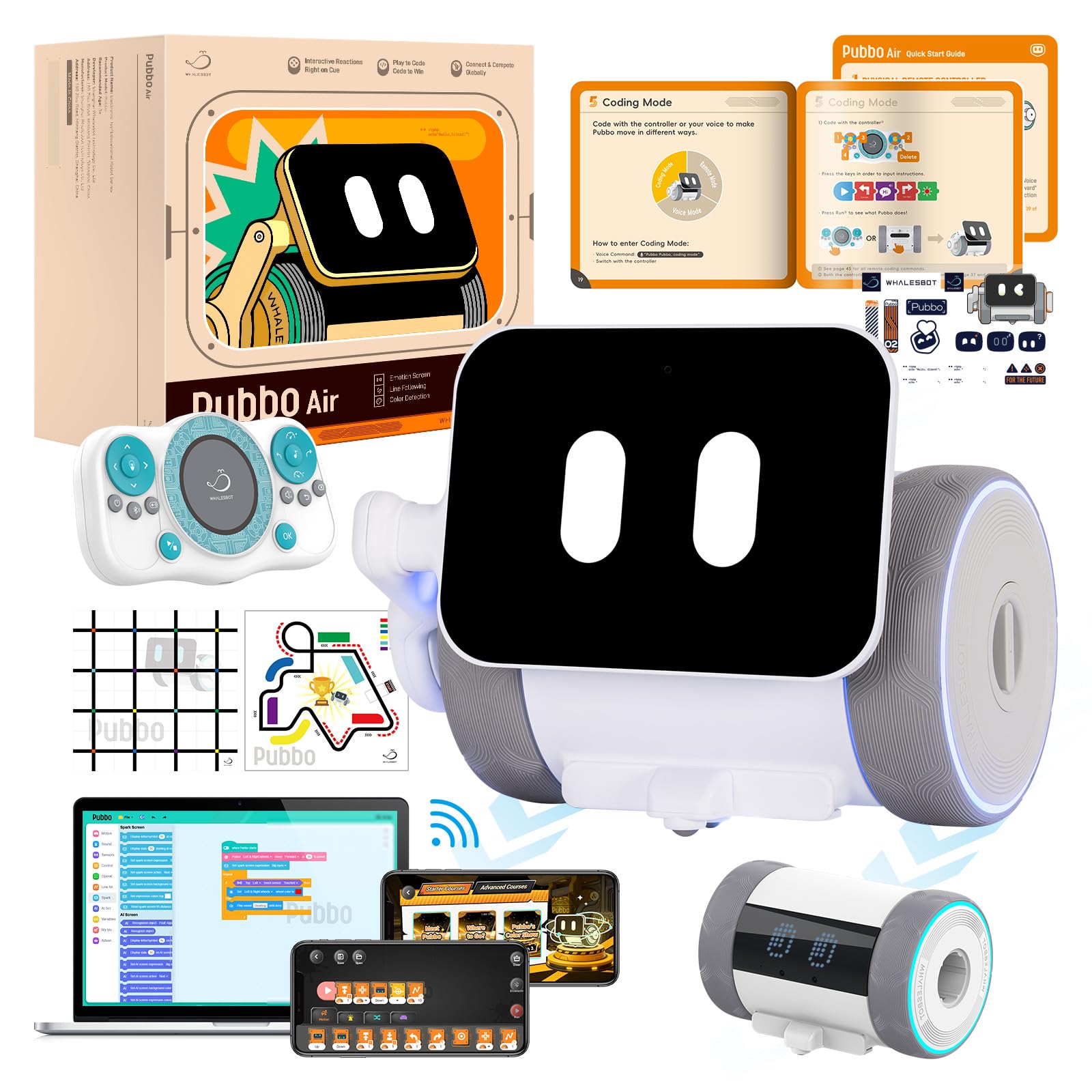
A pocket robot that turns first coding lessons into cartoon quests your kid actually finishes.
For a 6-year-old who has never coded, Pubbo Air lowers the entry bar. A simple tap wakes it, its HD screen shows cheerful emojis and animations, and playful sounds pull a child in. The coding happens inside the Pubbo app through interactive quests and cartoon-style tutorials, so the learning curve feels like a game rather than homework. Kids design custom dance moves, sound effects, and emoji combinations, then use voice, remote, or the app to steer it.
The activities build real reasoning. Kids code it to follow lines, navigate mazes, and respond to light and sound — the kind of tasks that grow computational thinking through play. The body is aluminum, which gives it a sturdier feel than a plastic toy, and it runs on a lithium-ion battery. At 2 pounds it is light enough for a child to carry around a room. The included map and quick-start card get the first session going without a deep manual read.
The honest caveat is age calibration. The listing markets it to ages 5 to 12 in some places and 6+ in its specifications — the specifications matter more, so go with 6 and up. A 5-year-old will need help navigating the app. The screen-based interaction also means this is not a screen-free toy; the learning runs through the app and the HD display. For a first coding companion, that turns out to be a reasonable tradeoff, since the screen shows results the child created.
Where it shines: Cartoon-style coding quests make a first programming lesson feel like a game, and the aluminum body plus 2-pound weight make it a robot a child can actually carry around.
One thing to weigh: The learning runs through the app and the HD screen, so this is not a screen-free toy — expect to be nearby for a younger child’s first sessions.
Right for: a 6-to-9-year-old starting to code who learns best through games and quick wins.
Not for: a child who wants a cuddle buddy — this one is a coding robot on a screen.
7. LOOI Robot-Space Black
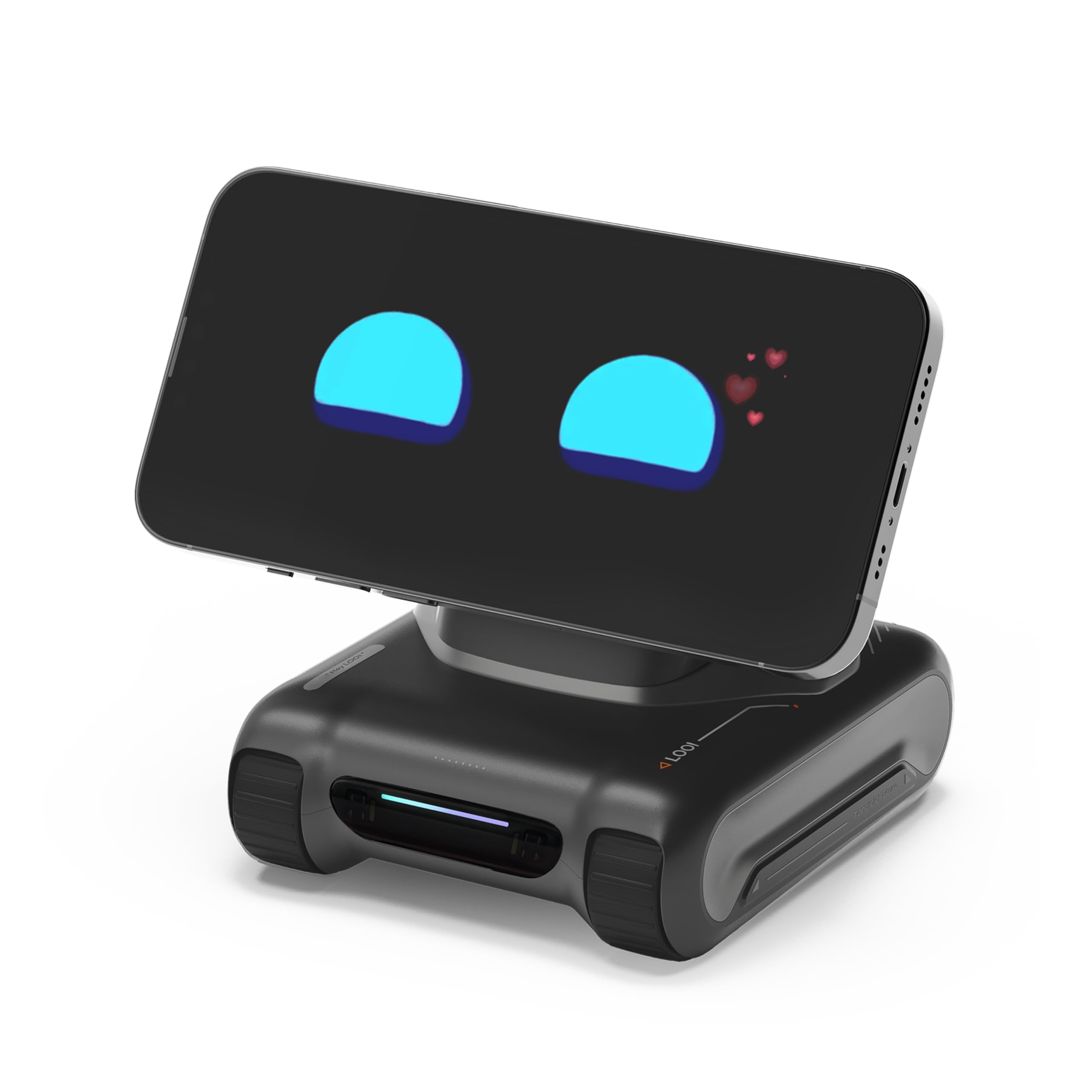
A desk bot that chats, recognizes objects, and charges your phone while it does.
LOOI is the most personality-driven bot here. It holds natural conversations through ChatGPT voice interaction, remembers context across a conversation, and stores long-term memories like family faces and identity notes. A Vision-Language Model lets it actually see: it recognizes objects, understands multiple people at once, reads room layouts, and responds to gestures and facial cues. Its animations are not pre-set — they adapt to what is happening around it.
That evolving behavior is the draw. An autonomous behavior system combines environmental understanding with large-model reasoning, so LOOI makes spontaneous decisions rather than obeying every command. It also earns its desk space practically: 10W wireless charging (it needs a 9V/2A+ adapter), reminders, weather, a standby clock, games, and a face-tracking camera. Appearance is what people love most — it is an appealing little character, and conversations get personal. It runs in English only.
The reality check is on the software side. Functionality is the most-mentioned concern and connectivity draws negative feedback, so treat LOOI as a companion that mostly works and sometimes needs a reset rather than a flawless appliance. Charging also splits in feedback. At 4.33 x 3.86 x 4.33 inches it is small on a desk and rated for ages 8 and up. Buy it for the charm and the conversation; the reliability will vary.
The charm and the utility
- ChatGPT voice chat with memory that grows over time
- Vision model recognizes objects, people, outfits, and gestures
- 10W wireless charging, reminders, weather, clock, and games
Where it frustrates
- Functionality and connectivity are the most-cited rough edges
- English only, and charging needs a 9V/2A+ adapter to hit its spec
Worth it for: someone who wants a personality on their desk and does not mind the occasional software hiccup.
Skip if: you need a bot that works flawlessly every single time — the feedback here is mixed on reliability.
8. EMOPET Aibi Pocket Pet

A ChatGPT buddy small enough to stick to a screen or slip into a pocket.
Aibi’s whole case is size and attachment. It fits in your hand, sticks magnetically to a screen or wall, and sits on a desk — so the AI goes wherever you do. It uses ChatGPT for jokes, weather, and questions, and its camera recognizes your face and remembers you, which makes repeated interactions feel personal. When two Aibis are close, they can even chat with each other over near-field communication.
The appeal is unmistakably visual. Appearance and cuteness are the two most-loved aspects, and both kids and adults enjoy interacting with it. That makes it a strong gift for someone who wants a small, charming AI presence without a big footprint. The magnetic mount is the small feature that changes the daily use — you can put it on the fridge, your laptop lid, or a shelf without a stand.
The trade-off is battery life. It is the aspect drawing the most negative feedback, with runtime described as short — plan to charge it frequently if it lives on your desk. Functionality and quality also split in feedback, so the charm is real but the hardware is not the story. Rated for ages 15 and up, it is aimed at teens and adults rather than young kids. Buy it as a cute pocket AI and it delivers; buy it as a workhorse and it may disappoint.
The case for it: Magnetic, hand-sized, and genuinely cute — a ChatGPT companion that sticks to a screen, a fridge, or your laptop and remembers your face. Kids and adults both warm to it.
The catch: Battery runtime is the biggest complaint, so frequent charging is part of ownership. Functionality splits too, so go in for the charm rather than a flawless assistant.
Pick this if: you want a cute, portable AI buddy and can live with regular charging.
pass on it if: you need all-day battery or a toy for a child under 15.
9. Casio Moflin AI Pet Robot

A palm-sized AI pet whose personality takes shape over about fifty days of attention.
Moflin is the pick for someone who wants a companion that changes over time. It responds to petting, hugging, and gentle talking, and its emotional AI expresses moods like joy, curiosity, and calm. Over about 50 days, its emotions grow richer and its personality takes shape — from cheerful and energetic to shy or affectionate. It also learns to recognize your voice, so no two units develop the same way.
The senses behind that bond are what sell it. Touch sensors, a microphone, a light sensor, and motion sensors let Moflin react to being stroked, spoken to, picked up, or carried, answering with soft sounds and gentle head movements. Owners love how it looks and how soft it feels, and the cute noises earn steady praise. It is palm-sized and light at 9 ounces, made with a cotton material outer. The MofLife app for iOS 15 or later and Android 8.0 or later shows its emotions, keeps a journal, and lets you name it.
The honest part is the cost and the battery. Value is the one aspect drawing negative feedback — this is the priciest pick here, so the emotional design has to be worth it to you. Battery is short: around 3.5 hours of charging yields up to 5 hours of play, and the included charging bed makes that a nightly routine. Suitability for different ages also splits in feedback, and the maker positions it for teens and adults at 13 and up. It also does not record or understand what you say.
What you are really buying: A soft, palm-sized robot with emotional AI that grows a distinct personality over roughly 50 days and learns your voice — built for the animal lover who cannot keep a real pet.
The trade-off: Short battery (about 5 hours of play from a 3.5-hour charge) and a price that sits at the top of this list. The charging bed makes both manageable but not invisible.
Best suited to: an adult or teen who wants a soft, evolving companion and values personality over features.
Look elsewhere if: you want long runtime between charges or a cheaper entry into AI pets.
Understanding the Specs
Age rating and who can use it alone
The manufacturer’s recommended age is the first filter. A plush companion rated for 3 and up needs no supervision to hug, while a robot kit rated for 15 and above assumes an adult-level builder. In between sits a clear line: kits that need assembly or coding usually want a parent nearby even when the rating allows independent play. Read the exact range, not the marketing age on the box, and match it to the person who will actually hold the toy.
Battery runtime and how it charges
Runtime tells you how long a session lasts between charges, and the charging method tells you how much of a routine that becomes. Some companions run up to 6 hours on a 600mAh battery and recharge fully in about 1.5 hours via USB-C; others need a dedicated charging bed. Plush and pet-style bots often use a replaceable or built-in battery with shorter quoted runtimes. A longer runtime means fewer interruptions during play, while a charging bed can make topping up part of the nightly wind-down.
What “AI” actually means inside
A toy claiming AI may run a large language model (a system that generates fresh answers, like ChatGPT or Gemini), a machine-learning model (one that adapts as it is trained), or a fixed script of pre-recorded responses. Only the first two generate new output rather than replaying stored clips. A listing that names GPT-4o, ChatGPT, Gemini, or “machine learning” is describing real generation. A toy that only offers “smart” buttons is almost always running a script.
What you need besides the toy
Many AI toys depend on an app, a Wi-Fi connection, or hardware you supply separately. A robotics kit may need a Raspberry Pi board that is not included; a companion bot may need a phone app for setup and mode changes; a projector may need Wi-Fi pairing before its AI features work. Check the included-components list and the connectivity requirements before buying, so no essential piece is missing on the first day.
FAQ
Does the Caydo T3 need Wi-Fi to generate drawings?
Can a 3-year-old use the GOLABS Panda Plush AI Toy on their own?
Do I need to buy a Raspberry Pi separately for the SunFounder PiDog?
How long does the Shoot Robot Dog run on a charge?
Is the Thames & Kosmos Kai robot suitable for a 9-year-old?
What is the difference between a companion AI toy and a robotics kit?
Does the LOOI Robot only speak English?
How long does the Casio Moflin battery last?
Which AI toys need an app to work?
Are AI toys safe for children to use?
Final Thoughts: The Verdict
One sit-on-the-desk unit does three jobs at once, which is why the Caydo T3 AI Drawing Projector is the strongest pick among these ai toys: it combines real AI generation, a 200+ pattern learning library across 5 categories, and a native 720P WiFi and Bluetooth projector. It is the top-rated pick on this list at 4.5+ stars across 200+ ratings, and it earns that score by drawing, projecting, and streaming from one unit. If you want a real conversation partner for a preschooler, the GOLABS Panda Plush AI Toy runs GPT-4o (an AI language model) in 64 languages inside a huggable body. And for the maker or student who wants to program a robot dog with actual language models, the SunFounder PiDog delivers 12 servos (small motors that move each joint) and 32 dog-like actions, provided you supply the Raspberry Pi (a small hobby computer sold separately). Buy for the job you actually want done — generation, conversation, or coding — and each of these delivers.
How We Picked
We do not accept paid placement. Every pick is matched to a real buyer and a real use-case; we do not hands-on test units.
Sources & Methodology
Specifications: manufacturer listings and product documentation. Review insights: verified customer reviews, as of November 2026. Pricing: not shown on this page (it changes often); check the current price via the retailer link.
As an Amazon Associate, Gadgets Feed earns from qualifying purchases. This does not affect which products we feature.