
Choosing the right GPU for AI workloads is less about raw clock speed and more about the specific architecture that accelerates neural network operations. A card built for gaming might falter under the sustained memory loads of a 70-billion-parameter model, while a professional workstation card can handle the same task without breaking a sweat. The difference comes down to Tensor Cores, VRAM capacity, and memory bandwidth — three specs that define how fast and reliably you can train or inference models.
I’m Min — the co-founder and writer behind Gadgets Feed. I’ve spent countless hours analyzing benchmark data, VRAM bandwidth comparisons, and real-world inference speeds across the current landscape of professional and consumer GPUs to bring you this guide.
The market is crowded with options, so I’ve broken down the key specs and real-world performance of every major contender to help you find the true best ai workstation gpu for your specific workflow, whether you are fine-tuning LLMs, rendering in Blender, or running complex simulations.
How To Choose The Best AI Workstation GPU
Selecting an AI workstation GPU requires looking past the traditional gaming metrics. The card’s ability to handle large matrix multiplications, high memory bandwidth, and sustained thermal loads under 100% utilization for hours is what separates a good AI card from a great one. Below are the non-negotiable specs you must evaluate.
VRAM Capacity and Memory Bandwidth
VRAM is the single most limiting factor in AI workloads. A model’s entire parameter set and intermediate activations must fit in GPU memory. A 70B parameter model at FP16 requires roughly 140GB of VRAM — only 96GB professional cards or multi-GPU setups can handle that natively. Memory bandwidth (in TB/s) determines how fast the GPU can feed data to the compute cores, directly impacting training speed and inference token generation rate.
Tensor Core Generation and Number
Tensor Cores are the dedicated hardware for matrix multiplication, the backbone of neural network operations. Newer generations (4th Gen RT cores, 5th Gen Tensor cores) support advanced precision formats like FP4, FP8, and TF32, which can dramatically accelerate both training and inference. More Tensor Cores with newer generation support generally means faster model convergence and lower latency per inference call.
Thermal Design and Cooling
AI workloads push a GPU to 100% utilization for hours. Blower-style coolers exhaust hot air directly out of the chassis, making them ideal for multi-GPU workstations. Open-air coolers run quieter but dump heat inside the case, requiring robust chassis airflow. Vapor chamber solutions and liquid-cooled options offer the best thermal headroom for sustained performance without throttling.
Quick Comparison
On smaller screens, swipe sideways to see the full table.
| Model | Category | Best For | Key Spec | Amazon |
|---|---|---|---|---|
| NVD RTX PRO 6000 Blackwell | Professional | 70B+ Model Fine-Tuning | 96GB GDDR7 ECC | Amazon |
| ASUS ROG Astral LC RTX 5090 | Premium | 8K Video + AI Generation | 32GB GDDR7, AIO Cooler | Amazon |
| msi Gaming RTX 5090 SUPRIM SOC | Premium | High-Speed Inference | 32GB GDDR7, 512-bit | Amazon |
| NVIDIA DGX Spark | Desktop Supercomputer | Desktop AI Prototyping | 128GB Unified Memory | Amazon |
| ASUS Ascent GX10 | Desktop Supercomputer | 200B Model Fine-Tuning | 128GB LPDDR5x, 1 PFLOPS | Amazon |
| NVIDIA Jetson Thor Developer Kit | Embedded AI | Robotics & Edge AI | 128GB GDDR6X, 2070 TFLOPS | Amazon |
| NVIDIA GeForce RTX 3090 Founders | Consumer Flagship | 6K Video Editing & Rendering | 24GB GDDR6X | Amazon |
| NVIDIA GeForce RTX 5080 FE | Consumer | DLSS 4 & Neural Rendering | 16GB GDDR7 | Amazon |
| ASRock Radeon AI PRO R9700 | Professional AMD | Multi-GPU Server Builds | 32GB GDDR6, Blower Cooler | Amazon |
| PNY NVIDIA RTX A4500 | Mid-Range Professional | 3D Design & Autocad | 20GB GDDR6, NVLink | Amazon |
| NVIDIA Titan RTX | Consumer High-End | Entry-Level Multi-GPU ML | 24GB GDDR6, 577 Tensor Cores | Amazon |
In‑Depth Reviews
1. NVD RTX PRO 6000 Blackwell

The RTX PRO 6000 Blackwell sits at the absolute top of the professional workstation GPU hierarchy. Its 96GB of GDDR7 ECC memory is effectively mandatory for anyone working with 70B+ parameter models locally. The double-flow-through cooling design handles a 600W power envelope while maintaining consistent clock speeds during multi-hour training runs.
The 5th Gen Tensor Cores support FP4 precision, dramatically reducing memory usage for LLM fine-tuning. Universal MIG partitioning allows splitting the card into multiple isolated instances, optimizing GPU utilization for teams running concurrent workflows. The PCIe Gen 5 interface doubles bandwidth to the CPU, reducing data-loading bottlenecks for massive datasets.
Owners using a single 600W connector appreciate the simplified cabling, though the double-flow-through cooler exhausts hot air into the case interior, requiring careful chassis airflow planning. Driver 575+ on Linux is currently needed for full Blackwell software support. For pure AI workstation supremacy, no other single card comes close.
Why it’s great
- 96GB VRAM fits 70B models at FP16 with room for context
- ECC memory provides data integrity for long-running simulations
- MIG partitioning enables multi-tenant GPU usage
Good to know
- Hot air exhaust goes into the case, not the rear
- Full software stack support is still maturing for Blackwell
- Extremely high premium price point
2. ASUS ROG Astral LC GeForce RTX 5090 32GB

The ASUS ROG Astral LC RTX 5090 is a liquid-cooled powerhouse that pairs an RTX 5090 chip with a 360mm AIO radiator, keeping GPU temperatures below 60°C even under sustained 100% load. The full-coverage cold plate directly cools the GPU die, VRAM modules, and VRMs, ensuring no thermal throttling during long inference sessions or video generation tasks.
With 32GB of GDDR7 memory on a 512-bit bus, this card can comfortably load large diffusion models and 8K video editing timelines. The magnetic daisy-chainable fans simplify cable management, though the proprietary fan connector limits intake orientation flexibility. The included ROG GPU support bracket prevents PCB sag on the heavy card.
Users report this card handles everything from ComfyUI image generation to Unreal Engine 5 rendering without breaking a sweat. The liquid cooling is noticeably quieter than air-cooled alternatives, making it ideal for a nearby workstation. The main limitation is the 32GB VRAM ceiling — insufficient for 70B parameter models — but perfect for most consumer AI and creator workflows.
Why it’s great
- AIO liquid cooling keeps temps under 60°C under sustained load
- Full-coverage cold plate for VRM and memory cooling
- 32GB GDDR7 with high bandwidth for video generation
Good to know
- Proprietary magnetic fan connector limits setup options
- 32GB VRAM cannot load large 70B+ models
- Top-mounting the radiator is strongly recommended
3. msi Gaming RTX 5090 32G SUPRIM SOC

The MSI SUPRIM SOC RTX 5090 is a massive air-cooled card that delivers extraordinary clock speeds out of the box. Users report average boost clocks around 2887MHz and peak speeds of 3155MHz, which translates to a noticeable uplift in token generation rates for LLM inference compared to stock-clocked 5090 cards. The 32GB GDDR7 on a 512-bit interface provides 1.8 TB/s of memory bandwidth.
The card runs at 40°C idle and up to 88°C under full load with the stock cooling setup. Enthusiasts have modded the card with additional M.2 heatsinks and a small 80mm fan to drop load temperatures to 62°C. The included support bracket is necessary, as the card is heavy and long, weighing over 8 pounds. Owners report no coil whine and silent operation under normal conditions.
The power draw peaks at 513W, which requires a robust 1250W+ PSU and careful cable management. The card pairs beautifully with a high-end monitor for both gaming and AI tasks. The VRAM capacity is again the limiting factor for large models, but for high-speed inference on 7B to 13B parameter models, this card is exceptionally fast right out of the box.
Why it’s great
- Out-of-box clock speeds exceed 3100MHz peak
- 512-bit memory bus provides excellent bandwidth
- Silent and cool under normal load without coil whine
Good to know
- Requires heavy modding to keep temps under 70°C
- Very heavy at 8.4 pounds, needs support bracket
- Power supply must be rated for 1250W+
4. NVIDIA DGX Spark

The NVIDIA DGX Spark is a personal AI supercomputer that brings 1 petaFLOP of FP4 AI performance to your desk. Its GB10 Grace Blackwell Superchip integrates a high-performance ARM CPU with a powerful GPU in a unified memory architecture totaling 128GB. This allows loading and fine-tuning models up to 200 billion parameters entirely locally.
The device runs a custom Ubuntu-based DGX OS with the full NVIDIA AI software stack pre-integrated. Users running Ollama with Qwen 3.6:27B report it works well for local code review under ITAR constraints. The 4TB NVMe SSD provides ample storage for multiple large models. The device is silent in operation but generates significant heat, acting like a space heater during sustained inference runs.
The main drawback is the proprietary DGX OS, which risks becoming unsupported hardware if NVIDIA stops maintaining the software stack. Some users report that inference is bottlenecked by memory bandwidth rather than compute, making it slower than a 5090 for token generation. This device is best suited for researchers who need to prototype on Blackwell architecture before deploying to a data center.
Why it’s great
- 128GB unified memory fits 200B parameter models
- Pre-integrated NVIDIA AI software stack
- Silent operation with compact desktop form factor
Good to know
- Proprietary OS risks becoming obsolete
- Memory bandwidth bottleneck limits token throughput
- Runs very hot, needs a well-ventilated room
5. ASUS Ascent GX10 AI Supercomputer
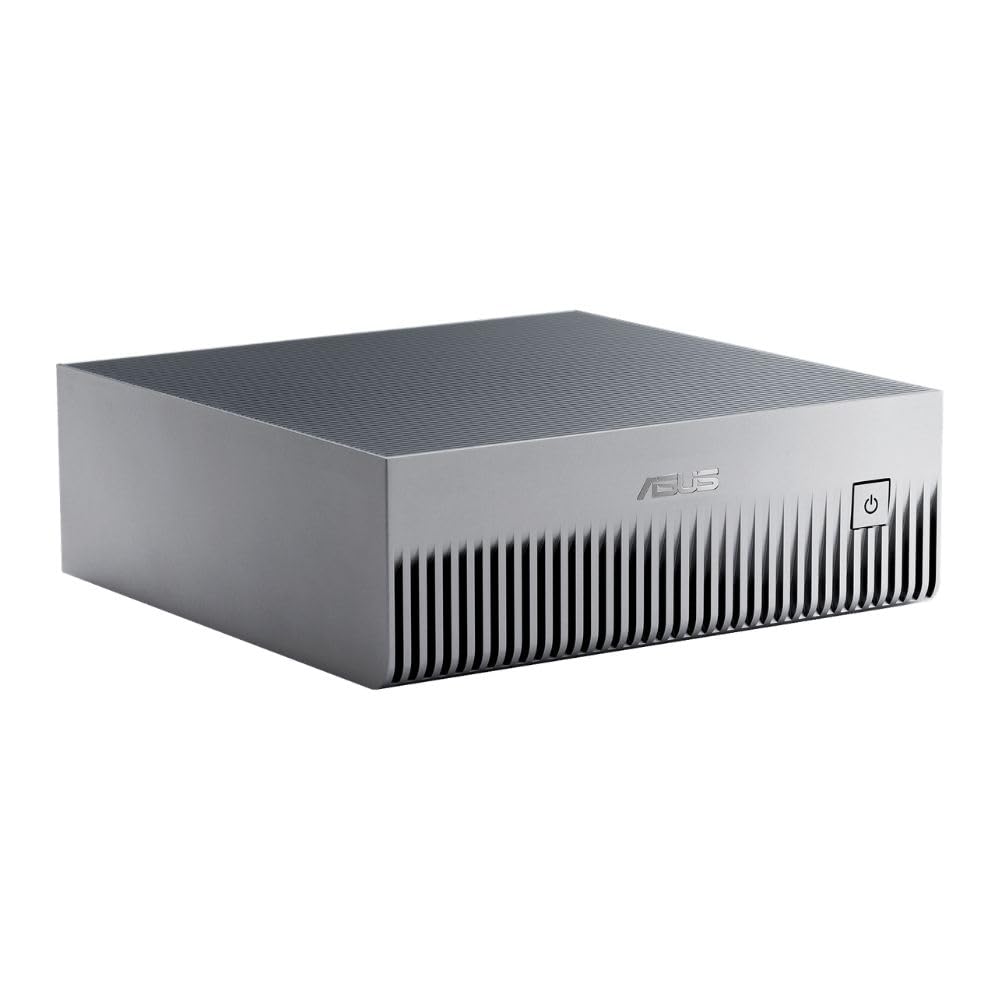
The ASUS Ascent GX10 is a stackable AI supercomputer based on the same NVIDIA GB10 Grace Blackwell Superchip as the DGX Spark. It delivers 1 petaFLOP of AI performance with 128GB of shared memory, designed for AI developers building secure, long-running agentic workflows. The inclusion of NVIDIA ConnectX-7 SmartNIC allows dual GX10 stacking for scalable performance.
The device ships with Ubuntu Linux and is MIL-STD 810H certified for durability. Owners running two units for local inference and fine-tuning report stable performance with LLMs and ComfyUI, though the first major system update may hang for up to 25 minutes before rebooting. The cooling system is effective but the device runs hot during sustained inference, requiring a cool room and good airflow.
The main advantage over the DGX Spark is the stackable chassis design, which allows easy expansion. However, the 1TB NVMe drive fills up fast when storing multiple large models. Users wanting to run multiple services recommend upgrading to a 4TB drive. This device is not suitable for gaming, and the NVIDIA software stack for GB10 is still maturing, with some users reporting unstable driver updates.
Why it’s great
- Stackable chassis with magnetic feet for easy expansion
- ConnectX-7 networking for multi-unit scaling
- MIL-STD 810H certified for durability
Good to know
- 1TB SSD fills quickly; 4TB upgrade recommended
- Driver updates can sometimes brick the GPU
- Inference is slower than a 5090 for token generation
6. NVIDIA Jetson Thor Developer Kit
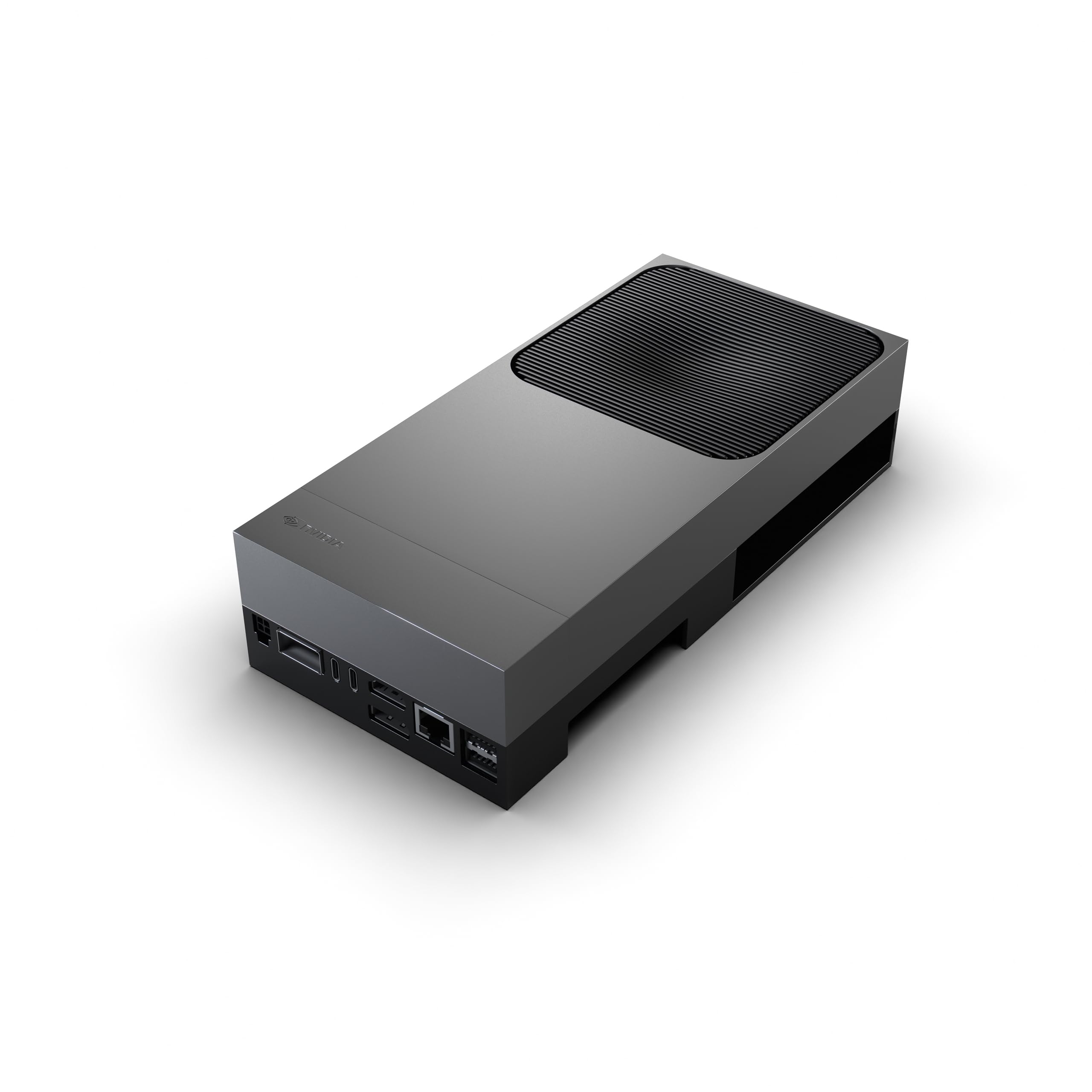
The NVIDIA Jetson Thor Developer Kit is designed for edge AI, autonomous machines, and humanoid robotics. It features a 2560-core Blackwell architecture GPU with 96 fifth-gen Tensor Cores delivering 2070 TFLOPS of AI performance, paired with 128GB of GDDR6X memory. This is not a standard workstation GPU but a complete system-on-module for specialized AI deployments.
Users running LLMs via vllm report excellent performance after building from the latest source code. The device is specifically aimed at developers building for robotics and industrial automation, not general desktop AI work. The form factor is compact for the compute it offers, but the Nvidia software stack is still maturing, with some demos not functioning out of the box.
The power consumption and thermal profile are significantly lower than a full-size workstation GPU, making it suitable for embedded deployments. The device is not consumer-friendly — you need to be comfortable compiling from source and troubleshooting Linux drivers. For those building the next generation of autonomous systems, this is the platform to use.
Why it’s great
- 128GB memory suitable for large edge AI models
- Blackwell architecture with 96 Tensor Cores
- Compact form factor for robotics and embedded systems
Good to know
- Software stack is not consumer-ready; requires compilation
- Not a standard desktop GPU, limited application support
- Some demos do not work out of the box
7. NVIDIA GeForce RTX 3090 Founders Edition

The RTX 3090 Founders Edition remains a dominant force for AI workloads years after its release, thanks to its 24GB of GDDR6X VRAM on a 384-bit bus. This VRAM capacity allows loading 13B and 30B parameter models at lower precisions, making it the go-to budget-friendly option for local AI development. The card handles 6K video editing in DaVinci Resolve with ease, rendering 4-minute clips in seconds compared to 20-30 minutes on CPU.
Users upgrading from older cards like the 1080 Ti report dramatic improvements in prerender speed and real-time playback. The card supports NVLink, allowing two 3090s to pool memory for larger models. Note that SLI is not supported for gaming, but NVLink works for compute workloads. The card runs hot under sustained AI load, often hitting 110°C on the memory junction if the thermal paste is degraded.
The main risk when buying today is receiving a used card that was abused for mining. Thoroughly check for original seals and benchmark performance upon arrival. The 3090 does not support the latest FP4 precision of Blackwell cards but remains a strong entry-level option for ML engineers on a budget.
Why it’s great
- 24GB VRAM fits 13B and 30B models locally
- NVLink support for dual-card memory pooling
- Excellent for 6K video editing and 3D rendering
Good to know
- Runs extremely hot under sustained AI load
- Risk of receiving a used mining card
- No FP4 or Blackwell-specific optimizations
8. NVIDIA GeForce RTX 5080 Founders Edition

The RTX 5080 Founders Edition is a compact Blackwell architecture card that delivers impressive performance in a small form factor. Its 16GB of GDDR7 memory is the primary limitation for AI workloads, restricting it to smaller models (7B parameters and below at FP16). However, the Blackwell architecture brings DLSS 4 with Multi Frame Generation and neural rendering capabilities that benefit generative AI applications.
The card stays remarkably cool under load, with users reporting 120+ FPS at 1440p with ray tracing enabled. It is lightweight and does not require a support bracket, making it ideal for small-form-factor workstation builds. The card is a significant upgrade over the RTX 3080 FE, with users reporting 200+ FPS in most games at max settings.
For AI-specific workloads, the 16GB VRAM ceiling means you cannot load larger language models or high-resolution diffusion models without out-of-memory errors. This card is best suited for developers who primarily game on their workstation and run occasional smaller AI inference tasks, rather than serious AI research.
Why it’s great
- Compact and lightweight, no support bracket needed
- Blackwell architecture with DLSS 4 support
- Excellent thermal performance under load
Good to know
- 16GB VRAM is insufficient for most serious AI models
- Listed price is often above MSRP from third-party sellers
- Not suitable for 30B+ parameter model workloads
9. ASRock Radeon AI PRO R9700 Creator

The ASRock Radeon AI PRO R9700 is AMD’s entry into the professional AI GPU market, offering 32GB of GDDR6 memory with a dedicated blower cooler designed for multi-GPU setups. The compact two-slot design and rear-exhaust cooling make it ideal for dense server configurations. It features 64 Compute Units with 3rd Gen Ray Tracing and dedicated 2nd Gen AI Accelerators for AMD RDNA 4 architecture.
Users running ComfyUI, ollama.cpp, and Hermes Agent on Ubuntu 26.2 report good performance for local AI workloads, though ROCm software support requires more tinkering than NVIDIA’s CUDA ecosystem. The card runs cooler than an RTX 3090, staying in the low 60s Celsius under load compared to the 3090’s 80-82°C. The blower fan is audible but quieter than expected, reminiscent of an air purifier.
The main disadvantages are the louder fan noise compared to open-air designs and occasional coil whine reported by some users. The card lacks any RGB lighting, which may be a pro or con depending on your aesthetic preferences. The 32GB VRAM provides room for larger models, but the AI accelerator performance does not match NVIDIA’s Tensor Core generation for most deep learning frameworks.
Why it’s great
- 32GB VRAM at a budget-friendly price point
- Blower cooler exhausts heat directly out of the case
- Runs cooler than competing NVIDIA options under load
Good to know
- ROCm requires more troubleshooting than CUDA
- Blower fan is louder than open-air designs
- Some units have coil whine under heavy load
10. PNY NVIDIA RTX A4500

The PNY NVIDIA RTX A4500 is a professional-grade workstation card offering 20GB of GDDR6 memory and 7168 optimized CUDA Cores. It supports NVLink for GPU memory pooling and performance scaling, allowing two cards to function as one with 40GB of combined VRAM. The dual-slot full-length form factor is compatible with standard workstation chassis.
Users running Blender and Houdini report the card makes complex 3D simulations a breeze, with significantly faster viewport performance and rendering times. The card also excels at running LLMs locally due to the 20GB VRAM, which can handle 13B parameter models comfortably. The card includes an auxiliary power cable in the box, though some users report missing accessories in individual shipments.
The A4500 uses an older GA102-825 chip architecture, meaning it lacks the latest Tensor Core generations found in Blackwell cards. The blower-style cooler is louder than modern open-air designs, which some users find distracting in quiet office environments. This card represents an excellent entry point into professional AI hardware for those on a tighter budget.
Why it’s great
- 20GB VRAM with NVLink support for memory pooling
- ISV certified for professional 3D applications like Autocad
- Blower cooler works well in multi-GPU configurations
Good to know
- Older architecture lacks modern Tensor Core efficiency
- Blower fan is significantly louder than open-air coolers
- Some shipments may be missing the auxiliary power cable
11. NVIDIA Titan RTX
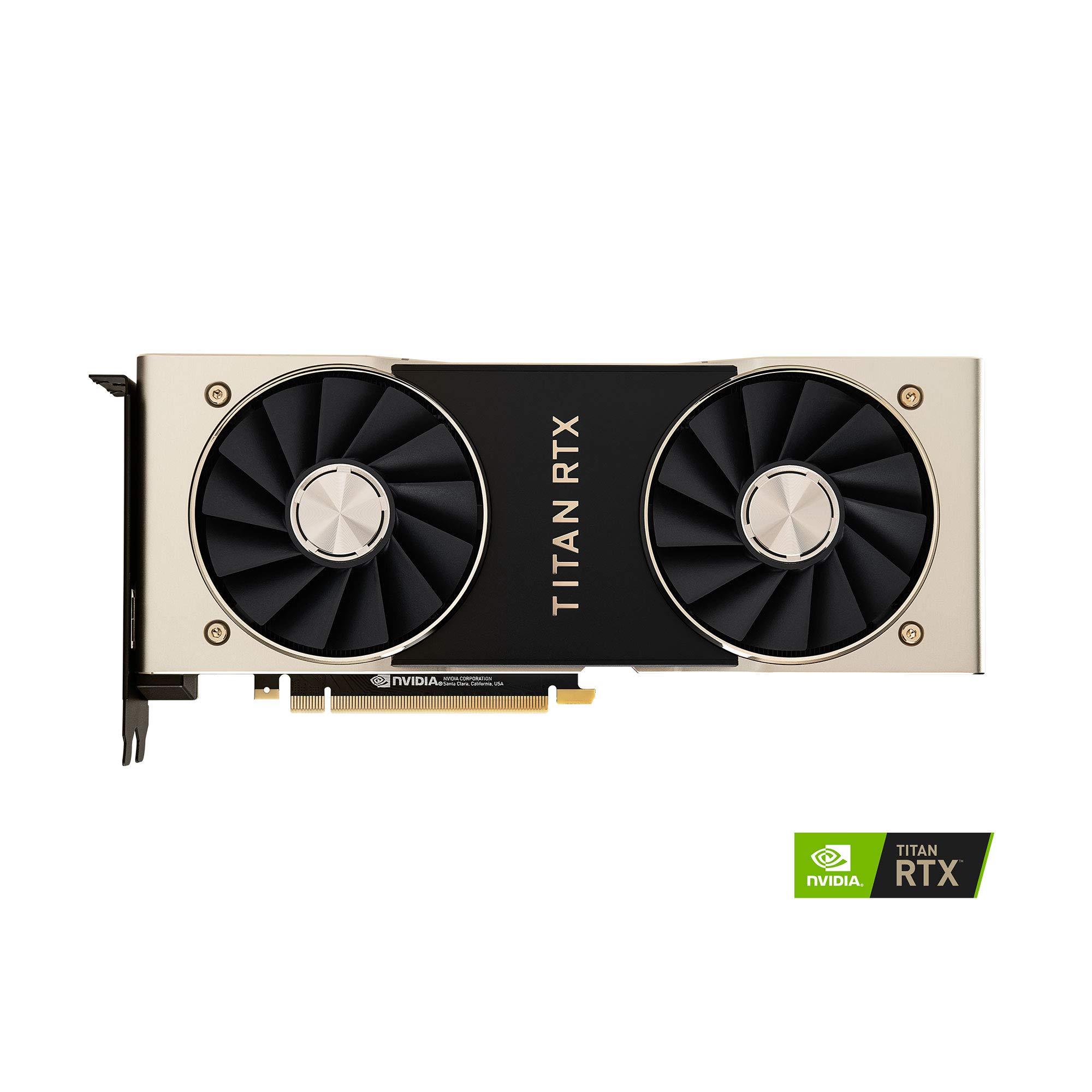
The NVIDIA Titan RTX is a consumer-focused high-end card that packs 24GB of GDDR6 memory and 577 Tensor Cores, making it a capable machine learning card for its era. With 4609 CUDA cores running at a 1770MHz boost clock, the card handles Iray renders roughly twice as fast as previous-generation cards. The 24GB VRAM can load 13B parameter models and some 30B models at lower precisions.
Users report excellent compatibility with both Windows 10 and Linux, noting significant improvements over the 1080 Ti for machine learning and compute workloads. The card features a bright TITAN LED that can be dimmed or turned off via Precision X1. The twin blower fans exhaust heat internally to the chassis, not out the back, requiring careful chassis cooling considerations.
The card runs hot and needs a custom fan curve to stay under 84°C, above which clock speeds drop by about 200MHz. Some units exhibit coil whine under heavy load during both gaming and neural network training. The Titan RTX is an entry-level option for those who need 24GB VRAM but cannot afford the newer RTX 3090. It is best suited as a secondary card in a multi-GPU setup for ML tasks.
Why it’s great
- 24GB VRAM handles 13B models and smaller workloads
- 577 Tensor Cores accelerate AI training and inference
- Excellent for Blender rendering and Iray acceleration
Good to know
- Coil whine is common under sustained heavy load
- Internal heat exhaust requires robust chassis airflow
- Older architecture runs hotter than modern alternatives
FAQ
How much VRAM do I need for local LLM inference?
Should I buy a professional workstation GPU or a consumer card for AI?
Can I use an AMD GPU for AI workloads instead of NVIDIA?
Is the NVIDIA DGX Spark good for serious AI research?
Final Thoughts: The Verdict
For most users, the best ai workstation gpu winner is the NVD RTX PRO 6000 Blackwell because its 96GB of ECC VRAM and 5th Gen Tensor Cores provide the headroom needed for serious AI research and model fine-tuning. If you want liquid-cooled performance for generative AI and video work, grab the ASUS ROG Astral LC RTX 5090. And for secure on-premise AI development where data cannot leave your network, nothing beats the NVIDIA DGX Spark.