
Our readers keep the lights on and my morning glass full of iced black tea. As an Amazon Associate, I earn from qualifying purchases.
Specs are compiled from manufacturer listings and verified buyer reviews and can change over time — please confirm the key details on the product page before buying.
If you are shopping for serious AI hardware, the core question isn’t about the brand name — it’s about if you want your data to stay on your desk or live in a data center. The machines below are purpose-built to run massive language and image models directly, so you own your security and skip per-token cloud fees entirely. This guide focuses on the raw numbers that actually matter for local AI work: the processor, the on-board memory pool, and how much of that memory the graphics engine can share.
I’m Min — the founder and writer behind Gadgets Feed. This guide is built by comparing the manufacturers’ published specifications and the patterns across verified customer reviews, so you get each pick’s real strengths and trade-offs instead of marketing spin.
The crowd favorite in this space — 4.4 stars across nearly a thousand owners — is the GEEKOM IT15, which we’ve placed at the top. Let’s unpack the full range of what a modern ai workstation can deliver for your specific workload.
Our Picks at a Glance


How To Choose The Best AI Workstation
Buying an AI workstation isn’t like picking a regular PC. You care less about max clocks and more about memory bandwidth and the total AI compute “TOPS” the chip can throw at a model. Understanding three numbers will get you 90% of the way to a correct decision.
TOPS: The token that matters
A “TOPS” figure tracks trillions of operations per second — a rough measure of how fast the chip can crunch neural networks. A higher TOPS number means a larger model will respond quicker, but the number is split between the CPU, the GPU, and the NPU (a dedicated AI accelerator). For local AI, the GPU’s TOPS usually do the heavy lifting, so don’t let a glowing NPU claim distract you from the total picture.
Unified memory: Your model’s home
A language model lives in RAM while it runs. A “unified memory” architecture — like the 128GB LPDDR5X pools on several picks here — lets the CPU and GPU share one large stash. This matters because a 70B parameter model needs roughly 40GB, while a 200B model can eat more than 100GB. Without that shared pool, you’d need an expensive discrete GPU with matching VRAM.
Cooling and form factor
High-end AI chips run hot under sustained loads, which is every AI workload. A tiny mini PC with a metal chassis and vapor chamber cooling (the BOSGAME M5) can stay silent and cool, but a taller tower (the HP OMEN 45L) has room for a 360mm liquid cooler. A machine that throttles when hot will run models slower than its spec sheet suggests, so read cooling notes carefully.
Quick Comparison
| Model | Best For | CPU Speed | Memory | Graphics | Amazon |
|---|---|---|---|---|---|
| GEEKOM IT15★ Best Overall | Portable all-rounder | 5.4 GHz | 32GB DDR5 | Intel Arc 140T | Amazon |
| Dell Tower PlusTraditional Tower | Traditional upgrade path | 5.6 GHz | — | RTX 5070 12GB | Amazon |
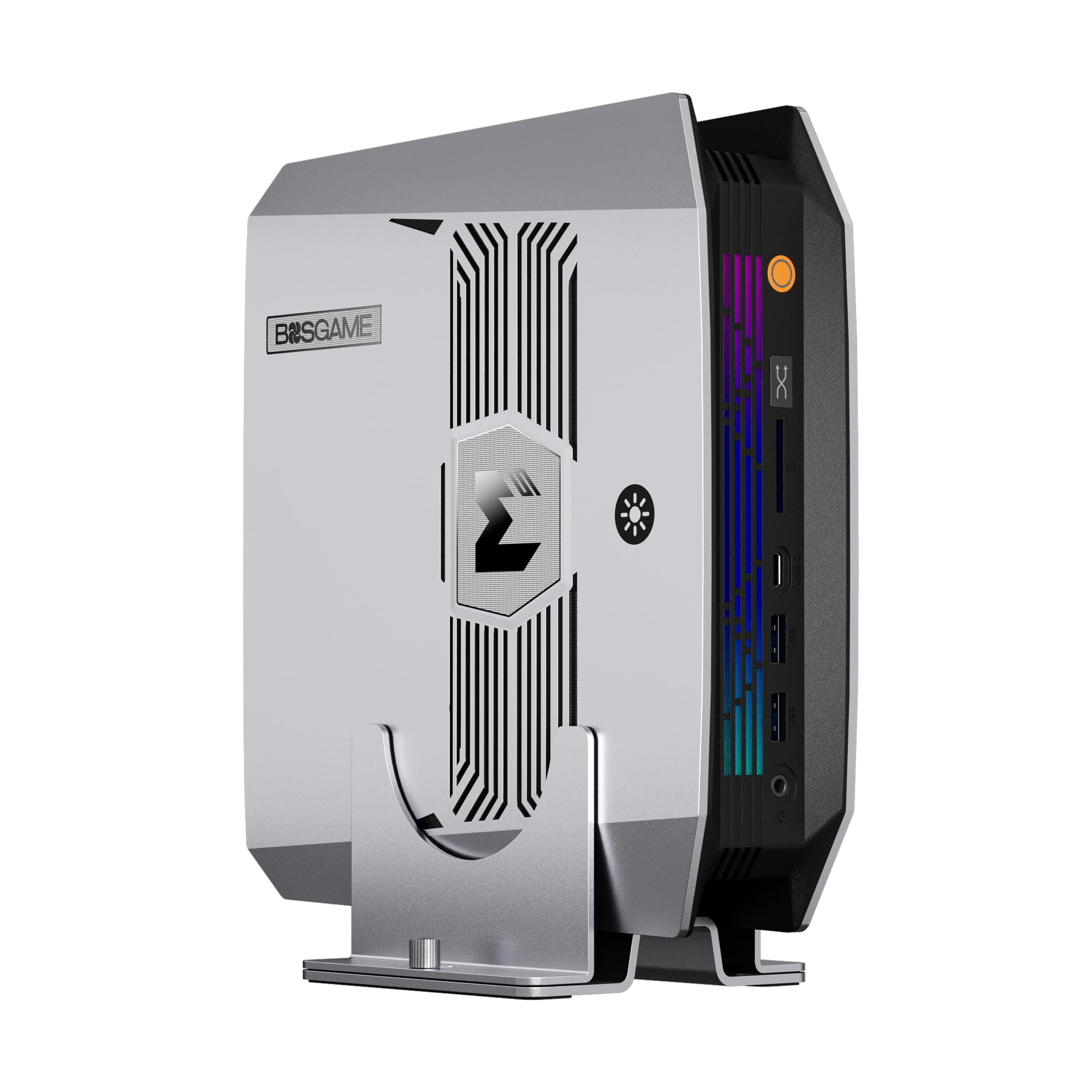
| BOSGAME M5Value Pick | Large local models | 5.1 GHz | 128GB LPDDR5X | Radeon 8060S | Amazon |
| BOSGAME M5 (40G) | Multi-display AI dev | 5.1 GHz | 128GB LPDDR5X | Radeon 8060S | Amazon |
| GMKtec EVO-X2 | LLM hobbyists at home | 5.1 GHz | 128GB LPDDR5X | Radeon 8060S | Amazon |
| ASUS Ascent GX10 | Agentic development | 4 GHz | 128GB | GB10 Superchip | Amazon |
| NVIDIA DGX Spark | Software stack purists | — | 128GB | GB10 Superchip | Amazon |
| HP OMEN 45L | Gaming + creation | 5.7 GHz | 64GB DDR5 | RTX 5090 32GB | Amazon |
| MSI EdgeXpert | High-bandwidth storage | 3.8 GHz | 128GB LPDDR5 | GB10 Superchip | Amazon |
In-Depth Reviews
1. GEEKOM IT15 AI Mini PC
Our pick — over 4★ from 600+ verified ratings; the strongest balance of quality and price.
A compact mini PC that packs 99 TOPS of AI performance into a desk-friendly chassis.
The GEEKOM IT15 leads our ranking not because it’s the fastest, but because it’s the most balanced AI-ready machine for the widest range of buyers. Its Intel Ultra 9 285H (16 cores, up to 5.4 GHz) is a proper multi-threaded brute, and the 99 TOPS of total AI performance — split as 13 TOPS NPU, 77 TOPS Arc GPU, and 9 TOPS CPU — lets you generate 4K concept art in as little as 8.3 seconds. If that sounds like a neat extra, understand this: those are the same ingredients you’d need to run mid-size models on your desk without renting cloud GPUs.
The real superstar here is the connectivity. Dual HDMI ports (4K@120Hz) and two USB4 Type-C ports (40Gbps with PD 4.0) let you drive up to four displays — two at 8K and two at 4K. That is a trader’s or a developer’s command center in a box smaller than a lunch pail. Buyers report it runs three virtual machines simultaneously via Windows Pro with Hyper-V, and the consensus in the review data is that all the money goes into the processor and memory where you want it. On the networking side, Wi-Fi 7 with 3D beamforming antennas and a 2.5GbE port keep large checkpoints and code transfers moving.
At 32GB DDR5 RAM and a 1TB NVMe Gen 4 SSD (75% faster than Gen 3), it handles dozens of open applications at once, and the RAM is upgradeable to a full 128GB if you outgrow it. The PC+ABS metal frame is rated for 441 lbs (200kg) of pressure, so it shrugs off drops a heavy tower wouldn’t survive. The one honest trade-off: with <35dB operation under load, it’s quiet, but sustained heavy work can push it warmer and a few owners note the fan becomes audible — a fair price for the size.
Why it wins the desk
- True quad-display 8K/4K support via dual HDMI + dual USB4.
- 99 TOPS of combined AI performance for fast local generation.
- 3-year support and a metal frame rated for 200kg of pressure.
Where it asks patience
- Fans can become audible under sustained heavy AI load.
- 32GB RAM is generous but trails the 128GB monsters on this list.
The balanced pick: a compact AI-capable tower replacement that handles professional work and light gaming on one desk footprint.
A fair caution: serious local fine-tuning will want the extra RAM of the big unified-memory units below.
2. Dell Tower Desktop
A traditional tower with a 5.6 GHz CPU and RTX 5070, ideal for single-threaded creative work.
If you prefer a traditional tower you can open with a screwdriver, the Dell Tower Plus is built for you. Its Intel Core Ultra 9-285 runs at up to 5.6 GHz — a full 10% faster peak clock than the BOSGAME M5’s 5.1 GHz — and it leans on three AI engines (CPU, GPU, and NPU). The discrete NVIDIA GeForce RTX 5070 with 12GB of its own RAM means classic GPU-accelerated workflows, from video encodes to CUDA-based scripts, run exactly as you’d expect.
The listed speed advantage matters most for single-threaded creative apps. Owners mention it “handles Photoshop work (which is my main concern) beautifully,” and that it was up and running within minutes of arrival. Dell backs it with 1-Year Onsite Service, meaning a technician comes to your location if a hardware issue can’t be resolved remotely — a comfort a mini PC rarely offers. The air cooling is tuned for 65W CPUs, keeping the acoustics pleasant during a long edit session.
The trade-offs are real and worth naming. The machine ships as two separate 1TB chip SSDs rather than one 2TB drive, and neither is upgradeable beyond 1TB per slot, which cramped one owner’s storage plans. The cache memory is installed at 76MB, which keeps heavy multitasking fluid, and the card reader slot is a welcome practical touch.
The straight read: a dependable, serviceable tower with a faster peak clock than the mini-pc crowd, best for creator workflows that thrive on single-core speed and a real RTX GPU.
Who holds back: anyone who wants a single large drive or a whisper-quiet, space-saving footprint.
3. BOSGAME Mini PC M5
A value-focused mini PC with 128GB of unified memory for running large local models.
The BOSGAME M5 is the value king of serious local AI because it gives you the one spec that open up huge models: 128GB of LPDDR5X-8000 unified memory. That shared pool feeds both the AMD Ryzen AI Max+ 395 (16 cores, 32 threads, up to 5.1 GHz) and the integrated Radeon 8060S graphics, meaning you can load memory-hungry AI workloads, enormous project files, and multiple virtual machines without the 32GB or 64GB ceiling typical of smaller machines. It’s the difference between “can I run it” and “how fast can I run it.”
The M5 pairs that memory with 50 TOPS from its XDNA 2 NPU and up to 126 TOPS of total AI performance, and the integrated Radeon 8060S graphics carry 40 RDNA 3.5 compute units. Buyers highlight the compact size as the top praise — it VESA-mounts behind a monitor — and note it’s a breeze to set up. The 2TB NVMe PCIe 4.0 SSD gives you room for models and datasets, with a second M.2 2280 slot for expansion. For connectivity, dual USB4 ports, HDMI 2.1, and DisplayPort 1.4 support up to four displays at 8K@60Hz, plus Wi-Fi 7, Bluetooth 5.4, and 2.5GbE networking.
The honest trade-off is a modest uptick in DOA risk in the review data — an occasional unit arrived dead on arrival — and the plastic chassis isn’t as sturdy as the GEEKOM’s metal frame. It also leans on importer-style warranty support through BOSGAME rather than a major brand. Still, for the money, you’re getting a workstation-class memory pool that competes with hardware costing far more, which is why the value-per-dollar story is the strongest thing this box has going for it.
The big-win features
- 128GB unified memory — rare at this price point.
- Quad-display 8K output with Wi-Fi 7 and 2.5GbE.
- Compact and VESA-mountable for a clean desk.
The fair warnings
- Plastic build feels less armored than metal rivals.
- A small fraction of units arrive non-functional.
The power-memory pick: the most affordable doorway into running large local models and demanding multitasking without a discrete GPU.
Who should look up: buyers who want bigger-brand support and a metal chassis should consider the GEEKOM IT15 above.
4. BOSGAME M5 AI PC MAX+ 395
A 128GB unified memory beast that runs 128B models straight from your desk.
If your AI work involves running the largest models locally, this BOSGAME M5 variant is tuned for exactly that. The AMD Ryzen AI Max+ 395 (16 cores, 32 threads, up to 5.1GHz, 80MB cache) is paired with 128GB of LPDDR5X RAM, and using AMD’s Variable Graphics Memory (VGM) you can allocate up to a staggering 96GB of that as dedicated VRAM. The specs are explicit: it runs 128B models (like GPT-OSS-120B) at over 40 tokens per second, and 235B MoE models at 15 tokens per second, right on your desk.
The Radeon 8060S graphics (2900MHz) is no slouch for creation either. With 1x HDMI 2.1, 1x DP 1.4, and 2x USB4 ports, you can run four independent 8K@60Hz monitors simultaneously — a true command center for day traders, video editors, and designers. The dual 40Gbps USB4 ports support daisy-chaining and cluster linking, letting you link multiple M5 units together to scale up your local AI compute power. That’s a feature professional developers specifically look for.
On the thermal side, a copper vapor chamber and large quiet fan keep noise under 25dB during daily office tasks and under 38dB under a full 240W workload. The front-facing SD 4.0 card reader supports SDXC cards up to 300MB/s, a genuine workflow accelerator for photographers. The warranty structure — 1-year full, 3-year hardware parts protection, and lifetime technical support — is generous for this class, though one owner noted a DOA unit and a replacement with a different NVMe form factor, so verify components on arrival.
The raw-AI verdict: the best local large-model runner we’ve seen for the money, with a memory architecture designed for serious inference.
The fit-note: check your unit’s components on arrival, and weigh the import-brand support against a known-quantity tower.
5. GMKtec EVO-X2 AI Mini PC

An enthusiast mini PC with triple-fan cooling and three performance modes for sustained AI loads.
The GMKtec EVO-X2 is the enthusiast’s choice among the Ryzen AI Max+ 395 crowd, and the reason is the way it’s engineered for sustained AI loads. Its triple cooling system — dual turbo CPU fans plus a massive DDR5/SSD cooling fan — keeps things frosty, and the three performance modes (Quiet at 54W, Balanced at 85W, Performance at 140W) let you dial in exactly how much noise and heat you’ll tolerate. Customers note running Qwen3-235B at ~8.8 tokens/sec with 96GB VRAM allocated, and Qwen 3.6-35B sentiment analysis via llama.cpp — real, verifiable local AI work.
The 8-channel LPDDR5X memory running at up to 8000MT/s is the headline spec. That’s 1.5x faster than DDR5 SODIMMs, delivering 30% better performance in productivity apps and 90% better in video conferencing and photo editing. The Radeon 8060S iGPU with all 40 CUs up to 2.9 GHz slots between an RTX 4060 and 4070 laptop GPU, so FHD gaming at maximum detail is genuinely on the table, even as it runs Deepseek 70B Q8 comfortably.
The quirks are the flip side of the enthusiast appeal. Owners emphasize that getting the most out of it requires BIOS tweaks (setting 96GB VRAM), GRUB tuning, and power adjustments — it’s not plug-and-play for a beginner. The fan noise gets a mixed reception: some call it super quiet, others flag it as loud. And on the connectivity front, you get 2.5GbE, Wi-Fi 7, and Bluetooth 5.4, plus quad-screen 8K output via HDMI 2.1 and dual USB4. The 13 RGB lighting modes are a fun touch, and the 1-year warranty is standard.
What enthusiasts love
- Triple-fan cooling with three switchable performance modes.
- 8-channel LPDDR5X for genuinely faster memory throughput.
- Runs 70B+ models locally with 96GB VRAM allocation.
What demands patience
- Best results require BIOS and GRUB tuning, not out-of-the-box.
- Fan noise feedback is split — audible in Performance mode.
The tinkerer’s pick: for Linux-savvy users who want a powerful local AI box and don’t mind tuning for peak performance.
Reach elsewhere if: you want a low-maintenance experience — the BOSGAME M5 is more plug-and-play.
6. ASUS Ascent GX10 Mini PC

A compact NVIDIA GB10-based system delivering 1 petaFLOP of AI performance for agentic workflows.
The ASUS Ascent GX10 is built for AI developers who need a secure, long-running environment for agentic workflows. Its headline spec is a stunner: the NVIDIA GB10 Grace Blackwell Superchip delivers 1 petaFLOP of AI performance with 128GB of memory, enough for fine-tuning massive 200B models without renting a studio GPU farm. The platform is designed to run frameworks like OpenClaw and NemoClaw, with sandboxed execution and governed data access as core features, not afterthoughts.
The architecture is where the real thinking went. NVIDIA NVLink-C2C provides ultra-fast CPU-GPU memory communication, and the ConnectX-7 networking supports stacking two GX10 systems together for scalable performance. Owners find it boots straight into the DGX software stack — essentially plug-and-play for developers — and one notes it’s a “great first piece of hardware” for DIY AI supercomputer capability. It runs Ubuntu Linux OS from the start, which is the right call for this audience.
The reality check is about software maturity rather than hardware. One reviewer bluntly states NVIDIA “officially doesn’t support GB10” for certain driver updates, warning that a driver update can brick the GPU, and notes the company chose AMD after hitting those walls. The cooling system gets positive feedback, though the unit does run hot during long sustained runs. At 4 GHz max CPU speed, it’s not a speed-demon general-purpose PC — it’s a specialized, focused tool built for one job: running large AI models securely and reliably.
The specialist’s verdict: a purpose-built AI supercomputer that excels at secure agentic workflows, held back mainly by early-stage NVIDIA software support.
The fair caveat: treat driver updates cautiously, and understand this is a dedicated tool, not a general-purpose desktop.
7. NVIDIA DGX Spark

NVIDIA’s own DGX desktop with 128GB unified memory and full software stack integration.
The NVIDIA DGX Spark is the company’s own answer to the question of “what does a personal AI desktop look like when NVIDIA builds it.” The Grace Blackwell architecture delivers up to 1 petaFLOP of AI performance, and the spec sheet is built around local model work: up to 200 billion parameters at FP4, living in 128GB of coherent, unified system memory. The 4TB NVMe M.2 storage is self-encrypting, which matters if your AI work touches sensitive codebases — one owner specifically mentions using it securely for ITAR codebases, knowing no data leaves the device.
The real reason to buy DGX Spark over its competitors is the software. It’s designed for smooth integration of the full NVIDIA AI software stack — develop locally, deploy anywhere. Owners run large local LLMs for business insights via SSH, find it Linux-friendly, and note it’s quiet and fast as a home lab centerpiece. It works well when paired with a 4090 for massive context windows, and one reviewer sums it up as doing “exactly what it’s designed to do.”
The trade-offs are notable. First, the integrated ARM-based chip (Cortex-X925 + Cortex-A725) runs a proprietary desktop OS, meaning no Windows 11 installation — it’s a Linux-first machine. Second, the reviewer consensus says it’s not as fast as running with Gemini or Claude in the cloud, and one owner had to tinker with WiFi drivers during initial boot. Third, a thermal issue caused random shutdowns for one buyer, though that appears to be a unit-specific defect rather than a widespread pattern. It’s a purpose-built tool that demands a certain comfort level with Linux.
The NVIDIA edge
- Full NVIDIA AI software stack integration, develop locally and deploy anywhere.
- 128GB unified memory with 4TB self-encrypting NVMe storage.
- Runs up to 200B parameter models at FP4 precision.
The Linux trade-off
- No Windows — this is a Linux-first appliance, not a general-purpose PC.
- Cloud models like Gemini/Claude still outpace it in raw speed.
The researcher’s pick: for developers who want the authentic NVIDIA DGX software experience with secure, local model storage.
skip it if: you need Windows compatibility or expect cloud-level inference speed.
8. HP OMEN 45L Gaming Desktop

A gaming tower with an RTX 5090 and 5.7 GHz CPU, the fastest GPU and clock here.
The HP OMEN 45L is the odd one out on this list in the best possible way: it’s a gaming tower that happens to be an absolute AI powerhouse. The Intel Core Ultra 9 285K runs at up to 5.7 GHz — the fastest single-core speed of any pick here — and it’s backed by the NVIDIA GeForce RTX 5090 with a full 32GB of GDDR7 dedicated VRAM. For AI work that scales with CUDA cores and VRAM, this is the most capable GPU on this list, period. If you’re training models that fit in 32GB, this machine will push them harder than any unified-memory mini PC.
And it earns the “gaming” in its name. The OMEN CRYO CHAMBER cooling system uses a patented design that channels fresh cold air to cool the CPU, combined with a 360mm LCD liquid cooler for the processor. The result, per one owner, is a “beast of a gaming rig” that “fires up instantly” and runs games at max settings without sweating. Recent buyers call it the cheapest RTX 5090 prebuilt with 64GB RAM, which speaks to the value play — you get a top-tier GPU without paying the DIY markup.
The honest trade-offs: it’s loud — one owner compares it to a PS5 — and the build quality feedback is genuinely mixed, with one unit arriving dead on arrival. It runs Windows 11 Pro with Microsoft Copilot baked in, which is a plus for office productivity. The 2TB PCIe Gen4 NVMe M.2 SSD is fast, and the chassis is tool-less, making internal upgrades simple. But the 64GB DDR5 RAM, while generous, is a step below the 128GB unified memory machines for running massive language models that need huge memory pools.
The performance statement: the fastest GPU and highest CPU clock on this list, making it the top choice for CUDA-based AI work and uncompromising gaming.
Who should think twice: owners who prioritize quiet operation, or who need 100GB+ unified memory for the largest local models.
9. MSI EdgeXpert AI Mini Desktop
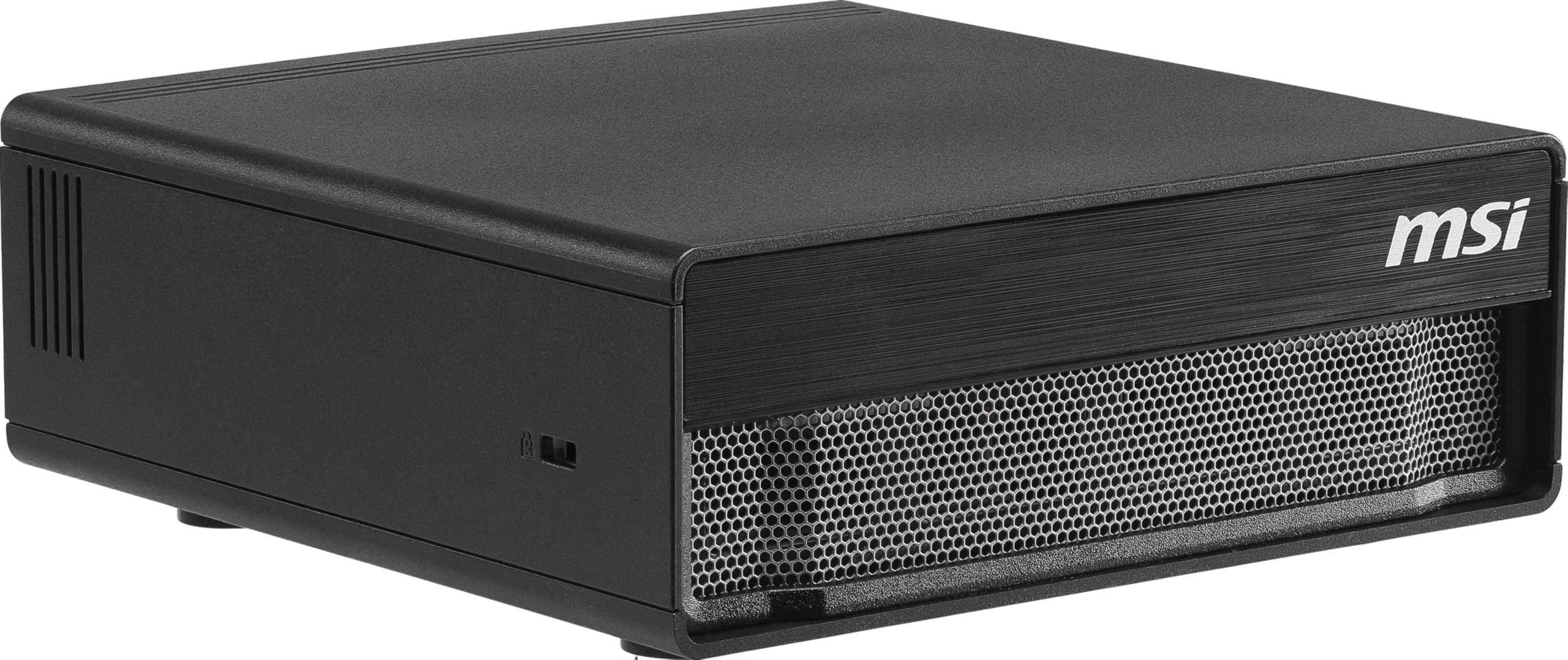
A DGX-based mini PC with a 4TB Gen5 SSD for the fastest storage on this list.
The MSI EdgeXpert is the luxurious take on the NVIDIA DGX Spark platform, and its defining upgrade is storage speed. Where the DGX Spark offers a 4TB NVMe M.2, the EdgeXpert serves up a 4TB PCIe Gen5 NVMe SSD capable of reads up to 10,000 MB/s. That’s the fastest storage on this list by a wide margin, and it matters because loading a 100GB model file or a massive dataset is something you do constantly in AI work.
Under the hood, it’s the same GB10 Grace Blackwell architecture as the DGX Spark, delivering up to 1000 TOPS of AI performance. The 128GB LPDDR5 unified memory (up to 273 GB/s bandwidth) handles large-scale models up to 200 billion parameters. The CPU side is a 20-core Arm design, splitting 10 Cortex-X925 high-performance cores with 10 Cortex-A725 efficiency cores — a design that prioritizes smooth multitasking and power optimization over raw single-core speed.
Reviewers point out excellent thermals, with temperatures staying under 80°C under load with no throttling — a genuinely strong result for a quiet mini PC. It ships with NVIDIA DGX OS (Ubuntu Linux-based), tuned for ML workflows, and owners praise the vLLM performance: 119B Mistral MoE models run at 30-40 tokens/sec, and 70B Llama 3.3 at 128K context exceeds 5 tokens/sec. The software ecosystem is still immature — official PyTorch lacks Blackwell GB10 support, so you need NVIDIA’s GB10-enabled container — and the pre-loaded burn-in files eat storage until you delete them. It’s a premium, purpose-built AI appliance for developers who want the Gen5 speed advantage.
Why it’s worth the premium
- 4TB Gen5 SSD at up to 10,000 MB/s — the fastest storage here.
- Excellent thermals, under 80°C with no throttling under load.
- 1000 TOPS of AI performance via the GB10 architecture.
The early-adopter cost
- Software ecosystem still maturing — PyTorch needs GB10-specific builds.
- Pre-loaded with deletable burn-in files and limited Windows support.
The storage-speed pick: ideal for developers whose datasets are measured in gigabytes and who want the full DGX software experience.
Weigh your choice: the GMKtec EVO-X2 offers a more mature ecosystem at a lower entry point, if you can live without Gen5 transfer rates.
Understanding the Specs
Unified Memory (LPDDR5X)
Your model’s entire working set lives in this memory pool. A 128GB unified allocation lets the CPU and GPU share one big slice — so a 70B model (roughly 40GB) or even a 200B model fits without a separate expensive GPU. This is the single most important spec for local AI work, and it’s why the 128GB machines consistently outrun higher-clocked towers on large-model inference.
TOPS
TOPS means trillion operations per second — a rough measure of AI crunch speed. A higher number means faster generation and larger models. But these machines split TOPS across CPU, GPU, and NPU, so a 50 TOPS NPU figure alone doesn’t tell you how fast a model will run. The GPU’s TOPS matter most for local inference, so scan for the total picture, not just the headline NPU number.
FAQ
What size AI model can a 128GB unified memory machine run?
Is an integrated GPU enough for serious AI work?
Can I upgrade the RAM later?
Do I need Windows 11 Pro for AI work?
What is the difference between a “TOPS” and a “petaFLOP”?
How important is cooling for sustained AI workloads?
Can I use these machines for gaming too?
Does the GPU share memory with the CPU on these machines?
Final Thoughts: The Verdict
For most people, the ai workstation winner is the GEEKOM IT15 because it delivers genuine AI capability, quad-display support, and excellent build quality in a portable, reasonable package. If you need to run the largest local models with a 128GB unified pool, the BOSGAME M5 is the value pick that open up that potential. And for class-leading CUDA performance and gaming, the HP OMEN 45L with its RTX 5090 is the heavy hitter to reach for. Your choice depends on one question: do you want maximum portability and memory, or maximum raw GPU throughput?
How We Picked
We do not accept paid placement. Every pick is matched to a real buyer and a real use-case; we do not hands-on test units.
Sources & Methodology
Specifications: manufacturer listings and product documentation. Review insights: verified customer reviews, as of August 2026. Pricing: not shown on this page (it changes often); check the current price via the retailer link.
As an Amazon Associate, Gadgets Feed earns from qualifying purchases. This does not affect which products we feature.