
Our readers keep the lights on and my morning glass full of iced black tea. As an Amazon Associate, I earn from qualifying purchases.
Specs are compiled from manufacturer listings and verified buyer reviews and can change over time — please confirm the key details on the product page before buying.
If your tower is already crowded, a 240mm all-in-one liquid cooler is the smart middle ground: it fits far more cases than a 360mm radiator while still dragging serious heat off a modern CPU. The trick is knowing which pump, fan set, and mounting kit actually lines up with your socket and your case clearance.
I’m Min — the founder and writer behind Gadgets Feed. This guide is built by comparing the manufacturers’ published specifications and the patterns across verified customer reviews, so you get each pick’s real strengths and trade-offs instead of marketing spin.
You will see pump speeds, fan airflow, and socket support broken down in plain words, so you can pick a unit that runs cool and quiet without measuring your case twice. Below is my full rundown of the best aio cooler 240mm picks for gamers, builders, and anyone chasing quieter temps.
Our Picks at a Glance


How To Choose The Best AIO Cooler 240mm
A 240mm liquid cooler fits most mid-tower cases without any cutting, because it uses two 120mm fans on a radiator. Three things decide if you are still happy six months later: whether it fits your CPU socket, how thick the radiator is, and how loud the pump runs when your PC is idle.
Socket support comes first
Check that the box lists your exact socket — LGA 1700 and LGA 1851 for recent Intel chips, AM5 and AM4 for AMD. A cooler that includes the right mounting bracket from the start saves you hunting for an adapter kit later. Offset mounting options also help, since shifting the cold plate toward the CPU hotspot moves heat out faster on chips like the Ryzen 9800X3D.
Radiator thickness decides your case fit
A slim radiator around an inch thick clears nearly any roof mount, while a thicker, denser one holds more coolant and moves heat more aggressively but eats into clearance. If your case is a compact or small-form-factor build, measure the gap between your motherboard and the top panel before you buy. Hoses that bow against a side panel can also add pump noise, so leave a little breathing room.
Fan airflow and noise in plain terms
Airflow, measured in cfm, tells you how much air a fan pushes through the radiator fins — more airflow usually means cooler temps. Noise, measured in decibels, tells you how much you will hear it; anything in the low twenties is close to a whisper, while high thirties starts to register over game audio. A pump with a controllable speed lets you run it quiet at idle and ramp it up only when you load the CPU.
Quick Comparison
| Model | Best For | Fan Airflow | Max Fan Speed | Noise Level | Amazon |
|---|---|---|---|---|---|
| CORSAIR Nautilus 240 RS ARGB★ Best Overall | Plug-and-play gaming rigs | — | 2100 rpm | 36 db | Amazon |
| Thermalright FW 240 Black ARGB V2Best Value | Custom LCD on a budget | 70.84 cfm | 3000 rpm | 23 db | Amazon |
| ARCTIC Liquid Freezer III Pro 240 A-RGBTop Performer | Intel contact-frame cooling | 77 cfm | 1 rpm | — | Amazon |
| MSI MAG Coreliquid A13 240 | Quiet, tidy builds | 60.78 cfm | 5200 rpm | 14.4 db | Amazon |
| be quiet! Light Loop 240mm Black | RGB displays and quiet loads | 61.8 cfm | 2100 rpm | 34.9 db | Amazon |
| Thermaltake TH240 ARGB Sync V2 | First-time AIO upgrades | — | 2000 rpm | 25.8 db | Amazon |
| NZXT Kraken Core 240 RGB | Minimal-cable assembly | 75.05 cfm | 3100 rpm | 31.9 db | Amazon |
| ASUS ROG RYUO III 240 ARGB | Showcase aesthetics builds | — | 1200 rpm | 36.45 db | Amazon |
| Noctua NL-LC1-24 | Near-silent SFF builds | 107.3 cubic meter per hour | 1800 rpm | 22.5 db | Amazon |
In‑Depth Reviews
1. CORSAIR Nautilus 240 RS ARGB Liquid CPU Cooler – 240mm AIO
Our pick — over 4.5★ from 2,000+ verified ratings; the strongest balance of quality and price.
The crowd favorite: owners rate its cooling performance above every other trait, and it stays quiet a year in.
What wins people over here is cooling performance, and it is not close — owners praise low CPU temps under heavy load more than any other trait, with performance and installation close behind. The pump circulates coolant at a whisper-quiet 20 dBA (a decibel is roughly the softest sound you can hear), so the loop stays quiet even while a gaming session runs long. You are also getting a convex cold plate with pre-applied thermal paste, applied in a set pattern, so you can skip that messy step entirely.
Setup is where this unit earns its keep. The two RS120 ARGB fans daisy-chain together into a single 4-pin PWM header and one +5V ARGB header, which trims the wiring spaghetti inside your case. COLDFRONT fans aside, the direct motherboard connection means you control fan speed and RGB from your board, not a proprietary hub. If you want a cooler you install once and mostly forget, that is the appeal.
The honest catch is size and expertise. This is a large all-in-one (AIO) cooler, and a few owners found the install tricky without prior PC tinkering. One said the QR-code-only instructions left them wishing for a printed guide, and a couple swapped the pre-applied thermal paste for their own. Check your case clearance and radiator mount before you buy. Still, buyers report it is one of the easiest coolers they have ever installed, and it stays quiet and reliable a year on.
What racks up the praise
- Cooling performance is the runaway strength — owners consistently report low CPU temps under load
- Whisper-quiet 20 dBA pump
- Pre-applied thermal paste on a convex cold plate skips a messy step
- Daisy-chained fans feed one 4-pin PWM and one ARGB header
- Fits Intel LGA 1851/1700 and AMD AM5/AM4
Where it asks more of you
- Large radiator — check your case clearance first
- Instructions are QR-code only, so less experienced builders should watch a video
- A few swapped the pre-applied paste for their own
Your pick if: you want proven, quiet cooling with tidy daisy-chain wiring straight into your motherboard.
Think twice if: you have a cramped case or no PC-building experience — the radiator and QR-only guide will slow you down.
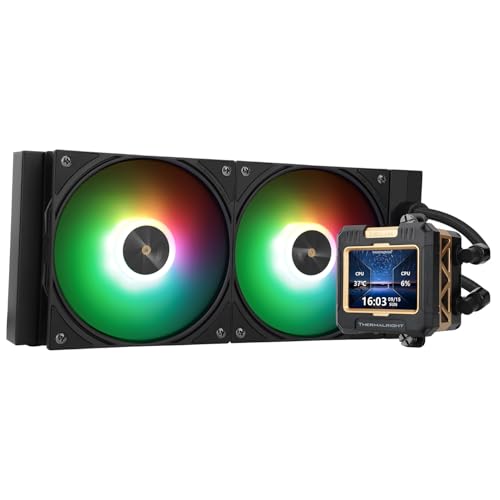
2. Thermalright FW 240 Black ARGB V2 CPU Water Cooler
A custom-picture pump screen for the price of a plain cooler — quiet at 23 db while it runs.
The headline spec is the detachable IPS LCD screen built into the pump, and at a 320 x 240 resolution it renders color accurately enough to cycle through static and animated pictures. Owners lean on cooling performance above all else, followed by value for money, so the eye-catching screen sits on top of a cooler that actually performs. The 240-spec radiator pairs with a standard 120mm PWM pressure fan, and the S-FDB bearing fan blades are shaped to cut friction and vibration, keeping noise low at the 23 db rating.
Heat gets moved fast here. The fan spins at up to 2000 rpm, and the company claims a maximum rotational speed of 3000 rpm on the cooler, which is the highest top-end of the fan-and-radiator combos in this group. Compatibility is broad — AMD AM4/AM5 and Intel from LGA1150 up through LGA1700 — and every platform ships with its own mounting hardware. The SS2 all-metal buckle lets you swap between Thermalright air and liquid coolers freely.
Two small quirks keep it honest. The LCD screen plugs into your motherboard’s 9-pin USB header (a small internal port) and needs Thermalright’s own software, which a few owners call finicky. One had to reload its profile after a custom screen reverted, and another could not control fan RGB (the colored lights) through that software at all. The included thermal paste also drew a complaint for being thick and hard to spread. Neither dulls how much cooling and screen you get for the money.
Screen that pulls its weight: the IPS panel on the pump can display system stats and custom GIFs, so your build gets a live readout instead of a static logo.
Softer on the ears than you would guess: at 23 db this is among the quietest fans here, and the higher 2000 rpm ceiling means more airflow headroom than a slower 240mm fan gives you.
Grab it if: you want an LCD-equipped 240mm loop and dependable cooling without paying flagship prices.
Look elsewhere if: you refuse to run extra USB and ARGB cables, or you would rather not babysit a third-party display app.
3. ARCTIC Liquid Freezer III Pro 240 A-RGB
A thick radiator and an onboard VRM fan that cut load temps by 10°C versus a basic single-fan tower.
Owners talk about cooling performance more than anything else, and the 77 cfm P12 PRO fans are a big reason why. They move more air at any given speed and stay quieter than a standard P12, especially at low speeds. Native offset mounting shifts the cold plate toward the CPU hotspot, and the included contact frame for Intel LGA1851 and LGA1700 (two CPU socket types) spreads pressure more evenly. One builder measured a 10°C drop versus their old single-fan tower on an i7-13700KF.
Two thoughtful additions stand out. An integrated VRM fan cools your voltage converters, and the radiator fan cables are tucked into the hose sheathing, so only one cable runs to the motherboard. The 9800X3D result is telling: 4K gaming held 50-55°C and never climbed above 50, while a stress test peaked at 83°C.
Two caveats are worth naming. Noise and fit both split opinion — some find the radiator bulky and barely clearing a medium case, and a few noticed a hum loud enough to raise audio volume. And the beefier radiator can be tight in compact builds, with mini-ITX cases causing compatibility headaches. Give your case room to breathe and the trade-offs shrink.
The engineering that shows up
- 77 cfm P12 PRO fans deliver strong, quiet airflow
- Integrated VRM fan cools voltage converters for stable power
- Contact frame and offset mounting push heat off the CPU hotspot
- Fan cables hidden in the hose sheathing for a single visible run
Where it gets fussy
- Thick radiator — it barely fits some medium cases
- Mini-ITX builds run into compatibility trouble
- The PWM fan sometimes reads as a hum you notice over game audio
The right call for: Intel 12th-gen-and-up builders who want the contact-frame cooling edge and clean single-cable routing.
Not ideal for: very small cases, where the dense radiator and thick mounting hardware fight the clearance.
4. MSI MAG Coreliquid A13 240 AIO ARGB CPU Liquid Cooler

The quiet one: a low 14.4 db rating and build quality that owners call out before anything else.
Buyers single out build quality most, and it shows in the numbers. A CPU that used to hit 90°C under load now tops out around 65°C on this 240mm loop, idling in the low 28°C range. The split-flow radiator carries an integrated three-phase pump (a design that reduces motor vibration) and durable ceramic bearings.
The 390mm evaporation-proof tubing is layered netted plastic under reinforced mesh — the kind of closed loop that keeps water inside instead of weeping out over time. It is LGA 1851-ready from the start, with an easy mounting bracket for AMD AM5 and AM4 too, so you do not need to source extra hardware. Temps stay in the 60s even on a Ryzen 9 9900X3D while gaming.
One note on board compatibility. Some owners found the socket-to-header mapping needed a little prep, particularly on the AMD side, which takes more time than the Intel install. That is not a defect — it is a heads-up for anyone who wants a truly plug-and-go AMD build.
Quiet even at full tilt: the pump spins up to 3800 rpm with ceramic bearings, balancing performance and quiet operation instead of one at the expense of the other.
Fan numbers on paper: a 60.78 cfm fan pushes steady air through the fins, and the 14.4 db noise figure is among the lowest you will find on a 240mm AIO.
Best suited to: builders who value a hushed rig and durable ceramic internals over flashy extras.
Keep in mind: AMD owners should budget extra install prep time, since the socket headers need more setup than Intel boards.
5. be quiet! Light Loop 240mm Black CPU Liquid Cooler
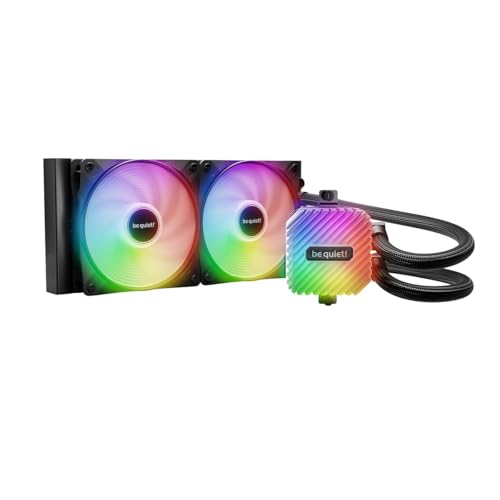
A light show and a quiet operator in one: 48 LEDs across the block and fans, tuned for peak cooling.
Cooling performance tops the list of what owners value, and the internals earn it. A metal jet plate speeds up coolant flow, and a cold plate with a high-density fin stack is built for flagship and high-end CPUs. That is paired with a progressive IC (a chip that controls the motor) in the motor that curtails switching noise, keeping pump hum low. Two Light Wings LX 120mm high-speed fans carry 16 LEDs each scattered across the blades, while the pump block and fans together hold 48 LEDs in total.
The 9 airflow-tune blades on each fan cut turbulence, which means less rumble at speed. An ARGB-PWM-Hub synchronizes up to 6 PWM fans and 6 ARGB components, so a single PWM header and one ARGB header on your board control everything. It mounts anywhere in the case with adhesive tape or screw holes that line up with a 2.5-inch SSD spot.
The recurring gripe is minor and electrical: the RGB and fan controller wants SATA power, which some may find an extra cable to route. Two owners also swapped the pre-applied paste for their own, and the exhaust temp under load on a 9800X3D sat around 84°C — cool enough, but not the lowest figure here. That is a fair trade for a loop this visually striking and this quiet.
Why it turns heads and tames heat
- 48 total LEDs with 16 per fan for a full illumination spread
- Metal jet plate and dense fin stack built for flagship CPUs
- Progressive IC motor keeps pump switching noise low
- ARGB-PWM-Hub runs off one PWM and one ARGB header
Small things to plan for
- Hub needs SATA power, adding one more cable to route
- Load temps landed around 84°C on a 9800X3D — solid, not the lowest
- Pre-applied paste drew a couple of swaps
Worth buying if: you want a quiet, dense-fin loop and a synchronized light display you can control from two headers.
skip it if: your priority is silencing every last exhaust degree or you dislike routing a SATA line to a fan hub.
6. Thermaltake TH240 ARGB Sync V2 CPU Liquid Cooler

The no-fuss upgrade: pull the old cooler, mount this one with the included bracket, and you are running in under an hour.
Cooling performance leads the feedback, and the build backs it — a copper base plate accelerates heat conductivity while the pump keeps water circulating so the plate stays cool. Install is the simplicity play here: pull the old cooler, clean the CPU, and mount this one with the included bracket in under an hour. Fans run 500 to 2000 rpm on PWM control, and the 25.8 db noise figure keeps it unobtrusive in a normal case.
Socket coverage is unusually wide for the money — Intel LGA 2066, 2011, 1700, 1200, 1156, 1155, 1151, 1150 down through the older chips, and AMD AM5, AM4, AM3+, AM3, AM2+, AM2, FM2, and FM1. RGB syncs with ASUS Aura Sync, GIGABYTE RGB Fusion, MSI Mystic Light Sync, and ASRock Polychrome, so it plays nicely with whichever board you run. The 360-degree rotational cap and infinity mirror lighting round out the newer V2 look.
The trade-offs are honest ones. Noise, installation, and durability each got mixed readings — a real cooler does not always go on cleanly, and the supplied instructions are basic. One budget-minded owner also felt the overall build quality was not premium. It still handles a capable load, and one buyer swapped from a low-TDP chip and saw a clear drop under stress.
What it does well: cools reliably at a modest price, with the widest socket list in this group and a rotating infinity-mirror cap that syncs to mainstream RGB software.
Where it shows budget roots: the instructions are thin and build feel is mid-tier, so plan on a printed or video walkthrough before you start.
An easy yes for: a first liquid-cooling upgrade on an older Intel or AMD board where price and fit matter most.
Pass on it if: you want premium materials and step-by-step printed guidance from the start.
7. NZXT Kraken Core 240 RGB 240mm AIO CPU Cooler
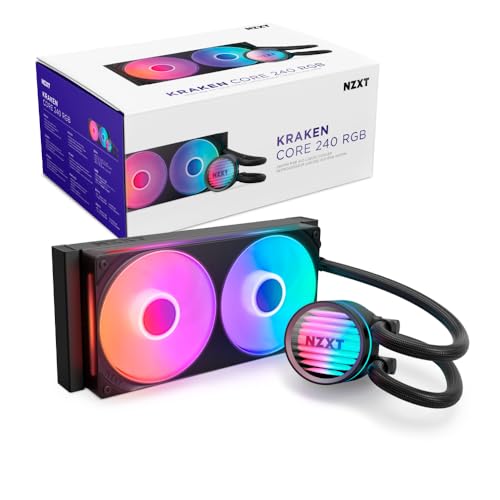
One frame instead of two fans, one cable to the board — a build that stays tidy and runs quiet.
Cooling performance and functionality sit at the top of how owners rate this unit, and the numbers make the case — a 3,100 RPM pump holds the line during heavy gaming while keeping noise down. On a Ryzen 7 8700f, gaming temps fell from 185°F to 160-165°F; an i9-9900k idled at 30-35°C and held 55°C under gaming load. The single-frame design puts both fans in one solid frame, which cuts screws and cables and makes the whole install cleaner.
Fan blades are shaped for high static pressure, pushing air through the radiator fins with less noise, and they are PWM-enabled so you can dial in the exact curve you want. There is no separate controller — the unit connects straight to your motherboard. That direct connection is the reason cabling stays simple, though a few owners did need a SATA RGB connector to finish the lighting hookup.
Noise is the split opinion, and it is the right thing to know before you buy. Some describe it as ultra-quiet, while others hear a fan rattle, so placement and case airflow matter. Some also found the single-rail fan layout limits mounting flexibility. Get those two things right and this is a strong, neat build.
Matches you if: you want the simplest, cleanest install and decent cooling without a pile of cables to hide.
Second-guess if: you need flexible radiator placement or you have a low tolerance for any fan noise.
8. ASUS ROG RYUO III 240 ARGB All-in-one AIO Liquid CPU Cooler

A little LED display on the pump that shows anime, system stats, or your own animations.
Cooling performance is still the most-credited strength, and this cooler backs it with hardware — an 8th-generation Asetek pump with a three-phase motor pushes coolant with higher flow and lower impedance. One owner ran heavy loads on a 9950X3D and reported it performing exactly as expected, and on an i9-14900k a Cinebench run peaked around 85°C on the stock paste. Premium ROG AF 12S ARGB fans move strong airflow with muted noise.
The eye-catcher is the ASUS-exclusive Anime Matrix, a mini LED array on the pump that displays ROG-exclusive anime content, core system stats, and custom animations. The aluminium block with a vacuum-coated lens gives the whole thing a flagship look, and a 6-year warranty backs the loop. On an open up 12th-gen i9 at 5.2 GHz it held temps comfortably while keeping fans and pump quiet.
Cost and noise are the caution flags. Value for money came back mixed here, and the noise rating is the highest in this lineup at 36.45 db, so it will not disappear behind a quiet case. The Armoury Crate software also drew complaints for buggy behavior — keep that in mind if you want a smooth out-of-box software experience.
Standouts worth the shelf space
- 8th-gen Asetek three-phase pump for higher flow, lower impedance
- Anime Matrix LED array shows system stats and custom animations
- Aluminium block with vacuum-coated lens for a premium finish
- Backed by a 6-year warranty
What to weigh before buying
- Premium pricing — value reads mixed
- Highest noise rating here at 36.45 db
- Armoury Crate software has drawn buggy-behavior complaints
Made for: a build where the pump display is part of the design and you want Asetek pump performance plus a long warranty.
Not the pick if: you want the lowest possible noise or you would rather not deal with heavyweight RGB software.
9. Noctua NL-LC1-24 High-Performance 240mm AIO CPU Cooler
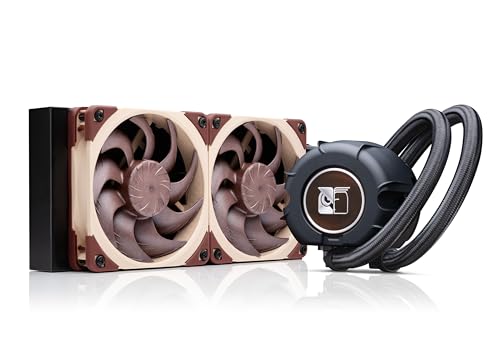
Built to vanish: a 22.5 db rating owners describe as quieter than an air purifier, even under full load.
Cooling performance and noise level share the top spot in owner feedback, and this cooler earns it with a premium Asetek Emma V2 closed-loop platform known for thermal performance and reliability. A pump noise absorber uses a 3-layer acoustic soundproofing structure plus a tuned-mass damper (a weighted part that soaks up vibration) to cut pump noise and vibration. The result is a 22.5 db rating that owners describe as quieter than an air purifier, holding a Core Ultra 270k Plus within comfortable temps under full load.
Two award-winning Noctua NF-A12x25 G2 PWM 120mm fans are speed-offset for acoustic tuning, pushing a 107.3 cubic meter per hour airflow figure — the largest in this group. A compact 30mm slim radiator keeps it friendly to small-form-factor cases, where it fits builds like a Hyte Revolt 3 and a Formd T1 with a Ryzen 9950X3D holding 65°C gaming. The SecuFirm2 multi-socket mount has offset options for AMD AM5 and Intel LGA1851.
The two catches are price and documentation. This is the priciest unit on the list, and the offset-mount instructions for some current Intel models confused more than one builder, so watch a guide first. There is no RGB here by design — it is all about silence and clean thermals for those who want them.
Silence done deliberately: the acoustic absorber and mass-damper keep pump hum in check even at full speed, and the 22.5 db figure is the lowest here.
Big airflow, small footprint: despite the slim 30mm radiator, these fans move 107.3 cubic meter per hour, so you get quiet without giving up cooling.
Choose it if: you are building a near-silent or small-form-factor PC and want the quietest 240mm loop with plain, no-RGB looks.
Steer away if: budget is tight or you want the simplest instructions for an Intel offset mount.
Understanding the Specs
Fan airflow (cfm)
Airflow, measured in cubic feet per minute, tells you how much air a fan pushes through the radiator fins. Higher airflow generally moves heat away faster, which keeps CPU temps down. A fan rated around 77 cfm or more will clear denser radiators, while a lower figure can still perform well with a thinner radiator and a strong pump.
Noise level (db)
Noise is measured in decibels, and lower is quieter. A cooler rated in the low twenties is close to silent in a normal room, while a rating in the mid-thirties starts to register during quiet gaming. A controllable pump lets you run quiet at idle and ramp up only when the CPU needs it, which is often the difference between a build you hear and one you do not.
FAQ
Will a 240mm AIO fit in my mid-tower case?
How do I know which socket my AIO supports?
Is a 240mm AIO quieter than an air cooler?
How long does an AIO liquid cooler last?
What is the difference between pump RPM and fan RPM?
Do I need to replace the pre-applied thermal paste?
Will a 240mm AIO handle a high-end CPU like a Ryzen 9 or Core i9?
Can I add more ARGB fans to an AIO later?
Does a thicker radiator always cool better?
Is it worth mounting the radiator on the front or the top?
Final Thoughts: The Verdict
For most builders, the aio cooler 240mm winner is the CORSAIR Nautilus 240 RS ARGB because its cooling performance is what owners single out above all. It uses daisy-chained wiring that runs off one PWM header (a fan speed connector) and one ARGB header (a lighting connector). It carries 4.7 stars across 2,300+ ratings, with reviewers still reporting quiet, reliable cooling a year in. If you want a custom picture screen on the pump for a modest outlay, grab the Thermalright FW 240 Black ARGB V2. And for a near-silent small-form-factor build, the Noctua NL-LC1-24 is the one to reach for.
How We Picked
We do not accept paid placement. Every pick is matched to a real buyer and a real use-case; we do not hands-on test units.
Sources & Methodology
Specifications: manufacturer listings and product documentation. Review insights: verified customer reviews, as of September 2026. Pricing: not shown on this page (it changes often); check the current price via the retailer link.
As an Amazon Associate, Gadgets Feed earns from qualifying purchases. This does not affect which products we feature.