
Our readers keep the lights on and my morning glass full of iced black tea. As an Amazon Associate, I earn from qualifying purchases.
Specs are compiled from manufacturer listings and verified buyer reviews and can change over time — please confirm the key details on the product page before buying.
Spending over $200 on a CPU cooler means you care about more than just keeping a chip from throttling. You want a centerpiece for your build — a screen that displays system vitals, a looping GIF, or a custom video that ties the whole look together. But the wrong pick leaves you with noisy fans, buggy software, or a display that feels like an afterthought.
I’m Min — the founder and writer behind Gadgets Feed. This guide is built by comparing the manufacturers’ published specifications and the patterns across verified customer reviews, so you get each pick’s real strengths and trade-offs instead of marketing spin.
We have sorted through the top models to find the best aio cooler with lcd screen over $200 that delivers both serious cooling performance and a display that actually enhances your setup.
Our Picks at a Glance
How To Choose The Best AIO Cooler With LCD Screen Over $200
Buying a premium all-in-one liquid cooler with a screen is a balance between raw thermal performance and the visual quality of the display. You want your CPU to stay cool under load, and you want the screen to look sharp without lagging or glitching. Here is what separates the great from the mediocre.
Screen Quality and Ecosystem
The display is the reason you are paying extra. A 2.1-inch IPS LCD with a 480×480 resolution, like on the ASUS ROG Strix, gives you a crisp, colorful canvas for system stats or art. On the other end, a 6.67-inch curved AMOLED screen (like the one on the Thermalright Wonder Vision) offers a much larger, more rich viewing area. Pay attention to the software that controls it — some brands offer intuitive apps, while others have clunky interfaces that frustrate you every time you try to change an image.
Noise Level vs. Cooling Performance
A quiet cooler is a luxury. Look at the decibel rating — the CORSAIR Nautilus 360 RS runs at just 20 dBA (whisper-quiet), while the ASUS TUF Gaming LC III hits 37.4 dBA under full speed. Pair this with the maximum rotational speed of the fans (measured in RPM) and the overall TDP (thermal design power) the cooler can handle. A high-RPM fan can push more air, but it often makes more noise. You must decide which matters more for your build.
Quick Comparison
| Model | Best For | Screen Size | Noise Level | Max Fan RPM | Amazon |
|---|---|---|---|---|---|
| CORSAIR Nautilus 360 RS LCD★ Best Overall | Whisper-Quiet Operation | 2.1″ IPS LCD | 20 dBA | 2100 RPM | $159.99Amazon |
| Lian Li Hydroshift II LCD-S 360TLPremium Pick | Clean Builds | 3.4″ IPS LCD | 33 dBA | 2600 RPM | $229.99Amazon |
| ASUS ROG Strix LC III 360 ARGB LCDDesign Leader | ROG Aesthetics | 2.1″ IPS LCD | 36 dBA | — | $218.49$299.99PrimeAmazon |
| ASUS TUF Gaming LC III 360 ARGB LCD | Large Screen Value | 2.8″ IPS LCD | 37.4 dBA | — | $229.85Amazon |
| TRYX STAGE 360 ARGB | Dual Screen Creativity | 4.0″ IPS Dual | 28.87 dBA | 2800 RPM | $199.99$209.99Amazon |
| Jungle Leopard 360mm AIO | Big AMOLED Display | 6.67″ AMOLED | 30 dBA | 2700 RPM | $189.97$249.99Limited time dealAmazon |
| Thermalright Wonder Vision 360 | Curved Screen Value | 6.67″ Curved | 27 dBA | 2150 RPM | $186.65$207.39Limited time dealAmazon |
| NZXT Kraken Plus 360 RGB | Single-Frame Fans | 1.54″ Square LCD | 31.9 dBA | — | $169.99$219.99Amazon |
| NZXT Kraken Plus 360 | Essential LCD Cooling | 1.54″ Square LCD | 30 dBA | — | $149.99$179.99Amazon |
In‑Depth Reviews
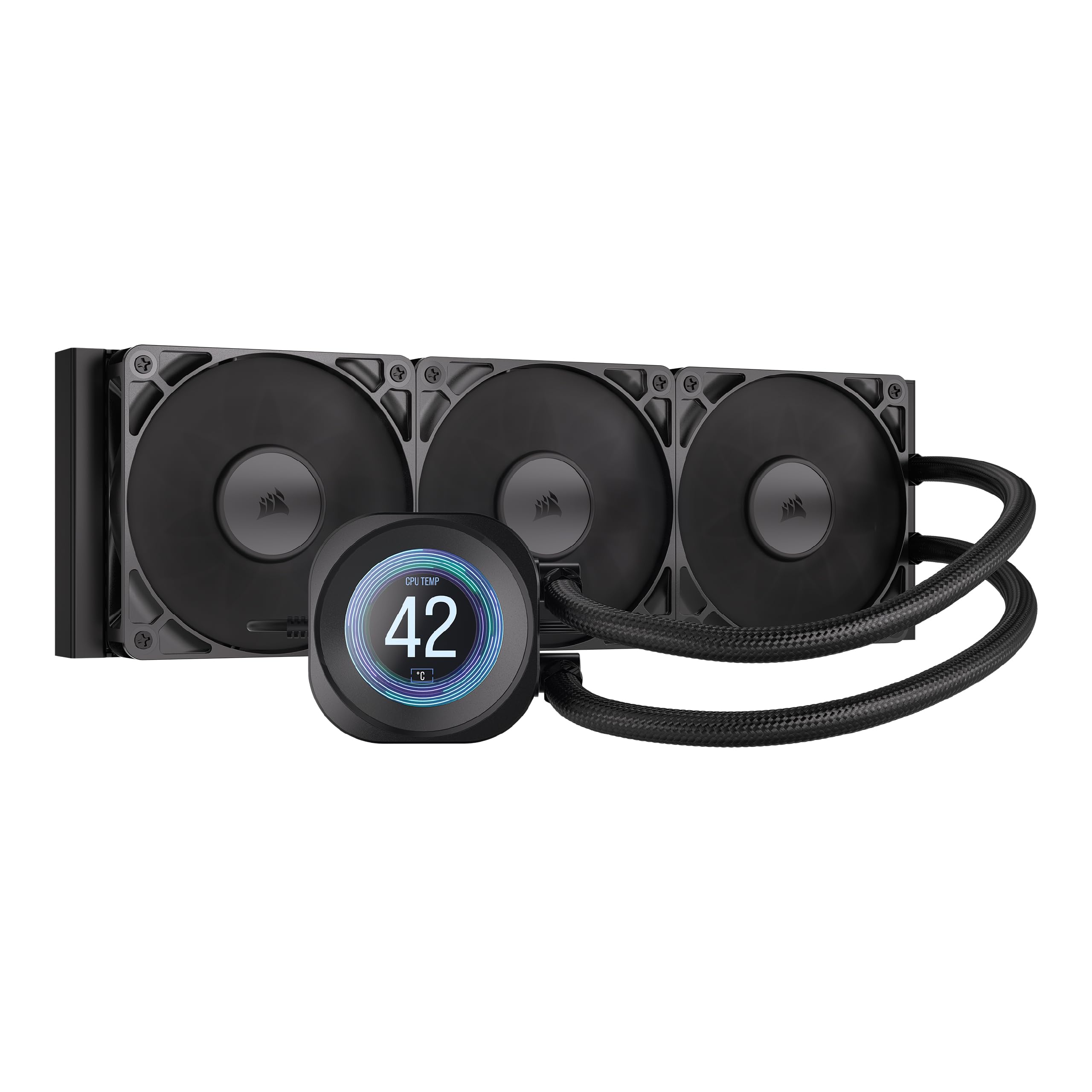
1. CORSAIR Nautilus 360 RS LCD Liquid CPU Cooler
Our pick — over 4.5★ from 450+ verified ratings; the strongest balance of quality and price.
The quietest 360mm AIO on this list at 20 dBA, so your gaming sessions stay strictly game-audio only.
The Nautilus 360 RS LCD runs at just 20 dBA — the lowest noise level in this entire lineup. That makes it the clear winner for anyone who despises pump whine or fan noise. The 2.1-inch IPS LCD screen is customizable with personal themes, GIFs, or 30-second YouTube clips, and you can display CPU usage or temperatures. The convex cold plate design ensures maximum contact with the CPU’s integrated heat spreader for efficient heat transfer.
Buyers rave about how quiet it is — one reviewer wrote “Quiet quiet quiet! Keeps the CPU as cool as the other side of the pillow even under stress whist heavy CPU driven games!” The RS120 fans use CORSAIR AirGuide technology and Magnetic Dome bearings for strong cooling with low noise. The 2100 RPM maximum fan speed and 3.51-pound weight make it relatively compact for a 360mm unit.
One trade-off is that the screen cannot rotate, unlike the ASUS ROG Strix or Lian Li units, so you must install the pump block in the correct orientation. The item dimensions are 15.59″L x 4.72″W x 1.06″H, making it slightly longer than the NZXT Kraken Plus 360 (14.17″L).
Whisper-Quiet Cooling
- Ultra-low 20 dBA noise level for silent operation
- 2.1-inch IPS LCD with customizable content
- Convex cold plate for maximum CPU contact
Quirks to Know
- Screen position is fixed — no rotation option
- Lacks single-cable fan control found on cheaper coolers
Silence is Gold: If you cannot stand fan noise and want a screen for basic monitoring, this is the cooler to beat for acoustic performance.
pass on it if: you need a rotatable screen or advanced single-cable fan control for a tight build.
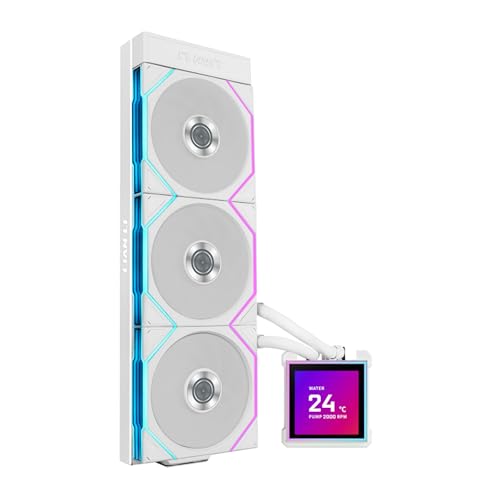
2. Lian Li Hydroshift II LCD-S 360TL ARGB Liquid CPU Cooler
The clean-build specialist that hides its tubes and wires behind a crisp 3.4-inch screen.
You get a vibrant 3.4-inch IPS LCD with a 480×480 resolution and 500 nits of brightness, so it stays readable even with glass side panels in bright rooms. The screen works wirelessly for basic control or via USB with Lian Li’s L-Connect 3 software for deep customization. That 60Hz refresh rate means animations play smoothly — not stuttering like some cheaper displays.
Buyers report excellent cooling performance with the Ryzen 7 9800X3D, hitting a max of 79°C in Cinebench R23 even with a +200 MHz overclock. The slim 24mm thick radiator (400x122x24mm) fits tighter cases while still delivering strong heat dissipation. One reviewer noted the hidden tubing and sliding tube clamp make installation look incredibly clean, though the thinner radiator is a slight trade-off against thicker 27mm models in extreme overclocking scenarios.
At 33 dBA noise level and a max fan speed of 2600 RPM, it runs quieter than many competitors while pushing 90.1 CFM of airflow. The hot-swappable screen (held by magnets and pogo pins) lets you swap the display without shutting down, which is a unique convenience.
Verdict: A top-tier choice for builders who prioritize clean aesthetics and a large, responsive screen without sacrificing strong mid-range overclocking performance.
Consider this if: Your case fits a 360mm radiator and you want the hidden-cable look that Lian Li is known for.
Reach for this if: you value a clean, cable-free interior and a bright, smooth screen that does not need proprietary RGB software.
Look elsewhere if: you need the absolute thickest radiator for extreme overclocking on a high-end Intel chip.
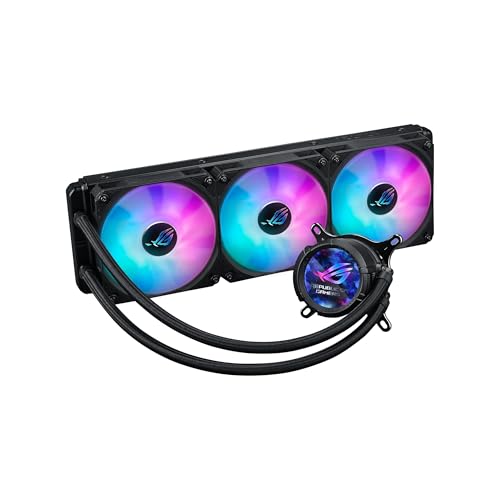
3. ASUS ROG Strix LC III 360 ARGB LCD All-in-one CPU Liquid Cooler
The ROG solution that pairs a 60Hz LCD with a proven Asetek pump for rock-solid reliability.
The 2.1-inch IPS LCD runs at a 60Hz refresh rate with a 480×480 resolution, and the screen can rotate 360 degrees so it aligns perfectly regardless of your CPU socket orientation. You can display system stats, custom art, or even a simple clock. The Asetek Gen7 v2 pump and cold plate deliver the consistent thermal performance that the ROG ecosystem is known for.
Owners mention the cooler is very quiet after configuring it through the ASUS Armoury Crate software, and one buyer mentioned their CPU idle temps dropped by half compared to their previous cooler, giving much more headroom for overclocking. The premium ROG ARGB fans use 0dB technology to stop completely at low loads, which is great for silent media builds. It comes with a 6-year warranty for confidence.
At 36 dBA, it is louder than the CORSAIR Nautilus (20 dBA), but the trade-off is the refined ROG aesthetic and build quality that matches perfectly with a ROG motherboard. The reinforced sleeved tubing adds durability.
Build Highlights
- 360° rotatable 2.1″ 60Hz IPS LCD
- Asetek Gen7 v2 pump delivers consistent cooling
- 6-year warranty backs the investment
Noise Trade-off
- Noise level at 36 dBA is higher than budget competitors
- Armoury Crate software has a learning curve
ROG Builder’s Pick: If your build already features a ROG motherboard and you want smooth RGB sync and a reliable pump, this is the natural choice.
One Caveat: The 2.1-inch screen is smaller than the 2.8-inch on the TUF sibling, so if a large display is your priority, check the TUF model below.
4. ASUS TUF Gaming LC III 360 ARGB LCD All-in-One Liquid Cooler
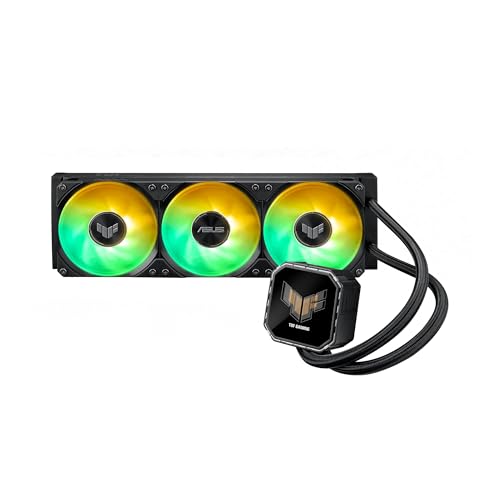
A bigger 2.8-inch screen and 400mm tubes make this the most flexible large-display AIO in the ASUS lineup.
The 2.8-inch IPS LCD is noticeably larger than the 2.1-inch screen on the ROG Strix sibling. You can display custom animated GIFs, real-time clock speed, voltage, temperature, or fan speed. TUF Gaming software integrates deeply with TUF motherboards, but it works with any board to monitor hardware status.
Customers note that it keeps a Ryzen 7 9700X under 60°C during 2K gaming, and the cooling performance is close to the Arctic Liquid Freezer Pro in thermal pressure. The 400mm reinforced tubing offers more flexibility for routing in larger cases, making installation easier than shorter-tubed competitors. One owner reported the fan LEDs could be more saturated, and the included fans are Gen1, which is a slight disappointment at this price point.
At 37.4 dBA, this is one of the louder coolers on the list, so if silence is your priority, the CORSAIR Nautilus (20 dBA) is a better fit. The larger display and long tubing make it an excellent choice for those who want a prominent, customizable screen and need extra reach for case routing.
Best For: Gamers who want a large, clear display for monitoring temps and voltage without stepping up to the ROG price tier.
Worth Noting: The noise level at 37.4 dBA means you will hear the fans under load, so pair it with a case that has good sound dampening.
Screen Size Wins: If you want the biggest screen available in a mainstream ASUS cooler without the ROG tax, this is your pick.
skip it if: you need a whisper-quiet PC — the 37.4 dBA noise level is noticeable.
5. TRYX STAGE 360 ARGB 360mm AIO
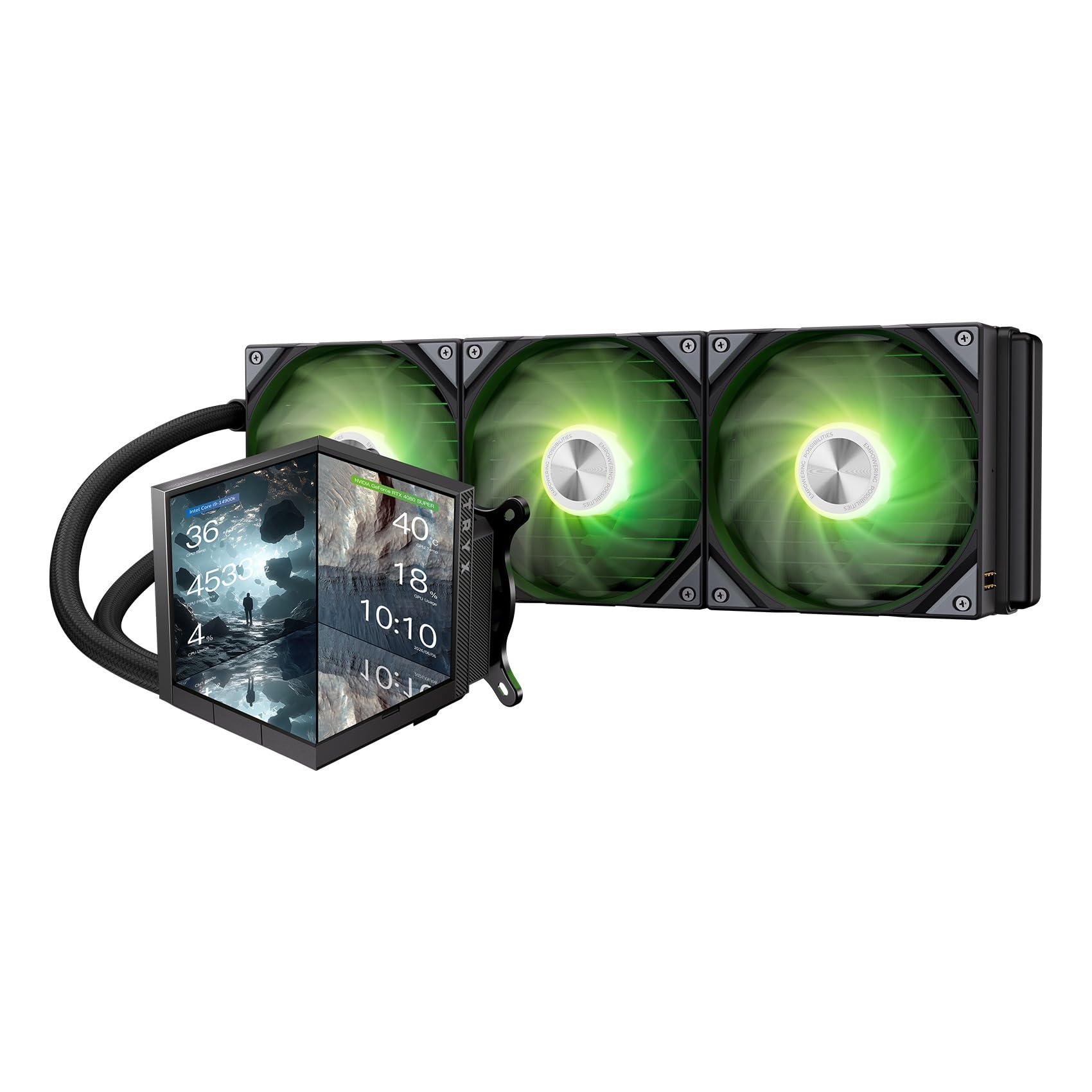
A dual 4.0-inch IPS screen setup that lets you split your display into separate functional zones.
The STAGE 360 features two 4.0-inch IPS screens with a 720×720 resolution and 254 PPI pixel density, which makes text and images look sharp. You can use Mirror Mode (show the same thing on both), Split-Screen Mode (two different stats), or Extended Mode (one panoramic canvas across both). This is the only cooler on the list with dual displays, offering a genuinely unique visual setup.
Reviewers point out that when it works, the software is awesome, but it can be confusing to navigate. One customer observed their CPU runs at 53°C under load, which is excellent for a high-end chip. The installation is tricky due to magnetic pin alignment on the fans, but the included ROTA SL ARGB fans (2800 RPM max, 28.87 dBA) are quiet and connect with pogo-pins for clean wiring.
At 28.87 dBA, it is quieter than the ASUS ROG Strix (36 dBA) and offers a higher max fan speed (2800 RPM) than most competitors. The Asetek 7th Gen V2 pump handles a 280W TDP, making it suitable for most high-end CPUs. The 6-year warranty on the cooler and 3-year warranty on the screen provide solid coverage.
Dual-Screen Magic
- Two 4.0-inch IPS screens with 254 PPI
- Three display modes for endless creativity
- 2800 RPM fans are quiet at 28.87 dBA
The Software Hurdle
- Software is powerful but has a steep learning curve
- Magnetic pin fan alignment makes installation fiddly
For the Creative Builder: If you want the most unique display setup available — dual screens that you can configure separately — this is the only game in town.
Know Before You Buy: The software is not intuitive, so expect to spend time learning KANALI’s interface to open up its full potential.
6. Jungle Leopard 360mm AIO CPU Cooler with 6.67″ 2K AMOLED Rotatable Screen
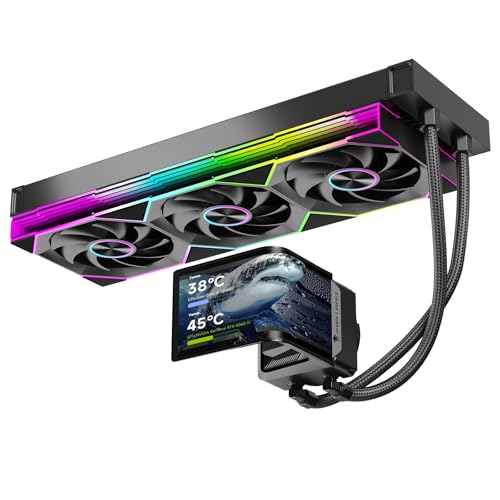
A massive 6.67-inch curved AMOLED screen with 2K resolution makes this the visual centerpiece of any build.
This cooler features an industry-leading 6.67-inch curved AMOLED display with 2K resolution that can rotate 360 degrees. The AMOLED panel delivers deep blacks and vibrant colors that IPS screens cannot match, making custom images and dynamic wallpapers look genuinely impressive. It handles a 320W TDP, so it has enough headroom for the Intel Core i9-14900K or AMD Ryzen 9 7950X.
Shoppers say that the OLED display is amazing and keeps a Ryzen 9 9950X3D under 75°C under load. The three 120mm ARGB fans push 165 CFM of airflow at a max speed of 2700 RPM, which is high for this class. One user highlighted the proprietary 3-in-1 exhaust-only fans limit flexibility for different case layouts, but the screen quality makes up for it. The software is described as a bit janky but functional.
The copper base cold plate and FEP tubing are quality touches at this price. The 30 dBA noise level is reasonable given the high airflow. This cooler beats the Thermalright Wonder Vision on screen resolution (2K vs 2400×1080) and uses AMOLED instead of a standard curved display.
Visual Top-Dog: If screen quality is your absolute priority, the 6.67-inch 2K AMOLED panel on this cooler is class-leading at this price point.
Heads Up: The proprietary fan design means you cannot easily swap in standard fans without losing the daisy-chain simplicity.
For Display Snobs: The 2K AMOLED is the best-looking screen in the list, bar none.
Consider This: The software is simple but basic — do not expect deep customization without some quirks.
7. Thermalright Wonder Vision 360 UB ARGB Black CPU AIO Cooler

A 6.67-inch curved 2K 60Hz screen at a price that undercuts most premium competitors.
The Wonder Vision 360 brings a large 6.67-inch curved 3D screen with a 2400×1080 resolution and a 60Hz refresh rate through the TRCC software. The screen attaches via magnets to the pump block, making it easy to remove and reposition during installation. It supports 2D and 3D videos, dynamic images, and static images for full DIY customization.
Buyers report that with an Intel Core i7 270K, under load they see temps around 55°C, which is impressive for a high-voltage chip. The pump runs at 6400 RPM ±10% and the three fans hit a maximum of 2150 RPM, which is lower than the CORSAIR Nautilus (2100 RPM) — they trade blows, but the Thermalright’s 27 dBA noise level is quieter than the CORSAIR’s 20 dBA? No — CORSAIR is 20 dBA, making the Thermalright slightly louder. One reviewer swapped the fans for infinity mirror units to match their build aesthetic, noting the stock fans and pump are quiet but the software feels clunky.
The AMOLED screen has delicate colors that accurately restore realism. It supports Intel LGA 1150-2066 and AMD AM4/AM5 platforms. The magnetic screen attachment is a clever design touch that makes RMA and cleaning easier.
Screen Size Champion
- 6.67″ curved 2400×1080 screen with magnetic attachment
- 6400 RPM pump delivers excellent water flow
- Quiet operation at 27 dBA
Software Letdown
- TRCC software feels clunky and needs a revision
- 2150 RPM fans are slower than some competitors
Best Bang for Your Buck: If you want a large curved screen without spending premium-tier money, this is the value champion.
The Catch: The software experience is rough, so be ready for some frustration when customizing the display.
8. NZXT Kraken Plus 360 RGB – AIO CPU Liquid Cooler (White)
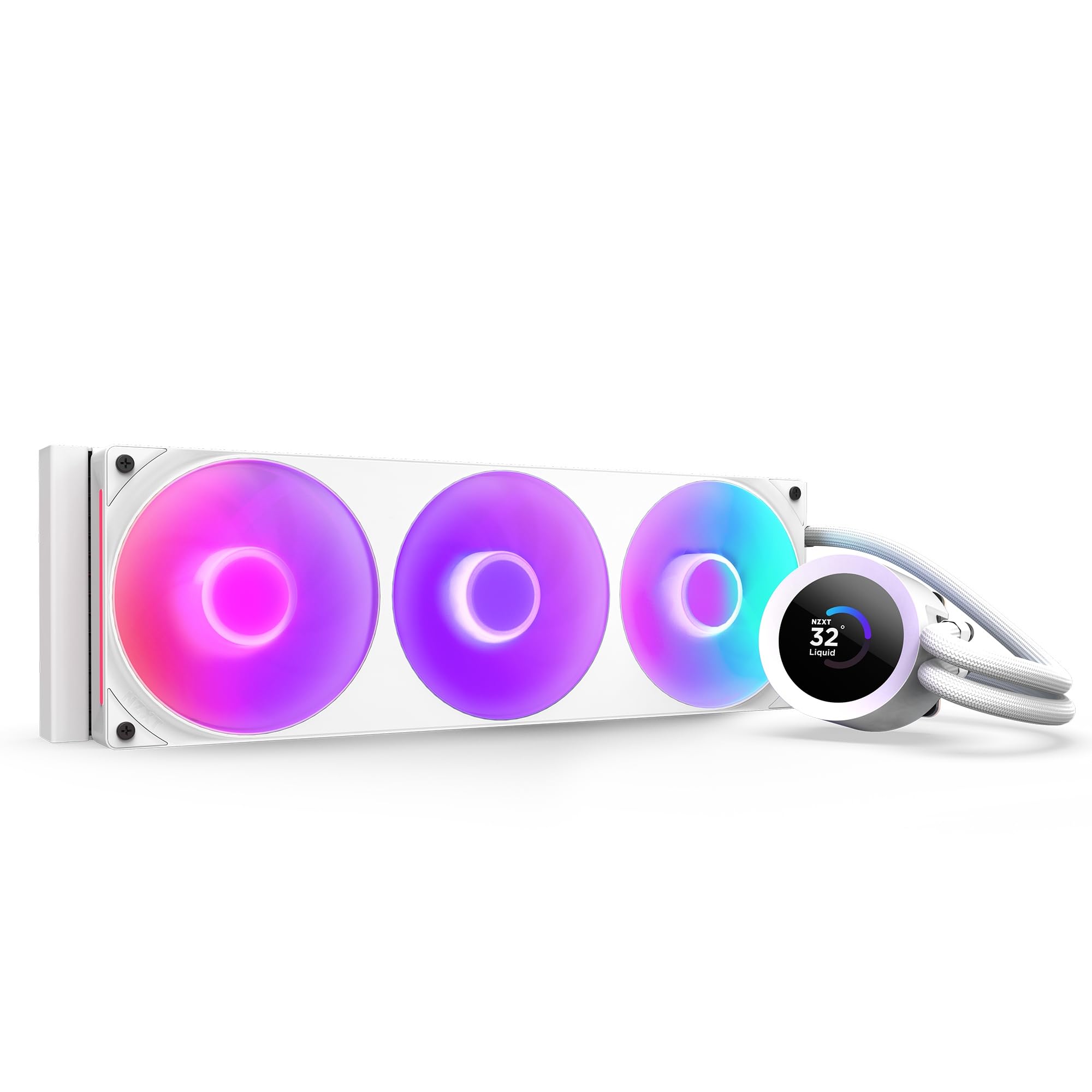
The NZXT with a single-frame fan that simplifies wiring while still showing cute anime GIFs on the 1.54-inch screen.
The 1.54-inch square LCD is smaller than most competitors, but it is bright and fully customizable through NZXT CAM software. You can display real-time system temps, animated GIFs, custom images, or web integrations like Spotify and YouTube. The RGB Core single-frame fan combines three fans into one unit with four screws and one cable, dramatically simplifying installation and cable management.
Owners mention that temps dropped from 90-100°C to a maximum of 72°C in COD7, which is a massive improvement. One shopper added the fans are quiet and the pump is quiet, and the NZXT hub is recommended for better control. The 31.9 dBA noise level is louder than the standard Kraken Plus 360 (30 dBA) — a 2% gap in decibels. The Turbine pump delivers high flow and head pressure for efficient cooling.
The white version is visually striking for all-white builds. It supports Intel LGA 1851/1700/1200/115X and AMD AM5/AM4 with tool-free mounting brackets. The Zero RPM Mode stops fans completely at low loads for silent operation.
Single-Frame Advantage: The F360 RGB Core fan is the easiest three-fan setup to install in this entire list — four screws, one cable, done.
Smaller Screen Size: The 1.54-inch LCD is noticeably smaller than the 3.4-inch screen on the Lian Li, so if display size matters, prioritize other options.
For Cable-Haters: The single-frame fan design makes this the easiest 360mm AIO to install, and the screen is plenty functional for temps and GIFs.
Worth Knowing: Some users report needing the NZXT hub for full software control, adding an extra step to the setup.
9. NZXT Kraken Plus 360 – AIO CPU Liquid Cooler (Black)
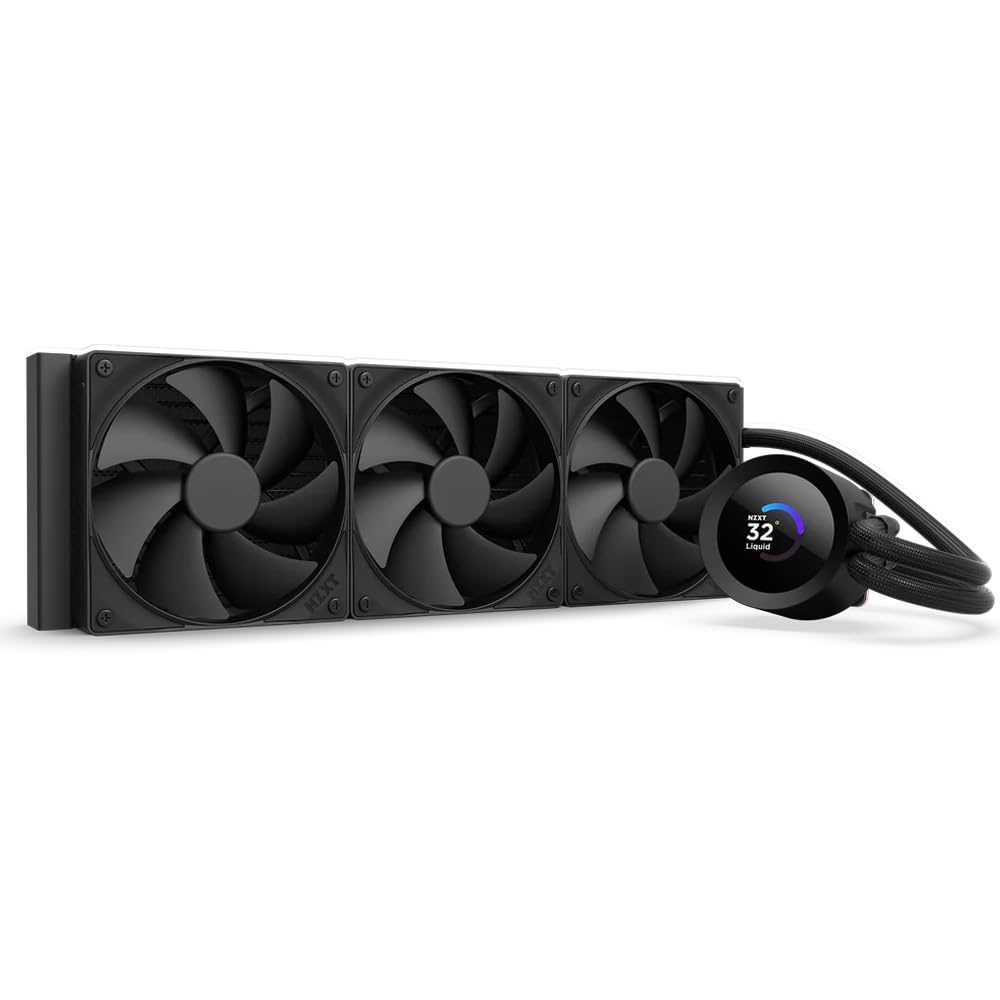
The entry-level LCD cooler from NZXT that gets the basics right — cooling, screen, and a quieter price.
The standard Kraken Plus 360 (non-RGB) features the same 1.54-inch square LCD as the RGB version, with full customization through NZXT CAM for system temps, GIFs, and web integrations. It uses three F120P fans instead of the single-frame RGB Core unit, which gives you more flexibility to swap individual fans later. The Turbine pump delivers high flow and head pressure at a noise level of 30 dBA.
Customers note it keeps CPU temps under 30°C during idle and light use, and the fans are quiet. One reviewer noted a serious issue where the pump stopped working after a few weeks, causing the CPU to hit 90°C, requiring a full software reinstall to fix — so reliability is a concern worth noting. The tool-free mounting brackets support the latest Intel and AMD sockets, including LGA 1851 and AM5.
At 14.17″L x 4.72″W x 1.02″H, it is slightly more compact than the CORSAIR Nautilus (15.59″L), making it easier to fit in tighter cases. The Zero RPM Mode stops fans completely at low loads for silent operation. The pre-applied thermal paste and single breakout cable simplify installation.
Simple and Effective: This is the most affordable LCD AIO from NZXT, offering the same software and screen features as the more expensive RGB version.
Reliability Warning: A small but notable number of buyer reports mention pump failures after a few weeks, so check your warranty coverage.
Budget-Friendly LCD: If you want NZXT’s LCD ecosystem at the lowest entry cost and do not need RGB fans, this is the way in.
One Concern: The pump reliability issues reported by some buyers mean you should be ready for a potential RMA.
Understanding the Specs
Screen Resolution and Size
The screen on your AIO cooler is measured in diagonal inches and resolution (like 480×480 or 2400×1080). A higher resolution means sharper text and images. A larger screen (like 6.67 inches) gives you more space for detailed system monitoring, but it also takes up more visual real estate on your motherboard. A smaller 1.54-inch screen is more subtle but still functional for temps and GIFs. The type of panel — IPS, AMOLED, or standard LCD — determines how vibrant the colors look. AMOLED offers deeper blacks and better contrast than IPS.
Noise Level (dBA)
The noise level, measured in decibels (dBA), tells you how loud the cooler is when the fans and pump are running. A difference of 10 dBA sounds twice as loud to the human ear. The CORSAIR Nautilus at 20 dBA is almost silent — you will not hear it over a quiet room fan. The ASUS TUF Gaming at 37.4 dBA is clearly audible under load, like the hum of a desktop fan on low. If you record audio or play games without headphones, prioritize a cooler under 30 dBA for a comfortable experience.
FAQ
Will a 360mm AIO cooler fit in my PC case?
Can I control the LCD screen without the manufacturer’s software?
Does the screen add any cooling performance to the AIO?
Which socket is better for my CPU: LGA 1851 or AM5?
How often should I replace the thermal paste on an AIO cooler?
Is a 360mm AIO cooler louder than a 240mm one?
What does TDP mean for an AIO cooler?
Can I use an AIO cooler with an LCD screen on a server or workstation?
How do I know if my CPU is compatible with a specific AIO cooler?
What happens if the LCD screen on my AIO cooler stops working?
Final Thoughts: The Verdict
For the majority of shoppers, the aio cooler with lcd screen over $200 winner is the Lian Li Hydroshift II LCD-S 360TL because it balances a bright 3.4-inch 60Hz IPS screen with excellent cooling performance, low 33 dBA noise, and the most cable-friendly design on the market. If you want a massive 2K AMOLED display as the focal point of your build, grab the Jungle Leopard 360mm AIO. And for those who prioritize absolute silence above all else, the CORSAIR Nautilus 360 RS LCD at 20 dBA is the one to get.
How We Picked
We do not accept paid placement. Every pick is matched to a real buyer and a real use-case; we do not hands-on test units.
Sources & Methodology
Specifications: manufacturer listings and product documentation. Review insights: verified customer reviews, as of July 2026. Pricing: not shown on this page (it changes often); check the current price via the retailer link.
As an Amazon Associate, Gadgets Feed earns from qualifying purchases. This does not affect which products we feature.
Related Guides
Product prices and availability are accurate as of the date/time indicated and are subject to change. Any price and availability information displayed on Amazon at the time of purchase will apply to the purchase of this product. As an Amazon Associate I earn from qualifying purchases.
CERTAIN CONTENT THAT APPEARS ON THIS SITE COMES FROM AMAZON. THIS CONTENT IS PROVIDED "AS IS" AND IS SUBJECT TO CHANGE OR REMOVAL AT ANY TIME.
Amazon and the Amazon logo are trademarks of Amazon.com, Inc. or its affiliates.