
Unlocking the full potential of your AMD Ryzen 7000 or 9000 series processor requires more than just any cooler — the AM5 platform’s chiplet design concentrates heat into a small hotspot that demands a cooler with precise cold-plate engineering and high static pressure. A liquid cooler that struggles to pull heat away from that concentrated zone will leave performance on the table, causing thermal throttling under sustained loads.
I’m Min — the co-founder and writer behind Gadgets Feed. I’ve spent years analyzing thermal performance data, pump flow rates, and cold-plate designs across hundreds of liquid coolers to separate genuine engineering from marketing hype, specifically focusing on how each unit handles the offset hotspot of AM5 processors..
For this guide, I evaluated pump noise at idle, thermal paste application patterns, and real-world load temps to bring you the definitive list of the best aio coolers for am5 across every build scenario — from compact 240mm setups to flagship 360mm rigs with LCD displays that let you monitor your Ryzen’s vitals in real time.
How To Choose The Best AIO Coolers For AM5
The AM5 socket changes the game because AMD shifted the hottest part of the CPU die toward the south side of the integrated heat spreader. A cooler designed for older sockets may miss that hotspot entirely, leading to higher temps than expected. Here is what you need to evaluate before buying.
Offset Cold Plate vs. Standard Center Mount
Some AIO manufacturers now include offset mounting brackets that shift the cold plate slightly south to align with the AM5’s concentrated chiplet position. This offset can drop load temperatures by 3-5°C compared to a centered mount. Check the product specs for “native offset mounting” or “AM5 hotspot alignment” — if it is not listed, the cooler relies on the standard center contact, which leaves performance on the table for Ryzen 7000 and 9000 series chips.
Radiator Size and Fan Static Pressure
360mm radiators offer roughly 50% more surface area than 240mm units, translating to lower fan speeds and quieter operation for a given cooling load. But size is meaningless without fan static pressure measured in mmH₂O. For AM5 CPUs that spike temperature rapidly under load, you want fans delivering at least 2.0 mmH₂O to push air through a dense fin array. Daisy-chain fans simplify cable management but often share a single PWM signal — verify that your motherboard header can handle the combined amperage draw of three fans.
Pump Noise Profile and Speed Range
Pump noise is the most common complaint in AIO reviews. A pump running at a fixed 2600 RPM creates a constant low hum, while a PWM-controlled pump that ramps between 1500 and 3800 RPM can become audible during gaming loads. Look for pumps rated under 25 dBA at full speed. The pump’s placement also matters — an integrated pump in the radiator (rather than on the CPU block) often runs quieter because it is farther from your ear, but check user reports for specific resonance frequencies.
Quick Comparison
On smaller screens, swipe sideways to see the full table.
| Model | Category | Best For | Key Spec | Amazon |
|---|---|---|---|---|
| Lian Li Hydroshift II-S LCD 360TL | Premium | Ultimate aesthetics & cooling | 3.4″ IPS LCD, 24mm rad, 2600 RPM fans | Amazon |
| NZXT Kraken Elite 360 RGB 2024 | Premium | Display quality & quiet operation | 2.72″ IPS LCD, 640×640, 690 cd/m² | Amazon |
| ASUS ROG RYUJIN III 360 ARGB Extreme | Premium | Max thermal performance | Asetek Gen8 V2 pump, 3.5″ LCD | Amazon |
| ASUS TUF Gaming LC II 360 ARGB | Mid-Range | Reliable mid-range with 6-year warranty | 2372 RPM fans, 29 dBA, 400mm tubing | Amazon |
| CORSAIR Nautilus 360 RS | Mid-Range | Low noise & simple daisy-chain | Convex cold plate, 20 dBA pump | Amazon |
| Thermalright FW360 SE ARGB V2 | Value | LCD screen at budget price | 2″ LCD, 2000 RPM, 28.2 dBA | Amazon |
| MSI MAG Coreliquid A13 360 | Mid-Range | Simple plug-and-play install | 3800 RPM pump, 14.4 dBA noise | Amazon |
| PCCOOLER DC360 | Value | 360mm with 2.4″ IPS display on a budget | 90.56 CFM, 2600 RPM pump, 15 dBA | Amazon |
| ARCTIC Liquid Freezer III Pro 240 A-RGB | Value | Compact 240mm for tight AM5 builds | 38mm thick rad, PWM VRM fan | Amazon |
In‑Depth Reviews
1. Lian Li Hydroshift II-S LCD 360TL
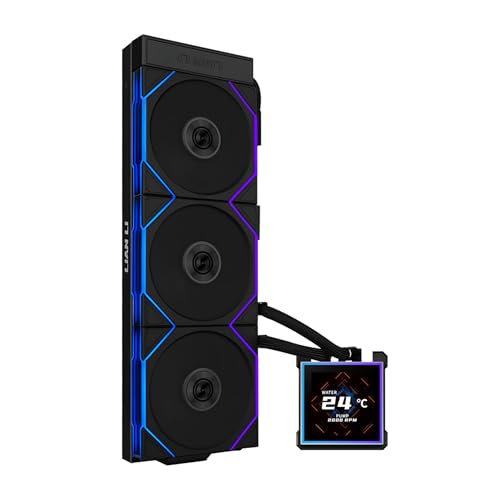
The Lian Li Hydroshift II-S LCD 360TL sets the benchmark for AM5 liquid cooling with its 3.4-inch IPS LCD display running at 480×480 resolution and 60 Hz refresh rate — sharp enough to read CPU clock speeds and core temperatures without squinting. The square screen can be hot-swapped via magnetic pogo pins, meaning you can remove the display without cutting power to the system, a feature no other AIO in this class offers. Under the screen, the pump operates quietly even at its 2600 RPM ceiling, and the slim 24mm thick radiator fits cases that struggle with standard 27mm units.
On a Ryzen 7 9800X3D overclocked by +200 MHz, this cooler held Cinebench R23 multi-core temperatures at a maximum of 79°C — exceptional for a chip known for its thermal density. The three pre-installed TL120 fans spin up to 2600 RPM, pushing 90.1 CFM at 3.97 mmH₂O static pressure, and the daisy-chain design reduces cable clutter to a single 4-pin PWM lead. Owners report the L-Connect 3 software provides full control over pump curves and display themes, though the thinner radiator sacrifices about 2°C at extreme overclocks compared to 27mm-thick competitors.
The sliding tube routing clamp is a thoughtful addition for AM5 builds in tight enclosures like the O11 Dynamic series, letting you align hoses precisely without kinking. Build quality feels dense, with an aluminum housing and sleeved 400mm tubes that resist wear. For a flagship AM5 cooler that combines a vivid display, whisper-quiet operation, and genuinely useful cable management, this is the most well-rounded option available.
Why it’s great
- Hot-swappable magnetic LCD screen with no power-down required
- Included TL120 fans deliver high 90.1 CFM with low noise
- Innovative tube routing clamp simplifies installation in compact cases
Good to know
- Thinner 24mm radiator trades off ~2°C vs 27mm competitors
- L-Connect software lacks full motherboard RGB sync
2. NZXT Kraken Elite 360 RGB 2024

The NZXT Kraken Elite 360 RGB 2024 raises the bar for display quality with its 2.72-inch IPS LCD running at 640×640 resolution and a blistering 690 cd/m² brightness — vivid enough to see system stats clearly even with sunlight hitting your side panel. The custom-designed Turbine pump delivers a 10% flow improvement over the previous generation while maintaining low acoustic output, and users report idle temperatures of 44-45°C on a Ryzen 9 9950X3D. The breakout cable system simplifies the wiring mess, combining pump power, fan PWM, and USB control into a single manageable lead.
During sustained gaming sessions on a Ryzen 9 9950X3D, the cooler kept package temperatures under 75°C with the F360 RGB Core fans spinning at a moderate speed, producing a noise profile described as a low whoosh rather than a high-pitched whine. The 60 Hz LCD refresh rate makes animated GIFs and real-time monitoring look fluid, and the NZXT CAM software integrates with Google Photos and Spotify for on-screen displays beyond standard telemetry. Some users note that the screen brightness at 690 cd/m² can feel intense in a dark room — the software allows dimming, but the lowest setting is still quite luminous.
Installation is genuinely tool-free for AM5 brackets — the mounting mechanism snaps onto the standoffs without needing a screwdriver for the backplate. The 400mm sleeved tubing is flexible enough for top or front radiator placement in mid-tower cases like the NZXT H7 Flow. The single reported reliability concern comes from a user whose unit failed after four months, but the overall review pool leans heavily positive, with many citing the sharp screen and effortless setup as the deciding factors over cheaper alternatives.
Why it’s great
- Ultra-bright 690 cd/m² 640×640 LCD with fluid 60 Hz refresh
- Tool-free AM5 bracket installation with single breakout cable
- Turbine pump delivers 10% flow improvement at lower noise
Good to know
- CAM software can be resource-heavy with adaptive color mode active
- Reported pump failure within the first year for a small subset of units
3. ASUS ROG RYUJIN III 360 ARGB Extreme

The ASUS ROG RYUJIN III 360 ARGB Extreme sits at the top of the performance mountain with its Asetek 8th Gen V2 pump, which uses a three-phase motor to push higher flow rates with lower impedance — a direct benefit for AM5’s offset hotspot. The 3.5-inch LCD screen at 640×480 resolution supports custom animated GIFs and real-time monitoring of clock frequency, voltage, temperature, and coolant flow, making it the largest display in this roundup. An embedded fan inside the pump housing actively cools the motherboard VRM area, a feature unique to this model that helps stabilize power delivery during sustained all-core loads on Ryzen 9 processors.
On a Ryzen 9 9950X3D, this cooler maintained an idle temperature of 42°C and kept gaming loads under 70°C, while a reviewer running at 5.9 GHz boost reported rock-solid stability without thermal throttling. The magnetic fans snap together for tool-free installation and produce only 16 dBA at their noise floor — quieter than most case fans. The thickened fan blades generate high static pressure without the high-pitched turbulence that cheaper designs exhibit at higher RPM, and the 6-year warranty from ASUS adds long-term confidence that most competitors do not match.
The included Armoury Crate software provides granular control over pump speed, embedded fan curve, and AIDA64 integration with exclusive ROG themes. However, users report that the adaptive color mode can draw 12% CPU usage, and the software lacks a quick Celsius-to-Fahrenheit toggle. The premium price tag positions this cooler as an investment for enthusiasts who demand absolute thermal headroom, and the build quality — glass, metal, and copper cold plate — justifies the cost for those building a no-compromise AM5 workstation or high-end gaming rig.
Why it’s great
- Largest 3.5″ LCD with real-time coolant flow monitoring
- Embedded VRM fan inside pump housing improves voltage regulator temps
- 6-year warranty and Asetek Gen8 V2 pump for top-tier thermal performance
Good to know
- Armoury Crate software can hog CPU resources on adaptive color mode
- Premium price — far above mid-range AIO options in this guide
4. ASUS TUF Gaming LC II 360 ARGB

The ASUS TUF Gaming LC II 360 ARGB strips away the LCD gimmicks and focuses on reliable, quiet cooling at a mid-range price point. The decoupled low-noise pump operates at a maximum of 2372 RPM, producing only 29 dBA, and user reviews confirm near-silent operation during light loads and only a faint hum under gaming stress. The three TUF Gaming 120mm radiator fans feature grooved fins that improve airflow while reducing turbulence, and the reinforced 400mm sleeved tubing resists kinking better than standard rubber hoses — a practical advantage for AM5 builds where the CPU socket sits higher on the motherboard.
On a Ryzen 7 7700X, idle temperatures settle at 38-40°C, and gaming loads in titles like Black Myth Wukong peak at 60°C — more than sufficient headroom for a chip that can boost aggressively when kept cool. The pump cover features a static TUF emblem with addressable RGB effects, but note that the design does not support custom images or animations; you get color and pattern control only. Installation is straightforward with pre-applied thermal paste and a universal bracket that works with AM5 and LGA 1700/1851, though some users note the backplate plastic adjustment pieces can break if handled roughly during setup.
The standout feature here is the 6-year warranty — ASUS backs this cooler for longer than most competitors cover their premium LCD models, signaling confidence in the pump’s long-term reliability. For an AM5 builder who wants proven thermal performance, ARGB lighting, and a warranty that outlasts typical upgrade cycles, this is the most sensible choice in the mid-range segment.
Why it’s great
- 6-year warranty provides excellent long-term coverage
- Decoupled pump and grooved fan blades keep noise at 29 dBA max
- Reinforced sleeved tubing resists kinking in tight AM5 cases
Good to know
- Static TUF emblem on pump block — no LCD or custom display
- Plastic backplate adjustment parts can crack if over-torqued
5. CORSAIR Nautilus 360 RS

The CORSAIR Nautilus 360 RS takes a smart engineering approach to AM5 cooling with its slightly convex cold plate, which ensures maximum contact pressure at the center of the CPU’s integrated heat spreader — exactly where Ryzen 7000 and 9000 series chips concentrate their hottest chiplets. The pump generates only 20 dBA at full speed, making it the quietest pump in this roundup, and users report near-silent operation under light workloads with only a modest audible presence during heavy rendering. The pre-applied thermal paste follows an optimized pattern that speeds up installation, but several owners found that replacing it with a quality third-party paste dropped temperatures by an additional 10°C under load.
The RS120 fans use CORSAIR’s AirGuide technology and Magnetic Dome bearings to produce strong static pressure — essential for driving air through the 360mm radiator’s dense fin stack. On a Ryzen 9 9950X, the cooler maintains idle temperatures around 28°C and gaming loads stay under 65°C, even in graphically demanding titles. The daisy-chain design lets you connect all three fans to a single 4-pin PWM header, simplifying cable management in smaller AM5 builds where space behind the motherboard tray is limited.
One trade-off is the lack of RGB lighting on the pump block — CORSAIR offers an upgrade path for those who want lighting later, but the base model is visually understated. The convex cold plate design is a legitimate thermal advantage on AM5, and the unit’s compatibility with Intel LGA 1851 and 1700 means it will migrate to future builds without issue. For an AM5 owner who prioritizes low noise and scientific cold-plate geometry over flashy displays, the Nautilus 360 RS delivers textbook cooling discipline at a fair price.
Why it’s great
- Convex cold plate maximizes contact with AM5’s concentrated hotspot
- Pump operates at whisper-quiet 20 dBA even at full speed
- Daisy-chained RS120 fans reduce cable clutter to one header
Good to know
- No RGB lighting on the pump block — plain aesthetics
- Pre-applied thermal paste may need replacement for best temps
6. Thermalright FW360 SE ARGB V2
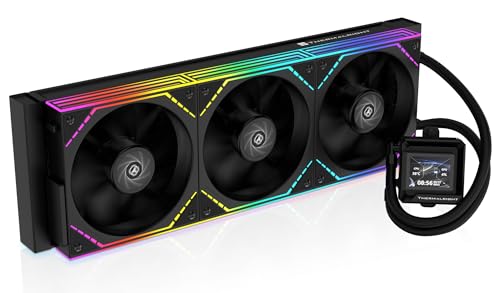
The Thermalright FW360 SE ARGB V2 proves that an LCD-equipped 360mm AIO for AM5 does not have to cost a fortune. The 2-inch LCD screen supports system status display, custom images, and animated GIFs through Thermalright’s software, giving you the same visual customization as flagship units at a fraction of the cost. The 3000 RPM pump moves coolant efficiently, and the three TL-M12Q 120mm fans spin up to 2000 RPM with 68.9 CFM airflow and 2.21 mmH₂O static pressure — adequate for keeping a Ryzen 7 7800X3D cool without breaking a sweat. Users report that the daisy-chain PWM connection keeps cable management clean, with only one fan lead running to the motherboard header.
On a Ryzen 7 7800X3D, owners consistently see gaming temperatures well within safe limits, and the 28.2 dBA noise rating means the fans are unobtrusive during medium loads. The aluminum radiator measures 397x120x27mm — standard thickness for the category — and the sleeved tubing is flexible enough for top-mounted installations in most mid-tower cases. The included mounting bracket supports AM5 and AM4 as well as Intel LGA 1851/1700/1200/115X, making it a versatile choice if you plan to carry the cooler to a future platform.
The main caveat involves the LCD software: a few users experienced USB-C connection issues where the screen would not initialize, and Thermalright’s customer support was reportedly unresponsive in those cases. However, Amazon’s replacement policy resolved the issue for affected buyers. The silver bracket mounting plate may also clash visually with darker motherboard color schemes. For the price, this is the most feature-rich 360mm AIO for AM5 builders who want an LCD display but cannot justify spending double for an NZXT or ASUS unit.
Why it’s great
- 2-inch LCD screen with custom GIF support at a budget-friendly price
- Daisy-chain PWM fans simplify cable routing in AM5 builds
- 28.2 dBA noise level keeps operation quiet during normal use
Good to know
- LCD software and USB-C connection can be unreliable on some units
- Silver mounting bracket may not match darker motherboard aesthetics
7. MSI MAG Coreliquid A13 360

The MSI MAG Coreliquid A13 360 takes a no-fuss approach to AM5 cooling with its split-flow radiator design that distributes coolant more evenly across the fin array, improving thermal exchange without adding pump noise. The integrated three-phase pump operates at up to 3800 RPM with ceramic bearings that minimize motor resonance, producing only 14.4 dBA — the lowest rated pump noise in this entire guide. The 390mm triple-layered tubing resists evaporation and is reinforced with mesh sheathing, a detail that matters for long-term reliability in closed-loop systems that can lose coolant over years of operation.
Users report that the cooler eliminated thermal throttling on a Ryzen 5800X3D, keeping max package temperatures at 75°C under sustained load, and the pre-installed fans and thermal paste make installation nearly effortless — just mount the radiator, attach the block, and connect the daisy-chained fan cable. The fans are pre-wired with a daisy-chain system straight out of the box, so you do not have to wrestle with individual fan cables behind the motherboard tray. The ARGB lighting on the pump block and fans syncs with MSI Mystic Light and other major motherboard ecosystems.
A few users noted that the MSI logo on the pump block is slightly misaligned when mounted on the AM5 bracket, which may bother those who prefer perfect symmetry. The plastic construction of the radiator end tanks feels less premium than the all-aluminum designs from ASUS and Lian Li, but the performance numbers do not show any compromise. For an AM5 builder who values silent operation and a straightforward installation experience above flashy LCD screens, the Coreliquid A13 360 delivers exceptional value with class-leading noise figures.
Why it’s great
- Ultra-quiet 14.4 dBA pump with ceramic bearings
- Split-flow radiator improves coolant distribution for even temps
- Pre-daisy-chained fans and pre-applied paste simplify setup
Good to know
- MSI logo alignment on pump is slightly off on AM5 brackets
- Radiator end tanks use plastic rather than all-aluminum construction
8. PCCOOLER DC360
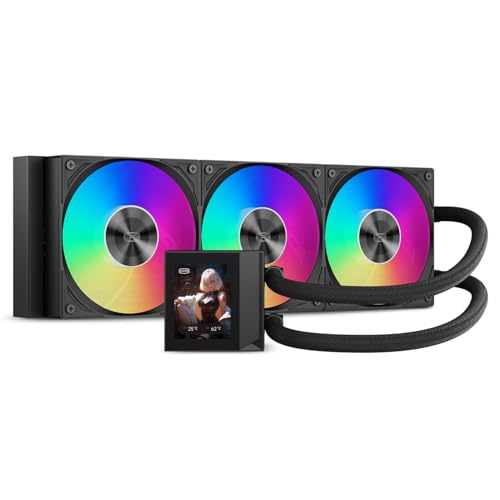
The PCCOOLER DC360 is the surprise contender of this roundup — a 360mm AIO with a 2.4-inch IPS display and a 2600 RPM next-generation pump rated at only 15 dBA, all at an entry-level price that undercuts most competitors without a screen. The three F5 ARGB fans deliver a massive 90.56 CFM at 2500 RPM with 4.07 mmH₂O static pressure, meaning this cooler moves more air than many units costing twice as much. On a Ryzen 9 7950X3D, users report temperatures under 73°C at 100% load in Cinebench, demonstrating that raw airflow can compensate for a less refined pump design.
The IPS display shows CPU temperature, logos, or custom animations, and the aluminum CNC pump housing gives the block a premium look that belies the price tag. The sleeved 400mm tubes provide flexibility for various case layouts, and the universal mounting brackets support AM5 and AM4 along with Intel LGA 1851/1700/1200/115X. The pump runs at a constant speed by default, which some users find reassuring — no PWM ramping noise — while others prefer a curve for lower idle noise. The included fans are loud at full 2500 RPM; most owners set a fan curve in BIOS to cap them around 1800 RPM for a balance of cooling and acoustic comfort.
The main frustration reported is the software required for customizing the IPS display — it can be difficult to locate and finicky to set up, though once running, it works reliably for GIFs and system monitoring. The daisy-chained fans make installation clean, and the unit has run reliably for six months in multiple user reports without pump failure or coolant loss. For an AM5 builder on a strict budget who still wants a display-equipped AIO, the DC360 punches far above its weight class in both cooling and features.
Why it’s great
- High 90.56 CFM airflow with 4.07 mmH₂O static pressure at low cost
- 2.4-inch IPS display adds visual flair without budget-breaking
- CNC aluminum pump housing looks and feels premium
Good to know
- Display software can be hard to find and finicky during initial setup
- Fans are loud at full 2500 RPM — a fan curve is recommended
9. ARCTIC Liquid Freezer III Pro 240 A-RGB
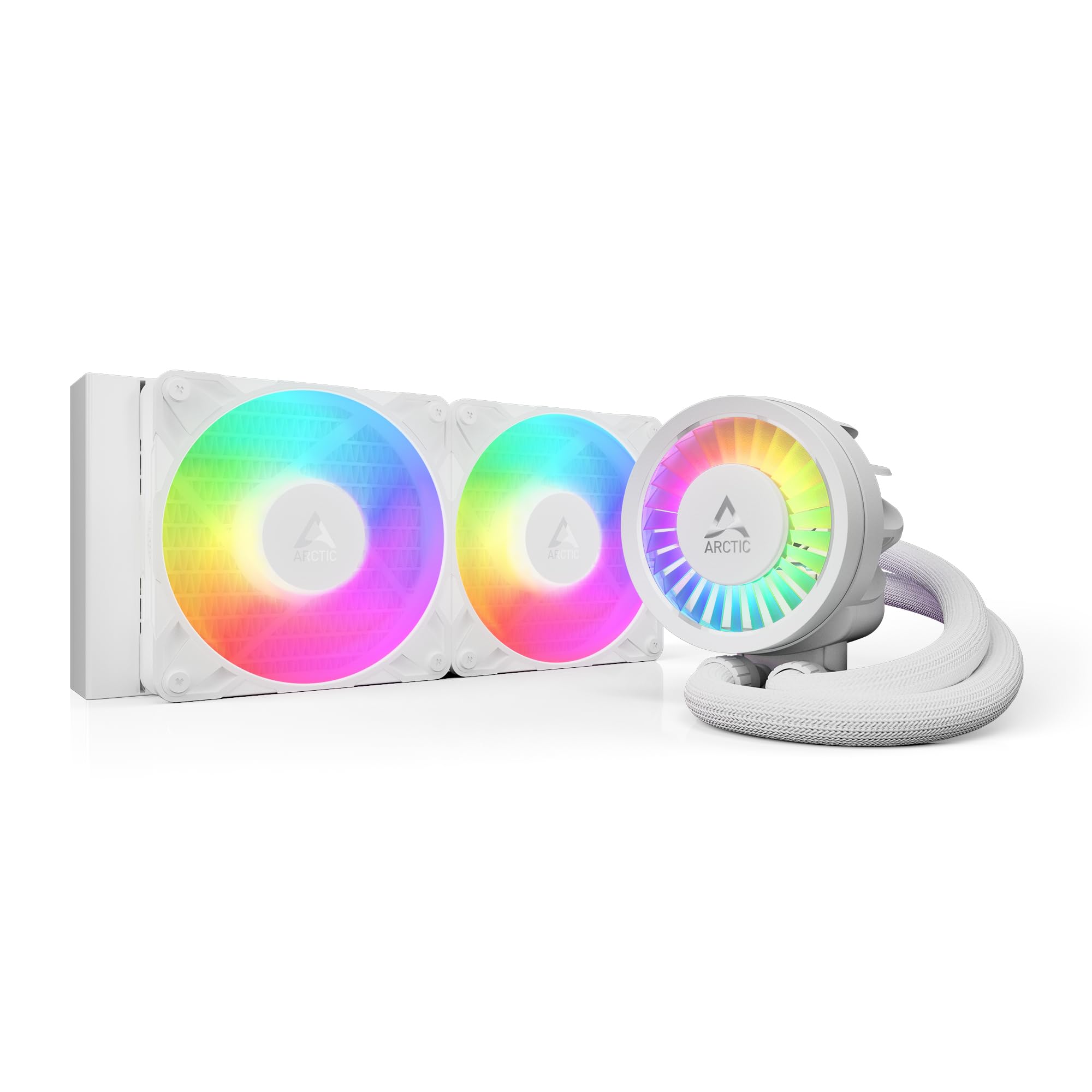
The ARCTIC Liquid Freezer III Pro 240 A-RGB is a 240mm AIO that punches well above its radiator size thanks to a 38mm thick radiator — fully 11mm thicker than standard 240mm units, providing significantly more surface area for heat dissipation. The included P12 Pro fans deliver higher static pressure and lower noise than ARCTIC’s standard P12 fans, and the integrated VRM fan on the pump block actively cools the voltage regulators around the AM5 socket, which run hot on Ryzen 9 processors during all-core loads. The cables are integrated into the tubing sheathing, leaving only a single 4-pin PWM lead visible — a clean design for SFF AM5 builds.
On a Ryzen 5 7600X3D, users saw idle temps drop 2°C and load temps drop from 72.4°C to 68.2°C compared to a standard 240mm Cooler Master ML240, and under stress testing a Ryzen 9 3900 never exceeded 65°C. The native offset mounting bracket shifts the cold plate toward the AM5 hotspot, which users confirm makes a measurable difference on 7000 and 9000 series chips. The white A-RGB variant reviewed here features clean, modern lighting that integrates well with all-white PC builds.
The thicker radiator and integrated VRM fan require an extra 12mm of clearance compared to standard AIOs — check that your case has room before purchasing.
Several users noted that mounting the pump block requires more downward force than typical AIOs due to the tight spring tension, and at full fan and pump speed the system can become noticeably loud, though a proper fan curve tames the noise significantly. For AM5 owners building in a compact case that cannot fit a 360mm radiator, this 240mm unit delivers thermal performance that rivals many 280mm coolers while adding VRM cooling that no other AIO in its class offers.
In terms of value, the Liquid Freezer III Pro 240 A-RGB is difficult to beat — it provides premium features like offset mounting, VRM cooling, and a thick radiator at an entry-level price point. The 5-year warranty adds confidence for long-term use. If your case can accommodate the extra thickness and you want maximum cooling density in a small footprint, this is the definitive AM5 240mm AIO.
Why it’s great
- 38mm thick radiator offers more surface area than standard 240mm units
- Integrated VRM fan actively cools motherboard voltage regulators
- Built-in cable management with only one visible wire to motherboard
Good to know
- Requires 12mm extra clearance compared to standard 240mm AIOs
- Mounting requires more downward force than typical AIO designs
FAQ
Does an AM5 AIO cooler need an offset mounting bracket to work well?
Can I use a 240mm AIO on a Ryzen 9 7950X or 9950X without throttling?
Why do some AIO pumps have a constant hum even at idle?
Does the LCD screen on an AIO affect cooling performance?
Final Thoughts: The Verdict
For most users, the best aio coolers for am5 winner is the Lian Li Hydroshift II-S LCD 360TL because it delivers the best combination of display quality, quiet pump operation, and effective cable management for the AM5 socket. If you want absolute raw cooling performance and a 6-year warranty, grab the ASUS ROG RYUJIN III 360 ARGB Extreme. And for a compact AM5 build where space is tight, nothing beats the ARCTIC Liquid Freezer III Pro 240 A-RGB with its thick radiator and integrated VRM fan.