
The right AIO PC case should feel like a tailor-made suit for your cooling loop—every millimeter of radiator space, every fan mount, and every mesh panel is a deliberate choice that determines whether your liquid-cooled build runs whisper-quiet or struggles under thermal load. Picking the wrong chassis means fighting fan curves, modding brackets, or accepting higher coolant temps for the life of your rig.
I’m Min — the co-founder and writer behind Gadgets Feed. I’ve logged hundreds of hours cross-referencing radiator clearance charts, fan hub specs, and real-world airflow data to separate the cases that actually deliver on their cooling promises from those that just look the part.
Whether you’re planning a custom loop or a simple 360mm top-mounted AIO, the right foundation matters. After deep-diving the specs and owner feedback, I’ve assembled this guide to the best aio pc case for builders who prioritize thermal headroom and build quality over flashy gimmicks.
How To Choose The Best AIO PC Case
An AIO-ready case is more than a box with a glass panel. The radiator mount locations, available thickness, fan clearance, and internal volume all determine whether your liquid cooler performs as advertised or leaves performance on the table. Here’s what to check before you buy.
Radiator Mount Locations and Clearance
The two most common spots for a 360mm AIO are the top and the front. Top-mounting exhausts heat directly out, which keeps GPU thermals lower, but you need at least 55mm of clearance between the motherboard VRM heatsinks and the top panel for radiator+fans. Front-mounting pulls cool air through the radiator first, delivering lower CPU temps at the cost of slightly warmer GPU intake—choose based on which component you’re pushing harder. Also check side-mount support: some cases allow a 280mm or 360mm AIO on the right panel, freeing the top for thicker radiators in custom loops.
Fan Ecosystem: 120mm vs 140mm
Most 360mm AIOs use three 120mm fans, but 420mm radiators (three 140mm fans) move more air at lower RPM, meaning quieter operation for the same cooling performance. If silence is your priority, prioritize a case with native 140mm fan support across multiple mounting points. Conversely, 120mm-based cases are lighter, cheaper, and offer the widest radiator compatibility—just expect slightly higher fan noise under load. Always verify whether the case’s fan hub or included controller supports PWM passthrough for the AIO pump header.
Dual-Chamber and Inverted Layouts
Dual-chamber cases isolate the PSU and drive cages behind the motherboard tray, leaving the main chamber entirely clear for radiators, pumps, and long GPUs. This design also simplifies tubing routing for custom loops. Inverted layouts (motherboard rotated 180 degrees) place the GPU near the top intake, giving it direct cool air while exhausting CPU heat via the top—useful if your desk setup puts the case on the left side. Just note that inverted cases often complicate cable management because the PSU shroud is absent.
Quick Comparison
On smaller screens, swipe sideways to see the full table.
| Model | Category | Best For | Key Spec | Amazon |
|---|---|---|---|---|
| Lian Li LANCOOL 217 | Mid Tower | Out‑of‑box airflow | 5 pre‑installed fans (2×170mm) | Amazon |
| HAVN HS 420 | Mid Tower | Custom loops & radiators | 11×140mm fan slots / 3×420mm rad support | Amazon |
| be quiet! Light Base 900 FX | Tower | Silent operation & invertible layout | 4 pre‑installed Light Wings 140mm fans | Amazon |
| NZXT H9 Flow RGB+ | Mid Tower | Panoramic show build | 7 included RGB fans / control hub | Amazon |
| Geometric Future M5 | Mid Tower | 420mm AIO in compact mid‑tower | 5 pre‑installed 140mm ARGB fans | Amazon |
| darkFlash DY460 | Full Tower | Showcase & inverted motherboard | 330° panoramic glass / fan‑free edition | Amazon |
| Lian Li A3-mATX | Mini Tower | Compact mATX with 360mm AIO | 26.3L volume / 360mm top‑mounted radiator | Amazon |
| Okinos Cypress 7 | Mid Tower | Wood‑accented budget build | Walnut wood panel / 4 pre‑installed PWM fans | Amazon |
In‑Depth Reviews
1. Lian Li LANCOOL 217

The LANCOOL 217 arrives with five fans already installed, including two massive 170×30mm front fans that push an extraordinary volume of air without needing high RPMs. This is a rare out-of-box experience where you don’t immediately want to swap the stock cooling — the 170mm fans can be raised into a CPU-focused position, directing airflow directly at a top-mounted AIO radiator for improved heat exchange.
The dual PSU mounting positions are a thoughtful touch for AIO builders: rotating the power supply so its fan faces outward gives you extra clearance behind the motherboard tray for thick radiator cables and pump wires. With support for back-connect motherboards, the front-facing cable routing stays clean even in complex custom loops.
Builders should note that the 217’s rear fan is a 140mm unit, meaning you’ll want to confirm your AIO’s pump block clears the rear exhaust if you’re running a push-pull top configuration. The real walnut wood accent strip adds a furniture-grade aesthetic that stands out from the sea of all-black or all-white cases.
Why it’s great
- Exceptional pre-installed fan setup with 170mm front fans
- Toolless fan repositioning for CPU‑focused airflow
- Real walnut wood accents and premium build feel
- Dual PSU positions improve cable management for AIO builds
Good to know
- Single front panel connector for I/O
- Case is heavy at over 10kg
2. HAVN HS 420

The HS 420 is engineered for those who treat cooling as a performance metric. Its dual-chamber hybrid structure positions the GPU centrally, fed by cool air from bottom intakes, while the top, right, and bottom panels each accept radiators up to 420mm. That means you can run three massive radiators in parallel — a rare capability in a mid-tower footprint that keeps external dimensions reasonable.
The SimpliCable routing system is genuinely thoughtful: top-to-bottom grooved guides channel cables behind the motherboard tray, while the included fan hub with PWM passthrough supports up to 11 fans. The heat-formed UniSheet glass panel provides a distortion-free panoramic view, and every fan bracket uses rubber isolation pads to prevent vibration resonance at high pump speeds.
At 17.8kg, this is a substantial chassis — plan your build location carefully because it’s not something you’ll want to move frequently. Some users note the back panel magnets could be stronger, and the front panel cables are longer than necessary, but the build quality, thick steel panels, and rubber-lined screw holes make this one of the quietest and most thermally capable AIO cases on the market.
Why it’s great
- Triple 420mm radiator support in a mid‑tower
- SimpliCable routing system for ultra‑clean builds
- Vibration-isolated fan brackets reduce noise
- UniSheet curved glass with minimal distortion
Good to know
- Very heavy at nearly 18kg
- Back panel magnets could be stronger
3. be quiet! Light Base 900 FX
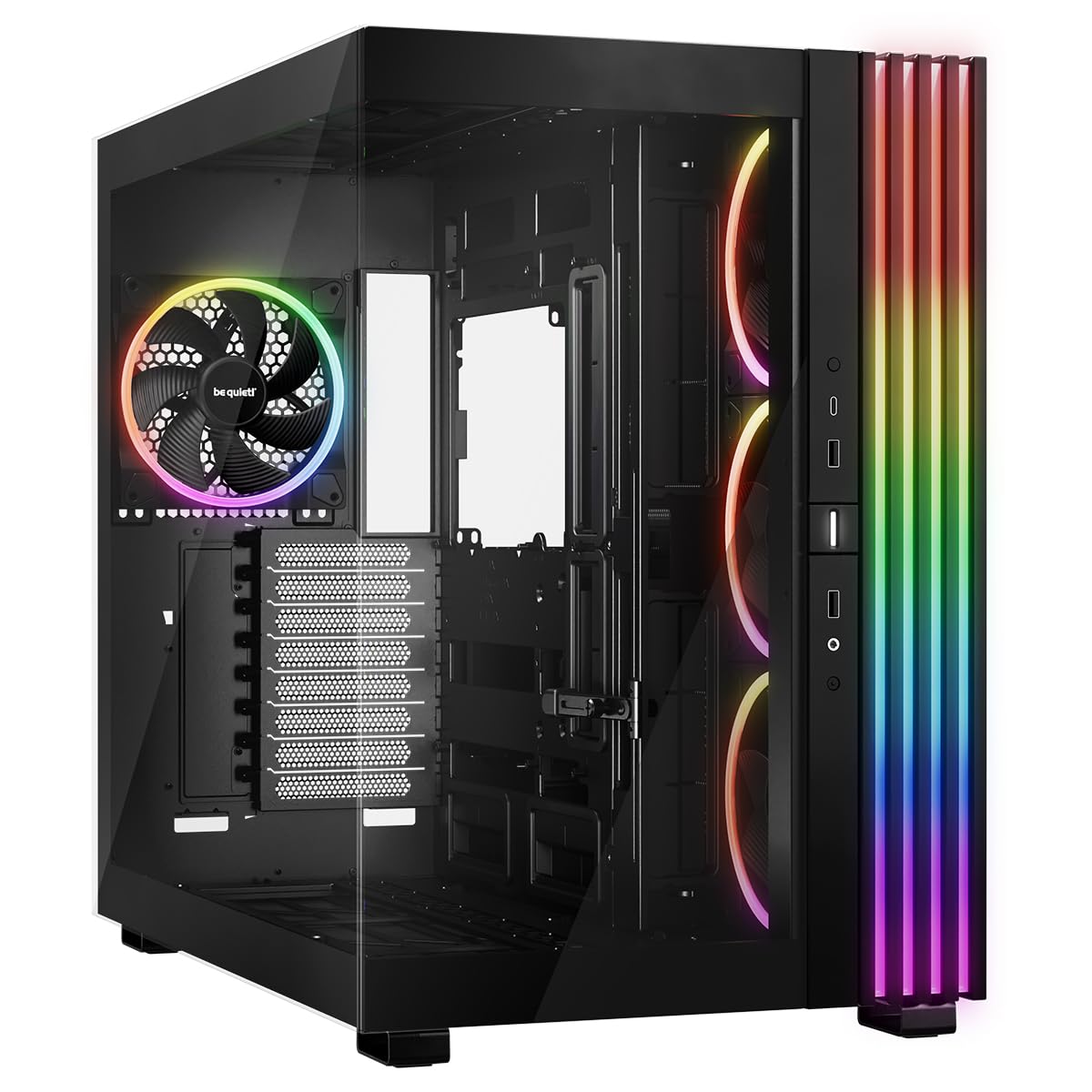
German engineering meets flexible layout design in the Light Base 900 FX. The case is fully invertible — you can flip it upside down in seconds by swapping the removable feet, placing the GPU at the top for direct cool intake. It also supports horizontal positioning, making it a rare option for custom desk-mount or wall-mounted AIO setups.
Four pre-installed Light Wings 140mm fans (three reverse-blade on the side, one standard on the rear) deliver high static pressure at whisper-quiet noise levels. The dual-chamber layout houses the PSU and drives behind the motherboard tray, leaving the main chamber unobstructed for radiators up to 420mm on top and bottom. The included ARGB and PWM hubs with 12 total ports simplify cable management for complex loops.
One trade-off: the bottom dust filter requires tilting the heavy case to access, which is mildly inconvenient for monthly cleaning. Additionally, the large 25.2-inch depth means it won’t fit shallow desks. But for builders who value silent operation and want the flexibility to reconfigure their layout without buying a new case, the Light Base 900 FX is a top contender.
Why it’s great
- Fully invertible and horizontal layout support
- Pre‑installed silent Light Wings 140mm fans
- Dual 12‑port ARGB/PWM hubs included
- Back‑connect motherboard compatible
Good to know
- Bottom filter hard to access without tilting
- Large footprint requires deep desk space
4. NZXT H9 Flow RGB+ (2025)

The H9 Flow RGB+ is NZXT’s answer to the panoramic glass trend, pairing a seamless wraparound tempered glass panel with serious cooling credentials. Seven RGB fans come pre-installed — six 140mm F420 RGB Core fans and one 120mm rear fan — all managed by an included NZXT Control Hub that supports PWM speed control and ARGB sync.
The dual-chamber design separates the main components from the PSU and drives, and the case supports radiators up to 420mm on both the top and front-right panels. With ten-fan capacity (nine 140mm plus one 120mm rear), you can run a push-pull configuration on a 420mm AIO without sacrificing intake or exhaust balance. Extra-wide cable channels with built-in Velcro straps make routing the AIO tubes and pump wire straightforward.
Builders with back-connect motherboards (ASUS BTF, MSI Project Zero) will appreciate the dedicated cutouts that hide power cables entirely. The only notable drawback is the case’s weight — at 13.4kg, it’s not travel-friendly — and the power button is side-mounted rather than on top, which some users may need to adjust to depending on desk placement.
Why it’s great
- Seven pre‑installed RGB fans with control hub
- Supports 420mm radiators in two positions
- Dual‑chamber layout for clean cable management
- Back‑connect motherboard compatible
Good to know
- Heavy at over 13kg
- Power button on side rather than top
5. Geometric Future M5

The M5 manages to pack E-ATX motherboard support and 420mm radiator compatibility into a mid-tower chassis that doesn’t dominate a desk. Five 140mm ARGB PWM fans come pre-installed — a generous inclusion that saves significant cost compared to buying fans separately. The case’s 0.8–1.2mm thick steel frame gives it a robust, non-flexing feel during installation.
Radiator placement is flexible: the top supports 420mm (three 140mm fans) while the front supports 360mm, and the side panel can accommodate a secondary 240mm or 280mm AIO for GPU cooling in custom loops. The unique PSU shroud with a display window lets you showcase your power supply’s label or custom cables, a small but appreciated touch for themed builds.
The tool-free tempered glass panels snap on securely but cable management requires pre-planning — the space behind the motherboard tray is narrower than some competitors, so routing fan hubs and AIO pump cables needs careful attention. Larger PSUs over 160mm may also press against I/O cables, so check your unit’s dimensions before committing.
Why it’s great
- Five pre‑installed 140mm ARGB fans deliver great value
- Fits E‑ATX boards and 420mm radiators in mid‑tower
- Tool‑free glass panels for quick access
- PSU shroud display window for custom builds
Good to know
- Tight cable management due to limited rear space
- Large PSUs may press against I/O cables
6. darkFlash DY460
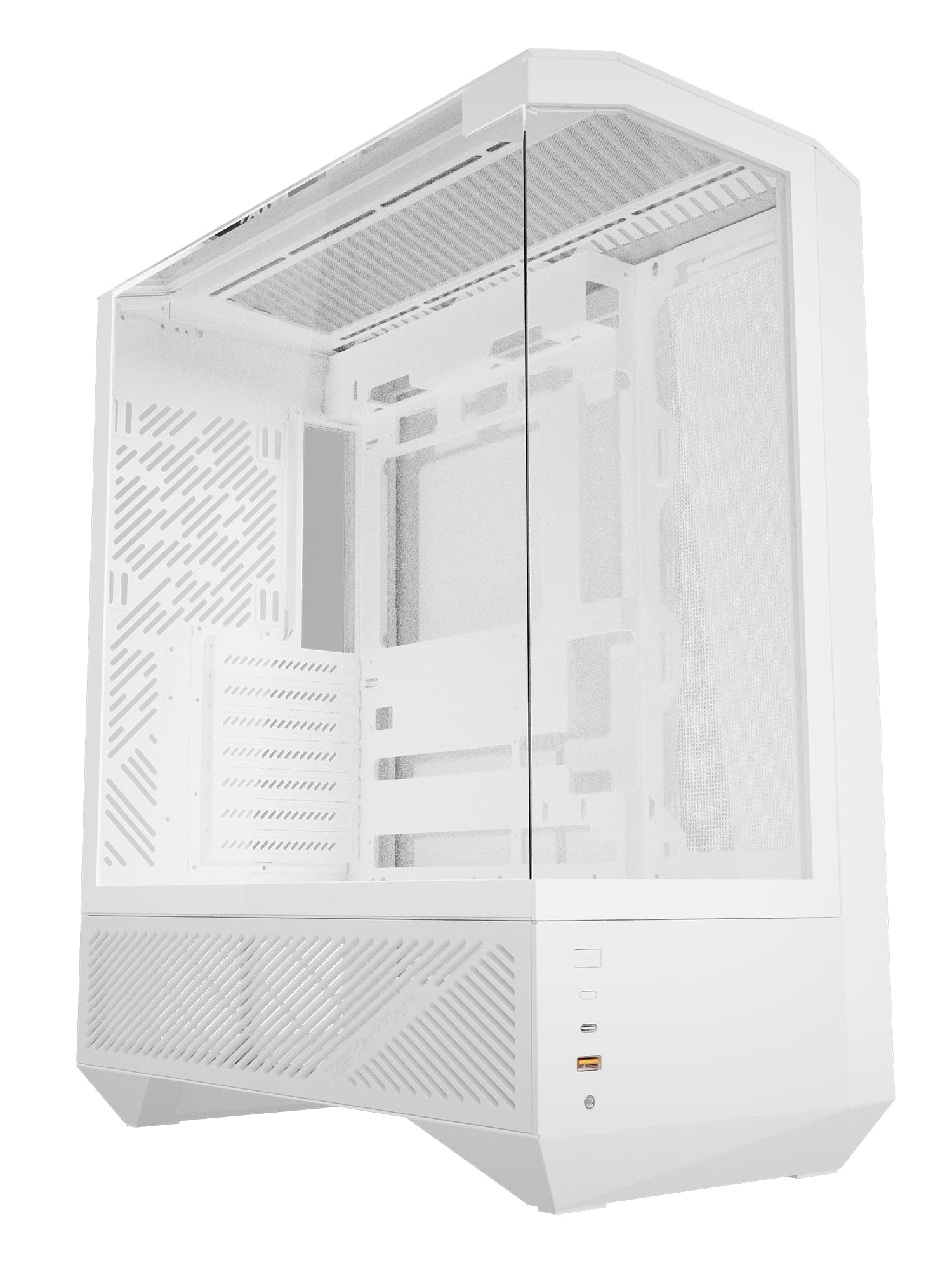
The DY460’s claim to fame is its diamond-cut 15° slanted edges and 330-degree panoramic tempered glass, which transforms your build into a museum exhibit. The fan-free edition ships without any fans, giving you total freedom to choose your own 120mm or 140mm units — ideal if you already own a specific fan ecosystem and don’t want to pay for stock fans you’ll never use.
The inverted motherboard layout (I/O at the top) keeps cables naturally routed behind the right side panel, and the dual-chamber design provides 34mm of cable routing space. It supports GPUs up to 400mm (RTX 5090-ready), ATX back-connect motherboards, plus a 360mm radiator on top and 240mm on the side. The top I/O includes a 10Gbps USB-C port for fast data transfers.
The lack of a PSU shroud means cables from the bottom-mounted PSU are visible through the side glass, so sleeved cables or careful bundling is recommended. Builders also note that front-mounted radiators may conflict with certain ATX motherboards, so check clearance before committing. Despite these quirks, the DY460’s unique aesthetic and fan-free flexibility appeal to enthusiasts building a one-of-a-kind showpiece.
Why it’s great
- Stunning 330° panoramic glass with diamond‑cut edges
- Fan‑free design lets you choose your own cooling
- Inverted layout for natural cable routing
- Supports large GPUs up to 400mm
Good to know
- No PSU shroud, cables visible through glass
- Front radiator may conflict with ATX motherboards
7. Lian Li A3-mATX

The A3-mATX proves you don’t need a full tower to run a 360mm AIO. This 26.3-liter mini tower accommodates mATX and ITX motherboards, yet still fits a 360mm radiator on the top panel — a rare feat in compact cases. The steel mesh side and top panels ensure airflow remains unrestricted even with tight clearances, and the wood front panel gives it a furniture-like aesthetic that blends into living spaces.
PSU mounting is flexible: you can install an ATX unit at the front (adapters included) or a shorter SFX/SFX-L unit on the side, which frees up front space for longer GPUs up to 415mm. The modular design allows you to reposition the PSU bracket for better cable clearance, but note that no fans are included — you’ll need to budget for them separately.
Cable management is the main challenge here. The compact chassis doesn’t leave much room behind the motherboard tray, so thicker cables (especially from fan hubs and AIO pump headers) require careful bundling. Some builders recommend avoiding a 360mm AIO and instead using a 240mm or a high-end tower cooler for easier assembly. Still, for those determined to pack maximum cooling into a small footprint, the A3-mATX delivers.
Why it’s great
- Compact 26.3L footprint fits 360mm AIO
- Steel mesh panels for high airflow
- Flexible PSU mounting positions
- Walnut wood front panel for style
Good to know
- No fans included
- Tight cable management in rear
- Some users recommend 240mm AIO instead of 360mm
8. Okinos Cypress 7

The Cypress 7 brings genuine walnut wood to the mid-tower segment at a price that undercuts most wood-accented competitors. Four 120mm PWM fans come pre-installed, delivering 200 CFM of total airflow out of the box — enough to keep a single 360mm AIO setup well-fed without immediate upgrades. The front panel is mesh with easy-open access, making radiator cleaning simple.
Radiator support covers the essentials: 360mm on top, 240mm on the front, and up to 280mm on the side. GPU clearance is generous at 415mm with front fans installed, and the case supports up to five SSDs for storage flexibility. The magnetic tempered glass side panel allows quick interior access, and the power button has a premium tactile feel that reviewers consistently mention.
The Cypress 7 does not support vertical GPU mounting — only horizontal. Additionally, installing a 240mm AIO on the right side may interfere with GPUs wider than 280mm, so plan your component layout carefully. Despite these constraints, the blend of real wood, 360mm AIO support, and included PWM fans makes this an excellent entry point for budget-conscious liquid cooling.
Why it’s great
- Genuine walnut wood panel at budget‑friendly price
- Four pre‑installed PWM fans with 200 CFM airflow
- Supports 360mm top radiator and 280mm side AIO
- Magnetic tempered glass for easy access
Good to know
- No vertical GPU mounting support
- Side AIO may interfere with wide GPUs
FAQ
Can I mount a 360mm AIO in any case that says it supports 360mm radiators?
Should I top-mount or front-mount my AIO for better GPU temperatures?
Do I need a dual-chamber case for a custom water loop?
What does “back-connect motherboard ready” mean for AIO builds?
Final Thoughts: The Verdict
For most users, the best aio pc case winner is the Lian Li LANCOOL 217 because its massive pre-installed 170mm fans, toolless repositioning, and clean wood-accented design deliver exceptional cooling and value right out of the box. If you’re planning a custom loop with triple radiators, grab the HAVN HS 420. And for silent operation with invertible layout flexibility, nothing beats the be quiet! Light Base 900 FX.