
Our readers keep the lights on and my morning glass full of iced black tea. As an Amazon Associate, I earn from qualifying purchases.
Specs are compiled from manufacturer listings and verified buyer reviews and can change over time — please confirm the key details on the product page before buying.
You have an iPhone, iPad, or Mac full of movies, photos, and music. The real question is which TV lets you toss that content onto the big screen without a cable, a dongle, or a headache. A TV that supports Apple AirPlay does exactly that — you tap the AirPlay icon and your video or playlist jumps to the TV, no extra box needed.
I’m Min — the founder and writer behind Gadgets Feed. This guide is built by comparing the manufacturers’ published specifications and the patterns across verified customer reviews, so you get each pick’s real strengths and trade-offs instead of marketing spin.
Whether you are upgrading a bedroom screen or outfitting the whole living room, this roundup of the best airplay compatible smart tv models helps you navigate the picture-quality differences and smart-platform quirks to find the set that matches your space and your habits.
Quick Picks
- Roku Plus Series 55-Inch 4K QLED Mini-LED TV — Best Overall
- Westinghouse 55-Inch Mini-LED 4K Roku TV — Value Mini-LED
- Sony BRAVIA 2 55-Inch 4K LED TV (K-55S20M2) — PS5 Optimized
- Sony BRAVIA 2 43-Inch 4K LED TV (K-43S20M2) — Compact PS5 Pick
- VIZIO Quantum Pro 50-Inch 4K QLED TV (M50QXM-K01) — Speed & Brightness
- Panasonic W70 Series 65-Inch 4K LED Fire TV (65W70BP) — Big Screen Alexa
- TCL 65-Inch Class S5 4K Fire TV (65S551F) — Budget 120Hz VRR
- VIZIO 50-Inch V-Series 4K Smart TV — Entry Level 4K
- LG UN73 Series 55-Inch 4K IPS Smart TV (55UN7300PUF) — WebOS & Magic Remote
How To Choose The Best Airplay Compatible Smart TV
Choosing an AirPlay-compatible TV means looking beyond brand name to panel technology, smart platform, and port selection. Panel type, smart OS, and connectivity directly impact picture quality and daily usability.
Panel Type: Mini-LED, QLED, and Standard LED
Panel technology dictates black depth, highlight brightness, and color vibrancy. Mini-LED TVs use thousands of tiny backlights that can dim independently, giving you very good contrast without the risk of burn-in you get on OLED. QLED (quantum dot) TVs boost color volume and brightness, making them great for well-lit rooms. Standard LED panels are the most affordable but typically have less impressive black levels and contrast. For the best picture quality at a mid-range price, look for a Mini-LED or QLED combination.
The Smart Platform: Roku, Google TV, Fire TV, or webOS
Your smart-TV OS is the interface you interact with daily. Roku is known for its clean, simple layout and fast app launching, making it a top choice for non-techies. Google TV organizes streaming services into a personalized home screen and works naturally if you are in the Android ecosystem. Fire TV leans heavily into Amazon content and Alexa voice controls. LG’s webOS uses a launcher bar across the bottom and pairs with a Magic Remote that works like an air mouse. All four support Apple AirPlay, but the daily feel differs a lot. Pick the one whose layout and voice assistant you prefer.
Refresh Rate and Gaming Features
For PS5, Xbox Series X, or gaming PC, a native 120Hz panel delivers noticeably smoother motion in fast-paced games. Look for features like Variable Refresh Rate (VRR), which matches the screen’s refresh rate to the game’s frame rate to reduce stutter, and Auto Low Latency Mode (ALLM), which automatically switches the TV to its fastest response mode when it detects a game console. For casual streaming, a 60Hz panel is sufficient and more affordable.
Quick Comparison
On smaller screens, swipe sideways to see the full table.
| Model | Best For | Panel Type | Refresh Rate | Smart Platform | Amazon |
|---|---|---|---|---|---|
| Roku Plus Series 55 | Best Overall Picture & OS | Mini-LED QLED | 60Hz (VRR) | Roku TV | $349.99$499.99Amazon |
| Westinghouse 55 Mini-LED | Value Mini-LED | Mini-LED QLED | 60Hz (MEMC) | Roku TV | $429.99$479.99Amazon |
| Sony BRAVIA 2 (55-inch) | PS5 Gaming | LED | 60Hz (Motionflow XR) | Google TV | $578.00Amazon |
| Sony BRAVIA 2 (43-inch) | Compact PS5 Companion | LED | 60Hz (Motionflow XR) | Google TV | $399.99Amazon |
| VIZIO Quantum Pro 50 | High-Frame-Rate Gaming | QLED (IPS) | 120Hz / 240Hz @ 1080p | VIZIO OS | $498.25Amazon |
| Panasonic W70 Series 65 | Large Screen with Alexa | LED | 60Hz (MEMC) | Fire TV | from $371.95Amazon |
| TCL S5 65 | Budget Gaming & Size | LED | 60Hz (120Hz VRR) | Fire TV | $483.40Amazon |
| VIZIO V-Series 50 | Entry-Level | LED | 60Hz | VIZIO SmartCast | $369.97Amazon |
| LG UN73 Series 55 | WebOS & Magic Remote | IPS LED | 60Hz | webOS | $501.39Amazon |
In‑Depth Reviews
1. Roku Plus Series 55-Inch 4K QLED Mini-LED TV

The total package that nails picture quality, sound, and the simplest smart platform in one go.
You get deep blacks and punchy colors because this set combines a 55-inch QLED screen with Mini-LED backlighting — thousands of tiny LEDs that dim independently to create a high contrast ratio. Dolby Vision support makes streaming movies on Netflix or Apple TV+ look vivid and detailed. The built-in subwoofer and Dolby Atmos processing give the audio real depth, which is rare for built-in TV speakers. Buyers report the sound is “exceptional throughout the range with strong bass,” so you may not need a separate soundbar at all.
Apple AirPlay is built right in, so you beam photos, music, and video from your iPhone or Mac by tapping the AirPlay icon. The Roku Enhanced Voice Remote lets you search across thousands of apps with your voice, and the lost remote finder is a practical touch. A variable refresh rate (VRR) handles gaming input better than most 60Hz panels, though it is not a native 120Hz set. One reviewer flagged a USB port quirk where bias lights stay on about 10 minutes even in “Turn off with TV” mode, which is a minor annoyance if you use USB-powered backlighting.
Compared to the Westinghouse Mini-LED also on this list, the Roku Plus Series delivers black levels that look just as strong but with a snappier, cleaner OS and noticeably better built-in sound. If you want one TV that does everything well right from the start — picture, sound, streaming speed, and AirPlay — this is your set.
Why It Wins
- Mini-LED backlighting delivers excellent contrast and deep black levels for the price.
- Roku OS is intuitive, fast, and gets automatic software updates.
- Built-in subwoofer and Dolby Atmos produce room-filling sound without extra gear.
The Trade-Offs
- Refresh rate is 60Hz, not 120Hz, so hardcore console gamers may want more.
- USB power port keeps bias lights on for about 10 minutes after shutdown, per customer reports.
Reach for this if… you want the best overall balance of stunning Mini-LED picture, great built-in sound, and a dead-simple smart TV experience with AirPlay 2.
Look elsewhere if… you need a native 120Hz panel for competitive gaming or plan to use USB-powered bias lighting and find a 10-minute delay irritating.
2. Westinghouse 55-Inch Mini-LED 4K Roku TV
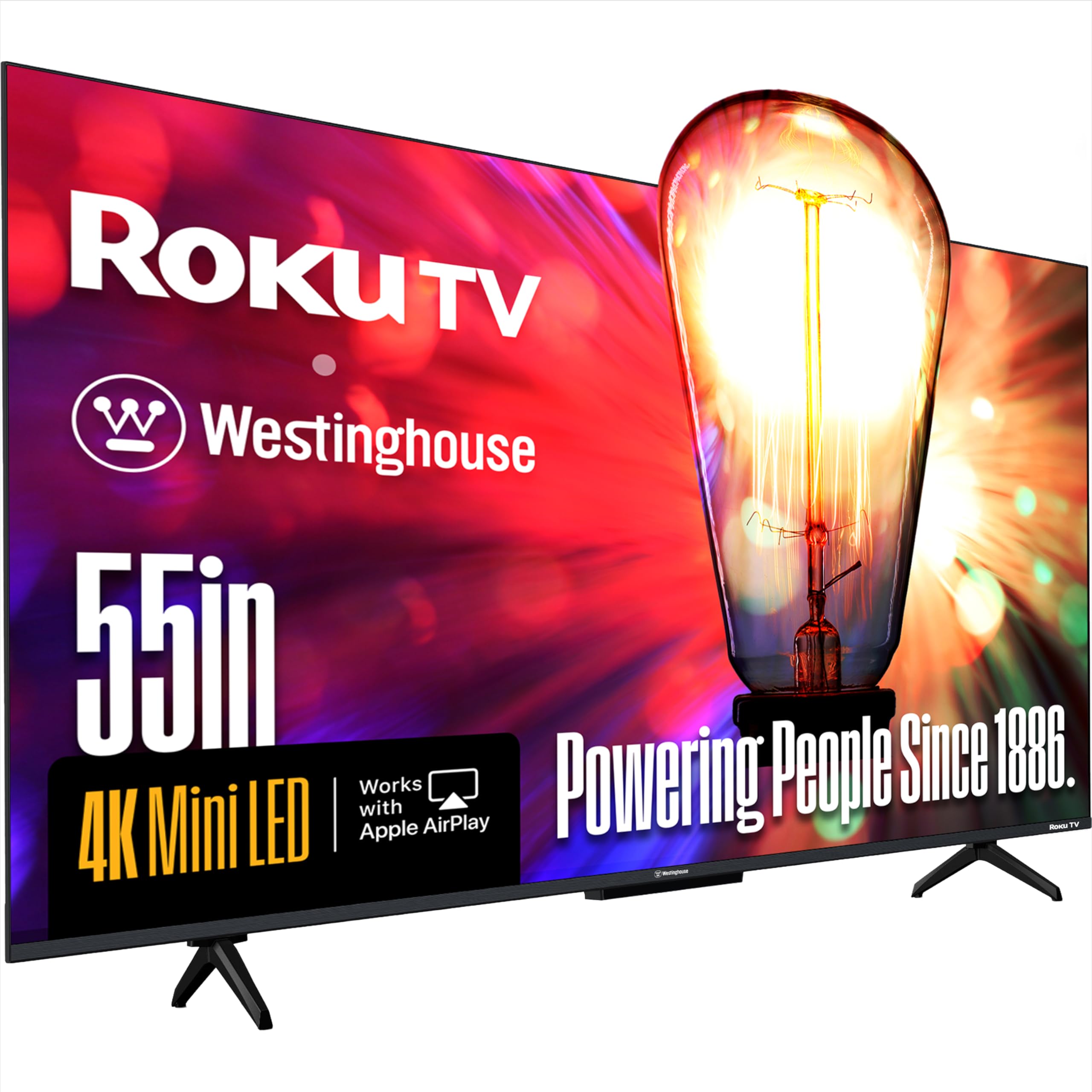
Mini-LED and QLED tech on a budget, wrapped in the easy Roku experience.
This set uses Mini-LED local dimming and QLED quantum dot tech together, so you get a wide color gamut (up to 93% DCI-P3 coverage, according to the maker) and a native contrast ratio of 5500:1. That means black scenes look genuinely dark, and bright highlights like sunlight or explosions pop with clarity. Dolby Vision, HDR10, and HLG are all supported, so you get cinema-grade brightness adjustment no matter which streaming service you use. The MEMC motion processing helps reduce blur during fast sports and action movies, keeping the image smooth.
Four HDMI 2.1 ports, including one with eARC for high-bandwidth Dolby Atmos sound, give you plenty of hookups for a soundbar, game console, and streaming box. AirPlay 2 and Apple HomeKit are built in, so you can cast from your iPhone or ask Siri to control the TV. Buyers love that the “blacks look black” and colors are vibrant, with minimal clouding or dirty-screen effect. The Roku platform is fast and simple, giving you access to over 350 free live TV channels alongside paid apps.
The catch is the built-in sound. While the Westinghouse matches the Roku Plus Series on Mini-LED picture quality, multiple buyers describe the audio as “loud but muddy in the mid-range,” like hearing it down a hallway. Plan to budget for a soundbar if clear dialogue matters to you. That aside, this is among the most affordable ways to get a Mini-LED and QLED panel in a 55-inch screen.
Best Features
- Mini-LED local dimming and QLED quantum color produce impressive contrast and color.
- Four HDMI 2.1 ports with eARC offer excellent connectivity for next-gen gear.
- Apple AirPlay plus Apple HomeKit support for smooth integration with your Apple devices.
Consider This
- Built-in sound is loud but described as muddy in the mid-range by multiple reviewers.
- Fast motion occasionally looks less smooth, even with MEMC, per some buyer feedback.
Pick it for: the cheapest route into a Mini-LED/QLED combo that looks terrific for movies and sports, if you are okay pairing it with a separate sound system.
skip it if: you want a TV with acceptable built-in audio and do not want to add a soundbar or speaker to your setup.
3. Sony BRAVIA 2 55-Inch 4K LED TV (K-55S20M2)

Sony’s picture processing and exclusive PS5 features make this the smart choice for PlayStation owners.
This 55-inch set runs on the 4K Processor X1, which cleans up low-resolution content and upscales it to near-4K sharpness using 4K XR-Reality PRO. If you watch a lot of older shows or YouTube clips, they will look noticeably less fuzzy here than on a basic budget TV. Motionflow XR handles fast-moving sports and action scenes without blur. The Google TV interface organizes all your streaming apps by your tastes, and AirPlay 2 plus Google Cast let you throw content from an iPhone or an Android phone onto the screen with equal ease.
Where this TV truly shines is with a PlayStation 5. Exclusive features — Auto HDR Tone Mapping and Auto Genre Picture Mode — automatically optimize the picture settings for gaming and streaming when they detect a PS5, so you get the best color and latency without digging into menus. The Game Menu puts all gaming picture settings in one place. Owners mention the “beautiful picture” and “very responsive remote,” and one owner switching from Samsung called it “the best TV in the house.” If you mostly use a PS5, this TV is built for you.
On the downside, a small number of customers note the unit freezing and needing to be unplugged, or dropping Wi-Fi repeatedly. This seems to be a defect-in-some-units issue rather than a universal problem, but it is worth considering the warranty. The standard 60Hz panel also means this is not the pick for PC gamers chasing 120fps. For the price, the Sony picture processing and PlayStation integration are tough to top.
Console-First Build: Exclusive Auto HDR Tone Mapping and Auto Genre Picture Mode for PS5 are not available on any other brand’s TVs — you get these only from Sony.
Worth Watching: A handful of verified reviews describe freezing and Wi-Fi dropouts, suggesting some units may be lemons; consider extended warranty coverage.
Buy it for: a PS5-focused setup where the 4K Processor X1 upscaling and exclusive gaming picture modes make every game look its best without manual tweaking.
pass on it if: you need a 120Hz panel for competitive multiplayer, or you want higher native contrast than a standard LED backlight can provide.
4. Sony BRAVIA 2 43-Inch 4K LED TV (K-43S20M2)

Same Sony processing and PS5 perks as the 55-inch, but sized for a desk or a smaller room.
If the 55-inch Sony above is too large for your space, this 43-inch variant keeps every feature that makes the BRAVIA 2 a top pick for PlayStation owners. You get the 4K Processor X1, 4K XR-Reality PRO upscaling, Motionflow XR for blur reduction, and the exclusive PS5 Auto HDR Tone Mapping and Auto Genre Picture Mode. The Google TV interface and built-in Apple AirPlay work exactly the same. It also includes Bluetooth 5.3, the newest version of the wireless standard, which gives you a more stable connection for wireless headphones or a soundbar compared to older Bluetooth versions.
The Sony Pictures CORE app gives you access to movies included with the TV. Reviewers point out it has a “beautiful, perfect size for home office” and that the remote, while thin for large hands, is responsive and easy to navigate. One reviewer noted it “plays our PS5 with really nice graphics.” The smaller footprint makes this a strong candidate for a gaming monitor replacement or a bedroom entertainment hub where a 55-inch would dominate the room.
Like its bigger sibling, some owners have reported freezing issues requiring a full unplug, though most reviews are positive. The panel is a standard LED with edge lighting, so black levels are not as deep as the Mini-LED sets on this list. If you prioritize a compact size and Sony’s superior upscaling for mixed content (streaming, old shows, and PS5), this fits that niche perfectly.
Size Advantage
- 43-inch size fits desks, small bedrooms, and tight entertainment centers without sacrificing picture quality.
- Bluetooth 5.3 support ensures stable wireless audio connections.
Size Trade-Offs
- Standard LED panel cannot match the black levels and contrast of Mini-LED competitors at similar prices.
- Spontaneous freezing reported by some owners, requiring a power cycle to resolve.
Great for: PS5 gamers or streamers who need a smaller screen for a desk or tight space and still want Sony’s class-leading upscaling and picture processing.
Not for: anyone who wants deep inky blacks for movie watching — the Mini-LED sets at similar prices will outperform it on contrast.
5. VIZIO Quantum Pro 50-Inch 4K QLED TV (M50QXM-K01)

QLED colors plus a true 120Hz panel make this the speed king for console and PC gaming.
While most TVs in this price range stick to 60Hz, this VIZIO Quantum Pro delivers a native 120Hz refresh rate at 4K resolution, and even 240Hz at 1080p for PC gaming. Combined with AMD FreeSync Premium Pro certification, you get smooth, tear-free gameplay on Xbox, PlayStation, or a gaming PC. The QLED panel produces over 1 billion colors, and the Active Full Array backlight with local dimming reaches up to 1,000 nits peak brightness, so HDR content looks punchy even in a bright room. Dolby Vision and HDR10+ are both supported, giving you flexibility across streaming services.
Built-in Wi-Fi 6E provides a faster, less congested wireless connection than older Wi-Fi standards — helpful if you stream heavy 4K content without an Ethernet cable. AirPlay and Chromecast are built in, so you can cast from any device. Buyers love the “vibrant, bright display” and the “excellent image adjustability.” One gamer noted the 120Hz native refresh rate and HDMI 2.1 make this a “great gaming TV.” If frame rates matter to you, this is the most affordable option here with a true high-refresh panel.
The catch is the software. Multiple shoppers say that the local dimming implementation looks over-processed, creating an unnatural image, and recommend disabling it for non-HDR content to get the best picture. The remote is also a weak point — the power button sits right next to sponsorship buttons, and the volume rocker feels awkward. After a year, some buyers report weak greens and 120Hz limited to 4:2:2 chroma subsampling, which can make text look blurry when used as a PC monitor. For pure gaming responsiveness, the hardware is solid, but the software needs patience to tune.
High-Speed Highlights
- Native 120Hz at 4K and 240Hz at 1080p for silky-smooth gaming.
- Wi-Fi 6E delivers faster, more reliable wireless streaming than standard Wi-Fi 5 or 6.
- 1,000 nits peak brightness with Dolby Vision and HDR10+ support.
Speed Bumps
- Local dimming software looks over-processed; many users disable it for normal viewing.
- Remote power button is poorly placed next to sponsorship buttons, according to multiple owners.
Choose it for: high-frame-rate gaming on a budget — the 120Hz native panel and FreeSync Premium Pro make it the smoothest gaming TV under.
Avoid it if: you want a set that looks great from the start without spending time tweaking picture settings, or if you need crisp text for PC desktop use.
6. Panasonic W70 Series 65-Inch 4K LED Fire TV (65W70BP)

A name-brand 65-inch panel with Fire TV and Alexa built-in, for a very accessible price.
If you want the biggest screen for your money with reliable AirPlay support, this Panasonic 65-inch delivers. The 4K Studio Color Engine and HDR Bright Panel support HDR10+, HDR10, and HLG, giving you solid HDR performance for movies and shows. The MEMC technology smooths out fast motion during sports. With Fire TV built in, you get Alexa voice control on the remote — press and ask to find shows, launch apps, or control smart home devices. AirPlay is listed as supported, so your iPhone or iPad content streams over easily.
The TV includes four HDMI ports, one of which is HDMI 2.1, so you can hook up a modern game console or soundbar. Bluetooth support lets you pair wireless speakers or headphones for private listening. Owners mention the “great picture and sound” and find the setup very easy, done in under 10 minutes via QR codes. The sturdy metal stands give it a more premium feel than the price suggests. At 65 inches, this screen size makes a big visual impact in a living room or media room.
The consistent complaint across reviews is that the Fire TV operating system can feel sluggish. Multiple customers note the processor is slow, causing delays when switching apps. One buyer mentioned their unit was “extremely slow” with frequent freezing and buffering, even on a fast internet connection, and the remote power button stopped working after a few months. Some owners suggest using an external streaming device like a Fire TV Stick 4K to bypass the built-in processor lag. If you want a massive screen for the price and can tolerate occasional interface slowness, this is a strong option.
Big Screen Wins
- 65-inch screen at a price that undercuts most competitors at this size.
- Sturdy build with metal stands and straightforward setup via QR code.
Big Screen Compromises
- Fire TV processor can be slow, causing lag when navigating menus or switching apps.
- Some units reported freezing, crashing, and remote failure after a few months of use.
Ideal for: someone who wants a large, name-brand 65-inch TV for AirPlay streaming on a budget, and does not mind using an external streaming stick for snappier performance.
Not ideal for: impatient users who hate interface lag — the Fire TV software can be noticeably slower than Roku or Google TV.
7. TCL 65-Inch Class S5 4K Fire TV (65S551F)

A budget-priced giant that brings 120Hz VRR gaming and Dolby Vision to a 65-inch screen.
The TCL S5 series stands out in the budget bracket because it includes Game Accelerator 120, which provides up to 120Hz VRR (Variable Refresh Rate) for smoother gameplay on PS5, Xbox Series X, or PC. That is a feature you usually have to pay significantly more to get. The panel supports Dolby Vision, HDR10+, HDR10, and HLG — all the major HDR formats — so whatever you stream, the TV will adjust brightness and color for the best look. Enhanced Dialogue Mode helps clarify speech in movies and shows, and DTS Virtual:X creates a simulated 3D sound field from the built-in speakers.
Apple AirPlay is built in, and the Fire TV platform brings Alexa voice control for hunting down content or controlling your smart home. Reviewers point out the picture quality is “excellent for the money” and the size is “big value, solid winner.” The 65-inch screen at this price point is tough to top for sheer screen real estate. One reviewer called it “a compelling blend of size, smart features, and affordability.” If you want a huge screen with gaming-friendly specs and AirPlay, this delivers.
The main drawback is the Fire TV interface performance. Several shoppers say 30-second delays between pressing a button and seeing a response, and the home screen is loaded with Amazon ads. The TV also lacks local dimming, so black levels are not as deep as Mini-LED competitors, and some users noted glitchy behavior when switching inputs (like a black screen when switching to a PS5). The built-in sound is average, so a soundbar is recommended. For the price, you sacrifice OS speed and black levels to get the 120Hz VRR and 65-inch size.
Value Perks
- 120Hz VRR for responsive gaming at a budget price point.
- 65-inch screen with Dolby Vision, HDR10+, and HLG support for versatile HDR playback.
Budget Downsides
- Fire TV interface can be sluggish, with 30-second delays reported by some owners.
- No local dimming, so black levels are average compared to Mini-LED sets.
Get it if: you want a big 65-inch screen with gaming-friendly VRR and AirPlay, and you are willing to tolerate a slower smart interface for the savings.
Pass if: you need buttery-smooth smart TV navigation, deep black levels for movie nights, or excellent built-in sound.
8. VIZIO 50-Inch V-Series 4K Smart TV

A basic, affordable 50-inch 4K screen that covers the essentials — AirPlay, apps, and a simple remote.
The VIZIO V-Series is the straightforward option if you just need a 4K TV with AirPlay and Chromecast built in, without any fancy panel tech driving up the cost. The VIZIO IQ Active 4K HDR Processor handles 4K upscaling for your HD content, and Active Pixel Tuning adjusts brightness at the pixel level for improved contrast. The V-Gaming Engine automatically engages Auto Game Mode for lower input lag when you connect a console. The SmartCast platform gives you access to Netflix, Disney+, YouTube, Prime Video, and other major apps, plus free streaming channels via WatchFree+.
At 50 inches, this TV is easy to hang on a wall — buyers call it “lightweight” and “easy to hang.” The contrast ratio is 200K:1, which is decent for a basic LED panel. AirPlay works as expected, allowing you to mirror your iPhone or iPad screen or stream directly from supported apps. For someone buying their first 4K TV or furnishing a guest room, this checks the necessary boxes without overspending.
The reliability risk is real, though. One owner reported that after 13 months, the unit suffered a “black screen of death” — the TV would not turn on, likely a motherboard failure — and VIZIO would not help because the warranty is only 12 months. That means a failure just past the one-year mark leaves you with an expensive paperweight. If you buy this, consider an extended warranty or a credit card that doubles the manufacturer warranty. Despite that, many owners praise VIZIO as a “solid product” and are on their third VIZIO TV without issues. Your mileage may vary on longevity.
Essentials Covered
- AirPlay and Chromecast built in for easy casting from any device.
- Lightweight design makes wall-mounting simple and straightforward.
Worth Noting
- 12-month warranty; failures reported after 13 months by some buyers.
- Basic LED panel with no local dimming, so contrast is limited.
Go for it if: you need a no-frills 50-inch 4K TV with AirPlay for a low-traffic room like a guest bedroom or home office.
Think twice if: you want reliability assurance beyond one year — the warranty gap and reported motherboard failures are a concern for a main living-room TV.
9. LG UN73 Series 55-Inch 4K IPS Smart TV (55UN7300PUF)

LG’s webOS and the pointer-style Magic Remote make this the most fun TV to navigate.
The LG UN73 uses an IPS panel with a Quad Core Processor 4K, which delivers wide viewing angles so the picture stays clear even if you are sitting off to the side. While IPS panels typically have lower contrast than VA panels, the Active HDR feature adjusts the picture scene-by-scene for HDR10 and HLG content. The real highlight here is webOS with the Magic Remote — you point the remote at the screen and a cursor follows your hand, making it feel like using a Wii remote to click through Netflix, Hulu, and other apps. Apple AirPlay 2 and Apple HomeKit are built in, so you can cast or control the TV from your iPhone.
Buyers consistently praise the Magic Remote as “truly magical,” noting that it auto-pairs with all connected components, even non-LG brands. One owner said the picture quality “rivals QLED” after calibration, and another called it “one hell of a TV” that feels like a set for significantly less. The out-of-box picture is reportedly poor and requires a couple of days of adjustments to look its best, so be prepared to spend time in the settings menu.
The built-in speakers are described as “okay” or “poor” by multiple owners, so a soundbar is highly recommended. This model is from 2020, so it uses the older UN-series chassis with Edge LED backlighting rather than the full-array or Mini-LED found on newer LG models. If you value the unique webOS pointer interface and wide viewing angles for a family room where people sit at different spots, this is a solid option. If peak contrast and modern HDMI 2.1 features matter more, look at newer LG models.
Why It Stands Out
- Magic Remote with pointer and motion control makes app navigation fast and intuitive.
- IPS panel provides excellent off-angle viewing for group watching.
Where It Falls Short
- Built-in sound quality is poor; external audio is almost a requirement.
- IPS panel has lower native contrast than VA or Mini-LED alternatives.
Best for: families or households where multiple people watch from different angles and want the most fun, intuitive remote experience available.
Not for: movie purists who demand deep black levels in a dark room, or buyers who want the latest HDMI 2.1 features.
Understanding the Specs
Mini-LED vs QLED vs Standard LED
Panel type determines peak brightness and black-level depth. Mini-LED uses a dense grid of tiny lights behind the screen that can dim in zones, giving you better contrast without the burn-in risk of OLED. QLED (quantum dot) adds a layer of nanocrystals that boost the color range and brightness, making the image look richer. Standard LED is the basic option — it is affordable but has less precise backlight control, so dark scenes in movies may look grayish rather than black. For the best balance of picture quality and price, look for a combination of Mini-LED and QLED.
AirPlay and What It Means
Apple AirPlay is the wireless protocol that lets you stream video, music, and photos from your iPhone, iPad, or Mac directly to the TV without a cable or an Apple TV box. Some TVs may support AirPlay 2 features such as multi-room audio, but the key point for this guide is native AirPlay support. All the TVs in this guide support AirPlay natively — there is no third-party app needed.
Refresh Rate and VRR
Refresh rate is how many times per second the screen updates the image, measured in Hertz (Hz). A standard TV runs at 60Hz, which is fine for movies and regular shows. A 120Hz panel refreshes twice as fast, which makes fast motion — like sports or video games — look smoother and less blurry. VRR (Variable Refresh Rate) lets the TV match its refresh rate to the frame rate of the game console or PC, reducing screen tearing and stutter. If you play action games or shooters, a 120Hz TV with VRR makes a visible difference in how responsive and fluid the game feels.
HDR Formats: Dolby Vision vs HDR10+ vs HLG
HDR (High Dynamic Range) tells the TV how to handle bright and dark parts of a scene so you see more detail in shadows and highlights. Dolby Vision and HDR10+ are dynamic formats that adjust brightness scene-by-scene, which gives the most accurate picture. Regular HDR10 is static — it sets one level for the whole movie. HLG is a broadcast format used by cable and satellite for live sports. A TV that supports Dolby Vision, HDR10+, and HLG covers all the bases, so no matter what you watch, the TV will show the correct brightness and contrast.
FAQ
Do all smart TVs that support AirPlay work with Netflix, Hulu, and Disney+?
What is the difference between AirPlay and AirPlay 2 on a TV?
Can I use AirPlay to mirror my iPhone screen on a TV that supports it?
How far should I sit from a 55-inch 4K TV for the best picture?
Do I need an Apple TV box if my TV already has AirPlay built in?
What does “MEMC” mean on a TV spec sheet?
How long does a modern smart TV typically last before needing replacement?
What is the difference between HDMI 2.0 and HDMI 2.1 ports on a TV?
Is a QLED TV the same as an OLED TV?
Does a higher contrast ratio always mean a better picture?
Final Thoughts: The Verdict
For the majority of shoppers, the airplay compatible smart tv winner is the Roku Plus Series 55-Inch because its Mini-LED picture quality, Dolby Vision and Atmos support, and the cleanest smart TV interface available combine into a package that asks for no compromises at this price. If you want a huge 65-inch screen for AirPlay streaming and can tolerate a slightly slower interface, grab the Panasonic W70 Series 65. And for high-frame-rate gaming on a budget with true 120Hz, the standout is the VIZIO Quantum Pro 50.
How We Picked
We do not accept paid placement, and we did not hands-on test every unit. Instead, we match each pick to a real buyer and use-case by comparing the manufacturers’ published specifications against the patterns in verified customer reviews — so you get each pick’s real strengths and trade-offs instead of marketing copy.
Sources & Methodology
Specifications: manufacturer listings and product documentation. Review insights: verified customer reviews, as of July 2026. Pricing: not shown on this page (it changes often); check the current price via the retailer link.
As an Amazon Associate, Gadgets Feed earns from qualifying purchases. This does not affect which products we feature.
Product prices and availability are accurate as of the date/time indicated and are subject to change. Any price and availability information displayed on Amazon at the time of purchase will apply to the purchase of this product. As an Amazon Associate I earn from qualifying purchases.
CERTAIN CONTENT THAT APPEARS ON THIS SITE COMES FROM AMAZON. THIS CONTENT IS PROVIDED "AS IS" AND IS SUBJECT TO CHANGE OR REMOVAL AT ANY TIME.
Amazon and the Amazon logo are trademarks of Amazon.com, Inc. or its affiliates.