
Our readers keep the lights on and my morning glass full of iced black tea. As an Amazon Associate, I earn from qualifying purchases.
Specs are compiled from manufacturer listings and verified buyer reviews and can change over time — please confirm the key details on the product page before buying.
You want your iPhone or laptop screen on the big TV without a single cable in the way, but not every adapter handles AirPlay (Apple’s wireless video standard) the same way. Your choice hinges on if you need a simple plug-in dongle for quick mirroring or a transmitter-and-receiver kit for long range and multiple presenters. We separate reliable adapters from those that fail on DRM-protected apps or unstable connections.
I’m Min — the founder and writer behind Gadgets Feed. This guide is built by comparing the manufacturers’ published specifications and the patterns across verified customer reviews, so you get each pick’s real strengths and trade-offs instead of marketing spin.
You’ll learn which standalone dongles simplify home setups and which premium kits justify their cost for professional use. Here’s how to identify the best AirPlay device for TV.
Our Picks at a Glance

How To Choose The Best Airplay Device For TV
Setup style, app support, and connection type separate a smooth experience from a frustrating one. Decide what you’ll mirror most—casual YouTube from an iPhone or a laptop presentation in a meeting room. Your answer determines whether a simple stick or a two-piece kit is the better buy.
Understand the HDCP wall before you buy
Nearly every screen-mirroring dongle lacks an HDCP license (the encryption handshake that streaming services use to protect their video). That means apps like Netflix, Amazon Prime Video, and Hulu usually refuse to display when mirrored. This is a category-wide limitation, not a defect in any single unit. If your main goal is streaming those paid apps, you are better served by a native streaming stick, not a mirroring adapter.
Match the connection type to your room
A single dongle connects your phone directly to the TV, which is perfect for a living room. But if you need to send a signal across a large conference room or to a projector at the back of a classroom, a transmitter-and-receiver kit with a longer range is the more reliable tool. Check the quoted transmission distance in feet and remember that walls and crowded Wi-Fi will shorten it.
Quick Comparison
| Model | Best For | Output Resolution | Latency | Max Range | Amazon |
|---|---|---|---|---|---|
| BRAIDOL Wireless HDMI Dongle★ Best Overall | Everyday iPhone mirroring | 4K / 1080P@60Hz | 100ms | 16 ft / 5 m | Amazon |
| AIMIBO Wireless HDMI KitTop Performer | Large rooms and multi-presenter | 4K source / 1080P@60Hz | Zero lag | 328 ft / 100 m | Amazon |
| INVERSE NET Wireless AdapterTravel Ready | Portable plug-and-play casting | 4K / 1080p | Low | 165 ft / 50 m | Amazon |
| lulaven iShare Dongle | iPhone and iPad only | 1080P 30Hz | — | — | Amazon |
| Miracast Wireless Adapter | Budget 1080P mirroring | 1080P | Low | Router signal | Amazon |
| SOCLLLife 4K Dongle | Android and Windows casting | 4K / 1080P / 720P | Low | — | Amazon |
| EZCast 2 Receiver | Wi-Fi-free P2P streaming | 4K / 30 | Low | — | Amazon |
| j5create ScreenCast 4K Max | Secure business rooms | 4K | — | 50 ft / 15 m | Amazon |
In-Depth Reviews
1. BRAIDOL Wireless HDMI Display Dongle
Our pick — over 4★ from 100+ verified ratings; the strongest balance of quality and price.
The everyday mirroring stick that skips app installs and gets your iPhone on screen fast.
The setup story is the headline here — you plug this dongle into the TV’s HDMI port, and the on-screen instructions guide you the rest of the way. No apps to download, no Bluetooth pairing, and no Wi-Fi network to join. The design supports a 4K signal and delivers 1080P at 60Hz output, which means full-screen video with smooth motion rather than a stuttery slideshow.
This is the most-balanced pick for typical home use because it carries dual-band antennas (2.4GHz and 5GHz) to keep the signal stable, with a transmission distance up to 16 feet and a low latency of only 100ms — the delay you feel between action and screen. For a bedroom or living room setup, that is plenty of range. It also handles both AirPlay for your Apple gear and Miracast for Android and Windows devices, so it plays nicely with a mixed household. The one honest limitation is the HDCP wall around paid apps like Netflix, so treat this as a mirroring tool, not a streaming replacement.
What wins people over is how the thing simply functions — the Functionality praise is the loudest chorus by far, with buyers highlighting crisp video without buffering and zero lag during presentations. It is a huge value for the money, especially for schools and offices that want to put a phone or laptop up on an older projector. It is compact enough to slip into a bag without thinking about it.
Why It Earns the Top Spot
- Truly plug-and-play with on-screen setup for MacBook and iPhone users
- Dual-band 2.4+5GHz antenna keeps the 16-foot range steady
- Switches between AirPlay and Miracast for Apple and Android gear
The Trade-Off to Know
- Netflix, Amazon Prime, Hulu, and similar HDCP-protected apps will not mirror
- You will need a compatible HDMI device on the receiving end
Grab it if: you want a fuss-free dongle for daily iPhone mirroring to a TV or an older projector, and you accept that paid streaming apps stay off-limits.
Think twice if: your primary job is mirroring Netflix or Prime — no dongle of this type will pass that HDCP test.
2. AIMIBO Wireless HDMI Extender Kit
A two-piece powerhouse built for conference rooms that need range and zero wires.
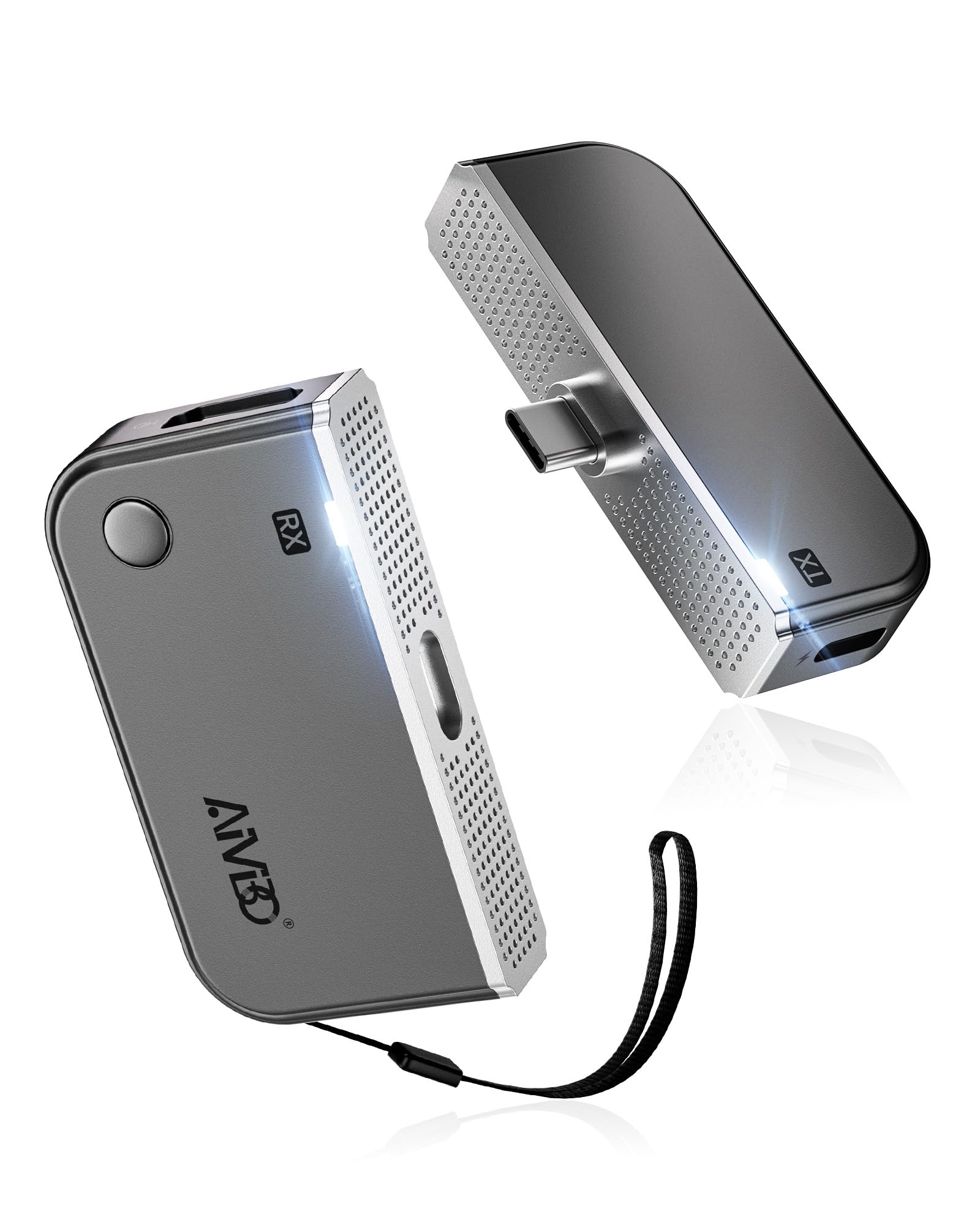
This is the kit you reach for when a single dongle’s range will not cut it. It comes as a transmitter that plugs into your device’s USB-C port and a separate receiver that hooks to the TV. The two halves are factory pre-paired, so there is no Wi-Fi, Bluetooth, or app setup — just plug in and stream in seconds. It accepts a 4K source and delivers a rock-solid 1080P at 60Hz output, so your laptop screen reaches the big display cleanly.
The standout number is the 328-foot (100 meters) transmission range on a 5GHz signal, which makes it the clear choice over the shorter-range dongles above for large-scale conferences or multi-room setups. It goes further than the simpler sticks by supporting up to 8 transmitters paired to one receiver — meaning multiple presenters can switch their screen share with one click. The receiver also works standalone as a wireless display adapter, so even without the transmitter it supports AirPlay, Miracast, and DLNA from your phone.
Owners call the picture clear and the setup perfect, with the caveat that your device needs USB-C DP Alt Mode (a feature that lets a USB-C port carry video). The transmitter is a bit wide and may block other ports, and the short 8-inch HDMI cable means you might need your own longer one for a tucked-away TV. Both halves also run warm under load, so give them a little breathing room.
Built for Big Rooms
- 328 ft range on 5GHz covers conference and classroom setups
- Up to 8 transmitters can share one receiver for easy presenter switching
- Receiver works standalone for AirPlay, Miracast, and DLNA casting
The Practical Cons
- Needs USB-C DP Alt Mode on your source device to transmit video
- Transmitter is wide and the stock 8-inch HDMI cable is short
Best bet for: meeting rooms, churches, and classrooms where one unit must cover serious distance and several presenters.
skip it if: you only need couch-to-TV mirroring — a simpler and smaller dongle will do that job at a lower price.
3. INVERSE NET Wireless HDMI Adapter
A pocket-sized cable-style adapter with a surprisingly long reach for on-the-go casting.
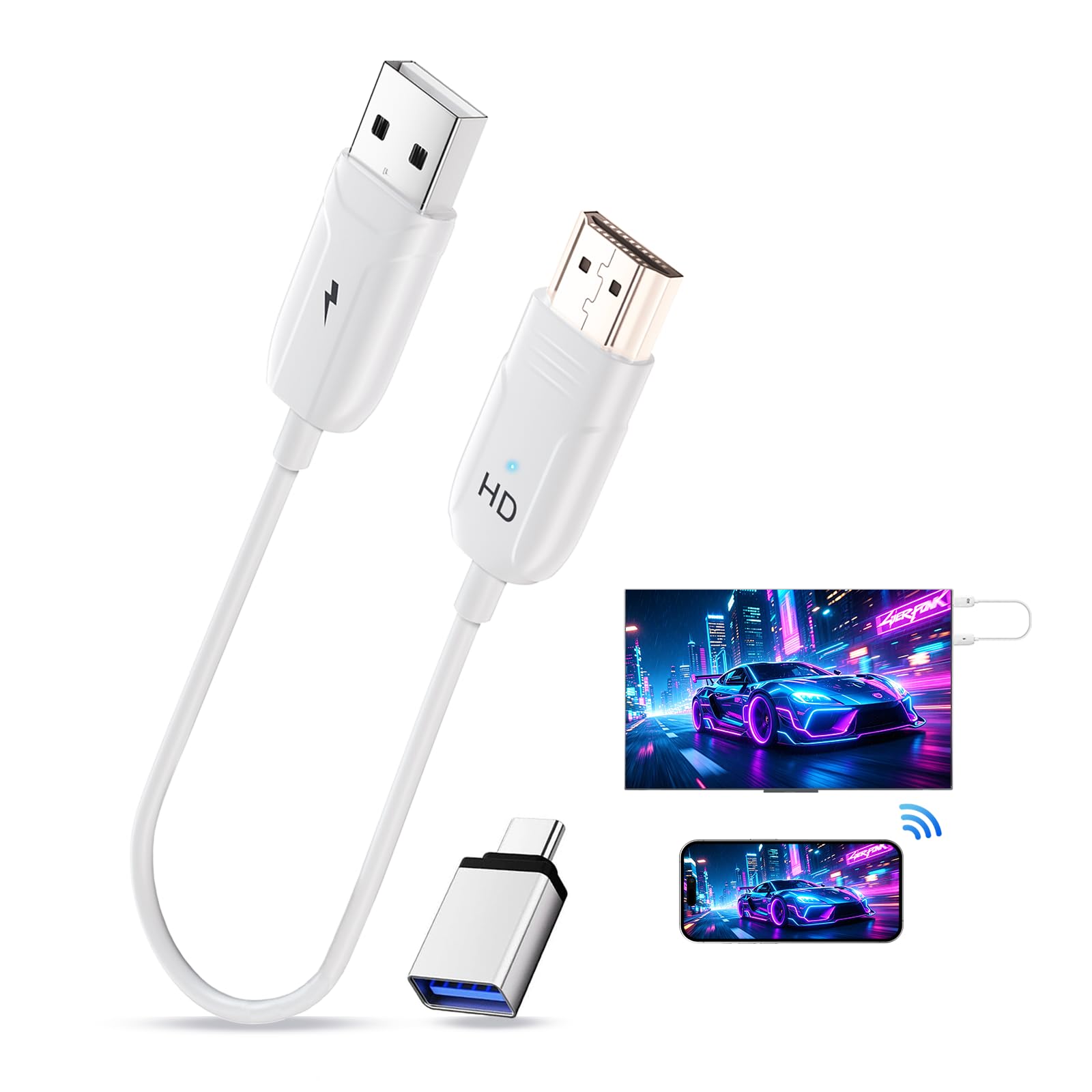
This one flips the usual stick design into a compact cable format — a small dongle with a built-in cable that plugs straight into your display. It is genuinely plug-and-play: no app, no Bluetooth, no Wi-Fi connection required on the adapter’s side. It supports 4K decoding and 1080p Full HD output, so your iPhone, iPad, or MacBook gets a crisp picture on a TV, monitor, or projector. It also ships with a USB-A to USB-C adapter for broader device compatibility.
The headline spec is the transmission range — buyers report a solid connection at a claimed 165 feet (50 meters), which is notable for a device in this price tier. That means you are not tethered to the TV’s immediate vicinity. The quality of the build is what earns the most praise, along with how easy it is to use, with rapid connections and clear picture and audio with no lag. It is great for travel and business presentations because the whole setup fits in a laptop sleeve.
The honest caveat is reliability over time. The review pages note that while it works beautifully from the start, at least one unit stopped showing “No AirPlay available nearby” after a handful of uses, and troubleshooting Wi-Fi, Bluetooth, and power did not revive it. Also, the latency is fine for presentations but a few buyers find it too slow for gaming or movie watching. Treat it as a strong portable option, not a guaranteed long-term daily driver.
The Long Reach: a 165-foot range in a device this small makes it the standout for hotel rooms and borrowed projectors.
The Reliability Question: some units connect perfectly at first then drop AirPlay later, so buy with a return policy in mind.
4. lulaven iShare Wireless HDMI Adapter

A dedicated iPhone and iPad stick that trades cross-platform claims for zero compatibility headaches.
Most adapters promise to work with everything and then struggle with Android quirks. This one deliberately does the opposite — it is built exclusively for iPhone and iPad (iOS 7 and up), which means no app downloads, no Bluetooth pairing, and no Wi-Fi needed. Just plug it into the TV’s HDMI port, select the input, and your screen mirrors instantly. It works with the iPhone 17 down to the iPhone 5, plus all Lightning and USB-C iPad models.
The output is a clean 1080P at 30Hz, which is perfectly solid for presentations, travel entertainment, and sharing photos, though it is not the 60Hz smoothness of the top pick. It streams YouTube, TikTok, Safari, and games, with the standard HDCP carve-out for Netflix and Disney+. The 3-step setup takes about 10 seconds, and it includes a USB power cable — though you must supply a 5V/1A adapter yourself for best quality.
Ideal as a low-cost Apple TV alternative for a second room or a hotel TV. Connectivity is the most-discussed aspect and it is mixed — some units work flawlessly on one TV but refuse to link on a second, and a few stop working after about a week. If you stay entirely in the Apple ecosystem, the simplicity is a real draw, but expect occasional connection roulette between different TVs.
The Apple-Only Simplicity: zero setup friction for iPhone and iPad users who never touch Android.
The Fit Note: connection success varies between TVs — one unit may work on your living room set but not the bedroom one.
5. Miracast Wireless HDMI Display Adapter
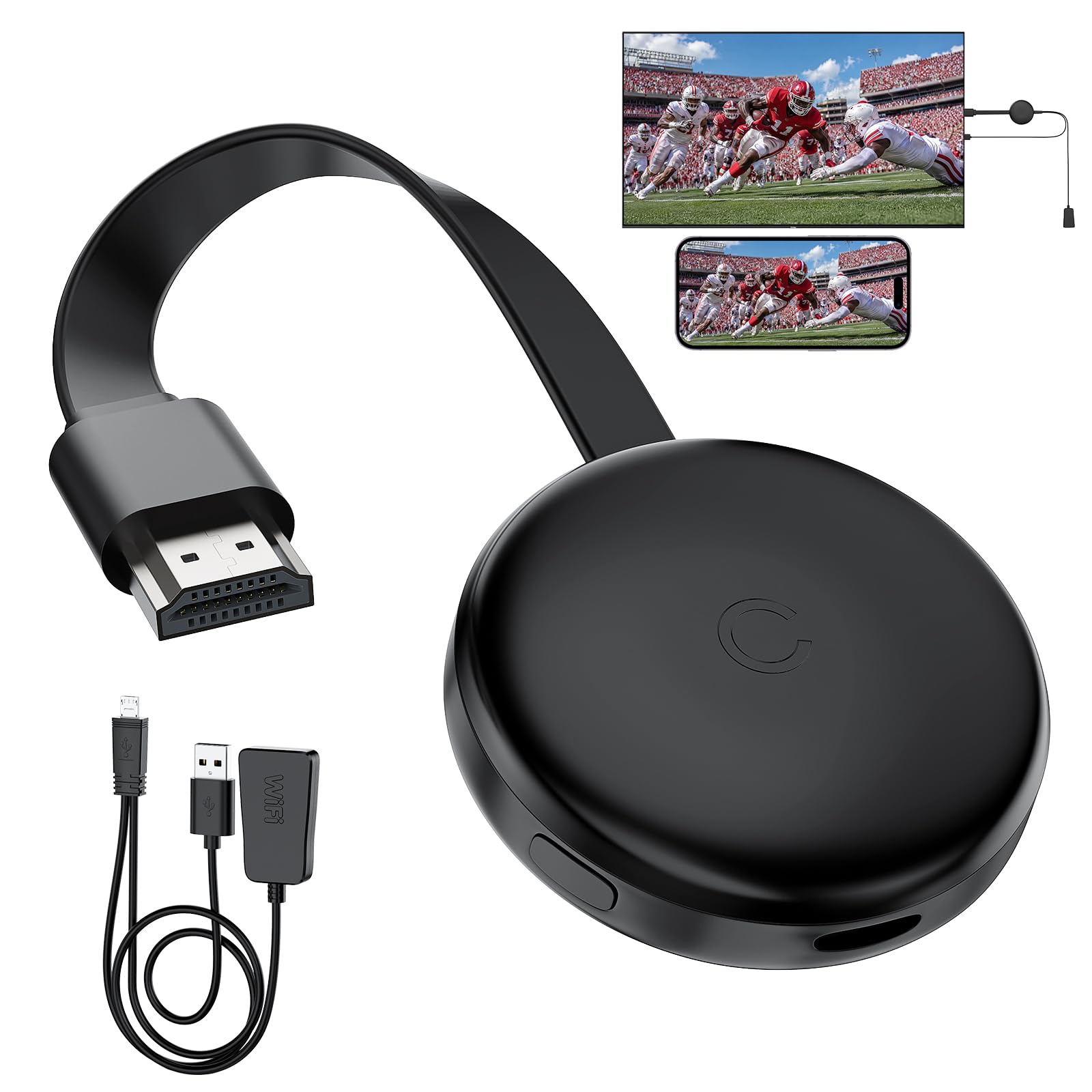
A palm-sized budget stick that keeps things simple for beginners who just want 1080P on the big screen.
If you want the absolute least complicated path from point A to point B, this dongle fits the bill. It is true plug-and-play — connect the adapter to your TV, power it up via the included USB cable, and use your phone’s mirroring function. The caveat is power: it needs a USB source, so you will use the TV’s USB port if it has one near the HDMI input, or a battery pack if that port is occupied.
It delivers sharp 1080P resolution with vibrant colors, which covers movies, slides, and games well. The dual-band 2.4G and 5GHz Wi-Fi keeps the transmission stable and low-latency across your home, and it supports AirPlay, DLNA, Cast, and Miracast — so it works with iOS, Android, Windows, and macOS devices. It also offers both mirroring mode and an extended mode, letting you keep working on your laptop while presenting on the monitor.
At this price, it is a strong entry-level pick, but it comes with the same HDCP limitation on paid apps like Netflix. The heat dissipation design is a nice touch — the slim rounded body is built to stay cool during long sessions. For a spare bedroom or a classroom that just needs a dependable 1080P mirror, this is the smart budget call.
The Value Play: dependable 1080P mirroring with dual-band Wi-Fi for a price that is hard to argue with.
Remember: you need a USB power source nearby, and paid streaming apps remain blocked by HDCP.
6. SOCLLLife 4K Wireless HDMI Adapter
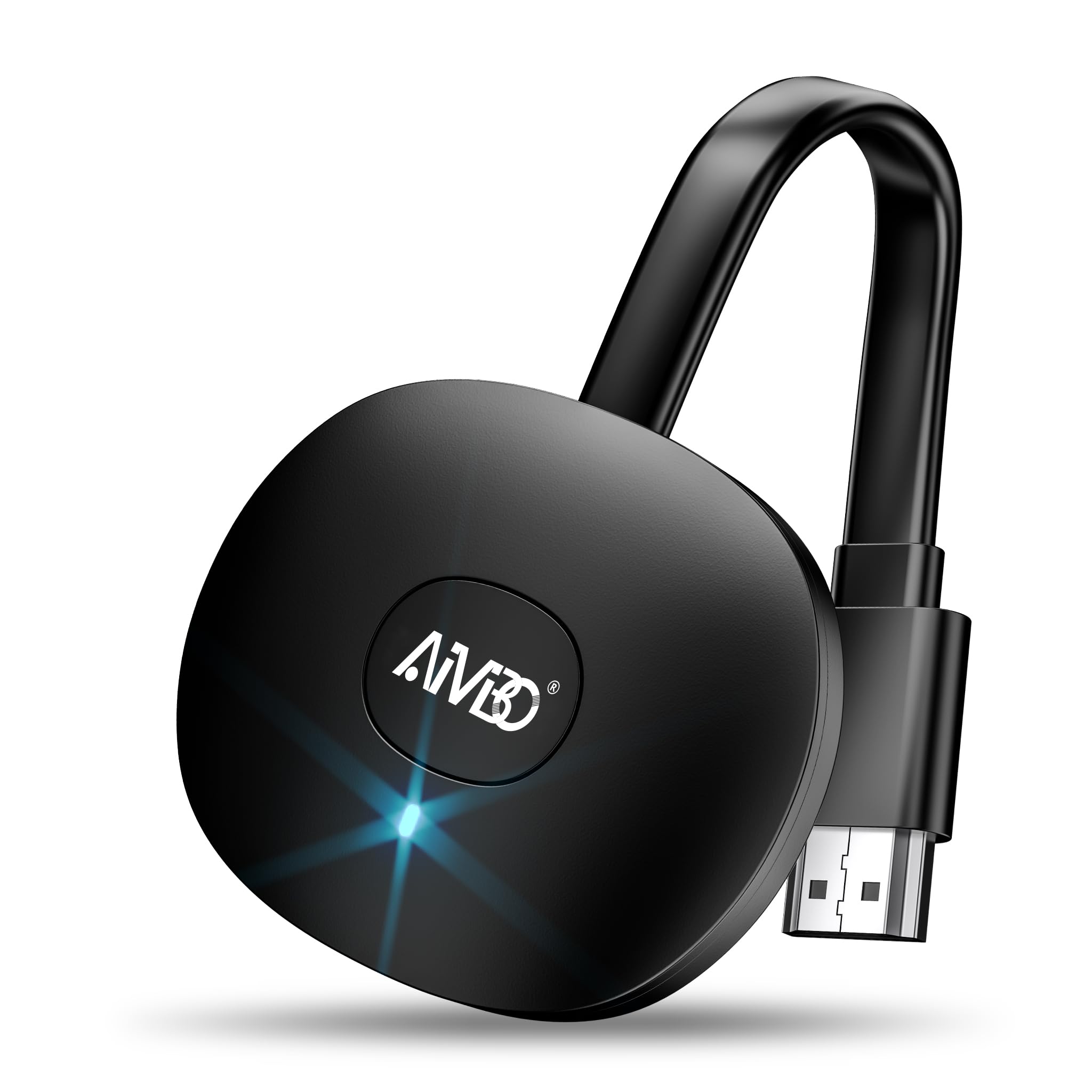
A 4K-capable stick with both mirror and extend modes for Android and Windows fans.
This dongle is designed to be the multi-tool of the category, supporting AirPlay, Miracast, and DLNA so it can mirror from iOS, Android, Windows, and Mac devices. It advertises 4K casting and offers three resolution tiers — 4K, 1080P, and 720P — so you can pick the quality that matches your network. The real draw is the extend mode, which lets you use your phone for other apps while video plays on the TV, a flexibility the simpler sticks do not offer.
The catch is that the wireless casting here is heavily tune for Android and Windows (Windows 10 or lower; Windows 11 is not supported). iOS users need extra steps to connect to the dongle’s wireless signal, and the HDCP restriction still blocks Netflix and Prime Video on iPhone. Also, Google Pixel and iPhone 17 users may need to upgrade the firmware online before mirroring will work — an extra hurdle to plan for.
Reviews split right down the middle. Some owners mention it works fine once you set it up properly, while others returned it because the setup required too many steps and the picture quality peaked at 1080P rather than the advertised 4K. The instructions also come in for criticism, with the on-screen guide being less reliable than the paper manual. This is a pick for patient users who want the extend mode more than they want instant simplicity.
The Flexibility: 4K, 1080P, and 720P tiers plus an extend mode for true multitasking.
The Setup Tax: expect extra configuration steps on iOS and possible firmware updates, so it rewards patient tinkerers.
7. EZCast 2 Wireless Display Receiver

A tiny receiver that streams 4K without any Wi-Fi network at all, thanks to peer-to-peer tech.
The defining feature of this featherweight dongle (it weighs just 16.5 grams) is its Peer-to-Peer (P2P) connection mode. That means your phone and the TV talk directly to each other, with no router in the middle — a genuine lifesaver in hotel rooms, outdoor events, and offices with locked-down networks. It supports 4K video mirroring at 30 frames per second, and it is compatible with iOS, Android, Windows, macOS, and even ChromeOS.
For a device this small, the protocol support is broad: AirPlay (via EZAir), Miracast, DLNA, Google Home Mirror, and Chrome Browser Mirror. It also supports dual-band 2.4GHz and 5GHz 802.11ac Wi-Fi, so when you do use a network, you can pick the 5GHz band for a smoother stream. It comes with a 1-year warranty, and a firmware upgrade resolves most connection complaints.
That said, the experience is genuinely mixed. It shines for PowerPoint-style presentations — owners rave about adding it to a church TV where it “just works” after a simple plug-in. But it stumbles with streaming platforms: YouTube TV has been reported to stream audio only with no video, and some customers note grainy picture quality. The setup can also be finicky, sometimes demanding the EZCast app even when the manual says iOS does not need it. This is a niche tool for P2P mirroring, not a general-purpose streamer.
The P2P Superpower: direct device-to-device 4K casting with zero Wi-Fi makes it unique for travel and secure venues.
The Streaming Gap: stick to slides and camera-roll video; some paid streaming apps misbehave on this one.
8. j5create ScreenCast 4K Max
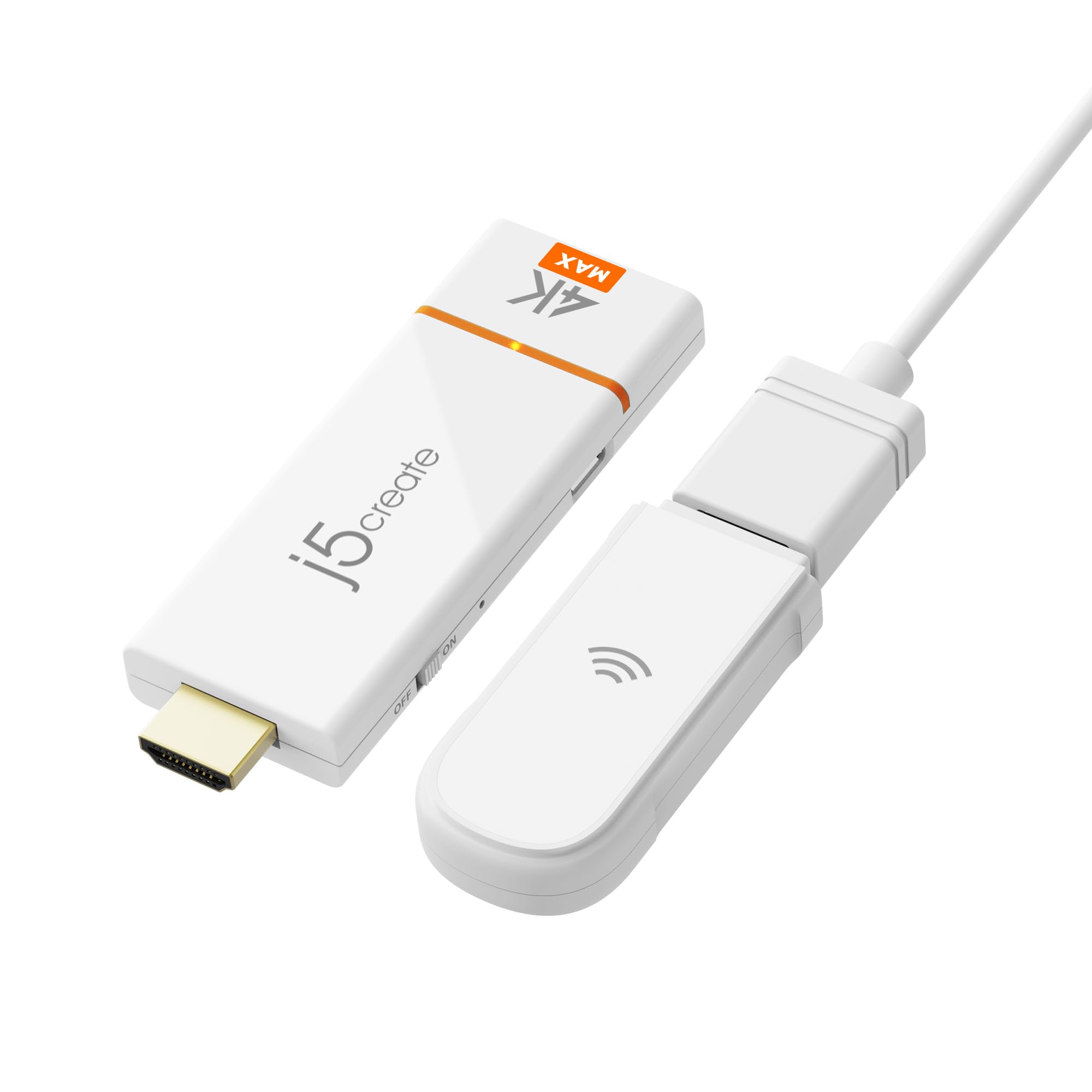
A business-focused 4K adapter that adds PIN protection and admin controls to screen sharing.
Where the others just mirror your screen, this one is built to keep that mirroring secure. It supports AirPlay, Miracast, and Chromecast, so it works with Windows, macOS, iOS, and Android from the start. The external high-gain antenna and dual-band 2.4/5GHz support push the stable streaming range to 50 feet (15 meters), which covers most meeting rooms comfortably. It even has a point-to-point mode for casting without a Wi-Fi network.
The security layer is what separates it from the crowd. You get customizable splash screens, Miracast PIN code protection, and admin gateway password controls — features that matter in corporate and education settings where you cannot have random people hijacking the conference room display. The 2-year limited manufacturer’s warranty is a reassuring touch for a device meant for regular business use.
The weakness is reliability and the price-to-value ratio. Several reviewers point out it connects easily over Wi-Fi but the P2P mode fails with a Windows laptop, and a few say the enhanced antenna does not meaningfully improve the signal. At its higher price point, those mixed results make it a tough sell for home users. This is a specialized tool for IT managers who prioritize security controls, not for someone who just wants to casually mirror a phone.
The Security Edge: PIN codes and admin controls make it the right fit for corporate and classroom environments.
The Honest Reality: the premium price is hard to justify when Wi-Fi works well but the P2P mode disappoints on some laptops.
Understanding the Specs
Latency and Refresh Rate
Latency (measured in milliseconds, or ms) is the delay between what happens on your phone and what shows on the TV. A lower number means snappier, more responsive mirroring. The BRAIDOL dongle advertises 100ms latency, which feels near-instant for presentations and casual viewing. Refresh rate (measured in Hz) tells you how often the image updates per second — 60Hz looks smooth and fluid, while 30Hz is fine for static slides but slightly choppier with fast action. If you cast a lot of video, aim for the 60Hz output tier.
Transmission Range
This is the maximum distance between your phone or laptop and the receiver before the signal degrades. A basic dongle like the BRAIDOL covers 16 feet, which handles a typical living room. The AIMIBO kit stretches to 328 feet, making it the tool for large conference halls. Remember that walls, furniture, and crowded Wi-Fi all shorten the real-world range, so give yourself a comfortable buffer when choosing.
FAQ
Why does Netflix not work when I mirror my iPhone to TV?
Does a wireless HDMI adapter need Wi-Fi to work?
Will an AirPlay dongle work with my Android phone?
What is the difference between mirror mode and extend mode?
How far can a wireless HDMI adapter reach?
Can I use a wireless HDMI adapter with an older projector?
Is a transmitter and receiver kit better than a single dongle?
Why does my adapter show a picture but no sound?
Final Thoughts: The Verdict
For most buyers, the airplay device for tv winner is the BRAIDOL Wireless HDMI Dongle because it pairs the easiest setup with dual-band stability and enough range for a normal home. If you need serious distance and presenter-switching for meetings, grab the AIMIBO Wireless HDMI Kit. And for the most budget-conscious 1080P mirroring, the Miracast Wireless Display Adapter is the one to reach for.
How We Picked
We do not accept paid placement. Every pick is matched to a real buyer and a real use-case; we do not hands-on test units.
Sources & Methodology
Specifications: manufacturer listings and product documentation. Review insights: verified customer reviews, as of August 2026. Pricing: not shown on this page (it changes often); check the current price via the retailer link.
As an Amazon Associate, Gadgets Feed earns from qualifying purchases. This does not affect which products we feature.