
Printing from a phone or tablet while standing in a coffee shop, a hotel room, or a client’s lobby shouldn’t require a Wi-Fi password, a driver installation, or a power outlet that’s three feet away. The reality for most on-the-go professionals and students is that the moment they step away from a desk, their printing workflow collapses because their printer is either too big, too slow, or too dependent on a fixed network. That gap between what a full-size office machine promises and what a mobile workflow actually demands is exactly where portable, AirPrint-compatible printers earn their keep.
I’m Min — the co-founder and writer behind Gadgets Feed. I’ve spent weeks analyzing the technical specifications, connectivity protocols, and real-world thermal vs. ink trade-offs that define the mobile printing experience, so you don’t have to wade through conflicting reviews.
This guide separates printers that merely claim portability from those that genuinely deliver on it, ranking the top contenders to help you confidently choose the best airprint mobile printer for your bag.
How To Choose The Best AirPrint Mobile Printer
Selecting a mobile printer that works seamlessly with iOS and iPadOS requires more than checking a box next to “AirPrint.” You need to evaluate the physical size, the print technology (ink vs. thermal), the battery capacity, and the wireless fallback options for when a standard router isn’t available. Here are the three most critical factors to narrow down your list.
Connectivity and AirPrint Reliability
A true AirPrint printer must appear as a native print destination on any iOS device without requiring a companion app. Look for models that also offer Wi-Fi Direct or Bluetooth as a fallback — this ensures you can print in a park, a car, or a hotel lobby where you have no access to a shared Wi-Fi network. Some printers support AirPrint only over a local network, so a direct-connection mode is essential for true mobility.
Thermal vs. Inkjet: The Portability Trade-Off
Thermal printers use heat-activated paper and eliminate the need for ink cartridges, toner, or ribbons. This makes them lighter (often under 1.5 lbs), more compact, and free from the risk of leaking ink in your bag. The downside is that thermal printouts are monochrome and can fade over time if exposed to heat or sunlight. Inkjet printers produce full-color, archival-quality documents but require you to carry cartridges and a power source, which adds weight and bulk.
Battery Power and Page Capacity
If you plan to print away from a desk, internal battery capacity is the single most important spec. Look for a built-in rechargeable battery that can handle at least 100 pages per charge for a full day of work. Printers that rely solely on a USB-C power connection are not truly mobile — they are merely “transportable.” A printer with a 2600 mAh battery or higher will keep you operational through multiple client meetings or study sessions without hunting for an outlet.
Quick Comparison
On smaller screens, swipe sideways to see the full table.
| Model | Category | Best For | Key Spec | Amazon |
|---|---|---|---|---|
| Phomemo G100 Pro | Premium Thermal | On-the-go Wi-Fi Direct printing | 300 DPI, 20 ppm, 1.31 lbs | Amazon |
| Phomemo M832D | Mid-Range Thermal | Multi-size thermal with battery | 300 DPI, 2600mAh, 1.5 lbs | Amazon |
| Brother MFC-J1410DW | Mid-Range Inkjet | Home office all-in-one | 16 ppm B&W, auto-duplex | Amazon |
| HP Envy Photo 7975 | Premium Inkjet | Photo and document printing | 15 ppm B&W, auto-duplex | Amazon |
| Canon PIXMA TR160 | Mid-Range Inkjet | Ultra-portable color printing | 4.5 lbs, 5-color ink system | Amazon |
| Canon PIXMA TS9520a | Premium Inkjet | Large-format and craft printing | 200-sheet capacity, 15 ppm | Amazon |
| HP DeskJet 2755e | Budget Inkjet | Basic home printing on a budget | 7.5 ppm B&W, 60-sheet tray | Amazon |
In‑Depth Reviews
1. Phomemo G100 Pro
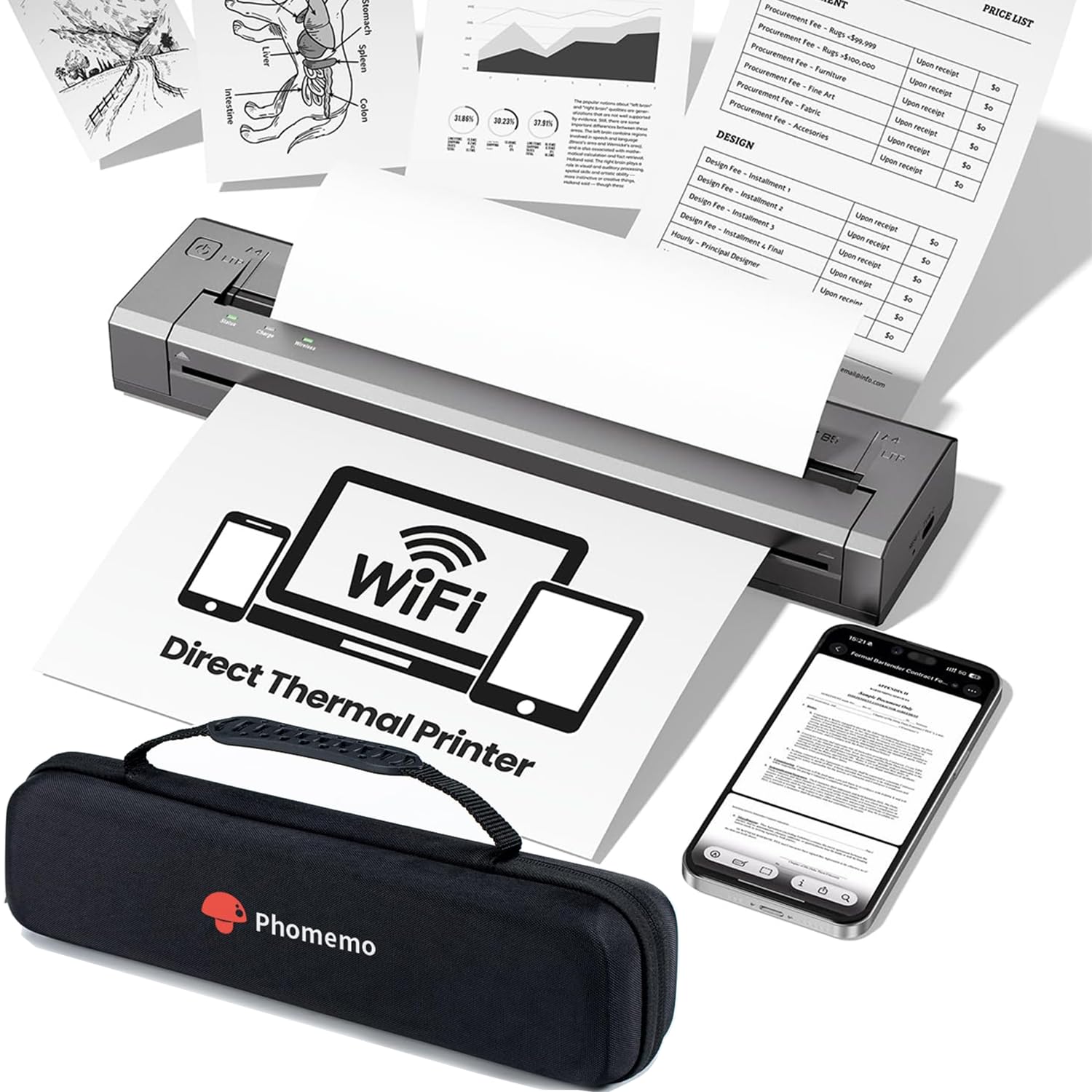
The Phomemo G100 Pro is the most genuinely mobile printer in this lineup because it removes every friction point that traditional inkjets introduce on the road. It creates its own 5 GHz Wi-Fi network on startup — no app, no driver, no router required — and it appears as a native AirPrint destination on any iPhone or iPad within seconds. At just 1.31 lbs and roughly the size of a water bottle, it slips into a laptop bag without adding noticeable weight.
Print quality from the 300 DPI thermal print head is crisp for black-and-white text documents, invoices, contracts, and packing slips. The speed is notable: up to 100 mm/s translates to about 20 A4 pages per minute, and a single page can eject in about seven seconds. The printer also supports four paper sizes (US Letter, A4, B5, A5), making it versatile for both North American and international document formats.
Privacy-conscious users will appreciate that the G100 Pro does not collect personal data and does not require a cloud account to function. The vibration-dampening system keeps the noise floor below 25 dB, which is library-quiet. The major limitation is that thermal paper is monochrome and not ideal for archival storage — but for mobile document printing, that trade-off is well worth the portability.
Why it’s great
- True AirPrint over its own Wi-Fi Direct network — no app or router needed
- Ultra-light at 1.31 lbs and only 1.26″ thick
- Inkless thermal operation eliminates cartridge leaks and refill hassle
Good to know
- Monochrome output only; no color printing
- Thermal prints can fade if exposed to direct heat or sunlight over time
2. Phomemo M832D
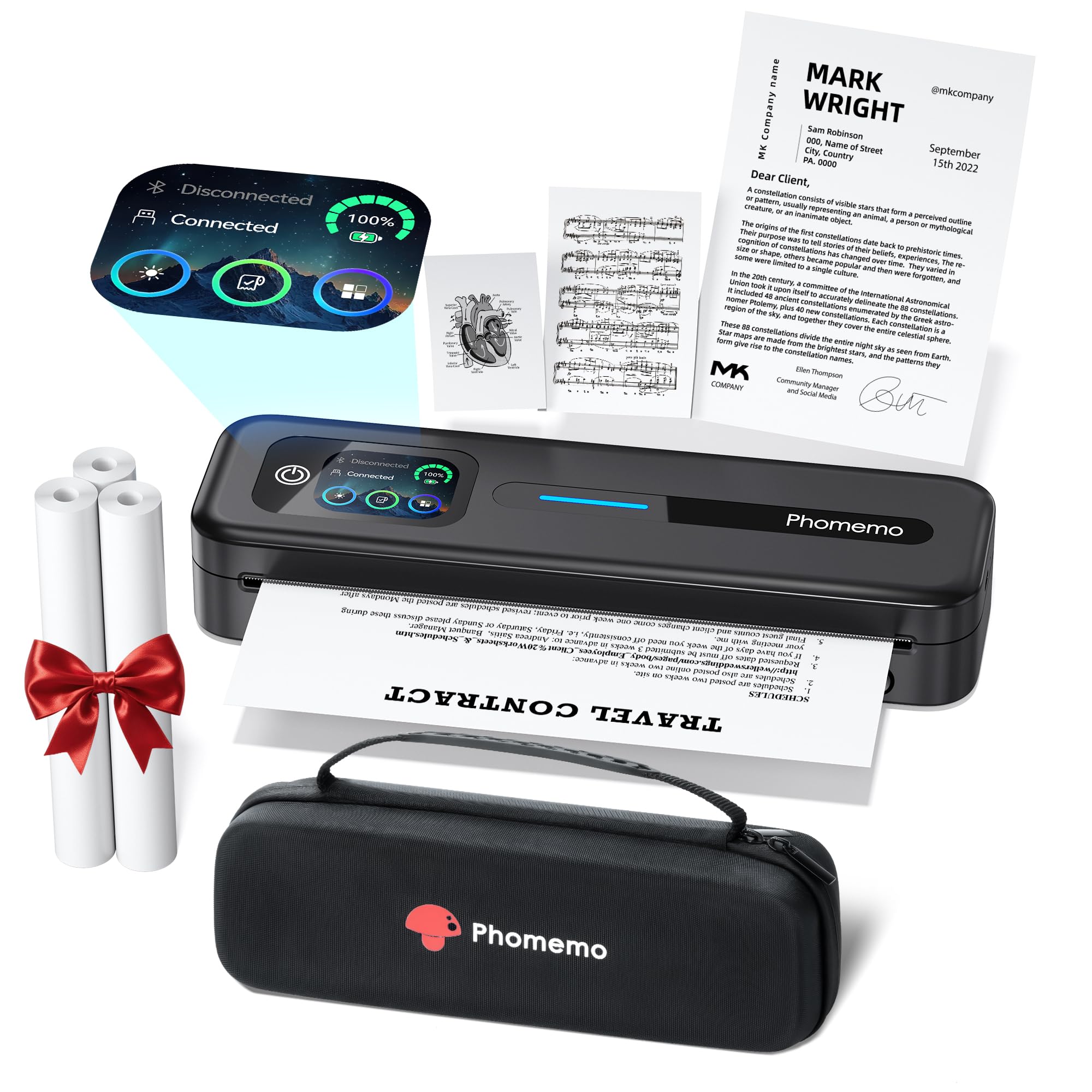
The Phomemo M832D takes the portable thermal concept and adds a 2600 mAh internal battery that delivers up to 200 continuous pages on a single charge. That is enough for a full day of on-site printing at a trade show, multiple client meetings, or an intensive study session without once reaching for a charger. The 2.01-inch touchscreen display shows battery percentage, paper status, and connectivity at a glance.
This printer is also the most versatile in terms of paper size support. It handles US Letter, A4, and smaller receipt-size rolls (2.08″, 3.15″, and 4.33″), which makes it equally useful for printing full-page documents or quick note-size excerpts. The Bluetooth connectivity is optimized to be 50% faster than previous Phomemo models, and the pairing process with iOS is seamless through the companion app.
Print quality at 300 DPI is sharp for text and grayscale images, and the inkless thermal system means you will never spend another dime on cartridges. The printer comes bundled with three rolls of US Letter thermal paper and a carrying case. The only quirk is that the Android app pushes a subscription for advanced features, but the core AirPrint functionality via the app works without a paid plan.
Why it’s great
- 200-page battery capacity — class-leading for portable thermal printers
- Large color touchscreen makes paper and ink status checks effortless
- Supports five different paper widths from receipt to US Letter
Good to know
- Bluetooth only works with phones and tablets; computer connection requires USB-C
- No automatic page separation for multi-page documents
3. Brother MFC-J1410DW

The Brother MFC-J1410DW is the best option for users who need a full-featured all-in-one (print, copy, scan, fax) but still want AirPrint flexibility from their phone. The 2.7-inch color touchscreen lets you print from and scan to cloud apps like Google Drive, Dropbox, and OneDrive without touching a computer. At 16 ppm black and 9 ppm color, it is one of the fastest inkjet printers in this class.
Automatic duplex printing is standard — a feature often missing from mobile-first printers — and the 20-sheet automatic document feeder makes multi-page scanning much less tedious. The printer connects via wireless network or USB, and the Brother Mobile Connect app provides a polished remote management interface for checking ink levels and initiating prints from anywhere on the network.
Ink costs are reasonable with Brother’s LC501 cartridges, and users report that cartridges can last six months or more under moderate home office use. The printer is not truly portable (it requires a desk and an AC outlet), but it is compact enough for a small home office. Some users experienced initial network setup hiccups, but once connected, AirPrint discovery is reliable.
Why it’s great
- Auto-duplex printing saves paper and is rare in this price tier
- Cloud app integration via the touchscreen is genuinely useful
- Fast 16 ppm black speed handles multi-page documents quickly
Good to know
- Not portable — requires a permanent desk setup and AC power
- Some firmware update processes have been reported as finicky
4. HP Envy Photo 7975

The HP Envy Photo 7975 is designed for families and creatives who need vibrant borderless photo prints alongside everyday document output. Its AI-enabled web-printing feature automatically strips out ads, sidebars, and unwanted content from web pages before printing, which is a practical time-saver when printing recipes, articles, or travel itineraries directly from Safari via AirPrint.
The printer includes a dedicated photo tray that handles borderless prints up to 5×7 inches, and the 24-bit color depth ensures smooth gradients in your images. Print speeds are solid at 15 ppm black and 10 ppm color, and the auto-duplex feature cuts paper waste. The HP Smart app guided setup is straightforward, and most users reported being up and running in under ten minutes.
Ink costs are the main consideration here — the HP 64 cartridges are not the cheapest on the market, but the included three-month Instant Ink trial can offset initial costs. A notable positive is that the printer accepts both standard and high-yield XL cartridges, giving you flexibility on page yield. The printer is not portable (it is a desktop unit), but its photo-centric feature set makes it a strong choice for a shared home office.
Why it’s great
- Dedicated photo tray with borderless support up to 5×7
- AI web printing removes clutter before you hit print
- Auto-duplex and auto-document feeder streamline workflows
Good to know
- Ink cartridges are proprietary and can be expensive per page
- A minority of units have reported reliability issues after a few weeks
5. Canon PIXMA TR160

The Canon PIXMA TR160 is the lightest inkjet printer that still delivers full-color output, weighing in at just 4.5 lbs. It is designed to slip into a backpack or large tote bag, making it the best choice for travelers or remote workers who need color documents but prefer a traditional inkjet over thermal paper. The 5-color hybrid ink system produces vibrant photos and sharp black text for documents up to 8.5×11 inches.
Connectivity is straightforward: AirPrint is supported natively, and Wireless Direct mode lets you connect your iPhone or iPad to the printer even when no Wi-Fi router is available. The 1.44-inch monochrome OLED display is minimal but functional — it shows ink levels and status without draining the battery. The printer does not include an internal battery by default, but an optional battery pack is available for true untethered use.
Print speeds are moderate at 9 ppm black and 5.5 ppm color, but the trade-off is the compact footprint. The 50-sheet paper tray is adequate for mobile print runs. Users consistently praise the easy Bluetooth pairing and the print quality, which rivals much larger desktop inkjets. The main catch is that this is a print-only device — there is no scanner or copier built in.
Why it’s great
- Only 4.5 lbs — the lightest color mobile inkjet on this list
- 5-color hybrid ink system for exceptional photo and document quality
- Wireless Direct mode works without a router for travel
Good to know
- Battery is optional and sold separately
- No scanning or copying — print-only functionality
6. Canon PIXMA TS9520a

The Canon PIXMA TS9520a is a premium all-in-one that stands out because it handles media up to 11×17 inches — a rare capability for a consumer-grade printer. This makes it the go-to choice for crafters, scrapbookers, and anyone printing large-format calendars, posters, or banners. The 4.3-inch color touchscreen is the largest display in this comparison and makes cloud app navigation and media selection intuitive.
The paper handling is generous: a 100-sheet bottom cassette plus a 100-sheet rear tray gives you a 200-sheet total capacity, and the 20-sheet auto document feeder simplifies multi-page scanning. The five-individual-ink system means you only replace the color that runs out, which is more economical than tri-color cartridges. Third-party ink cartridges reportedly work without issue, further lowering the cost per page.
Print speeds are about 15 ppm black and 10 ppm color, and the auto-duplex feature is standard. Users who print on thick media (up to 300 gsm) report flawless feeding with no jams. The main trade-off is that the printer is large and desk-bound — it is not designed for mobility. A small design quirk: the front cover must remain open to print, which takes up additional desk space.
Why it’s great
- Supports up to 11×17 inch media — ideal for large-format crafting
- 200-sheet total paper capacity handles heavy print jobs
- 5-ink individual system reduces waste and works with third-party cartridges
Good to know
- Large desktop footprint — not portable
- Front cover must stay open during printing, increasing desk space needed
7. HP DeskJet 2755e

The HP DeskJet 2755e is the entry-level inkjet that makes AirPrint accessible at the lowest possible investment. For basic home tasks — printing forms, school worksheets, recipes, and occasional color documents — it gets the job done with a 64 MB RAM buffer and 1200 DPI output. The compact chassis (6.06″ tall, 16.7″ wide) fits on a narrow shelf or small desk corner.
Setup is handled through the HP Smart app, which guides you through Wi-Fi pairing and network configuration. Tech-savvy users can complete the process in about five minutes, though some users with less networking experience have reported a longer, more frustrating setup. Once connected, AirPrint discovery is reliable, and the dual-band Wi-Fi with self-reset keeps the connection stable even on congested home networks.
The printer is an all-in-one (print, scan, copy) with a 60-sheet input tray and a 1,000-page monthly duty cycle, which is adequate for light home use. The included six-month Instant Ink trial helps offset the cost of the HP 67 cartridges, but replacement cartridges are small and can run out quickly with moderate use. The manual duplex means you have to flip pages yourself, but for the price, this is an acceptable compromise.
Why it’s great
- Lowest upfront cost for an AirPrint-compatible all-in-one inkjet
- Compact size fits small spaces easily
- Six-month Instant Ink trial reduces initial running costs
Good to know
- Setup can be time-consuming for non-tech-savvy users
- Manual duplex only — you must flip pages yourself for 2-sided printing
FAQ
Can I use AirPrint with a thermal printer that has no built-in Wi-Fi?
Does a mobile printer need a battery if I always print near an outlet?
Will thermal paper from a mobile printer last as long as inkjet paper?
What happens if I run out of thermal paper while traveling?
Final Thoughts: The Verdict
For most users, the best airprint mobile printer winner is the Phomemo G100 Pro because it creates its own Wi-Fi network for instant AirPrint discovery, weighs just over a pound, and eliminates ink costs with thermal technology. If you need color printing in a truly portable chassis, grab the Canon PIXMA TR160 — it is the lightest inkjet that still delivers vivid output. And for users who want maximum battery life and paper size versatility, nothing beats the Phomemo M832D with its 200-page stamina.