
The 3G sunset turned thousands of hardwired alarm panels into expensive wall ornaments overnight. A cellular communicator is the only way to restore monitoring without running a phone line, and the wrong choice leaves you with a bricked system or a surprise monthly bill.
I’m Min — the co-founder and writer behind Gadgets Feed. I’ve spent countless hours dissecting compatibility lists, Verizon vs. AT&T frequency bands, and the fine print of registration requirements for every alarm system cellular communicator on the market.
Whether you own a legacy Honeywell Vista, a DSC Power Series, or a generic wireless kit, finding the right alarm system cellular communicator means matching the panel protocol, the cellular band, and the monitoring service without overpaying for features you don’t need.
How To Choose The Best Alarm System Cellular Communicator
Dropping a cellular communicator into your existing alarm panel is the single most cost-effective upgrade you can make, but it is also a compatibility minefield. The communicator must speak the same electrical language as your panel and ride the right cellular frequency for your area.
Panel Compatibility — The Non-Negotiable Filter
The first and most critical spec is the panel brand and model. Honeywell Vista panels require a specific communicator like the LTEM-XV that plugs directly into the panel’s serial bus. DSC Power Series panels need a universal communicator such as the Alula BAT-Connect that connects via the keypad bus. Universal communicators are more flexible but require manual wiring — panel-specific modules are plug-and-play but lock you into one ecosystem.
Cellular Network and Band Support
In the US, Verizon uses LTE Band 13 as its primary frequency, while AT&T relies on Band 12 and Band 5. A communicator sold as “Verizon” will only activate on Verizon’s network. If you have weak Verizon signal at your panel location, an AT&T or T-Mobile model may perform better. For maximum reliability, dual-path communicators that combine Ethernet and LTE cellular provide a failover if the internet goes down.
Registration and Activation Model
Some communicators come pre-registered and require a central station account to activate — these are typically sold through alarm dealers. Others, like the Alula BAT-Connect, can be self-activated through apps and third-party monitoring services. If you plan to self-monitor or use a no-contract service, confirm the communicator isn’t locked to a specific dealer before buying.
Quick Comparison
On smaller screens, swipe sideways to see the full table.
| Model | Category | Best For | Key Spec | Amazon |
|---|---|---|---|---|
| Alula BAT-Connect-V | Universal | Multi-panel compatibility | Ethernet + Wi-Fi + 4G LTE | Amazon |
| UNO IP Hybrid Panel | Panel | Replacing older DSC boards | Supports 128 zones | Amazon |
| Konnected Alarm Panel Pro | Smart Home | SmartThings/Home Assistant integration | 12-zone wired + Wi-Fi/Ethernet | Amazon |
| 2GIG LTEV1-A-GC2 | Panel-Specific | Alarm.com monitoring with GC2 | Verizon LTE Cat-1 | Amazon |
| MarCELL PRO | Specialty | Temp/humidity/power monitoring | Verizon cellular (no Wi-Fi) | Amazon |
| PGST 24Pcs WiFi+GSM | Complete Kit | Self-monitoring with app | Wi-Fi + 4G dual connectivity | Amazon |
| PGST Touch Screen 24Pcs | Complete Kit | Easy senior-friendly touchscreen | 4.3-inch touch + 4G backup | Amazon |
| AGSHOME GSM Kit | Complete Kit | Budget no-subscription setup | 99 zones + GSM auto-dial | Amazon |
| Honeywell LTEM-XV | Panel-Specific | Honeywell Vista upgrade | Verizon Cat-M1 LTE | Amazon |
In‑Depth Reviews
1. Alula BAT-Connect-V Universal Alarm Communicator
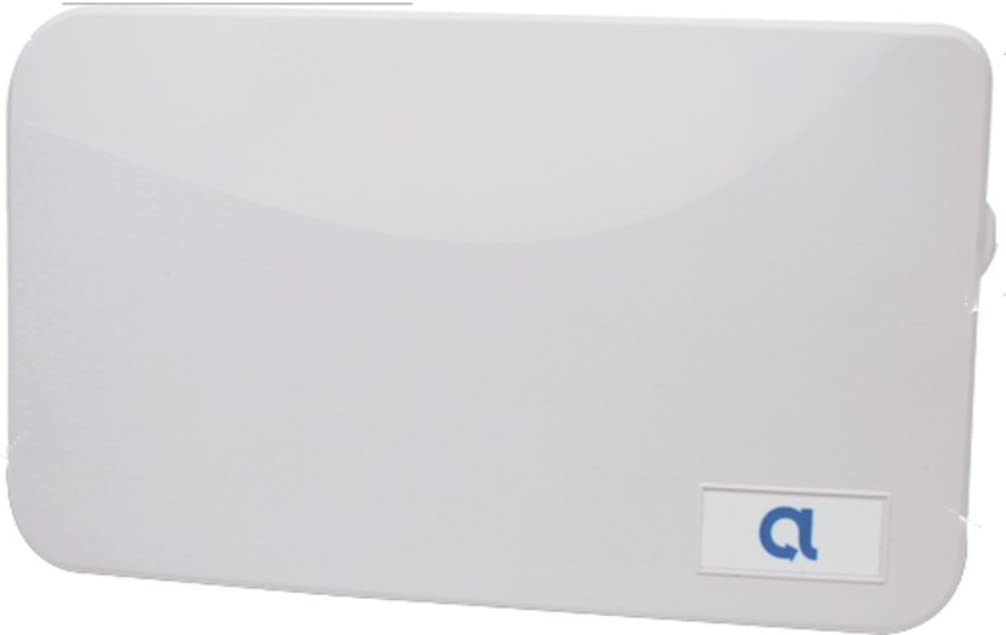
The Alula BAT-Connect-V earns the top spot for its rare combination of universal panel compatibility and triple-path connectivity — Ethernet, Wi-Fi, and Verizon 4G LTE cellular. It works with nearly every major alarm panel including Honeywell Vista, DSC Power Series, and 2GIG, making it the ultimate solution for mixed-panel households or future panel swaps.
Installation requires basic low-voltage wiring (tip/ring and power/data pairs), and experienced DIYers report a 30-minute install using the clear documentation. The companion Alula mobile app provides remote arm/disarm, zone-by-zone status, and push notifications without a separate hub. For users replacing a landline, the BAT-Connect saves the monthly phone line cost while adding cellular backup.
One trade-off is that the device creates a visible Wi-Fi network named ALULAnnnnn that cannot be disabled, which may feel counterintuitive for security-minded users. Additionally, Alula requires activation through a dealer or approved third-party monitoring service — self-monitoring via cellular without a plan is not supported on this model.
Why it’s great
- Works with Vista, DSC, 2GIG, and many other panels
- Triple-path communication: Ethernet plus Wi-Fi plus 4G LTE cellular
- Full remote control via mobile app with zone-level detail
Good to know
- Wi-Fi broadcast network (ALULAnnnnn) cannot be disabled
- Requires dealer or third-party monitoring activation for cellular
- Wiring may be tight in crowded panels with limited clearance
2. UNO IP Hybrid Professional Grade Alarm Panel

Its Ethernet-first architecture provides near-instant push notifications, text, and email alerts directly through the smartphone app.
Setup is surprisingly straightforward: the unit automatically seeks an IP address via DHCP, eliminating router-configuration headaches. All programming is done through the app rather than cumbersome keypad menus. For cellular redundancy, adding the optional Sidekick LTE module provides a dual-path failover if the internet goes down, keeping your alarm reporting active even during an ISP outage.
The panel fits into standard DSC or Honeywell enclosures, but users report that the touch keypad (PTK5507) operates in a reduced-functionality mode when paired. There is no native Hubitat driver available, forcing users who want local smarthome integration back to older solutions like the Envisalink, which requires a separate Ethernet port.
Why it’s great
- Supports 128 zones with app-based programming
- Dual-path option with Sidekick LTE for cellular backup
- Fits into standard DSC and Honeywell enclosures
Good to know
- Touch keypad works in limited mode with this panel
- No native Hubitat or Home Assistant drivers available
- Sidekick LTE module sold separately for dual-path setup
3. Konnected Alarm Panel Pro Conversion Kit

The Konnected Alarm Panel Pro is the best choice for users who want to integrate a hardwired alarm system into a modern smart home platform like SmartThings, Home Assistant, Hubitat, or Alexa. This board converts 12 zones of existing wired sensors (door, window, motion, leak) into smart sensors that trigger automations, all without a monthly subscription.
Installation takes about 45 minutes using the included standoffs, screwdriver, and wire labels. The board supports Wi-Fi and Power-over-Ethernet (PoE), so you can position it anywhere near your sensor wires. The real power lies in custom automation: a door sensor trigger can turn on smart lights, send a push notification, and arm the system — all locally without cloud dependency when using Home Assistant with ESPHome firmware.
The trade-off is that the Konnected board does not function as a traditional alarm cellular communicator — it bridges sensors to a smart home hub but does not communicate with central station monitoring via cellular. Users who want professional monitoring will need a separate cellular communicator connected to their old panel or a paid third-party service that supports Konnected’s integration.
Why it’s great
- 12-zone wired sensor conversion with Wi-Fi and PoE
- Works with SmartThings, Home Assistant, Hubitat, and Alexa
- No monthly subscription required for local smart home automation
Good to know
- Does not provide traditional cellular alarm communication for monitoring
- May require ESPHome firmware for optimal Home Assistant integration
- Some units have reported sensor detection issues out of the box
4. 2GIG LTEV1-A-GC2 Cell Radio Module
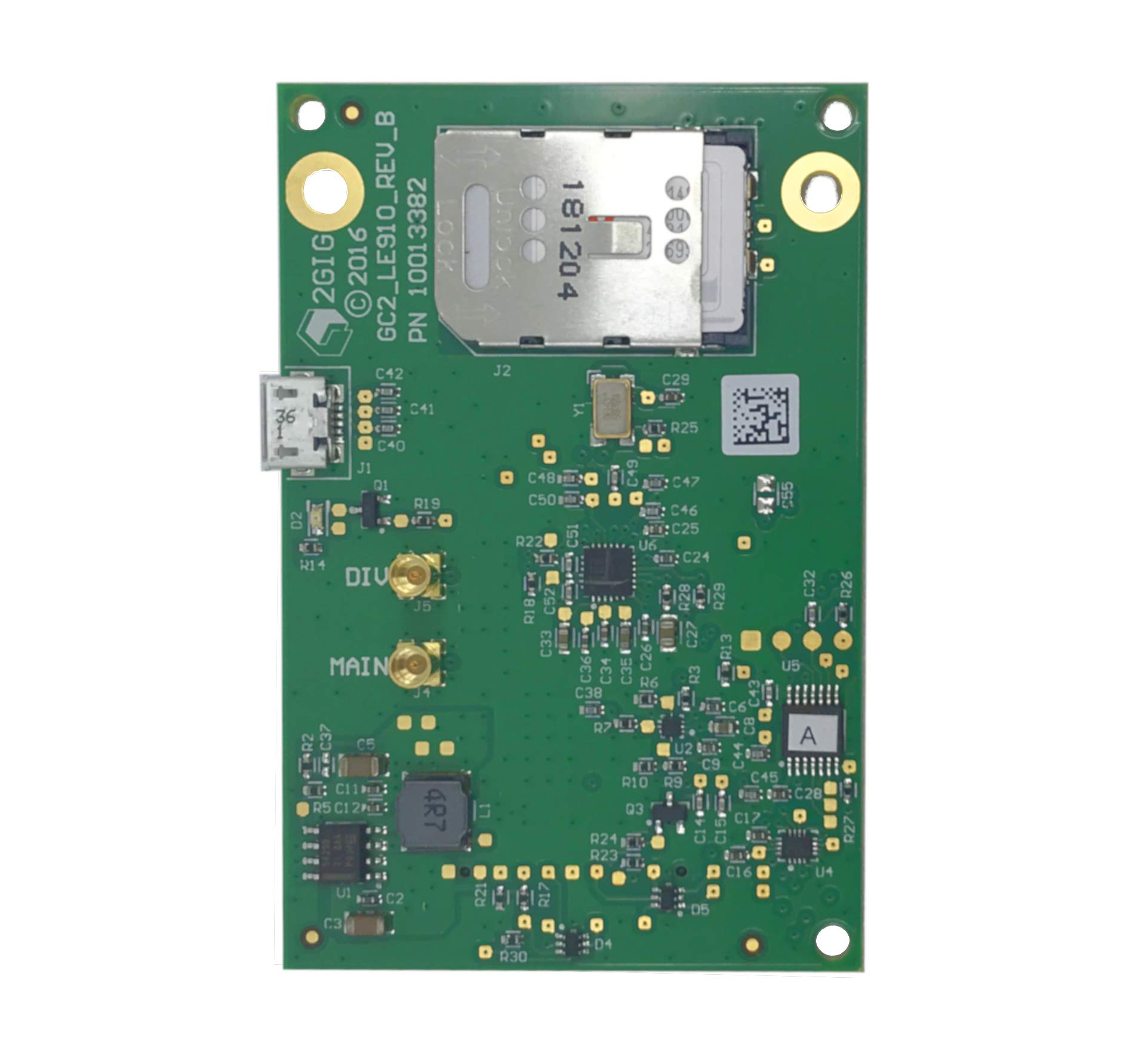
The 2GIG LTEV1-A-GC2 is a panel-specific cellular radio module designed exclusively for the 2GIG GC2 and GC2e alarm panels. It upgrades the system from 3G to Verizon 4G LTE Cat-1 communication, enabling Alarm.com remote services including smartphone arming, push notifications, and camera integration.
Installation is straightforward: the module plugs into the GC2 board and includes two LTE antennas for better signal reception. Users report a working installation after watching a short YouTube tutorial — the unit ships without printed documentation. The radio is typically sold unregistered, allowing takeovers of existing 2GIG systems that are already compatible with Alarm.com.
This communicator is strictly tied to the 2GIG ecosystem and will not work with Honeywell, DSC, or any other panel brand. Additionally, the GC2 panel must be running firmware version 1.19.1 or newer, so older panels may require a firmware update before the LTE module will activate. The module also requires an active Alarm.com account with a monitoring plan to function.
Why it’s great
- Seamless plug-in upgrade for 2GIG GC2 panels
- Enables full Alarm.com remote services and camera integration
- Unregistered unit allows easy system takeover
Good to know
- Compatible only with 2GIG GC2 panels (firmware 1.19.1+)
- No printed installation documentation included
- Requires active Alarm.com monitoring plan for operation
5. MarCELL PRO Cellular Monitor

The MarCELL PRO is not a traditional alarm communicator for intrusion detection — it specializes in monitoring temperature, humidity, and power status over the Verizon cellular network without any Wi-Fi or landline connection. This makes it an essential device for remote environments like RVs, server rooms, freezers, and vacation homes where internet access is unreliable or absent.
The unit includes a battery backup that ensures alerts are sent even during a power outage, and it ships with a fridge/freezer probe for temperature-sensitive storage. Alerts arrive via email, phone call, and text when conditions fall outside safe ranges. Buyers should note that a cellular data plan is required — per month with annual prepayment or month-to-month — which is reasonable for dedicated remote monitoring.
The MarCELL PRO excels in its niche but offers no intrusion alarm features — no motion detection, no door/window sensors, and no siren. It is a communicator for environmental safety rather than security. Some users find the website interface dated, and instant notification upgrades come at an additional monthly fee, which feels redundant given the base subscription cost.
Why it’s great
- Operates entirely over Verizon LTE — no Wi-Fi, no landline
- Includes battery backup for power-outage alerts
- Covers temperature, humidity, and power status monitoring
Good to know
- Requires monthly/annual cellular subscription (+)
- No intrusion detection or security alarm features
- Instant notification upgrade costs extra on top of base plan
6. PGST 24Pcs WiFi+GSM/4G Security System
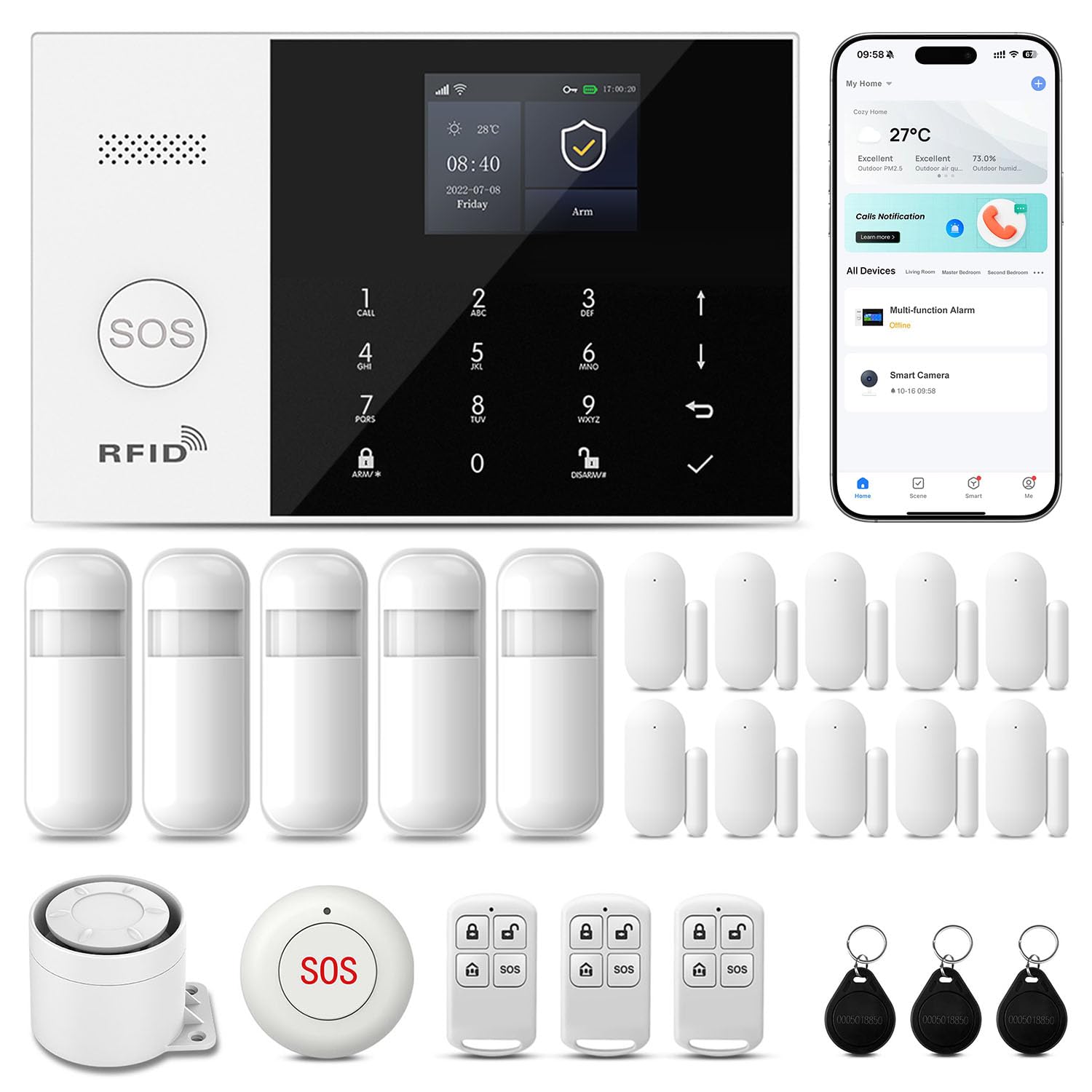
The PGST 24Pcs WiFi+GSM/4G system is a complete security kit that functions as its own alarm panel with built-in cellular communicator. It supports dual connectivity — 2.4GHz Wi-Fi for primary operation and a 4G SIM card slot for automatic failover. If Wi-Fi goes down, the system seamlessly switches to cellular, ensuring alarm signals reach the app.
The kit includes a full suite of sensors: door/window contacts, motion detectors, key fobs, and an emergency SOS button, all pre-programmed for quick installation. The Smart Life / Tuya app provides remote control, event history, and system sharing with family members. The 110 dB siren provides audible deterrence, and the tamper-proof design triggers alarms if the hub is forcibly removed.
The main limitation is that this system is a standalone consumer kit — it does not integrate with existing hardwired panels or central station monitoring. The app-based SMS and phone call alerts require additional third-party fees, and the system relies heavily on cloud connectivity. Some users report that sensor battery life falls short of the advertised three-year claim.
Why it’s great
- Complete 24-piece kit with dual Wi-Fi + 4G connectivity
- Automatic failover to cellular when internet drops
- No monthly subscription for basic app-based self-monitoring
Good to know
- No integration with existing hardwired panels or central station monitoring
- App-based SMS/phone alerts require additional third-party fees
- Sensor battery life may underperform advertised claims
7. PGST Touch Screen 24Pcs Security System
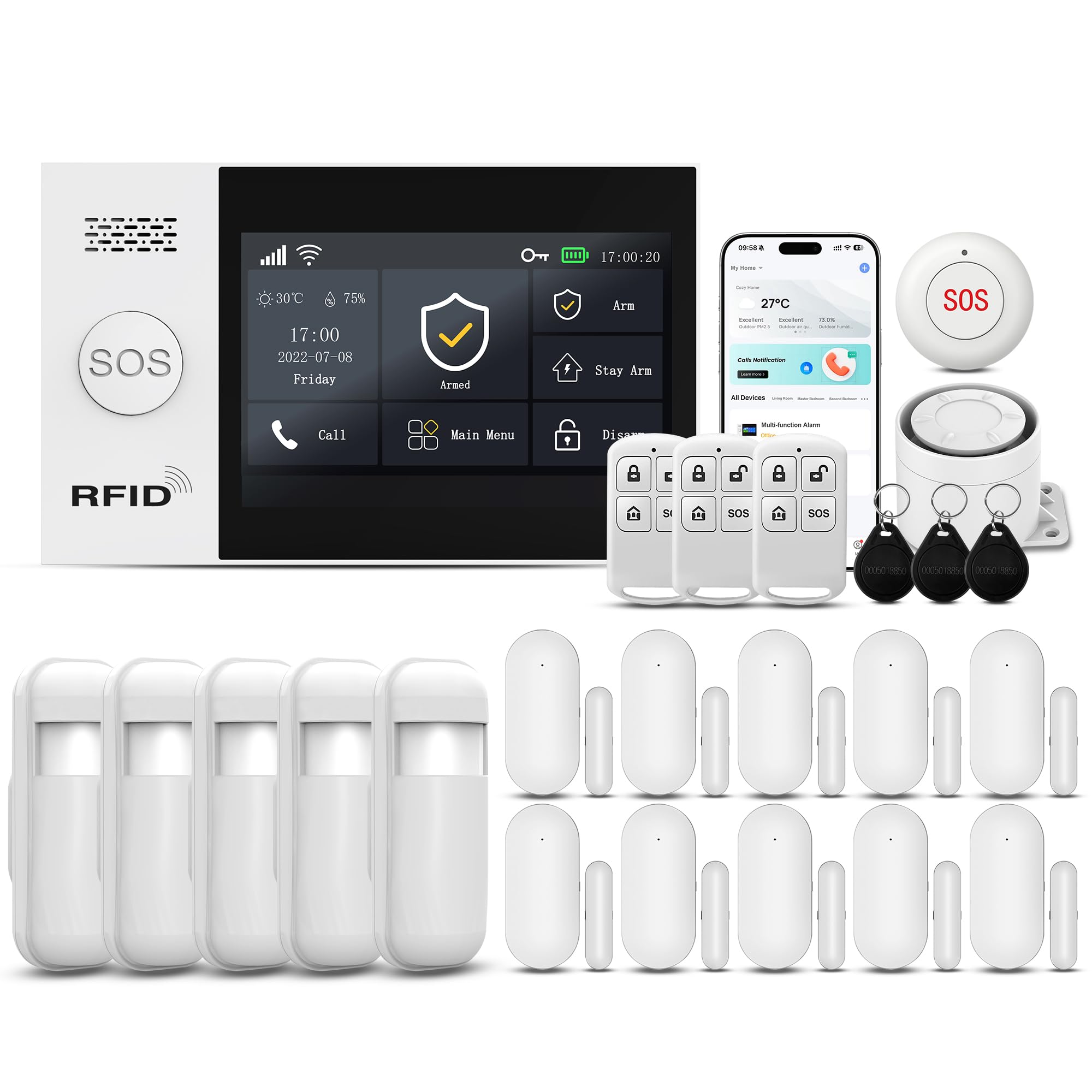
The PGST Touch Screen system distinguishes itself with a 4.3-inch color LCD that provides direct touch control of all settings and zone status, making it the most accessible option for elderly users or those who prefer physical interface over app-only control. All sensors come pre-paired from the factory, so there is zero manual pairing required out of the box.
The system supports dual-network connectivity (Wi-Fi + GSM/4G SIM card) and reaches 120 dB siren volume. It works with the Smart Life and Tuya apps for remote access and supports Alexa and Google Assistant voice commands. The hub can pair with over 200 additional PGST sensors and five remote controls, offering strong expandability for large properties or small commercial spaces.
Weaknesses include a user manual that doesn’t always match the actual settings menu, and the requirement for cloud connectivity to trigger the siren. The included remote key fobs lack protective covers, leading to accidental button presses in pockets or bags. As a standalone system, it does not retrofit existing hardwired panels from Honeywell or DSC.
Why it’s great
- 4.3-inch color touchscreen for easy direct control
- All sensors pre-paired at factory — ready out of the box
- Wi-Fi + GSM/4G dual connectivity with 120 dB siren
Good to know
- User manual may not match actual settings menu
- Siren requires cloud connection to trigger
- Remote fobs lack protective covers prone to accidental presses
8. AGSHOME 99+7 Zone GSM Alarm System

The AGSHOME GSM alarm system offers the lowest entry cost for a self-contained security setup with cellular communication. It supports up to 99 wireless defense zones and 7 wired zones, with 6 programmable alarm phone numbers and 2 SMS help numbers. The system uses a standard GSM SIM card (T-Mobile works best in the US) and has no monthly monitoring fees — just the cost of the SIM card’s data plan.
Buyers praise the loud included siren and the range of the wireless sensors, which work reliably in spaces as large as 6,000 square feet. The four included metal key fobs are notably sturdier than the plastic remotes found on competing budget kits. Users report a 20-minute installation time with pre-programmed sensors and no tools required for the self-adhesive mounts.
The system’s GSM-only connectivity (no 4G LTE) means it relies on older 2G/3G GSM bands (850/900/1800/1900 MHz), which are being sunset by major US carriers. T-Mobile’s 2G shutdown has already begun in some areas, so coverage reliability will decline. The instruction manual is poorly translated from Chinese, and some users could not get SMS alerts working without extensive trial and error.
Why it’s great
- Extremely low cost with no monthly fees — only SIM data plan
- Supports up to 99 wireless zones and sturdy metal key fobs
- Quick 20-minute install with pre-programmed sensors
Good to know
- GSM-only (2G/3G) — facing US carrier sunset and coverage loss
- Poorly translated manual leads to configuration confusion
- SMS alert reliability varies; some units fail to send cell phone alerts
9. Honeywell LTEM-XV LTE Communicator
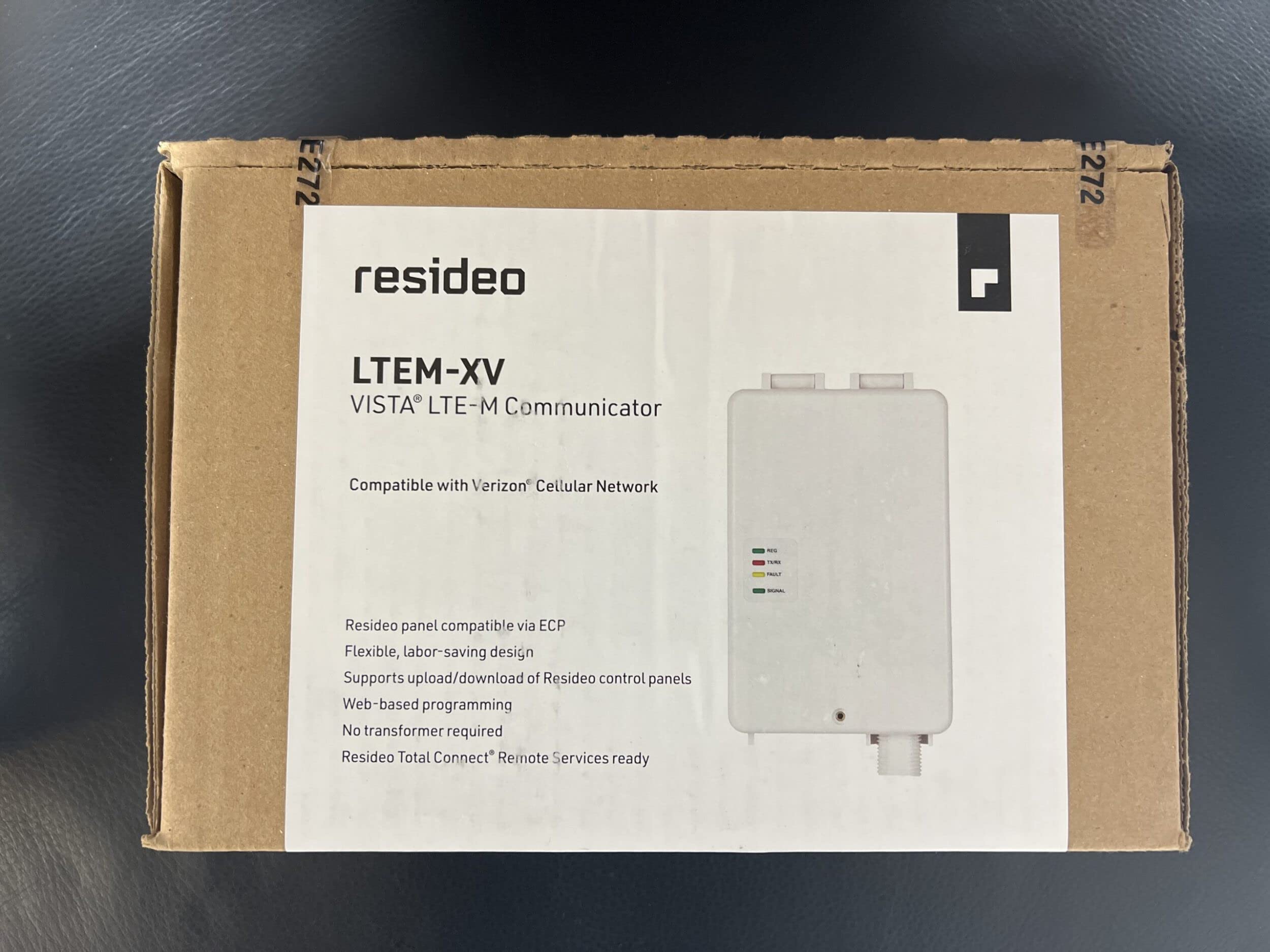
The Honeywell LTEM-XV is the OEM-recommended Verizon LTE Cat-M1 communicator for Honeywell VISTA alarm panels, designed as a direct replacement for the older GSMX4G, CDMA-X, LTE-XV, and LTE-XA modules. For a VISTA owner who simply needs to restore central station communication after the 3G shutdown, this is the correct part number in theory.
The device is compact at 3 x 1 x 4 inches and plugs directly into the VISTA panel’s serial interface for clean installation. Once activated through a central station monitoring service, it enables remote arming/disarming and event notifications. The Cat-M1 standard offers extended range and better building penetration compared to older LTE categories.
In practice, buyers report significant issues with this listing. Multiple reviews indicate sellers are shipping outdated 2015-manufactured units that cannot be activated by modern monitoring providers. Others received used products with previous owner’s paint on them, sold as new. Most critically, the LTEM-XV is not compatible with the popular VISTA 20 panel — users of that panel need the Alula BAT-Connect instead, making this purchase a compatibility trap for the wrong panel.
Why it’s great
- Correct factory part for Honeywell VISTA panels (excluding VISTA 20)
- Cat-M1 technology provides extended range and building penetration
- Compact size for easy panel placement
Good to know
- Not compatible with Honeywell VISTA 20 panels
- Risk of receiving obsolete 2015 inventory that cannot be activated
- Sellers have shipped used units misrepresented as new
FAQ
Will a cellular communicator work with my Honeywell VISTA 20 panel?
Can I use a cellular communicator without a monthly monitoring subscription?
What is the difference between Verizon and AT&T cellular communicators?
How do I install a cellular communicator in my alarm panel?
Will a cellular communicator work during a power outage?
Final Thoughts: The Verdict
For most users, the alarm system cellular communicator winner is the Alula BAT-Connect-V because it bridges nearly every alarm panel on the market and delivers triple-path reliability through Ethernet, Wi-Fi, and Verizon 4G LTE. If you want a hardwired replacement panel with smartphone-first programming, grab the UNO IP Hybrid. And for smart home enthusiasts who want to retrofit existing wired sensors into Home Assistant without ongoing monitoring costs, nothing beats the Konnected Alarm Panel Pro.