
Our readers keep the lights on and my morning glass full of iced black tea. As an Amazon Associate, I earn from qualifying purchases.
Specs are compiled from manufacturer listings and verified buyer reviews and can change over time — please confirm the key details on the product page before buying.
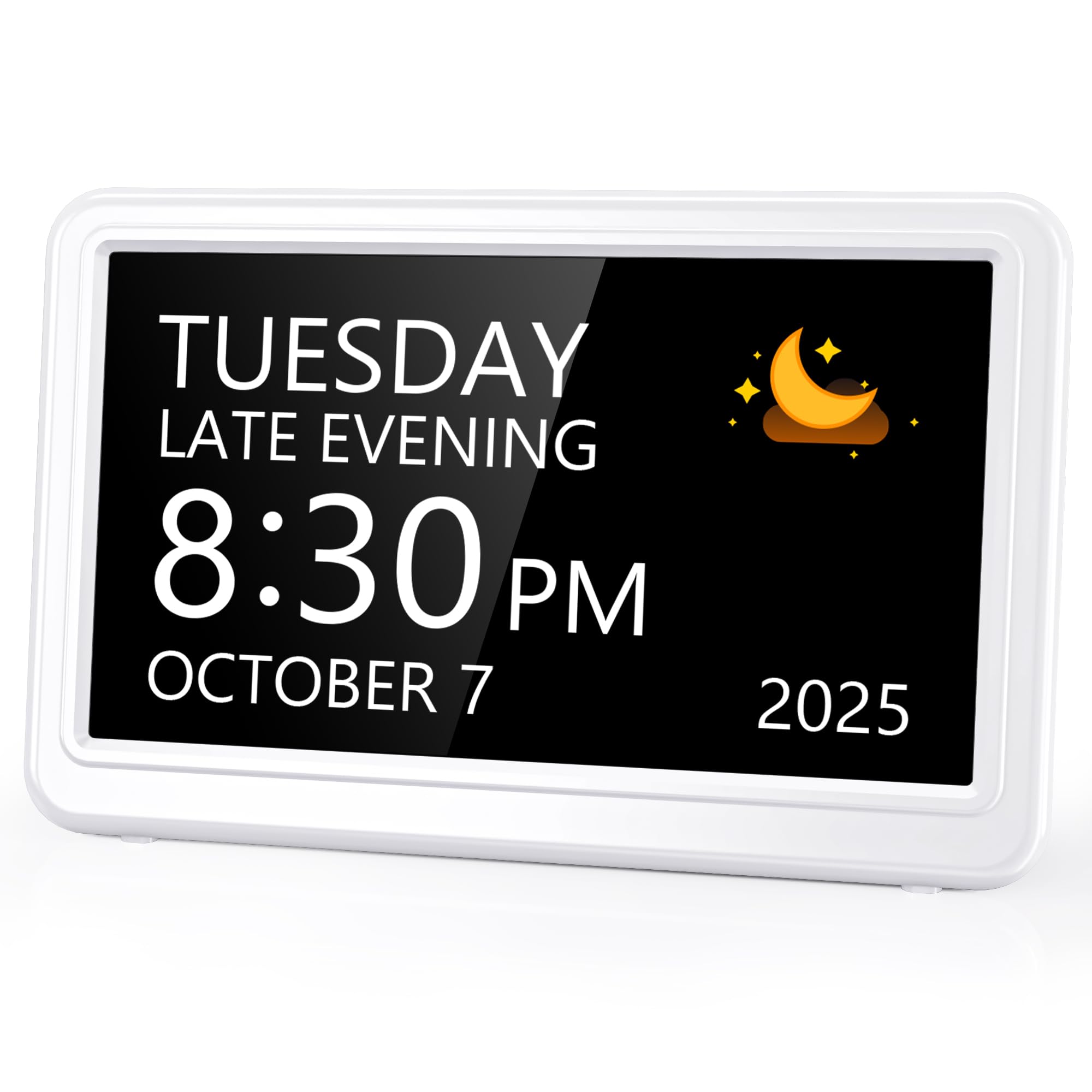
You do not need an alarm that just beeps — you need one that tells a parent which pill, which day, and which part of the day it is, in letters big enough to read from the couch. That single job is what separates the nine clocks here, and the best pick nails it by tying each of its 12 alarms to a clear on-screen message instead of a bare tone. Read the display size first, the alarm count second, and the setup third, because a reminder nobody can read or reset is just a blinking box.
I’m Min — the founder and writer behind Gadgets Feed. This guide is built by comparing the manufacturers’ published specifications and the patterns across verified customer reviews, so you get each pick’s real strengths and trade-offs instead of marketing spin.
These are calendar clocks that spell out the day and week in full, so a reminder lands in context rather than as a mystery beep. Below you’ll find the screen size, alarm capacity, dimming behavior, and power setup that decide which one fits your kitchen counter or a bedside table, all lined up so you can pick alarms for medication reminder duty without guessing.
Our Picks at a Glance

How To Choose The Best Alarms For Medication Reminder
A medication reminder clock is not a normal bedside alarm. Its job is to interrupt a person mid-day and say, in plain terms, that it is time for a dose — so the screen has to be readable, the reminder has to be labeled, and the setup has to survive a caregiver who is not there every morning. Here is what actually decides whether one works in your home.
Screen size and letter height come before everything
The numbers need to be readable from across the room, not from six inches away. IPS panels (a screen type that stays clear when you look at it from an angle) hold their contrast when someone glances over from the side, which matters for a clock sitting on a counter. A 7-inch display is the common size in this group, with an 8-inch screen on one pick for anyone who wants more surface area.
Count your alarms before you buy
Two pills a day plus a meal reminder and a weekly appointment already uses four slots. Twelve alarms covers most routines comfortably; twenty gives you room for hydration prompts, birthdays, and separate morning and evening doses without deleting anything. Some clocks split the count deliberately — five general alarms plus three dedicated medication slots, for example.
Auto-dimming is a comfort feature, not a gimmick
A bright screen at 2 a.m. wakes the whole room. Most of these clocks brighten in the morning and dim at night on a fixed schedule, and a few let you override it entirely if someone is visually impaired and needs the light. Check whether dimming is automatic, manual, or switchable off — that single setting is the most common source of mixed feedback in this category.
Plan for the power cord, not just the clock
Several of these ship without the wall adapter, assuming you have a spare phone charger. Others include a DC adapter or run on USB with a battery backup to hold your settings through an outage. Ask where the clock will sit and whether there is an outlet there, because none of these are battery-only daily drivers.
Quick Comparison
| Model | Best For | Display Size | Alarm Slots | Power / Backup | Amazon |
|---|---|---|---|---|---|
| AINFTIME DST Digital Clock (7 inch Black)★ Best Overall | Everyday caregiver setup | 7 in (5.6″H) | 12 daily reminders | USB cord, adapter not included | Amazon |
| 7” Digital Alarm Clock for Elderly (IPS)Widest Viewing Angle | Wide viewing angles | 7 in (7.61″H) | 12 alarms + 3 medication | Corded, not battery operated | Amazon |
| TIXINPO 20 Alarms 7″ Digital Alarm ClockMost Alarm Slots | Busy multi-reminder routines | 7 in (5.6″H) | 20 alarms, 20 reminders | DC adapter included | Amazon |
| Nimukol Digital Alarm Clock (Voice) | Talking the time aloud | 7 in (5.6″H) | Multiple alarms | Tabletop, corded | Amazon |
| ROCAM Dementia Clock with Medication Reminders | Customizing the look and sound | Not listed | 20 alarms and schedules | AC power, 2 AAA backup | Amazon |
| Raynic 7″ Digital Calendar Day Clock | Theme variety and bedside sleep | 7 in HD | 20 reminders | Adapter, 2 AA backup | Amazon |
| TSITSC 8 Inch Dementia Clock | Biggest screen on the list | 8 in (6.7″H) | 5 alarms + 3 medication | Corded, button-cell backup | Amazon |
| GOLOZA 7” Talking Dementia Clock | Spoken time and loud alerts | 7 in (5″H) | 3 medicine reminders | USB cord with memory battery | Amazon |
| Vaydeer Smart Pill Organizer with Alarm | Pills and alarms in one case | Not applicable | 7 daily alarms | 500mAh battery, USB-C | Amazon |
In‑Depth Reviews
1. AINFTIME DST Digital Clock with Date and Day of Week for Elderly (7 inch Black)
Our pick — 4.5+★ from 850+ verified ratings; the strongest balance of quality and price.
Spells out the full day and date, so a 3 p.m. pill reminder arrives with context attached.
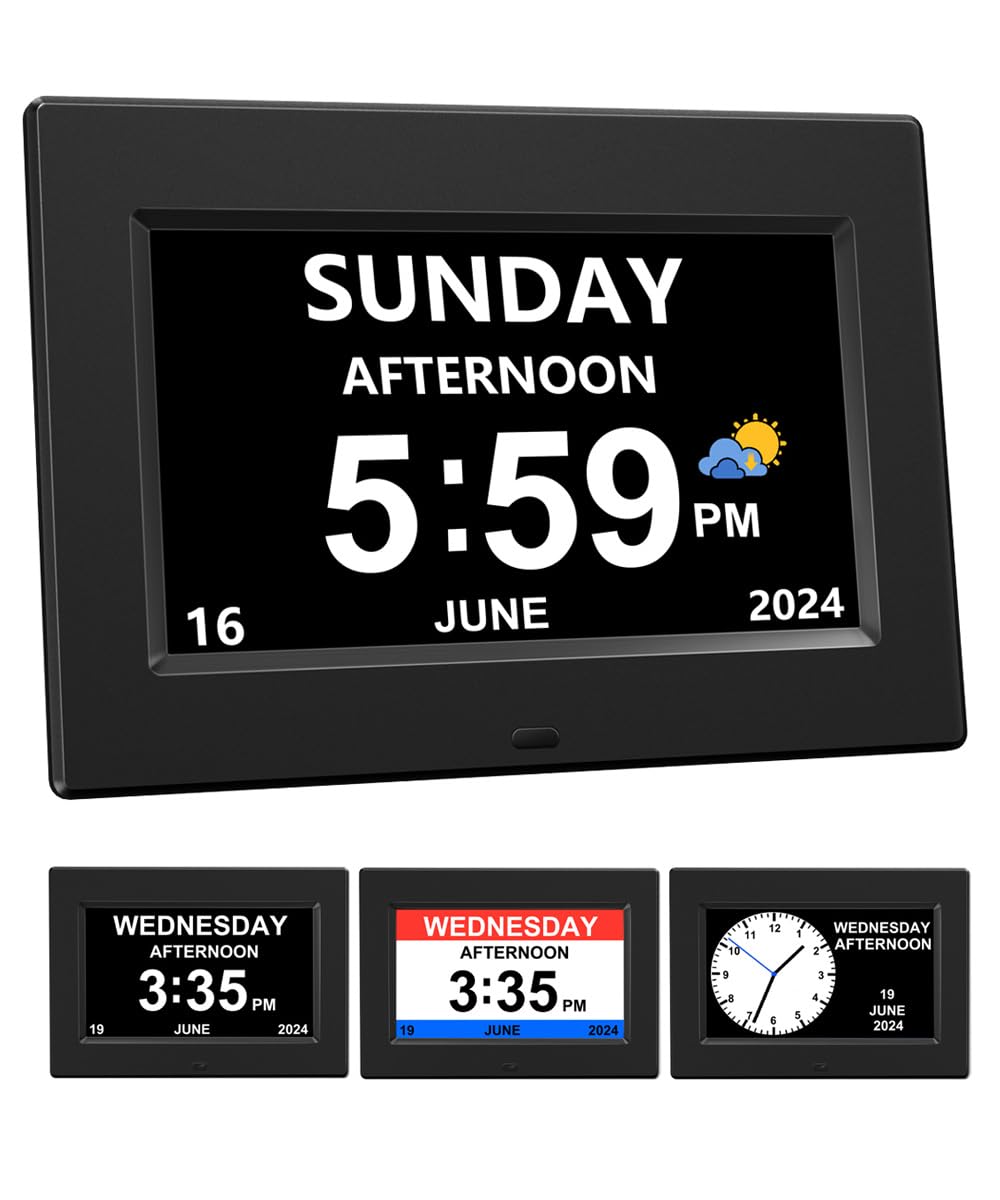
It takes first place on 4.5+ stars across 800+ ratings, and the reason is the least glamorous one: it does the whole job without extra thought. Twelve daily reminder slots cover medication, meals, and appointments in one list. The screen spells out the day, month, year, and time in large non-abbreviated letters — no “THU” for your father to decode at 8 a.m. Three display modes (an elderly-friendly clock view, a wall clock view, and a colorful version for younger family members) mean it can live in a shared room without looking institutional.
Readability is where this one earns its keep. The panel uses soft light without blue light, which keeps the glow gentle on the eyes during a late night dose check. Brightness swings automatically — brighter from 7:00 am to 7:59 pm, dimmed from 8:00 pm to 6:59 am — so the bedroom stays dark without you touching a dial. Daylight saving time adjusts itself across North America, the United Kingdom, and the European Union, so nobody has to remember the spring change.
Here is the catch, and it is a big one to plan around: no power adapter is included. AINFTIME dropped it to keep the cost down and expects you to plug the supplied cord into any spare 5V/1A or 5V/2A USB phone charger. If you do not have one, that is a separate errand. Note too that at 0.35 kg and 5.6″ tall it is the most compact clock in this group — the 20-alarm TIXINPO weighs 0.49 kg and stands the same 5.6″, while the IPS model balloons to 7.61″ in height.
What earns it the crown
- 12 reminder slots cover morning, evening, and appointment alerts in one schedule
- Full day, month, year, and time written out — no abbreviations to misread
- Automatic brightness split at 7:00 am and 7:59 pm keeps nights dark
- Self-adjusting daylight saving time saves a manual fix twice a year
Where it needs planning
- Ships without a wall adapter — you must supply a 5V USB charger
- Must stay plugged in to run; no battery-only daily use
Reach for this one if: you want a set-and-read reminder clock and already own a spare USB charger block.
Hold off if: there is no outlet near the counter, since the cord is the only way this clock runs.
2. 7‘’ Digital Alarm Clock for Elderly Large Display for Seniors Electric Clocks with Date Day of Week
Look at this one from the side of the room and the numbers stay sharp — no wash-out, no fading.
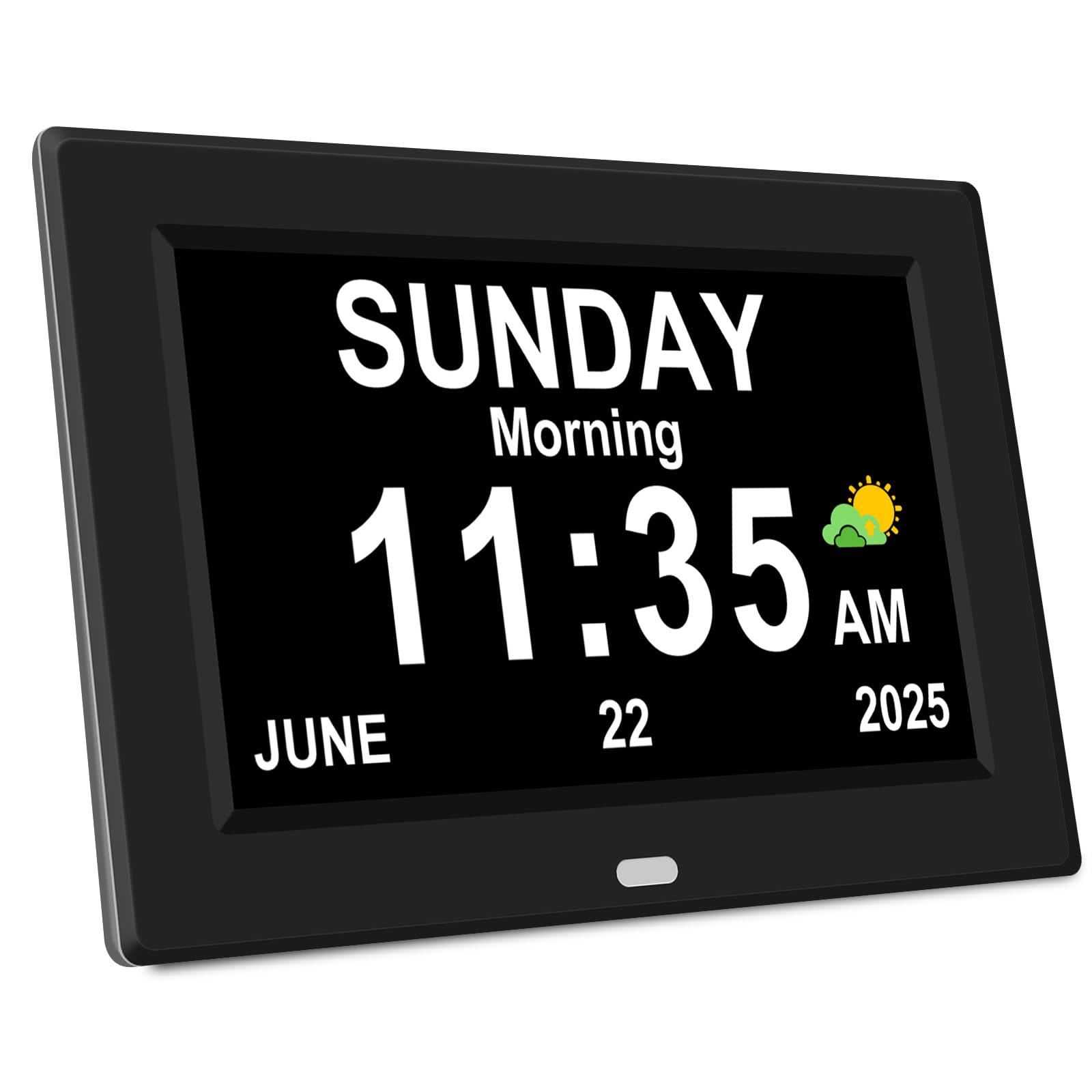
The party piece is a 175° viewing angle on an IPS screen (the panel stays clear and undistorted no matter which direction you look from). That is genuinely useful in a living room where someone sits at an angle to the counter. Functionality drives most of the positive talk around this clock, with the display size itself running a close second — and at 10.23″ wide by 7.61″ tall, it is the widest and tallest 7-inch unit here. The Raynic stands 7.61″ too, but the AINFTIME is nearly two inches shorter at 5.6″.
Setup is where it separates itself from the pack. Direction keys, a confirmation key, and a menu key handle time, date, and every reminder — no menu-diving. You get 12 alarms plus three dedicated medication reminder sets, so morning, midday, and evening doses each keep their own slot. When a reminder fires, the screen shows a cartoon picture to match, which works better for someone with memory decline than a plain beep. Eight languages and seven display modes round out the package.
Brightness moves automatically — brighter at 7 a.m., darker at 7 p.m. — and you can override it by hand if the automatic level does not suit. The honest limit is power: this is not battery operated, so it needs a cord and an outlet. It also tips the scales at 8.8 ounces, still light enough to sit on a shelf or hang, and easy to move between rooms on a cleaning day.
The angle advantage: a 175° IPS display means a grandparent watching from a recliner two metres away reads the day and the dose label just as clearly as someone standing directly in front of it.
What to sort out first: confirm outlet access before unboxing, because the manual confirms this clock will not run on batteries alone.
Pick it when: the clock will sit in a room where people view it at an angle, and you want a dedicated three-slot medication schedule.
Pass if: you were hoping to run it on batteries in a hallway with no socket.
3. TIXINPO 20 Alarms 7″ Digital Alarm Clock with Day and Date for Elderly
Twenty reminder slots for the household that keeps a schedule on the fridge door.
If your routine is more than two pills a day, the slot count is the whole argument. The screen rejects abbreviations entirely and prints the full day of the week, month, and date, then adds a text label for morning, afternoon, evening, night, and before dawn. That time-of-day line is a small thing that prevents a lot of confusion.
Two controls make it flexible: buttons on the unit and a remote control in the box. Wall-mount it in a hallway or stand it on the nightstand — either way you can adjust it without reaching behind the screen. Five font colors and six time display styles let you set contrast to whatever the person actually sees best. Dimming runs on a fixed curve, down to 10cd/m2 at 8:00 pm and up to 50cd/m2 at 7:00 am, and you can switch the auto-dimming off if the dark screen is a problem.
The fair warning is setup. Functionality and suitability for seniors carry the praise, but getting everything programmed is where opinions split — the menu system takes patience on first run. Once it is set, an included DC adapter keeps it running, and after an outage the clock resets itself to the right time and date. Programming it once for a parent and leaving it alone is the sensible path.
The case for the extra slots
- 20 alarms and 20 reminders handle doses, meals, hydration, and appointments at once
- Remote plus on-unit buttons for wall or desk placement
- Auto-dimming can be switched off for visually impaired users
- Resets itself to correct time and date after a power cut
Know before you program
- First-time setup takes patience; the menu is not self-explanatory
- Heftier at 0.49 kg if you plan to move it often
Worth it for: a caregiver setting up a long, multi-part daily routine once and then leaving it alone.
Think twice if: the person using it will need to reprogram alarms themselves without help.
4. Nimukol Digital Alarm Clock with Date and Day of the Week for Dementia Seniors
Press a button and it tells you the time out loud — the fix for eyes that have given up on small print.
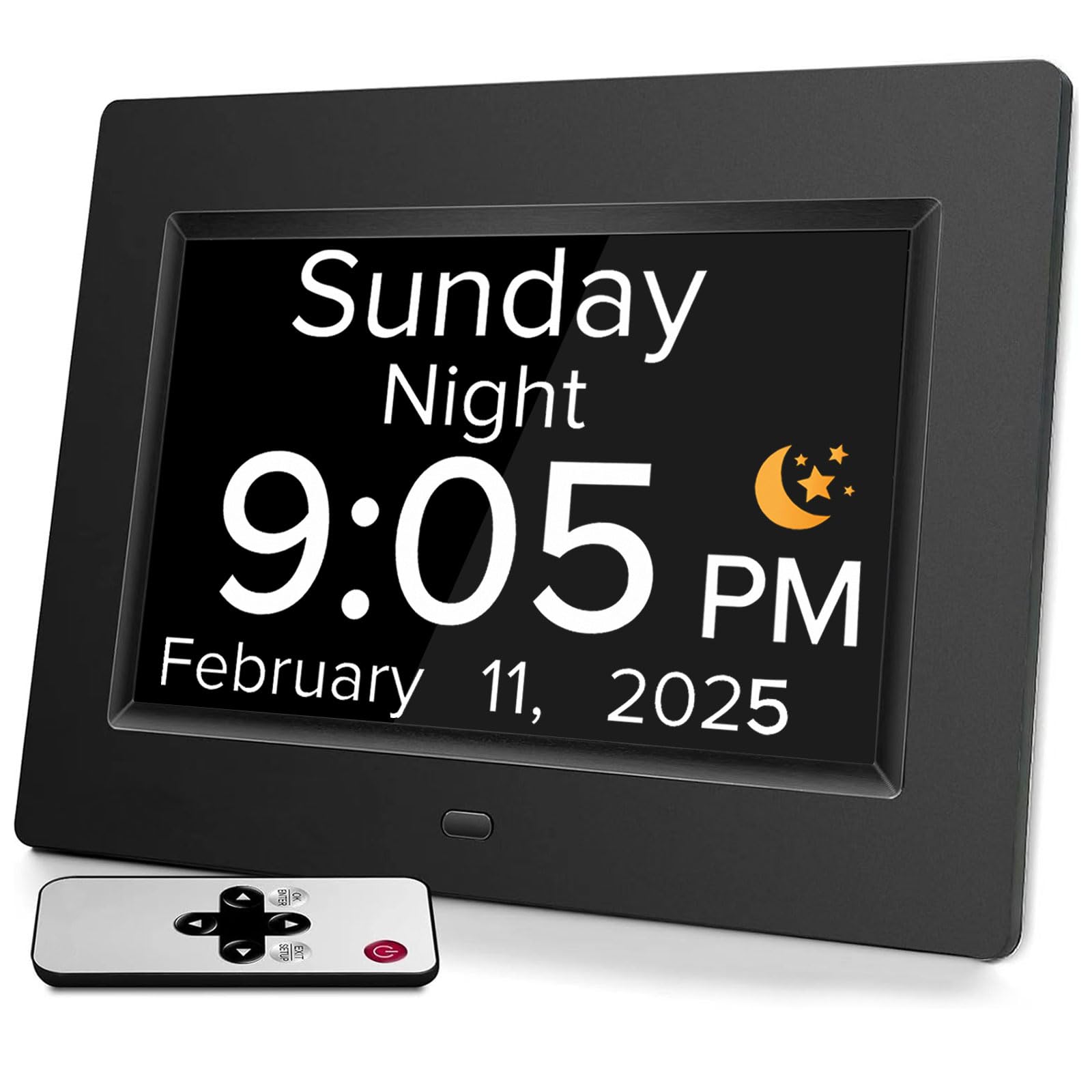
For someone whose sight is fading faster than their hearing, a screen is only half a solution. This clock adds a spoken answer: tap the “OK” button on the unit or the remote and it announces the time aloud across 9 languages. The design is what people notice first — it reads as a proper bedside clock rather than a piece of medical equipment, which matters when you are handing it to a proud parent. A 7-inch display prints the week, month, and date in large bold letters with no complex abbreviations.
Reminders are the other half. Multiple alarms handle medication, appointments, and daily schedule prompts, and setups are described as intuitive rather than menu-heavy. Dimming runs hard: 250cd/㎡ at 7:00 am down to 50cd/㎡ at 7:00 pm, a bright daytime panel that softens for the evening. Suitability for dementia users runs high in the feedback, including one described arrangement for a 93-year-old father — the larger numbers and letters doing the heavy lifting.
Where it stumbles is that same dimming curve. Several owners find the automatic level not quite right, so expect to spend a few minutes dialing it in. At 7.8″ wide by 5.6″ tall it is more compact than the 10.23″-wide IPS unit, so it suits a nightstand better than a big wall. There is no height or weight figure published beyond the 7.8″ x 5.6″ frame, so measure your shelf before committing.
The spoken-time win: voice announcement in 9 languages turns the clock into something a low-vision user can operate without leaning in.
The one setting to fiddle with: the dimming transition lands at 7:00 pm, so check it on the first evening and adjust if the room stays bright later.
This is your pick if: reading the display is becoming a struggle and hearing the time would remove the friction.
Look elsewhere if: you need a large wall-mounted board rather than a tabletop unit.
5. ROCAM Dementia Clock for Seniors with Large Display & Medication Reminders
Twelve clock faces, eighteen alarm sounds, and side buttons you can find without flipping the unit over.
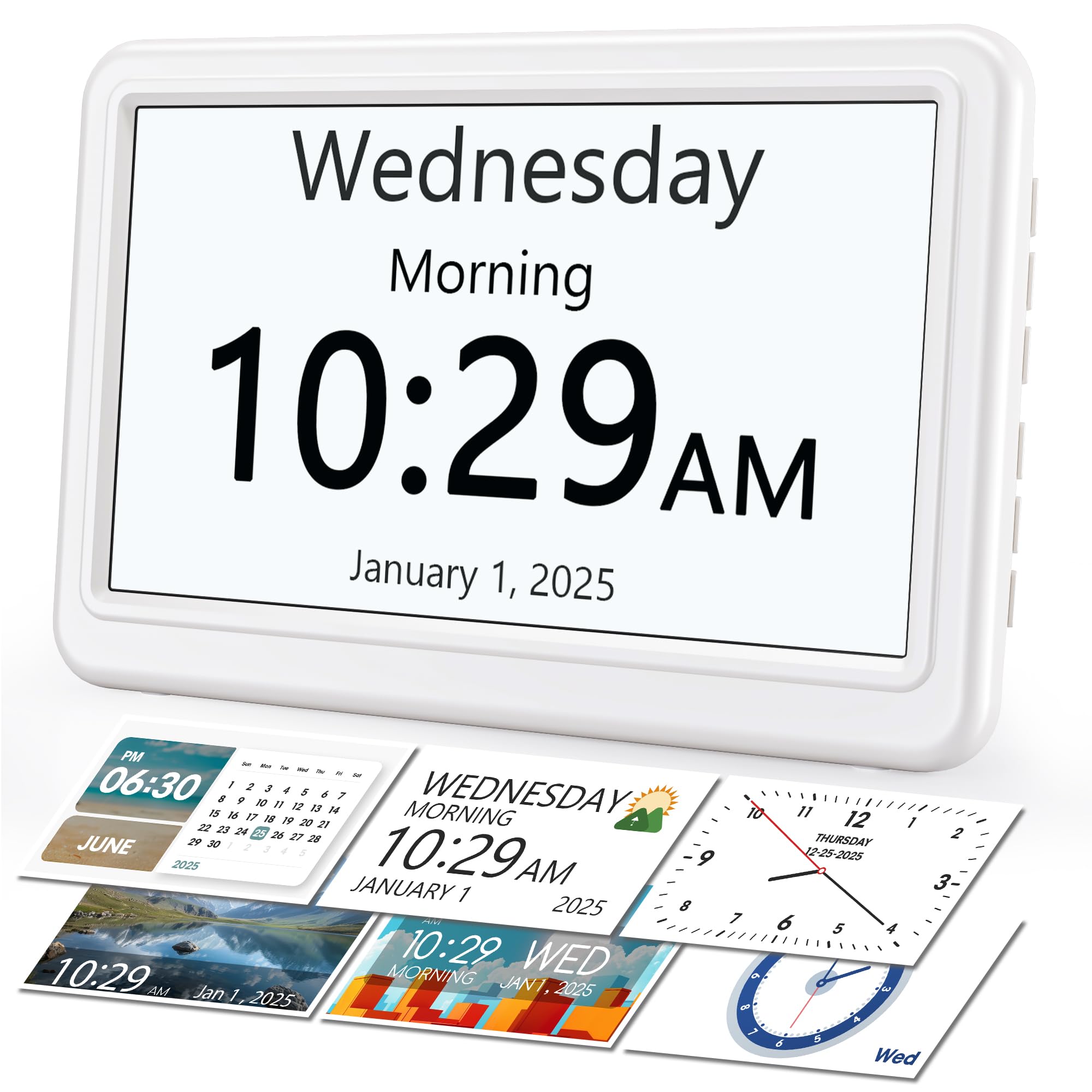
Most reminder clocks look like reminder clocks. This white Rocam is the exception, and appearance is the thing that wins people over most — it blends into a kitchen or a bedroom instead of announcing itself. Twelve clock styles let you switch between analog, digital, or text layouts, and you can recolor them to taste. The side buttons plus a clear on-screen menu mean the settings sit in front of you, no more turning the clock over to hunt for a hidden dial.
Reminders get serious treatment: up to 20 alarms and schedules, each with a clear on-screen message rather than a bare tone, aimed at medications, appointments, and daily routines. Sound is equally adjustable — 18 gentle alarm sounds, 9 volume levels, and a snooze you can set for 3, 6, or 9 minutes. Brightness runs across 10 levels with auto-dimming, and a tap on snooze kills the display entirely for a dark room. Six languages, 12/24-hour time, and automatic daylight saving time handle the rest.
Power is outlet-driven with a safety net: it runs on AC and holds time and alarm settings on 2 AAA batteries (not included) during an outage. The screen stays off while on backup, but your saved alarms survive until the power returns. Photo display via USB or SD card is a bonus for family pictures. The trade-off note is that photo mode and the 12 themes are features you pay for — if you only want a big readable reminder, a plainer clock does that job.
Why it wins on looks and sound
- 20 alarms with on-screen messages for each reminder
- 18 alarm sounds, 9 volume levels, and a 3/6/9-minute snooze choice
- Battery backup keeps your settings through a brief outage
- Side buttons and on-screen menu cut the reach-behind-the-clock fumbling
Where the extras cut both ways
- Needs 2 AAA batteries for backup — not in the box
- The 12 themes and photo frame add complexity you may never use
Best matched to: a household that wants the reminder clock to look like part of the decor and be adjustable at a glance.
Skip the extras if: you want one button and one job, because twelve themes is more choice than that need calls for.
6. Raynic Digital Clock 7″ Digital Calendar Day Clock for Seniors
Side buttons labeled with icons, so nobody has to remember which key does what.
Getting it set up is the least painful part of this Raynic, and setup is what most of the praise circles back to. Every side button is labeled with an icon prompt, which removes the guess-the-button ritual that trips people up on cheaper clocks. The display is a 7-inch HD panel with extra-large high-contrast digits and a logical layout — time, date, and weekday stacked so the eye lands where it should. It handles stroke recovery and memory challenges as well as dementia.
The reminder engine covers 20 daily, weekly, or one-time alerts for medications, appointments, hydration, or birthdays, and each one pops up with a colorful icon and a text label when it fires. That label is the part that actually confirms what the alert was for. Brightness is adjustable across 10 levels (10% to 100%) or you can hit one-touch night mode for a pure black screen. Twelve display themes and multi-color fonts let you match the room or the season.
Sound is tunable too: 9 volume levels and 18 ringtone options from gentle melodies to more assertive chimes, plus a snooze adjustable for 3, 5, or 9 minutes. It speaks 6 languages — English, French, German, Italian, Spanish, Japanese — and a manual DST button fixes daylight saving in one press. Power comes from the adapter, with a 2 AA battery backup (not included) holding your settings through a short outage. This sits at the premium end of the group, so you are paying for the theme variety as much as the reminder function.
The labeled-button advantage: icon prompts on every side key mean a caregiver can walk someone through alarm changes over the phone without a diagram.
The premium caveat: brightness drops to a true black in night mode, which some users love and others find too dark, so test it on the first evening.
The right fit for: anyone who wants the reminder clock to double as a customizable display and will actually use the themes.
Overkill if: you just need three clear pill reminders and a readable date.
7. TSITSC 8 Inch Dementia Clock with Medication Reminder

An eight-inch screen for the family that wants the date legible from the far side of the room.
Screen real estate is the reason to look here. The 8-inch high-resolution panel spells out time, date, and month in full, and it is built to be read at a distance — practical when the clock lives across a living room rather than on a nightstand. It measures 8.5″ wide by 6.7″ tall, and the look earns the most favorable comments, with the clear display noted for showing both the day of the week and whether it is day or night outside.
The alarm layout is the most medical of the group: 5 normal alarms plus 3 medication alarms labeled Morning, Afternoon, and Evening Medication Reminder. If your parent takes doses at three fixed points in the day, this structure removes any ambiguity about which alert means what. Eight languages — English, French, Italian, Dutch, Spanish, Polish, Nederland, and Swedish — cover most households, and brightness can be set on a 1-to-10 scale or left to auto-dim between 10cd/M2 at 7:00 PM and 50cd/M2 at 7:00 AM.
That is a smaller share of the picture than the positive comments, but on a device handling medication timing you should know it exists. The internal button-cell battery holds memory through an outage and the clock resets itself when power returns, which covers the daily blip. If the clock does fail, that button cell keeps your settings intact for a replacement unit.
What the big panel gives you
- 8-inch screen readable from a distance across the room
- Three labeled medication alarms split into morning, afternoon, and evening
- Eight languages for multilingual households
- Auto-dim plus manual 1-10 brightness control
The honest caveat
- Some units stop working according to buyer feedback — a fair risk on a timing device
- Only 8 alarms total, fewer than the 20-slot clocks above
The right call if: the clock will be read from across a large room and three fixed medication times define the day.
Consider a different pick if: you want a longer alarm list or the extra confidence of a clock with a heavier review base behind it.
8. GOLOZA 7” Digital Dementia Clock, Talking Clock with 10 Volumes

It chimes the hour on the dot and belts out Happy Birthday when the date comes around.
This is the clock for someone who responds better to sound than to a screen. Press a button and it speaks the time aloud, and you can set it to chime on the hour so nobody has to look at all. There is a genuinely warm extra: it starts reminding three days before a birthday or holiday, then plays a “Happy Birthday” tune on the day. For someone with memory challenges, that turns a forgotten date into a small celebration rather than a missed one.
Medication gets its own dedicated path with 3 medicine reminders, alongside unlimited general alarms that can be set for weekdays, weekends, every day, or one specific day. Volume is the standout: 10 adjustable levels and 2 ringtones, which the maker says spans loud enough for a rock concert or soft as a whisper. Build quality is what readers praise most, with the display colors and the 6 themes — including a flip-clock design — a close second. Four time periods distinguish morning, afternoon, evening, and night.
Dimming is more flexible than most: 10 brightness levels and a Night Mode whose start and end times you set yourself, so the screen darkens on your schedule instead of a factory one. Buttons sit on top where you can find them, and a remote handles the rest. It runs on a cord with a memory battery that keeps your settings through a power cut, and four languages cover the display. The honest snag is that alarm behavior splits opinion — some find the settings menu awkward, so allow a learning session before relying on it.
The sound-forward choice: a spoken time plus an hourly chime removes the need to read a screen at all, and 10 volume steps let you tune it to a hard-of-hearing user.
What to set up carefully: the alarm and theme menus take some getting used to, so program the medicine reminders while the instruction manual is still on the table.
Best for: a low-vision or hard-of-hearing user who needs the clock to talk and the alerts to be loud.
Not the one if: you want a stripped, single-purpose reminder clock with nothing extra to learn.
9. Vaydeer Smart Pill Organizer with Alarm, Metal 7-Day 2 Times a Day Pill Box
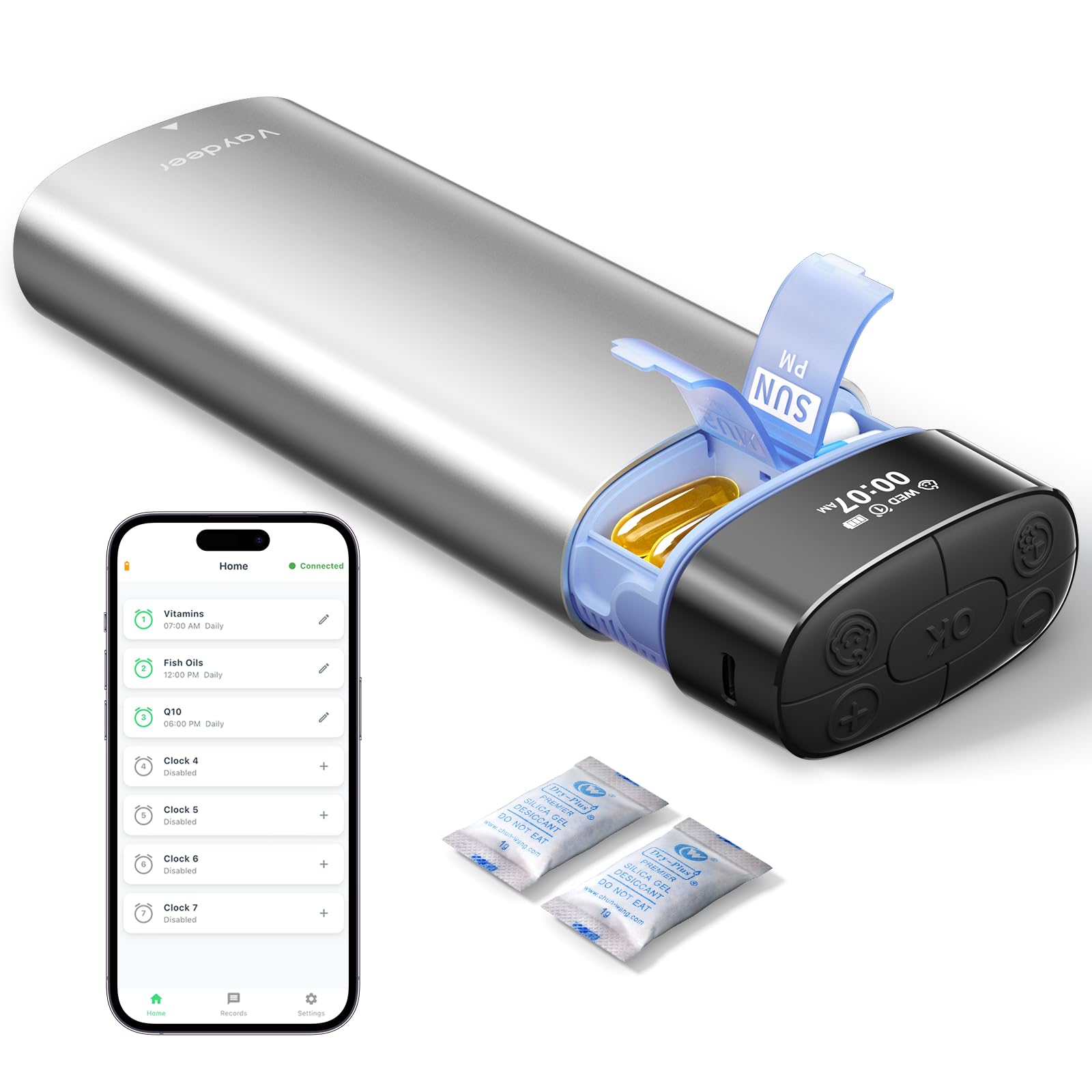
The pills and the reminder live in the same case, so leaving the house with one means leaving with both.
This one breaks the calendar-clock mold entirely, and for a certain buyer that is exactly what makes it work. Instead of a screen on a shelf, the alarm sits inside a metal-shelled pill organizer with 14 AM/PM compartments covering a full week of morning and evening doses. Set up to 7 daily alarms, and the reminder repeats every 5 minutes — 1 minute of sound, 4 minutes of screen flashing — with a default 30-minute reminder window you can adjust. Quality is what owners praise most, with the sleek look a close second.
Each compartment holds up to 6 fish oil softgels, 8 vitamins, or 10 capsules. Two dedicated desiccant chambers reduce moisture exposure, and each compartment is individually sealed to keep doses separated and easy to identify. The metal outer shell takes daily bumps inside a bag, with a PP inner tray underneath. The sliding tray and easy-open lids help arthritic hands work it without a fight.
Power is where it leaves the clocks behind: a built-in 500mAh battery gives up to 30 days of use on a charge, and the included 1.5 m USB-C cable tops it up in about 1.5 hours. Three volume levels — low for a quiet office, high for a noisy street — let it fit the setting. An optional Bluetooth app records medication history, but you can program it on the box without the app. The capacity split is honest: very roomy for some capsules, not enough for someone with a large pill load, so measure your daily handful first.
The travel case that remembers for you: 30 days per charge plus 1.5-hour USB-C refills means the only thing you pack is the case and its cable.
Who should measure first: heavier pill regimens can exceed the compartment space, so count your morning and evening doses before you commit.
Choose this if: you are on the move and want the alarm attached to the pills themselves rather than a clock on a wall.
Stay with a clock if: the reminder needs to be visible across a room or shared by a whole household.
Understanding the Specs
Alarm slots and reminder labels
An alarm slot is one scheduled time the clock will alert you. Twelve slots cover morning, evening, and a few appointments; twenty leaves room for hydration, birthdays, or a third dose. The more useful detail is whether the alert carries a label — a text or icon naming what the reminder is for. A clock that shows “Medication” beats one that just beeps, because a bare tone gets dismissed as noise within a week.
Display type and viewing angle
An IPS panel is a screen type that stays clear when viewed from an angle, so a number read from across the room or off to the side holds its contrast. Standard panels can wash out at an angle, which is why a 175° viewing angle is worth noting. Larger screens — 7 or 8 inches — buy you bigger letters, but they also take more counter space, so measure the spot before you pick.
Auto-dimming and brightness levels
Auto-dimming reduces the screen’s glow at night on a set schedule, often brightening in the morning and darkening in the evening. Some clocks let you disable it or set your own hours, and brightness may be adjustable across as many as 10 levels. If the user has low vision, a very dark night setting can be unhelpful — check that auto-dimming can be switched off or tuned.
Power source and memory backup
Most calendar clocks in this category run on a cord and keep no charge of their own, so an outlet near the spot is a must. Memory backup via a small button cell or AAA/AA batteries keeps the time and alarm settings alive through a power cut, but the screen still goes dark until the changeover happens. A rechargeable organizer like the Vaydeer works the other way: it carries its own charge and travels without a cord.
FAQ
How many alarms do I actually need for a medication routine?
Will a dementia clock run on batteries alone?
Can I plug one of these clocks into any phone charger?
Will the clock keep the right time after a power cut?
Is a talking clock better than one with a big display?
What is the difference between a dementia clock and a normal alarm clock?
Can I switch off the auto-dimming if it is too dark at night?
Should I get a pill organizer with an alarm or a separate clock?
How do I set medication reminders for someone who is not technical?
Do these clocks display the day of the week in full or abbreviated?
Final Thoughts: The Verdict
The alarms for medication reminder that earns its place on the counter is the AINFTIME 7-inch Digital Clock, because it writes the full day and date in large letters, holds 12 reminder slots, and dims itself on a fixed 7:00 am / 7:59 pm schedule so nobody has to fiddle with it. Just budget for a spare 5V USB charger, since the adapter is not in the box. If the clock will be read at an angle from a recliner, the 7” IPS model holds its contrast at 175° and splits out three dedicated medication reminders. And for a routine that needs more slots than a dozen, the TIXINPO 20-alarm clock carries 20 alarms and 20 reminders, with a remote for wall-mounted setups. If the pills leave the house with you, reach for the Vaydeer organizer and its 30 days per charge instead.
One practical nudge before you commit: program every alarm yourself while the manual is still open, then set the clock in the spot it will actually live and check the night brightness on the first evening. That ten-minute setup is what turns any of these from a blinking box into a reminder someone actually follows.
How We Picked
We do not accept paid placement. Every pick is matched to a real buyer and a real use-case; we do not hands-on test units.
Sources & Methodology
Specifications: manufacturer listings and product documentation. Review insights: verified customer reviews, as of November 2026. Pricing: not shown on this page (it changes often); check the current price via the retailer link.
As an Amazon Associate, Gadgets Feed earns from qualifying purchases. This does not affect which products we feature.