
Our readers keep the lights on and my morning glass full of iced black tea. As an Amazon Associate, I earn from qualifying purchases.
Specs are compiled from manufacturer listings and verified buyer reviews and can change over time — please confirm the key details on the product page before buying.
If you or someone you care for needs a way to call for help without shouting or fumbling for a phone, the right button makes all the difference. These devices are simple on the surface — press a button, a loud chime rings, or an alert reaches a caregiver’s phone. But the market is littered with range claims that don’t hold up indoors, apps that demand subscriptions, and buttons that are too fussy for arthritic hands. This guide focuses on systems that work reliably through walls and across yards. It covers systems that work reliably from the bathroom, the basement, or the backyard — and every pick here has been vetted through real owner feedback and published specs.
I’m Min — the founder and writer behind Gadgets Feed. This guide is built by comparing the manufacturers’ published specifications and the patterns across verified customer reviews, so you get each pick’s real strengths and trade-offs instead of marketing spin.
Whether you are caring for a parent recovering from surgery, supporting a spouse with a chronic condition, or simply future-proofing your own home, alert buttons with instant emergency contact keep help seconds away — without locking you into a monthly monitoring contract or a confusing app.
Our Picks at a Glance

How To Choose The Best Alert Buttons With Instant Emergency Contact
Not all call buttons are the same. Some are simple in-home chimes; others notify a phone app across town. Choosing the right one depends on your home, the person wearing the button, and how far the helper usually is.
Range — The Number That Matters Most
Manufacturers list a range “in open air” (like 1000 feet or 1500 feet), which is measured on a flat field with no obstructions. Every wall, floor, and appliance cuts that number. A realistic indoor range — through two or three walls — is typically one-quarter to one-third of the open-air claim. If your home is a single-story apartment, a 500-foot open-air spec is usually plenty. For a multi-story house with a basement or detached garage, aim for an advertised range of 1000 feet or more.
Audible Volume — Loud Enough to Be Heard Over Noise
A receiver’s volume is measured in decibels (dB). The difference between 110 dB and 120 dB is about twice as loud to your ear. Many receivers let you adjust the level, which is crucial if the caregiver is in the yard, the kitchen with a running exhaust fan, or hard of hearing. A silent mode — usually just flashing lights — is helpful for overnight care when you do not want to wake a light sleeper.
Smart vs. Local — App Notification or Audible Chime
Audible-only systems (also called caregiver pagers) use a plug-in receiver that plays a sound when the button is pressed. They are simple, reliable, and have no monthly fee. Smart systems connect to your home’s Wi-Fi and send a push notification to your phone, which is useful if you step out to the mailbox or work in a detached shop. However, these require a stable 2.4GHz Wi-Fi network, and some require a subscription for phone call or SMS alerts.
Wearable Design — The Button Must Be Reachable
A button that stays in a drawer is useless. Look for a system that offers multiple wearing options: a lanyard for around the neck, a wristband, or a wall-mountable waterproof button for the shower. The button must be easy to press with reduced hand strength, and not so sensitive that it triggers false alarms from leaning against a chair.
Quick Comparison
| Model | Best For | Range (Open Air) | Volume | App Alerts | Amazon |
|---|---|---|---|---|---|
| FullHouse Caregiver Pager★ Best Overall | Best Coverage: 3 Receivers | 1000 Feet | 110 dB | No | Amazon |
| Caregiver Pager (STECHRO)Also Great | Best Overall: Maximum range & volume | 1500 Feet | 120 dB | No | Amazon |
| Daytech Caregiver PagerProven Reliability | Proven Reliability | 800 Feet | 110 dB | No | Amazon |
| PILSAMAS 3 Pack Wi-Fi | Smart Notifications | 230 Feet | Adjustable | Yes (App) | Amazon |
| TurboSense Life Alert System | Wi-Fi Without Subscription | — | — | Yes (App) | Amazon |
| CallToU 06WS (1 Receiver) | Compact Single-Room Setup | 500 Feet | 110 dB | No | Amazon |
| CallToU Wi-Fi (White 2+1) | Smart System With Custom Names | 328 Feet | Adjustable | Yes (App) | Amazon |
| Medical Guardian MGMini | 24/7 Professional Monitoring | Cellular Nationwide | Two-way Speaker | Yes (Subscription) | Amazon |
In‑Depth Reviews
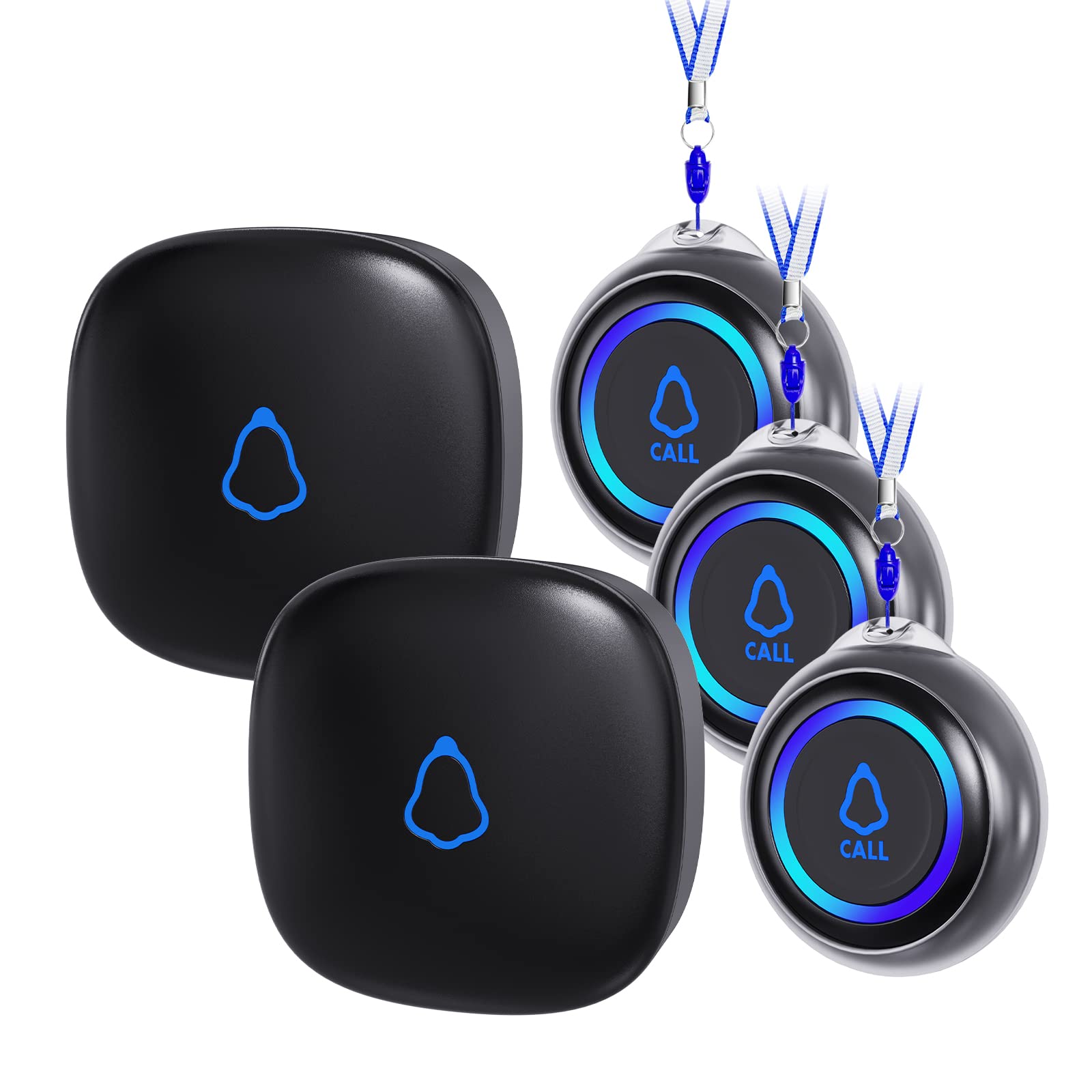
1. FullHouse Caregiver Pager (2 Call Button + 3 Plug-In Receivers)
Our pick — over 4.5★ from 800+ verified ratings; the strongest balance of quality and price.
The only pick with three plug-in receivers, so the chime follows the caregiver room to room.
If your home has multiple floors or the caregiver moves between rooms, a single receiver can get muffled behind closed doors. This system solves that with three plug-in units that all ring when any button is pressed. The open-air range is 1000 feet — the same class as the 120 dB model above — but with three spread-out receivers, the effective coverage inside a house feels fuller. One owner sums it up: “When my wife wasn’t able to get in and out of bed on her own after quad bypass surgery, I chose this product to summon me when she needed assistance, and it work flawlessly.” The receiver’s top volume is 110 dB, which is loud enough for most homes, and the five-level volume control lets you dial it down for overnight use — or switch to silent LED-only flash.
The 52 available ringtones mean you can assign a unique sound to each button or change the tone based on time of day. The call button is IP55 waterproof (splash-proof, not immersible) so it is safe on the shower wall but should be removed before a bath. Setup is simple: plug receivers into outlets, and the buttons pair from the start. The package includes two buttons and three receivers, which is more hardware than any other pick here. The trade-off is the same AC-only limitation — if the power goes out, the receivers go silent. A few owners also noted the buttons are smaller than expected; test the press feel if dexterity is a concern.
Real-world reach: Buyers confirm the system works well in homes up to 1600 square feet, with the doorbell-like sound easily heard from various rooms. The most-praised aspect is functionality — the simple “it just works” reliability that matters when someone is waiting for help.
The catch: No battery backup in the receivers, and the system does not include a wrist-worn option — the button comes with a neck lanyard and a wall-mount bracket only.
Reach for this if: Your caregiver moves between several rooms or you want a chime in the kitchen, bedroom, and garage at the same time — three receivers from the start is unique at this price.
Consider the alternative if: You only need one receiver; the STECHRO pick above gives you longer range and a louder speaker for nearly the same price.
2. STECHRO Caregiver Pager (2 Receiver + 3 Call Button)
The long-range champion that covers a whole house plus the yard without a single monthly fee.
This system gives you three SOS buttons and two plug-in receivers. Through walls, that means you can reliably hear an alert from a detached workshop or the far end of a sprawling single-story home. Built-in IP55 waterproofing (splash-proof and dust-proof) means a button can live safely on the bathroom wall, and the receiver hits a max of 120 decibels — 9% louder than the 110 dB alternative — so even a caregiver in a noisy kitchen or dozing in the next room catches the call.
The crowd favorite here is the STECHRO’s pure simplicity. What wins people over is the Daytech’s ease of use: no apps, no pairing, no contract. Plug the receiver into a wall outlet, hang a button around a neck or mount it near the bed, and you are live. The 58 ringtones give you room to pick something pleasant (or just loud), and the five volume levels drop to zero for a silent flashing-light mode at night. The trade-off is that the receiver is AC-only — there is no battery backup, so a power outage kills the chime. Owners note the receiver’s beep when plugging it back in can be startling, but that is a one-time nuisance.
What Buyers Love Most
- 1500-ft open-air range is the best in this lineup — covers large homes and yards
- 120 dB volume means you hear it even over a vacuum or washing machine
- Simple plug-and-play setup; works for post-surgery and dementia care right away
The Realistic Downsides
- Receiver requires a wall outlet — no battery backup during a power outage
- Only one sticky pad included for wall mounting; you may need more for multiple locations
- Lanyard is not included for the button, though it can be worn around the neck
Best for: Anyone covering a large house or needing to hear an alert from the basement, garage, or backyard — the unbeatable range and volume combo makes this the most versatile no-fee system here.
Think twice if: You need a portable receiver that works without being plugged in, or you want a wrist-worn button (this system comes with a pendant-style button, not a watch).
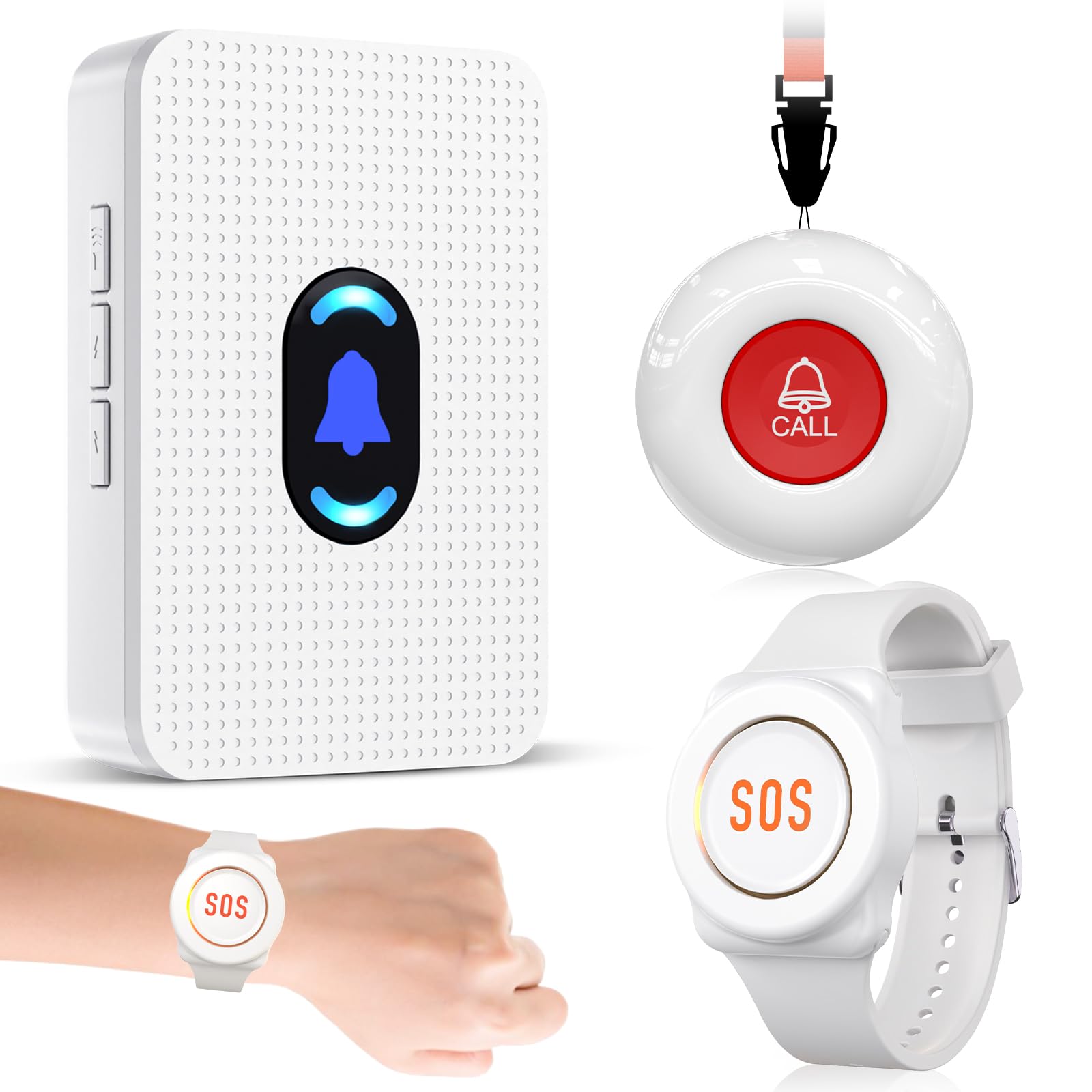
3. Daytech Caregiver Pager (2 Transmitters, 1 Receiver)
A well-tested system with 800-ft range that works reliably across three-story homes and detached garages.
Daytech’s caregiver pager has amassed nearly 900 ratings, making it among the most-tested options here. The advertised open-air range is 800 feet, and through two to three walls, buyers report the signal reaches a bedroom, kitchen, and even a detached garage. The receiver hits 110 dB at max volume, with five volume levels including a silent flashing-light mode for overnight care. The package includes a wrist-worn watch button and a pendant-style button that can be wall-mounted or worn on a lanyard. That flexibility matters — owners mention the wristband works well for smaller wrists (though some found it slightly large) and the lanyard option is good for those who do not want to wear a watch.
What makes this stand out is the confidence it delivers for multi-level homes. One owner set up six receivers across three floors and synced multiple buttons without issues. The system offers 20 ringtones, and the receiver remembers the pairing through a power outage — but it does reset the volume to a default level, so you may need to adjust it after a blackout. The buttons use a standard 12V battery that is easy to replace. The wrist button is splash-proof but cannot be submerged, so it comes off in the shower. A few owners noted the wrist strap can wear out over time, and the low-battery indicator sometimes causes intermittent range issues.
What wins people over: Ease of use is the second-most-discussed positive — owners consistently say it is ready from the start, simple to explain to a non-techy parent, and reliable enough for someone with ALS or post-surgery needs.
Most common owner note: “Owners mention feeling safer with their mother being home with them.” captures the emotional value, and the affordable price makes it a low-risk start.
Best suited for: A two-story house or a smaller home where the caregiver needs a simple wearable button that works through walls without a phone app.
Who should look elsewhere: Anyone who needs a waterproof button for the shower (the wrist button is only splash-proof) or wants phone notifications — this is a purely local system.
4. PILSAMAS 3 Pack Wireless Caregiver Call Button

The only pick here that pushes a phone alert through the app without a monthly subscription.
Unlike the simple chime systems above, this one uses 433MHz radio to connect three buttons to a hub that ties into your home’s 2.4GHz Wi-Fi. When a button is pressed, the hub plays a loud chime and instantly sends a push notification to your phone via the free Tuya app. You can share access with other family members so everyone gets the alert. The open-air range between the button and hub is 230 feet, which means through walls you are looking at about 60-80 feet of indoor range — enough for a typical single-story house or apartment. Each button can be named in the app (“Dad’s Bedroom”, “Bathroom”), and you can assign a different ringtone to each, so you know who needs help from anywhere.
The buttons are large and easy to press, and the system is pre-paired from the start. Setup involves plugging in the hub and connecting it to your Wi-Fi — no subscription for app notifications, though phone calls and SMS alerts require a paid plan. The 18 ringtones and four volume levels are configurable through the app. The honest trade-off is button sensitivity: when worn around the neck, the button can trigger false alarms from leaning forward or bumping into a chair. A few owners counted 20+ false alarms in a day. Solutions include a protective case or placing the button on a table instead of wearing it. The receiver requires a wall outlet and does not have a battery backup.
Best for its price: Owners call this an “excellent low-cost alternative to expensive systems” — the app notification means a caregiver can step outside or into the garage and still know when a button is pressed.
The honest trade-off: The button’s pressure sensitivity is the most-discussed pain point. If the person is likely to wear the button against their body, consider a system with a longer press delay or a different button style.
Choose this if: You want a phone alert when a button is pressed, care for someone who keeps the button on a table or bedrail rather than wearing it, and need no monthly fees.
skip it if: The button must be worn around the neck all day — the sensitivity may lead to frequent false alarms that erode trust in the system.
5. TurboSense Life Alert System (Wi-Fi Receiver + Pendant + Watch)
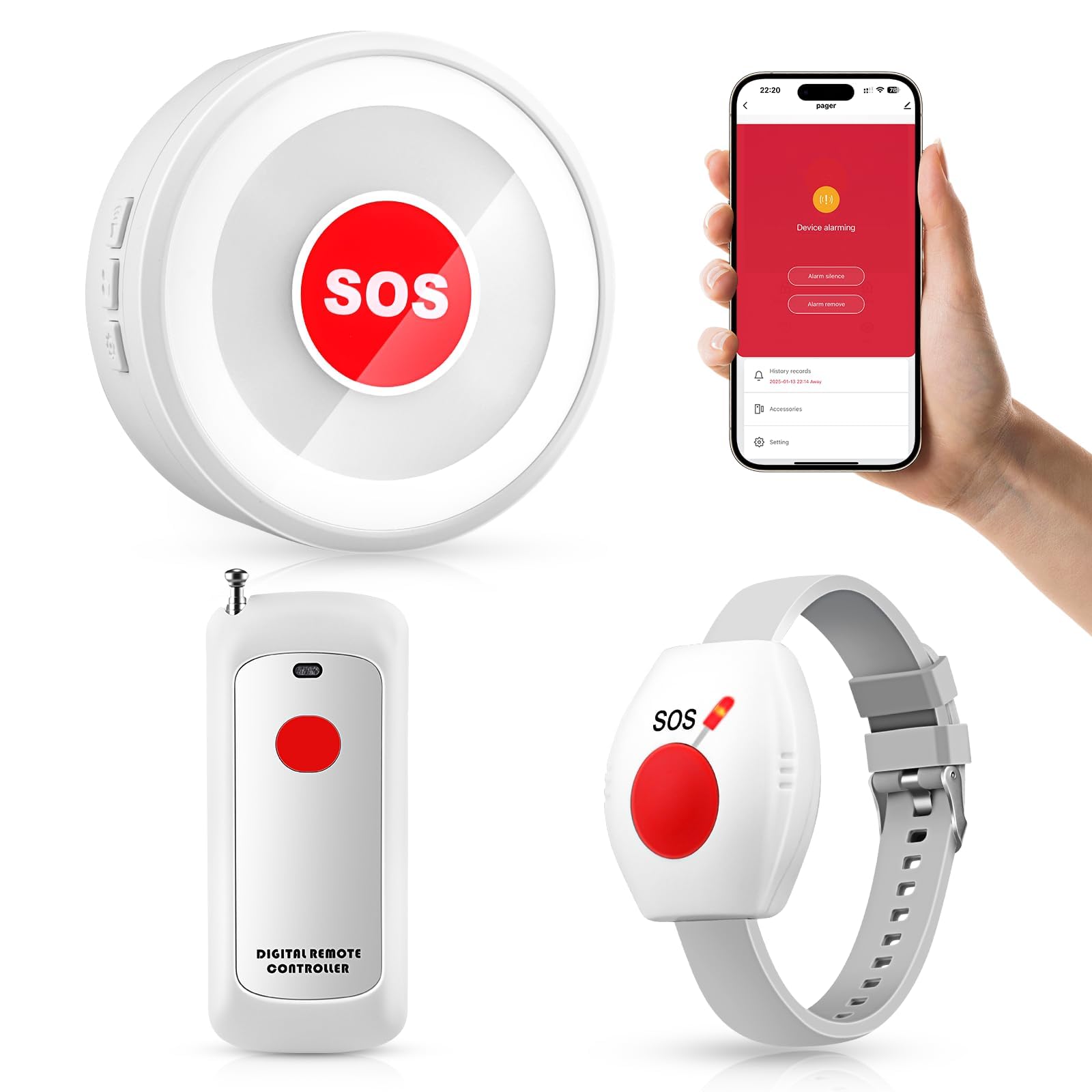
A Wi-Fi system that works even without a Wi-Fi signal — the plug-in receiver chimes locally regardless of internet.
This is the only system here that gives you both a local audible chime and a phone app notification without forcing a subscription. Press the SOS pendant or the wrist button, and the plug-in receiver sounds off immediately. If your Wi-Fi is active, the system also pushes a notification to your phone through the app. If the Wi-Fi is down, the receiver still rings — “work great in the house with no WIFI,” one owner confirms. The buttons use a CR2032 battery that the manufacturer claims lasts for 58 hours of battery life, meaning the buttons are rated for very long standby time. The wrist button is splash-proof, but not submersible.
Setup is minimal: plug in the receiver, and the buttons pair automatically. Owners praise the simplicity: “loud, helpful, no set up, plug in and use.” The receiver’s volume is loud enough to be heard through a house, and the 20 ringtones include pleasant options that won’t startle a sensitive person. The pendant and wrist button package covers both wearing preferences. The trade-off is that the system’s indoor range is shorter than the dedicated long-range systems — it is designed for in-home use, not for covering a large property. One owner also noted the ringtone selection process was slightly tricky, but once set, it is reliable. The receiver is AC-only, so no backup during power loss.
Owner highlight: “My mom is on 5L oxygen. Her O2 accidentally disconnected and she was able to alert me with her button. We call it her ding dong.” The real-world reliability in a crisis makes this a favorite.
A fair note: The Wi-Fi app alert is a nice extra, but the core value is the local chime. The system is best for someone who wants both — but the no-Wi-Fi functionality proves it is not a gimmick.
Best for: A caregiver who steps out briefly but wants to be notified on their phone, without committing to a monthly subscription. The dual local + app approach is practical.
Consider something else if: You need to cover a large house or detached building — the radio range here is shorter than dedicated non-Wi-Fi systems.
6. CallToU 06WS (1 Receiver, 1 Round Button, 1 Watch Button)
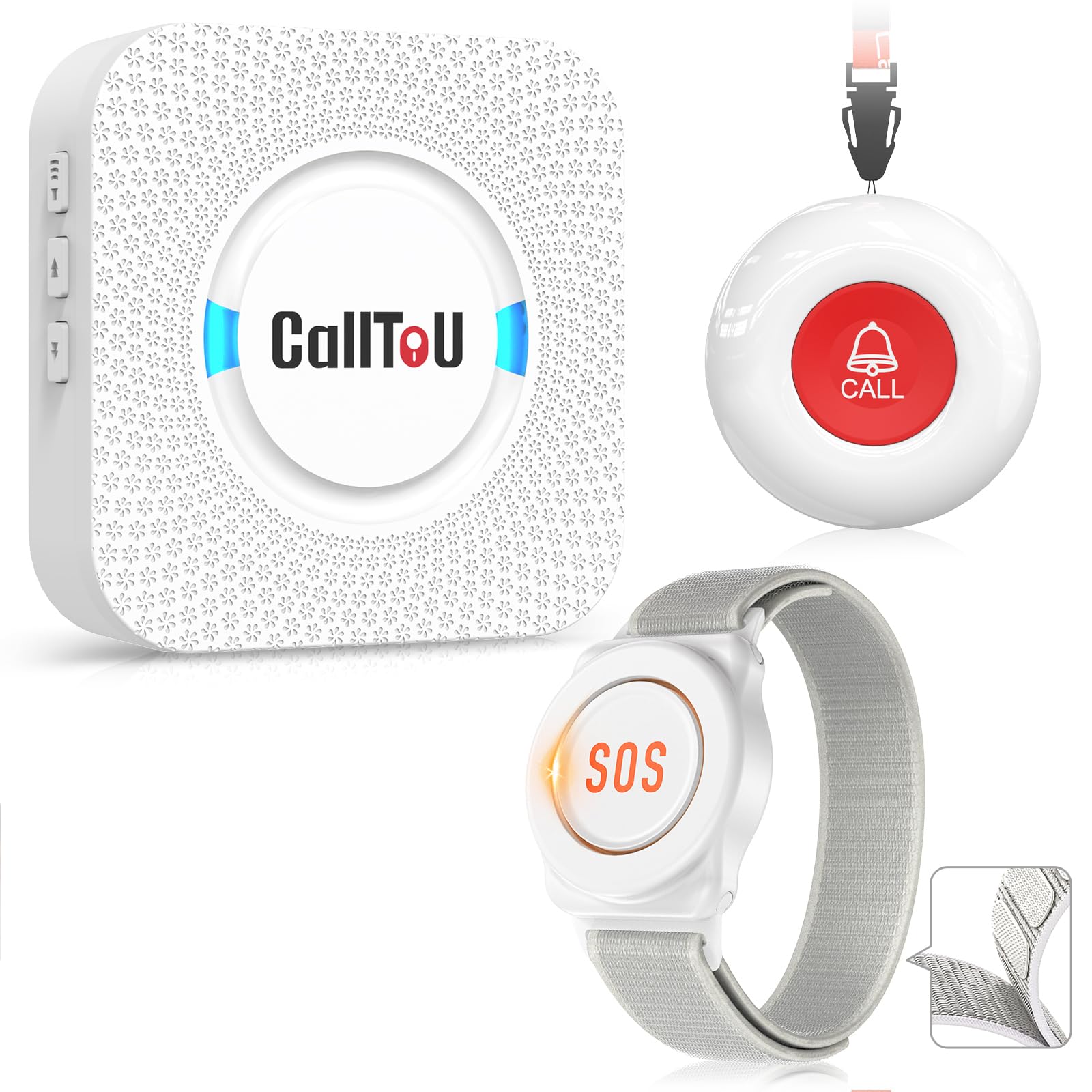
A tidy kit with two button styles — a round pendant and a wrist watch — for one receiver.
This is the simplest setup in the lineup: one receiver, a round waterproof button you can wear on a lanyard or mount in the bathroom, and a wrist-worn watch button for the person who prefers to keep their hands free. The open-air range is 500 feet, which works well in a single-story home or a small apartment — through a couple of walls, you still get a reliable signal. The receiver puts out 110 dB max, with five volume levels down to silent flash mode. The buttons are AAA-battery powered (included), and the receiver plugs into a standard wall outlet.
Where this system stands out is the inclusion of both a watch and a round button. The watch button is large enough to press easily, though some owners found it too big for a woman’s wrist. The round button can hang around the neck or be stuck to a wall using the included bracket or double-sided tape. Customers note it works well indoors and even through a detached garage wall. The system is a “The CallToU 06WS is a standout for caregiving.,” as one owner put it, allowing the caregiver to work in another room without constant visual checks. The honest limitation is the number of ringtones — 55 options, but owners note that some sound like a doorbell, and the alert cannot be changed once selected without scrolling through all 55. The wrist button is not fully waterproof, so it must be removed before showering.
Reviewers point out: “Very helpful with my mother. She has Parkinson and is legally blind. We got this because she fell late one night and no one could hear her yelling for help.” The confidence is immediate.
The biggest gripe: The wrist strap is too large for small wrists, and there is no way to shorten it. The round button’s sensitivity is good for a light press, but the watch button requires a firmer press.
Reach for this if: You need a simple, reliable two-button system for a small to medium home, and the person wants both a wrist option and a pendant.
Look elsewhere if: You want a long-range system for a multi-story home, or if the person has very small wrists and the watch band will not fit.
7. CallToU Wi-Fi (1 Call Button, 1 Watch, 1 Receiver, 2.4GHz)

A smart system where you name each button in the app and get free push notifications to your phone.
CallToU’s Wi-Fi system combines a local receiver with a smart app. The buttons use 433MHz radio with a 328-foot open-air range to the hub, and the hub connects to your home’s 2.4GHz Wi-Fi to push alerts. This means you can hear the chime in the next room or get a phone notification when you are in the garden. Through the Tuya app, you can assign a custom name and ringtone to each button — “Dad’s Room” plays a bell, “Bathroom” plays a chime — so you immediately know where the alert came from. The system includes 20 ringtones and 5 volume levels. The buttons are large and easy to press, even with reduced hand strength.
What puts this ahead of other smart systems is the sharing feature. You can set the app so that when the button is pressed, everyone you share with gets an alert, not just one person. This is useful if multiple family members look in on someone. The free app notifications work without a subscription, but phone call or SMS alerts cost /month. The buttons run on AAA batteries (included). The honest feedback is that reliability is high — owners confirm it works from anywhere in a four-bedroom ranch house — and the volume is loud enough to wake someone. The downside: the system only works on 2.4GHz Wi-Fi (not 5G), and some owners had minor hiccups with initial pairing. A very small number of owners experienced false alarms that were resolved by replacing the battery.
Owner consensus: “The CallToU Wi-Fi provides security and freedom.” — the ability to customize each button’s name and tone is a standout feature that helps caregivers prioritize which room to check first.
One caveat: A few owners found the app setup took a few tries. If the person managing the system is not tech-savvy, stick with a plug-and-play local system instead.
Best for: A multi-caregiver household where knowing exactly which room needs attention matters, and someone is comfortable setting up a Wi-Fi app.
pass on it if: The caregiver is not smartphone-savvy, or if you need a system that works during a power outage (the receiver is AC-only).
8. Medical Guardian MGMini (Subscription Required)
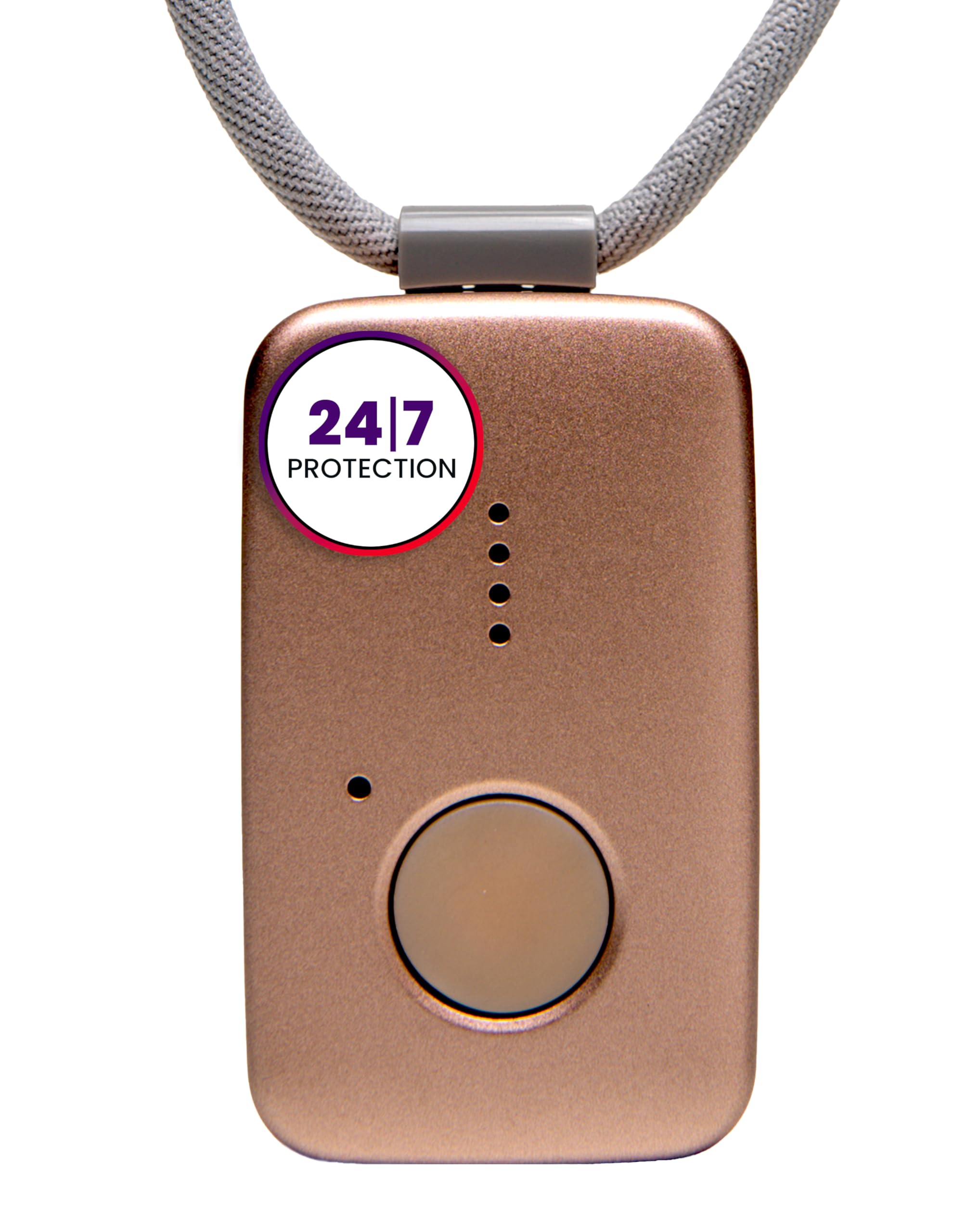
The only pick here that connects you to a live human operator who dispatches help — but it carries a monthly fee.
The Medical Guardian MGMini is a fundamentally different product from the others on this list. It is a subscription-based medical alert pendant that uses built-in cellular connectivity (with omniSIM technology that accesses both AT&T and Verizon 4G LTE networks) to connect you to a 24/7 monitoring center. When you press the SOS button, a trained, U.S.-based operator speaks to you through the device’s two-way speaker and dispatches emergency services, a family member, or a friend based on your instructions. It works anywhere with cellular coverage — at home or away — and includes hourly location updates and step counting through the app. The battery charges in 3 hours and lasts about 120 hours on a full charge. The device is shower-proof, and you can wear it as a pendant with a lanyard or clip it to a belt.
The honest reality is that the MGMini requires activation and a monthly subscription.: the MGMini requires activation and a /month subscription after a free first month. The fall-detection add-on costs an extra /month. This is the pick for someone who lives alone, travels, or wants a monitoring center to handle the call instead of relying on a family member who may not hear the phone. The trade-off, beyond the monthly cost, is that activation can be clunky (it must be done by phone or online), and the MGMini relies on a good cellular signal — coverage is mixed in remote areas. Cancellation also requires a phone call during business hours, which some owners found frustrating. The device does not work internationally without changing the SIM profile.
Why it is here: For someone who lives alone or wants a professional response, this is the right tool. It is a different category from the local chime systems above, but for true “instant emergency contact” where a monitoring center responds, this is the standard.
Owner note: “Not a GPS tracker” — the location functions are limited; GPS positioning is only activated when you call customer service. If GPS tracking is important, look at a dedicated GPS tracker instead.
Choose this if: You live alone, are frequently alone for long periods, or want a professional operator to handle the call rather than relying on a family member who may be busy or asleep.
Pick a no-fee system if: You have a caregiver in the home most of the time, or you are not willing to pay /month plus potential fall-detection fees. The local-chime systems cover in-home needs at a fraction of the long-term cost.
Understanding the Specs
Range (Open Air vs. Real Home)
The range you see on the box — 1000 feet, 1500 feet — is measured in an open field with no walls. Inside a real house, every wall, floor, and metal appliance cuts that number. A good rule: the realistic indoor range is about one-quarter of the open-air number. So a 1000-ft system covers roughly 200-300 linear feet through a few walls, which is enough for most single-story homes. For a two-story house with a basement, look for an advertised range of 1000 feet or more.
Decibel Levels (dB)
Volume is measured in decibels. 110 dB is roughly as loud as a rock concert or a chainsaw — it is loud enough to wake someone from sleep or be heard over a TV. 120 dB is about twice as loud. Most receivers let you dial the volume down, which is important for overnight use or for someone who is sensitive to loud sounds. A silent mode that uses only flashing lights is a common feature on 5-level volume controls.
Waterproof vs. Splash-Proof
IP55 means the button is protected against dust and low-pressure water jets — it can handle splashes from a sink or shower spray but cannot be submerged. IPX7 or IPX8 is needed for full immersion. Most buttons on this list are IP55 or splash-proof, so they are safe on a shower wall but should be taken off before a bath. Never assume a button is submersible unless the spec says IPX7 or higher.
Local Chime vs. Smart App Alert
A local chime system is a plug-in receiver that plays a ringtone when the button is pressed. It is simple, works during a power outage only if the receiver has battery backup (most do not), and has no monthly fee. A smart system adds Wi-Fi and sends a push notification to your phone. This is useful if you are not always in the same room, but it requires a stable 2.4GHz Wi-Fi network. Phone call or SMS alert features usually require a monthly subscription.
FAQ
Do any of these buttons work without Wi-Fi?
How far does a 1000-foot range actually get me inside my house?
Do any of these buttons require a monthly fee or subscription?
Can I take the button into the shower?
What happens if the power goes out?
Are these buttons easy for someone with arthritis or weak hands to press?
Can I use these systems in a nursing home or hospital room?
What is the difference between a caregiver pager and a medical alert system?
Final Thoughts: The Verdict
If you want one dependable pick, the best alert buttons with instant emergency contact winner is the STECHRO Caregiver Pager because it gives you the longest range (1500 feet) and the loudest volume (120 dB) at a price that undercuts most competitors. If you need multiple receivers to cover a split-level home, grab the FullHouse system with three plug-in units. And for genuine 24/7 professional monitoring that works at home and away, the Medical Guardian MGMini is the one to reach for — just budget for the monthly fee. The STECHRO is the crowd favorite: tens of thousands of owners confirm it is simple, loud, and reliable, with nearly 700 ratings behind its 4.7-star score.
How We Picked
We do not accept paid placement. Every pick is matched to a real buyer and a real use-case; we do not hands-on test units.
Sources & Methodology
Specifications: manufacturer listings and product documentation. Review insights: verified customer reviews, as of July 2026. Pricing: not shown on this page (it changes often); check the current price via the retailer link.
As an Amazon Associate, Gadgets Feed earns from qualifying purchases. This does not affect which products we feature.