
Our readers keep the lights on and my morning glass full of iced black tea. As an Amazon Associate, I earn from qualifying purchases.
Specs are compiled from manufacturer listings and verified buyer reviews and can change over time — please confirm the key details on the product page before buying.
If your wrists ache after a long day of typing, the fix is the layout, not the speed. An Alice keyboard splits the keys into two angled halves so your hands sit in a straighter, more natural position instead of twisting inward. This guide covers six split-layout boards worth buying and tells you plainly which one fits your desk, your hands, and your patience for fiddling with software.
I’m Min — the founder and writer behind Gadgets Feed. This guide is built by comparing the manufacturers’ published specifications and the patterns across verified customer reviews, so you get each pick’s real strengths and trade-offs instead of marketing spin.
I’ll walk you through the split angle, switch choices, and battery numbers that actually matter, then match each board to the buyer it suits. These picks help you find the right alice keyboards for long typing days.
Our Picks at a Glance
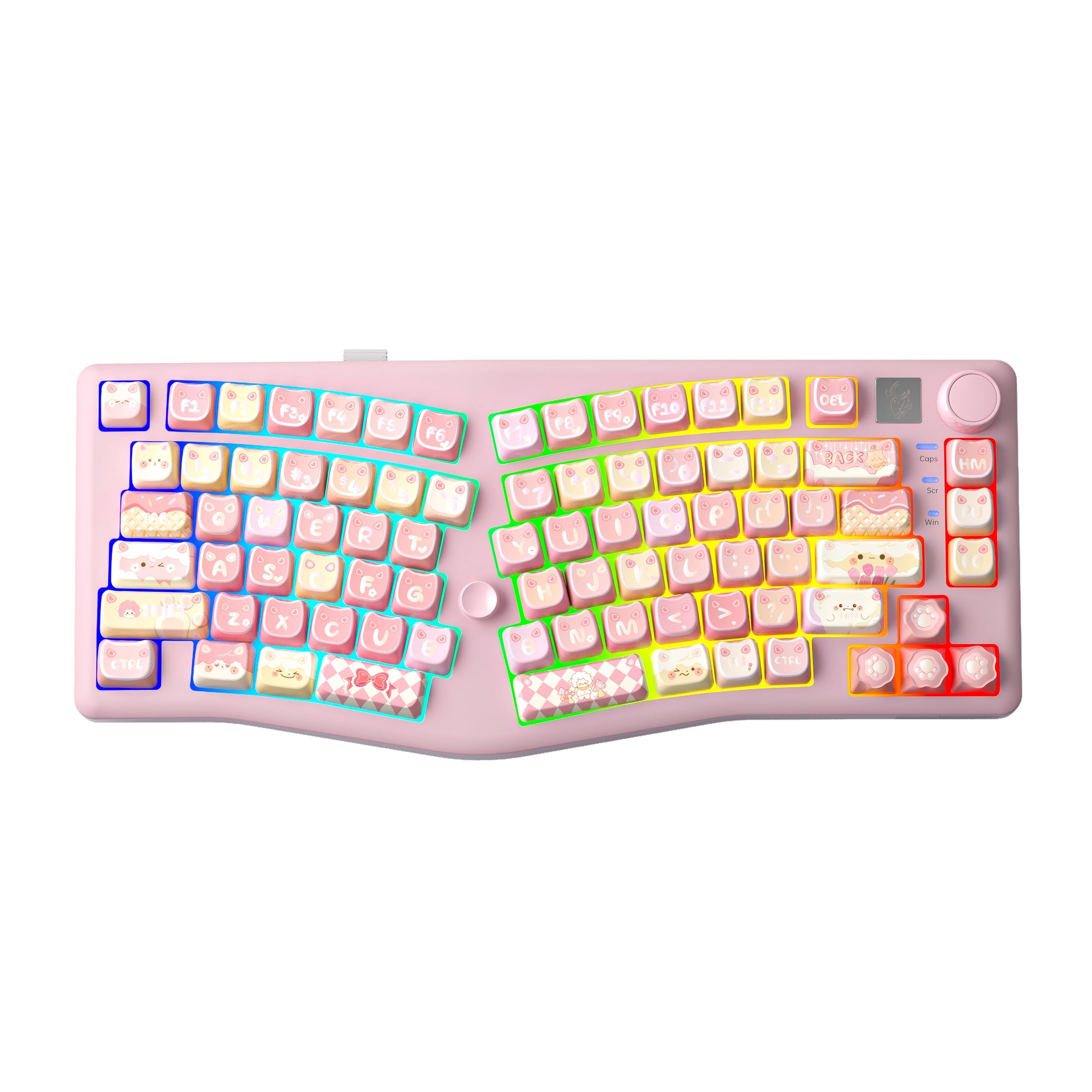
How To Choose The Best Alice Keyboards
The angled split is the whole reason you’re here, so start there and then work outward. Every board below uses some version of the Alice layout, where the left and right key clusters angle away from each other. That shape keeps your wrists straighter instead of angled inward toward the center of a standard keyboard.
Decide how much desk space you actually have
Alice boards come in different widths, and they eat desk differently. A 65% or 72-key layout keeps the footprint small while leaving arrow keys in place. A 75% or 98-key design adds extra keys and sometimes a numpad, which takes up more room. If your mouse sits close to the keyboard edge, measure first. The compact boards leave room to swing the mouse, while the larger ones push everything outward.
Pick wired only if you never move the board
Wireless tri-mode boards let you switch between a 2.4GHz receiver, Bluetooth, and a USB-C cable. That range matters if you bounce between a desktop, a laptop, and a tablet on the same desk. A wired-only board is simpler and never needs charging, but it keeps you tethered to one machine. Think about how many devices you actually type on each day before you commit.
Understand what hot-swap switches mean for you
Hot-swappable means you can pull switches out and push new ones in without soldering. If you like a quiet click for open offices or a thocky feel for home, this lets you change your mind later instead of buying a whole new board. Pre-lubed switches, factory-coated with a thin oil, usually feel smooth right away. Look for switch compatibility with both 3-pin and 5-pin types if you plan to shop around.
Quick Comparison
| Model | Best For | Layout | Connection | Battery | Amazon |
|---|---|---|---|---|---|
| LEOBOG A75★ Best Overall | Typing and gaming with a knob | 75% split Alice | 2.4G / BT5.0 / USB-C | 4000 mAh | Amazon |
| Keychron B11 ProTravel Pick | Travel and packing light | 65% foldable Alice | 2.4G / BT5.3 / USB-C | Up to 138 hours | Amazon |
| RK ROYAL KLUDGE A72 | All-day battery with macro keys | 68% Alice, 72 keys | 2.4G / BT5.0 / USB-C | 7500 mAh | Amazon |
| MechLands Feker Alice98 | Spreadsheet and numpad work | 98 keys with numpad | USB-C wired | — | Amazon |
| RK ROYAL KLUDGE A70 | Beginners to split layouts | 65% Alice | 2.4G / BT / USB-C | 7500 mAh | Amazon |
| Keychron V10 Max | Programmers and tinkerers | 75% Alice with knob | 2.4G / BT5.1 / USB-C | 4000 mAh | Amazon |
In‑Depth Reviews
1. LEOBOG A75 Wireless Mechanical Keyboard
Our pick — 4.5+★ from 70+ verified ratings; the strongest balance of quality and price.
A split board with a joystick and a knob, built to please both hands and your desk.
The LEOBOG A75 earns the top spot by combining the split Alice angle with controls you’ll actually use every day. The 75% layout keeps the board at 14.4 inches long while still leaving room for a rotary knob that switches between volume and RGB brightness. A joystick design stands in for the arrow and enter keys, so you can navigate without lifting your hand off the home row.
What wins people over is the build. Owners talk about the quality more than anything else, and the dampened sound keeps clicks from turning into clatter. The creamy switches feel smooth under the finger, so long typing sessions don’t wear you out. A magnetic stand flips between two heights, giving you a little lift if your wrists want it.
Battery life is where this board pulls ahead of the Keychron B11 Pro. The 4000 mAh cell runs up to 550 hours with the backlight off, against 138 hours on the slim foldable. That’s a 4.0x gap in favour of the LEOBOG, so you charge far less often. The one catch is the key accessories, which reviewers call mixed, so inspect the extras when the box arrives.
What Earns The Top Spot
- Ergonomic Alice angle for a natural hand position
- Knob and joystick let you adjust without leaving the keyboard
- 4000 mAh battery with up to 550 hours when backlight is off
- Magnetic stand with two height settings
What To Weigh First
- Key accessories get mixed feedback, so check what’s in the box
- 75% layout takes more desk room than a compact 65% board
- RGB and the joystick setup take some getting used to
Reach for this if: you want one board that handles typing, gaming, and volume control without extra software.
Look elsewhere if: you need a numpad or a wired-only setup that never needs charging.
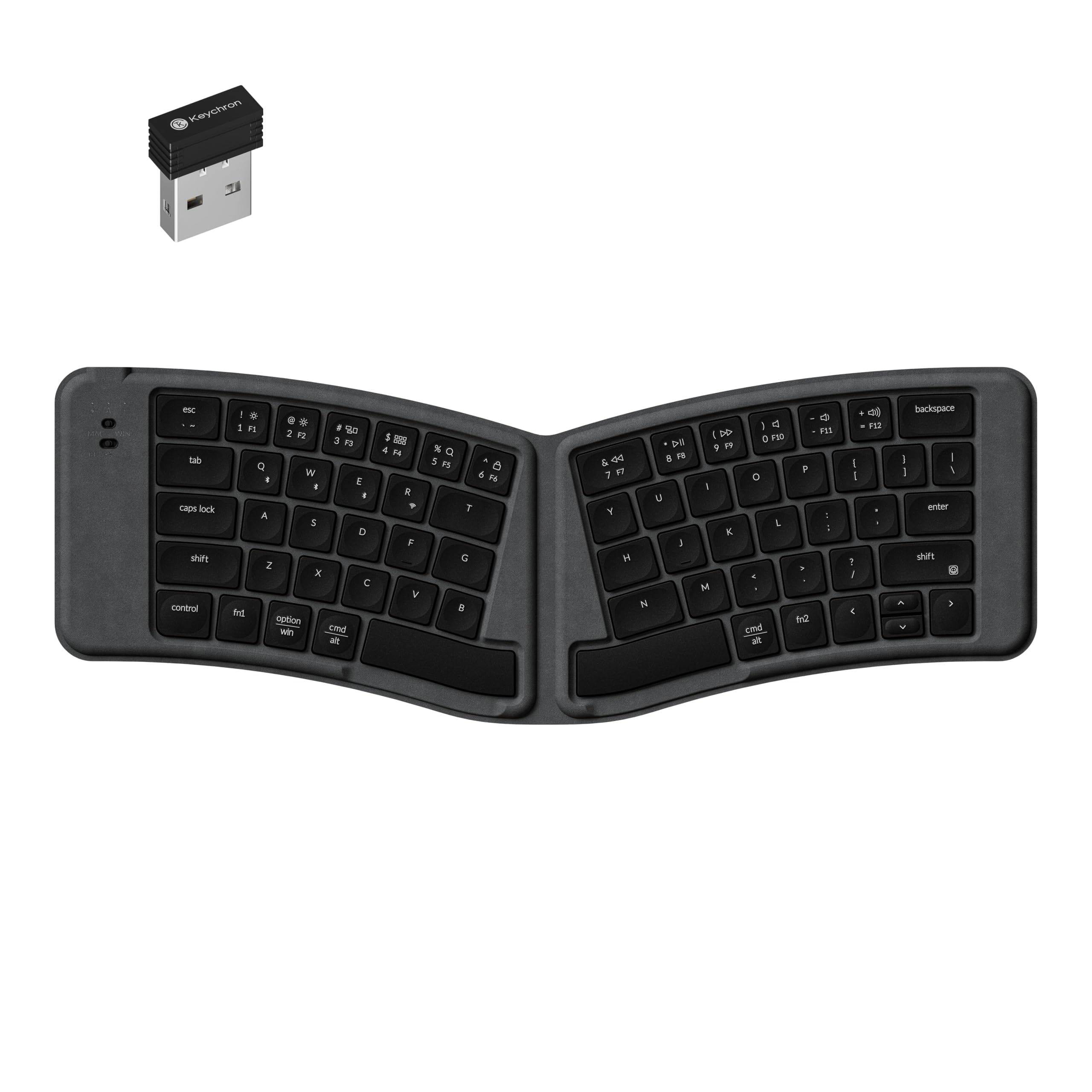
2. Keychron B11 Pro Ultra-Slim Foldable Wireless Keyboard
The split board that folds in half and slips into a bag at 9.1 oz.
Portability is the entire point here, and it’s what buyers praise most. The B11 Pro opens into an angled Alice layout, then folds inward for packing. At 9.1 oz it barely registers in a backpack, and a Hall effect sensor (a magnetic switch that detects position) powers the board off when folded and back on when opened. That means no dead battery from forgetting to switch it off.
Battery life reaches up to 138 hours on the maker’s lab test, which is enough for a few weeks of trips. The trade-off is the feel. Scissor switches and concave ABS keycaps give you laptop-style typing, not the deep mechanical thock of the LEOBOG above. It’s also the flattest board here at just 0.5 inches tall, so there’s no wrist lift unless you add a rest.
The honest caveat lands on ergonomics, which draws mixed feedback. The fold saves space but narrows how the halves sit, so a buyer who wants a wide, relaxed split should look at a fixed board instead. For flights, hotel desks, and coffee-shop work, the size and weight win.
What Buyers Keep Coming Back To: travel was named the almost-perfect use case, and the fold sensor that manages power automatically removes the biggest annoyance of a compact wireless board.
The Trade-off To Know: at 15.46 inches long when open and 0.5 inches thick, it’s wide but shallow, so plan on a wrist rest if you type for hours.
Carry it if: your keyboard lives in a bag more than on a fixed desk.
Pass on it if: you want deep mechanical keys and a wide, relaxed split angle.
3. RK ROYAL KLUDGE A72 Alice Ergonomic Wireless Mechanical Keyboard
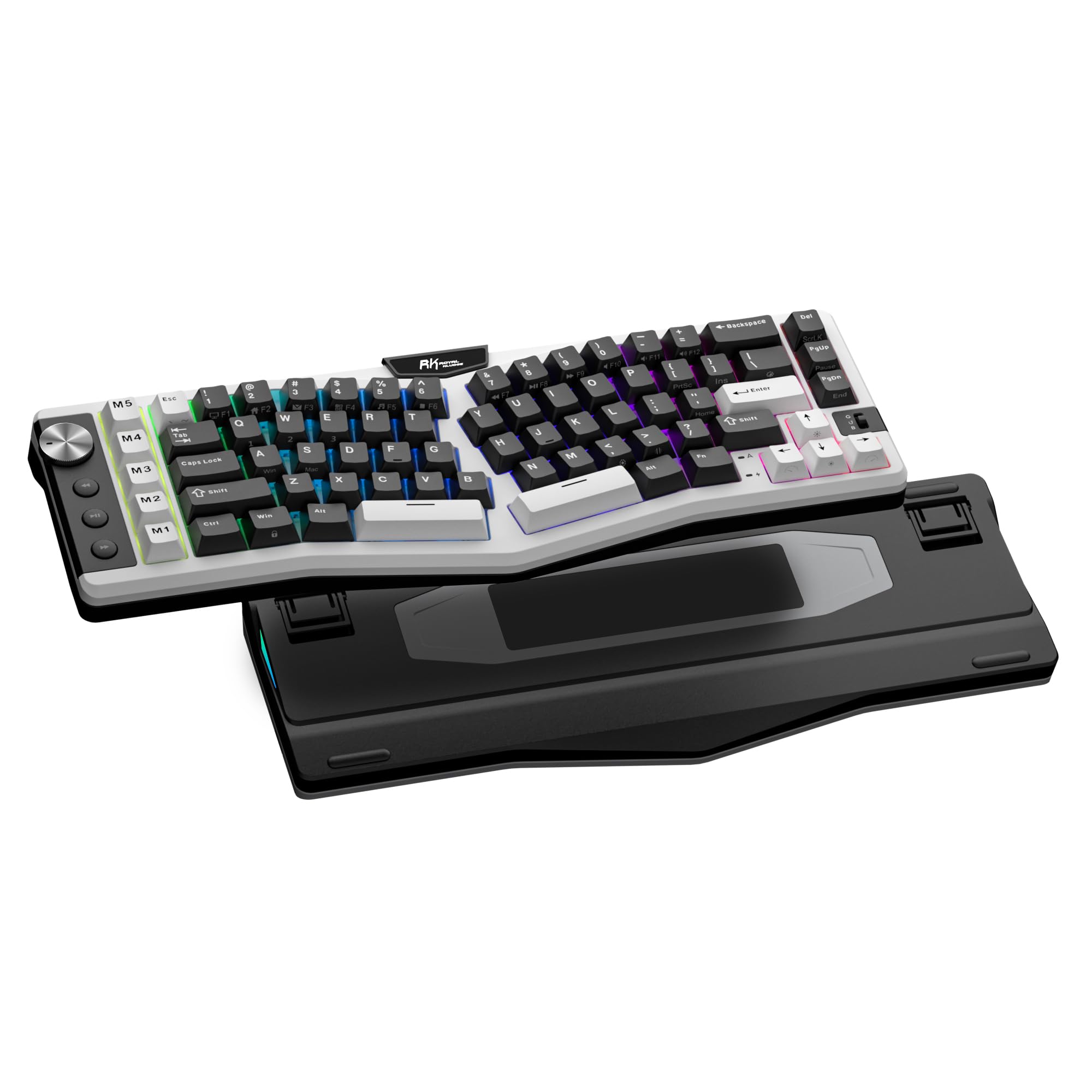
A 7500 mAh battery that goes up to 550 hours between charges, with five macro keys on top.
If you hate plugging in, this board solves it. The RK A72 packs a 7500 mAh battery that runs up to 550 hours with the RGB off and 54 hours with it on. Compare that to the LEOBOG A75’s 4000 mAh and the gap in capacity is clear: this one carries 88% more. A quick FN+ENTER press checks your level, and a full charge takes about 14 hours.
The typing feel comes from a gasket mount (the plate floats on soft mounts instead of screwing down tight) and five dampening layers. Dual sound-absorbing foam, an IXPE switch pad, a silicone dampener, and a PET film work together to cut hollow noise. Cherry-profile PBT keycaps resist oil, so the texture stays put after months of use. Five M1-M5 macro keys sit ready for shortcuts you repeat all day.
What makes this board unusual is the touchable nameplate. Touch it and an online driver opens in your browser, no install needed. You can remap keys, build macros, and adjust the 15 RGB modes from there. One caution: the hot-swap sockets take both 3-pin and 5-pin switches, so buy your spares with that in mind. This is the board for a buyer who wants capacity and customization over a colorful case.
Why It Stands Out: 7500 mAh and 550 hours of offline-backlight runtime make charging a monthly chore rather than a nightly one.
Worth Knowing: at 2 pounds it sits solid on the desk, which you feel if you carry it around.
Your match if: you want maximum runtime and macro keys in a compact 68% body.
Not your board if: you need a numpad or you want a lighter board to move between rooms.
4. MechLands Feker Alice98 Ergonomic 98 Keys Custom Mechanical Keyboard
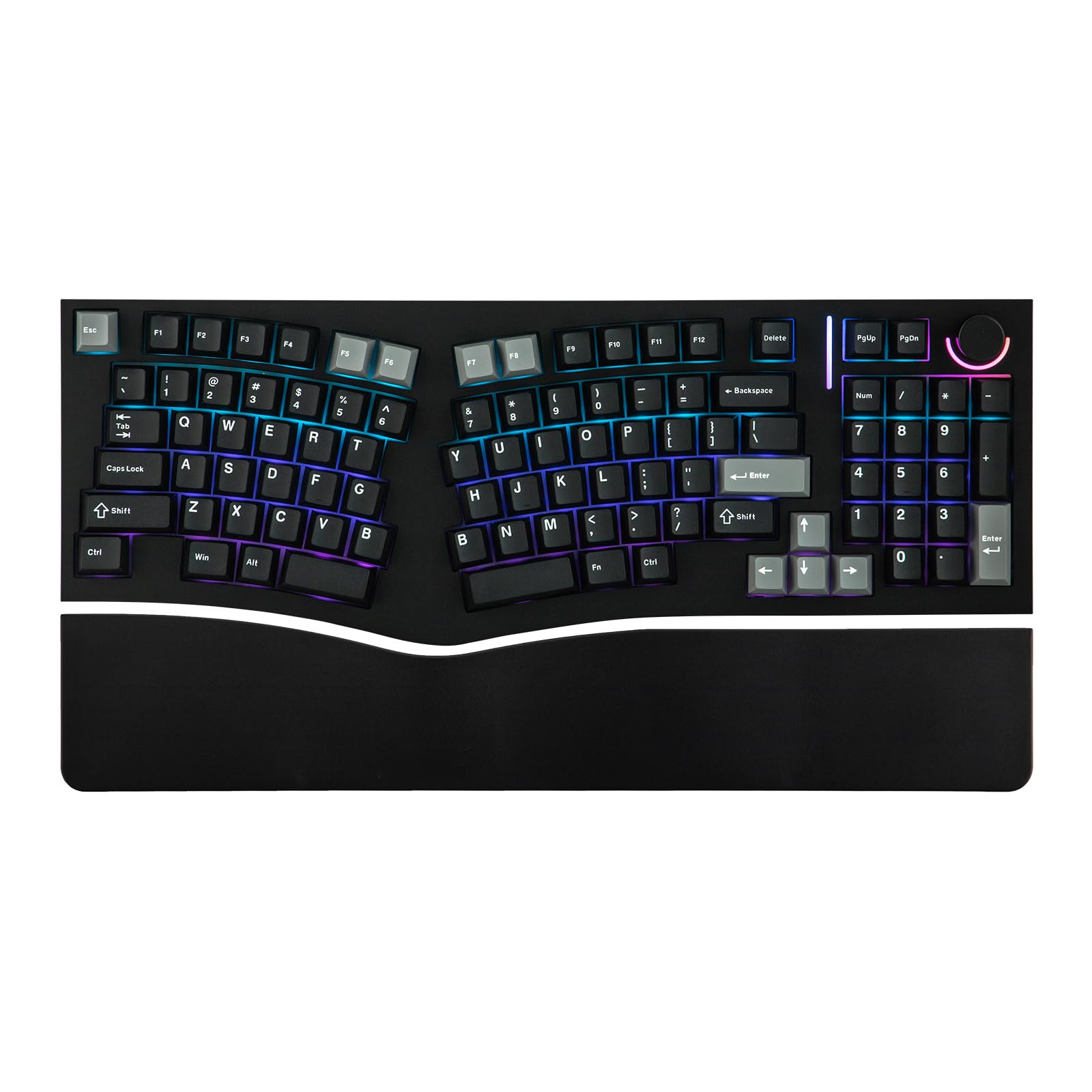
The full-size feel of a numpad, bent into an ergonomic Alice angle.
Most split boards drop the number pad. This one keeps it. The Feker Alice98 squeezes 98 keys into a body that gets close to full size without giving up the angled layout. It holds 36% more keys than the 72-key RK A72, which matters if you live in spreadsheets. A split spacebar and a media knob round out the top row.
Build quality is the headline, and it’s the thing buyers praise most. A gasket mount with a PC plate gives a soft, even feel across the whole board. Poron sandwich foam, an IXPE switch pad, PET film, EPDM socket foam, and case foam stack up to tame the noise. The 5-side dye-sublimation PBT keycaps in Cherry profile stay textured and resist that oily shine.
Programmability runs through VIA, so you can remap keys and build macros without installing anything. South-facing RGB offers 21 lighting effects, though the lighting gets mixed feedback, so treat it as a bonus rather than the reason to buy. Wired-only over USB-C means no charging, and no cable-free freedom either.
Where It Wins
- 98 keys include a numpad without a separate pad
- Gasket mount with five layers of sound damping
- VIA lets you remap everything with no install
- PBT keycaps resist shine and wear
Where It Limits You
- Wired USB-C only, so no wireless freedom
- At 17.15 inches long it eats serious desk space
- Lighting draws mixed feedback
Built for you if: you enter numbers daily and refuse to give up a numpad for a split layout.
Think twice if: your desk is narrow or you want a cable-free setup.
5. RK ROYAL KLUDGE A70 Wireless Ergonomic Keyboard

A gentle wave shape for anyone who has never typed on a split board.
The A70 is the softest landing into the Alice world. Its curved, wave-like shape angles the keys toward your hands, but not so much that a newcomer feels lost. The 65% layout saves desk space while keeping the number and arrow keys within reach. A built-in knob handles volume, and a mini screen shows your battery level at a glance.
Runtime is enormous. The 7500 mAh battery delivers up to 710 hours with the backlight off and 62 hours with it on. A gasket mount with five soft layers gives a cushioned, creamy sound, and the double-shot PBT keycaps keep a matte surface that resists fading. Three programmable macro keys sit ready, and the touch-X shortcut opens the online driver in your browser.
Here’s the honest part: the build quality gets mixed feedback, and that’s the most-discussed topic on this board. Some owners find it better than expected; others feel it’s built to a budget. If you want a first split keyboard to test whether the ergonomic shape suits you, that trade-off is fair. If you want a board that feels premium from day one, look at the MechLands instead.
Why It Belongs Here: the wave shape plus a 65% footprint makes the transition from a standard keyboard painless, and the battery number is the biggest on this list.
Start here if: you’re split-curious and want a low-risk first ergonomic board with giant runtime.
Hold off if: premium materials are non-negotiable for you.
6. Keychron V10 Max Wireless 75% Alice QMK Mechanical Keyboard with Knob
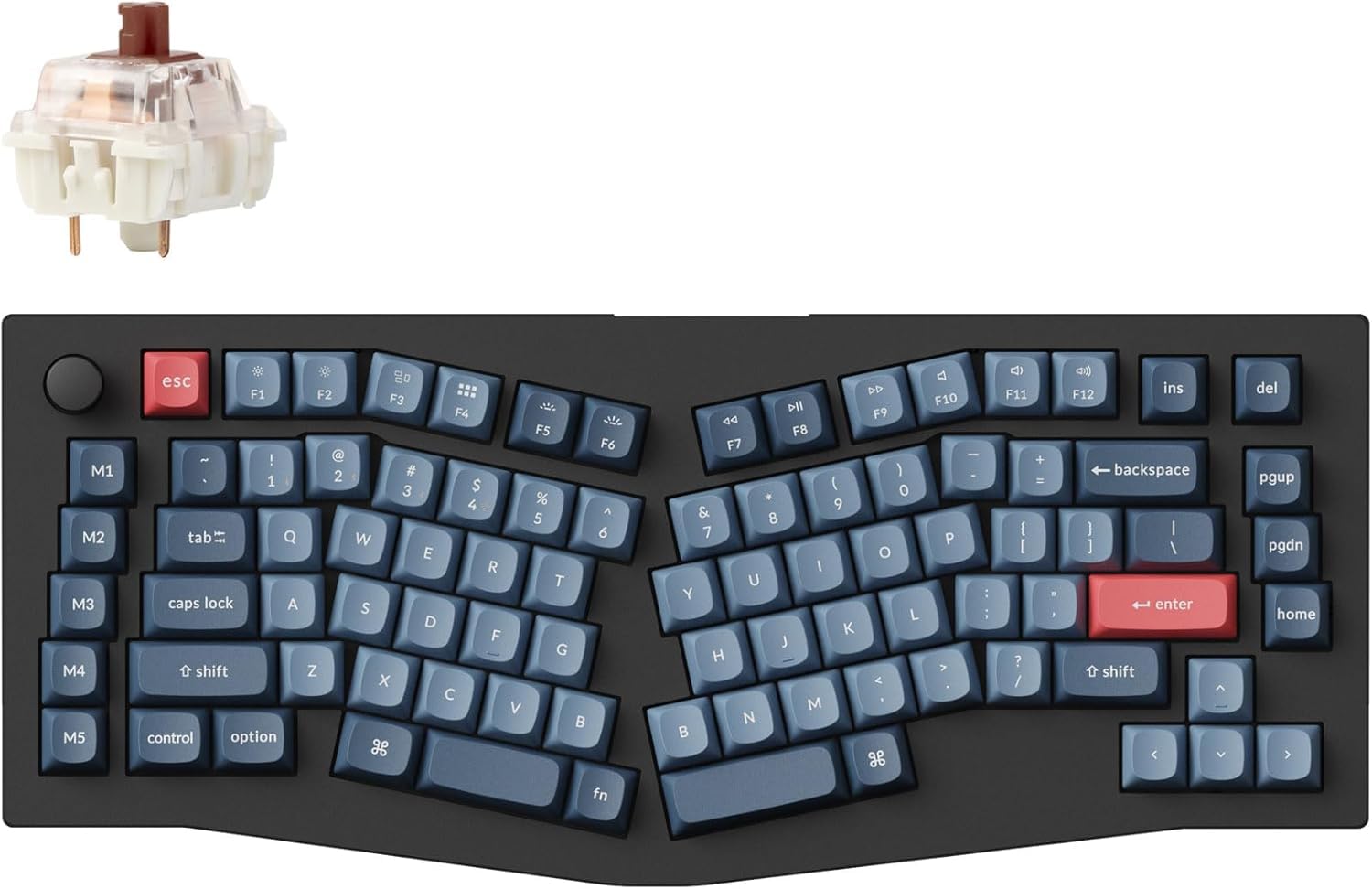
For the coder who wants to remap every key and read the firmware source.
This is the pick for a buyer who treats a keyboard as a project. The V10 Max runs on open-source QMK firmware (a free, community-built keyboard operating system) with the source code available for anyone to dig into. On top sits Keychron Launcher, where you tell the built-in AI what you want and it sets up remaps, macros, shortcuts, and RGB for you. That saves an hour of clicking through menus.
The hardware backs it up. A gasket mount with a PC plate and sound-absorbing foam softens the typing sound. Pre-lubed Gateron Jupiter switches are rated for 80 million keystrokes, and OSA double-shot PBT keycaps resist oil. Hot-swap sockets take both 3-pin and 5-pin switches, so you can change the feel without soldering.
Wireless hasn’t been left behind. A 4000 mAh battery runs up to 190 hours with the backlight off and up to 100 hours at the lowest RGB brightness, and a full USB-C charge takes about 5 hours. A 1000 Hz polling rate over 2.4GHz keeps latency low for gaming, and Bluetooth 5.1 pairs with up to 3 devices. Type-C and Type-A receivers both ship in the box and store in a magnetic slot.
The Standout: remapping 104 keys through an AI-assisted web app on open-source firmware is a level of control the other boards here can’t match.
Keep In Mind: that same power means setup time; if you never plan to tinker, you’re paying for features you won’t use.
Choose it if: you want deep customization and don’t mind spending an afternoon dialing in your layout.
Skip if: you want something that works perfectly untouched from the start.
Understanding the Specs
The Alice Split Angle
The angled split is the defining feature here. Instead of a straight row, the left and right halves tilt so your forearms sit closer to shoulder width. That tilt reduces the inward wrist rotation a straight row forces on you. A wider split feels more relaxed but takes longer to learn, so a gentler wave shape like the A70’s is easier for a first-timer.
Battery Capacity in mAh
Milliamp-hours (mAh) measure how much energy the battery stores. Bigger numbers mean fewer charges. A 7500 mAh board like the RK A72 lasts longer between charges than a 4000 mAh one. Brightness eats that savings fast, so most makers quote a backlight-off number and a backlight-on number. Always look at the second figure if you plan to type with RGB glowing.
Hot-Swap and Switch Types
Hot-swap means you can pull a switch out and push a new one in, no soldering iron needed. Linear switches feel smooth from top to bottom, while tactile ones give a bump you feel as you type. Many boards accept both 3-pin and 5-pin switches, which widens your choices. Pre-lubed switches come factory-coated so they feel smooth right away.
Connectivity Modes
Tri-mode boards offer a 2.4GHz receiver, Bluetooth, and a USB-C cable. The 2.4GHz receiver gives a faster, steadier link for gaming, while Bluetooth lets you pair a phone or tablet. Bluetooth 5.3 on the Keychron B11 Pro is a newer version than Bluetooth 5.0, which mainly affects stability and power use. Wired mode skips charging entirely.
FAQ
Will an Alice keyboard work with my Mac or Windows PC?
How long does it take to adjust to a split layout?
Do I need a wrist rest with an Alice keyboard?
Can I change the switches on these keyboards?
Is wireless really reliable enough for gaming?
Why is a 98-key board so much wider than a 65% one?
Does the RGB lighting hurt battery life that much?
Can I use a folding Alice board on my lap?
What does gasket mount actually change about typing?
Do these keyboards work with a tablet or phone?
Final Thoughts: The Verdict
For most people, the strongest pick is the LEOBOG A75 because it blends the split angle with a useful knob and joystick, plus up to 550 hours of battery with the backlight off. If you want a numpad and don’t mind a cable, the MechLands Feker Alice98 is the one — its build quality drew the most praise of any board here, and it holds the most ratings too, though the LEOBOG matches it on stars at a smaller count. And for travel, the Keychron B11 Pro folds to 9.1 oz and slips into a bag.
How We Picked
We do not accept paid placement. Every pick is matched to a real buyer and a real use-case; we do not hands-on test units.
Sources & Methodology
Specifications: manufacturer listings and product documentation. Review insights: verified customer reviews, as of November 2026. Pricing: not shown on this page (it changes often); check the current price via the retailer link.
As an Amazon Associate, Gadgets Feed earns from qualifying purchases. This does not affect which products we feature.