
A single cable, a massive 27-inch panel, and the guts of a full PC tucked behind the screen — that is the promise of a genuine all-in-one desktop. No tower hogging floor space, no rats nest of wires between the case and monitor. For anyone setting up a home office, managing a family workstation, or equipping a reception desk, the 27-inch form factor hits the sweet spot: big enough to run multiple windows side by side, compact enough to fit on a standard desk.
I’m Min — the co-founder and writer behind Gadgets Feed. I’ve spent hundreds of hours combing through technical specifications, cross-referencing processor benchmarks, screen quality data, connectivity standards, and real-world usability reports to identify which models actually deliver on the all-in-one promise without sacrificing performance or longevity.
This guide cuts through the marketing noise to help you pick the right machine for your workflow. Whether you need a touchscreen for creative work, a high-refresh panel for smoother visuals, or raw CPU horsepower for heavy multitasking, you’ll find the best all-in-one 27 inch desktop for your specific situation right here.
How To Choose The Best All-In-One 27 Inch Desktop
The 27-inch AIO market spans everything from budget home companions to premium creative workstations. The key is matching the internal components and display technology to how you actually use the machine — not just buying based on brand or RAM size.
Processor and Graphics: The Real Performance Ceiling
All-in-one desktops rely on mobile processors and integrated graphics in most configurations. An Intel Core i5 or AMD Ryzen 5 is the baseline for smooth multitasking with a dozen browser tabs, Office apps, and streaming running simultaneously. Jumping to an Intel Core i7 or AMD Ryzen 7 nets you more cores for video editing, data analysis, or running virtual machines. A few premium models pair a dedicated GPU with the integrated chip — the Dell Inspiron 7730’s NVIDIA GeForce MX570A is a rare find that enables light gaming and hardware-accelerated video rendering that integrated graphics cannot match.
Display Quality: Resolution, Refresh Rate, and Touch
Every model in this lineup runs a 27-inch Full HD (1920×1080) IPS panel, but the extras matter. A 120Hz refresh rate, like the Acer Aspire C27-2G-UR13 offers, makes cursor movement and scrolling feel dramatically snappier — it’s a meaningful upgrade for anyone who spends all day in front of the screen. Touch capability appears on several models, including the ASUS V470, HP Ryzen configurations, and the Dell Inspiron 7730; it is genuinely useful for zooming through design tools or navigating Windows 11 gestures. Anti-glare coatings and blue-light reduction technology are critical for extended sessions — look for ComfortView Plus on Dell units or Acer VisionCare.
RAM, Storage, and Future-Proofing
Sealed chassis designs mean most AIOs cannot be upgraded after purchase. 16GB of RAM is the minimum I recommend for longevity — Windows alone can consume 6GB during normal use, leaving little headroom with an 8GB configuration. Storage should be at least 512GB NVMe SSD; 1TB is better for anyone maintaining a local photo library or installing multiple large applications. A few models offer external expansion via USB-C or an external drive bundle, but internal expansion slots are rare. Decide your capacity needs upfront because you likely won’t get a second chance.
Quick Comparison
On smaller screens, swipe sideways to see the full table.
| Model | Category | Best For | Key Spec | Amazon |
|---|---|---|---|---|
| Acer Aspire C27-2G-UR13 | Mid-Range | Best Overall | 120Hz FHD IPS, Ryzen 7, 16GB RAM | Amazon |
| Lenovo IdeaCentre AIO 3i | Mid-Range | Touchscreen + Harman Audio | FHD Touch, i5-1240P, 8GB RAM | Amazon |
| Acer Aspire C27-1700-UA91 | Mid-Range | Strong i5 Performance | FHD IPS, i5-1235U, 16GB RAM | Amazon |
| Lenovo IdeaCentre i7-13620H | Premium | Powerful Multitasking | i7-13620H, 8GB DDR5, 512GB SSD | Amazon |
| ASUS V470VA-MS504T | Premium | Touch + Top Port Selection | FHD Touch, i5-13420H, 16GB DDR5 | Amazon |
| HP 27-inch Ryzen 5 Touch | Premium | Touch + 1TB Storage | FHD Touch, Ryzen 5, 16GB RAM | Amazon |
| HP 27-inch 2TB Mega Storage | Premium | Massive Onboard Storage | FHD Touch, Ryzen 5, 16GB RAM | Amazon |
| Dell EC27250 | Premium | Sleek Design + On-Site Service | FHD IPS, Core 5 120U, 16GB DDR5 | Amazon |
| HP 27-cr0012 Ryzen 7 | Premium | 32GB RAM Powerhouse | FHD, Ryzen 7, 32GB RAM, 1TB SSD | Amazon |
| Dell Inspiron 7730 | Premium+ | Best Discrete Graphics | FHD Touch, Core 7, 32GB, GeForce MX570A | Amazon |
| Apple iMac M4 24-inch | Ultra-Premium | Ecosystem + 4.5K Display | 24-inch 4.5K, M4, 24GB RAM | Amazon |
In‑Depth Reviews
1. Acer Aspire C27-2G-UR13

The Acer Aspire C27-2G-UR13 stands out from the crowd for one simple reason — its 27-inch FHD IPS panel runs at 120Hz. That refresh rate transforms the feel of everyday Windows navigation; scrolling through documents, moving windows around, and even watching content feels noticeably smoother than the standard 60Hz panels found on virtually every other AIO at this tier. The AMD Ryzen 7 5700U octa-core processor with 16GB DDR4 RAM ensures that fluidity extends to multitasking — running a dozen browser tabs, Office, and streaming simultaneously causes no hesitation.
Storage comes in the form of a 1TB PCIe NVMe SSD, which is double the capacity of most competing models at this price point. The port selection is thorough: USB-C, HDMI-out, DisplayPort, and multiple USB-A ports, plus Wi-Fi 6 and Bluetooth 5.2 for wireless connectivity. The 2MP webcam includes a privacy shutter and dual microphones, making it practical for video calls without purchasing extra peripherals.
The trade-off is that the chassis is sealed — the 16GB of RAM and 1TB SSD are what you get for the lifetime of the machine, though those specs already hit the sweet spot for most users. The display is non-touch, which may disappoint those who prefer direct interaction. But for pure performance per dollar and a screen that genuinely feels faster than the competition, this Acer is the most balanced pick in the category.
Why it’s great
- 120Hz IPS panel offers dramatically smoother visual feedback than 60Hz rivals.
- Ryzen 7 octa-core processor provides genuine multitasking headroom.
- 1TB SSD storage capacity bests most competitors at this level.
Good to know
- Non-touch display limits direct interaction.
- RAM is soldered and cannot be upgraded later.
- USB 2.0 ports on front limit high-speed peripheral charging.
2. Lenovo IdeaCentre AIO 3i

The Lenovo IdeaCentre AIO 3i brings two features that are rare together in the mid-range: a full 27-inch FHD touchscreen and Harman Kardon-certified speakers. The touch interface is responsive and makes Windows 11 gestures feel natural for scrolling, zooming, and swiping through apps. The audio output from the Harman Kardon drivers is noticeably richer than the tinny speakers found on most AIOs — voices in video calls are clearer, and music has actual depth rather than sounding like a phone speaker.
Under the hood, the Intel Core i5-1240P with 8GB RAM and a 512GB SSD provides adequate performance for family computing, web browsing, and office applications. The 5MP pop-up webcam with facial recognition login adds convenience and privacy. The chassis includes a phone holder built into the stand, which is a practical touch for keeping a smartphone accessible without cluttering the desk.
The 8GB RAM configuration is the main limitation here — Windows 11 consumes around 6GB during normal operation, leaving very little headroom for heavy multitasking or running virtual machines. Several user reports confirm that the RAM is upgradeable if you are comfortable opening the chassis, but it is not a trivial process. The lack of height adjustment on the stand is another ergonomic consideration — the screen position is fixed, so you may need a riser or an adjustable desk.
Why it’s great
- Touchscreen is genuinely useful for creative and casual use.
- Harman Kardon speakers outperform most AIO audio systems.
- Pop-up 5MP webcam with facial recognition adds security and privacy.
Good to know
- 8GB RAM is tight for heavy multitasking on Windows 11.
- Stand height is fixed with no vertical adjustment.
- Only four USB ports may require an external hub.
3. Acer Aspire C27-1700-UA91

The Acer Aspire C27-1700-UA91 offers a clean, no-nonsense configuration with 16GB DDR4 RAM and a 512GB NVMe SSD paired with the 12th Gen Intel Core i5-1235U. The Intel Iris Xe integrated graphics provide enough horsepower for 4K video playback and light photo editing, and the 27-inch FHD IPS panel with a 91% screen-to-body ratio gives the machine a modern look with thin bezels on three sides. Acer VisionCare technology includes flicker-less and BlueLightShield features that genuinely reduce eye fatigue during long work sessions.
Port selection covers most needs: USB-C Gen 2 at 10Gbps, multiple USB-A ports, HDMI-out, and an RJ-45 Ethernet port. The 5MP webcam with a physical shutter and dual microphones is above average for video calling. The included wireless keyboard and mouse are functional, though the mouse uses a USB RF dongle that occupies a dedicated port on the bottom.
The biggest missing feature is the lack of a touchscreen, which is common at this price point but worth noting if you prefer direct interaction. Some users report that the built-in speakers are underwhelming for music or movie watching, with limited bass response. The configuration is also sealed — the RAM and SSD are not user-upgradeable, so the 512GB SSD may fill up quickly for users with large local media libraries.
Why it’s great
- 16GB RAM provides solid headroom for multitasking beyond basic office work.
- Iris Xe graphics handle 4K content and light creative tasks well.
- VisionCare blue-light reduction is genuinely effective for eye comfort.
Good to know
- Non-touch display limits interaction options.
- 512GB SSD fills quickly with large files and applications.
- Speakers lack bass and volume for media consumption.
4. Lenovo IdeaCentre i7-13620H

The Lenovo IdeaCentre with the Intel Core i7-13620H processor is a genuine performance outlier among 27-inch AIOs. With 10 cores (6 Performance + 4 Efficiency) and 16 threads boosting up to 4.9GHz, this machine chews through data analysis, video transcoding, and heavy spreadsheet work without the slowdowns common in lower-tier configurations. The 8GB DDR5-5200 RAM, while modest in capacity, uses faster memory technology that improves responsiveness in burst workloads like application launching and file compression.
The 27-inch FHD IPS display hits 300 nits brightness with 99% sRGB color accuracy and an anti-glare coating, making it suitable for color-sensitive work like photo editing. The 5MP webcam with dual microphones and HARMAN speakers deliver a premium video conferencing experience. Connectivity includes USB-C at 10Gbps, HDMI-out and HDMI-in 2.1, Wi-Fi 6, and Bluetooth 5.2, giving you flexibility for external monitors and peripherals.
The 8GB RAM ceiling is the most significant compromise here — a processor this powerful deserves 16GB or more to avoid bottlenecking during complex multitasking. The 512GB SSD is also on the smaller side for a workstation-class machine. Gamers should temper expectations as the integrated Intel UHD Graphics cannot handle modern 3D titles beyond basic indie games. The Luna Grey design and space-saving stand look professional but offer no height adjustment.
Why it’s great
- Core i7-13620H delivers genuine multi-core muscle for demanding workloads.
- DDR5-5200 RAM improves system responsiveness over DDR4 configurations.
- HARMAN speakers and 5MP webcam provide excellent conference call quality.
Good to know
- 8GB RAM is insufficient for the processor’s potential — upgrade is needed.
- Integrated UHD graphics cannot handle modern gaming.
- 512GB SSD may be restrictive for professional file storage.
5. ASUS V470VA-MS504T

The ASUS V470VA-MS504T is the most future-proofed mid-range AIO in terms of connectivity. It is the only model in this guide to include Wi-Fi 6E (802.11ax) and Bluetooth 5.3, providing access to the 6GHz wireless band for less interference and higher throughput in congested environments. The 27-inch FHD anti-glare touchscreen is responsive and works well with Windows 11 gestures. The panel uses an IPS LED-backlit LCD with Dolby Atmos speakers that produce surprisingly good sound for an AIO — clear mids and a hint of bass that make movies and music enjoyable without external speakers.
Under the hood, the Intel Core i5-13420H with 16GB DDR5 RAM and a 1TB PCIe SSD delivers snappy performance for everything from office work to light creative projects. The 1080p Full HD camera with a retractable design is one of the best implementations in this category — it tucks completely away when not in use, providing true physical privacy. AI noise-canceling technology cleans up microphone input during video calls, reducing background noise from fans or room chatter.
The touchscreen’s anti-glare finish is a nice touch that reduces reflections compared to glossy touch panels. However, the stand lacks height adjustment, and the wired keyboard and mouse included are basic — most users will want to upgrade to a wireless set. A few users have noted pre-installed bloatware on the ASUS, which is common but worth a few minutes to uninstall during setup.
Why it’s great
- Wi-Fi 6E and Bluetooth 5.3 provide the most modern wireless connectivity.
- Retractable 1080p camera offers true physical privacy.
- 16GB DDR5 RAM and 1TB SSD hit the ideal capacity sweet spot.
Good to know
- Stand has no height adjustment for ergonomic positioning.
- Included wired keyboard and mouse feel basic for the price.
- Some pre-installed bloatware needs manual removal.
6. HP 27-inch Ryzen 5 Touch

The HP 27-inch all-in-one brings together a 27-inch FHD touch IPS display with an AMD Ryzen 5 7520U processor and 16GB of speedy LPDDR5-5500MHz RAM. The touchscreen uses a three-sided micro-edge design with an anti-glare coating, making it comfortable to use in rooms with overhead lighting. The 99% sRGB coverage ensures colors look accurate for photo browsing and light creative work. The machine comes with Windows 11 Pro instead of Home, which adds BitLocker encryption, Remote Desktop, and domain join capabilities for small business users.
The 1TB PCIe NVMe SSD provides ample room for a large media library and multiple installed applications. The HP True Vision 1080p FHD IR tilt privacy camera includes temporal noise reduction for clearer video in dim lighting conditions, and the integrated dual array microphones pick up voice effectively from a normal speaking distance. HP claims the camera tilts for privacy, though it lacks the physical shutter found on some competitors.
The AMD Radeon integrated graphics handle typical office workloads and 4K streaming without issue but are not suited for gaming beyond casual titles. The onboard RAM is soldered, so there is no upgrade path beyond the initial 16GB — which is adequate but worth noting for users who anticipate needing 32GB later. Some users have reported reliability concerns with the motherboard after several months of use, making extended warranty coverage a wise consideration.
Why it’s great
- Touch IPS display with anti-glare coating works well in bright rooms.
- Windows 11 Pro adds business features not found on Home editions.
- LPDDR5-5500MHz RAM provides fast memory bandwidth for the Ryzen processor.
Good to know
- RAM is soldered and cannot be upgraded beyond 16GB.
- Integrated Radeon graphics limit gaming potential.
- Some long-term reliability concerns reported by users.
7. HP 27-inch 2TB Mega Storage
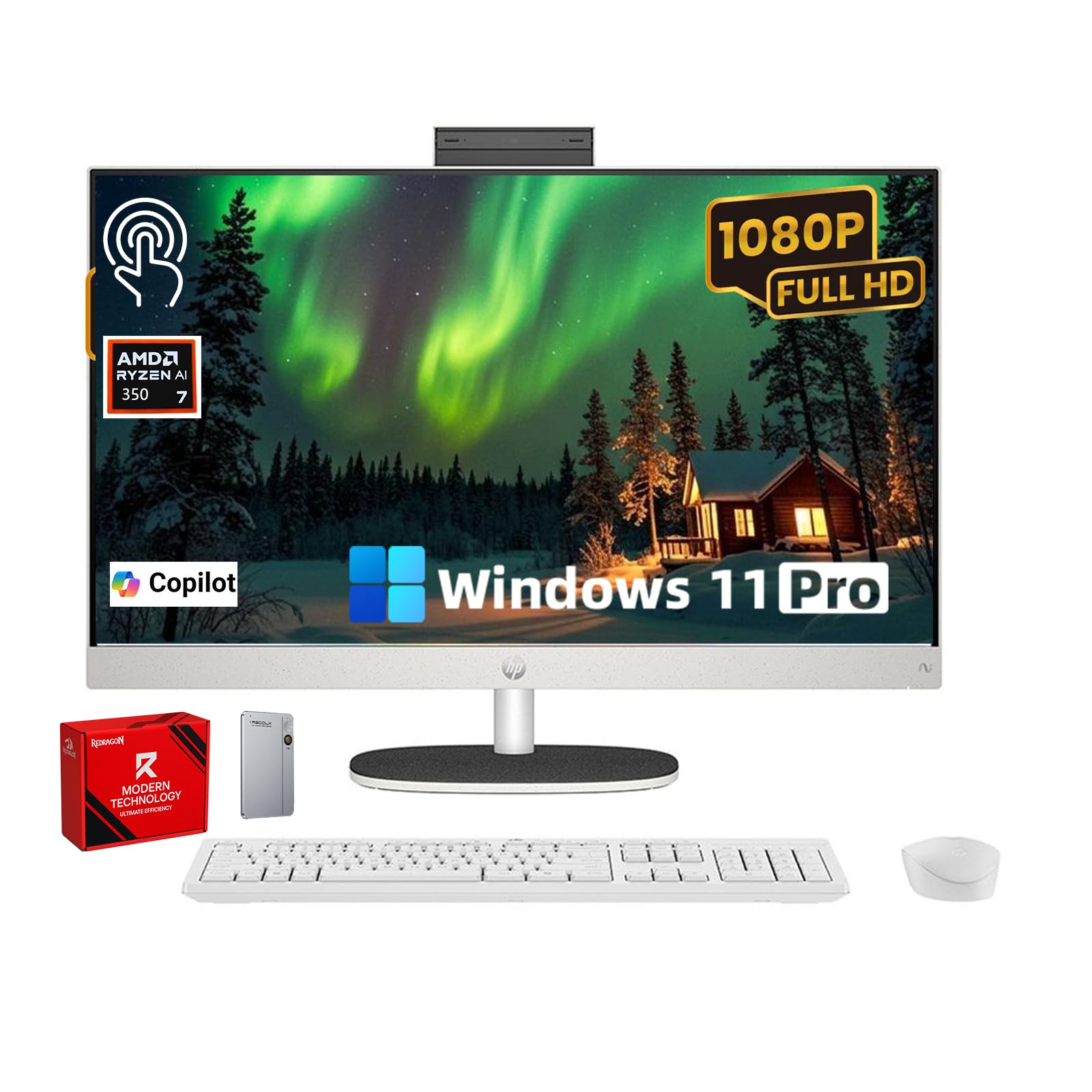
The HP 27-inch Mega Storage configuration solves the most common pain point of all-in-one desktops: running out of space. This system ships with a 1TB internal PCIe NVMe SSD plus a 1TB external SSD, providing 2TB total capacity without needing to open the chassis or add a cumbersome external drive later. The 27-inch FHD touch IPS display with ultra-thin bezels and a 90% screen-to-body ratio looks modern and makes the touch experience feel immersive — you can tap, pinch, and swipe directly on the screen.
The AMD Ryzen 5 7520U processor paired with 16GB DDR5 memory handles everyday multitasking smoothly. The pop-up privacy camera is a standout feature — it tucks completely into the chassis when not in use, providing absolute privacy without a shutter. The dual microphones include noise reduction that works well for filtering out ambient sounds during calls. The EPEAT Gold and ENERGY STAR certifications reflect a focus on energy efficiency and responsible manufacturing.
The external SSD bundle approach is clever but means one USB port is always occupied by the external drive. The wired USB receiver for the keyboard and mouse is stored inside the mouse compartment, which several users initially missed, causing confusion during setup. The white color scheme looks clean but may show dust and smudges more readily than darker finishes. The 250 nits brightness is on the lower side for use near bright windows.
Why it’s great
- 2TB combined storage (1TB internal + 1TB external) without opening the chassis.
- Pop-up privacy camera offers true physical security.
- EPEAT Gold and ENERGY STAR certified for eco-conscious buyers.
Good to know
- External SSD bundle permanently occupies one USB port.
- 250 nits brightness may struggle in very bright rooms.
- White finish shows dust and smudges easily.
8. Dell EC27250

The Dell EC27250 stands out for its thoughtful design language and exceptional service package. The 27-inch FHD IPS display with ComfortView Plus reduces harmful blue light emissions while maintaining color accuracy, making it one of the better options for users who spend 8+ hours per day on the machine. The panel also boasts 50% higher contrast than the previous generation, with 99% sRGB coverage for vivid, true-to-life colors. The refresh rate is 66% higher than older Dell AIOs, improving smoothness during scrolling and video playback.
Under the hood, the Intel Core 5 120U with 16GB DDR5 RAM and a 512GB SSD provides strong performance for daily productivity. The 5MP+IR camera with HDR technology adjusts exposure automatically in challenging lighting conditions, keeping you looking natural on video calls. The pop-up camera mechanism is smooth and provides privacy when pushed down. The innovative stand includes a space underneath to store the keyboard, keeping the desk surface clear when not typing.
The key differentiator is the 1-Year Onsite Service — Dell sends a technician to your home or office if a hardware issue covered by warranty cannot be resolved remotely. Six months of Dell Migrate software is included for transferring files from an old PC. The 512GB SSD is adequate for light users but will fill quickly for anyone storing large media libraries. The integrated Intel graphics handle general use but cannot support gaming or heavy creative workloads.
Why it’s great
- ComfortView Plus blue-light reduction maintains accurate colors.
- 1-Year Onsite Service provides peace of mind for hardware issues.
- Innovative stand includes keyboard storage underneath.
Good to know
- 512GB SSD fills quickly for power users with large media collections.
- Integrated graphics limit gaming and heavy creative applications.
- No touchscreen option at this configuration tier.
9. HP 27-cr0012 Ryzen 7

For users who genuinely need to run heavy applications alongside dozens of browser tabs, the HP 27-cr0012 offers a massive 32GB DDR4 RAM paired with the AMD Ryzen 7 7730U processor. That memory headroom allows opening multiple virtual machines, running large datasets in Excel, or editing high-resolution photos without the system hitting swap. The 1TB NVMe SSD provides fast storage for the operating system, applications, and active project files.
The 27-inch FHD IPS display uses a three-sided micro-edge design with up to a 90% screen-to-body ratio, giving it a modern appearance on the desk. The tilting pop-up privacy camera is a notch above fixed cameras — you can angle it downward for a more flattering perspective during calls. HP Video Controls software allows adjusting camera settings without navigating away from your meeting. Dual array microphones with advanced noise reduction technology effectively filter out keyboard clicks and room echo.
Reliability reports are mixed — while many users report smooth operation, a meaningful number have experienced random shutdowns attributed to overheating, requiring the system to be unplugged and reset. This is concerning for a machine at this price tier and suggests the thermal solution may be undersized for the Ryzen 7 under sustained load. The chassis also lacks a touchscreen option and offers no height adjustment, which feels limiting at this premium price point.
Why it’s great
- 32GB RAM provides genuine headroom for heavy multitasking and VMs.
- Ryzen 7 processor handles demanding productivity workloads smoothly.
- Pop-up tilt camera allows angle adjustment for better video calls.
Good to know
- Multiple reports of random shutdowns due to overheating.
- No touchscreen option and no height-adjustable stand.
- Thermal solution may not adequately cool the Ryzen 7 under sustained load.
10. Dell Inspiron 7730

The Dell Inspiron 7730 is the only machine in this guide that pairs a dedicated NVIDIA GeForce MX570A 2GB GDDR6 GPU with its 27-inch FHD touchscreen display. That discrete graphics card makes a real difference — it enables light gaming at playable frame rates, hardware-accelerates video rendering in Adobe Premiere, and keeps the UI smooth even when driving the touchscreen simultaneously. The Intel Core 7-150U processor with 32GB DDR4 RAM and a 1TB SSD makes this the most capable configuration overall for power users who need both CPU and GPU performance.
The 27-inch FHD touch IPS display with four-side narrow borders looks excellent — colors are vibrant, and the touch response is immediate. ComfortView Plus reduces blue light without the yellow tint that bothers some users. The innovative stand design provides better stability and extra desk space underneath. Dell backs this with 1-Year Premium Support that includes priority access to dedicated experts and international coverage.
The chassis has been reported to ship with the wrong power adapter (65W instead of the required 130W) in some refurbished units, causing performance issues until corrected. Screen color calibration out of the box leans oversaturated according to some users, requiring manual adjustment through Dell’s utility software. The touchscreen is prone to fingerprints, and the glossy finish reflects overhead lighting more than anti-glare panels. Consider this machine the top choice for anyone who needs graphics power beyond integrated solutions in an AIO form factor.
Why it’s great
- NVIDIA GeForce MX570A discrete GPU enables light gaming and accelerated video rendering.
- 32GB RAM and 1TB SSD provide workstation-class capacity.
- Four-side narrow bezel design looks modern and immersive.
Good to know
- Glossy touchscreen shows fingerprints and reflections.
- Some units ship with incorrect 65W adapter instead of required 130W.
- Color calibration may need manual adjustment out of the box.
11. Apple iMac M4 24-inch

The Apple iMac M4 stands in a category of its own — though its display is 24 inches rather than 27, the 4.5K Retina panel at 4480×2520 resolution delivers roughly three times the pixel density of any 27-inch FHD AIO in this guide. For photo editing, graphic design, or any work where text sharpness and color accuracy matter, the iMac’s display is in a different league. The M4 chip with its 10-core CPU, 10-core GPU, and 16-core Neural Engine handles creative workflows like Final Cut Pro, Logic Pro, or Adobe Lightroom with effortless speed.
The unified 24GB memory architecture means the CPU and GPU share a single pool of high-bandwidth memory, eliminating the bottlenecks that occur when integrated graphics on Windows compete with system RAM. The 512GB SSD is fast but smaller than what many Windows AIOs offer at this price. The 12MP Center Stage camera, three studio-quality microphones, and six-speaker system with Spatial Audio deliver the best video conferencing experience available in any all-in-one.
The 24-inch panel is smaller than the 27-inch competitors, which matters for users who prioritize screen real estate for spreadsheets or timelines. macOS also represents an ecosystem lock-in — Windows-dependent software or peripherals may not transfer seamlessly. The M4 iMac ships with only Thunderbolt 4 ports (up to four), requiring adapters for USB-A devices. The glossy screen is beautiful but reflects bright windows more than anti-glare panels. For creative professionals already in the Apple ecosystem, this is the best all-in-one available — for users needing Windows or larger screen area, the premium models above may serve better.
Why it’s great
- 4.5K Retina display delivers unmatched sharpness and color for creative work.
- M4 chip with unified memory architecture handles demanding apps effortlessly.
- Six-speaker Spatial Audio and 12MP Center Stage camera set the standard for AIO media quality.
Good to know
- 24-inch display is smaller than 27-inch Windows competitors.
- macOS ecosystem locks out Windows-dependent software and peripherals.
- Thunderbolt-only ports require adapters for USB-A devices.
FAQ
Can I upgrade the RAM or storage in a 27-inch all-in-one desktop?
Is a 120Hz display worth it on a desktop that is not for gaming?
Which is better for video calls: pop-up camera or fixed webcam?
Final Thoughts: The Verdict
For most users, the best all-in-one 27 inch desktop winner is the Acer Aspire C27-2G-UR13 because its combination of a 120Hz display, Ryzen 7 octa-core processor, 16GB RAM, and 1TB SSD delivers the best balance of performance, screen quality, and value in the category. If you want a touchscreen with excellent audio quality for media consumption, grab the Lenovo IdeaCentre AIO 3i. And for discrete graphics power that enables light gaming and accelerated creative work, nothing beats the Dell Inspiron 7730.