
Our readers keep the lights on and my morning glass full of iced black tea. As an Amazon Associate, I earn from qualifying purchases.
Specs are compiled from manufacturer listings and verified buyer reviews and can change over time — please confirm the key details on the product page before buying.
You need color prints that don’t dry out when you ignore the printer for two weeks. Inkjet cartridges clog, and “low ink” warnings feel like a shakedown. A color laser printer uses toner powder instead of liquid ink, so pages stay sharp even after sitting idle for weeks. The trick is picking the one that fits your desk and your budget without getting burned by high toner costs later.
I’m Min — the founder and writer behind Gadgets Feed. This guide is built by comparing the manufacturers’ published specifications and the patterns across verified customer reviews, so you get each pick’s real strengths and trade-offs instead of marketing spin.
These six machines represent the balance for print speed, paper handling, and color quality you can rely on at home. This article ranks the all-in-one color laser printer for home use by real-world value so you skip the guesswork.
Our Picks at a Glance

How To Choose The Best All-In-One Color Laser Printer For Home Use
Not every color laser printer works well in a living room corner. The right one balances speed, paper handling, and long-term toner costs — three things that separate a smart buy from a regret six months later. Here is what to check before you click “Add to Cart”.
Print Speed: Pages Per Minute (ppm) Is Not Just a Number
Home printing is often a “need it now” moment — a permission slip, a recipe, a last-minute report. The faster the printer churns out color pages, the less you wait. Look for at least 19 ppm in color. Speeds of 24-35 ppm mean the machine keeps pace with a busy household or a side business.
Toner Cost Per Page: The Hidden Price Tag
The printer itself is only half the expense. Each color has its own toner cartridge (cyan, magenta, yellow, black), and those replacements add up fast. High-yield cartridges — ones that print 2,000 pages or more — slash your cost per page. A printer that takes standard-yield cartridges only will cost you more every few months.
Paper Handling and Auto Document Feeder (ADF)
An automatic document feeder (ADF) lets you load a stack of papers and scan or copy them without standing there feeding each page. A 50-sheet ADF saves real time on tax docs, school forms, or multi-page receipts. Also check whether the printer supports automatic two-sided (duplex) printing so you don’t flip pages by hand.
Quick Comparison
| Model | Best For | Color Speed | Paper Tray Capacity | Auto Document Feeder | Amazon |
|---|---|---|---|---|---|
| Canon imageCLASS MF753Cdw★ Best Overall | Best Overall | 35 ppm | 250-sheet + 50-sheet multipurpose | 50-sheet, one-pass duplex | Amazon |
| Xerox C325dniSpeed King | Best for Speed | 35 ppm | 250-sheet | Not listed in data | Amazon |
| HP Color LaserJet Pro MFP 3301fdw | Best for Small Teams | 26 ppm | 250-sheet | Yes, 2-sided single-pass | Amazon |
| Xerox C235dni | Best Entry-Level Value | 24 ppm | Standard (data unclear) | Not listed in data | Amazon |
| Brother MFC-L3720CDW | Best for Connectivity | 19 ppm | 250-sheet | 50-sheet | Amazon |
| HP Color LaserJet Pro MFP 4301fdw | Best for High-Volume Home Office | 33 ppm | Standard (data unclear) | Yes, auto document feeder | Amazon |
In‑Depth Reviews
1. Canon imageCLASS MF753Cdw
Our pick — over 4★ from 550+ verified ratings; the strongest balance of quality and price.
The Canon imageCLASS MF753Cdw is the fastest all-in-one here — 35 ppm (pages per minute, the output speed) in color means a 10-page report prints in about 17 seconds, and its 50-sheet automatic document feeder (ADF) scans both sides of a stack in one pass so you load once and walk away.
That 35 ppm color speed is 84% faster than the Brother MFC-L3720CDW’s 19 ppm, so you wait seconds instead of minutes for multi-page jobs. The 4-in-1 function (print, scan, copy, fax) handles up to 850 sheets total with the optional extra cassette, and the 3-year limited warranty covers confidence beyond the typical one-year. Buyers report it “replaced an HP laser printer due to software issues” and call it “reliable” with “sharp color and black-and-white” quality. The main downsides: some units arrive as gray-market imports ineligible for Canon USA warranty, and one buyer lost network connectivity repeatedly despite troubleshooting.
The Fast Lane Setup
- 35 ppm color and black-and-white — fast enough for a busy household or small office
- One-pass duplex scanning on a 50-sheet ADF saves serious time on multi-page jobs
- Expandable to 850-sheet capacity for high-volume months
The Catch
- Some units sold are gray-market models; verify serial number eligibility for US warranty
- Setup can be frustrating — one reviewer called it “terrible” and the web-config menus are non-intuitive
- Occasional wireless connectivity drops reported
Reach for this if: speed and high-volume scanning matter more than a plug-and-play first hour.
Look elsewhere if: you want zero-config setup or absolutely need a US-warranty unit guaranteed from the listing.
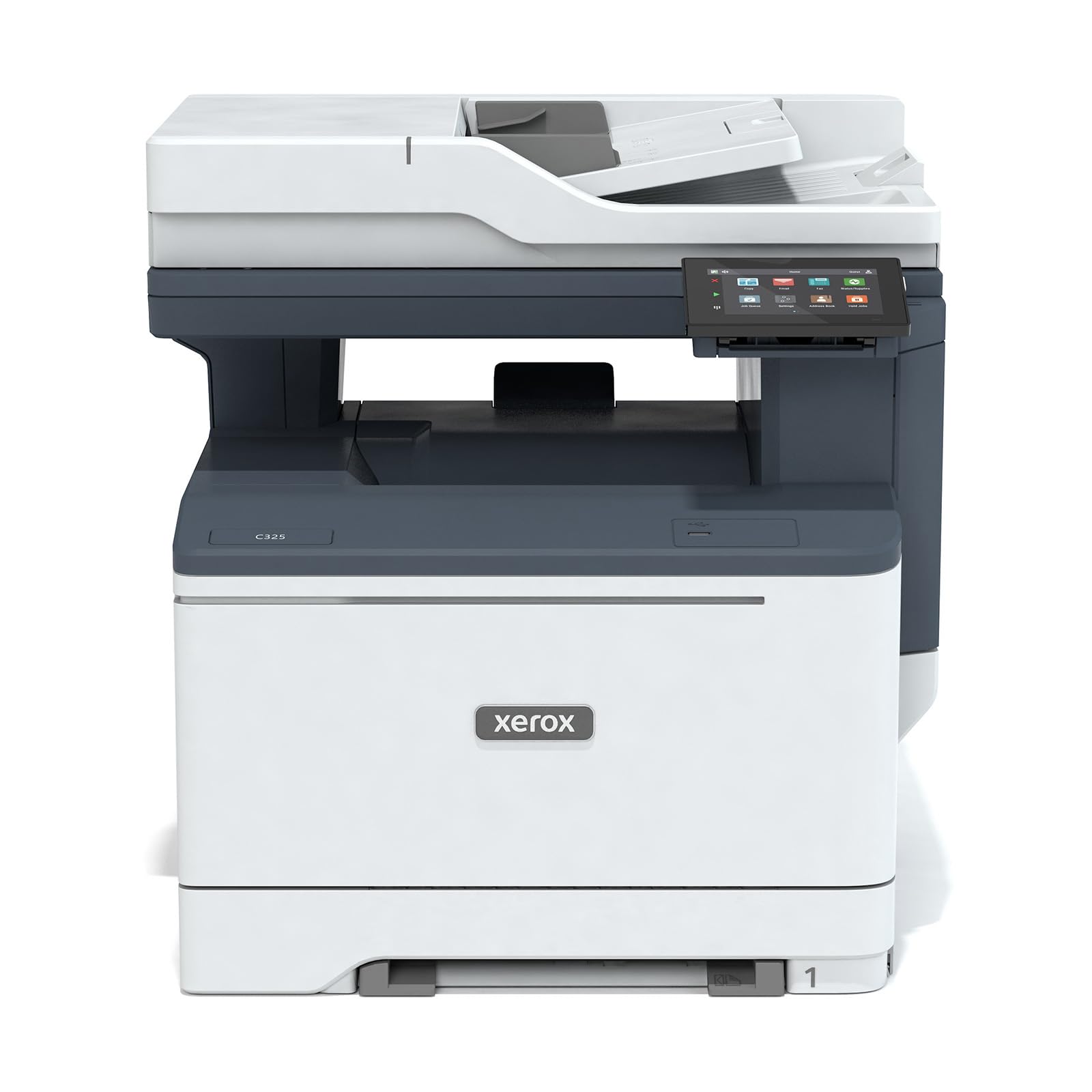
2. Xerox C325dni Wireless Color Laser All-in-One Printer
The Xerox C325dni matches the Canon MF753Cdw at 35 ppm color speed but adds a large 4.3-inch color touchscreen that makes menu navigation easier than the Canon’s smaller display.
Owners mention that “after setup the printer is awesome” and one user “replaced an HP8710 at work with this one and liked it so much I bought another for home,” noting the compact footprint versus the HP because output stays inside the machine. The nagging issue: toner runs out fast — one reviewer churned through cartridges rated for 1,500 pages (black) and 1,000 (color) at a rate that cost them a month on replacements, though that may be a defective unit. Starter toner yields are low at 1,500 black / 1,000 color, so budget for high-yield replacements early.
What Works
- 35 ppm color speed ties the fastest on this list
- Large 4.3-inch touchscreen simplifies shortcut setup and daily use
- Prints card stock cleanly for coupons, business cards, and rack cards
What Hurts
- Standard toner yields (1,000-1,500 pages) deplete fast — high-yield cartridges are essential
- Some units arrive appearing used or with weak cartridge-door hinges
- Cloud-based interface is clunky and takes time to learn
Go for it if: you need the fastest color prints and a big, easy-to-tap screen.
skip it if: you cannot stomach frequent toner swaps or want a more intuitive setup from the start.
3. HP Color LaserJet Pro MFP 3301fdw
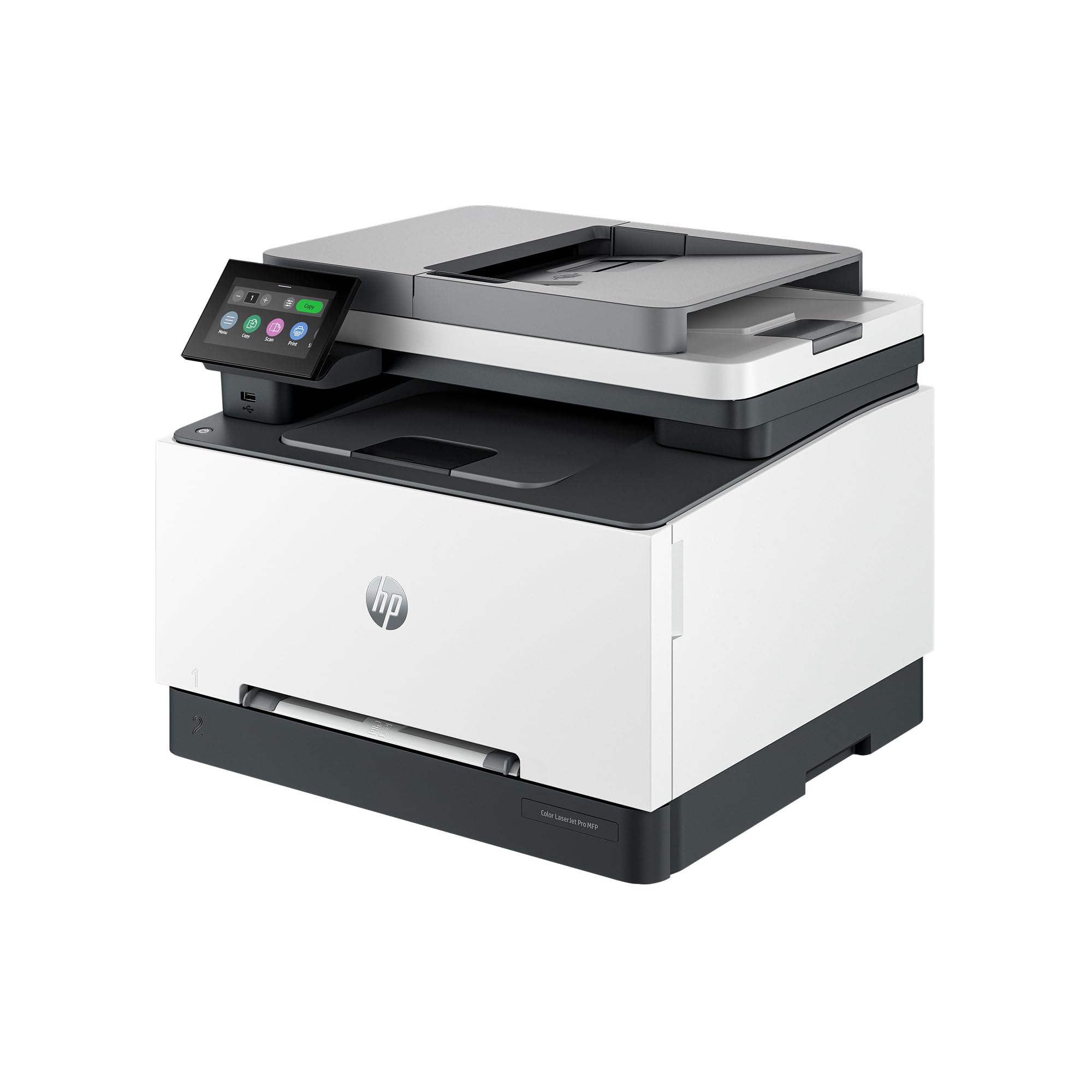
At 26 ppm (pages per minute) for both black and color, the HP 3301fdw is not the fastest here, but its next-generation TerraJet toner produces richer, more vivid color than earlier HP lasers.
The dual-band Wi-Fi with self-reset automatically detects and fixes connection drops, which addresses a common home office headache. It also features a 2-sided single-pass scanner, so multi-page jobs finish fast — a step up from the Xerox C235dni’s single-sided scanner. Buyers call it “fast, clean prints” and “easy setup” but warn that the printer only works with HP-branded toner cartridges containing official chips — non-HP cartridges get blocked entirely by firmware updates. One reviewer noted that introductory toner ran out after roughly 50 pages, and replacement 218A/218X toner was out of stock immediately after launch. The firmware can also “brick” the printer during updates, so disabling auto-update is recommended.
Highlights
- Dual-band Wi-Fi with self-reset keeps connectivity stable
- TerraJet toner produces vivid, rich color output
- 2-sided single-pass ADF and auto duplex printing
Dealbreakers
- Blocks third-party toner cartridges entirely — HP toner is your only option
- Firmware updates can cause major issues; one buyer spent 4 hours fixing a bricked unit
- Starter toner cartridges deplete very quickly
Pick this if: you prioritize vivid color output and stable wireless, and you are fine buying toner only from HP.
Think twice if: you want the freedom to use affordable generic toner or dislike firmware restrictions.
4. Xerox C235dni Wireless Color Laser All-in-One Printer
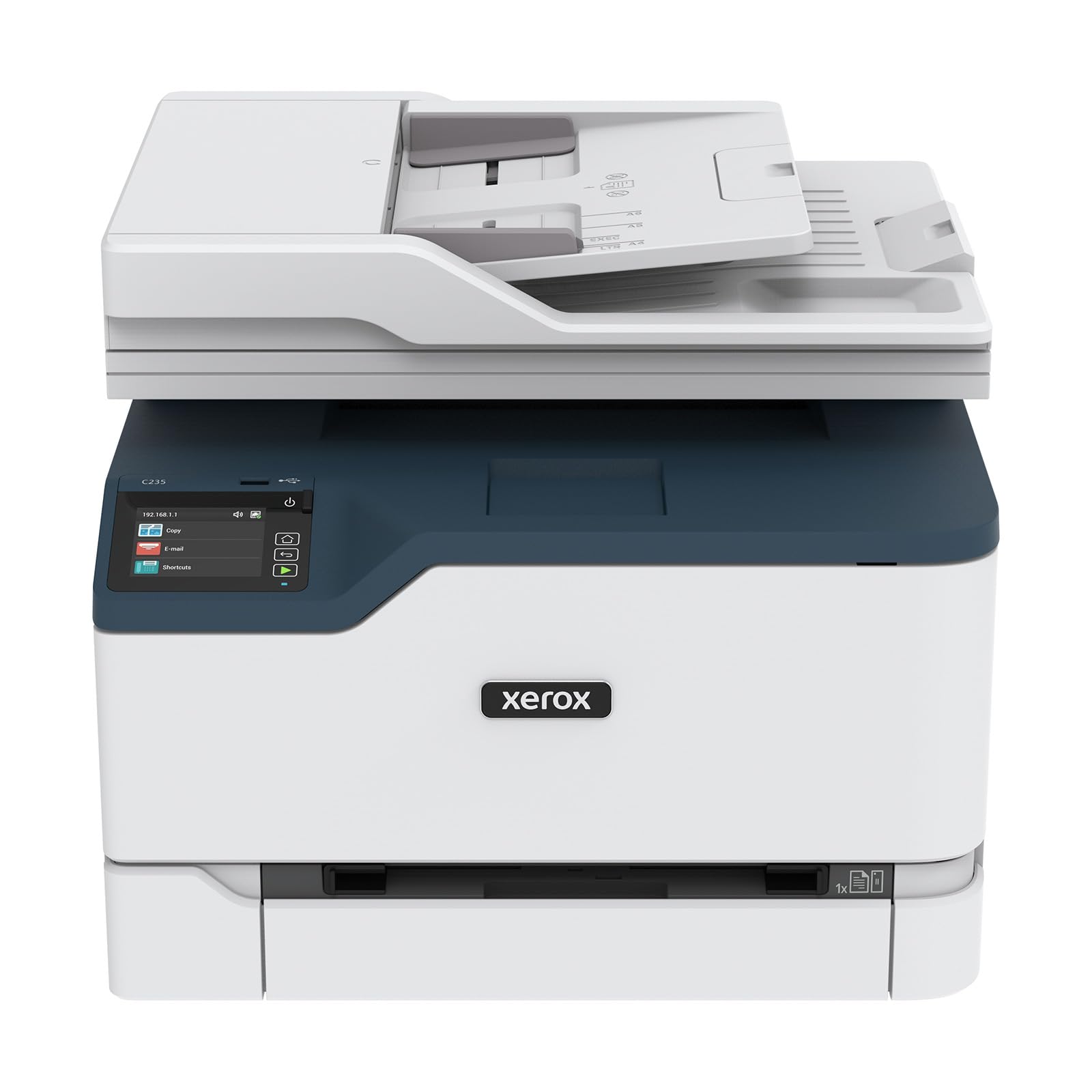
The Xerox C235dni prints at 24 ppm (pages per minute) for both color and black — slower than the top two picks, but for a home office printing up to 1,500 pages per month, that is still plenty fast enough.
It includes starter toner (500-page yield) and supports high-yield cartridges to bring down cost per page over time. The Xerox Easy Assist App aims for a simple guided setup from your phone. Customers note that “setup issues: light printing fixed by using Hammermill Premium Inkjet/Laserjet paper instead of generic copy paper; Eco mode disabled” — so paper quality matters. The scanner is only single-sided, not duplex, which is a cost-saving trade-off compared to the HP 3301fdw’s duplex scanner. One buyer mentioned the printer arrived appearing used and the cartridge door hinges felt weak, but most long-term owners say “best printer I’ve owned yet” once it is dialed in.
Why It Works
- 24 ppm color speed suits light-to-moderate home printing (up to 1,500 pages/month)
- High-yield toner cartridges available to reduce ongoing cost
- Mobile printing via AirPrint and Mopria
Limitations
- Scanner is single-sided only (no duplex scanning)
- App-based setup can fail repeatedly; many owners finish setup manually via the front panel
- Light print issue on generic paper — you may need premium paper
Good match for: anyone who prints color a few times a week and wants a lower upfront cost for a dependable brand.
Not ideal for: heavy scanning or copying jobs that would benefit from an automatic document feeder with duplex.
5. Brother MFC-L3720CDW Wireless Color Laser Printer

The Brother MFC-L3720CDW is the slowest color printer here at 19 ppm (pages per minute) — compared to 35 ppm on the Xerox C325dni and Canon MF753Cdw — but that trade-off buys you generous wireless features.
It includes dual-band Wi-Fi (2.4 GHz/5 GHz), Wi-Fi Direct, USB 2.0, a 3.5-inch color touchscreen with 48 customizable shortcuts, and direct cloud access to Google Drive, Dropbox, and OneNote. Reviewers point out “wireless setup quick and reliable” with “sharp print quality, vibrant colors” and “no jams.” However, a significant warning: after about 1,000 pages over two years, one owner found the printer “unusable due to waste toner error” and Brother support offered no firmware rollback or fix, effectively bricking the machine. The machine also tends to curl paper due to four hot rollers, and the paper feed can occasionally pull two sheets at once.
Strengths
- Excellent wireless connectivity: dual-band Wi-Fi, Wi-Fi Direct, and cloud service integration
- Easy 30-second setup with Mac — drivers auto-detected
- Cheerful 3.5-inch touchscreen with 48 shortcuts speeds up daily tasks
Weaknesses
- Slowest color speed on the list at 19 ppm
- Waste toner error can brick the printer after 1,000 pages with no firmware fix available
- Paper curling and occasional double-feed noted by long-term owners
Choose this if: you want deep wireless features, a nice touchscreen, and easy cloud printing — and you print fewer than 50 color pages per month on average.
Avoid it if: you need high-speed color or are concerned about the reported waste toner lockout issue after moderate use.
6. HP Color LaserJet Pro MFP 4301fdw
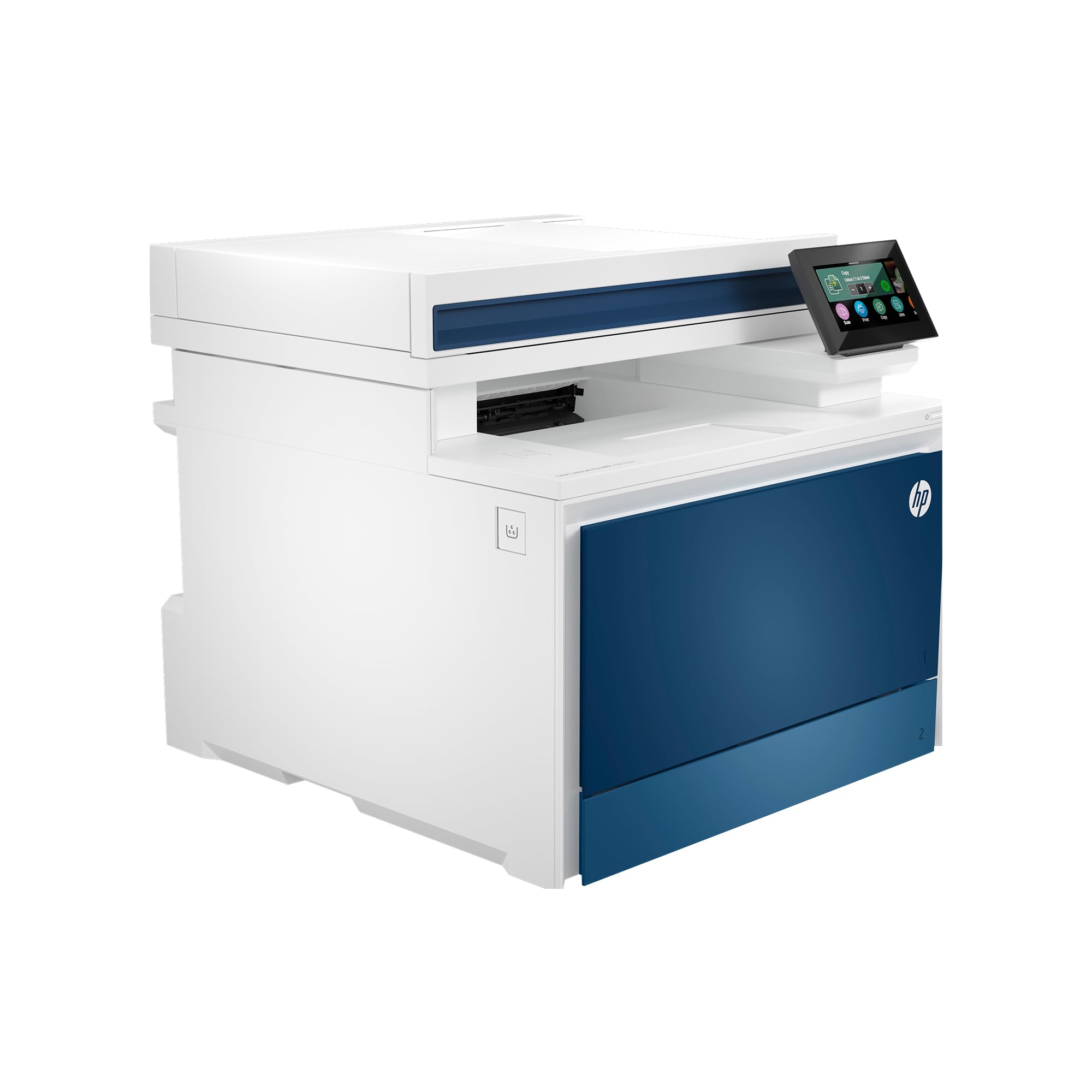
At 35 ppm (pages per minute) black and 33 ppm color, the HP 4301fdw is one of the fastest all-in-one color lasers on the home market — it churns out a 20-page report in about 35 seconds.
It is built for up to 10 users and includes HP Wolf Pro Security, which adds protective firmware settings. Intelligent Wi-Fi picks the best band to stay connected even when your router gets flaky. Shoppers say it is “very quiet and fast for home use” and “user friendly.” The catch: introductory toner yields are just 1,200 pages (black) and 1,000 pages (color), and official HP high-yield cartridges (7,500 black / 5,500 color) cost a bundle. One long-term owner reported a false “paper jam” electrical failure after over a year and HP sent a dirty refurbished part that caused ink streaks and a screeching noise. The firmware also blocks non-HP cartridges entirely, the same restriction as the HP 3301fdw.
Pros
- 35 ppm black / 33 ppm color — among the fastest for home use
- HP Wolf Pro Security protects data and settings
- Intelligent Wi-Fi with self-reset minimizes connection drops
Cons
- High-yield toner costs are steep (for a full set from HP)
- Firmware blocks generic toner cartridges
- Reports of electrical part failure leading to false “paper jam” errors after a year
Invest in this if: you run a busy home office printing hundreds of color pages per month and want security-focused firmware.
Avoid it if: you want affordable toner options or worry about reliability after the first year based on owner reports.
Understanding the Specs
Pages Per Minute (ppm)
This is the number of pages the printer spits out in one minute of continuous printing. A higher ppm means you wait less for multi-page documents. For home use, 19-24 ppm covers everyday needs like homework and recipes, while 30+ ppm is best for business reports or high-volume days.
Toner Yield: Starter vs. Standard vs. High-Yield
Starter toner cartridges that ship in the box hold roughly half the toner of a standard cartridge — they are meant to get you started, not to last. High-yield cartridges (often labeled “XL” or “High Capacity”) hold 2-3x more toner and save money per page even though the upfront cost is higher. Always check if the printer supports high-yield cartridges before buying.
FAQ
How long does a color laser printer last at home?
Is color laser printing more expensive than inkjet?
Do I need an automatic document feeder (ADF)?
Will this printer work with my Chromebook?
Can I print from my phone or tablet?
What does “duplex” mean in a printer?
Why do some printers block third-party toner cartridges?
What is the difference between a starter toner cartridge and a standard one?
Final Thoughts: The Verdict
For most people, the all-in-one color laser printer for home use winner is the Canon imageCLASS MF753Cdw because it combines the fastest color speed (35 ppm), a 50-sheet one-pass duplex scanner, and expandable paper capacity — all wrapped in a 3-year warranty. If you want a huge touchscreen and the same blazing speed but can live with higher toner costs, grab the Xerox C325dni. And for the budget-conscious household that values wireless features and cloud integration over raw speed, the Xerox C235dni is a sensible start that leaves room in your wallet for toner.
How We Picked
We do not accept paid placement. Every pick is matched to a real buyer and a real use-case; we do not hands-on test units.
Sources & Methodology
Specifications: manufacturer listings and product documentation. Review insights: verified customer reviews, as of July 2026. Pricing: not shown on this page (it changes often); check the current price via the retailer link.
As an Amazon Associate, Gadgets Feed earns from qualifying purchases. This does not affect which products we feature.