
Our readers keep the lights on and my morning glass full of iced black tea. As an Amazon Associate, I earn from qualifying purchases.
Specs are compiled from manufacturer listings and verified buyer reviews and can change over time — please confirm the key details on the product page before buying.
If you run a small business, desk space is money. An all-in-one (a computer and monitor built into one unit) frees your counter or reception desk from the bulky tower that usually sits under it, and it cuts most of the cables. The hard part is picking one that can handle your daily workload without slowing you down or costing a fortune to repair. This guide sorts through 11 of the most promising options and tells you which one suits your type of work, from light bookkeeping to heavy creative tasks.
I’m Min — the founder and writer behind Gadgets Feed. This guide is built by comparing the manufacturers’ published specifications and the patterns across verified customer reviews, so you get each pick’s real strengths and trade-offs instead of marketing spin.
Finding the right all-in-one computer for small business means matching the machine to your daily tasks—whether that’s crunching spreadsheets, editing video, or just handling email. This roundup breaks down the top picks by what they actually do for you, so you can spot the one that fits your office and your workload without wading through specs.
Our Picks at a Glance

How To Choose The Best All-In-One Computer For Small Business
Choosing an all-in-one (AIO) for your business isn’t just about picking the biggest screen. You need to match the internal components to the software you run every day, and you need to think about how long you plan to keep it. Here’s what actually matters.
Match the Processor and RAM to Your Workload
The processor (the brain of the computer) and the RAM (short-term memory that keeps multiple apps open at once) decide how smoothly your day goes. For basic web browsing, email, and documents, a mid-range chip with 16GB of RAM is plenty. If you edit photos, run video calls while using spreadsheets, or handle large files, you’ll want a faster processor and at least 32GB of RAM so nothing freezes mid-task.
Storage Speed Beats Raw Size for Most Offices
An SSD (solid-state drive) is a storage drive with no moving parts, which makes boot-up and file loading nearly instant compared to an older hard drive. A 512GB SSD holds the operating system, your software, and years of documents. If you store large video files or design assets, look for a 1TB SSD so you don’t run out of room.
Check for the Camera and Ports You Depend On
Some AIOs, especially budget models, skip the built-in webcam and microphone entirely. If you run client video calls, that means buying an external webcam. Also check the ports (the plug-in sockets for USB devices and monitors) to make sure you have enough for your keyboard, mouse, printer, and any external drives.
Quick Comparison
| Model | Best For | Screen Size | Processor | Storage | Amazon |
|---|---|---|---|---|---|
| Apple iMac M4★ Best Overall | Creative pros in the Apple ecosystem | 24-inch | Apple M4 | 256GB SSD | Amazon |
| MECHAZER 27″ CurvedValue Pick | Budget-conscious multitaskers | 27-inch | Core i7 7700HQ | 512GB SSD | Amazon |
| AOC 23.8″Desk Saver | Reception desks and light office work | 23.8-inch | AMD Ryzen 5 | 512GB SSD | Amazon |
| Lenovo A100 24″ | Simple, reliable business computing | 23.8-inch | Intel Core i3-N305 | 512GB SSD | Amazon |
| HP 23.8″ i5 | Fast everyday business performance | 23.8-inch | Intel Core i5-1334U | 512GB SSD | Amazon |
| suevery 27″ Gaming AIO | Heavy multitasking with graphics | 27-inch | Core i5-13400F | 1TB SSD | Amazon |
| Lenovo IdeaCentre AIO 27 | Business reliability with a big screen | 27-inch | Intel Core i7-13620H | 512GB SSD | Amazon |
| Dell 27″ AIO | Office work with excellent support | 27-inch | Intel Core 5 120U | 512GB SSD | Amazon |
| Dell 23.8″ Touch AIO | Interactive work on a budget | 23.8-inch | Intel Core 5 120U | 512GB SSD | Amazon |
| HP 27″ Touch Ryzen 7 | Secure, powerful business use | 27-inch | AMD Ryzen 7 7730U | 1TB SSD | Amazon |
| HP 27″ Copilot AIO | Future-proof AI-powered work | 27-inch | AMD Ryzen AI 7 350 | 1TB SSD | Amazon |
In‑Depth Reviews
1. Apple 2024 iMac (M4)
Our pick — over 4.5★ from 650+ verified ratings; the strongest balance of quality and price.
The desk-clutter killer that makes every app feel instant, wrapped in a 24-inch screen.
This iMac turns the all-in-one idea into an art form. The computer and screen live in one impossibly thin package, and the 24-inch 4.5K Retina display (a screen so sharp you can’t see individual pixels) hits 500 nits of brightness and supports up to 1 billion colors. That means spreadsheets look crisp and your clients’ photos pop with true-to-life color. The M4 chip powers everything, and the 16GB Unified Memory (a single pool of memory shared by the processor and graphics) keeps multiple heavy apps running at once.
It is built for Apple Intelligence, the personal intelligence system that helps you write, express yourself, and get things done. The 12MP Center Stage camera keeps you framed during video calls, and three studio-quality mics plus six speakers with Spatial Audio make you sound and look professional. You get up to four Thunderbolt 4 ports for lightning-fast data transfers, plus Wi-Fi 6E and Bluetooth 5.3. It comes in seven vibrant colors, so it can match your office vibe.
The crowd favorite here holds a high 4.7-star score across a large pool of owners, and what wins people over is the sheer performance — things appear almost instantly. Buyers report it “replaces 15-year-old iMac; arrived well-packed, no damage,” and note that setup is easy enough for seniors. The honest catch is storage: the 256GB SSD is half the capacity of the AOC pick’s 512GB, so plan to use cloud storage or an external drive for big files.
Why it leads: You get the fastest performance and sharpest screen in this list, thanks to the M4 chip (Apple’s latest processor) and Retina display (a high-resolution screen with crisp text and colors). If you already use an iPhone, this machine syncs easily with it—your messages, photos, and files appear on the desktop without extra setup.
Who it isn’t for: Any business that needs Windows-only software or wants maximum internal storage without paying for upgrades.
Reach for this if: you live in the Apple ecosystem and want a beautiful, blazing-fast machine that needs almost no setup.
Look elsewhere if: you need Windows 11 Pro or you store everything locally on a single internal drive.
2. MECHAZER 27″ Curved All-in-One
A huge curved canvas for your office that costs less than most 24-inch rivals.
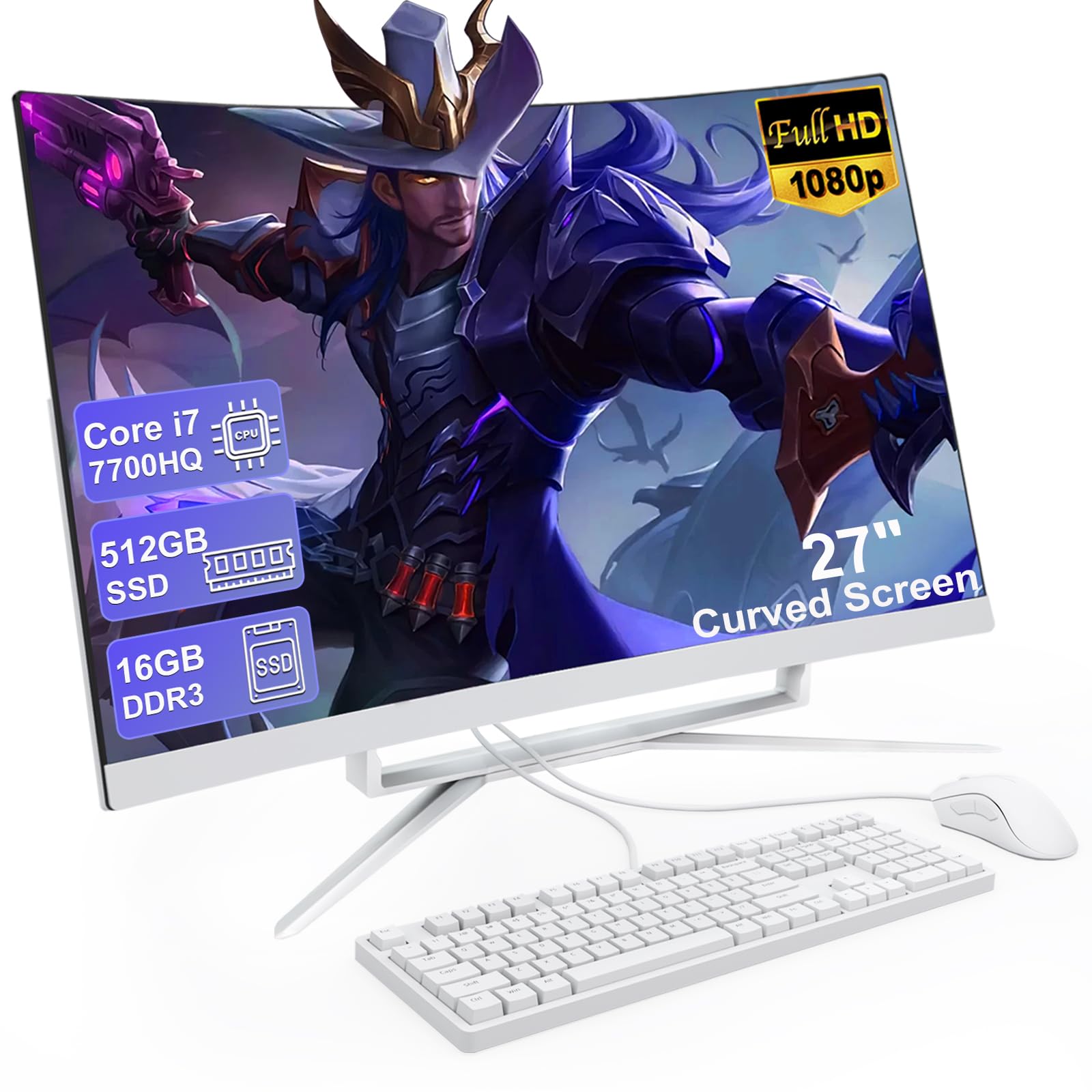
The defining feature here is the 27-inch curved FHD screen. The curve wraps gently around your field of view, which makes long spreadsheet sessions feel less straining and gives you a wide, vivid viewing angle. Under the hood sits a Core i7 7700HQ processor with 4 cores and 8 threads that can boost up to 3.8 GHz, paired with 16GB of RAM and a 512GB SSD. That’s enough muscle for web browsing, documents, light games, and office apps without lag.
It comes with a wired keyboard and mouse, built-in speakers, dual-band Wi-Fi, and Bluetooth 5.0, so you can connect wireless accessories. The port selection is generous: VGA, HDMI, four USB 3.0 ports, two USB 2.0 ports, a USB 3.0 Type-C port, an RJ-45 LAN port, and two audio jacks. Owners mention it’s a “great Black Friday buy” with a fast boot, clear colors, and a stable Wi-Fi connection.
The screen size here is a genuine advantage over the AOC’s 23.8-inch display — that’s a 13% bigger canvas. The trade-off is the sound: buyers find the built-in speakers “tiny” and recommend external speakers for music or video calls. It’s a budget-tier pick that skips some polish, but for pure screen real estate per dollar, it’s hard to match.
What earns its keep
- 27-inch curved display immerses you in work
- 16GB RAM and 512GB SSD handle multitasking
- Generous port selection for peripherals
Where it cuts corners
- Built-in speakers are too quiet for media
- RAM is non-expandable (1 slot)
Best for: budget-minded owners who want a big, rich screen for everyday office work and don’t mind adding a speaker.
skip it if: you need powerful audio or a camera built in for client meetings.
3. AOC 23.8″ All-in-One (Ryzen 5)
The no-nonsense workhorse that keeps a reception desk tidy and productive.
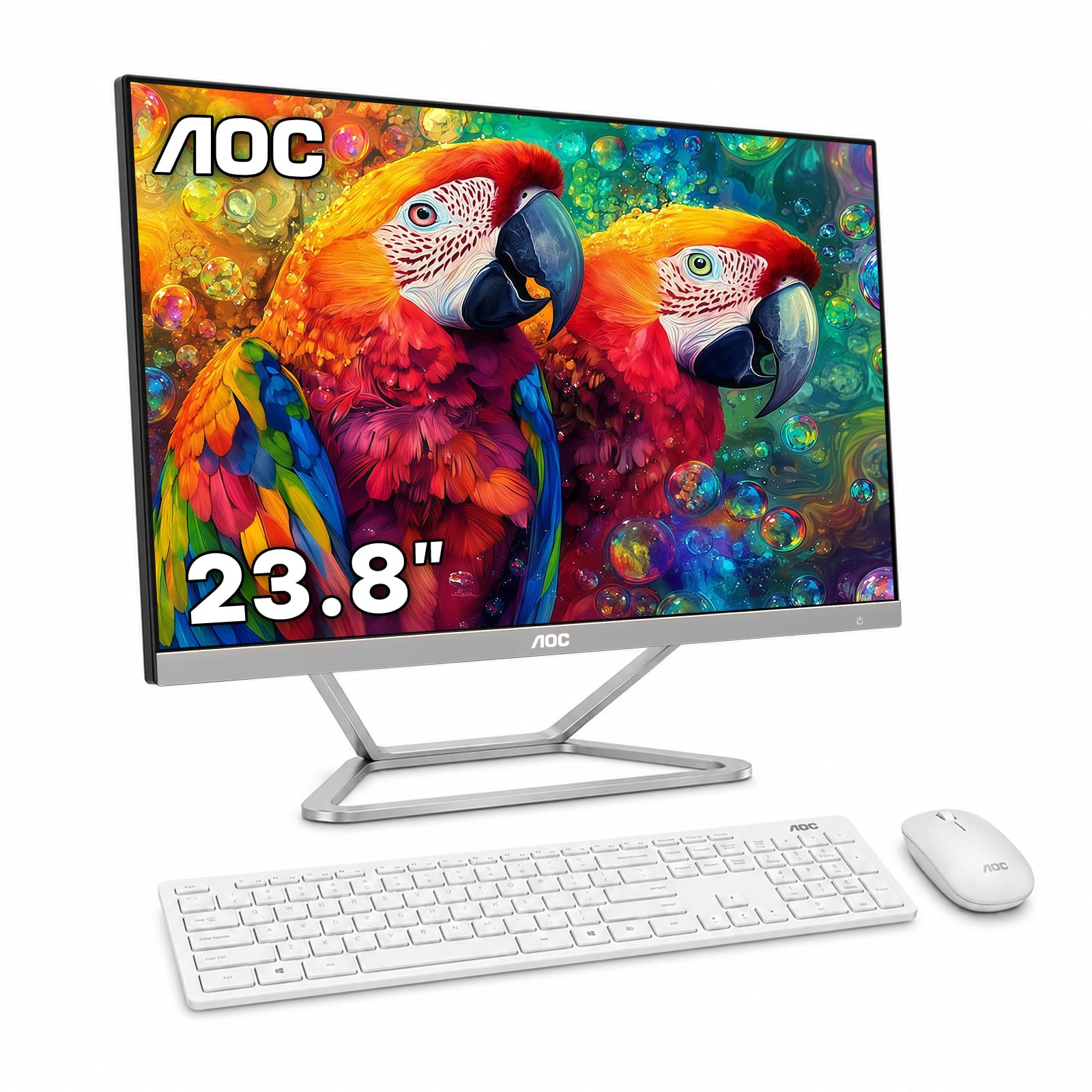
This AOC bundles the PC and a 23.8-inch 1920 x 1080 Full HD 60Hz display into one streamlined unit. It’s purpose-built for spaces like reception areas, home offices, and classrooms where every inch of desk counts. Inside, an AMD Ryzen 5 3500U processor with 4 cores and 8 threads, plus integrated Radeon Vega 8 graphics, handles web browsing, documents, spreadsheets, and everyday multitasking without breaking a sweat.
The 16GB DDR4 2666MHz RAM keeps multiple applications running smoothly, while the 512GB SSD provides fast boot and responsive file access. It ships with Windows 11 Home, a wireless keyboard and mouse, and built-in dual 3W speakers. Connectivity is solid — dual-band 2.4/5GHz Wi-Fi, Bluetooth, Gigabit Ethernet, four USB 2.0 ports, two USB 3.0 ports, HDMI Out, RJ45, COM, Mic-In, and Line-Out.
Owners describe it as a “space-saving all-in-one for reception” that handles multitasking well, and the 512GB SSD here is a 2.0x storage gap over the iMac’s 256GB. The recurring gripe is the missing built-in camera and microphone — the listing is upfront about it. If you run video meetings, plan on a USB webcam. It’s a dependable office workhorse, just not one for graphics-heavy tasks.
Solid and simple: Reliable performance for office apps, a clean wireless setup, and storage that outpaces the premium iMac.
The honest limit: No webcam or mic means an extra purchase for video calls, and it’s not built for gaming or heavy graphics.
Pick this for: a clean, dependable reception desk or small office that doesn’t need video calls built in.
Think twice if: your team lives on Zoom or Teams and you’d rather not attach an external camera.
4. Lenovo A100 24″ (Core i3-N305)
A fuss-free business machine that skips the frills and gets straight to work.
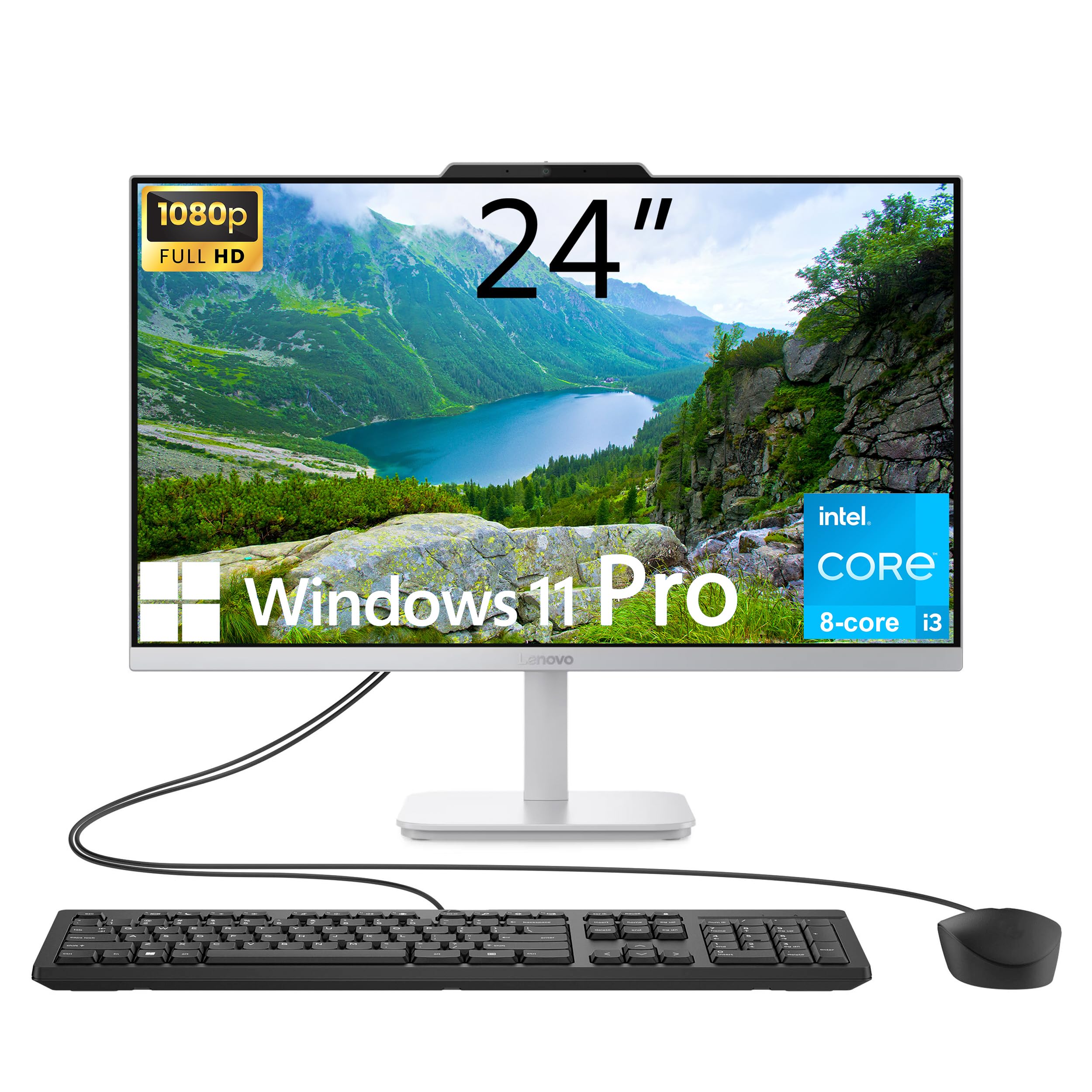
The Lenovo A100 is the plain-spoken professional of this list. It runs Windows 11 Pro, the business edition that supports domain joining and BitLocker encryption, which many small offices prefer for security and manageability. The 23.8-inch non-touch FHD IPS display is anti-glare at 250 nits and covers 99% of the sRGB color space, so colors look accurate and the screen stays readable in bright rooms.
You get smooth multitasking for everyday business software from the Intel Core i3-N305 processor (a chip with 8 cores and 8 threads that can boost up to 3.8 GHz), paired with up to 32GB DDR4 RAM (memory for running programs) and up to 4TB PCIe M.2 SSD storage (fast solid-state drive for quick file access). The included config lands at 16GB RAM and a 512GB SSD, which is the balance for everyday business software. It ships with a black wired keyboard and mouse, 4x USB ports, HDMI-Out, Ethernet, and a headphone/microphone combo jack.
Owners rave about how easy it is: “I bought a second one for my mother. She loves it too.” Setup takes minutes, and it’s described as a “great transition from Windows 10.” The one complaint is port availability — with 2 of the 4 USB ports taken by the keyboard and mouse, you’re left with 2 for everything else. A small USB hub solves it.
Reach for it if: you want Windows 11 Pro’s business features at a mid-range price with a clean, simple setup.
Choose another if: you regularly plug in many USB devices without wanting to add a hub.
5. HP 23.8″ All-in-One (Core i5)
A fast 13th-gen Intel brain that makes heavy office workloads feel light.
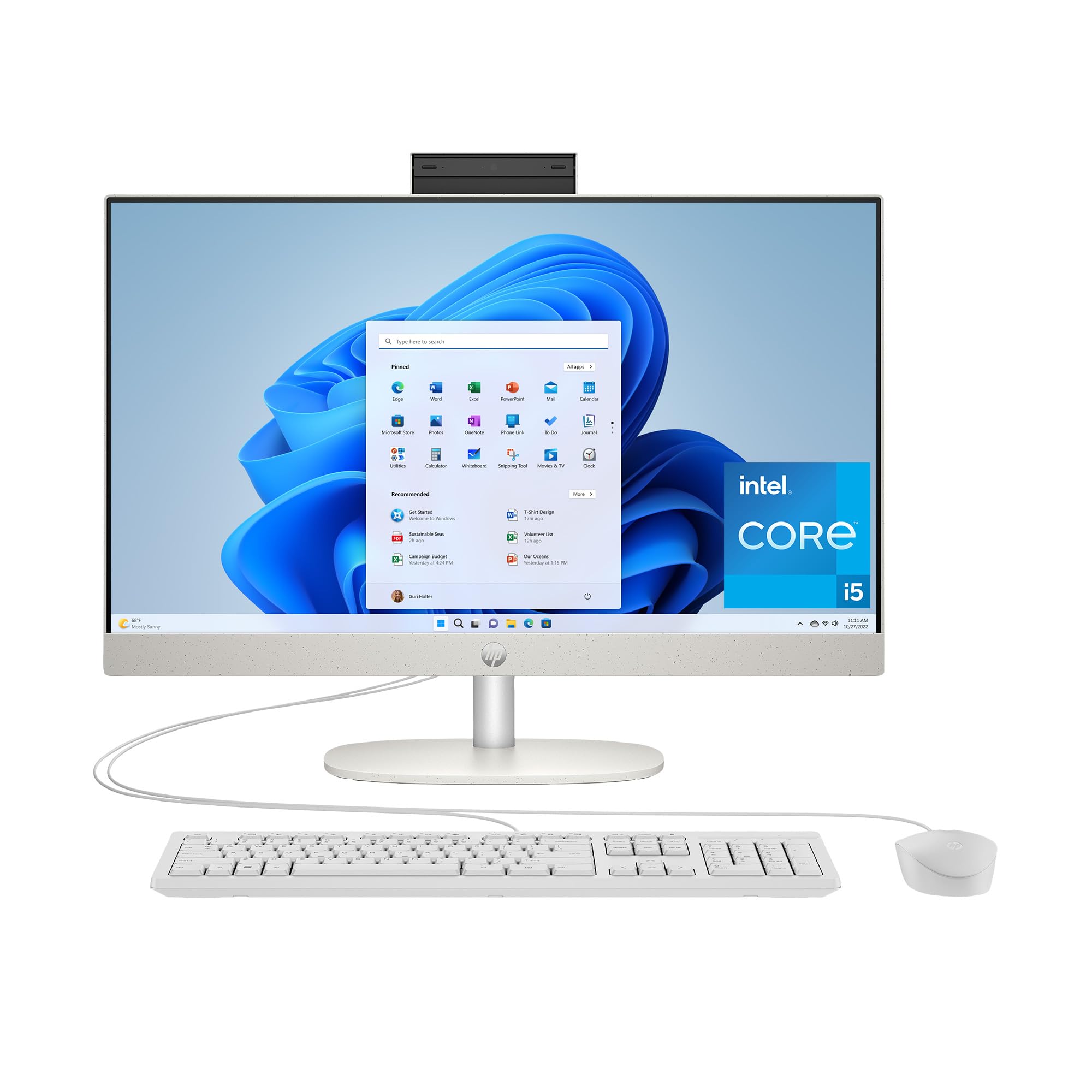
This HP is built around a 13th Generation Intel Core i5-1334U processor that can boost up to 4.6 GHz, with 12MB of cache. That’s a lot of speed for everyday business apps, and it shows. The 16GB RAM lets you run spreadsheets, email, and a video call at the same time, and the 512GB SSD is 15x faster than a traditional hard drive, so boot-up and file loading feel instant.
The screen is an ultra-slim three-sided micro-edge FHD display with up to a 89% screen-to-body ratio, meaning the bezels are tiny and the image dominates the desk. Intel UHD Graphics can stream 4K content and handle light gaming in 720p. It comes in a clean Shell White finish, with 1 USB Type-C 5Gbps port, 2 USB Type-A 5Gbps ports, 2 USB 2.0 Type-A ports, a headphone/microphone combo, and an RJ-45 Ethernet port.
Owners consistently praise how user-friendly it is, with one long-time Windows 7 user saying setup was far easier than expected. The screen size gets called “not too small nor too big — it fits perfectly on my desk.” Performance is the top praise, and the picture quality is noted as suitable even for those with vision problems. It’s a dependable, fast mid-range choice that feels more premium than its price suggests.
Everyday excellence: A fast i5 processor, generous 16GB RAM, and a bright, near-borderless display for comfortable all-day work.
The trade-off: Integrated graphics mean it’s not for serious gaming or heavy 3D rendering.
Best for: business users who want snappy performance and a clean desktop look without paying premium prices.
Not for: creative pros or gamers who need a dedicated graphics card.
6. suevery 27″ All-in-One Gaming PC
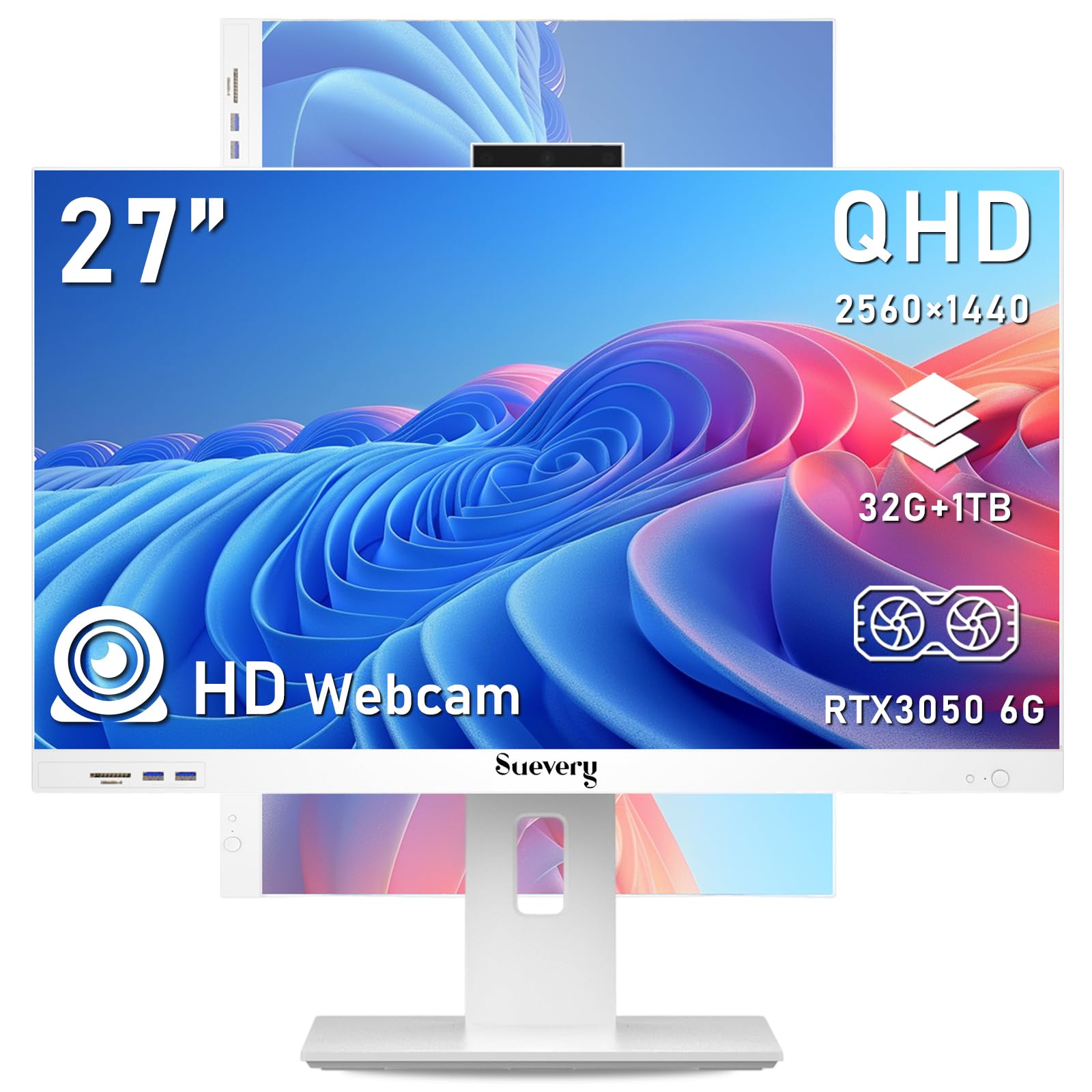
A 2K 120Hz screen with a dedicated GPU that handles video editing and day trading alike.
This AIO is the rare all-in-one that doesn’t compromise on graphics. The 27-inch 2K 120Hz display is stunning — 2560 x 1440 resolution with a 120Hz refresh rate (the number of times the screen updates per second), which makes motion look smooth whether you’re scrolling financial charts or editing video. The screen tilts from -5 to 25 degrees and rotates 360 degrees, so you can angle it however you like.
Inside, an Intel 13th Gen Core i5-13400F boosts up to 4.6 GHz with 10 cores and 16 threads, paired with a dedicated RTX 3050 6G graphics card. That dedicated GPU is the big difference-maker — it’s why this machine can handle 3D rendering and graphics-intensive apps that integrated graphics can’t. The 32GB of RAM and 1TB M.2 NVMe SSD mean you can run many applications at once without lag.
It’s fully configured and plug-and-play: an ergonomic keyboard, mouse, dual-band Wi-Fi, and a 5-megapixel adjustable camera are all included. Owners say it’s “super easy to set up” and “very lightweight,” and one runs their 40W Laser Engraver from it. The honest downside: some find the built-in speakers weak, so plan on external audio. The listing said DOS but arrived with Windows 11 Home, which was a pleasant surprise for buyers.
The heavy-lifting perks
- Dedicated RTX 3050 6G GPU for graphics work
- 32GB RAM and 1TB SSD for heavy multitasking
- 2K 120Hz screen with 360-degree rotation
Where it stumbles
- Built-in speakers need upgrading for good audio
- Seller support can be slow to respond
Choose this for: heavy multitaskers, video editors, or traders who need a powerful GPU and a fast, large screen.
pass on it if: you’re fine with integrated graphics and want to save the budget for other gear.
7. Lenovo IdeaCentre AIO 27
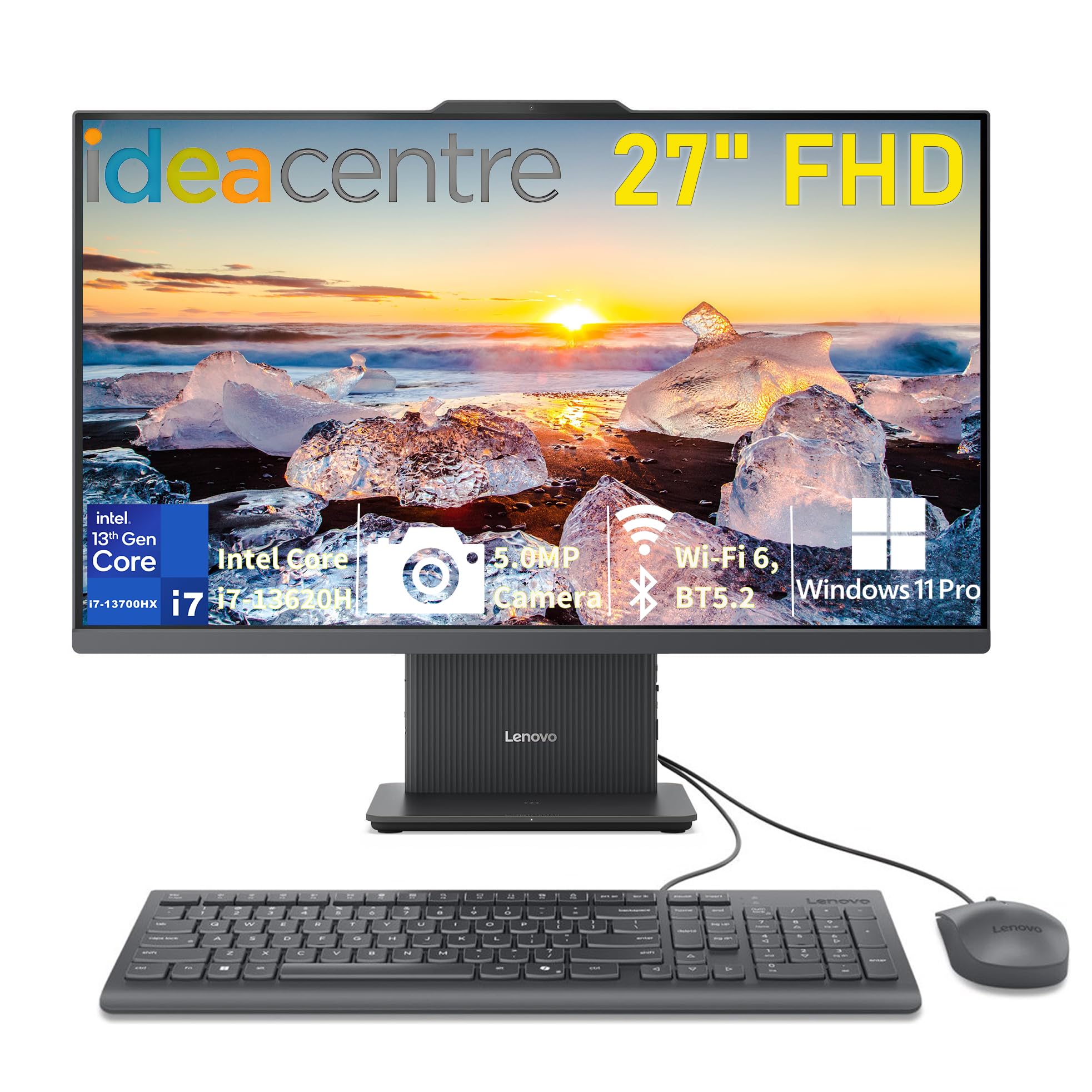
A big, bright 27-inch screen and a powerful i7 that make long workdays easier on the eyes.
The Lenovo IdeaCentre AIO 27 pairs a 13th Gen Intel Core i7-13620H processor with fast DDR5 memory for smooth, responsive performance. That’s a serious business engine, ideal for home offices, students, and business tasks that need reliable speed. The 27-inch FHD IPS anti-glare display covers 99% sRGB color with 300 nits of brightness, and its 3-side borderless design keeps the focus on your work.
It ships with Windows 11 Pro, a secure, modern desktop experience built for business. The 16GB DDR5-5200 RAM and 512GB PCIe 4.0 NVMe SSD mean fast boot times and quick app loading. For meetings, there’s a 5MP camera, dual microphones, and HARMAN stereo speakers. Connectivity is future-proof: Wi-Fi 6, Bluetooth 5.2, USB-A 10Gbps, two USB-A 2.0 ports, a USB-C 10Gbps data port, HDMI-in, HDMI-out, and RJ-45 Ethernet.
Owners who’ve had the PC for about six months report it “has performed well” with sharp graphics and no issues. One notes the 27-inch screen is great for someone with poor eyesight, and another calls it a “great value for home work.” The recurring minor gripe is limited USB ports — with only a couple available after the keyboard and mouse, a hub is handy. That’s the trade-off for the clean, compact design.
Built for business: A fast i7, DDR5 memory, and a big, bright 27-inch display with Windows 11 Pro preinstalled.
The small catch: Sparse USB ports mean you’ll likely want a hub for all your peripherals.
Best for: professionals who want a large, comfortable screen and dependable i7 performance for daily work.
Not ideal if: you have many USB devices and prefer not to add a hub to your desk.
8. Dell 27″ All-in-One (Core 5 120U)

A smart, secure office AIO with a pop-up camera and one-year on-site service.
The Dell 27″ AIO is designed to keep your workspace tidy and your eyes comfortable. The FHD IPS display covers 99% sRGB with 50% higher contrast within a narrow border, delivering vivid colors. Dell ComfortView Plus reduces harmful blue light emissions, and the refresh rate is 66% higher than the previous generation, making scrolling feel smoother. Its innovative stand houses your keyboard underneath the display, keeping your desk clean.
Performance comes from an Intel Core 5 120U processor boosting up to 5 GHz, backed by 12MB of cache. For video calls, there’s an HDR 5MP+IR camera that you can push down to hide for privacy, with tilt adjustable from 0 to 20 degrees. Dual Bluetooth speakers with Dolby Atmos provide loud, clear spatial audio, and a built-in memory card reader and webcam are included.
The headline feature for a small business is the 1 Year Onsite Service — Dell will come to your home or office if a hardware issue can’t be resolved remotely, plus 6 Months Dell Migrate to move your old files. Owners praise it as “fast, quiet, powerful” for daily tasks, with a “sharp 27-inch FHD display” (full high definition, 1920 x 1080 resolution) and a “stable two-leg base, no wobble.” The 27-inch screen size is a real advantage for multitasking, and the wireless keyboard and mouse reduce clutter.
Pick this for: a small office that values on-site warranty support and a clean, secure setup with a pop-up privacy camera.
Look elsewhere if: you want a touchscreen or you need maximum ports without a hub.
9. Dell 23.8″ Touch All-in-One

The touchscreen workhorse that makes interactive presentations and quick inputs feel natural.
This Dell gives you touch capability on a 23.8-inch FHD IPS display, which is a real asset in a small office. You can pinch, zoom, and tap through documents and presentations, and the responsive touch is a hit with owners who use it for academic work or telehealth. Inside, the Intel Core 5 120U processor boosts up to 5 GHz, so everyday tasks and multitasking run flawlessly.
The 5MP+IR camera with HDR technology keeps you looking sharp on video calls, and the tilt adjusts from 0 to 20 degrees. Dual Bluetooth speakers with Dolby Atmos deliver clear audio, and Windows 11 brings modern multitasking tools. It ships with Dell Pro Keyboard and Mouse, a memory card reader, and a built-in webcam. The 1 Year Onsite Service gives you the same reliable support as its bigger sibling.
Owners call it “crisp” and note the touchscreen is responsive, with setup taking as little as 30 minutes even for seniors. One telehealth user calls it a “solid investment,” praising the large screen and great camera. The lone catch: the camera angle is non-adjustable, which can matter if you tilt the screen heavily. It also comes with preinstalled McAfee, which some owners found intrusive until they added their own antivirus.
Touch that works: A responsive touchscreen, fast Core 5 processor, and easy setup make this a versatile small-office tool.
The honest limits: Fixed camera angle and preinstalled bloatware you may want to remove.
Best for: offices that want an interactive display for presentations or easy touch input, with dependable Dell support.
Not for: anyone who needs a larger than 24-inch screen or adjustable camera positioning.
10. HP 27″ Touch (Ryzen 7 7730U)
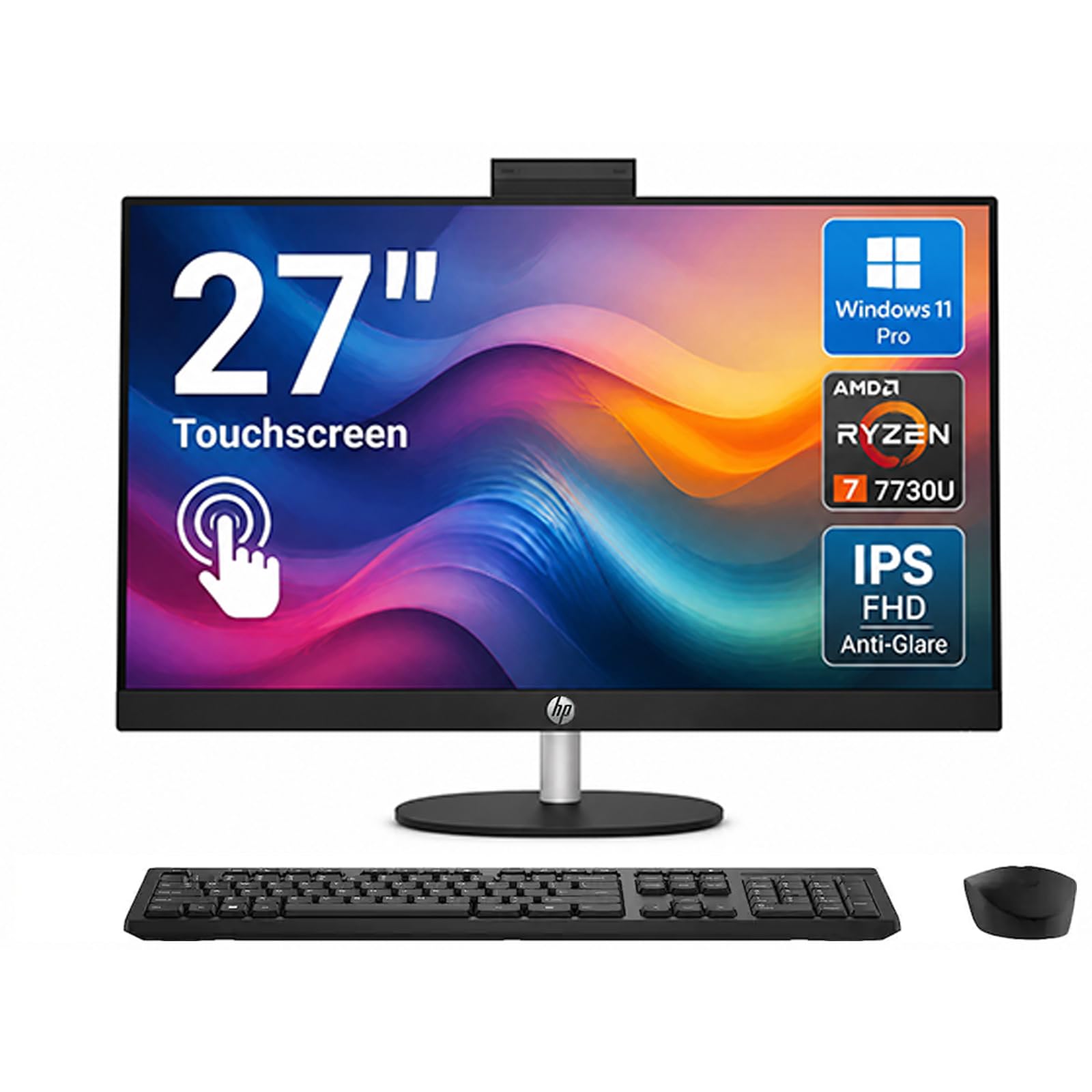
A secure, face-login powerhouse with a 90% screen-to-body ratio and a 1TB SSD.
This HP is built for businesses that take security seriously. It ships with Windows 11 Pro, which includes BitLocker encryption and remote desktop — both valuable when handling sensitive client data. Logging in takes a second with the FHD IR camera and Windows Hello facial recognition, and an 88-degree wide-angle lens captures your whole team on calls. A built-in privacy shutter covers the lens when not in use.
Under the hood, an AMD Ryzen 7 7730U processor boosts up to 4.5 GHz, paired with 32GB of DDR4 RAM and a 1TB SSD. That’s enough power to crunch spreadsheets, edit photos, stream 4K videos, and run multiple apps without slowdown. The 27-inch FHD touchscreen has a 90% screen-to-body ratio, meaning the bezels are incredibly thin. Flicker-free technology reduces eye strain, and touch lets you pinch and swipe naturally.
Owners rave about the picture quality and fast setup, with one saying they “absolutely love” the built-in wire management that keeps cables from jumbling behind the desk. Another calls it “fast and great image display” that doesn’t take up much desk space. The 1TB SSD boots in seconds and stores years of files, which makes it a genuinely future-proof business investment.
Why it stands out
- Windows 11 Pro with BitLocker and remote desktop
- 32GB RAM and 1TB SSD for heavy workloads
- Facial-recognition login with a privacy shutter
Consider this
- Premium price point for the extra RAM and storage
- Integrated graphics limit heavy gaming or 3D work
Reach for this if: you handle sensitive data and want enterprise-grade security plus fast, powerful performance.
Choose another if: your budget is tight or you need a dedicated graphics card for 3D work.
11. HP 27″ Copilot All-in-One
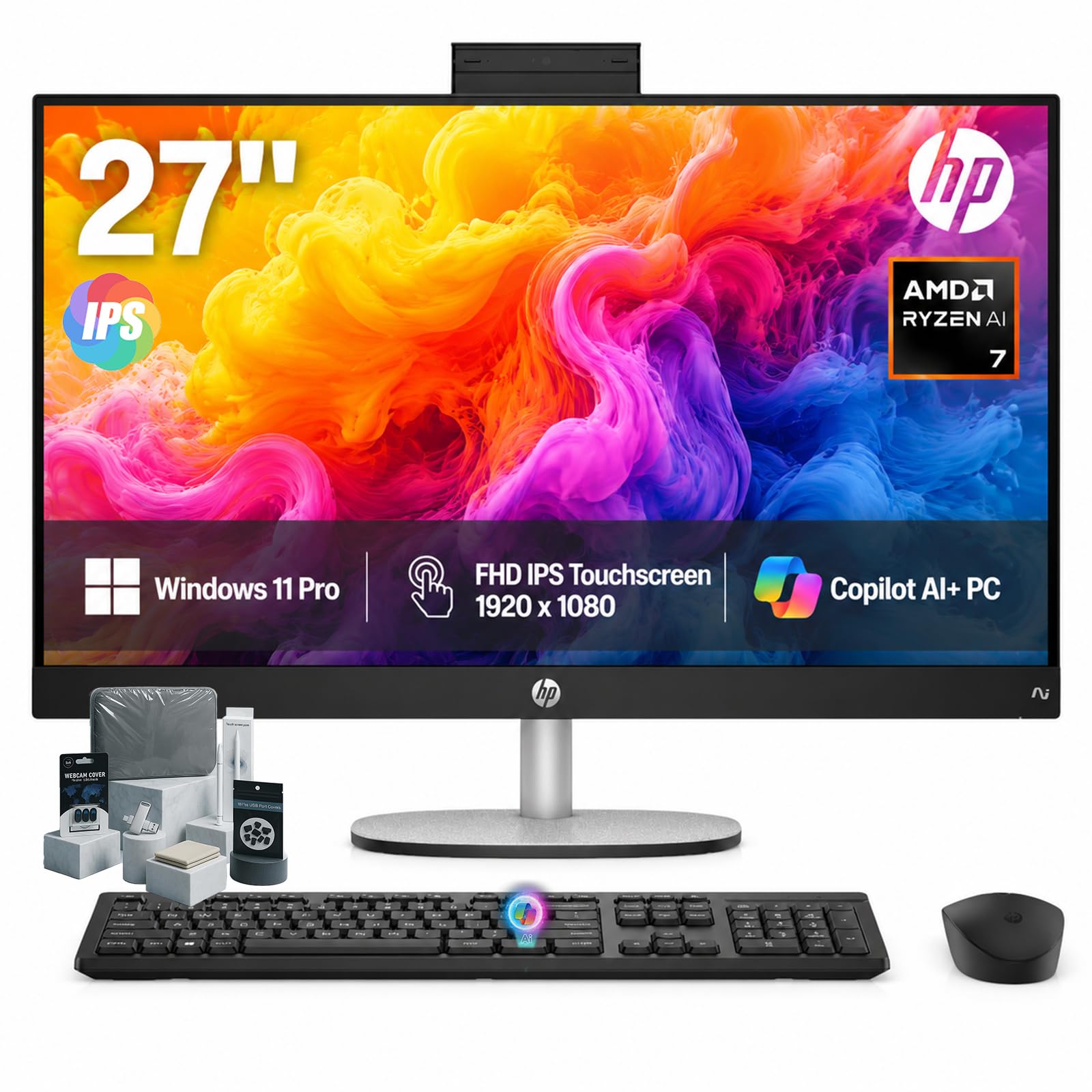
The AI-powered Copilot+ PC that brings intelligent assistance and blazing speed to your desk.
This is the most future-proof all-in-one here. It’s a Copilot+ PC, driven by the AMD Ryzen AI 7 350 processor with a dedicated Microsoft Copilot key — press it to launch AI assistance instantly. The HP AI Companion helps boost daily efficiency, and the 32GB of DDR5 RAM plus integrated AMD Radeon 860M graphics handle video editing, endless browser tabs, and graphics-heavy tasks with ease.
The 27-inch FHD IPS touch display offers 178-degree wide-viewing angles, an anti-glare panel, and DC Dimming flicker-free technology to protect your eyes. It mounts on an adjustable stand (-5 to 20 degrees) so you can find the perfect angle. The HP True Vision FHD IR camera secures your PC with Windows Hello facial recognition and provides clarity even in low light, with built-in AI Noise Reduction for pristine audio on calls.
It’s a complete bundle: Windows 11 Pro, Wi-Fi 6, Bluetooth 5.4, HDMI, USB ports, HP wireless keyboard and mouse, plus a touchscreen pen, 128GB USB flash drive, cleaning cloth, camera protector, and dust plugs. Owners love the speed — “the speed of this new computer is fabulous,” one says — and appreciate that setup is quick since Windows 11 Pro is preinstalled. The one scary review is a defective unit that crashed repeatedly, so test your unit early within the return window.
The complete package: AI-powered Ryzen processor, 32GB RAM, 1TB SSD, touchscreen, and a full accessory bundle right from the start.
The risk: The premium price is only worth it if you’ll actually use the AI features and touch capabilities.
Best for: forward-looking businesses that want AI tools, a touchscreen, and top-tier specs all in one.
Look elsewhere if: you’re on a strict budget or your work doesn’t need AI assistance or touch input.
Understanding the Specs
Processor (CPU) and RAM
These two determine how fast your computer feels. The processor handles all the calculations, and RAM is the short-term memory that keeps your open apps running. For office work, aim for at least a mid-range chip with 16GB of RAM. If you juggle many programs at once, 32GB of RAM keeps everything smooth without lag. A faster processor with a high boost clock speed, like 4.6 GHz or 5 GHz, makes apps open and respond more quickly.
SSD Storage and Display
An SSD (solid-state drive) has no moving parts, so it loads software and files almost instantly. A 512GB SSD is a good starting point for business, but 1TB gives you room for large files and years of data. For the screen, a higher resolution like 2K or 4.5K makes text and images sharper, while a 120Hz refresh rate (screen updates per second) makes motion smoother. A touchscreen lets you interact directly with your work, which helps in presentations and quick edits.
FAQ
Is an all-in-one computer good for a small business?
How much RAM do I need for business use?
Is 512GB of storage enough for a business computer?
Do all-in-one computers have built-in webcams?
Can I upgrade the RAM or storage later?
Is Windows 11 Pro worth it over Windows 11 Home?
What does a dedicated graphics card do for office work?
Is a touchscreen worth it on an all-in-one?
How long will an all-in-one computer last?
Final Thoughts: The Verdict
Across the board, the all-in-one computer for small business winner is the Apple iMac M4 because it pairs the fastest M4 chip with a stunning 24-inch Retina display and easy setup. If you want Windows 11 Pro and a secure business machine with facial login, the HP 27″ Touch Ryzen 7 is the one to reach for. And for a budget-friendly option with a huge curved screen, the MECHAZER 27″ Curved gives you the most desk real estate per dollar.
How We Picked
We do not accept paid placement. Every pick is matched to a real buyer and a real use-case; we do not hands-on test units.
Sources & Methodology
Specifications: manufacturer listings and product documentation. Review insights: verified customer reviews, as of August 2026. Pricing: not shown on this page (it changes often); check the current price via the retailer link.
As an Amazon Associate, Gadgets Feed earns from qualifying purchases. This does not affect which products we feature.