
Our readers keep the lights on and my morning glass full of iced black tea. As an Amazon Associate, I earn from qualifying purchases.
Specs are compiled from manufacturer listings and verified buyer reviews and can change over time — please confirm the key details on the product page before buying.
You want a clean desk without a bulky computer tower, but you still need real desktop power. An all-in-one hides the CPU, storage, and ports behind the screen, so you plug in one power cord and get going. The trick is picking the right one, because inside that slim display lives either a workhorse or a slowpoke, depending on the chip generation and how much memory it packs.
I’m Min — the founder and writer behind Gadgets Feed. This guide is built by comparing the manufacturers’ published specifications and the patterns across verified customer reviews, so you get each pick’s real strengths and trade-offs instead of marketing spin.
If you are shopping for a new computer that hides the tower and cleans up your workspace, reading this breakdown of the best all-in-one i5 desktop models will help you match the right processor, screen, and memory to your daily tasks without overspending on features you will never use.
Quick Picks
- Lenovo ThinkCentre M90a 23.8″ FHD Business All-in-One — Best Overall
- Acer Aspire C27-1700-UA91 AIO Desktop — Best Value
- ASUS V470VA-MS504T, 27″ FHD Touch All-in-One — Premium Pick
- ASUS 2025 All-in-One Desktop, 23.8″ FHD Touchscreen — Touchscreen Champ
- Apple iMac MF885LL/A 27-Inch 5K Retina Display (Renewed) — Retina Display
- Dell Inspiron 5400 AIO 23.8 Inch FHD Touch — Budget Pick
How To Choose The Best All-In-One I5 Desktop
Every all-in-one hides the computer behind the monitor, so your choice depends on the specs packed inside. Focus on three things: the Core i5 generation, the amount and type of memory, and whether the screen works for your everyday use.
Core i5 Generation and Speed
The “i5” label only tells you the family — the generation number (12th, 13th, 14th) decides how fast the chip actually runs. A 14th-gen i5 like the 14500 can turbo up to 5.0 GHz, while a 12th-gen i5-1235U tops out at 4.4 GHz. Newer generations also bring more cores and cache memory (Intel’s on-chip storage that speeds up repeated tasks), so the computer feels snappier when you open apps and switch between windows.
Memory: DDR4 vs DDR5
8GB of RAM is the bare minimum for web browsing and office work, but 16GB is the balance if you run several programs at once or keep dozens of browser tabs open. The type matters, too: DDR5 memory is faster and more efficient than DDR4, though you pay a small premium for it. Most current all-in-ones use DDR4, but some premium models have moved to DDR5 for a noticeable boost in multitasking.
Display and Touch
Full HD (1920×1080) is the standard on these screens, and it is fine for everyday tasks. A few higher-end models bump up the resolution — the older Apple iMac in this list uses a 5120×2880 5K panel, which is 2.7 times sharper than a 1920×1080 screen. Touchscreens add convenience for scrolling and zooming, but they also increase the price. If you rarely tap your monitor, save the money and go with a standard non-touch display.
Quick Comparison
On smaller screens, swipe sideways to see the full table.
| Model | Best For | Processor Speed | RAM | Storage | Amazon |
|---|---|---|---|---|---|
| Apple iMac 27″ 5K (Renewed) | Sharpest screen, creative work | 3.3 GHz (up to 3.7 GHz) | 8 GB DDR3L | 1 TB HDD | Amazon |
| Acer Aspire C27-1700 | Balanced value, modern features | i5-1235U (up to 4.4 GHz) | 16 GB DDR4 | 512 GB NVMe SSD | Amazon |
| Lenovo ThinkCentre M90a | Business performance, security | i5-14500 (up to 5.0 GHz) | 16 GB DDR5 | 512 GB PCIe SSD | Amazon |
| ASUS 23.8″ Touch AIO | Touchscreen + Office license | i5-1235U (up to 4.4 GHz) | 16 GB DDR4 | 512 GB PCIe SSD | $899.99Amazon |
| ASUS V470VA-MS504T | Largest storage, DDR5 speed | i5-13420H (up to 4.6 GHz) | 16 GB DDR5 | 1 TB PCIe SSD | $949.99Amazon |
| Dell Inspiron 5400 AIO | Entry-level touchscreen | i5-1135G7 (up to 4.2 GHz) | 8 GB DDR4 | 512 GB SSD | Amazon |
In‑Depth Reviews
1. Lenovo ThinkCentre M90a 23.8″ FHD Business All-in-One
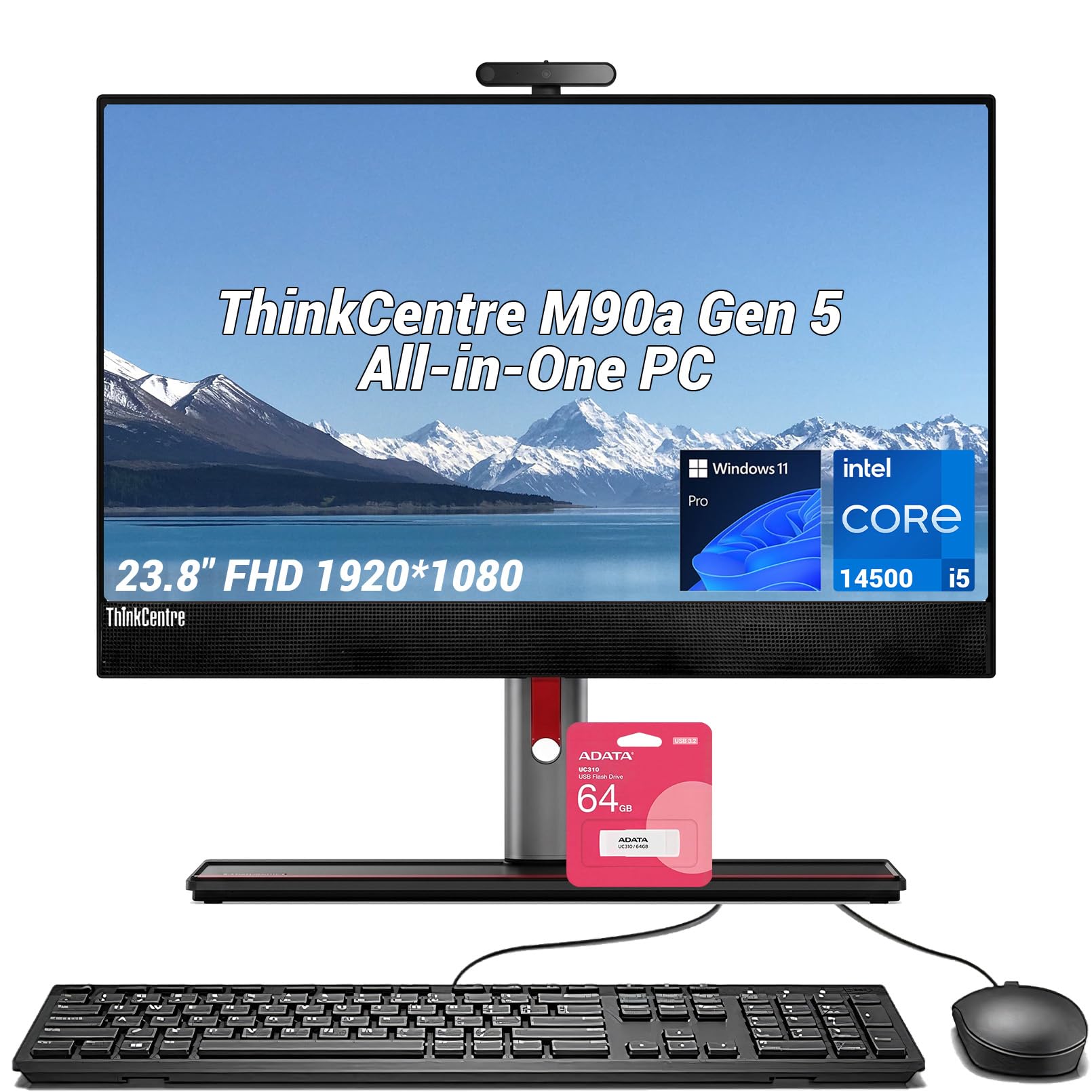
The office workhorse that runs cool and fast without taking up any floor space.
This Lenovo packs the newest processor in this lineup — a 14th-gen Intel Core i5-14500 that can turbo up to 5.0 GHz, which is 35% faster than the 3.7 GHz peak of the older Apple iMac in this list. That speed comes from 14 cores and 20 threads, so you can bounce between spreadsheets, video calls, and a dozen browser tabs without the computer slowing down. The 16GB of DDR5 memory is a step ahead of the DDR4 found on most rivals, and it handles heavy multitasking with less lag.
Buyers report one out-of-box failure, though the seller provided a prompt refund and good service. The 23.8-inch Full HD IPS display runs at a smooth 100Hz refresh rate and covers 99% of the sRGB color gamut, so colors look accurate for photo editing or design work. The anti-glare coating helps if you sit near a window. Lenovo’s ThinkShield suite adds hardware-level data encryption and secure boot — a real plus if you handle sensitive files at home or at work.
The bundle also includes a 64GB USB flash drive for quick backups, and the wired keyboard that came with the unit is a genuine tactile model (one reviewer called it “real tactile”). The 24 MB of Intel Smart Cache is double the 12 MB cache found on the Acer Aspire C27, which means the Lenovo loads frequently-used files and apps noticeably faster.
Speed leader: With a 5.0 GHz max turbo and DDR5 memory, this is the fastest all-in-one here for office work and creative apps.
Heads-up: One buyer had a unit fail from the start, though the seller made it right with a prompt refund.
Best for: Professionals who want the latest i5 performance, business-grade security, and a silky 100Hz screen in a compact 23.8-inch package.
Trade-off: The non-touch display and wired peripherals mean you give up touch convenience and wireless freedom for raw computing power.
2. Acer Aspire C27-1700-UA91 AIO Desktop

A big 27-inch screen and a modern 12th-gen i5 at a price that feels like a steal.
The 27-inch Full HD IPS display gives you a huge canvas — its 91% screen-to-body ratio means very little bezel, so the image stretches nearly edge to edge. Under the hood, the 12th-gen Intel Core i5-1235U reaches 4.4 GHz and pairs with 16GB of DDR4 memory, enough to keep Photoshop, a dozen browser tabs, and Spotify running all at once. Buyers call it “efficient, smooth for work,” and one reviewer noted it runs Roblox, Valorant, Overwatch, and Fortnite at full graphics without stuttering.
The 5.0 MP pop-up webcam has a physical privacy cover, and the two stereo microphones make video calls sound clearer than most built-in laptop mics. BlueLightShield technology cuts blue light exposure, which helps if you stare at the screen late into the evening. The 512GB NVMe SSD boots Windows 11 Home in seconds, and wireless comes via Wi-Fi 6 (the AX201 chip) and Bluetooth 5.2. The keyboard and mouse are wireless, so there are two fewer cables to manage.
One quirk: a few buyers mentioned the touchscreen activation is unclear because no manual is included, though the system works fine without it. The speakers are mediocre for music, so you might want external speakers if sound quality matters.
Why it stands out
- 27-inch FHD display with a 91% screen-to-body ratio
- 16GB DDR4 memory handles heavy multitasking
- 5 MP webcam with physical privacy cover
The downsides
- Built-in speakers are mediocre for music
- Fan noise is normal but audible in a quiet room
Grab this if: You want the biggest screen in this price range, a fast modern i5, and enough RAM to keep multiple apps running without slowdown.
Look elsewhere if: You need a touchscreen or plan to edit high-res video — the Full HD resolution and integrated Iris Xe graphics have limits.
3. ASUS V470VA-MS504T, 27″ FHD Touch All-in-One

Double the storage and DDR5 speed make this the future-proof pick for power users.
The ASUS V470 is the only model in this list that combines a 1TB PCIe SSD with 16GB of DDR5 RAM. That means you get twice the file capacity of the Acer or Lenovo options, plus memory that runs faster and more efficiently than DDR4. The 13th-gen Intel Core i5-13420H processor (8 cores, up to 4.6 GHz) handles everything from video calls to light video editing. The 27-inch Full HD touchscreen has an anti-glare coating, so fingerprints don’t distract you, and you can tap and swipe through Windows 11 Home.
The 1080p Full HD camera hides away when not in use — one reviewer loved that feature. AI Noise-Canceling Technology filters out background noise during calls, and the Dolby Atmos speakers deliver fuller sound than the average all-in-one. Connectivity is strong: Wi-Fi 6E (the latest wireless standard) and Bluetooth 5.3 mean fast, stable connections. Side ports include a Kensington lock slot and a headphone jack, while the rear offers HDMI-out 1.4, three USB 3.2 Type-A ports, a USB-C port, and Gigabit Ethernet.
A few buyers noted the height is not adjustable, so you might need a stand or a book to lift the screen to eye level. Some also mentioned ASUS loads bloatware, which you may want to uninstall during setup.
What makes it special
- 1TB PCIe SSD — double the storage of most rivals
- 16GB DDR5 RAM for smooth multitasking
- 1080p retractable webcam with AI noise cancellation
What to know
- Screen height is not adjustable
- Some bloatware pre-installed
Reach for this if: You need maximum local storage and the speed of DDR5 memory, and you appreciate a retractable webcam and top-tier Wi-Fi 6E.
Pass if: You want a height-adjustable stand or prefer a clean, bloatware-free Windows install.
4. ASUS 2025 All-in-One Desktop, 23.8″ FHD Touchscreen
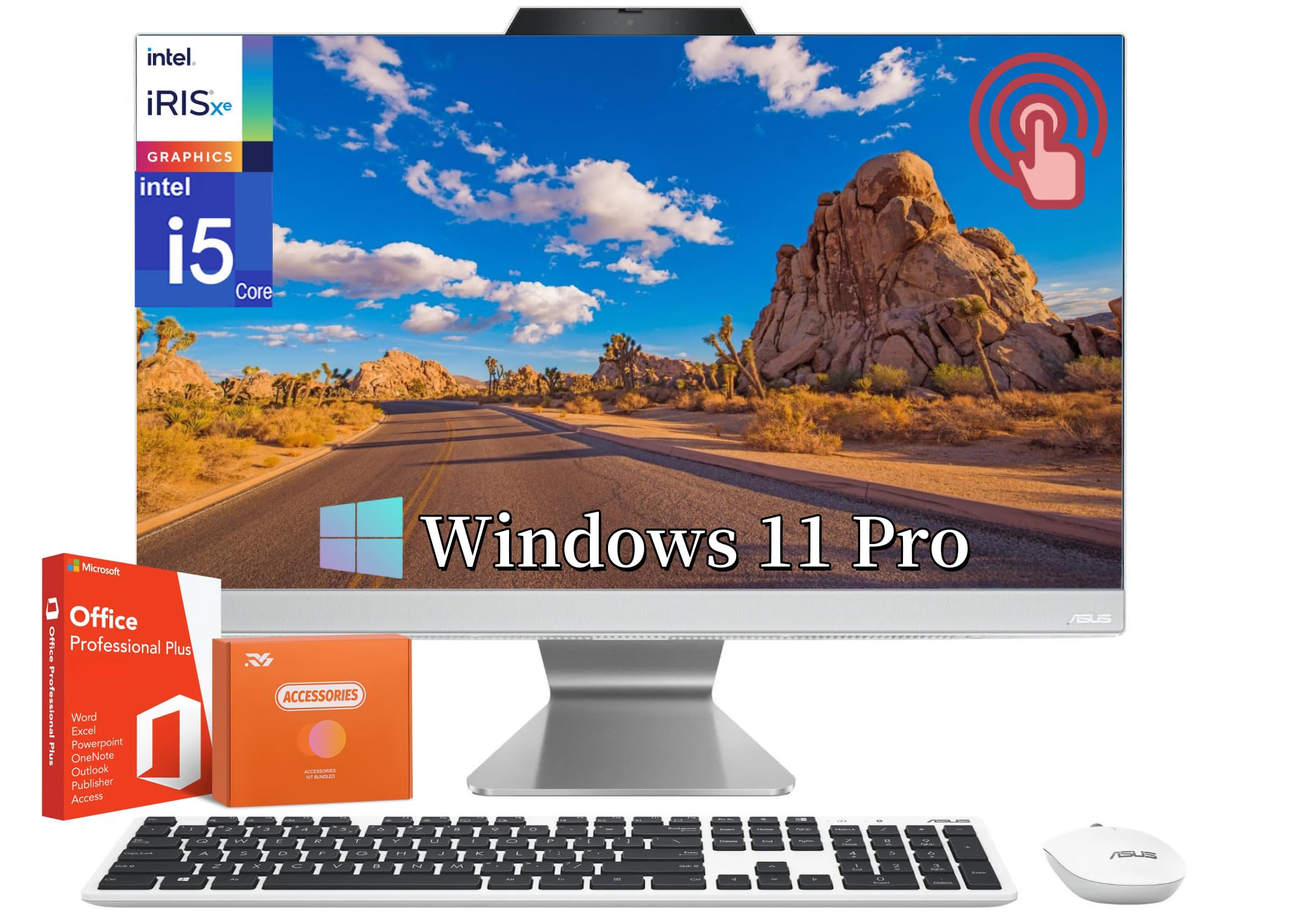
A touch-enabled 23.8-inch screen with a free Microsoft Office license for life.
This ASUS model stands out because it includes a lifetime Microsoft Office license — you pay once and never worry about a subscription. The 23.8-inch Full HD capacitive touchscreen has an 88% screen-to-body ratio and 100% sRGB color accuracy, so images look punchy and colors are true. The 12th-gen Intel Core i5-1235U (up to 4.4 GHz) and 16GB of DDR4 memory keep things running fast, even if you leave a dozen browser tabs open while working on a Word document.
One buyer who owns a previous ASUS all-in-one said it “never misses a beat” after six years, which suggests good long-term reliability. The HDMI-in port is a clever extra: you can plug in a laptop or a game console and use the 23.8-inch screen as a standalone monitor. The wireless white keyboard and mouse keep the desk clean, and Windows 11 Pro gives you extra security features like BitLocker encryption (useful if you store sensitive work files).
Owners mention the 720p camera is poor compared to higher-end models, so consider an external webcam for regular video calls. The anti-glare coating helps reduce reflections, making the touchscreen usable even in bright rooms.
Best extra: The lifetime Office license alone can save you hundreds of dollars compared to a yearly subscription.
The catch: The 720p webcam is noticeably lower quality than the 1080p cameras on some rivals here.
Pick this for: A touchscreen experience with a permanent Office license at a mid-range price — perfect for students and home offices.
skip it if: You need a sharp webcam for daily video calls or plan to edit high-resolution video.
5. Apple iMac MF885LL/A 27-Inch 5K Retina Display (Renewed)

The 5K screen that still out-resolves every other all-in-one on this list.
No other all-in-one here comes close to this screen. The 27-inch Retina 5K display runs at 5120×2880 resolution — that is 2.7 times sharper than the 1920×1080 panels on the Acer or ASUS models. With 14.7 million pixels, text looks razor-sharp, photos show fine detail, and video editing timelines give you more room to work. The display is fully laminated and 75% less reflective than standard screens, so colors stay accurate even in bright rooms.
Under the hood, the 3.3 GHz quad-core Intel Core i5 can turbo up to 3.7 GHz, paired with 8GB of DDR3L memory and a 1TB hard drive. The AMD Radeon R9 M290 graphics card with 2GB of GDDR5 dedicated memory helps with photo and video work. Two Thunderbolt 2 ports let you connect fast external drives or an additional monitor. Since this is a renewed unit, some customers note mixed experiences: one said “it arrived with non-US keyboard and Apple mouse,” while another called it “excellent renewed desktop quality” with easy setup.
The 8GB RAM feels tight by 2025 standards, and the hard drive is much slower than the SSDs in every other model here. If you buy this, plan to upgrade the memory and swap the drive for an SSD — the screen is worth the effort, but the internals need a refresh.
Screen magic
- 5K 5120×2880 display — the sharpest screen on the list
- Dedicated AMD Radeon R9 M290 with 2GB GDDR5
- Thunderbolt 2 ports for fast external storage
Old tech trade-offs
- 8GB DDR3L RAM is low for heavy multitasking
- 1TB hard drive is slow — you will want to swap in an SSD
- Renewed unit may arrive with wrong keyboard or mouse
Perfect for: Creative pros who value pixel density above all else and are willing to upgrade the RAM and storage themselves.
Not for: Anyone who wants a plug-and-play machine with modern speeds — the old hard drive and DDR3L RAM will feel sluggish from the start.
6. Dell Inspiron 5400 AIO 23.8 Inch FHD Touch

An entry-level touchscreen Dell that keeps things simple for everyday home use.
The Dell Inspiron 5400 is the most budget-friendly option here, and it shows in the spec sheet. The 11th-gen Intel Core i5-1135G7 reaches 4.2 GHz, which is the slowest max turbo in this lineup, and the 8GB of DDR4 memory is half what the Acer and Lenovo offer. Still, for basic web browsing, email, Office apps, and streaming video, this machine handles everything fine — one buyer mentioned it is “excellent everyday home computer” and another called it a “good brand” that works as described. The 23.8-inch Full HD touchscreen is responsive, and the white/chrome design looks clean on a desk.
The 512GB SSD boots Windows 10 Home quickly, and the Intel Iris Xe graphics are good enough for casual games and 4K video playback. One buyer who switched from an 8-year-old Mac said this Dell “works great” for moderate tasks, though they warned against expecting gaming or mining performance. The built-in keyboard is included, but there is no mention of a mouse in the box, so check before you buy.
A few buyers noted it feels “a bit slow” compared to newer machines — the 11th-gen i5 and 8GB RAM are the bottleneck. If your workload stays lightweight (email, web, documents), this Dell will serve you well. If you run heavier apps, spend a little more on one of the 16GB models above.
Budget angle: You get a touchscreen and a trusted brand name for the lowest entry cost in this list.
Know before you buy: 8GB of RAM and an 11th-gen i5 mean this machine will feel dated sooner than the newer options.
Best for: Bargain shoppers who want a touchscreen Dell for basic home tasks like browsing, email, and streaming.
Look past it if: You need to run demanding software, multitask heavily, or want a machine that stays fast three years from now.
Understanding the Specs
Core i5 Generations
The generation number is more important than the “i5” badge. An 11th-gen i5-1135G7 (found in the Dell) tops out at 4.2 GHz, while a 14th-gen i5-14500 (in the Lenovo) can hit 5.0 GHz. Newer chips also have more cores — the 14th-gen has 14 cores compared to the 11th-gen’s 4 cores — so they handle multitasking much better. If you plan to keep the computer for several years, aim for a 12th-gen or newer processor.
RAM: How Much and Which Type
8GB of RAM is the bare minimum for Windows 11, and it will feel cramped if you keep many tabs open. 16GB is the balance for most people. The type matters too: DDR5 memory (in the Lenovo and ASUS V470) is faster and more power-efficient than DDR4 (in the Acer and ASUS 23.8″). The Apple iMac uses DDR3L, which is an older, slower standard. If you multitask heavily, prioritize 16GB of DDR5 over 8GB of any type.
Storage: SSD vs HDD
Every modern all-in-one should use an SSD (solid-state drive) for the main storage. They boot Windows in seconds and load apps instantly. The Apple iMac uses a 1TB hard drive (HDD), which is much slower — you will wait 30-60 seconds for apps to open. Most models here pack 512GB NVMe SSDs, which is enough for the operating system, apps, and a decent file collection. The ASUS V470 doubles that to 1TB, which is great if you store many photos, videos, or large programs locally.
Display Resolution and Touch
Full HD (1920×1080) is the standard and looks fine for everyday use. The Apple iMac’s 5K display (5120×2880) is 2.7 times sharper, but you pay for it with older internal hardware. Touchscreens are convenient for scrolling, zooming, and interacting with Windows 11 gestures, but they cost more and are not necessary if you use a mouse and keyboard. Most screens here are non-touch; only the ASUS 23.8″, the ASUS V470, and the Dell Inspiron offer touch functionality.
FAQ
Can an All-In-One I5 Desktop be upgraded later?
Is 8GB of RAM enough for an All-In-One I5 Desktop in 2025?
What is the difference between DDR4 and DDR5 RAM in these desktops?
Will an All-In-One I5 Desktop work for photo or video editing?
Which All-In-One I5 Desktop has the best webcam for video calls?
How long does an All-In-One I5 Desktop typically last?
Is a touchscreen worth the extra money on an all-in-one?
Can I use an All-In-One I5 Desktop as a second monitor?
Which generation of Intel Core i5 is best for an all-in-one desktop right now?
Does an All-In-One I5 Desktop come with a keyboard and mouse?
Final Thoughts: The Verdict
For most people, the best all-in-one i5 desktop winner is the Lenovo ThinkCentre M90a because its 14th-gen i5, 16GB of DDR5 memory, and smooth 100Hz display deliver the best blend of speed and modern features for the price. If you want a huge 27-inch screen and wireless peripherals at a sensible price, grab the Acer Aspire C27-1700. And for the buyer who needs maximum local storage with a responsive touchscreen and a retractable 1080p webcam, the ASUS V470VA-MS504T trades a non-adjustable stand for 1TB of space and DDR5 speed.
How We Picked
We do not accept paid placement, and we did not hands-on test every unit. Instead, we match each pick to a real buyer and use-case by comparing the manufacturers’ published specifications against the patterns in verified customer reviews — so you get each pick’s real strengths and trade-offs instead of marketing copy.
Sources & Methodology
Specifications: manufacturer listings and product documentation. Review insights: verified customer reviews, as of July 2026. Pricing: not shown on this page (it changes often); check the current price via the retailer link.
As an Amazon Associate, Gadgets Feed earns from qualifying purchases. This does not affect which products we feature.
Product prices and availability are accurate as of the date/time indicated and are subject to change. Any price and availability information displayed on Amazon at the time of purchase will apply to the purchase of this product. As an Amazon Associate I earn from qualifying purchases.
CERTAIN CONTENT THAT APPEARS ON THIS SITE COMES FROM AMAZON. THIS CONTENT IS PROVIDED "AS IS" AND IS SUBJECT TO CHANGE OR REMOVAL AT ANY TIME.
Amazon and the Amazon logo are trademarks of Amazon.com, Inc. or its affiliates.