
The moment you realize you’re out of black ink before an important deadline is the moment you start researching a smarter all-in-one inkjet printer for home use. Unlike laser printers, inkjets deliver vibrant color photos and rich graphics on a variety of media, but they also come with the highest ongoing cost of any printer type—ink. The real buying decision isn’t just about the machine on the desk; it’s about the cost per page, the printhead reliability, and whether the included “starter” cartridges last through a single school project.
I’m Min — the co-founder and writer behind Gadgets Feed. I’ve spent hundreds of hours analyzing ink yields, print speeds, connectivity options, and long-term ownership costs across the inkjet market to determine which models actually deliver on their promises for home users.
By the end of this guide, you’ll know exactly which machine fits your home’s print volume and budget, because finding the best all in one inkjet printer for home use means balancing upfront price with long-term ink strategy.
How To Choose The Best All In One Inkjet Printer For Home Use
Not all inkjet printers are created equal. The core differentiator is the ink delivery system—standard cartridges, high-yield cartridges, or refillable ink tanks. Your choice determines whether you spend or on ink per year. Here are the key factors that separate a smart buy from a recurring expense.
Ink Delivery: Cartridge vs. Tank vs. Supertank
Standard cartridge printers like the Canon PIXMA TR4720 or HP DeskJet 4255e have a low upfront cost but ship with “starter” cartridges that often last only 100–200 pages. Once depleted, replacement cartridges cost roughly – per set. Ink tank models like the Epson EcoTank ET-2800 or Canon MegaTank MAXIFY GX2020 use refillable reservoirs and include enough ink for thousands of pages right in the box. The trade-off is a higher initial price, but the per-page cost drops to fractions of a cent. For a home printing more than 50 pages per month, the tank model pays for itself within a year.
Printing Features: Duplex, ADF, and Paper Handling
Automatic duplex printing (printing on both sides without flipping the page) saves paper and time. Some budget models offer only manual duplex, meaning you must flip the stack yourself. An Automatic Document Feeder (ADF) lets you scan or copy multi-page documents without standing at the machine—essential for home offices or school paperwork. Paper tray capacity also matters; a 60-sheet tray forces frequent refills, while a 150-sheet tray can handle a week’s worth of printing for a busy household.
Quick Comparison
On smaller screens, swipe sideways to see the full table.
| Model | Category | Best For | Key Spec | Amazon |
|---|---|---|---|---|
| Brother MFC-J4355DW | Mid-Range Inkvestment | High-volume home office | 20 ppm black / 19 ppm color | Amazon |
| Epson EcoTank ET-2800 | Supertank Color | Ultra-low cost per page | 4,500 black / 7,500 color page yield | Amazon |
| Canon MegaTank GX2020 | Premium Tank | High-quality duplex printing | 3,000 black / 3,000 color page yield | Amazon |
| HP Smart Tank Plus 570 | Premium Tank | No-hassle refill system | 8,000 color / 6,000 black page yield | Amazon |
| Brother MFC-J1410DW | Mid-Range Value | Touchscreen ease of use | 2.7″ color touchscreen display | Amazon |
| Xerox C235dni | Color Laser | Fast professional color | 24 ppm color / 24 ppm black | Amazon |
| Canon PIXMA TR4720 | Budget All-in-One | Light home use with fax | Auto document feeder included | Amazon |
| HP DeskJet 4255e | Budget Entry | Basic home printing | 8.5 ppm black print speed | Amazon |
| Canon imageCLASS MF462dw | Monochrome Laser | Fast text-only printing | 37 ppm monochrome speed | Amazon |
In‑Depth Reviews
1. Brother MFC-J4355DW
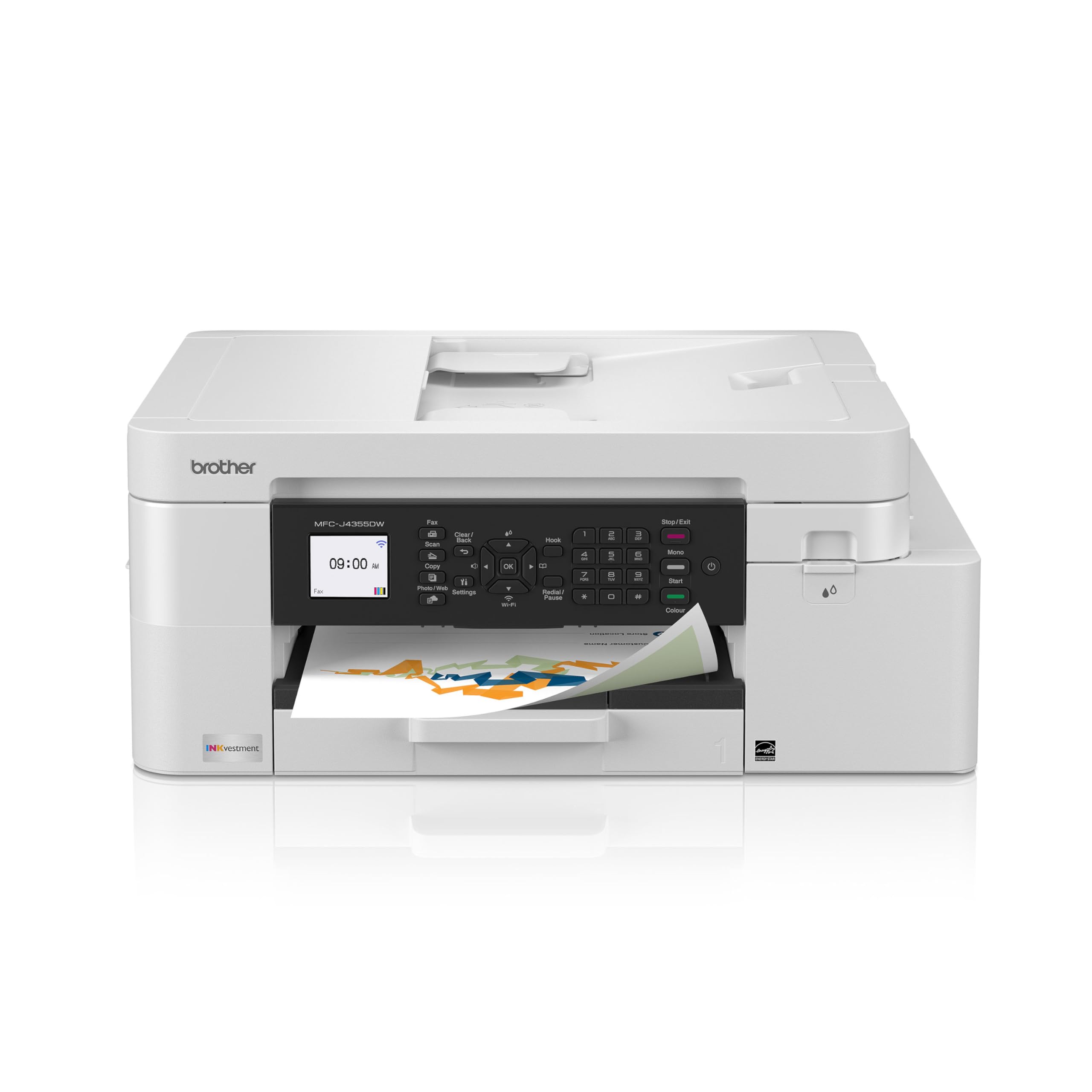
The Brother MFC-J4355DW strikes the ideal balance for the typical home office. With a 1,800-page black cartridge included and 750-page color cartridges, you won’t be hunting for ink every month. The 20 ppm black and 19 ppm color speeds are the fastest among mid-range inkjets on this list, and the automatic duplex printing and 20-sheet ADF make multi-page jobs almost effortless.
The 1.8-inch color display is functional rather than flashy, but the Brother Mobile Connect app handles most tasks smoothly from your phone. The manual feed slot is a nice bonus for envelopes or card stock. Users consistently praise the wireless connectivity as reliable, and the compact footprint fits neatly on a small desk without dominating the space.
Where the J4355DW truly shines is in its ink economics. The INKvestment system means you get genuine Brother ink with high page yields, and the overall cost per page stays well below what you’d pay for standard cartridge models from other brands. If you print 200–500 pages per month, this printer will save you significant money over its lifetime.
Why it’s great
- Excellent page yields reduce long-term ink costs
- Fast print speeds for both black and color
- Reliable wireless and Ethernet connectivity options
Good to know
- Display is small for a mid-range model
- Setup software is heavy and could be streamlined
- Photo quality is acceptable but not photo-lab grade
2. Epson EcoTank ET-2800

The Epson EcoTank ET-2800 eliminates cartridges entirely with a refillable ink reservoir system. Each bottle set replaces approximately 90 individual cartridges, yielding up to 4,500 black pages and 7,500 color pages. For a family printing homework, recipes, and the occasional photo, that’s effectively two years of ink included in the box. The print quality is surprisingly good for documents and vivid for photos, with no smudging thanks to Epson’s Micro Piezo Heat-Free Technology.
The ET-2800 is a straightforward three-function unit (print, copy, scan) without fax, and it lacks automatic duplex printing. You’ll need to manually flip pages for double-sided output. The 100-sheet paper tray is adequate for moderate use, and the LCD screen is small but sufficient for status checks and ink level monitoring. Setup involves filling the ink tanks with the included bottles, which is refreshingly simple and mess-free.
WiFi connectivity is the one area where the ET-2800 draws mixed feedback. Some users experience recurring connection drops, often resolved by assigning a static IP address via the printer’s network settings. Once connected, the printer works reliably. The trade-off is clear: you accept occasional WiFi quirks for the industry’s lowest ink cost. For households printing over 100 pages per month, the math is hard to beat.
Why it’s great
- Unmatched low ink cost per page with refillable tanks
- Excellent print quality for both documents and photos
- Includes enough ink for thousands of pages out of the box
Good to know
- No automatic duplex printing
- WiFi setup can be finicky and require manual IP configuration
- No fax functionality
3. Canon MegaTank MAXIFY GX2020

The Canon MegaTank MAXIFY GX2020 is the tank printer for users who refuse to compromise on features. It includes automatic duplex printing, a 35-sheet ADF, a 2.7-inch color touchscreen, and fax capability—all in a compact desktop footprint. The pigment-based GI-25 ink bottles deliver sharp, water-resistant text and vibrant colors, printing up to 3,000 black and 3,000 color pages per set. Print speeds of 15 ppm black and 10 ppm color are respectable for a tank system.
The MAXIFY line is designed for small offices, but its quiet operation and compact size make it equally suitable for home use. The touchscreen interface is intuitive for navigating cloud apps like Google Drive and Dropbox, and the wireless connectivity is robust. Setup is straightforward: fill the clearly labeled tanks and run the alignment process through the display.
The GX2020 handles plain paper exceptionally well, but some users note that cardstock prints come out with noticeable curl. This is a known trait of the pigment-based ink system—fine for standard documents, but photo enthusiasts may prefer a dye-based tank like the Epson EcoTank series. For mixed home office use that includes scanning, copying, and duplex printing, the MAXIFY GX2020 is the most fully-featured tank printer in its class.
Why it’s great
- Includes auto duplex, ADF, fax, and touchscreen
- Pigment ink produces crisp, water-resistant text
- Low ink cost per page with long yields
Good to know
- Cardstock prints can have pronounced curl
- Photo quality is good but not exceptional
- Initial investment is higher than cartridge models
4. HP Smart Tank Plus 570
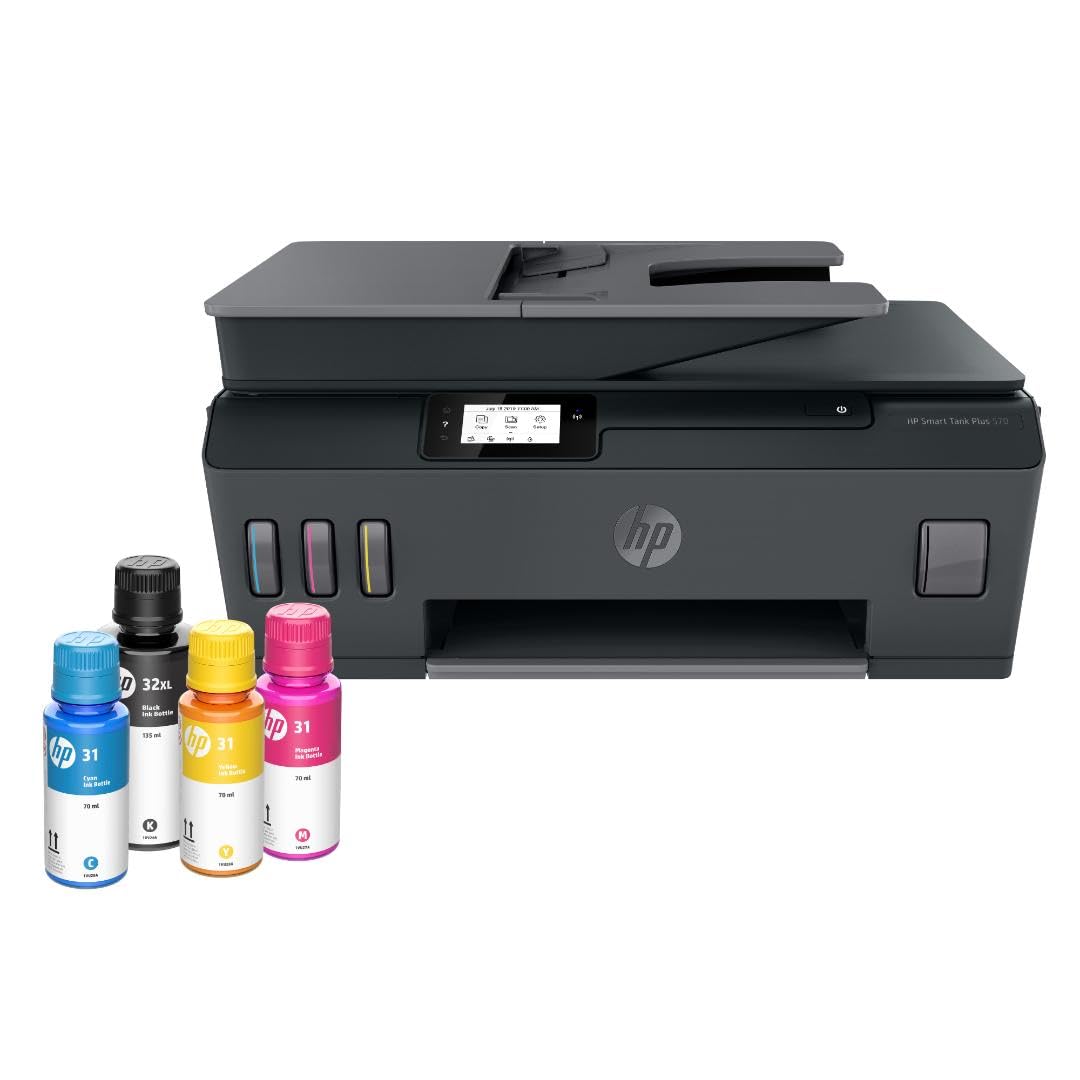
The HP Smart Tank Plus 570 is HP’s answer to the cartridge-free revolution, and it delivers where it matters most: ink volume. The box includes enough ink for up to 8,000 color pages or 6,000 black pages, which is double the yield of most competing tank printers. The mess-free refill system uses keyed bottles that only fit the correct tank, making refills simple. Print quality is typical HP: sharp text and rich, accurate colors for both documents and borderless photos.
The Smart Tank 570 is a three-function unit (print, copy, scan) with no fax and no automatic duplex—you’ll flip pages manually for double-sided printing. The 60-sheet input tray is the smallest among the tank printers here, which means frequent refills during heavy sessions. The LED display is basic, and most operations are routed through the HP Smart app, which is polished but requires an account login and periodic firmware updates.
Build quality is a mixed bag. Some users report flimsy plastic and paper jams emerging after a few months, while others have no issues. The printer requires a 2.4 GHz WiFi connection only, which can be a limitation in dual-band router setups. If you prioritize ultra-high ink volume and are comfortable with HP’s app ecosystem, the Smart Tank 570 delivers the lowest per-page cost of any HP inkjet.
Why it’s great
- Highest ink yield of any tank printer here
- Mess-free refill system with keyed bottles
- Excellent print quality for text and photos
Good to know
- No automatic duplex or fax
- 60-sheet tray requires frequent refills
- 2.4 GHz only WiFi and HP account required
5. Brother MFC-J1410DW

The Brother MFC-J1410DW is the mid-range workhorse that prioritizes ease of use above all else. Its 2.7-inch color touchscreen is the largest in its price tier, providing direct access to Cloud apps like Google Drive, Dropbox, and OneDrive without needing a computer. Print speeds of 16 ppm black and 9 ppm color are solid for a home office, and the automatic duplex printing and 20-sheet ADF streamline multi-page documents and two-sided scanning.
The J1410DW uses Brother’s standard LC501 ink cartridges, not the high-yield INKvestment system found in the J4355DW. This means the included cartridges will run out faster—expect maybe 300–600 pages before needing replacements. The trade-off is a lower upfront cost. The printer supports both WiFi and USB connectivity, and the Brother Mobile Connect app is one of the better mobile printing apps in terms of stability and feature set.
Noise level is moderate; some users describe it as “a bit loud” during operation. The paper tray holds 150 sheets, which is generous for the price point. Overall, the MFC-J1410DW is a strong pick for users who want the convenience of a touchscreen and cloud integration without jumping to a higher price bracket.
Why it’s great
- Large 2.7-inch color touchscreen with cloud app access
- Automatic duplex and 20-sheet ADF included
- Reliable Brother build and app experience
Good to know
- Standard cartridges run out faster than INKvestment models
- Can be noisy during operation
- Firmware updates can be difficult to install
6. Xerox C235dni

The Xerox C235dni is technically a color laser printer, not an inkjet, but it’s a compelling option for home users who prioritize speed and crisp text over photo quality. At 24 ppm for both black and color, it outpaces every inkjet on this list. The automatic duplex printing and built-in Ethernet make it a robust choice for a home office that handles heavy document loads. The included starter toner yields about 500 pages, but high-yield replacements bring the cost per page down significantly over time.
Setup is handled via the Xerox Easy Assist App, which guides you through the process on your smartphone—no CD required. The color LCD screen is functional but not premium. One notable caveat: print quality is sensitive to paper type. Using standard multipurpose paper can result in light prints; switching to a premium laser paper like Hammermill resolves this issue completely. The scanner also received mixed reviews, with some users reporting light scans that required adjustments.
For a home user printing mostly text documents with occasional color graphics, the C235dni delivers laser speed and reliability. The toner costs more upfront than ink, but the page yield is much higher, and there’s no risk of dried-out printheads. If your home office churns through 1,000+ pages per month, this is the fastest and most durable option here.
Why it’s great
- Fast 24 ppm color and black print speeds
- High-yield toner options reduce long-term costs
- Ethernet and WiFi connectivity with auto duplex
Good to know
- Print quality depends on paper type used
- Scanner light output requires adjustment
- Starter toner is low-yield (500 pages)
7. Canon PIXMA TR4720

The Canon PIXMA TR4720 is the budget-friendly entry point into all-in-one inkjet territory, offering print, copy, scan, and fax in a compact black chassis. Its 8.8 ipm black and 4.4 ipm color speeds are on the slower side, but for light home use—school forms, shipping labels, and the occasional recipe—it’s perfectly adequate. The standout feature for this price range is the auto document feeder, which makes multi-page scanning and copying much less tedious.
The TR4720 uses standard Canon CL-276 and PG-275 cartridges. The “starter” ink included in the box will run out quickly—many users report needing replacements after 100–200 pages. Replacement cartridges cost about – each, making the per-page cost relatively high. If you’re printing fewer than 50 pages per month, this is manageable. For higher volumes, a tank printer would save money. The LCD screen is basic but shows ink levels and status.
Wireless setup is generally smooth for a budget model, though some users note that the paper tray protrudes from the front when loaded. The build quality is plastic and lightweight, which is expected at this price. The TR4720 is a decent entry-level option, but you should factor in the ongoing ink costs before committing.
Why it’s great
- Low upfront cost with fax and ADF included
- Compact design fits small desks
- No ink subscription required
Good to know
- Starter ink depletes quickly
- Slow print speeds compared to mid-range models
- High per-page cost with replacement cartridges
8. HP DeskJet 4255e

The HP DeskJet 4255e is a no-frills all-in-one designed for the most basic printing needs: to-do lists, letters, financial documents, and recipes. Its key differentiator is HP’s AI-powered web print feature, which removes unwanted content and ads from web pages before printing, saving paper and ink. The 8.5 ppm black and 5.5 ppm color speeds are adequate for sporadic use, and the 60-sheet input tray keeps the footprint small.
The 4255e comes with a 3-month trial of HP’s Instant Ink subscription. Without the subscription, replacement cartridges are expensive relative to the printer’s price. The manual duplex printing requires you to flip pages, and the printer only supports 2.4 GHz WiFi—a limitation in modern dual-band homes. The Dynamic Security feature means the printer will block non-HP cartridges, locking you into HP’s ink ecosystem.
Build quality is acceptable for the price, but several users report reliability issues after the first cartridge replacement. The printer works well when everything functions, but the long-term cost and potential ink lock-in make it a cautious recommendation. It’s best suited for someone who prints very infrequently and wants the cheapest possible entry point.
Why it’s great
- Very low initial purchase price
- HP AI web print saves ink by removing ads
- Compact design for tight spaces
Good to know
- No auto duplex and only 2.4 GHz WiFi
- Blocks third-party ink cartridges
- Ink costs are high without Instant Ink subscription
9. Canon imageCLASS MF462dw II
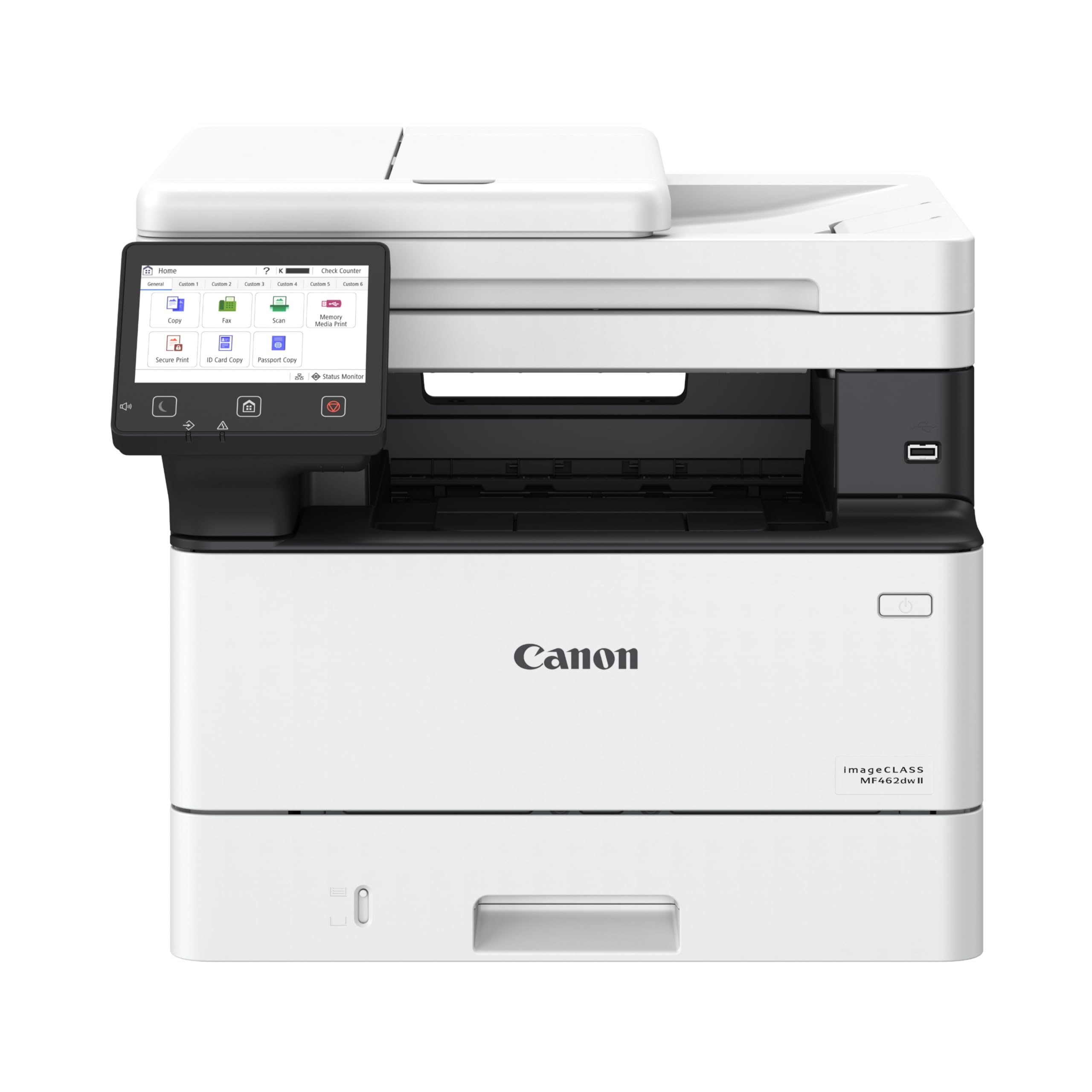
The Canon imageCLASS MF462dw II is a monochrome laser printer, but it’s included here because for many home offices, all you need is fast, sharp black text. At 37 ppm with a first print in approximately 5 seconds, it’s the speed king of the list. The 5-inch color touchscreen is the largest and most intuitive interface of any printer here, and the customizable Application Library gives you quick access to frequently used tasks.
The MF462dw II is a full four-function unit (print, copy, scan, fax) with a 50-sheet duplex ADF—meaning it can scan both sides of a document in one pass. The standard paper capacity is 250 sheets, expandable to 800 sheets with an optional cassette. It supports Ethernet, WiFi, and mobile printing via Apple AirPrint and Canon PRINT. The Canon Genuine Toner 070 high-capacity cartridges deliver high page yields, though toner is more expensive per cartridge than ink.
The trade-off is obvious: no color whatsoever. If you occasionally print a color photo or a colored chart, this isn’t the printer for you. But if the bulk of your home office printing is text-based documents, contracts, or school worksheets, the MF462dw II will save you hours of waiting and years of frustration with clogged inkjets. It’s heavy at 44 pounds, so plan a permanent spot for it.
Why it’s great
- Blazing 37 ppm speed for text documents
- Large 5-inch touchscreen with customizable apps
- Expandable paper capacity up to 800 sheets
Good to know
- Monochrome only—no color printing
- Heavy and bulky at 44 pounds
- Setup instructions are complex
FAQ
How long does a full ink tank last on an EcoTank or MegaTank printer?
Will an HP printer force me to use only HP ink cartridges?
Final Thoughts: The Verdict
For most users, the best all in one inkjet printer for home use winner is the Brother MFC-J4355DW because it combines fast print speeds, high-yield INKvestment cartridges, reliable wireless connectivity, and a very reasonable price. If you want the lowest possible ink cost per page, grab the Epson EcoTank ET-2800. And for a compact tank printer with auto duplex and a touchscreen, nothing beats the Canon MegaTank GX2020.