
Our readers keep the lights on and my morning glass full of iced black tea. As an Amazon Associate, I earn from qualifying purchases.
Specs are compiled from manufacturer listings and verified buyer reviews and can change over time — please confirm the key details on the product page before buying.
Laser printers use toner powder that doesn’t dry out, so a cartridge can sit for months and still print perfectly. That’s why an all-in-one laser printer is the smart pick for home offices and small teams that need print, scan, and copy in one reliable box.
I’m Min — the founder and writer behind Gadgets Feed. This guide is built by comparing the manufacturers’ published specifications and the patterns across verified customer reviews, so you get each pick’s real strengths and trade-offs instead of marketing spin.
You’ll see how print speed, paper handling, and wireless features separate a good workhorse from a frustrating one.
Our Picks at a Glance


How To Choose The Best All-In-One Laser Printer
Before you click buy, ask yourself three questions: how many pages you print daily, if you need color, and how often you scan multi-page documents. The answers decide which all-in-one laser printer feels fast or sluggish, because the specs inside—not the look—determine real-world performance.
Print Speed and First Page Out
Speed is measured in pages per minute (ppm). A 26 ppm printer is fine for a home office, but a 40 ppm model handles a busy small team without a queue. Also check the first print out time—that’s how long you wait for the first page to appear. A machine that wakes up fast makes a big difference when you just need one quick page.
Paper Handling and the Auto Document Feeder
The paper tray capacity tells you how often you’ll refill it. A 250-sheet tray is standard; larger trays mean fewer interruptions. If you scan or copy stacks of papers, an auto document feeder (ADF) lets you load a pile and walk away. The ADF sheet capacity—often 35 to 50 sheets—shows how big a stack you can feed at once.
Wireless, Duplex, and Toner Costs
Built-in Wi-Fi lets every device on your network print without cables, and automatic duplex means the printer prints on both sides of the page without you flipping anything. Toner yield—how many pages a cartridge prints—determines your long-term cost. A higher-yield cartridge means fewer replacements and lower cost per page over time.
Quick Comparison
| Model | Best For | Print Speed | Duplex | Functions | Amazon |
|---|---|---|---|---|---|
| Brother MFC-L2690DW★ Best Overall | Top Pick Overall | 26 ppm | Automatic | Print, Copy, Scan, Fax | Amazon |
| HP LaserJet M234sdwFastest Two-Sided | Small Teams | 30 ppm | Automatic | Print, Scan, Copy | Amazon |
| Xerox B235DNISpeed Demon B&W | High Volume B&W | 36 ppm | Automatic | Print, Scan, Copy | Amazon |
| Canon MF273dw | Reliable B&W | 30 ppm | Automatic | Print, Copy, Scan | Amazon |
| HP LaserJet Pro 3101sdw | Professional Output | 40 ppm | Automatic | Print, Scan, Copy | Amazon |
| Brother MFC-L2820DW | Compact Office | 34 ppm | Automatic | Print, Copy, Scan, Fax | Amazon |
| Xerox C235dni | Color Documents | 24 ppm | Automatic | Print, Scan, Copy | Amazon |
| Canon MF465dw | High Volume Office | 42 ppm | Automatic | Print, Scan, Copy, Fax | Amazon |
| Canon MF445dw | Advanced Scanning | 40 ppm | Automatic | Print, Scan, Copy | Amazon |
In‑Depth Reviews
1. Brother MFC-L2690DW
Our pick — 4.5★ from 950+ verified ratings; the strongest balance of quality and price.
A reliable monochrome 4-in-1 that handles daily printing, scanning, copying, and faxing for a busy home office.
The Brother MFC-L2690DW earns the top spot because it nails the basics that matter for daily printing: speed, paper capacity, and durability. It prints up to 26 pages per minute, which keeps a single-person office moving without waiting. The 250-sheet adjustable tray handles letter and legal sizes, so you refill less often, and the manual feed slot takes card stock and envelopes for professional prints.
You can print wirelessly from a desktop, laptop, smartphone, or tablet, or connect locally via USB to one computer. Automatic duplex means two-sided printing is a set-and-forget task, not a manual chore. The build quality is sturdy, and the compact footprint fits on a desk without dominating it.
Owners consistently praise the sharp print quality and solid construction, and the consensus is it eliminates the cost and hassle of ink refills. The setup experience is a bit mixed—some find it easy, others report it’s a challenge to follow. The TN-450 toner cartridge (a replaceable powder container) is a common, affordable replacement that keeps running costs low. Buyers report “Daily heavy use 3-4 weeks, no issues,” so it holds up under a steady workload.
What Owners Appreciate
- Crisp, reliable print quality for text documents
- sturdy build that handles heavy daily use
- Handles card stock and heavy paper for crafts
What to Know
- Setup instructions can be hard to follow for some
- Occasional paper tray empty error needs a tray reset
Reach for this if: you want a no-nonsense monochrome printer that prints, scans, copies, and faxes without drama.
Look elsewhere if: you need a fully intuitive setup or plan to print color documents.
2. HP LaserJet MFP M234sdw
A compact monochrome 3-in-1 for small teams that need fast, professional black-and-white printing.
The HP LaserJet M234sdw is designed for small teams that need fast, reliable printing without a big footprint. It hits up to 30 black-and-white pages per minute single-sided, and the fastest two-sided printing in its class at up to 19 images per minute. That makes it a solid choice for reports and multi-page documents where duplex (two-sided) printing saves paper.
You avoid the usual wireless printer headaches with dual-band Wi-Fi that self-resets—it automatically detects and fixes connectivity issues. Built-in security features help shield the printer from attacks, and it works with Microsoft, Mac, AirPrint, Android, Chromebook, and more. The HP Smart app lets you scan to the cloud and print or copy from your smartphone, and owners mention setup was surprisingly quick: “Easy setup via HP123 app; connected 4 computers, iPad, 3 iPhones in <20 min.”
Quality is the most-praised aspect here, with crisp, clear output and fast printing speed earning consistent thumbs-up. Owners also appreciate the compact size for a home office. The main trade-off is reliability—it’s a bit mixed—and a few find the on-printer menu hard to navigate given the small screen. This printer is Instant Ink eligible, so you can have toner shipped automatically, though that’s a subscription you can skip if you prefer.
Best for: small teams and home offices that want fast duplex printing and easy mobile connectivity.
Fair warning: some owners find the tiny screen and app-dependent setup a little fiddly.
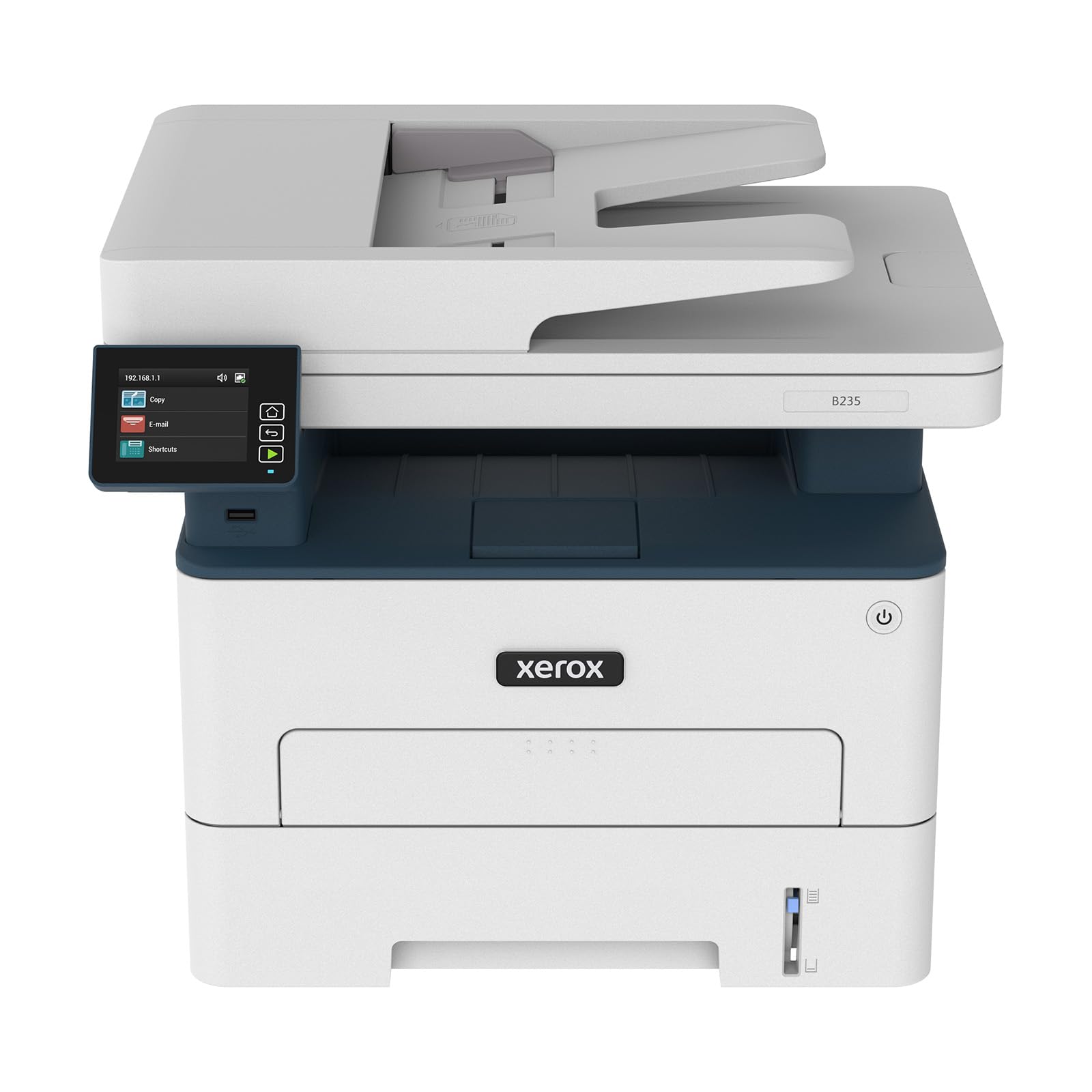
3. Xerox B235DNI
A monochrome 3-in-1 that prints at 36 ppm for fast black-and-white jobs.
If you regularly print long documents, the Xerox B235DNI leads this guide for pure black-and-white speed. It prints 36 pages per minute, outpacing the Brother MFC-L2690DW’s 26 ppm by a clear margin. It also scans at 30 color pages per minute, and duplex scanning captures both sides of a page in one pass, saving time on multi-page jobs.
Built-in Wi-Fi supports Apple AirPrint, Mopria Print Service, and Chromebook printing, so it’s ready for a household full of different devices. Setup is meant to be simple enough that you don’t need local IT support—you’re up and running right from the start. Security features protect access and sensitive data, which matters more as offices go hybrid.
Customers note a split experience: several offices run multiple units with easy setup and straightforward software, but a vocal few had units stop working after a day or hit connectivity issues, particularly with iPad compatibility. Given the mixed feedback, this is a strong pick if you value speed above all, but it’s not the safest bet for anyone who wants zero troubleshooting. The starter cartridge prints about 700 pages, so factor in a replacement toner sooner than you might expect.
Who it suits: home offices and small teams that prioritize fast B&W printing and multi-device support.
Who it doesn’t: those who want maximum reliability right from the start, since unit variance is real.
4. Canon imageCLASS MF273dw

A wireless monochrome 3-in-1 with a 5.3-second first print out for quick, crisp pages.
The Canon imageCLASS MF273dw is a wireless 3-in-1—print, copy, and scan—that stands out for how quickly it gets to work. Its first print out takes approximately 5.3 seconds, so a quick single-page job doesn’t leave you staring at a loading screen. It prints up to 30 pages per minute, and automatic 2-sided printing helps cut paper use without extra effort.
It uses Toner 071 or the 071 High-Capacity Toner, and the starter cartridge yields about 700 pages. Owners consistently rate the print quality as excellent and the speed as fast, with automatic duplex earning specific praise. The included auto document feeder (ADF) handles multi-page scans and copies smoothly, which is a key convenience for receipts and contracts.
The trade-offs: setup gets mixed reviews—some find it easy, others struggle—and the documentation is a known weak point since there’s no paper manual. A few report occasional quirks with firmware updates and scanning reliability. It’s also bulky and heavy, roughly a 14-inch cube, so measure your desk space first. At its price point, it’s a strong value for small offices that want reliable monochrome output and don’t need fax.
Strong pick for: those who want fast, crisp B&W printing and scanning without paying premium prices.
Not ideal if: you need fax capability or prefer a compact, lightweight machine.
5. HP LaserJet Pro MFP 3101sdw

A monochrome 3-in-1 with 40 ppm speed and sharp output for professional-looking reports.
The HP LaserJet Pro MFP 3101sdw is built for small teams that want professional-looking black-and-white documents without waiting. It reaches up to 40 pages per minute, with a first print time of about 7 seconds, so even a long report is ready before you’ve finished your coffee. The 250-sheet input tray and 50-sheet auto document feeder handle bigger jobs and multi-page scans without constant refills.
Automatic 2-sided printing is standard, and the wireless connection is described as dependable—it looks for the best connection to stay online. Owners praise the crisp copies that match the originals and note it handles everything from standard docs to checks printed from QuickBooks. Reliability and quality are the most-praised aspects, with easy setup and straightforward wireless configuration earning consistent positive feedback.
One important catch: this printer only works with cartridges that have HP chips or circuitry, and it blocks third-party cartridges. Firmware updates maintain that lock, so budget for genuine HP toner. A few owners mention the auto-feed jams if you load more than about 25 sheets, and occasional Wi-Fi drops are fixable but annoying. If you want a fast, polished machine and don’t mind the genuine-toner requirement, this earns its place.
Why Buyers Choose It
- Fast 40 ppm printing for team demands
- Reliable reconnection after power outages
- Sharp, professional-quality text
Before You Commit
- Locks out third-party toner cartridges
- ADF jams if you overload it past ~25 sheets
Best for: small offices that need fast, reliable, professional-grade B&W output.
Think twice if: you want the freedom to use cheap generic toner.
6. Brother MFC-L2820DW

A compact monochrome 4-in-1 with a 2.7-inch touchscreen for easy everyday tasks.
The Brother MFC-L2820DW combines print, copy, scan, and fax in a compact footprint, making it a strong fit for small offices where desk space is precious. It prints up to 34 pages per minute, with a first page out in about 8.5 seconds. The 50-page auto document feeder lets you load a stack for multi-page copies, scans, or faxes and walk away, which is a real time-saver.
The 2.7-inch touchscreen is the standout feature here. It makes navigation intuitive, and you can print from or scan to popular cloud apps like Google Drive, Dropbox, Evernote, and OneNote. The Brother Mobile Connect app lets you print and manage the printer from your phone, and it works with Alexa for voice commands. Connectivity options are flexible: dual-band wireless (2.4GHz / 5GHz), Ethernet, or USB for a single computer.
Owners call it a great home printer that’s easy to set up with good print and scan output. The print quality is the most-praised aspect, with fast speed and solid value following close behind. The recurring concern is toner life—the cartridges don’t last as long as some would like—and wireless connectivity is a bit mixed, with some reporting issues. The TN830 series toner comes in standard and high-yield (XL) versions, and the Refresh EZ Print Subscription can save up to 50% on genuine toner if you want automatic delivery.
Reach for it if: you want a feature-rich, compact 4-in-1 with a friendly touchscreen and cloud printing.
skip it if: you print very high volumes and need the longest-lasting cartridge available.
7. Xerox C235dni

A color laser 3-in-1 that prints vibrant documents at 24 ppm.
If your documents need color—charts, presentations, or marketing materials—the Xerox C235dni is the color laser all-in-one to consider. It prints and scans at 24 pages per minute in both black-and-white and color, and automatic duplex cuts paper use. The starter toner yields about 500 sheets, and it supports high-yield cartridges to bring down ongoing costs, making it a fit for small offices printing up to 1,500 pages per month.
Setup is designed to be painless with the Xerox Easy Assist App on a 2.4 GHz Wi-Fi network, or you can install via USB from your laptop. Built-in Wi-Fi with Apple AirPrint and Mopria means printing from a laptop, smartphone, or tablet is straightforward. Owners who get it running smoothly report sharp text and brilliant color graphics that make business documents look professional.
The honest caveat: feedback is genuinely mixed. Some reviewers point out units that stop printing entirely, and the ink (toner) price gets called expensive by several. Setup difficulty is also a recurring theme—some find the app a breeze, others struggled and fell back to the front panel. If you want color and are comfortable troubleshooting, this is a capable machine; if you need rock-solid reliability from the start, consider a monochrome model instead.
Best for: small offices that need occasional vibrant color prints and don’t mind a setup curve.
Not for: buyers who want the lowest-maintenance, most reliable option—this one demands patience.
8. Canon imageCLASS MF465dw

A high-volume monochrome 4-in-1 with a 5-inch touchscreen and 50-sheet ADF for busy offices.
The Canon imageCLASS MF465dw is the fastest monochrome model in this lineup, printing up to 42 pages per minute with a first print time of about 5 seconds. That speed makes it a strong pick for busy offices where waiting on a printer is a bottleneck. It’s a true 4-in-1—print, scan, copy, and fax—with automatic 2-sided printing to save paper.
The 5-inch color touchscreen is a major upgrade over smaller displays. It uses an Application Library that lets you customize access to the features you use most, so common tasks are one tap away. The 50-sheet, one-pass automatic document feeder scans multi-page documents at up to 100 ipm (images per minute) for black-and-white and 80 ipm for color, two-sided, letter size—that’s a serious scanning workhorse. Paper capacity is expandable up to 900 sheets with the optional cassette.
Owners praise print quality, speed, and scanning, calling it super fast at both tasks. The bundled cartridge yields about 3,000 pages, so you replace toner less often, and the 3-year limited warranty adds confidence. However, setup and network connectivity get mixed reviews—some find it easy, others report it doesn’t work properly at first. If you run a high-volume office and can get past setup, this is a durable, fast machine.
The Highlights
- Blazing 42 ppm print speed
- Fast 100 ipm two-sided scanning
- Expandable to 900 sheets of paper
The Hiccups
- Setup can be difficult for some users
- Network connectivity gets mixed marks
Choose this for: high-volume offices that need fast printing and heavy-duty scanning with a generous warranty.
Reconsider if: you want a plug-and-play setup with zero troubleshooting.
9. Canon imageCLASS MF445dw

The archivist’s dream—a duplex scanner that turns paper piles into searchable digital files.
The Canon imageCLASS MF445dw is the pick for anyone who digitizes documents regularly. Its single-pass duplex document feeder lets you scan both sides of a page in one go, and the internal OCR (optical character recognition) converts scanned pages into searchable PDFs. That means you can archive a stack of paperwork and actually find things later by searching text, not by squinting at thumbnails.
It prints at 40 pages per minute with a first print time as fast as 5.3 seconds, and it’s whisper-quiet in sleep mode—owners call it super quiet operation. The 5-inch color touchscreen uses an Application Library with customizable quick-scan buttons that can save directly to a PC via FTP or SMB, streamlining daily archiving. It supports mobile printing across iOS and Android via the Canon PRINT Business app, and the built-in Wi-Fi Direct lets you connect compatible devices without an external router.
Owners praise the excellent networking and easy setup, with all features—print, fax, scan, copy—working flawlessly once configured. Print quality is consistently rated high, with monochrome output that rivals far more expensive inkjet machines. The main gripe: setup for encrypted scan-to-email can be painful, taking about an hour with unintuitive menus. The included cartridge yields a full 3,100 pages, so you won’t be buying toner soon. The 3-year warranty backs it up.
Ideal for: offices and home offices that scan and archive lots of multi-page documents.
Be prepared for: a finicky scan-to-email setup that takes some patience to configure.
Understanding the Specs
Pages Per Minute (ppm)
This is the printer’s top speed for black-and-white pages, measured in pages per minute. A 26 ppm printer moves at a comfortable pace, while a 42 ppm model is a genuine speed demon. For a single home office, 26-30 ppm is plenty; for a busy small team, 36-42 ppm prevents a queue from building up.
Automatic Document Feeder (ADF)
The ADF is the slot on top that lets you load a stack of papers for multi-page scanning or copying. Its sheet capacity (usually 35 to 50 sheets) tells you how big a pile you can feed at once. A one-pass duplex ADF scans both sides of each page in a single pass, which is far faster than flipping pages manually.
Automatic Duplex
Duplex printing means the printer automatically prints on both sides of the page—you don’t flip anything. This cuts your paper use roughly in half, and it’s standard on every model in this guide, so you won’t pay extra for it.
Toner Yield
Toner yield is the number of pages a cartridge is rated to print before needing replacement. A starter cartridge might yield about 700 pages, while a high-capacity cartridge can reach 3,100 pages or more. Higher-yield cartridges cost more upfront but usually lower your cost per page, so check the yield before comparing prices.
FAQ
What is the difference between a laser and an inkjet all-in-one printer?
Will an all-in-one laser printer work with my iPhone or Android phone?
How many pages per minute do I actually need?
What does automatic duplex printing mean and why does it matter?
How long does a laser toner cartridge last?
What is an auto document feeder and do I need one?
Can I use third-party or generic toner cartridges?
Do I need a fax function in an all-in-one printer?
Is a color laser printer worth the extra cost?
How do I connect a wireless all-in-one printer to my network?
Final Thoughts: The Verdict
For the majority of shoppers, the all-in-one laser printer winner is the Brother MFC-L2690DW because it balances speed, paper capacity, and durability in a compact footprint, with buyers reporting “Daily heavy use 3-4 weeks, no issues.” If you want the fastest two-sided printing for a small team, grab the HP LaserJet M234sdw. For heavy-duty scanning that turns paper piles into searchable files, the Canon MF445dw is the one to reach for—the crowd favorite at 4.5 stars across 900+ owners makes it the safest first choice.
How We Picked
We do not accept paid placement. Every pick is matched to a real buyer and a real use-case; we do not hands-on test units.
Sources & Methodology
Specifications: manufacturer listings and product documentation. Review insights: verified customer reviews, as of August 2026. Pricing: not shown on this page (it changes often); check the current price via the retailer link.
As an Amazon Associate, Gadgets Feed earns from qualifying purchases. This does not affect which products we feature.