
The all-in-one monitor is the ultimate desk-space solution, merging a full-function PC directly into the display panel so you never have to hunt for a tower again. But with processor generations, RAM capacities, and storage types varying wildly from one model to the next, picking the right one means decoding the specs that actually drive your daily workflow.
I’m Min — the co-founder and writer behind Gadgets Feed. I’ve spent hundreds of hours combing through technical datasheets, comparing chassis designs, and weighing real-world benchmark reports across dozens of all-in-one models to identify which specs separate a productive workhorse from a frustrating paperweight.
After close analysis of the latest releases, I’ve pulled together a curated guide to help you confidently pick the best all-in-one monitor for your home office or everyday computing needs.
How To Choose The Best All-In-One Monitor
An all-in-one monitor is a long-term investment, so matching the internal hardware to your daily tasks is critical. Here are the key factors that determine whether a model will serve you for years or leave you frustrated within months.
Processor Performance
The CPU is the brain of your all-in-one, dictating how smoothly it handles everything from web browsing to video conferencing. Entry-level chips like the Intel Celeron N5095 or Pentium N4120 are fine for basic document editing and email, but if you routinely juggle multiple browser tabs, stream video, or use office suites, you need at least a Core i3 or an AMD Ryzen 5. For heavy multitasking, a Core i5 or i7 with four or more cores provides the headroom for seamless performance without lag.
Memory and Storage
RAM is the buffer that keeps your system responsive when switching between apps. An all-in-one with 4GB or 8GB of RAM will feel sluggish once you have more than a few programs open; 16GB is the sweet spot for comfortable multitasking, and 32GB handles professional workloads with ease. For storage, a 128GB SSD is a minimum for the operating system and essential apps, but 256GB or 512GB gives you room for files and media. Avoid models that rely solely on eMMC storage — those chips are slower and less reliable than a proper solid-state drive.
Display Quality and Size
Since the screen is the entire front of the machine, its quality defines your daily experience. A Full HD (1920×1080) IPS panel offers wide viewing angles and accurate colors, which is ideal for office work and streaming. Screen sizes range from 21.5 inches to 27 inches; a 24-inch panel strikes a good balance between desk footprint and usable real estate, while a 27-inch display provides a more immersive workspace. If you do design work, look for a high sRGB percentage and an anti-glare coating to reduce eye strain.
Quick Comparison
On smaller screens, swipe sideways to see the full table.
| Model | Category | Best For | Key Spec | Amazon |
|---|---|---|---|---|
| Lenovo IdeaCentre 27″ | Premium | Heavy multitasking & content creation | Intel Core i7-13620H / 32GB DDR5 | Amazon |
| HP 27″ Ryzen 7 | Premium | High-performance home office | AMD Ryzen 7 7730U / 32GB RAM | Amazon |
| ASUS V470 27″ Touch | Premium | Touchscreen navigation & clean desk | Core i5-13420H / 16GB DDR5 | Amazon |
| Dell Inspiron 7730 | Premium | Touchscreen & dedicated graphics | Core 7-150U / 32GB DDR4 + MX570A | Amazon |
| Acer Aspire C27 120Hz | Mid-Range | Smooth visuals & gaming | Ryzen 7 5700U / 16GB DDR4 / 120Hz | Amazon |
| Dell 24 All-in-One | Mid-Range | Reliable branded performance | Core 3 100U / 8GB DDR5 / 512GB SSD | Amazon |
| Lenovo 24″ N100 | Mid-Range | Uncluttered workspace | Intel N100 / 16GB DDR4 / 128GB SSD | Amazon |
| HP 22″ N100 | Mid-Range | Entry-level branded choice | Intel N100 / 8GB DDR5 / 128GB SSD | Amazon |
| SAINTDISE 23.8″ i7 | Mid-Range | Large memory on a budget | Core i7 / 16GB DDR / 512GB SSD | Amazon |
| Fusion5 23.8″ | Budget | Basic computing at low cost | N4120 / 4GB RAM / 128GB eMMC | Amazon |
| Core Innovations 24″ | Budget | Ultra-budget starter PC | Intel Celeron N5095 / 4GB RAM | Amazon |
In‑Depth Reviews
1. Lenovo IdeaCentre 27″ All-in-One Desktop PC

The Lenovo IdeaCentre 27 is built around a 10-core Intel Core i7-13620H processor that can turbo up to 4.9GHz, paired with 32GB of DDR5-5200 RAM and a 512GB PCIe 4.0 SSD. This configuration handles demanding applications like video editing, data analysis, and heavy spreadsheet work without hesitation, and the 32GB memory pool means you can run a dozen browser tabs alongside productivity apps without a hitch.
The 27-inch Full HD IPS display delivers 300 nits of brightness and covers 99% of the sRGB color space, making it suitable for photo editing and color-sensitive tasks. The three-side borderless design and anti-glare coating reduce reflections during long work sessions, while the hardware low blue light technology provides eye comfort without shifting the screen to a warm tint.
Connectivity is comprehensive with Wi-Fi 6 and Bluetooth 5.2, plus USB-C and USB-A ports at 10Gbps, HDMI-in and HDMI-out 2.1, and an RJ-45 Ethernet port. The 5MP webcam with dual microphones delivers crisp video calls, and the HARMAN-tuned speakers offer room-filling audio. The adjustable stand allows ergonomic positioning, and Windows 11 Pro adds enhanced security features like firmware TPM 2.0.
Why it’s great
- 10-core processor offers desktop-class multitasking headroom
- 32GB DDR5 RAM eliminates slowdowns even under heavy loads
- Comprehensive port selection includes HDMI-in and HDMI-out 2.1
Good to know
- Storage is only 512GB, which may fill quickly for media-heavy users
- Some units may arrive with quality-control issues like blue screen errors
2. HP 27 inch All-in-One Desktop PC, Ryzen 7

HP’s 27-cr0012 packs an AMD Ryzen 7 7730U processor, 32GB of RAM, and a 1TB PCIe SSD into an ultra-slim chassis with a three-sided micro-edge display that achieves up to a 90% screen-to-body ratio. The Ryzen 7 provides eight cores for smooth multitasking, and the generous 32GB memory pool ensures even large datasets or multiple virtual desktops run without bottlenecks.
The 27-inch Full HD display features an anti-glare coating that keeps reflections at bay in brightly lit rooms, and the tiltable pop-up privacy camera with dual array microphones and advanced noise reduction makes video conferencing clear and secure. Stereo speakers deliver passable audio for casual listening and meetings, though they lack the low-end punch of dedicated external speakers.
Storage is ample at 1TB, giving you room for a growing library of documents, photos, and applications. The all-in-one design eliminates tower clutter while still offering HDMI, USB, and Ethernet ports. Some reports mention random shutdowns that require unplugging the unit to reset, which points to potential overheating or power supply issues on a subset of units.
Why it’s great
- 1TB SSD provides generous out-of-the-box storage capacity
- Pop-up privacy webcam with noise reduction enhances call quality
- Ultra-slim design and high screen-to-body ratio for a modern look
Good to know
- Some units experience random shutdowns requiring a power reset
- No touchscreen or height-adjustable stand options
3. ASUS V470 All-in-One, 27” Touch Display

The ASUS V470VA-MS504T stands out with its 27-inch Full HD anti-glare touchscreen display that supports intuitive navigation through taps and swipes. Powered by an Intel Core i5-13420H processor that boosts up to 4.6GHz across 8 cores, 16GB of DDR5 RAM, and a 1TB PCIe SSD, this machine delivers snappy responsiveness for home office productivity, creative tasks, and media consumption.
The touchscreen functionality is backed by a 1080p Full HD camera that tucks away into the chassis when not in use — a thoughtful privacy feature. ASUS includes AI noise-canceling technology for clearer voice calls, and the speakers are tuned by Dolby Atmos for immersive audio. The side I/O includes a Kensington lock, USB 2.0 Type-A, and a 3.5mm audio jack, while the rear offers HDMI-out, three USB 3.2 Gen 1 Type-A ports, a USB-C port, and Gigabit Ethernet.
Wireless connectivity is top-tier with Wi-Fi 6E (802.11ax) and Bluetooth 5.3, ensuring fast and stable connections. The anti-glare coating on the display works well in bright environments, and the touch response is precise. Some users note the absence of height adjustment, and the inclusion of some bloatware may require a short cleanup after setup.
Why it’s great
- Responsive touchscreen display perfect for interactive workflows
- Retractable 1080p webcam provides privacy when not in use
- Wi-Fi 6E and Bluetooth 5.3 for cutting-edge wireless speed
Good to know
- Stand does not offer height adjustment for ergonomic comfort
- Pre-installed bloatware may require manual removal
4. Dell Inspiron 7730 All in One Desktop

The Dell Inspiron 7730 is a 27-inch all-in-one that sets itself apart with dedicated NVIDIA GeForce MX570A graphics featuring 2GB of GDDR6 VRAM. Paired with an Intel Core 7-150U processor that can boost to 5.4GHz, 32GB of DDR4 RAM, and a 1TB SSD, this machine handles light photo and video editing, casual gaming, and general productivity with ease. The four-side narrow border design makes the FHD touchscreen feel expansive.
Dell includes ComfortView Plus hardware-level low blue light technology that reduces eye strain without sacrificing color accuracy. The innovative stand is designed to provide stability while freeing up desk space, and the all-in-one ships with a Dell Pro Wireless Keyboard and Mouse. Connectivity includes Wi-Fi 6, Bluetooth, Ethernet, HDMI, and multiple USB-A and USB-C ports.
The 27-inch touchscreen is responsive, though some users report that the color balance out of the box requires calibration for accurate image work. The machine comes with 1 Year of Dell Premium Support and 6 Months Dell Migrate service, which adds peace of mind. Note that the unit requires a 130W power adapter, and some refurbished units may arrive with incorrect adapters or missing stands.
Why it’s great
- Dedicated MX570A GPU handles creative apps and light gaming
- ComfortView Plus reduces blue light with accurate color retention
- 1 Year Dell Premium Support included for reliable service
Good to know
- Screen color balance out of the box may need calibration
- Requires a specific 130W adapter, sometimes missing in refurb units
5. acer Aspire C27 AIO Desktop

The Acer Aspire C27-2G-UR13 delivers a 27-inch Full HD IPS display with a 120Hz refresh rate, a rarity in the all-in-one category that makes scrolling, animations, and casual games feel remarkably fluid. Under the hood, an AMD Ryzen 7 5700U octa-core processor with boost up to 4.3GHz, 16GB of DDR4 RAM, and a 1TB PCIe NVMe SSD provide ample power for multitasking and media work.
The 120Hz panel dramatically reduces motion blur compared to the standard 60Hz screens found on most AIOs, making it a strong choice if you want smoother visual feedback. Acer VisionCare technologies — including flicker-less, BluelightShield, and low dimming — are built in to reduce eye fatigue during extended sessions. The 90.71% screen-to-body ratio creates immersive viewing with minimal bezels.
Front I/O access is a standout convenience, letting you plug in USB drives or headphones without reaching behind the monitor. Connectivity includes Wi-Fi 6, Bluetooth 5.2, DisplayPort, HDMI, USB Type-C, and plenty of USB Type-A ports. The 2MP webcam has a privacy shutter, and dual microphones handle video calls. Some users note that the USB inputs are located on the bottom, which can be awkward to reach.
Why it’s great
- 120Hz display offers noticeably smoother motion than standard 60Hz
- Front I/O ports for convenient peripheral access
- 1TB SSD provides generous storage for applications and files
Good to know
- USB ports on the bottom can be fiddly to reach
- Display quality may feel subpar compared to premium Dell or Apple models
6. Dell 24 All-in-One Desktop ec24250

The Dell ec24250 offers a dependable computing experience with its 13th Gen Intel Core 3 100U processor, 8GB of DDR5 RAM, and a 512GB SSD in a clean 23.8-inch FHD IPS chassis. The Core 3 100U features performance and efficiency cores for balanced power consumption, and the 512GB SSD provides faster boot and load times compared to budget models with eMMC storage.
The FHD IPS display covers 99% sRGB with 50% higher contrast than previous generations, and Dell’s ComfortView Plus reduces blue light emissions without washing out colors. The 5MP IR camera includes HDR technology for sharp video calls even in variable lighting, and the dual Bluetooth speakers with Dolby Atmos deliver clear spatial audio for meetings and casual media.
Port selection includes USB Type-C and USB-A, HDMI-out, Ethernet, and a headphone jack, plus Wi-Fi 6 connectivity. The 1 Year Onsite Service means Dell will come to your location for hardware repairs, which is a significant advantage over budget brands. Some users note that the wireless keyboard requires batteries and that initial Windows 11 updates can take up to two hours, so plan for a longer setup session.
Why it’s great
- 1 Year Onsite Service provides peace of mind for hardware issues
- ComfortView Plus reduces eye strain with accurate colors
- 5MP IR camera with HDR for clear video calls in challenging light
Good to know
- Only 8GB RAM — may need upgrade for heavy multitasking
- Initial Windows 11 updates can take 1-2 hours to complete
7. Lenovo 24″ FHD All-in-One Desktop Computer

The Lenovo 24-inch AIO balances performance and price with an Intel Processor N100 (4 cores, up to 3.4GHz), 16GB of DDR4 RAM, and a 128GB PCIe SSD. The 16GB memory capacity is a notable upgrade over entry-level models, allowing comfortable multitasking with multiple browser tabs and office applications without crippling slowdowns.
The 23.8-inch FHD IPS display features an anti-glare coating and covers 99% sRGB at 250 nits, making it suitable for general productivity and streaming. The panel is non-touch, but the inclusion of an adjustable stand allows ergonomic tilt adjustments. Connectivity includes Intel Wi-Fi 6 AX203, Bluetooth 5.2, two USB 2.0 ports, two USB 3.2 Gen 2 ports, HDMI-out 1.4b, and a 3.5mm headphone jack.
The wireless keyboard and mouse in grey have a clean aesthetic, though some users have reported mismatched key layouts where the @ symbol prints from a different key. This appears to be a keyboard layout issue specific to certain units, and Lenovo has offered refunds on affected keyboards. The unit is designed for school, home office, and entertainment use, with a compact 24-inch footprint that fits standard desks.
Why it’s great
- 16GB RAM at this tier provides strong multitasking performance
- Anti-glare FHD IPS display with 99% sRGB coverage
- Wi-Fi 6 and Bluetooth 5.2 for modern wireless connectivity
Good to know
- 128GB SSD fills quickly — consider external storage for larger files
- Some units have keyboard key mapping issues
8. HP 2025 22″ FHD All-in-One Desktop Computer

HP’s 22-inch all-in-one is a compact entry-level machine that fits tight desk spaces without sacrificing the core computing experience. It runs on the latest 13th Gen Intel N100 processor, offering four cores at up to 3.4GHz with Intel UHD Graphics, 8GB of DDR5 RAM, and a 128GB SSD. The DDR5 memory provides a speed advantage over older DDR4-based systems in the same class.
The 21.5-inch Full HD LED IPS display includes an anti-glare coating that reduces reflections in brightly lit rooms, making it comfortable for reading and document work. Built-in dual stereo speakers and an HD webcam with a privacy shutter handle basic video conferencing needs, and the unit ships with Windows 11 Pro for enhanced security features like BitLocker and remote desktop support.
Port selection includes USB Type-C (data only), USB Type-A, HDMI-out, Ethernet, and a 3.5mm combo jack, plus Wi-Fi 6 and Bluetooth 5.3. The all-in-one design eliminates the tower entirely, freeing up significant desk space. The 8GB RAM is enough for light office work but will feel constrained if you run many applications simultaneously, and the 128GB SSD leaves limited room for local file storage.
Why it’s great
- Compact 21.5-inch form factor ideal for small desks or dorms
- Comes with Windows 11 Pro, including remote desktop support
- DDR5 RAM offers improved bandwidth over previous-generation models
Good to know
- 8GB RAM is entry-level — heavier multitasking will require upgrades
- 128GB SSD fills quickly; you may need cloud or external storage
9. SAINTDISE 23.8” FHD All-in-One Computer Core i7
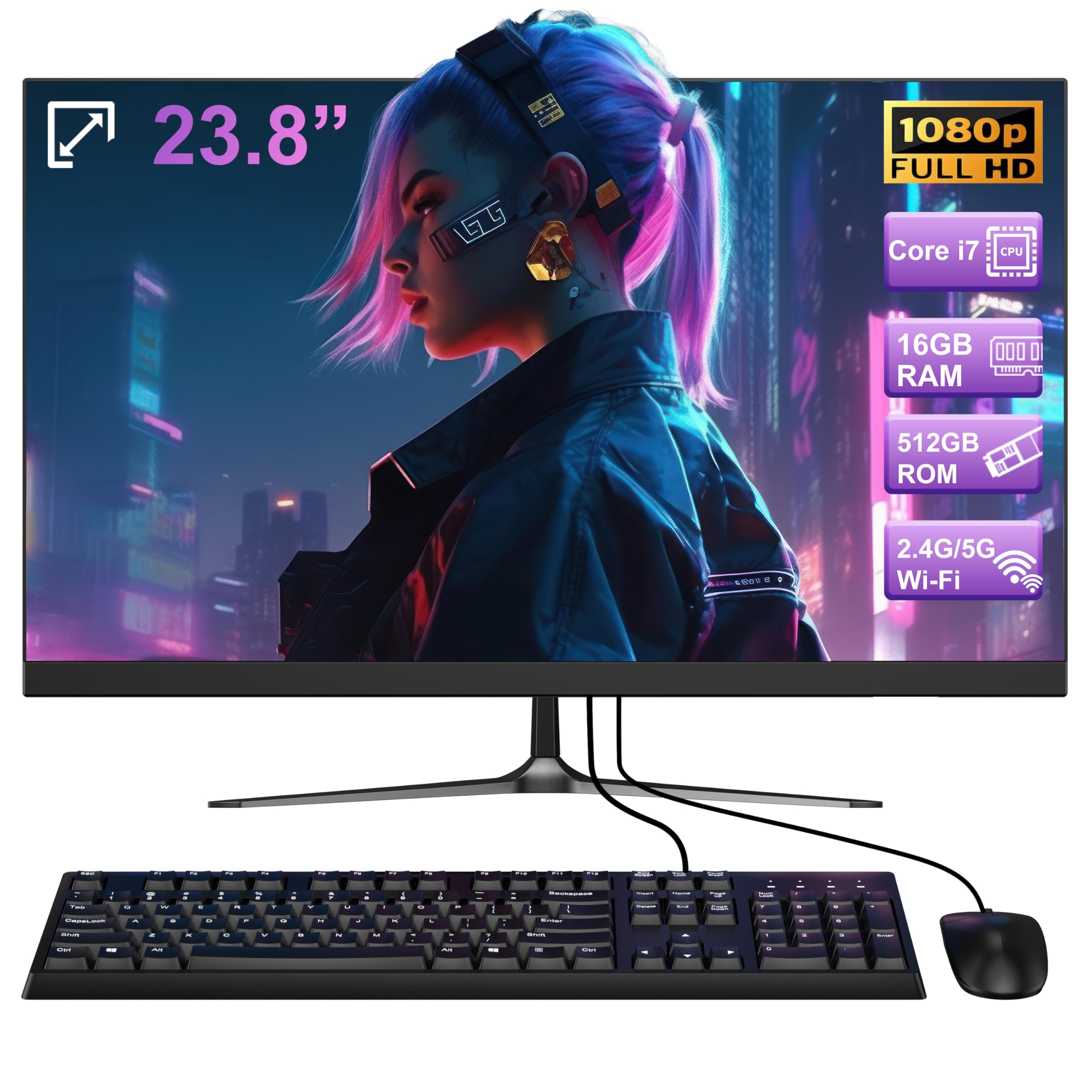
The SAINTDISE 23.8-inch all-in-one punches above its price class with a Core i7 processor (max turbo 3.0GHz), 16GB of DDR4 RAM, and a 512GB SSD. The 16GB memory is enough to run multiple office applications, dozens of browser tabs, and even some light photo editing without stuttering, and the 512GB storage provides room for a substantial software library and personal files.
The Full HD LCD display is a 16:9 panel with wide viewing angles, and the unit comes with a wireless keyboard and mouse included. Connectivity is generous with four USB 3.0 ports, two USB 2.0 ports, HDMI-out, VGA, LAN, and dual audio jacks, plus Bluetooth 5.3 and Wi-Fi 6 for wireless speed. The integrated speakers deliver adequate sound for video calls and casual audio.
Some user reviews highlight a curved screen variant, but the core specifications remain the same. The processor, while branded as Core i7, is an older generation that doesn’t match the raw performance of modern i5 or Ryzen 7 chips, particularly in gaming or heavy video rendering. However, for daily office work, school tasks, and streaming, it offers a compelling mix of memory and storage at a mid-range price.
Why it’s great
- 16GB RAM and 512GB SSD provide strong everyday performance
- Bluetooth 5.3 and Wi-Fi 6 for modern wireless connectivity
- Uses an older Core i7 generation that may still run older software efficiently
Good to know
- Processor is an older generation with modest 3.0GHz turbo
- Not suitable for demanding gaming or heavy video editing
10. Fusion5 23.8″ Full HD IPS All-in-One Desktop Computer

The Fusion5 23.8-inch AIO offers a budget-friendly path into the all-in-one world with a quad-core Intel N4120 processor, 4GB of RAM, and 128GB of eMMC storage. The 23.8-inch Full HD IPS display is the highlight, providing sharp visuals and decent color reproduction for basic browsing, document editing, and video streaming. The package includes a wireless keyboard and mouse, and a built-in webcam for video calls.
An additional 2.5-inch HDD slot and micro SD card expansion let you boost storage beyond the 128GB eMMC, which is a practical feature for budget buyers who need to store more files. Fusion5 backs the unit with a 12-month US warranty and service center assistance, which adds some confidence for an entry-level brand.
Several customer reviews report that the stand tilts downward awkwardly, requiring an external riser to view the full screen properly. Some users also describe the unit as slow when multiple applications are open and note that it crashes under load. For very light computing — email, web browsing, and document writing — this machine works, but it is not designed for multitasking or performance-sensitive work.
Why it’s great
- 23.8-inch IPS display offers good visuals at an entry-level price
- Expandable storage via 2.5-inch HDD slot and micro SD card
- 12-month US warranty included
Good to know
- 4GB RAM and eMMC storage severely limit multitasking
- Stand has poor tilt angle, often requiring a riser
11. Core Innovations 24″ All-in-One Desktop PC

The Core Innovations 24-inch AIO is the most accessible entry point in this roundup, featuring an Intel Celeron N5095 processor, 4GB of RAM, and 128GB of storage. The 24-inch Full HD IPS display delivers decent image quality for basic tasks, and the included keyboard and mouse let you start using it straight out of the box. Windows 11 is pre-installed, giving you a modern interface right away.
The Celeron N5095 is a quad-core chip with a 2.9GHz boost, but with only 4GB of RAM, the system slows significantly under any real load. The N5095 and 4GB combination is best suited for single-application use — checking email, basic document editing, or light web browsing. The non-adjustable stand has been cited as a pain point, with users reporting an awkward fixed viewing angle that requires a riser.
Customer feedback is sharply divided. Some buyers praise the low cost and easy setup, while others report multiple defective units within months and poor manufacturer support. The reliability risk is higher at this tier, making it a gamble for anyone who needs a dependable daily computer. If your budget is extremely tight and you accept the potential failure rate, it can serve as a secondary machine.
Why it’s great
- Lowest entry price for a full 24-inch IPS AIO with Windows 11
- Includes keyboard and mouse for immediate use
- 24-inch FHD IPS display for a large workspace
Good to know
- 4GB RAM is insufficient for multitasking — expect frequent slowdowns
- Multiple reports of units failing within months
FAQ
Can I upgrade the RAM or storage on an all-in-one monitor after purchase?
Is a 120Hz display worth paying extra for on an all-in-one?
How much RAM do I really need for video conferencing and office work?
What is the difference between eMMC storage and an SSD in an all-in-one system?
Final Thoughts: The Verdict
For most users, the all-in-one monitor winner is the Lenovo IdeaCentre 27″ because its 10-core Core i7 processor and 32GB of DDR5 RAM muscle through demanding multitasking with ease. If you want a smooth 120Hz display for everyday fluidity, grab the Acer Aspire C27. And for a premium touchscreen experience, nothing beats the ASUS V470 with its retractable webcam.