
Our readers keep the lights on and my morning glass full of iced black tea. As an Amazon Associate, I earn from qualifying purchases.
Specs are compiled from manufacturer listings and verified buyer reviews and can change over time — please confirm the key details on the product page before buying.
If you still need to send a signed contract down a phone line, you already know the trap: most shiny new printers quietly dropped the fax modem years ago. This guide is built for the buyer who needs print, scan, copy and real fax send/receive in one box, and it ranks each machine by what actually holds up in daily use, not by the spec sheet alone.
I’m Min — the founder and writer behind Gadgets Feed. This guide is built by comparing the manufacturers’ published specifications and the patterns across verified customer reviews, so you get each pick’s real strengths and trade-offs instead of marketing spin.
The picks below span cartridge inkjets, refillable ink tanks and monochrome lasers, so you can match the machine to how much you actually print. Whether you run a home office or a small team, this breakdown of the all-in-one printer with fax helps you decide fast.
Our Picks at a Glance

How To Choose The Best All-In-One Printer With Fax
A fax-capable all-in-one has to do four jobs at once — print, scan, copy and send or receive faxes over a phone line. That last job is the one that quietly disappears from cheaper machines, so it is the first thing to verify on any listing before you compare anything else.
Confirm the fax modem, not just the “4-in-1” label
Every printer on this list ships with an RJ-11 phone jack or a fax cord in the box, which is the physical part that connects to a landline or VoIP adapter. If a listing says “print, scan, copy” and stops there, it cannot send a fax no matter what the marketing photo suggests.
An auto document feeder (ADF — a tray that pulls pages through on their own) matters just as much for faxing, because you often need to send a multi-page signed document without standing at the glass. A duplex ADF, like the one on the Canon imageCLASS MF462dw II, scans both sides in a single pass.
Match the ink system to your real monthly volume
Cartridge inkjets are the cheapest way in, but the cartridges run dry fast if you print heavily. Ink tank and toner machines cost more upfront yet stretch far longer between refills, which is why high-volume offices tend to skip cartridge models entirely.
Monochrome laser printers like the Brother MFC-L2820DW only print black and white, but they handle text documents at speeds no inkjet on this list can match. If your faxes and contracts are text-only, that trade-off rarely matters.
Check the connection options before you commit
You want dual-band Wi-Fi (2.4GHz and 5GHz — the two radio frequencies most home networks broadcast) so the printer stays reachable when one band is crowded. Ethernet gives you a wired fallback for an office network, and USB is the most reliable path when you set the machine up for the first time.
Quick Comparison
| Model | Best For | Print Speed (B&W / Color) | Ink System | Duplex | Amazon |
|---|---|---|---|---|---|
| Canon PIXMA TR4720★ Best Overall | Compact home faxing | — / 4800 x 1200 dpi copy | PG-275 / CL-276 cartridges | Automatic | Amazon |
| HP OfficeJet Pro 8139Strong Runner-Up | Home office color printing | 20 ppm / 10 ppm | HP 923 cartridges | Automatic | Amazon |
| HP OfficeJet Pro 9125Speed Champion (Inkjet) | Busy office color output | 22 ppm / 18 ppm | HP 936 cartridges | Automatic | Amazon |
| Brother MFC-L2820DW | High-volume text faxing | 34 ppm / B&W only | TN830 toner | Automatic | Amazon |
| Canon imageCLASS MF462dw II | Fast office document work | 37 ppm / B&W only | Canon 070 toner | Automatic | Amazon |
| Canon imageCLASS MF465dw II | Heavy text volume | 42 ppm / B&W only | Canon 070 toner | Automatic | Amazon |
| HP Smart Tank 7603 | Low-cost high-volume ink | 15 ppm / B&W listed | HP 32XL / 31 bottles | Automatic | Amazon |
| Epson EcoTank ET-4950 | High-volume color ink tank | 18 ppm / 9 ppm | Epson 502 bottles | Automatic | Amazon |
| HP Color LaserJet Pro MFP 3301fdw | Small team color laser | 26 ppm / 26 ppm | HP laser toner | Automatic | Amazon |
In‑Depth Reviews
1. Canon PIXMA TR4720 All-in-One Wireless Printer with Auto Document Feeder, Mobile Printing and Built-in Fax
Our pick — over 4.5★ from 200+ verified ratings; the strongest balance of quality and price.
The compact Canon that still answers a fax line without hogging your desk.
If your desk is small but you still need to send a signed page over a phone line, this is the machine that fits — the PIXMA TR4720 packs print, copy, scan and fax into one compact shell, and Canon calls it a true 4-in-1 for good reason. It runs on PG-275 black and CL-276 color cartridges, and the box includes a starter set plus the RJ-11 telephone cable you need to hook it to a fax line.
Color documents print at a 4800 x 1200 dpi copy resolution, which is the measurement of how finely the print head lays down ink dots — high enough that photos and color flyers come out with smooth gradients rather than visible dots. Setup runs through the Canon PRINT Inkjet/SELPHY app on your phone, so you do not need a laptop in the room to get it online.
The trade-off to plan around is ink. Owners who print in bursts find the cartridges run dry quickly, and the honest advice from long-time buyers is to step up to a bigger machine if you are pushing high volume every week. For light home use, though, it delivers reliable output for both documents and photos.
What buyers keep coming back to
- Compact footprint that still includes print, copy, scan and fax in one box
- App-based setup through the Canon PRINT Inkjet/SELPHY app keeps first-run simple
- 4800 x 1200 dpi color copy resolution handles photos and color documents
- RJ-11 fax cable ships in the box so nothing extra needs buying
Where it shows its limits
- Cartridges run out quickly under heavy printing
- Best treated as a light-to-moderate home machine, not an office workhorse
Reach for this if: you want a small fax-capable printer for a home desk, a spare room or a light-duty home office.
Step up if: you print more than a few dozen pages a week — the cartridge cost adds up and a toner or tank machine will serve you better.
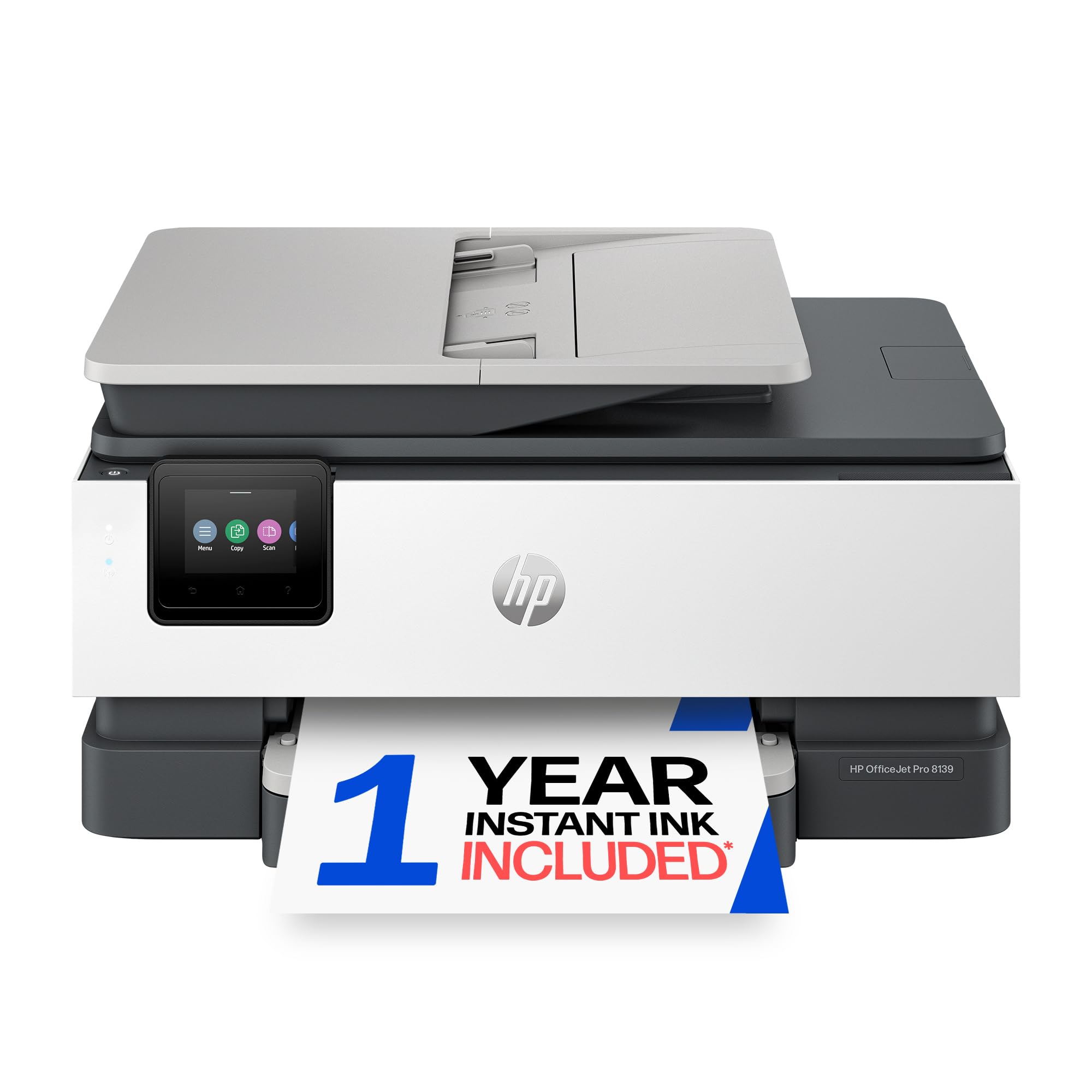
2. HP OfficeJet Pro 8139 Wireless All-in-One Color Inkjet Printer
A color inkjet built for a home office that faxes and prints all day.
This one sits squarely in the home-office slot: it prints color documents at 10 pages per minute and black text at 20 pages per minute, with a first page rolling out in about 18 seconds. Compare that to the OfficeJet Pro 9125 above, which hits 18 pages per minute in color against this machine’s 10 — that is the speed gap that matters if your team prints color reports all day.
Inside the box you get an auto document feeder, automatic two-sided printing, a 225-sheet input tray and a 2.7-inch color touchscreen that behaves like a phone screen. HP also bundles a 1-year trial of Instant Ink, its subscription service that ships cartridges to your door before you run dry.
Where owners get frustrated is the setup path. The direct-connection route via Bluetooth trips people up, and reviews note that the color ink cartridges can be stiff to open and the orange shipping adapters take patience to remove. Once it is running, though, the print quality and screen help draw steady praise.
What stands out: the print speed beats the older generation this replaced, and the 2.7-inch touchscreen gives you real on-screen guidance instead of blinking-light guesswork.
Worth knowing: the machine only accepts cartridges with original HP chips, so budget for HP-brand ink rather than third-party refills.
Best for: a home office that needs color output plus fax without paying laser prices.
Think twice if: you want a plug-and-play box — the wireless setup here rewards patience.
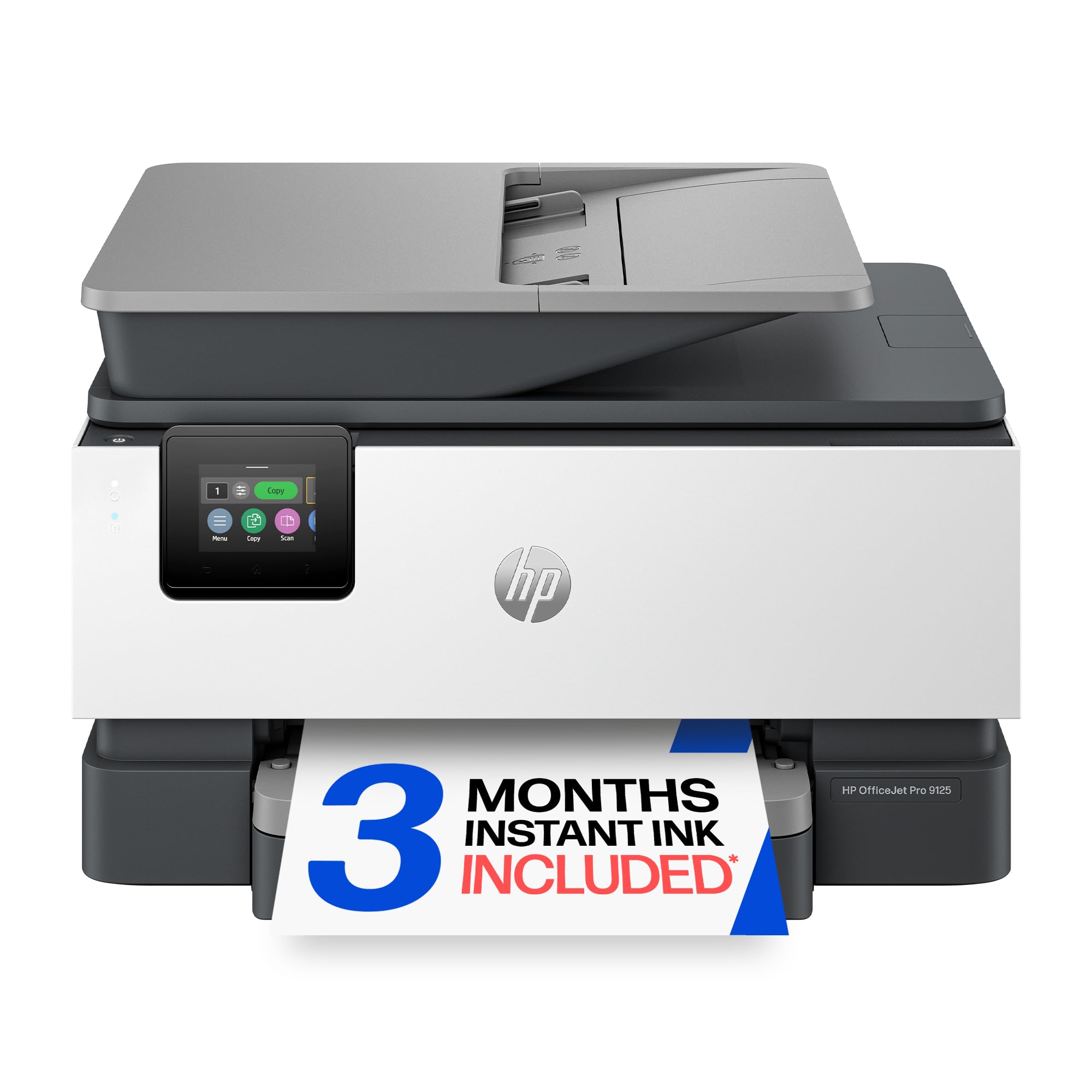
3. HP OfficeJet Pro 9125 Wireless All-in-One Color Inkjet Printer
The inkjet with the volume controls of a laser — 250 sheets and duplex everything.
For an office that pushes real paper volume, the 9125 steps up on two counts: a 250-sheet input tray instead of the 225-sheet tray on the 8139, and a first page out in about 11 seconds versus 18 on its sibling. It prints black text at 22 pages per minute and color at 18 pages per minute, with auto two-sided printing and two-sided scanning both handled automatically.
The 2.7-inch touchscreen and dual-band Wi-Fi behave the same way as on the 8139, including a self-diagnosing connection feature that tries to solve its own wireless dropouts. HP also throws in a 3-month trial of Instant Ink, which delivers cartridges automatically before you run out.
A few owners flag the machine’s noise — it can sound off on startup — and a handful hit a jammed ink cartridge holder that needed a bit of searching online to release. Print quality and speed still earn steady praise once the printer is running, and the trays hold more paper than most competitors.
Where it wins
- 22 ppm black / 18 ppm color — the fastest inkjet on this list
- 250-sheet input tray keeps reloads infrequent
- Automatic two-sided printing and scanning saves paper on every job
- HP Wolf Pro Security helps guard the network
Where it falls short
- Startup noise draws comment
- Occasional reports of a jammed cartridge holder needing a fix
Pick this if: you need the fastest color inkjet here and want the biggest paper tray in that class.
skip it if: quiet operation matters more than speed — the 8139 runs the same engine but smaller.
4. Brother MFC-L2820DW Wireless Compact Monochrome All-in-One Laser Printer

A monochrome laser that faxes, copies and scans without the inkjet fuss.
If your documents are black and white, this is the machine that stops the ink replacement cycle cold. The MFC-L2820DW prints at 34 pages per minute, scans at up to 23.6/7.9 images per minute for black and color, and feeds multi-page jobs through a 50-page auto document feeder — that means you can drop in a stack of contracts, hit fax, and walk away.
It covers the four core jobs — print, copy, scan and fax — and connects over dual-band wireless (2.4GHz and 5GHz), Ethernet or a local USB cable. The 2.7-inch touchscreen lets you print from and scan to cloud apps like Google Drive and Dropbox directly from the panel.
Toner life is the trade-off some owners flag: it draws bigger complaints than almost any other attribute in the reviews. A few note the toner cartridge does not last as long as they hoped under heavy use, which is worth pricing into your ongoing costs before you commit. Print and scan output draw steady praise for text-heavy work.
The case for it: fast black-and-white output, a 50-page ADF, and a touchscreen that handles Cloud printing — all in a compact office footprint.
One honest note: toner replacement comes up repeatedly in owner feedback, so budget for it if you print heavily.
Choose this if: you need fast monochrome fax and copy for a home office or small team.
Consider elsewhere if: you need color — this machine prints black only.
5. Canon imageCLASS MF462dw II Wireless Monochrome Duplex Laser Printer

Five-inch touchscreen, 37-page speed, and a duplex ADF that scans both sides at once.
The MF462dw II is the office-workhorse pick on this list. It prints black text at 37 pages per minute with a first page out in under 5 seconds, and it feeds up to 50 sheets through a duplex auto document feeder that scans both sides in a single pass — so multi-page fax jobs go through without you flipping paper.
Paper capacity is expandable: 250 sheets standard, plus a 100-sheet multipurpose tray, with room to add an optional AH-1 cassette. A 5-inch color touchscreen drives an Application Library that puts your most-used functions one tap away, and mobile printing runs through the Canon PRINT app, Apple AirPrint or Mopria.
Setup is where feedback splits. Some describe it as a quick process that gets the machine on Wi-Fi in minutes, while others hit connection trouble on the first attempt and lean on community setup guides. Print quality and scan output draw consistently strong marks, and a few owners note that frequent double-sided jobs run noticeably quieter than they expected.
Why it earns a spot
- 37 ppm print speed and a sub-5-second first page
- 50-sheet duplex ADF scans two sides in one pass
- 5-inch touchscreen with a customizable Application Library
- Expandable to 900 sheets with the optional AH-1 cassette
What to watch
- Setup experience varies — some hit Wi-Fi connection snags
- Monochrome only; no color output at all
Ideal for: an office that faxes and scans multi-page documents daily and wants a big, clear control panel.
Not the one if: you need color printing — this machine is black-and-white only.
6. Canon imageCLASS MF465dw II Monochrome Wireless Duplex Laser Printer

The 42-ppm monochrome laser that outruns every other toner model here.
If your office runs on black-and-white documents and faxes, this is the fastest model on the entire list — 42 pages per minute, with a first page out in under 5 seconds. It handles print, scan, copy and fax, runs on Canon Genuine Toner 070 at a standard yield of about 3,000 pages, and offers the same 5-inch touchscreen and expandable paper options as its sibling below.
Where the MF465dw II separates from the MF462dw II is raw volume: it stacks up to heavy single-sided output better than the slower model, and it keeps the same duplex workflow. Mobile printing works via the Canon PRINT app, Apple AirPrint or Mopria Print Service.
Reliability is the fair caveat. Some buyers report the machine losing its Wi-Fi connection when it goes to sleep, requiring a reboot, and a small number of units did not connect on the first attempt. Print speed and sharp output still draw steady praise, and the included toner cartridge is rated for roughly 3,000 pages of text.
Speed story: at 42 ppm, this is the fastest monochrome laser here — ideal for a front desk or back office that runs a dozen faxes and copies an hour.
One honest caveat: wireless reliability is the recurring gripe, so plan to use the wired USB or Ethernet connection if the Wi-Fi drops.
Great for: high-volume monochrome offices that need the fastest print speed in the lineup.
Reconsider if: you want bulletproof wireless — the sleep-state connection drop is the one issue to know about.
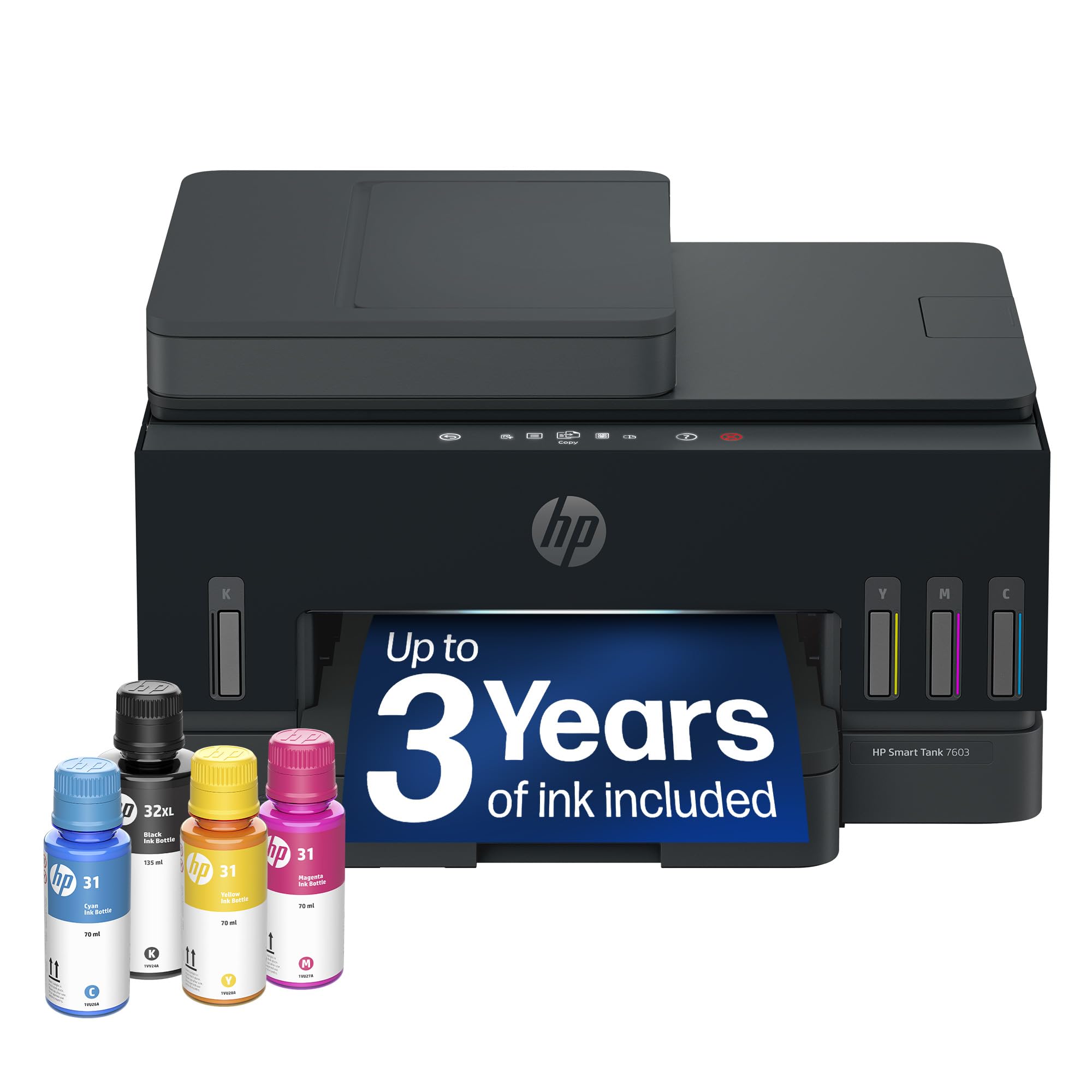
7. HP Smart Tank 7603 Wireless All-in-One Ink Tank Printer
Refill tanks and a three-year ink supply — no cartridges to chase.
The pitch here is simple: the HP Smart Tank 7603 ships with enough ink for up to 8,000 color or 6,000 black pages, and it refills from bottles instead of cartridges. The bottles use a no-drip valve that drains straight into the tank — no squeezing or mess — and HP rates the included ink at up to 3 years of typical home-use printing.
The machine prints black text at 15 pages per minute with a first page in about 14 seconds, and it covers print, copy, scan and fax with an auto document feeder. The control panel uses HP’s magic touch interface, and mobile printing runs through the HP app.
The honest trade-off: speed. Some owners note that the Smart Tank prints more slowly than prior HP models they have owned, and the ink tank machines in general take a bit more setup care because you fill them yourself. Print quality and the long ink supply still earn solid feedback, and the refill bottles are genuinely mess-free.
Where it earns its keep
- Up to 8,000 color / 6,000 black pages from the included ink
- Mess-free refill bottles with no-drip valves
- Cartridge-free system eliminates the constant reorder cycle
- Auto document feeder and borderless printing included
Where it slows down
- 15 ppm black text is slower than the cartridge inkjets here
- Manual fill setup takes more care than dropping in a cartridge
A strong match if: you print heavily in color and want to stop buying cartridges entirely.
Look further if: you need speed — the tank models trade pace for ink economy.
8. Epson EcoTank ET-4950 Wireless Duplex All-in-One Cartridge-Free Supertank Color Inkjet Printer

Refillable EcoTank that ships with enough ink for thousands of pages.
Epson’s EcoTank line has been at this longer than anyone — the ET-4950 is the seventh generation of Epson’s cartridge-free design and ships with enough ink for up to 6,600 black or 5,500 color pages. Replacement bottle sets are Epson’s long-run play, and the keyed EcoFit bottles only fit their own color slot, so you cannot mix them up.
It prints at 18 black / 9 color ISO pages per minute, with a 250-sheet paper tray, an auto document feeder, auto duplex printing and scanning, and a 2.4-inch color display. The machine covers print, copy, scan and fax, and it handles borderless photo printing as well as everyday documents.
The recurring feedback centers on reliability and connectivity: a few owners mention connection dropouts or a unit that stopped communicating after several months, while others describe it running flawlessly through heavy daily use. Setup draws praise from buyers who follow the step-by-step instructions, and the ink savings versus cartridge machines come up often.
What it does well: the ink capacity genuinely changes the math — a first bottle set lasting many months is why owners call the savings real.
One caveat: the smaller 2.4-inch display is fiddly for on-panel navigation compared to the 5-inch screens on the Canon imageCLASS models above.
Worth it for: buyers who print in volume and want the lowest ongoing ink cost per page.
Not for: anyone who needs the fastest possible output — the ET-4950 prioritizes economy over speed.
9. HP Color LaserJet Pro MFP 3301fdw Wireless All-in-One Color Laser Printer

A color laser MFP that prints at the same speed in color and black.
The 3301fdw is the only color laser on this list, and it runs both black and color output at 26 pages per minute — the flat speed curve that makes it useful for a small team that prints mixed jobs. It handles print, scan, copy and fax, feeds through an auto document feeder, and does two-sided printing plus two-sided single-pass scanning.
The toner is HP’s next-generation TerraJet formulation, which HP says delivers more vivid color. The machine also uses HP’s self-reset dual-band Wi-Fi, which detects and corrects its own connection drops. For network-aware offices, HP Wolf security is part of the package.
Reliability is the fair caveat. A small number of customers note color print issues — streaks and poor fusing on some jobs — and toner cost draws steady comment, with several owners finding replacement cartridges pricey for the yield. Print quality itself draws praise for crisp text and vibrant images, and the touchscreen setup runs smoothly when it works.
Where it shines
- 26 ppm in both color and black — no slow color crawl
- Two-sided single-pass scanning speeds up duplex jobs
- TerraJet toner for vivid color output
- Self-reset Wi-Fi reconnects automatically when the network hiccups
Where it stumbles
- High-yield toner replacement is expensive for the pages you get
- A minority hit color print issues with streaks or poor fusing
Pick this if: you need true color laser output at the same speed as black and want automatic two-sided scanning.
Don’t pick this if: toner replacement cost is your top concern — this machine wants budget money for supplies.
Understanding the Specs
Pages per minute (ppm)
This is the manufacturer’s rated output speed — black-and-white only printers like the Brother MFC-L2820DW and the Canon imageCLASS models list a single number, while color machines like the HP OfficeJet Pro 9125 list separate black and color figures. Buyers who print mixed documents should focus on the color figure, since that is where the printer slows down. Higher numbers like 42 ppm on the Canon imageCLASS MF465dw II matter most when you are running big stacks of documents.
Ink system: cartridge vs tank vs toner
Cartridge inkjets are the cheapest way in, but they run through the ink fast under heavy printing. Tank machines like the HP Smart Tank 7603 and the Epson EcoTank ET-4950 use refillable bottles that stretch much farther between replacements. Monochrome laser models use toner cartridges that hold far more print volume than any inkjet cartridge, which is why heavy-text offices lean toward them. Match the system to your monthly page volume and you will not overspend.
Auto document feeder (ADF)
An ADF is the tray that pulls a stack of originals through the machine on its own so you can fax, scan or copy multi-page documents without standing at the glass. The Brother MFC-L2820DW uses a 50-page ADF, and the Canon imageCLASS MF462dw II steps up to a 50-sheet duplex model that scans both sides in a single pass. If you send multi-page faxes regularly, a duplex ADF saves a real amount of time.
Connection options
Dual-band Wi-Fi (the 2.4GHz and 5GHz radio bands) keeps the printer reachable when one band is crowded, which matters in busy home offices. Ethernet provides a wired network connection that does not depend on wireless signal strength, and USB offers the most reliable setup path. Every printer on this list supports at least Wi-Fi and USB, and several add Ethernet as a wired fallback.
FAQ
Can I still send and receive faxes over a VoIP phone line with these printers?
What is the difference between a duplex ADF and a standard ADF?
Will the ink tank printers really last years on the included ink?
Can these printers print from my phone without a computer?
Why do some all-in-one printers cost so much more than others?
How long does the toner in the laser printers actually last?
Can I use third-party ink or toner cartridges in these printers?
Do I need Ethernet if the printer has dual-band Wi-Fi?
Is a color laser worth it over a color inkjet?
What page size can these all-in-one fax printers handle?
Final Thoughts: The Verdict
For most buyers who need a compact fax-capable machine for a home office, the winner is the Canon PIXMA TR4720 because it packs print, copy, scan and fax into one small shell and ships with the RJ-11 fax cable you need. If your volume is heavy and color matters, the HP OfficeJet Pro 9125 runs the fastest color inkjet here at 22 ppm black and 18 ppm color. And for high-volume text faxing, the Brother MFC-L2820DW delivers 34 ppm monochrome output with a 50-page ADF. If you regularly push multi-page duplex faxes, the Canon imageCLASS MF462dw II is worth the step up.
How We Picked
We do not accept paid placement. Every pick is matched to a real buyer and a real use-case; we do not hands-on test units.
Sources & Methodology
Specifications: manufacturer listings and product documentation. Review insights: verified customer reviews, as of September 2026. Pricing: not shown on this page (it changes often); check the current price via the retailer link.
As an Amazon Associate, Gadgets Feed earns from qualifying purchases. This does not affect which products we feature.