
Our readers keep the lights on and my morning glass full of iced black tea. As an Amazon Associate, I earn from qualifying purchases.
Specs are compiled from manufacturer listings and verified buyer reviews and can change over time — please confirm the key details on the product page before buying.
Buying a tablet that claims to be “all-in-one” is where most people get burned. The box says keyboard and stylus included, then the keyboard is a floppy membrane, the pen needs a battery you will lose, and the screen washes out the moment you step outside. What you actually want is a tablet where the bundle holds up — a real display, a pen that keeps up with your handwriting, and enough memory that you are not closing apps to open others. That is what this list sorts out.
I’m Min — the founder and writer behind Gadgets Feed. This guide is built by comparing the manufacturers’ published specifications and the patterns across verified customer reviews, so you get each pick’s real strengths and trade-offs instead of marketing spin.
Below you will find the ones that genuinely deliver the bundle, from a pen-first studio slab to a kid-proof homework kit, all judged on the screen, the memory, and the accessories in the box. If you want the short answer, this is the clearest breakdown of the all-in-one tablet market you will find.
Our Picks at a Glance


How To Choose The Best All-In-One Tablet
The bundle is the whole point of this category, so start by checking what physically ships in the box. A keyboard, a mouse, a stylus, and a case change what the tablet can do; a bare slab does not. Then work out which of those you will actually use, because a drawing-first buyer and a homework-first buyer need very different machines.
Separate physical RAM from virtual RAM
Plenty of listings quote a big memory number that combines real memory with virtual memory — a software trick that borrows storage space to look like more RAM. A tablet listed at 24GB may be 8GB of physical memory plus 16GB of virtual. Both numbers matter, but only the physical side is the chip you bought. Look for the split in the spec sheet before you compare two tablets on memory alone.
Match the battery to the way you sit
Battery capacity in milliamp-hours (mAh — the size of the fuel tank) tells you far less than the published playback figure. A tablet rated for 18 hours of mixed use and one rated for 5 hours of video playback are different animals entirely, and the gap shows up fast on a long flight or a lecture day. Use the video-playback number as your realistic yardstick, then discount it at high brightness.
Check the pen before the processor
If you plan to write or sketch, the stylus matters more than the chipset. Pressure sensitivity — how many levels of light-to-hard the pen recognizes — is what makes handwriting look like handwriting. A pen rated at 8,192 pressure levels responds to a feather touch and a firm press differently, while a basic capacitive stylus mostly just drags. Confirm the pen is included and whether it needs charging.
Know what “expandable storage” really gives you
A microSD slot is the cheapest way to add room for films, photos, and offline video. The cards are cheap and swappable, and capacities vary widely by model. Just remember the card is almost always sold separately, so budget for it if you plan to carry a media library.
Quick Comparison
| Model | Best For | Display | Memory | Battery | Amazon |
|---|---|---|---|---|---|
| Samsung Galaxy Tab S11 512GB★ Best Overall | Work and entertainment | 11″ Dynamic AMOLED 2X | 12GB RAM / 512GB | 8400mAh, 18 hrs | Amazon |
| Lenovo Idea Tab ProBest for Students | Students and gamers | 12.7″ 3K, 90Hz | 8GB / 128GB | 10200mAh, 11 hrs | Amazon |
| Wacom MovinkPad Pro 14Artist’s Choice | Digital artists | 14″ OLED 3K | 12GB / 256GB | — | Amazon |
| Microsoft Surface Pro 13″ | Laptop replacement | 13″ 2880×1920, 120Hz | 16GB / 2TB | Up to 14 hrs | Amazon |
| Lenovo Idea Tab Plus | Carrying all day | 12.1″ 2.5K, 90Hz | 8GB / 128GB | — | Amazon |
| Kingrid 11″ Android 16 | Clean software | 11″ 2K, 120Hz touch | 24GB combined / 128GB | 8000mAh | Amazon |
| URAO 14″ Android 16 | Big-screen typing | 14″ 1920×1200 IPS | 30GB combined / 256GB | 10000mAh, 30W charge | Amazon |
| HNVHNV 12″ Android 16 | Smooth scrolling | 12″ 2K, 120Hz | 48GB combined / 256GB | 10000mAh, 12 hrs | Amazon |
| Besttab T20 | Students on a budget | 10″ HD+ IPS, 1280×800 | 24GB combined / 256GB | 5000mAh | Amazon |
| TABWEE T20 | First-time setup | 10.1″ HD IPS, 1280×800 | 8GB + 16GB virtual | 5000mAh, 5 hrs video | Amazon |
| Kelankeke Kids Tablet | Kids 3-12 | 10.1″ HD, 1280×800 | 6GB / 64GB | 6000mAh, 8 hrs video | Amazon |
In‑Depth Reviews
1. Samsung Galaxy Tab S11 512GB WiFi Android Tablet
Our pick — 4.5+★ from 650+ verified ratings; the strongest balance of quality and price.
The 11-inch AMOLED slab that handles a full workday on one charge, no charger in the bag.
Here is the number that changes how you use a tablet: 18 hours of rated battery life off an 8400mAh cell. That is a full workday plus an evening film and still some left in the tank, so you can leave the charger at home. The 11-inch Dynamic AMOLED 2X screen — the panel type that lights each pixel individually — gives you true blacks and text that stays crisp during a long reading session, with Vision Booster pushing brightness up so slides stay readable near a window.
Memory is where the S11 separates itself from the budget crowd. It runs 12GB of physical RAM, so switching between a document, a browser with a dozen tabs, and a video call does not stutter. The included S Pen is the other half of the story: no charging, no pairing, and fine enough control to take meeting notes that actually resemble handwriting. Note Assist tidies those notes afterward, and Drawing Assist turns rough sketches into something you can share.
The honest trade-off is the battery figure. Owners love the screen and the speed, but runtime is the one area that draws mixed feelings — heavy multitasking at high brightness eats the 18-hour rating faster than you would expect. Storage is also fixed at 512GB unless you add a microSD card, which makes the card slot worth using if you carry offline video.
What earns it first place
- 11-inch Dynamic AMOLED 2X display with Vision Booster for clear text in bright rooms
- 12GB RAM keeps Android apps switching without slowdown
- IP68 rating — protected against dust and water immersion — so spills and rain are not a crisis
- Included S Pen needs no charging and stores in the frame at 5.5mm thin
Worth knowing before you buy
- Battery runtime is the most-discussed weak point when you push brightness and multitasking
- The most expensive tablet here by a wide margin
- Keyboard is not part of the bundle
Built for: anyone who wants one premium slab to handle documents, notes, and streaming without a laptop nearby.
Think twice if: you need a keyboard in the box, because this one ships tablet-and-pen only.
2. Lenovo Idea Tab Pro with Google Gemini
Lecture slides, late-night assignments, and a game session after — on one 12.7-inch slab.
A 12.7-inch 3K LCD at 2944 x 1840 is a lot of screen for the money, and it is the reason this one reads like a page rather than a phone that got stretched. The MediaTek Dimensity 8300 chip keeps split-screen study and streaming smooth, and 90fps gaming with a 360Hz touch sampling rate (how often the screen checks for your finger) means the display answers before you finish the tap. Pen and folio case both ship in the box, so you are not buying accessories the same week.
The battery is the bigger number to notice against its stablemate: a 10200mAh cell rated for 11 hours of unplugged video streaming, backed by 45W quick charge to get you back into a session fast. That is a notably larger tank than the 8400mAh in the Galaxy Tab S11, even though the Samsung advertises a longer mixed-use figure — so treat the two ratings as different measurements, not a straight contest.
What buyers talk about most is how solid it feels, followed by the value, and the screen earns steady praise. Speed is the divider: plenty find it quick enough for coursework, while a slice of owners want more headroom under heavy load. Battery draws mixed notes early on, mostly before the software settles.
Where it shines: the 12.7-inch 3K panel paired with quad JBL Dolby Atmos speakers makes recorded lectures and films genuinely watchable, and Circle to Search on the included Tab Pen Plus saves the screenshot shuffle.
Fit note: if your day is dominated by heavy editing or high-frame gaming, the 8GB of memory is the ceiling to watch.
Reach for this if: you are a student who wants a big, sharp screen and a pen in the box without moving into laptop money.
Look elsewhere if: you need maximum memory for demanding creative apps.
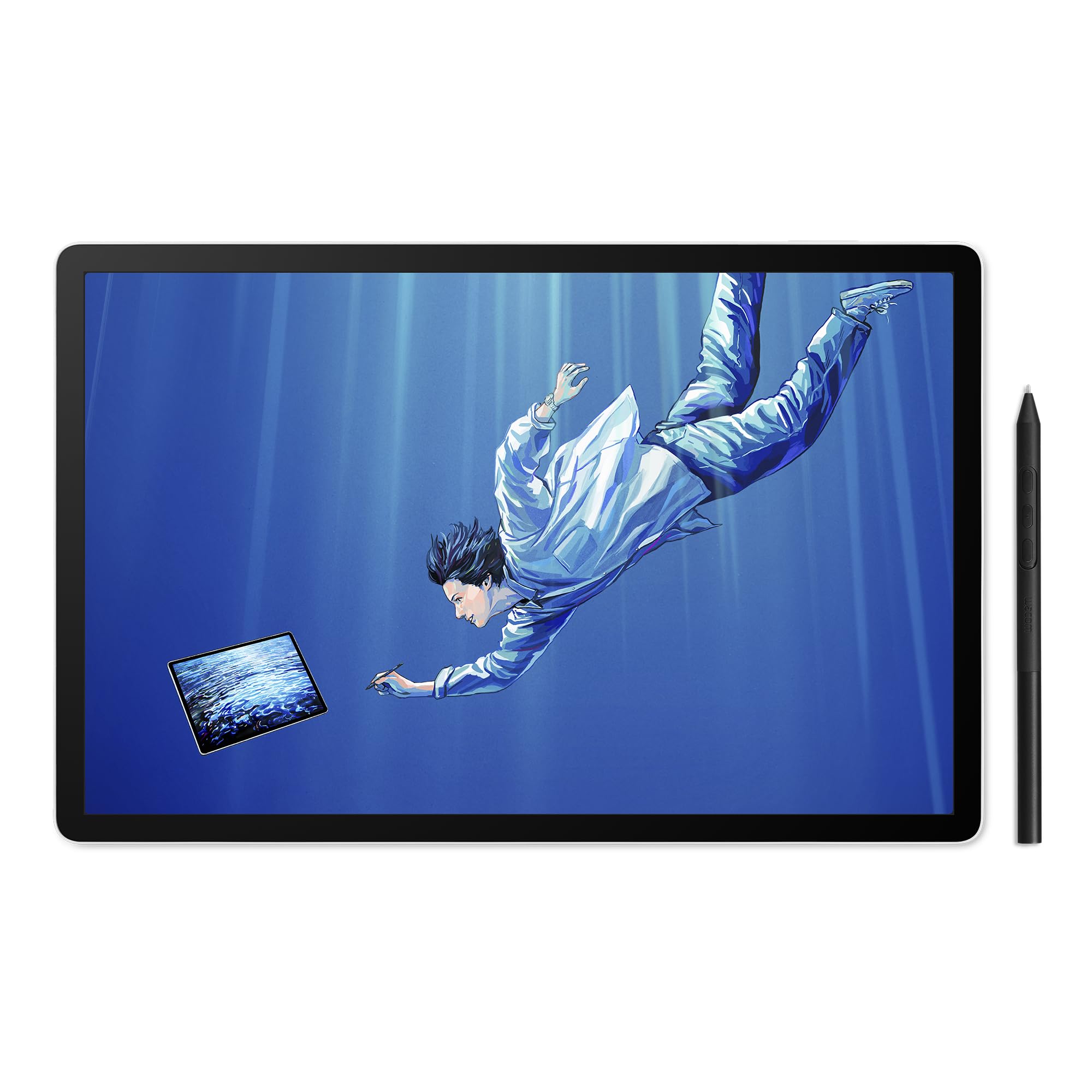
3. Wacom MovinkPad Pro 14
A 14-inch OLED drawing tablet with an etched-glass surface and a battery-free 8,192-level pen.
Wacom built its name on pen feel, and this is the tablet where that matters most. The 14-inch OLED panel runs 2880 x 1800 at 3K with 100% sRGB and DCI-P3 coverage, so the colors you mix are the colors that print. The etched Premium Texture glass adds drag under the nib — the difference between drawing on glass and drawing on paper — and keeps parallax (the gap between where the pen touches and where the line appears) to a minimum.
The Pro Pen 3 delivers 8,192 pressure levels and never needs charging, with replacement nibs stored in the back of the pen itself. Inside, a Snapdragon 8s Gen 3 processor and 12GB of RAM keep memory-heavy art apps moving, and 256GB of storage with a microSD slot holds a working library. At 0.73 kg it is light enough to hold on your lap through a long sketch session.
Two things to weigh honestly. Responsiveness is the mixed note here — some owners describe it as working beautifully, others find it lagging once a project grows heavy. And compatibility is narrower than the spec sheet implies: it pairs with Windows 11 and recent macOS for the instant pen display mode, but Windows ARM systems and Intel Macs are not supported. Check your desktop before you commit.
The real draw: standalone drawing performance leads everything else in owner feedback, with portability and the matte screen texture close behind — this is a tablet that lets you sketch on a train with no laptop tether.
The honest caveat: this is a specialist tool, and it costs accordingly.
Made for: illustrators and designers who want real pen-to-paper friction without carrying a drawing display and a computer.
Not the one if: your desktop is an Intel Mac or a Windows ARM machine.
4. Microsoft Surface Pro 13″ 2-in-1 Tablet Laptop

The Windows 2-in-1 with a 2TB SSD, so your whole project archive lives on the device.
Nobody else on this list packs 2TB of solid-state storage. That is the number that flips this from a tablet into a workstation: you can keep an entire project archive, photo library, and game install on the machine itself with no microSD card in sight. Pair it with 16GB of RAM and a Snapdragon X Plus 10-core processor, and the Surface Pro handles Windows apps the way a thin laptop does — because underneath, that is what it is.
The 13-inch PixelSense display runs 2880 x 1920 at up to 120Hz with a 1200:1 contrast ratio, so scrolling a long document stays smooth instead of smeary. Battery is rated up to 14 hours, and the bundle includes a backlit keyboard, a stylus, and a 12-month Microsoft 365 Personal subscription. The AI-enhanced Studio Camera handles automatic framing, keeping you centered on video calls even when you shift in your chair.
Here is the trade to understand clearly: the keyboard and pen in the box are made by CyberGeek to fit Surface Pro, not by Microsoft. Functionally that is fine, but if you expect the first-party feel, set that expectation now. Also note this is a Wi-Fi machine with no cellular option, so tethering is your mobile route.
Why it replaces a laptop
- 2TB SSD and 16GB RAM — desktop-class room for files and apps
- 13-inch 2880 x 1920 PixelSense touchscreen at up to 120Hz
- Up to 14 hours of battery for a full day unplugged
- Backlit keyboard, stylus, and a year of Microsoft 365 included
Set your expectations
- The bundled keyboard and pen are third-party accessories, not Microsoft hardware
- No cellular connectivity
- The highest sticker of the group
This is your pick if: you want one device that runs Windows, takes ink, and swallows a 2TB file archive.
Keep looking if: you need built-in mobile data on the road.
5. Lenovo Idea Tab Plus 12.1″
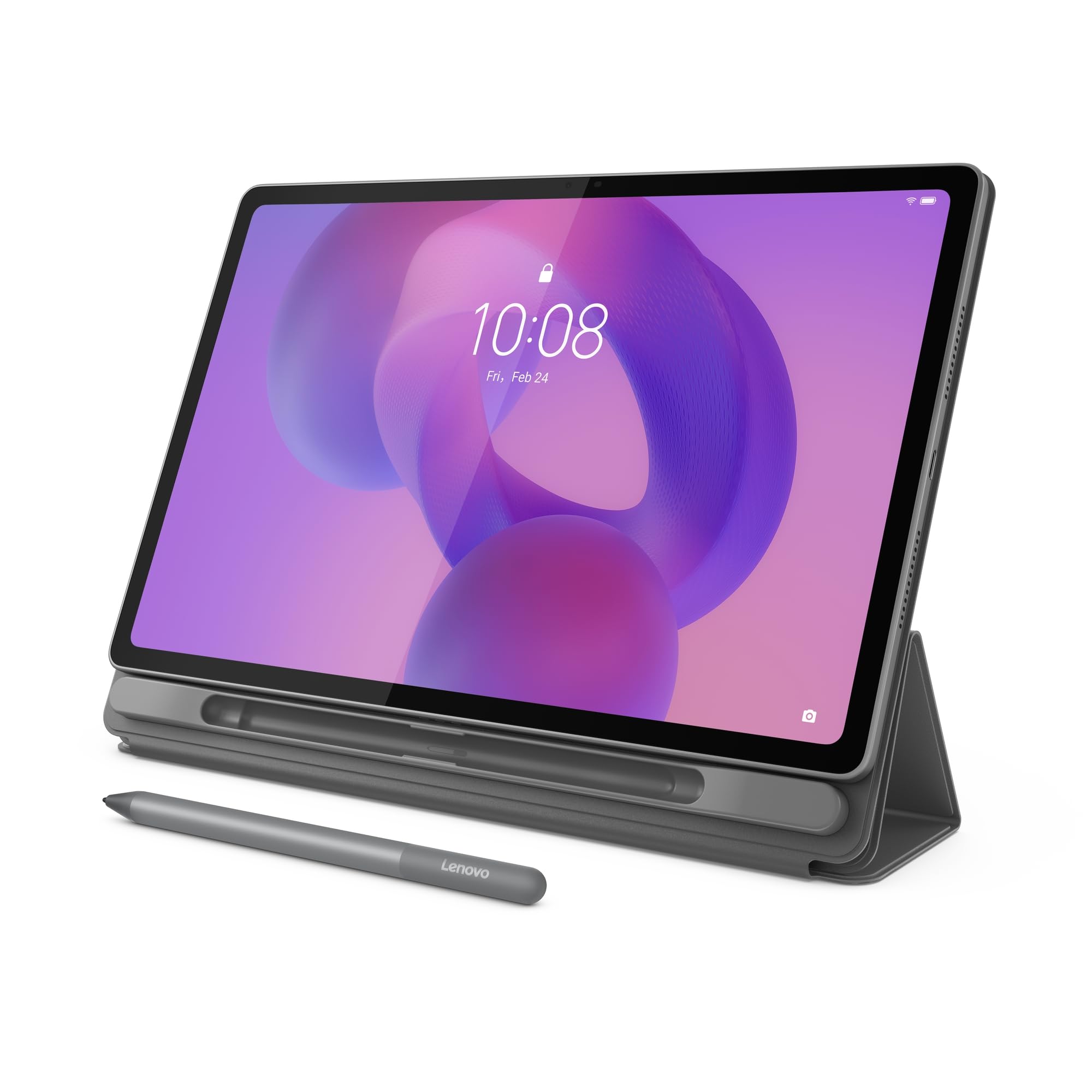
Just over a pound with a 12.1-inch 2.5K panel, so it slides in beside your notebooks and stays there.
Weight is the spec that decides whether a tablet comes with you. At just over a pound, the Idea Tab Plus slips between notebooks and stays there all day, and the 12.1-inch 2.5K panel sits at 2560 x 1600 with a 90Hz refresh rate and up to 800 nits of brightness. That brightness matters outdoors — 800 nits keeps the screen legible in daylight where dimmer panels turn into mirrors. TÜV Rheinland Low Blue Light certification means long reading sessions are easier on your eyes.
The MediaTek Dimensity 6400 and 8GB of RAM handle study apps, notes, and video without drama, and the quad Dolby Atmos speakers give a 12-inch screen the sound to match. Lenovo’s learning suite — Notepad, Squid, Nebo, and MyScript Calculator — is preinstalled, and Circle to Search works with either the included Tab Pen or your fingertip. Rated for up to 13 hours of YouTube streaming with quick charge to top up.
What buyers respond to most is how approachable it is to use, with value and performance close behind. The one split is speed: some find it quick enough for daily tasks, others notice the limit under heavier apps. If you plan to run demanding software, the 8GB of memory and Dimensity 6400 are the ceiling.
Everyday reality: a 2.5K screen at 90Hz paired with a body just over a pound is a rare combination, and it makes the commute and the lecture hall equally comfortable.
Fair warning: this is a light-task machine, so treat it as such and it will not disappoint.
Pick this one: if portability is the deciding factor and your workload is notes, reading, and streaming.
Pass on it: if you expect laptop-class speed from heavy creative apps.
6. Kingrid 11″ Android 16 Tablet with Keyboard
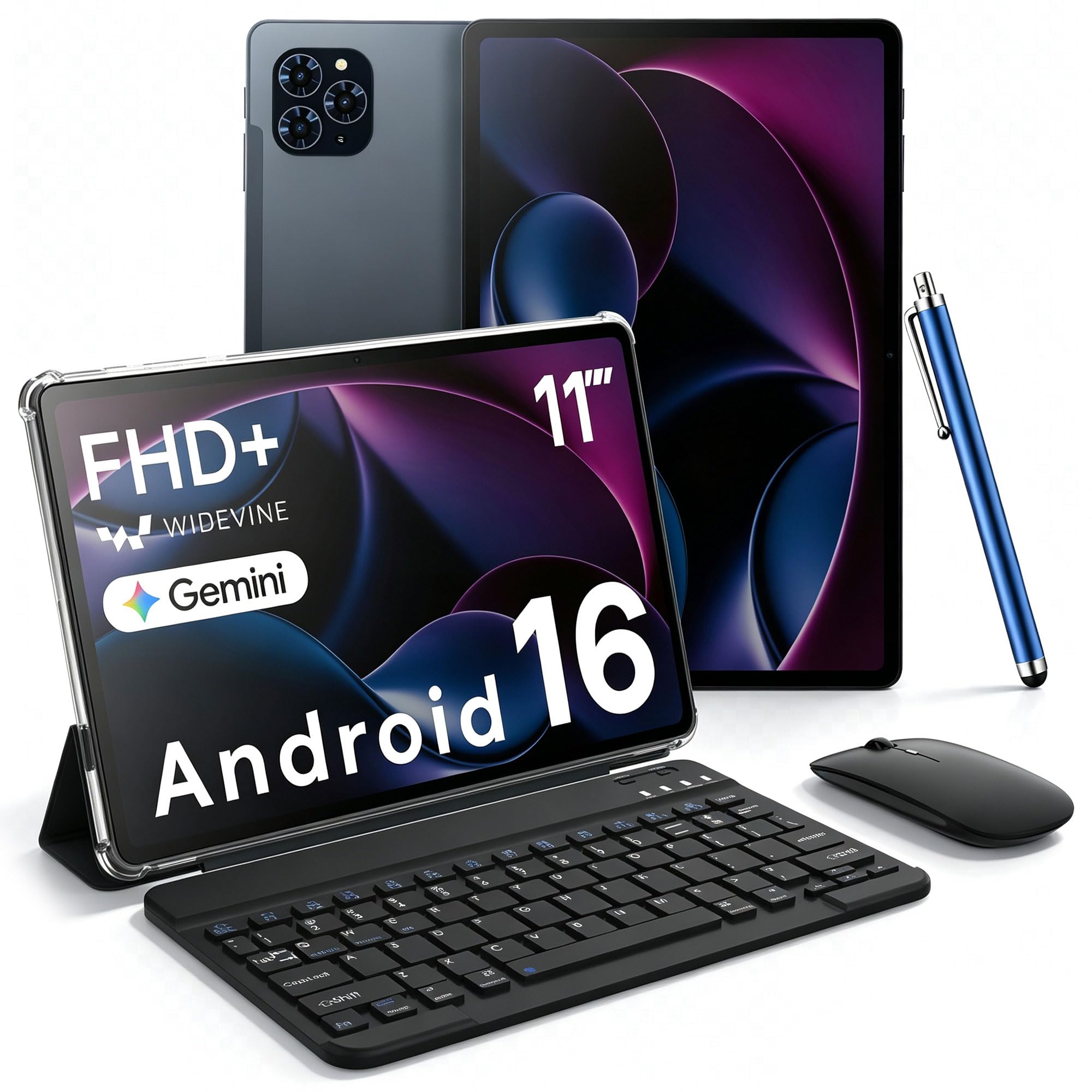
Android 16 with no adware or bloatware preinstalled, plus 128GB of UFS storage that opens apps fast.
Budget Android tablets have a habit of greeting you with preinstalled junk. This one ships on clean Android 16 with no adware and no bloatware, which is the single most useful difference at this tier. The 11-inch 2K panel runs 1920 x 1200 at 380 nits with 99.8% sRGB coverage and scratch-resistant AGC glass, and the 120Hz touch sampling makes taps and swipes feel immediate rather than delayed.
Memory is quoted at 24GB, which splits into 8GB of physical RAM and 16GB of virtual memory — worth knowing so you compare like for like with other listings. The 128GB of UFS storage opens apps faster than the eMMC you find on many budget tablets, and a TF card slot expands it by up to 2TB. The UMS9230E octa-core processor and 8000mAh battery cover a full day of classes and commutes, with a 13MP rear camera and Google Lens handling document scans and translation.
The catch worth naming: 380 nits is serviceable indoors but not a sunlit-park screen, and the 8000mAh cell is smaller than the 10000mAh units some rivals carry. It is a fair trade for the clean software and the storage speed.
The honest pitch: no adware, fast UFS storage, and a 2K screen make this the most pleasant budget Android experience here, even though the physical memory is 8GB rather than the headline 24GB.
One more note: the keyboard is included, so you can type class notes the day it arrives.
Best match for: anyone who has been burned by a cheap tablet full of ads and wants clean software at the entry level.
Skip if: you need to work outdoors in direct sun, where 380 nits runs out of headroom.
7. URAO 14″ Android 16 Tablet
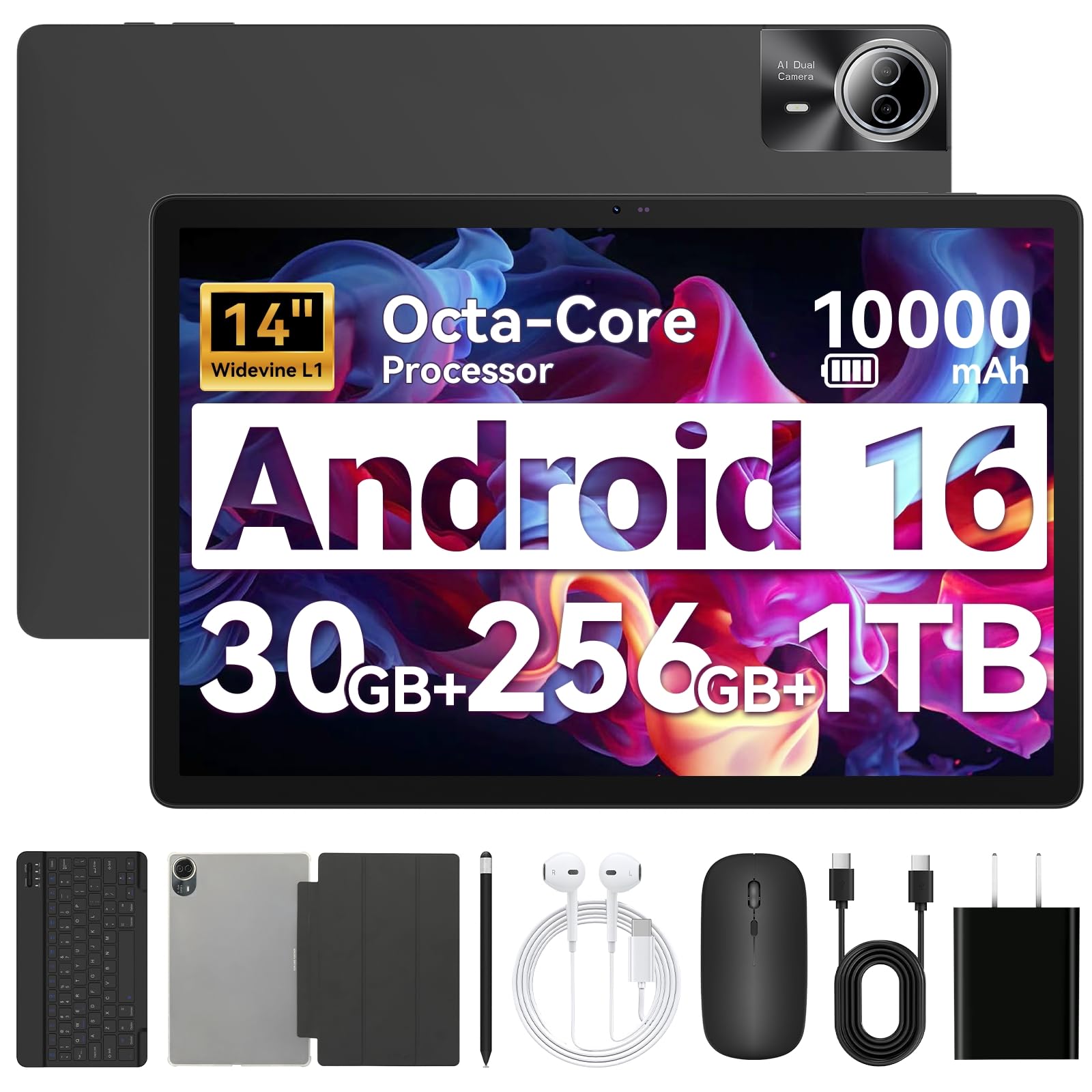
A 14-inch 1920 x 1200 IPS panel wide enough for two apps side by side without cramping.
A 14-inch 1920 x 1200 IPS display is the reason to look here. It is a wide, bright panel for films and documents, and the size makes running two apps side by side feel roomy instead of cramped. Inside, an octa-core processor at up to 2.0 GHz plus 30GB of combined memory (6GB physical plus 24GB virtual) and 256GB of storage, expandable by up to 1TB with a TF card, gives you space and headroom for study projects.
The 10000mAh battery is rated for up to 12 hours of mixed reading, streaming, and gaming, and 30W fast charging gets a full fill in around 2.5 hours. Wi-Fi 6 and Bluetooth 5.4 keep the keyboard, mouse, and headphones paired without dropouts, and the bundle includes the keyboard, mouse, stylus, case, and headphones — though the mouse needs its own batteries.
Performance is what buyers talk about most, with functionality and screen size right behind. Battery life is the mixed note; a 14-inch panel at high brightness will drain faster than the 12-hour rating suggests. Also worth flagging: there is no GPS on this tablet, so it is not a navigation device.
Strong points
- 14-inch 1920 x 1200 IPS panel built for split-screen work
- 10000mAh battery with 30W charging, full in about 2.5 hours
- Wi-Fi 6 and Bluetooth 5.4 for stable accessory pairing
- Keyboard, mouse, stylus, case, and headphones all in the box
Room to improve
- Battery life is the most-discussed trade-off on a screen this large
- No GPS built in
- The mouse arrives without batteries
Go with this: when screen real estate beats portability and you want the whole accessory kit on day one.
Look elsewhere: if you need a tablet for navigation or all-day use at full brightness.
8. HNVHNV 12″ Android 16 Tablet
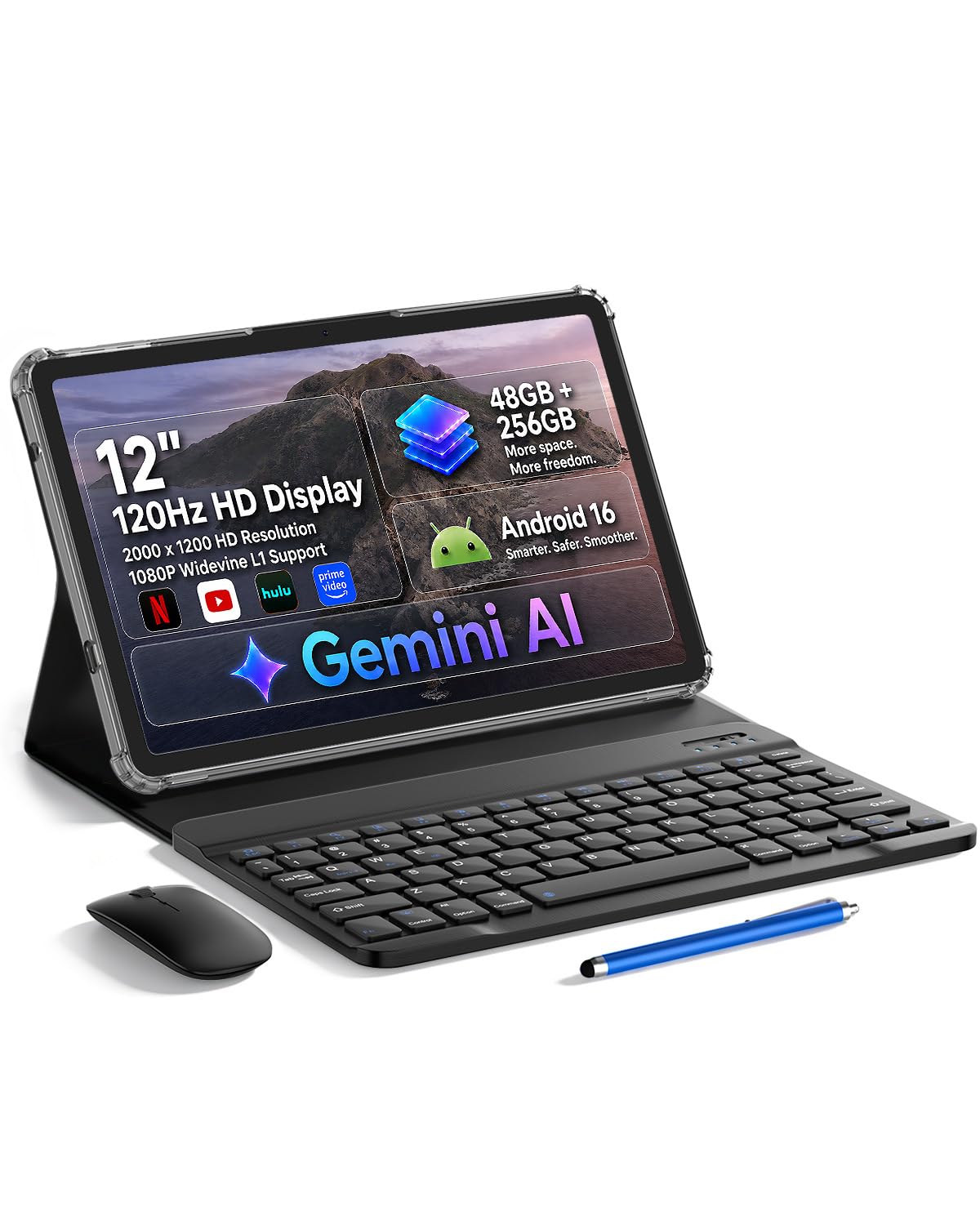
A 120Hz 12-inch 2000 x 1200 IPS panel, so scrolling and app switches run smoother than 60Hz rivals.
Refresh rate is the spec you feel before you can name it. At 120Hz, every scroll, swipe, and app switch on the 12-inch 2000 x 1200 IPS display runs smoother than the 60Hz panels common at this tier, and IPS keeps colors consistent when you tilt the screen toward a friend. It tops out at 48GB of combined memory (8GB physical plus 40GB virtual) and 256GB of storage, expandable up to 2TB with a TF card.
The Unisoc T7250 octa-core processor covers daily browsing and streaming, and the 10000mAh battery is rated for 12 hours — enough for a full day of work and entertainment. Face open up gets you in without typing, split-screen handles email and documents at once, and Wi-Fi 6 with Bluetooth 5.4 keeps accessories connected. The bundle includes a case, mouse, keyboard, and stylus.
The mixed notes are worth reading carefully. Screen size divides opinion — 12 inches is a lot of glass to hold — and weight gets mixed feedback too, as you would expect from a body carrying a 10000mAh cell. Storage capacity also draws mixed comments, largely from buyers who filled the 256GB before adding a card. Plan the card purchase in.
What stands out: the 120Hz 2K panel and the 10000mAh battery together make this the smoothest big-screen option in the value tier, and the 13MP rear camera plus smart lens covers document translation.
What to plan for: add a TF card early if your media library is large.
Worth it if: you want a big, fast-feeling screen for browsing and streaming without paying premium prices.
Choose differently if: you want a light one-hand tablet, since 12 inches and a 10000mAh battery add up.
9. Besttab T20 Android 16 Tablet
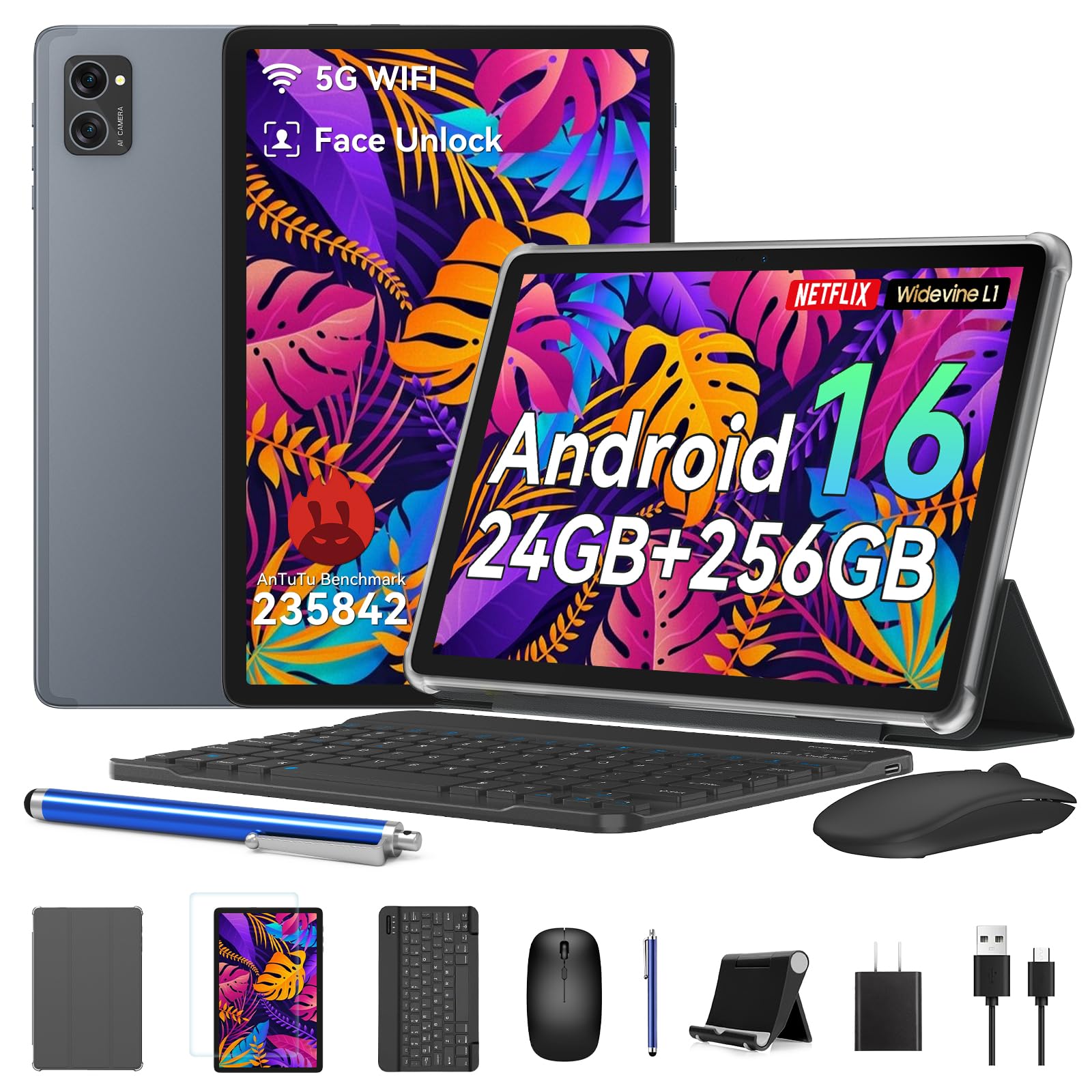
A 10-inch student bundle with keyboard, mouse, and stylus in the box, plus 256GB of expandable storage.
Getting a keyboard, mouse, and stylus in the same box at the entry level is the whole reason this tablet exists. Add 24GB of combined memory — 8GB physical plus 16GB virtual — and 256GB of storage expandable by microSD, and you have enough for coursework, films, and a project folder. The 10-inch HD+ IPS screen runs 1280 x 800 with Widevine L1 certification, which is the license that open up HD streaming on services like Netflix and Prime Video.
Gemini AI handles drafting and note organization, and one-tap video call enhancements like background blur help on class calls. Dual-band 5G Wi-Fi and Bluetooth 5.0 keep the connection steady, and the tablet ships with a 4-year warranty and round-the-clock support — a longer coverage term than most here.
What buyers notice first is how smoothly it runs for everyday tasks and how quickly they were set up. Two spec notes to weigh: the 5000mAh battery is the smallest on this list, so it is a desk-and-commute companion rather than a long-haul one, and 1280 x 800 on a 10-inch panel is a basic resolution, not a sharp one. Check both against your expectations before you buy.
What you get for the money
- Keyboard, mouse, and stylus all included in one bundle
- 256GB storage expandable by microSD
- 4-year warranty with 24/7 customer support
- Widevine L1 for HD streaming on compatible services
Where it gives ground
- 5000mAh battery is the smallest capacity here
- 1280 x 800 resolution is entry-level for a 10-inch screen
- Physical memory is 8GB, though the listing quotes 24GB combined
A good fit for: a student or first-time tablet buyer who wants everything included and a long warranty.
Better to avoid: if you need all-day battery away from an outlet.
10. TABWEE T20 Android 16 Tablet
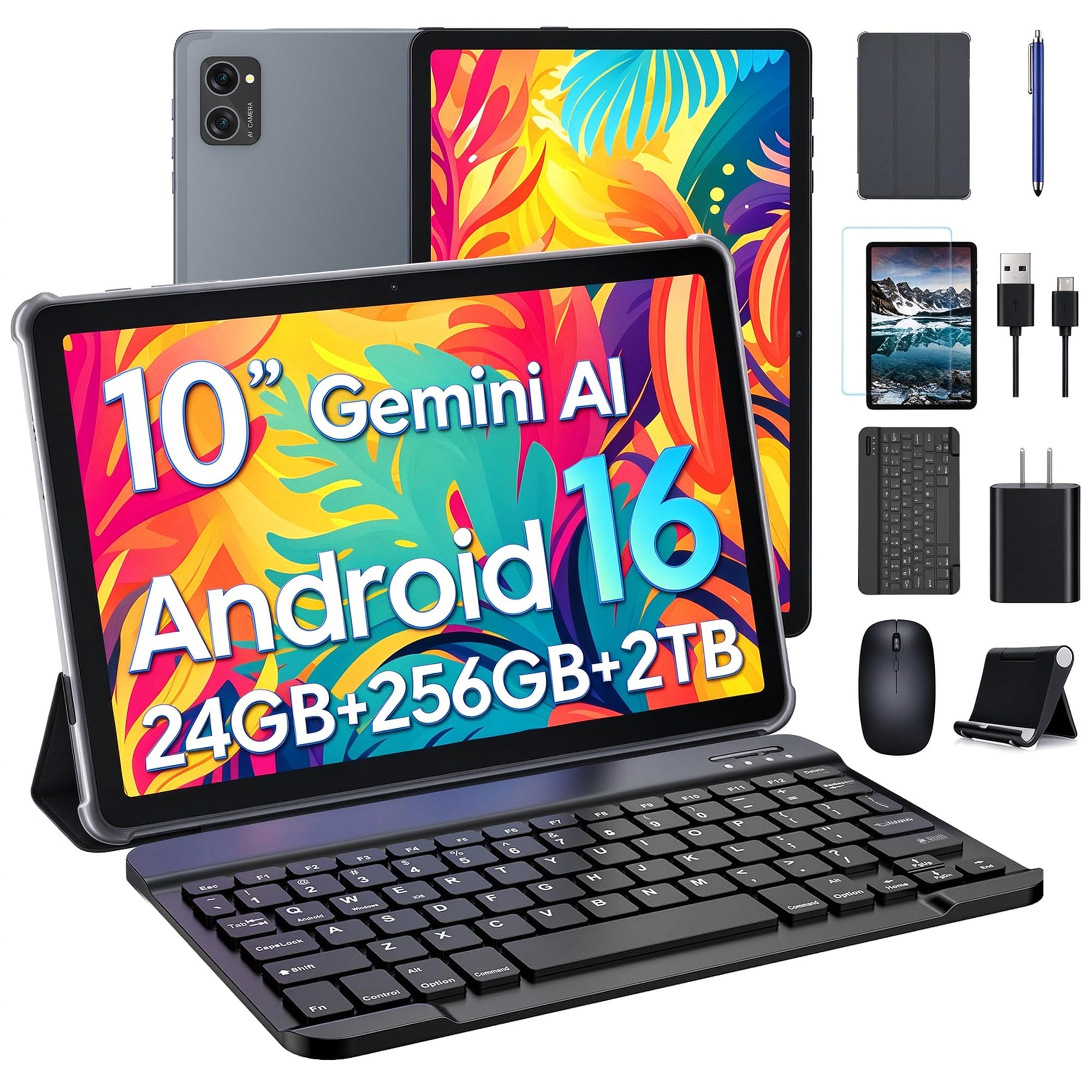
The one for the person who has never set up a tablet before and does not want to learn.
Setup is the moment most budget tablets lose people, and this one wins that moment. Owners describe it as easy to get going, and the box arrives complete: a detachable keyboard, stylus, mouse, anti-glare screen protector, charger, and USB-C cable, plus a separate folding stand. The 10.1-inch HD IPS screen runs 1280 x 800 with a 16:10 shape — the proportions of a laptop display, so documents and web pages fit naturally. Dual speakers and a 3.5mm headphone jack cover audio.
The T606 octa-core processor runs at up to 1.6 GHz, backed by 8GB of physical RAM plus 16GB of virtual memory, and 256GB of UFS 2.1 storage that you can expand up to 2TB with a microSD card sold separately. Gemini AI drafts emails and organizes study notes, while Google Play access covers the apps you already know. Wi-Fi runs dual-band 2.4GHz and 5GHz with Bluetooth 5.0, and the cameras are a 5MP front fixed-focus and an 8MP rear autofocus with flash.
The number to take seriously is the 5000mAh battery: rated for up to 5 hours of video playback or 6 hours of web browsing. That is a short leash compared with the 10000mAh units here, so it suits desk, kitchen counter, and short-commute use rather than a full travel day. The 4-year warranty and 24/7 support soften the trade.
What sells it: a genuinely complete accessory set plus a 4-year warranty make this the least stressful first tablet here, and the anti-glare protector is already applied.
The trade: short battery runtime limits it to plug-adjacent use.
Best for: a parent or first-time buyer who wants the tablet, stand, and accessories working the same afternoon.
Not for: travel days where there is no outlet between dinner and bed.
11. Kelankeke Kids Tablet 10.1″ Bundle
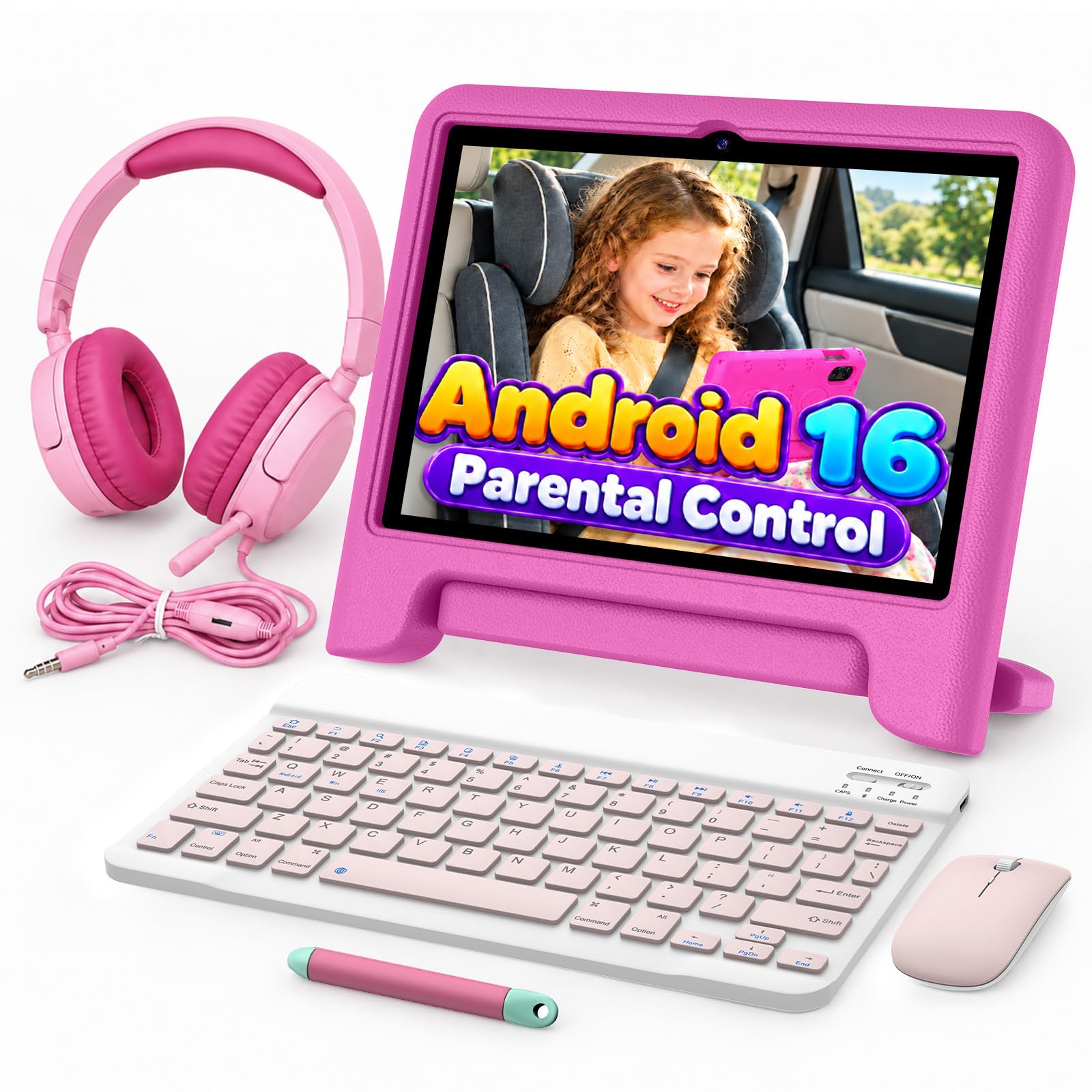
A seven-piece kit built for small hands — down to the volume-limited headphones.
This is the one bundle here where the extras are chosen for the user rather than thrown in. You get the 10.1-inch tablet, a color-matched keyboard for typing practice, a mouse for navigation, a stylus for drawing, and 3.5mm wired headphones with volume limiting. An EVA shockproof case and an 18W fast charger finish it off, and the magenta color carries through the accessories for a matching set.
On the spec side, Android 16 runs on a T7200 octa-core processor at up to 2.2 GHz with 6GB of RAM, and 64GB of storage expands to 2TB via microSD. The 1280 x 800 HD screen uses eye-protection treatment that reduces blue light during long learning sessions — the display feature that matters most if this tablet is for a child. Google Kids Space and the Play Store come preinstalled, so age-appropriate content is ready from the start.
The 6000mAh battery is rated for 8 hours of continuous video or 10 hours of learning activities, with 18W charging filling it in under 3 hours — enough to cover a school day or a long road trip. Facial recognition open up it, and the 1-year warranty covers the tablet and every accessory. For a household with a child aged 3-12, the shockproof case is the part that earns its keep.
The standout: a full accessory set plus an EVA shockproof case and volume-limited headphones is a rare combination, and it explains why suitability for kids dominates owner feedback.
Keep in mind: at 64GB the internal storage is the smallest on the list, so a microSD card is a sensible day-one add.
The right call for: parents who want a drop-protected kit with everything included for homeschooling or first-time tech.
Not ideal if: you need adult-grade storage without adding a card.
Understanding the Specs
Battery capacity in mAh
The milliamp-hour figure (mAh) is the size of the tank, not the mileage. A 10000mAh tablet usually outlasts a 5000mAh one, but the screen and the chipset drain it at different rates — a 14-inch panel drinks far more than a 10-inch one. Always read the published playback rating alongside the capacity to get the real picture.
Physical vs virtual RAM
Combined memory figures fold in virtual memory, which borrows storage space to act as extra RAM. A tablet quoted at 24GB may be 8GB of physical memory plus 16GB virtual. Physical memory is the part that keeps apps open when you switch between them, so check the split before comparing two tablets side by side.
Display resolution and refresh rate
Resolution (like 1920 x 1200 or 2944 x 1840) governs how much detail fits on screen — higher numbers mean sharper text. Refresh rate in Hz measures how often the screen redraws each second, and a 90Hz or 120Hz panel makes scrolling and pen strokes feel smoother than a standard 60Hz screen.
Stylus pressure levels
Pressure levels count how many gradations of light-to-hard the pen recognizes. A pen with 8,192 pressure levels responds to a feather touch anda firm press differently, so handwriting looks like handwriting. A basic capacitive stylus mostly just drags. Also check whether the pen needs charging — a battery-free pen is one less thing to remember.
FAQ
Do I need a keyboard to get value from an all-in-one tablet?
Is 8GB of RAM enough for an Android tablet?
How long does the battery actually last on these tablets?
Will a microSD card work in these tablets?
Does the included stylus need charging?
Can a kids tablet bundle work for a school-age child?
Is the Surface Pro a tablet or a laptop?
What is the difference between a 2K and a 3K tablet display?
Do these tablets support HD streaming services?
How much storage do I need on an all-in-one tablet?
Final Thoughts: The Verdict
For most people the all-in-one tablet that earns its keep is the Samsung Galaxy Tab S11, because the 11-inch Dynamic AMOLED 2X panel, 12GB of RAM, battery-free S Pen, and IP68 protection cover work and entertainment in one 5.5mm slab.
Two caveats shape that call. The Samsung ships without a keyboard, and it carries the steepest sticker here. Plenty of buyers will be better served by the Lenovo Idea Tab Pro, which pairs a 12.7-inch 3K screen and pen-and-folio bundle with student-friendly pricing, or by the Microsoft Surface Pro if you need Windows and 2TB of SSD in one device. For a child, the Kelankeke bundle is the one built for small hands.
Here is the honest nudge: if you sketch for a living, the Wacom MovinkPad Pro 14 is the only pick whose 8,192-pressure pen and etched glass were engineered around drawing. If you do not draw, you are paying for talent you will never use — spend that money on the Idea Tab Pro instead.
How We Picked
We do not accept paid placement. Every pick is matched to a real buyer and a real use-case; we do not hands-on test units.
Sources & Methodology
Specifications: manufacturer listings and product documentation. Review insights: verified customer reviews, as of November 2026. Pricing: not shown on this page (it changes often); check the current price via the retailer link.
As an Amazon Associate, Gadgets Feed earns from qualifying purchases. This does not affect which products we feature.