
A cluttered desk with a tower, monitor, and a tangle of cables is the old way. The modern home office or family command center demands a single, elegant solution that puts a responsive touchscreen right in front of you, cutting out the extra hardware and giving you a direct, intuitive way to interact with your applications.
I’m Min — the co-founder and writer behind Gadgets Feed. To build this guide, I’ve spent hours cross-referencing processor benchmarks, screen specifications, and real-world user feedback to find the models that deliver a genuinely fluid touch experience without sacrificing the horsepower you need for daily multitasking and creative work.
After sorting through the spec sheets and hundreds of customer reports, I’ve isolated the machines that balance responsive touch panels with the processing power you actually need. This guide will help you find the best setup for your budget and workflow, focusing entirely on the best all-in-one touch screen desktop computer you can buy right now.
How To Choose The Best All-In-One Touch Screen Desktop Computer
Buying an all-in-one means you are locking in the display, processor, and touch layer as a single unit for years. Getting it right requires focusing on the specs that matter most for long-term satisfaction.
Screen Size and Touch Quality
The display is the heart of any all-in-one. A 24-inch model is a great fit for a compact desk, while a 27-inch panel gives you more real estate for multi-window workflows. The touch layer should be capacitive with good palm rejection. IPS panels offer superior viewing angles and color accuracy, making them essential for photo editing, design, or even just watching movies from the side.
Processor and Memory for Your Workload
An Intel N100 is fine for basic web browsing, email, and document editing. Jumping to an Intel Core i5 or AMD Ryzen 5 unlocks smooth multitasking with multiple browser tabs, office suites, and light creative apps. For heavy video editing, data analysis, or running virtual machines, a Core i7 or Core Ultra 7 paired with 32GB or 64GB of RAM is a much better fit. Always prioritize RAM and SSD storage over a marginal CPU upgrade.
Connectivity and Future-Proofing
Look for models with USB-C (ideally Thunderbolt 4 on higher-end machines), HDMI-in for using the screen as a secondary monitor, and Wi-Fi 6 or 6E for fast wireless networking. A pop-up or privacy shutter webcam is a must for remote work. Check that the included keyboard and mouse are comfortable, as you’ll be using them daily.
Quick Comparison
On smaller screens, swipe sideways to see the full table.
| Model | Category | Best For | Key Spec | Amazon |
|---|---|---|---|---|
| ASUS V470VA-MS504T | Mid-Range | Best Overall Balance | Intel Core i5-13420H, 27″ Touch, 16GB DDR5 | Amazon |
| Apple iMac M4 | Premium | Creative & Ecosystem | Apple M4, 24″ 4.5K Retina, 16GB Unified Memory | Amazon |
| HP 27″ Ultra 7 64GB | High-End | Heavy Multitasking | Intel Core Ultra 7, 27″ Touch, 64GB DDR5 | Amazon |
| Lenovo 24″ i3-N305 | Mid-Range | Value & Storage | Intel i3-N305, 24″ Touch, 32GB DDR4, 1TB SSD | Amazon |
| ASUS 2025 23.8″ Touch | Mid-Range | Office Suite | Intel Core i5-1235U, 23.8″ Touch, 16GB DDR4 | Amazon |
| HP 27″ Ryzen 5 2TB | Mid-Range | Mass Storage | AMD Ryzen 5, 27″ Touch, 16GB DDR5, 2TB Total | Amazon |
| HP 27″ Ryzen 5 1TB | Mid-Range | Everyday Home Use | AMD Ryzen 5, 27″ Touch, 16GB RAM, 1TB SSD | Amazon |
| Dell 27″ EC27250 | Premium | Business & Graphics | Intel Core 7, 27″ Touch, 32GB DDR5, NVIDIA MX570A | Amazon |
| HP 24″ Touch N100 | Entry-Level | Basic Home/School | Intel N100, 23.8″ Touch, 16GB DDR4, 1TB SSD | Amazon |
| HP 27″ Ultra 7 2.5TB | High-End | Professional Workflow | Intel Core Ultra 7, 27″ Touch, 64GB DDR5, 2.5TB | Amazon |
| HP 27″ Ultra 7 4TB | Top-Tier | Maximum Storage & Speed | Intel Core Ultra 7, 27″ Touch, 64GB DDR5, 4TB SSD | Amazon |
| Lenovo 24″ N100 | Entry-Level | Budget Pick | Intel N100, 24″ FHD, 16GB RAM, 512GB SSD | Amazon |
| GEEKOM GT15 Max | Specialty | AI & Multi-Monitor | Intel Core Ultra 9, 32GB DDR5, Arc 140T GPU | Amazon |
In‑Depth Reviews
1. ASUS V470 All-in-One, 27″ FHD Touch Display

The ASUS V470 strikes an outstanding balance between a large, responsive 27-inch touchscreen and modern internal hardware. The Intel Core i5-13420H processor handles multitasking across office apps and browser tabs without hesitation, and the inclusion of 16GB of DDR5 RAM ensures that future software updates won’t slow it down. The anti-glare coating on the touch panel is a practical win for bright rooms or home offices with overhead lighting.
Connectivity is well thought out, featuring Wi-Fi 6E for the fastest wireless speeds and a full array of ports including USB-C and HDMI-out for an external monitor. The 1080p webcam with a built-in array microphone and Dolby Atmos speakers make video calls feel more polished than on cheaper machines. The AI noise-canceling technology is a genuine asset for filtering out background chatter.
The wired keyboard and mouse that come in the box are functional out of the gate, though many users will swap for a wireless set for a cleaner desk. The lack of a dedicated graphics card means it’s not suited for heavy gaming or 3D rendering, but for the vast majority of home and office workloads, this ASUS delivers a premium, clutter-free experience at a very competitive point in the market.
Why it’s great
- Fast DDR5 RAM and a snappy i5 processor for smooth daily use.
- Anti-glare 27-inch touchscreen with wide viewing angles.
- Wi-Fi 6E and Bluetooth 5.3 keep connectivity modern.
Good to know
- Comes with wired peripherals; most prefer wireless.
- Integrated graphics limit gaming and 3D work.
2. Apple 2024 iMac with M4 Chip

The latest iMac with the M4 chip redefines what an all-in-one can feel like. The 24-inch 4.5K Retina display is staggering — 500 nits of brightness and support for one billion colors means photos, videos, and even text look incredibly crisp and vibrant. The M4 chip provides effortless performance for everything from heavy photo editing in Adobe Creative Cloud to running multiple pro apps simultaneously without a single stutter.
Apple’s ecosystem integration is the secret weapon here. The 12MP Center Stage camera automatically keeps you framed during video calls, and the six-speaker system with Spatial Audio creates a genuinely immersive soundstage. The thin, fanless design means it runs silently, and the color-matched accessories feel like a natural extension of the machine. The 16GB of unified memory is a solid baseline, though creative pros may want to configure it higher.
The biggest trade-off is the lack of a native touchscreen — macOS is not designed for touch input, so if a capacitive touch panel is a non-negotiable feature for your workflow, the iMac won’t satisfy that need. The base storage of 256GB is also quite limited for a premium machine, often forcing a costly upgrade. For users invested in the Apple ecosystem who prioritize a beautiful display and raw CPU performance over touch, this is the gold standard.
Why it’s great
- Class-leading 4.5K Retina display with incredible color accuracy.
- M4 chip delivers desktop-class performance and impressive efficiency.
- Superb built-in speakers, mics, and webcam for conferencing.
Good to know
- No touchscreen support — macOS is pointer-based only.
- Base storage is a modest 256GB SSD.
3. Dell 27 All-in-One Desktop EC27250

The Dell EC27250 is a premium productivity machine that stands out by including a dedicated NVIDIA GeForce MX570A GPU — a rare find in the all-in-one space. This 2GB graphics chip provides a real boost for photo editing, light video work, and driving a second high-resolution external display. Paired with an Intel Core 7 processor and 32GB of DDR5 RAM, this machine handles data-heavy spreadsheets and complex presentations without breaking a sweat.
The 27-inch FHD touchscreen features Dell’s ComfortView Plus, which reduces harmful blue light without the yellow tint typical of software filters. The 5MP IR webcam supports Windows Hello facial recognition for passwordless logins, and the pop-up mechanism ensures privacy when not in use. The innovative stand allows you to stash the keyboard underneath, freeing up valuable desk space.
Dell includes a one-year onsite service warranty, which provides peace of mind for a home business or professional setting. The display resolution is capped at 1080p, which is a noticeable downgrade compared to the 4.5K panel on the iMac. The price tag also places it firmly in premium territory, but for those needing a dedicated GPU in an all-in-one form factor, the Dell is a compelling and rare option.
Why it’s great
- Dedicated NVIDIA GPU for creative tasks and multi-monitor setups.
- 32GB DDR5 RAM and a Core 7 processor handle heavy loads.
- 5MP IR camera with Windows Hello and excellent eye-care display.
Good to know
- Display resolution is only 1920×1080.
- Premium price reflects the business-grade components.
4. HP 27 Ultra 7 Touchscreen Business All-in-One

This HP machine targets the power user who needs to run a dozen applications at once without a hint of slowdown. The Intel Core Ultra 7 processor with 12 cores is a beast for multi-threaded tasks, and the 64GB of DDR5 RAM effectively future-proofs this machine for years. The 2TB SSD provides more than enough space for a large local file library, and the 27-inch touchscreen makes navigation feel fluid.
The business focus shows in the inclusion of Windows 11 Pro, which offers features like BitLocker encryption and remote desktop. The wireless keyboard and mouse keep the desk clean, and Wi-Fi 6 ensures fast network speeds. The FHD display is bright and responsive, though it does not reach 4K resolution, which is a limitation for some creative professionals.
While the core specs are top-tier, some users have reported quirks with wireless peripherals and a learning curve with Windows 11. The machine also lacks a dedicated GPU, so heavy rendering or gaming is out of the question. For productivity-focused professionals, data analysts, or anyone who values RAM and storage above all else, this HP is a tremendous value in the high-end all-in-one segment.
Why it’s great
- Massive 64GB DDR5 RAM and a 2TB SSD for heavy workloads.
- Intel Core Ultra 7 processor with 12 cores for multi-tasking.
- Windows 11 Pro includes enterprise-level security features.
Good to know
- Display is FHD, not 4K.
- No dedicated graphics card for creative applications.
5. HP 27″ FHD Touch-Screen All-in-One, Ultra 7 64GB RAM 2.5TB

For users who accumulate massive local file libraries, this HP model offers a unique storage configuration: a 2TB internal SSD combined with a 512GB docking station set, totaling 2.5TB of space. The Intel Core Ultra 7 processor and 64GB of DDR5 RAM match the raw processing power of the business model above, making this an excellent choice for video editors or photographers who need fast access to large project files.
The 27-inch touch display is rated at 300 nits and covers 99% sRGB, offering good color accuracy for photo sorting and casual editing. The three-sided micro-edge design maximizes the screen area, and the anti-glare coating keeps reflections under control. Intel Iris Xe graphics handle 4K video playback smoothly, which is a plus for media consumption.
Some customer reports mention instability issues, including unexpected black screens, which is a significant concern. The bundled docking station approach to increase storage is clever but adds clutter to the desk. If you need enormous local storage for a video library or backup archive, this HP is a strong candidate, but be aware of potential reliability concerns reported by a minority of owners.
Why it’s great
- Massive 2.5TB total storage for large media libraries.
- Powerful Ultra 7 CPU and 64GB DDR5 RAM for heavy workloads.
- Bright 300-nit display with 99% sRGB color coverage.
Good to know
- A few user reports of system instability or black screens.
- Lack of a dedicated GPU limits 3D rendering capabilities.
6. HP All-in-One 27″ Touchscreen, Ultra 7, 64GB DDR5, 4TB SSD

This is the flagship configuration for anyone who wants maximum storage and RAM in a single-solution all-in-one. The 4TB SSD means you never have to think about external drives for years, and the 64GB of DDR5 RAM keeps every application you throw at it in memory. The adjustable height stand is a welcome ergonomic feature that is often missing on all-in-one designs, allowing you to set the ideal viewing angle.
The 27-inch FHD IPS touchscreen with 178-degree viewing angles provides a solid interactive experience, and the HP True Vision FHD IR camera with Windows Hello support makes logging in fast and secure. The machine is Zoom Certified, ensuring reliable performance for video conferencing. The built-in speakers deliver decent sound for a home office setup, and the Wi-Fi 6 and Bluetooth 5.3 guarantee modern wireless connectivity.
The biggest caveat is the price, which places it at the very top of the all-in-one market. The display resolution remains 1080p, which feels like a missed opportunity on a machine at this price point. For users who need 4TB of internal storage and 64GB of RAM in a single, elegant desktop, this HP is one of the only true plug-and-play solutions available.
Why it’s great
- Massive 4TB SSD and 64GB DDR5 RAM — no compromises on capacity.
- Adjustable height stand for ergonomic comfort.
- Excellent webcam with IR face recognition and Zoom certification.
Good to know
- Top-tier price that many will find hard to justify.
- Display resolution is FHD, not 4K.
7. Lenovo 24 All-in-One Intel i3-N305, 32GB DDR4, 1TB PCIe SSD
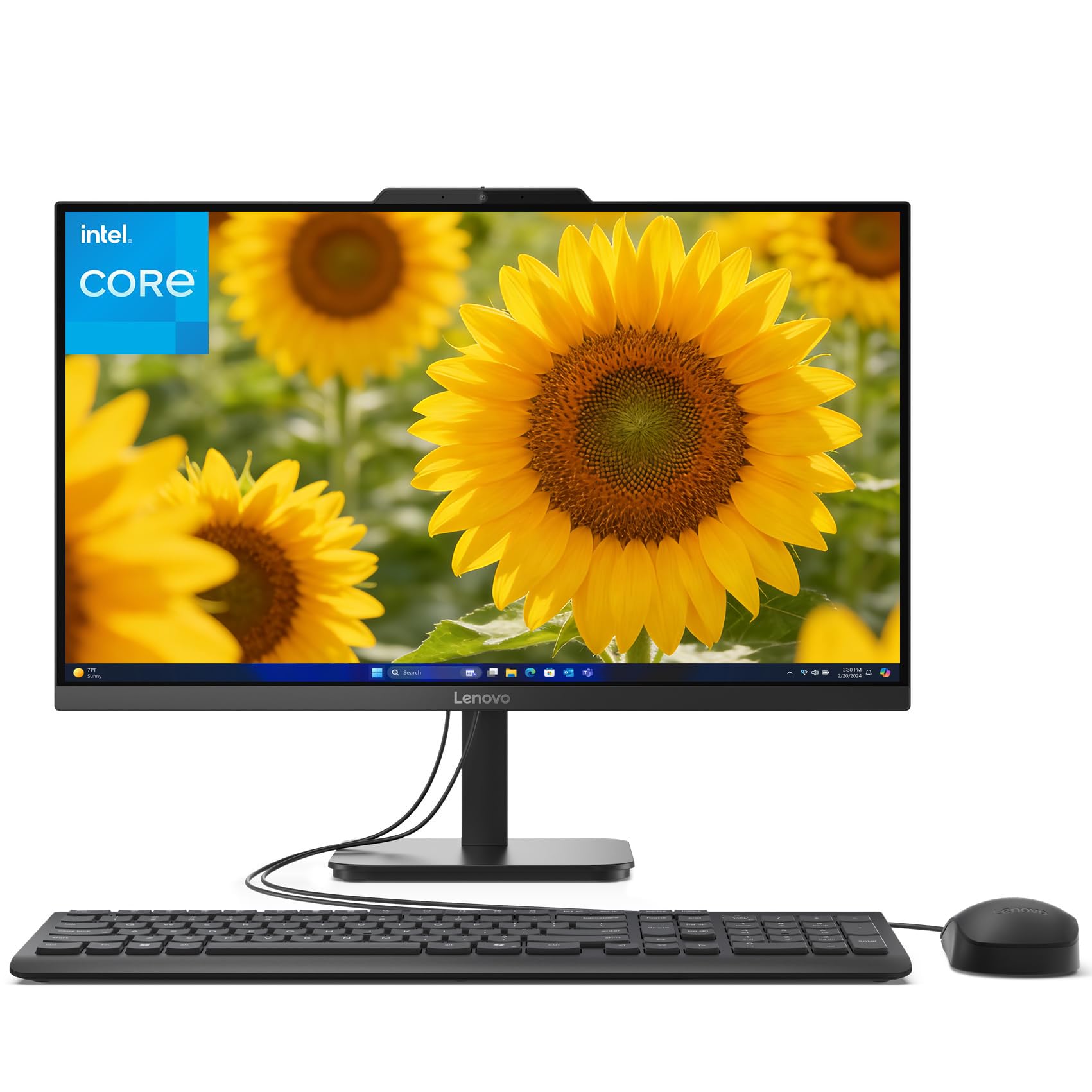
This Lenovo offers a compelling value proposition by packing 32GB of RAM and a 1TB SSD into a 24-inch touchscreen all-in-one. The Intel i3-N305 processor, while not the most powerful chip on the market, has eight cores and is well-suited for multitasking across a dozen browser tabs, office applications, and streaming media without feeling sluggish. The 1080p display is sharp enough for daily tasks.
The build quality is solid with a dark gray finish that looks professional on any desk. The included stand tray provides a handy spot for storing a mouse, pen, or phone. Customers consistently praise the easy setup and the value for the money, noting that the touchscreen adds a welcome layer of convenience for web browsing and document scrolling.
The integrated Intel UHD graphics are not designed for gaming or video editing, so stick to lighter workloads. The display uses standard LCD technology rather than the newer IPS panels found on pricier models, meaning viewing angles are narrower. For budget-conscious buyers who need a functional touchscreen desktop with plenty of RAM for school or home office work, this Lenovo is a standout choice.
Why it’s great
- Excellent 32GB RAM and 1TB SSD at a very accessible price point.
- 8-core Intel i3-N305 handles everyday multitasking well.
- Sturdy build quality with a practical built-in storage tray.
Good to know
- LCD panel has narrower viewing angles than IPS screens.
- Integrated graphics are not suitable for gaming or heavy design work.
8. ASUS 2025 All-in-One Desktop, 23.8″ FHD Touchscreen
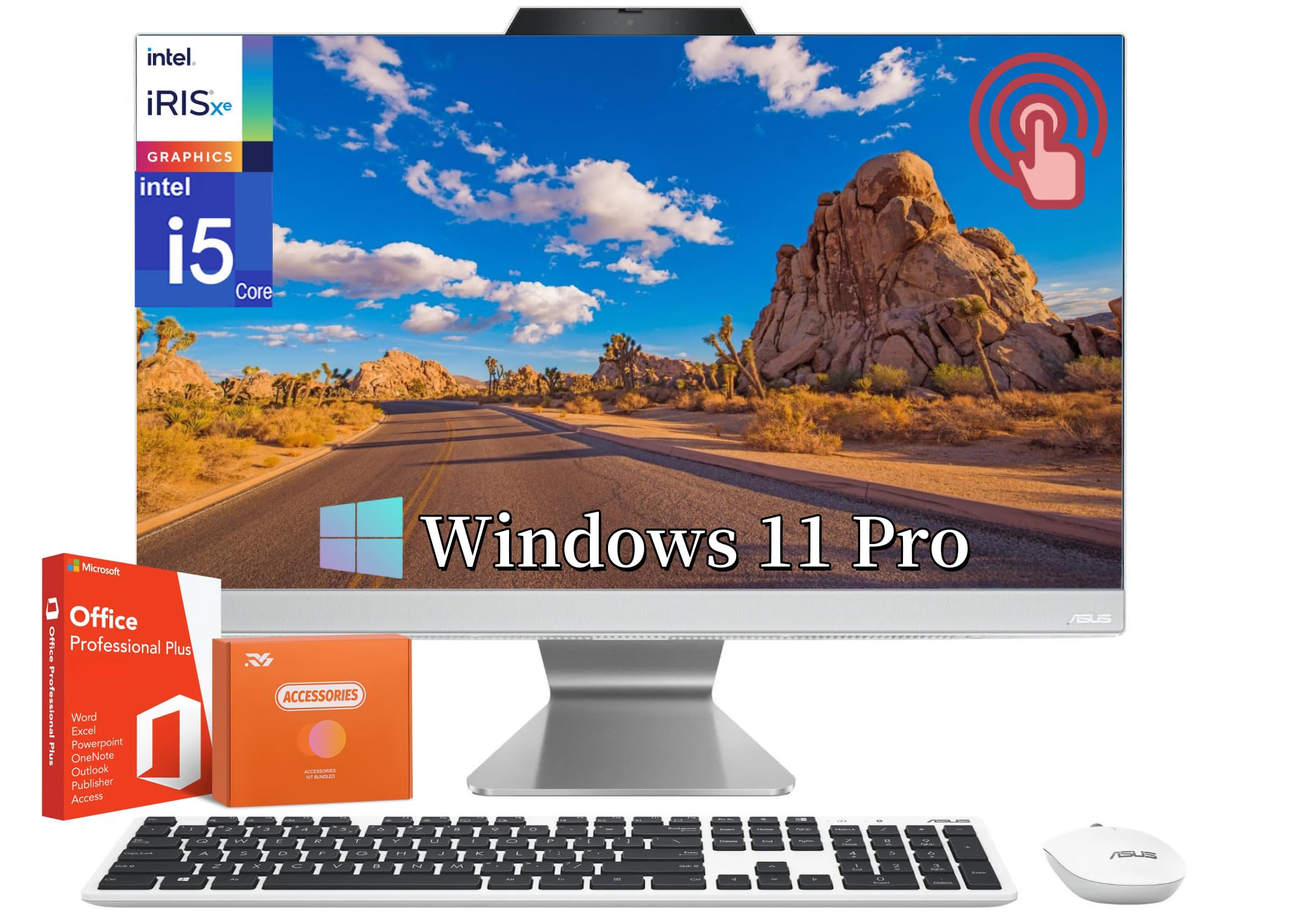
The ASUS 2025 model is a clean and modern all-in-one that focuses on delivering a great touchscreen experience with a fast processor. The 10-core Intel Core i5-1235U is a significant step up from budget N-series chips, providing snappy performance for office work, web browsing, and streaming. The 23.8-inch anti-glare touchscreen with an 88% screen-to-body ratio looks fantastic on a desk.
One of the standout features is the inclusion of an HDMI-in port, allowing you to use the ASUS display as a monitor for a laptop or gaming console — a rare and welcome addition that increases the machine’s flexibility. The machine ships with Windows 11 Pro and includes a lifetime license for Microsoft Office, which adds substantial value for students and professionals.
The 720p webcam is noticeably weaker than the 1080p cameras found on competing models, and the lack of DDR5 RAM (it uses DDR4) means it’s not fully future-proofed. The white chassis and included white peripherals create a clean, minimalist aesthetic that will fit well in a modern office. It offers a solid package for anyone who needs a capable touchscreen desktop with extra monitor functionality.
Why it’s great
- HDMI-in port lets you use the screen as an external monitor.
- Fast Intel Core i5-1235U with 10 cores for smooth performance.
- Includes a lifetime Microsoft Office license for huge savings.
Good to know
- 720p webcam is low resolution for modern video calls.
- Uses DDR4 RAM instead of the newer DDR5 standard.
9. HP 27″ FHD Touchscreen All-in-One, Ryzen 5 7520U

This HP machine brings a large 27-inch IPS touchscreen to a mid-range price point, offering a great canvas for productivity and media consumption. The AMD Ryzen 5 7520U is a capable quad-core processor with eight threads that handles everyday tasks and light multitasking with ease. The 16GB of RAM and 1TB SSD provide a balanced configuration for most home users.
The three-sided micro-edge display reduces bezel clutter and creates an immersive viewing experience. The included wireless keyboard and mouse keep the desk clean, and the HP True Vision 720p privacy camera with a physical shutter gives you control over your privacy. The PLUSERA 8-in-1 hub adds extra connectivity options for USB-A and SD card readers.
Some customers have reported issues with the touchscreen and wireless peripherals not functioning properly in browsers, though this appears to be an isolated compatibility issue. The Ryzen 5 processor is a solid choice for general use, but it won’t match the multi-core performance of Intel’s i5 or i7 chips in heavy multitasking scenarios. For a large-screen touch experience at a reasonable cost, this HP is a strong contender.
Why it’s great
- Large 27-inch IPS touchscreen with thin bezels for an immersive feel.
- AMD Ryzen 5 processor offers good everyday performance.
- Physical webcam shutter and included 8-in-1 hub are useful extras.
Good to know
- Occasional driver issues reported with touch and peripherals.
- Ryzen 5 is outmatched by i5 in multi-core tasks.
10. HP 27″ FHD Touchscreen 2TB Mega Storage, Ryzen 5, 16GB DDR5
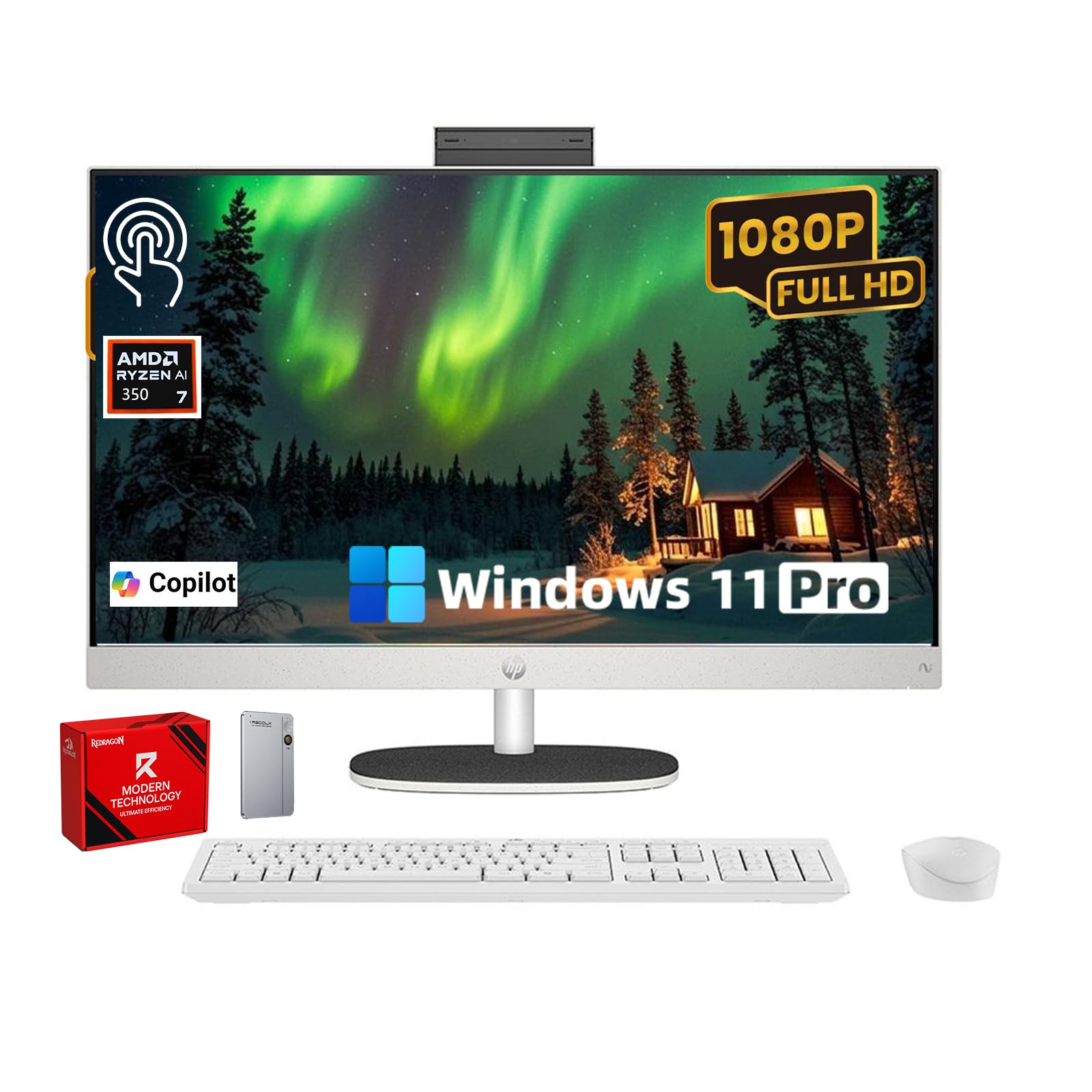
This HP model addresses the need for bulk storage in an all-in-one. It combines a 1TB internal SSD with a 1TB external drive for a total of 2TB, making it a good candidate for users who store large photo collections, music libraries, or video archives. The 27-inch Full HD IPS touchscreen delivers vibrant colors and offers a 90% screen-to-body ratio for a modern look.
The AMD Ryzen 5 7520U and 16GB of DDR5 RAM provide a responsive experience for daily computing, and the pop-up privacy camera ensures you are never accidentally on camera. Dual microphones with noise reduction keep your voice clear during calls. The EPEAT Gold and ENERGY STAR certifications are a bonus for environmentally conscious buyers.
The external drive adds a cable to the desk, which somewhat undermines the clean aesthetic of an all-in-one. The Ryzen 5 processor is a solid mid-range chip, but it is not as powerful as the Intel Core i5 or Ultra 7 options. For users who want a large touchscreen and lots of storage without tinkering with internal upgrades, this is a convenient and well-priced solution.
Why it’s great
- Total 2TB storage (1TB internal + 1TB external) for large libraries.
- Beautiful 27-inch IPS touchscreen with a high screen-to-body ratio.
- Pop-up webcam and dual noise-canceling microphones.
Good to know
- External drive adds a cable to the desk setup.
- Ryzen 5 processor is best for moderate, not heavy, workloads.
11. HP 24 Touchscreen All-in-One Desktop, Intel N100, 16GB RAM, 1TB SSD

For users on a tight budget who still want a legitimate touchscreen experience, this HP model is a reliable entry-level choice. The Intel N100 processor is sufficient for basic web browsing, email, word processing, and streaming video. The 23.8-inch IPS display offers better viewing angles than standard LCD panels, and the touch response is accurate and fast.
The machine packs 16GB of DDR4 RAM and a 1TB PCIe SSD, which are generous specs for the price point and provide ample storage for documents and media. Connectivity includes Wi-Fi 6 and Bluetooth 5.3, keeping you current on wireless standards. The HP True Vision 720p privacy camera with a temporal noise reduction filter helps improve video call quality in low light.
Performance is strictly for light-duty computing. The included wired keyboard and mouse are basic but functional. It is a fantastic option for a student’s dorm room, a senior’s home computer, or as a secondary family machine where touch input is wanted without breaking the bank.
Why it’s great
- Very budget-friendly with a responsive IPS touchscreen.
- Generous 16GB RAM and 1TB SSD for an entry-level machine.
- Modern Wi-Fi 6 and Bluetooth 5.3 connectivity.
Good to know
- N100 processor struggles with heavy multitasking.
- 720p webcam is adequate but not sharp.
12. Lenovo 24″ FHD All-in-One Desktop, Intel N100, 16GB RAM, 512GB SSD
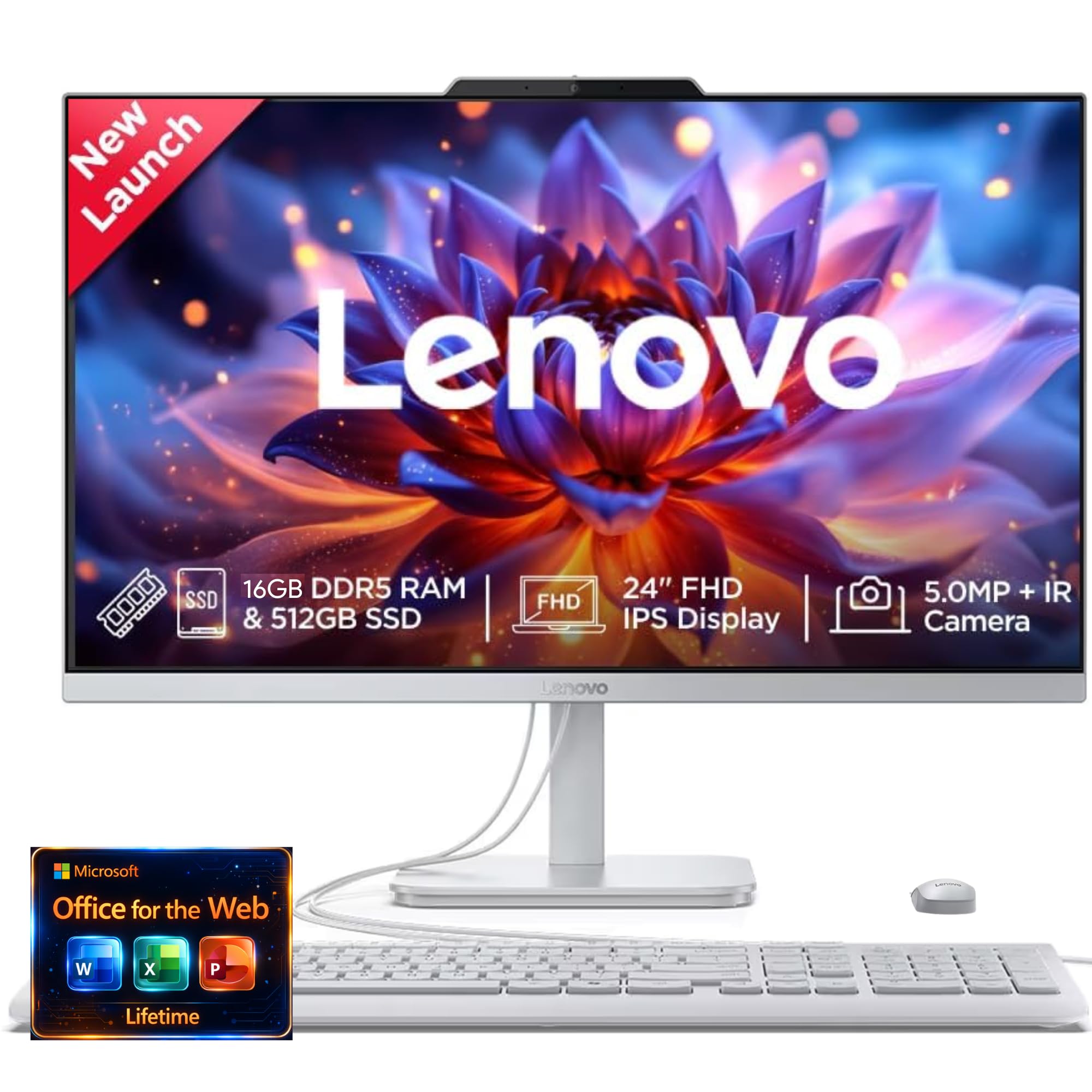
This Lenovo IdeaCentre is the pure entry point for the all-in-one touchscreen category. It delivers a clean 24-inch FHD display with Harman audio-enhanced speakers and a 5MP AI camera with an IR sensor for Windows Hello. The Intel N100 processor handles basic tasks like web browsing and document editing smoothly, and the 16GB of RAM ensures you can keep a few applications open at once.
The design is sleek and the setup is famously simple — customers consistently report being up and running within minutes. The 512GB SSD is smaller than many competitors, but it’s fast and adequate for a user with a cloud-based workflow. Low blue light technology helps reduce eye strain during long sessions, and the microphone array with AI noise suppression improves call clarity.
The 512GB storage will fill up fast for users who download media or install large applications. The N100 processor, while efficient, is not suited for any demanding software. This Lenovo is best viewed as an affordable, attractive, and functional desktop for a child’s room, a guest computer, or a light-duty home office where the core requirement is a great touchscreen and a clean design.
Why it’s great
- Excellent 5MP webcam with IR face recognition and AI noise suppression.
- Harman audio speakers and low blue light display for comfort.
- Very simple setup and attractive slim design.
Good to know
- 512GB SSD is limited for anything beyond basic use.
- Intel N100 processor is strictly for light tasks.
13. GEEKOM GT15 Max Mini PC, Intel Core Ultra 9

The GEEKOM GT15 Max is a wild card in this roundup — it is not an all-in-one in the traditional sense, but it fits the brief for anyone who wants extreme power and is willing to pair it with their own monitor. The Intel Core Ultra 9 285H processor with its AI Boost NPU delivers a staggering 99 TOPS of AI acceleration, making it ideal for running local AI models, Copilot+, and intensive data analysis.
The Intel Arc 140T GPU is a surprisingly capable integrated graphics solution that can handle AAA gaming at 1080p medium settings and smooth 8K video playback. The dual USB4 ports support 40Gbps transfers and 8K displays, and the dual 2.5GbE LAN ports make it a fantastic choice for a high-performance workstation or home server. The IceBlast 3.0 cooling system keeps the compact aluminum chassis quiet under load.
This is not a plug-and-play desktop for most people — you still need to buy a monitor, keyboard, and mouse. Some early units have reported SSD failures, and the support experience has been mixed. For tech enthusiasts, developers, AI tinkerers, or anyone who values raw computing power in a tiny footprint, the GT15 Max is an incredible piece of engineering that redefines what a “mini PC” can do.
Why it’s great
- Incredible 99 TOPS AI performance from the Intel Core Ultra 9 NPU.
- Compact metal chassis with powerful cooling and no fan noise.
- Dual USB4, dual 2.5GbE, and support for up to four 8K displays.
Good to know
- Not an all-in-one — requires a separate monitor and peripherals.
- A few early reliability concerns with SSDs and support.
FAQ
Can an all-in-one touch screen desktop replace a traditional tower and monitor?
Is a 1080p screen enough on a 27-inch touch display?
Do I need a dedicated graphics card in an all-in-one?
What is the lifespan of an all-in-one touch screen desktop computer?
Final Thoughts: The Verdict
For most users, the best all-in-one touch screen desktop computer winner is the ASUS V470VA-MS504T because it perfectly balances a large 27-inch anti-glare touchscreen, a fast Core i5-13420H processor, 16GB of modern DDR5 RAM, and modern Wi-Fi 6E connectivity at a price that represents real value. If you want a stunning 4.5K Retina display and are fine without a touchscreen, grab the Apple iMac M4. And for heavy multitasking with 64GB of RAM and massive storage, nothing beats the HP 27″ Ultra 7.