
An all-in-one wireless printer should be the hub of your home office, not a source of daily frustration. Whether you are printing boarding passes, scanning school forms, or making copies for a small business, the right machine delivers reliability and sharp output without demanding a second mortgage on ink or a dedicated tech support team.
I’m Min — the co-founder and writer behind Gadgets Feed. I’ve spent countless hours comparing print speeds, wireless connectivity standards, page yields, and long-term ownership costs across dozens of models to separate the machines that just work from those that simply cost too much to keep running.
This guide cuts through the marketing noise to help you confidently choose from the real best all-in-one wireless printers on the market today, focusing on print quality, total cost per page, and real-world setup ease.
How To Choose The Best All-In-One Wireless Printer
Before you click buy, ask yourself how many pages you print each month and whether color matters. That single decision determines whether an inkjet with low upfront cost or a laser with lower long-term per-page costs is your better fit. From there, your next considerations are wireless reliability, paper handling, and whether you need a flatbed scanner or an automatic document feeder.
Inkjet vs. Laser: The Real Cost Per Page
Inkjet machines usually cost less at the register, but the sticker shock comes when you replace cartridges every few months. A standard color inkjet might cost you to per page for color prints, while a monochrome laser can drop to under per page using high-yield toner. If you print mostly black text documents, a laser machine saves you real money over time. For photos and color graphics, a modern inkjet—especially a supertank model—delivers quality inkjet cannot match without bleeding your wallet dry.
Paper Handling and Multi-Page Workflows
Automatic duplex printing is non-negotiable for anyone printing multi-page reports. Without it, you manually flip every sheet. An automatic document feeder (ADF) is equally critical if you scan or copy stacks of pages. A 20-sheet ADF is fine for light home use; a 50-sheet ADF is better for a home office with regular paperwork. Check the paper input capacity too — a 150-sheet tray forces you to reload more often, while 500-sheet trays can run all day without attention.
Quick Comparison
On smaller screens, swipe sideways to see the full table.
| Model | Category | Best For | Key Spec | Amazon |
|---|---|---|---|---|
| Canon PIXMA TS7720 | Color Inkjet | Home photo & document printing | 15 / 10 ppm (B&W / Color) | Amazon |
| Epson WF-4834 | Color Inkjet | High-volume home office | 500-sheet paper capacity | Amazon |
| Canon PIXMA TR7120 | Color Inkjet | Hybrid workers on a budget | 14 / 9 ppm (B&W / Color) | Amazon |
| HP LaserJet M209d | Monochrome Laser | Fast B&W document printing | 30 ppm B&W | Amazon |
| Brother MFC-J1410DW | Color Inkjet | Small office with Cloud printing | 16 / 9 ppm (B&W / Color) | Amazon |
| HP Envy Photo 7975 | Color Inkjet | Photo printing and family use | Separate photo tray / ADF | Amazon |
| Brother MFC-L2820DW | Monochrome Laser | Small office with fax & scan | 36 ppm B&W | Amazon |
| Epson EcoTank ET-3950 | Color Supertank | Very low cost per page color printing | 8,500 pages per black bottle | Amazon |
| Xerox C235dni | Color Laser | Professional color documents | 24 ppm color | Amazon |
In‑Depth Reviews
1. Brother MFC-L2820DW

The Brother MFC-L2820DW is a monochrome laser all-in-one that balances speed, endurance, and a compact footprint for small offices. Its 36 ppm print speed and 8.5-second first-page-out time mean you are never waiting long for a document, and the 50-page ADF handles multi-page scan jobs without manual intervention. The 2.7-inch touchscreen is responsive, and dual-band Wi-Fi gives you flexibility to connect on 2.4 GHz or 5 GHz networks.
Where this printer really earns its place is in total cost of ownership. Brother Genuine TN830 high-yield toner delivers thousands of pages before a replacement is needed, and the Refresh subscription service can cut toner costs by up to 50% over standard retail cartridges. Users who have owned previous Brother lasers report decades of service life; this model keeps that tradition alive with a sturdy chassis and reliable paper path.
Setup can be slightly unintuitive if you follow the included quick-start guide alone, but the Brother Mobile Connect app walks you through the wireless configuration step by step. The only functional limitation is that this is black-and-white only — if you need color output, you will need to look elsewhere in this list. For a no-nonsense monochrome machine that will run for years, this is the gold standard.
Why it’s great
- Fast 36 ppm print speed with quick warm-up
- 50-page ADF and duplex printing for efficient workflows
- Very low cost per page with high-yield toner
Good to know
- Monochrome only — no color printing
- Setup instructions could be more clear
2. Epson EcoTank ET-3950
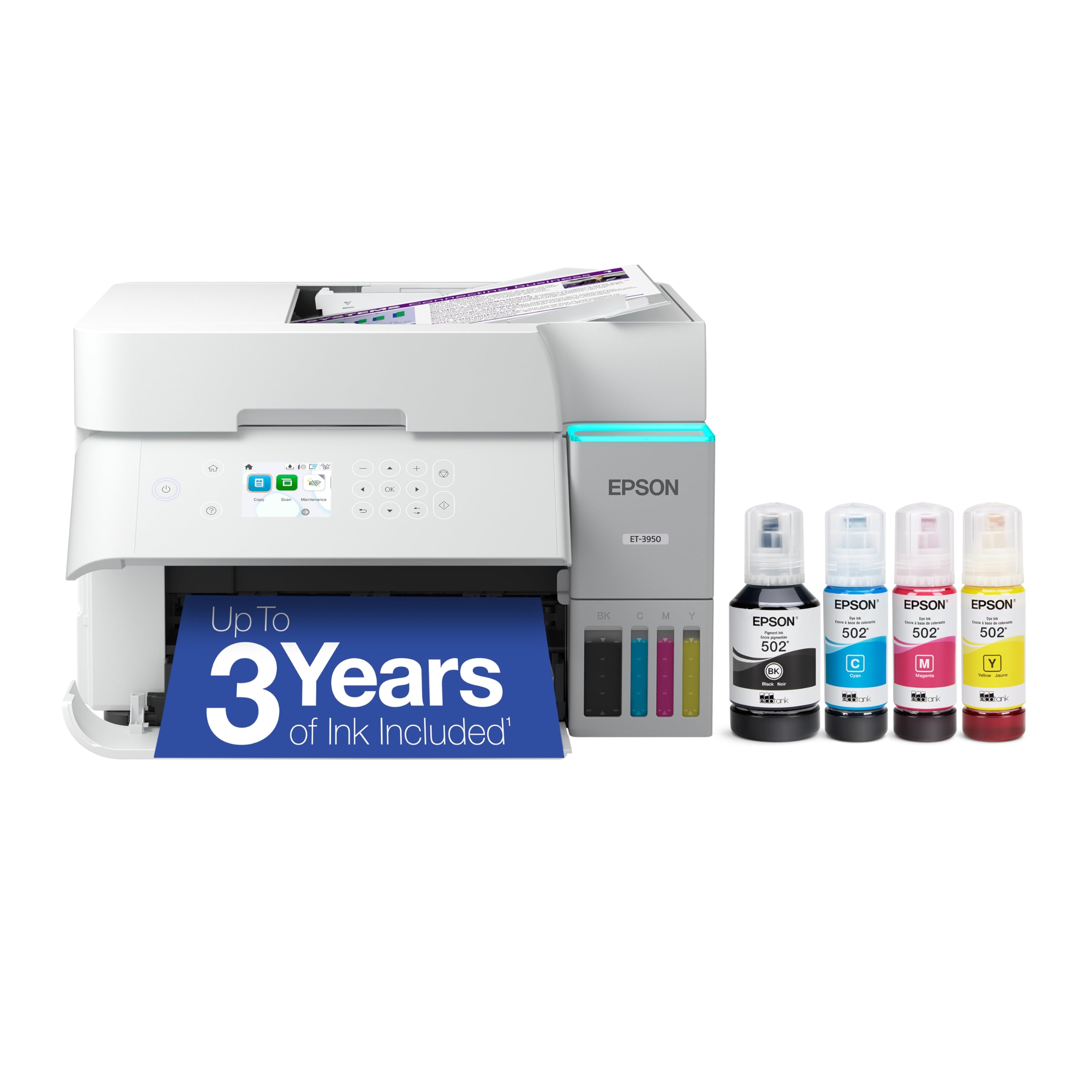
The Epson EcoTank ET-3950 is the right choice for anyone who prints color pages frequently and hates the high cost of ink cartridges. This supertank model ships with enough ink in the box to print up to 8,500 black pages and 6,500 color pages — that is potentially years of printing for a typical home office. The 4800 x 1200 dpi resolution delivers vibrant documents and sharp borderless photos that rival dedicated photo printers.
Wireless connectivity is rock-solid with Wi-Fi 5 (802.11ac) and Wi-Fi Direct support, plus Ethernet for wired reliability. The 2.4-inch color touchscreen is simple to navigate, and the integrated ADF supports 2-sided scanning. Print speeds of 18 ppm black and 9 ppm color are respectable for a supertank, and the auto duplex printing saves paper without you having to think about it.
Some users have reported issues with the document feeder jamming on defective units, and the plastic chassis feels less premium than the price suggests. However, when it works — and it does for most buyers — the per-page ink cost is shockingly low compared to any cartridge-based inkjet. If you print in color regularly and want to stop buying cartridges, the ET-3950 is your machine.
Why it’s great
- Insanely low cost per page with included ink bottles
- Excellent 4800 x 1200 dpi print resolution
- Wi-Fi and Ethernet connectivity for stable networking
Good to know
- Build quality feels somewhat plasticky
- Some reports of ADF jams on early units
3. Epson Workforce Pro WF-4834

The Epson Workforce Pro WF-4834 is the machine you buy when your home office starts feeling like a real office. Its 500-sheet paper capacity across two 250-sheet trays means you can load letterhead and plain paper simultaneously and avoid reloading mid-project. The 50-page ADF supports duplex scanning, and the 4.3-inch color touchscreen makes navigation feel modern and intuitive.
Epson’s PrecisionCore Heat-Free Technology prints at 25 ppm black and 12 ppm color with DURABrite Ultra instant-dry pigment ink, which resists smudging and water damage. That matters when you are printing shipping labels, client proposals, or forms that get handled immediately. The support for Wi-Fi Direct and Bluetooth Low Energy (BLE) setup via the Epson Smart Panel App makes wireless configuration painless.
Envelope printing is a known weakness — some users report jams after repeated attempts — and the ink costs for standard-capacity cartridges add up over time if you print heavily. But for a feature-rich machine priced in the mid-range, the WF-4834 punches above its weight in paper handling and professional output quality. It is a genuine workhorse for a growing home office.
Why it’s great
- Huge 500-sheet paper capacity with dual trays
- Fast 25 ppm black / 12 ppm color print speeds
- Large 4.3-inch color touchscreen for easy control
Good to know
- Envelope printing can be unreliable
- Standard ink cartridges are pricey per page
4. Canon PIXMA TS7720

The Canon PIXMA TS7720 brings a compact footprint and an attractive white design to your desk, making it one of the more aesthetically pleasing options for a home workspace. Its 2.7-inch LCD touchscreen is responsive, and the auto duplex printing saves paper without manual flipping. Print speeds of 15 ppm black and 10 ppm color are adequate for light to moderate home use, and it handles photo paper up to 8.5 x 11 inches.
Setup is streamlined via the Canon PRINT app, but you will need to manually connect to your Wi-Fi network during configuration if your smartphone does not automatically discover the printer. The two-cartridge ink system (one black, one color) makes replacement simple and relatively affordable compared to multi-cartridge systems. Text output is crisp, and color photos look natural for a sub- machine.
The TS7720 lacks an automatic document feeder, which slows down scanning multi-page documents. It also defaults to powering off after four hours unless you change the auto power-on setting. For a dedicated family printer that prints school projects, recipes, and the occasional photo, the TS7720 delivers reliable performance. Just do not expect office-level speed or duty cycle.
Why it’s great
- Compact, stylish design saves desk space
- Intuitive 2.7-inch LCD touchscreen interface
- Two-cartridge system keeps ink replacement simple
Good to know
- No automatic document feeder for scanning
- Wireless setup can be tricky the first time
5. HP Envy Photo 7975

The HP Envy Photo 7975 is designed for families who split their printing between homework, office documents, and high-quality photos. A dedicated photo tray lets you load 5×7 or 4×6 glossy paper without swapping your main paper tray, and the AI-enabled print feature automatically reformats web pages and emails to avoid wasted paper and awkward layouts. The large color touchscreen is clean and responsive.
Print speeds of 15 ppm black and 10 ppm color are standard for this class, but print quality is where the Envy stands out. True-to-screen borderless photos come out vibrant and detailed, and the 24-bit color depth ensures smooth gradients. The ADF supports multi-page scanning and copying, and the HP Smart app handles wireless setup in under ten minutes for most users. The included 3-month Instant Ink trial gets you started with automatic ink delivery.
Some buyers have reported hardware failures within the first month, including persistent paper jams and paper feed errors. The “quiet mode” cannot be disabled, so the printer produces a noticeable clunking sound during operation. When it works — and the majority of reviews confirm it does — the Envy Photo 7975 is the most versatile family printer on this list. But do keep your receipt handy.
Why it’s great
- Dedicated photo tray for glossy paper
- AI-powered web page reformatting saves paper
- Fast wireless setup via HP Smart app
Good to know
- Occasional paper feed issues reported
- Quiet mode cannot be turned off, clunks during use
6. Canon PIXMA TR7120

The Canon PIXMA TR7120 offers an impressive feature set for a machine in the budget tier. Automatic duplex printing, an ADF for multi-page scanning, and dual-band Wi-Fi (2.4 GHz and 5 GHz) make it a serious contender for hybrid workers who need reliability without a premium price tag. The 1.42-inch monochrome OLED display is small but readable, showing ink levels and printer status at a glance.
Print quality is solid for mixed document and photo use, thanks to Canon’s two-cartridge hybrid ink system. Black text is sharp, and color documents are vibrant enough for most home and entry-level office needs. Users report that the starter ink cartridges run out relatively quickly — within a few hundred pages — so budget for replacements soon after purchase. The paper tray holds roughly 50 to 100 sheets depending on media type.
Compact and stylish in white, the TR7120 fits neatly on a small desk without crowding your workspace. The ADF is a real productivity boost for scanning contracts or multi-page forms. If you need a wireless all-in-one that prints, copies, scans, and duplexes without breaking the bank, the TR7120 is the best budget-friendly option here. Just know that standard Canon ink cartridges are expensive per page.
Why it’s great
- ADF and auto duplex at a very affordable price
- Dual-band Wi-Fi for reliable wireless connectivity
- Compact design fits small workspaces
Good to know
- Starter ink runs out quickly
- Standard cartridges are expensive per page
7. Brother Work Smart 1410 (MFC-J1410DW)

The Brother Work Smart 1410, model MFC-J1410DW, targets small and home offices with a strong emphasis on Cloud connectivity. The 2.7-inch color touchscreen lets you print from and scan directly to Google Drive, Dropbox, Box, OneDrive, and other Cloud apps without needing a computer turned on. This is a rare feature at this price point and a genuine time-saver for users who store everything in the Cloud.
Print speeds of 16 ppm black and 9 ppm color are faster than many budget inkjets, and the 20-sheet ADF handles multi-page documents without manual feeding. The Brother Mobile Connect app works well for printing from a phone and monitoring ink levels. Users report that the original ink cartridges last six months or more with moderate use, and replacement cartridges are reasonably priced compared to brands like HP or Canon.
The printer can be a bit loud during operation, and a small number of users have reported reliability issues with paper jams after several weeks of use. Firmware updates can also be tricky to install and sometimes fail mid-process. For a user who lives in the Cloud and wants seamless integration with digital workflows, the MFC-J1410DW is a smart, feature-rich pick. Just keep the box in case you get a lemon.
Why it’s great
- Direct print and scan from Google Drive and Dropbox
- Good print speeds for a budget color inkjet
- Replacement ink is reasonably affordable
Good to know
- Printer is noticeably loud during operation
- Some reports of paper jams after a few weeks
8. Xerox C235dni

The Xerox C235dni is a color laser all-in-one that produces sharp text and brilliant color graphics suitable for business presentations, brochures, and professional reports. Print speeds of 24 ppm in both black and color are among the fastest on this list for color output, and the auto duplex printing keeps paper usage efficient. The included starter toner yields about 500 pages, after which you can switch to high-yield cartridges to lower your running costs.
Wireless setup is guided by the Xerox Easy Assist App, which simplifies the process of connecting to your Wi-Fi network. Once online, Apple AirPrint and Mopria support let you print from iOS and Android devices without additional drivers. The color LCD display is clear and makes menu navigation straightforward. The monthly duty cycle of up to 1,500 pages makes it a solid fit for a small office with moderate volume.
Some users have reported issues with the scanner producing overly light output, and the Windows driver installation can fail on certain systems if you rely on the SmartStart discovery process. Xerox’s customer support is mixed in responsiveness. For a home office that needs high-quality color laser output and is willing to work through initial setup quirks, the C235dni delivers professional print quality that inkjets cannot match.
Why it’s great
- Fast 24 ppm color laser printing
- Professional-quality text and graphics output
- Easy smartphone setup with Xerox app
Good to know
- Scanner can produce light output
- Windows driver installation can be problematic
9. HP LaserJet M209d

The HP LaserJet M209d is a wired-only monochrome laser printer that prioritizes speed, reliability, and simplicity. At 30 ppm with the fastest-in-class two-sided print speed, it blasts through multi-page documents faster than almost any other printer in its price range. If you only print black text — reports, invoices, shipping labels — and do not need wireless, this machine will never let you down.
The M209d uses a USB cable (included) for connection, which means there are no Wi-Fi dropouts, no network configuration headaches, and no firmware update failures mid-job. Setup is absurdly easy: plug in the USB, load paper, and print. The smart-guided buttons on the control panel handle simple tasks without a touchscreen. Laser output is consistently sharp and smudge-resistant, and high-yield toner cartridges keep per-page costs low.
The major trade-off is the lack of wireless connectivity and color printing. It is also not compatible with macOS versions 12 and newer without workarounds, so Mac users should verify driver support before buying. For a Windows-based home office that needs fast, dependable black-and-white printing and does not care about mobile printing, the HP LaserJet M209d is one of the most reliable and cost-effective machines available.
Why it’s great
- Extremely fast 30 ppm black printing
- Consistent laser quality, smudge-resistant text
- Simplest setup — just USB and power
Good to know
- No wireless connectivity
- Not compatible with macOS 12 or later
FAQ
Why do some wireless printers lose connection mid-print?
How much does it actually cost to run a printer per year?
Do I really need an automatic document feeder for scanning?
Can I print from my phone without a computer?
What is the difference between Wi-Fi and Wi-Fi Direct for printing?
Final Thoughts: The Verdict
For most users, the best all-in-one wireless printers winner is the Brother MFC-L2820DW because it combines a blazing 36 ppm print speed, a 50-page ADF, duplex printing, and ultra-low per-page costs in a compact monochrome laser package. If you want vibrant color output without paying cartridge prices every quarter, grab the Epson EcoTank ET-3950. And for a budget-friendly machine that still offers duplex and an ADF, nothing beats the value of the Canon PIXMA TR7120.