
Our readers keep the lights on and my morning glass full of iced black tea. As an Amazon Associate, I earn from qualifying purchases.
Specs are compiled from manufacturer listings and verified buyer reviews and can change over time — please confirm the key details on the product page before buying.
If you want a keyboard that won’t flex, creak, or slide around your desk, the case material matters more than any single feature. Aluminum cases feel rigid and premium, unlike plastic frames, and they hold up through years of heavy typing and gaming. if you need a full-size board for data entry or a compact 60% for a competitive shooter, an aluminum build makes your desk setup feel noticeably more solid.
I’m Min — the founder and writer behind Gadgets Feed. This guide is built by comparing the manufacturers’ published specifications and the patterns across verified customer reviews, so you get each pick’s real strengths and trade-offs instead of marketing spin.
We have sorted through nine contenders with aluminum frames, from budget-friendly wired boards to premium magnetic-switch models, to help you find the right aluminum keyboard for your desk and your typing style.
Our Picks at a Glance

How To Choose The Best Aluminum Keyboard
Check whether a board uses a full CNC-machined aluminum case or just an aluminum top plate over plastic, since full CNC cases are heavier, stiffer, and produce a deeper, “thocky” sound.
Size and Layout: How Much Desk Space Do You Have?
A full-size board with a numpad (104 keys or more) is essential for spreadsheet work and data entry, but it takes up significant real estate. If you are short on desk space or want more room for your mouse during gaming, a 75% or 60% layout drops the numpad or the function row to keep things compact.
Switch Type: Mechanical vs. Magnetic (Hall Effect)
Traditional mechanical switches use a physical metal contact to register a keystroke. Magnetic (or Hall Effect) switches use a magnetic sensor instead, which means no contact to wear out and allows the actuation point to be adjusted through software. For competitive gaming, magnetic switches offer rapid trigger and a faster response time, while mechanical switches remain the favorite for a familiar, satisfying feel.
Connectivity and Battery Life for Wireless Models
For wireless freedom, choose a tri-mode board with Bluetooth, 2.4GHz via USB dongle, and USB-C wired; battery capacity ranges from 4000mAh to 8000mAh, with the EPOMAKER Galaxy100 leading at 8000mAh.
Quick Comparison
| Model | Best For | Layout | Switch Type | Wireless Modes | Amazon |
|---|---|---|---|---|---|
| GravaStar Mercury V60 Pro★ Best Overall | Esports & Competitive Gaming | 60% (79 keys) | Hall Effect Magnetic | USB-C Wired Only | Amazon |
| ProtoArc K110-AMac Match | Mac Office & Data Entry | Full Size (110 keys) | Low-Profile Membrane | Bluetooth | Amazon |
| Redragon K556Budget Champion | Budget Wired Gaming | Full Size (104 keys) | Hot-Swap Mechanical | USB Wired Only | Amazon |
| YUNZII AL68 | Compact Customization | 65% (68 keys) | Hot-Swap Mechanical | BT / 2.4G / USB-C | Amazon |
| MK INKY75 | Acoustic Enthusiasts | 75% (87 keys) | Hot-Swap Mechanical | BT / 2.4G / USB-C | Amazon |
| YUNZII AL80 | Feature-Rich Wireless | 75% (80 keys) | Hot-Swap Mechanical | BT / 2.4G / USB-C | Amazon |
| EPOMAKER Galaxy100 | Full-Size Wireless Value | 1800 (101 keys) | Hot-Swap Mechanical | BT / 2.4G / USB-C | Amazon |
| Keychron K10 HE | Hybrid Work & Gaming | Full Size (100%) | Hall Effect Magnetic | BT 5.2 / 2.4G / USB-C | Amazon |
| Womier SK75 | Wireless Esports | 75% (84 keys) | Hall Effect Magnetic | BT / 2.4G / USB-C | Amazon |
In‑Depth Reviews
1. GravaStar Mercury V60 Pro
Our pick — over 4.5★ from 250+ verified ratings; the strongest balance of quality and price.
This is a precision instrument for esports, offering speed that feels almost too fast for everyday use.
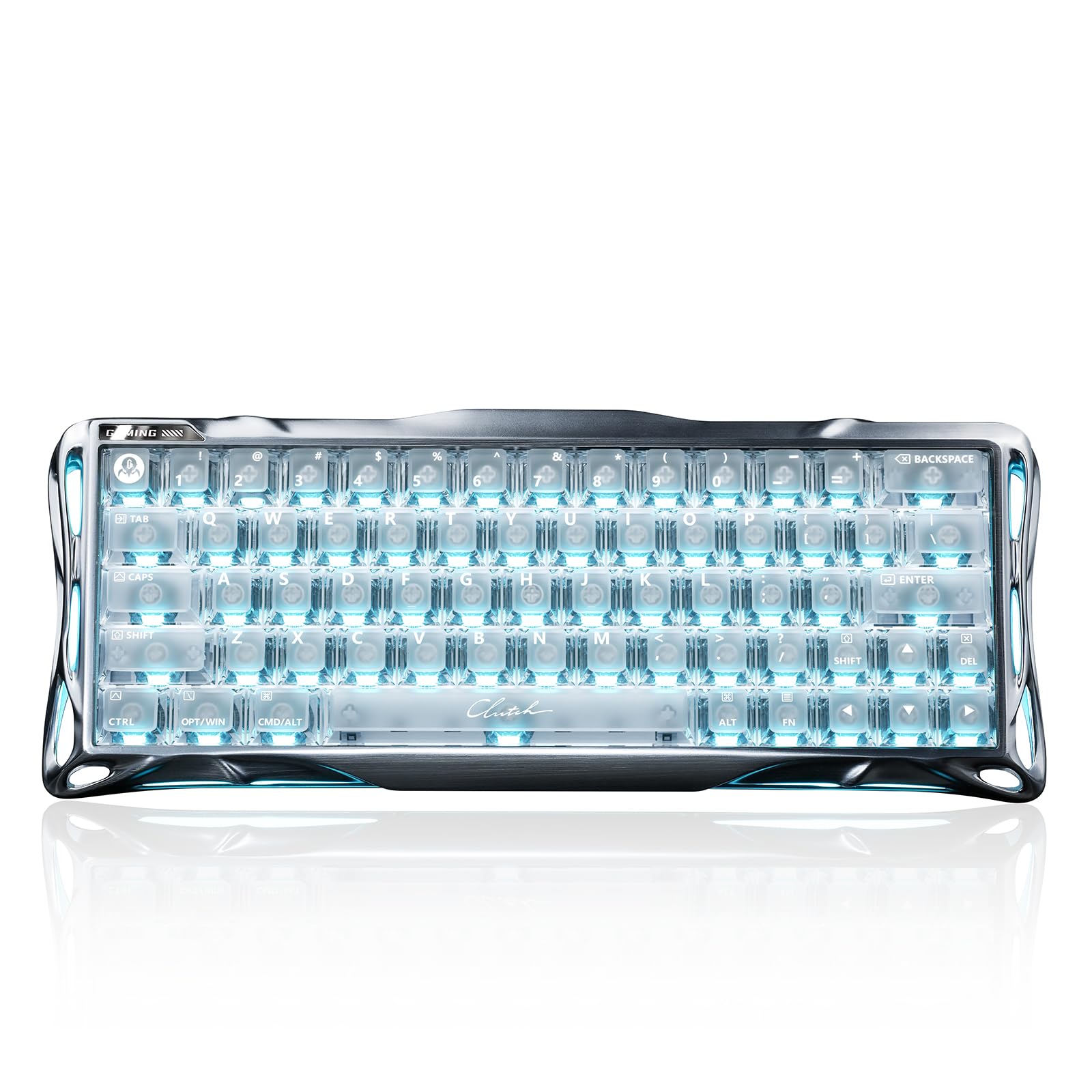
Built for the competitive edge, the Mercury V60 Pro registers inputs at a true 8000Hz polling rate with a 0.125ms latency. That is a full 8x faster than the standard 1000Hz keyboards, giving you a decisive advantage in fast-paced games like Valorant and CS2 where every millisecond counts.
The heart of it is the custom UFO Magnetic Switch with 0.005mm adjustable actuation, an absurdly fine level of control. These Hall Effect switches eliminate physical contact, which means no debounce delay and a 100M+ keystroke lifespan. Owners praise the typing feel and “thocky” sound, but the ultra-sensitive 0.005mm actuation can cause accidental presses until you adjust the sensitivity.
The 6063 aluminum alloy frame with 5-layer acoustic foam delivers a premium sound, but the board is heavy and wired-only, and some units sit slightly uneven on flat desks.
Built for Competition
- Industry-leading 0.005mm precision for granular control
- Tactile “thocky” sound from the CNC aluminum build
- Massive 100M+ keystroke lifespan thanks to no-contact switches
Wired-Only Reality
- No wireless connectivity, so your desk has a permanent cable
- The high responsiveness may trigger accidental presses for some
- Some units have a frame that does not sit perfectly flat
Take it if: your sole priority is winning competitive shooters, and you want the fastest possible input registration available.
Look elsewhere if: you need a wireless board or want a more forgiving feel for everyday typing and office work.
2. ProtoArc K110-A
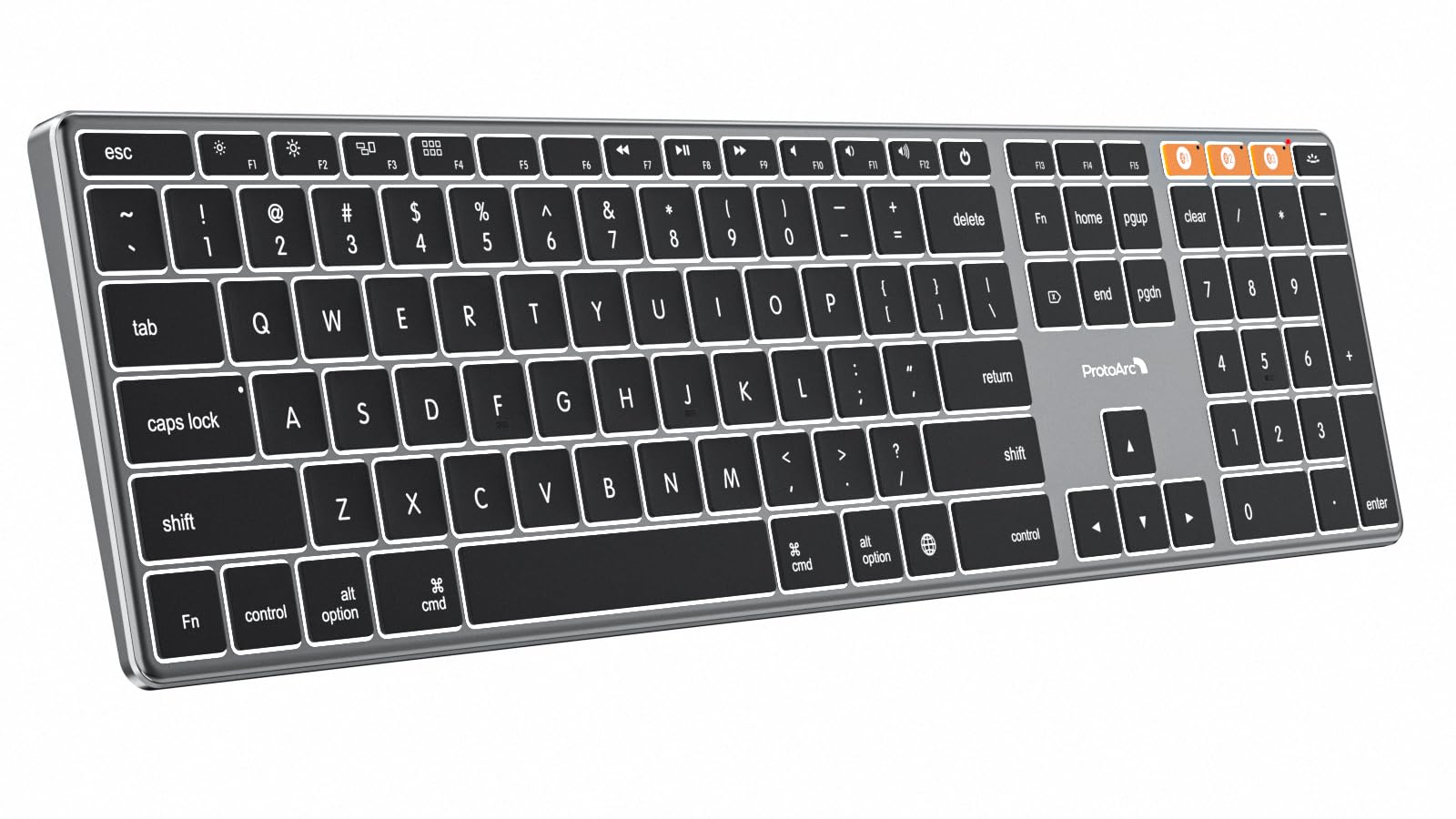
A feather-thin aluminum frame and a full numpad make this the Mac desk essential that manages three devices at once.
At just 0.4 inches thick, this ultra-slim board uses an aerospace-grade aluminum unibody that delivers a perfect balance of durability and elegance. The aluminum chassis resists scratches in a way plastic simply cannot, offering that premium feel that matches the design of Apple’s own Magic Keyboard.
The multi-device workflow is the real story here. You can connect up to 3 devices via Bluetooth and switch channels instantly, and buyers report a fast Bluetooth reconnection after idle with no delay. In practice, one satisfied user ran two MacBook Pros on two channels and only needed to charge once in six months with regular use — proof of the built-in 1800mAh battery and efficient 60-minute sleep mode.
You get 3 adjustable brightness levels of soft white backlighting, handy for dim environments. The build quality is the most-praised aspect among owners, with connectivity and the responsive keyboard feel close behind. Just remember this board is Mac-only — it will not work with Windows or Linux, and full-size layouts require a bit more desk space than compact alternatives.
Office Workhorse
- 110-key full-size layout with a numpad for data entry
- Bluetooth connection to 3 devices with smooth switching
- Long battery life, fully functional while recharging
Apple-Only
- Not compatible with Windows or Linux systems
- No adjustable tilt or Touch ID sensors
- Low-profile keys may feel too shallow for some typists
Best suited for: Mac users who need a numpad for work and want to toggle between an iMac, MacBook, and iPad without touching a cable.
skip it if: you are on a Windows or Linux machine, or you want a more pronounced mechanical key travel.
3. Redragon K556
A tank-solid brushed aluminum board that brings hot-swap customization to the budget-friendly wired tier.
With a 104-key layout and a full brushed aluminum plate, the K556 stays steady under even the most aggressive keystrokes, avoiding the flex you feel from plastic-frame keyboards. The overall quality is the thing buyers praise most — across hundreds of reviews, the “quality” and “build quality” are the top two praised aspects, and the 1180g weight gives it a reassuringly solid presence on any desk.
The upgraded hot-swap socket accepts almost any 3-pin or 5-pin switch, meaning you can change the typing feel without any soldering. The stock Red linear switches are smooth and quiet, keeping late-night sessions from waking up the rest of the house, and the 20 preset RGB lighting modes with adjustable brightness give your setup that dedicated gaming rig glow.
Plug-and-play wired connectivity works across Windows and Mac with no drivers needed, and companion software lets you program custom RGB effects and macros. The noise level and value for money both earn strong positive feedback from the owner community, though reliability and connectivity are mixed, with a small number of units reporting key failures shortly after purchase. It is heavier and bulkier than most at 17.1 inches wide, so it will dominate your desk.
Customizable & Sturdy
- Hot-swap sockets accept 3-pin or 5-pin switches without soldering
- Solid 1180g aluminum build that does not wobble
- RGB with 20 preset modes and companion macro software
Long and Wired
- Full-size 17.1-inch layout takes up significant desk space
- Reliability is mixed, with some units reporting key failures
- Wired only, so no wireless freedom
Grab this for: a first gaming keyboard that gives you an aluminum feel and switch customization without a premium price tag.
Think twice if: you want wireless, or you prefer a more compact form factor for mouse space.
4. YUNZII AL68

A dense, heavy slab of anodized aluminum with a metal knob and full QMK/VIA customization baked in.
The AL68 is crafted from premium anodized aluminum, and that material choice gives it a “heavy, solid” feel that owners immediately notice. The build quality is the most-praised aspect here — people describe it as feeling premium and expect it to last a long time.
On the connectivity front, it supports tri-mode Bluetooth, 2.4G wireless, and USB wired, letting you switch between up to 5 devices across Mac, Windows, and Linux. The built-in 6000 mAh battery lasts up to 4 days of uninterrupted use with RGB off, which is solid for a compact board. The 68-key layout is perfect for small desks and keeps your mouse hand closer to the action.
Typing feel is handled by a gasket mount structure with pre-lubed switches and stabilizers for a “creamy” sound, and you can remap keys and create macros through full QMK/VIA support. The south-facing RGB and double-shot PBT keycaps keep the lighting even and the legends from wearing off. The catch: wireless connectivity draws mixed feedback, with some users reporting the Bluetooth reconnects often and goes to sleep quickly, and a few found the included adapter fragile.
Customization Playground
- Full QMK/VIA support to remap keys and macros
- Gasket mount with pre-lubed switches for a creamy sound
- Heavy anodized aluminum feels premium and durable
Wireless Quirks
- Bluetooth can drop and reconnect frequently during use
- Some Fn-layer combos are not remappable in VIA
- The included adapter had breakage reports
Reach for this if: you love to tinker with layers and macros and want a compact 65% board with a satisfying aluminum weight.
Look elsewhere if: you plan to rely on Bluetooth all day rather than the 2.4G dongle, which is the more stable connection.
5. MK INKY75
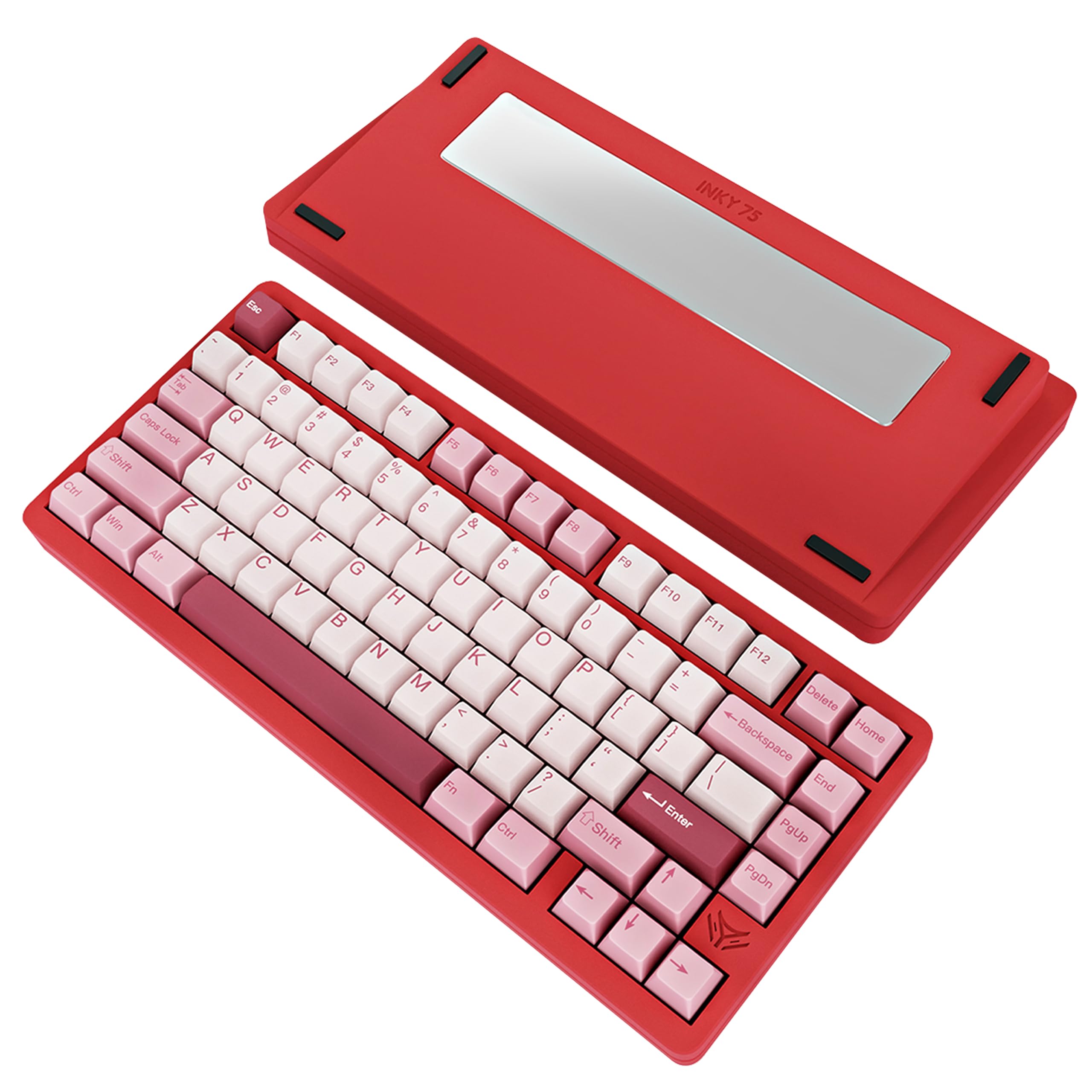
A beautifully weighted 75% board with a glitter finish that makes every keystroke sound creamy and poppy.
The INKY75 earns its spot with a full CNC aluminum chassis (a case milled from a single block of metal) and a glitter finish that owners call “gorgeous.” The weight of that metal case is one of the two most-praised aspects — it makes the board feel super premium and stays put on your desk. The “Very Raspberry” color is darker in person than the photos suggest, which most owners seem to like even more.
Sound design is the priority here. Five layers of acoustic padding — PORON foam, IXPE switch pad, PET film, EPDM case foam, and PET insulation — work together to reduce hollowness and deliver that smooth “creamy” signature. Owners describe the typing feel as “creamy but poppy,” and the factory-lubed Matcha Buttermilk linear switches, developed with HMX, feel buttery right from the start.
The 75% layout packs 87 keys including a function row, and tri-mode connectivity (Bluetooth, 2.4GHz, USB-C) with a 4000mAh battery gives you up to a week of wireless use with the backlight off. VIA compatibility means key remapping and macro creation are easy via a web driver. The trade-off is that the Bluetooth switch is hidden beneath the shift key, which some owners found awkward to reach, and pulling the switch up can lift the whole plate.
Sound-First Design
- Five layers of acoustic dampening for a creamy, refined sound
- Heavy full CNC aluminum with an elegant glitter finish
- Hot-swap PCB supports 3-pin and 5-pin switches
Hidden Switch Hassle
- Bluetooth switch is buried beneath the shift key
- Pulling the switch up can lift the entire plate
- Compatibility across systems gets mixed feedback
This one wins over: anyone obsessed with how their keyboard sounds and wants a heavy, handsome 75% board for gaming or streaming.
Pass if: you switch between Bluetooth and wired often and do not want to hunt under a keycap to do it.
6. YUNZII AL80

A customizable LCD screen sits on a hefty aluminum slab packed with a huge battery and deep QMK/VIA control.
The thing that sets the AL80 apart is the customizable LCD display that can show time, GIFs, photos, or your battery status. That screen, plus a metal knob for volume and RGB control, gives it a feature set that punches well above its price point, and owners consistently praise the “premium” aluminum build and heavy CNC chassis.
Inside, a 6000mAh battery powers long wireless sessions, and tri-mode connectivity (Bluetooth, 2.4G wireless, USB Type-C) lets you pair up to 5 devices across Windows, Mac, Linux, Android, and iOS. The 1000Hz polling rate keeps the connection lag-free, and owners mention no latency issues on either 2.4GHz or Bluetooth.
Typing feel gets high marks — the quality and sound quality are the top two praised aspects, with the gasket-mounted structure and pre-lubed linear switches delivering that creamy, “thocky” sound. The board is full-key hot-swappable, compatible with 3-pin and 5-pin MX switches from Gateron and Cherry. Some owners found the sound slightly louder and higher-pitched than a Keychron Q1 Max, and the included Cocoa Cream switches are easy to swap for a quieter linear switch if you prefer.
Feature-Packed Build
- Customizable LCD screen for GIFs, photos, and battery status
- Giant 6000mAh battery plus 1000Hz polling rate
- Full QMK/VIA support for remapping every key and knob
Compromises to Know
- LCD screen placement feels awkward to some users
- Lacks complete VIA support and an AltGr key
- Stock switches sound sharper than premium rivals
Choose this if: you want the most features per dollar — a screen, a knob, big battery, and total customization in a heavy aluminum body.
Move on if: you are a keyboard modder who wants a fully open firmware with no software quirks.
7. EPOMAKER Galaxy100

A hefty 1800-format board that keeps the numpad while delivering an 8000mAh battery and buttery marble switches.
If you refuse to give up your numpad but want wireless and a metal body, the Galaxy100 hits that balance. The 101-key 1800 layout (a compact full-size arrangement) keeps the data-entry cluster while trimming width, and the thick aluminum alloy case gives it a “weighty” feel that owners say aids typing stability. The heavy build is among the most-praised aspects, with the quality and sound quality topping the list.
The typing experience is built on pre-lubed Marble White linear switches that sound “as gentle as mellow marbles,” plus a gasket-mounted structure with 5 soft cushioning layers. Owners describe the feel as plush with no hand fatigue, and the sound as a satisfying low “thok.” It is hot-swappable with a 2-in-1 switch puller included, so you can try different switch types without soldering.
Wireless performance comes from an outstanding 8000mAh battery — the largest in this guide — with tri-mode connectivity across 2.4G wireless (a USB dongle connection), low-latency USB-C cable, and Bluetooth. QMK/VIA support (open-source firmware and software) lets you remap keys, automate repetitive macros, and customize layers, working across Windows, Mac, and Android. The reliability picture is a bit mixed though — some customers note the USB randomly disconnecting or the board freezing after a couple of weeks, though replacements were issued.
Numpad Lovers Unite
- Huge 8000mAh battery for long wireless stretches
- Heavy aluminum shell that stays planted on the desk
- Marble linear switches with a cushioned gasket mount
Reliability Catch
- Some units report USB disconnects or freezing after weeks
- PBT keycaps are not shine-through, so legends rely on dye-sub
- Software requires a wired USB connection to configure
Best for: office workers and gamers who need a numpad and want wireless without the bulk of a standard full-size board.
Watch out if: you need rock-solid reliability — the mixed reliability feedback makes a backup plan smart.
8. Keychron K10 HE

A full-size powerhouse that blends real wood sidings with magnetic Hall Effect switches for silky-smooth typing.
The K10 HE is the answer for typists who want a premium, full-size layout with the latest switch tech. It wraps a 100% layout (all keys including the numpad) in a design with natural wood sidings and a metal frame, which owners call “classy” and “rock-solid.” The build quality and appearance are heavily praised — this is a board that looks as good as it types.
The Hall Effect magnetic switches use magnetic sensors instead of physical contact, reducing wear and tear dramatically. They offer 0.1mm sensitivity with an actuation range you can adjust from 0.2mm to 3.8mm, and they are hot-swappable without any soldering. Owners describe the keys as “silky smooth” and the sound as “deep and thocky,” with one noting it is quieter than standard mechanical boards — a win for shared spaces.
Connectivity is tri-mode: Bluetooth 5.2, 2.4 GHz wireless, and Type-C wired. The Keychron Launcher web configurator lets you customize every key, create macros, fine-tune actuation, and enable rapid trigger and snap action for gaming. Cross-system compatibility covers macOS, Windows, and Linux with dedicated media keys. The main complaints are minor: no volume knob (you must use an Fn key) and the RGB is a bit dim even at maximum settings.
Typist’s Delight
- Adjustable actuation from 0.2mm to 3.8mm for custom feel
- Real wood sidings on a metal frame look classy
- Quieter than membrane or standard mechanical boards
Minor Gripes
- No dedicated volume knob, requiring an Fn-key combo
- RGB backlighting stays dim even at full brightness
- Initial units had a rare power switch defect, quickly replaced
Reach for this if: you want a full-size keyboard that crosses easily between work typing and competitive gaming with adjustable actuation.
pass on it if: you want vivid RGB light shows or a dedicated knob for volume control.
9. Womier SK75
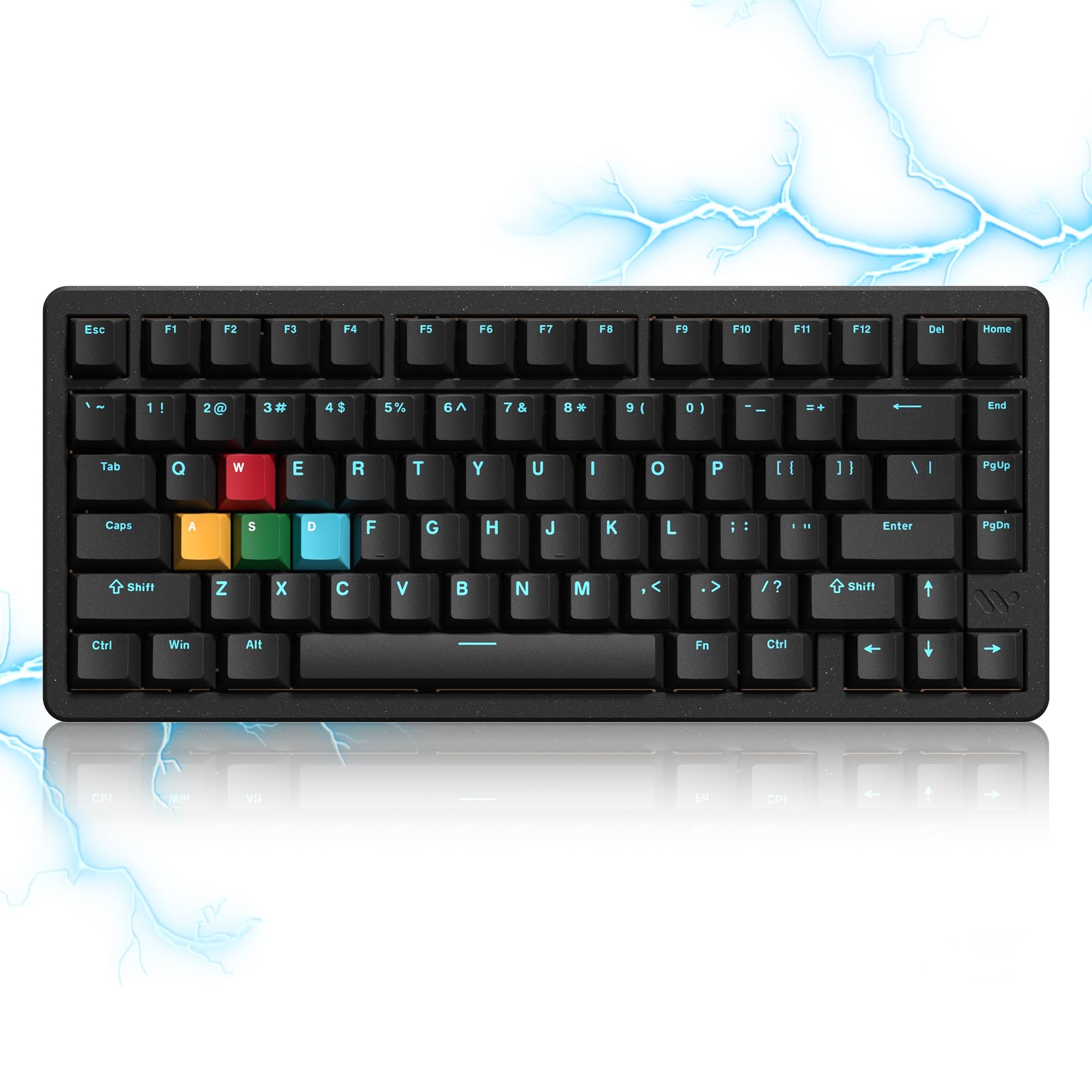
Wireless esports speed meets a full CNC aluminum body with 8000Hz polling and rapid trigger standard.
The SK75 takes the esports-grade magnetic switch tech and pairs it with an 8000Hz polling rate for near-instant response in competitive games. The Hall Effect switches offer 0.01mm sensitivity with actuation adjustable from 0.1mm to 3.5mm, giving you the rapid trigger precision that fps players crave. Owners consistently praise the keyboard quality and sound quality, calling it a high-performance gaming board that feels premium.
This is a tri-mode wireless keyboard with Bluetooth, 2.4G wireless, and USB-C, running on a hefty 8000mAh battery. The full CNC aluminum body gives it a solid, weighty feel that owners love, and the double-shot PBT keycaps are durable. The 75% layout with 84 keys keeps the function row for compatibility while saving desk space.
Customization happens through the online WOMIER driver, which handles key functions, actuation travel, macros, and backlighting without any software download. The board is hot-swappable and even accepts most brands of magnetic switches as well as mechanical ones, making DIY upgrades easy. On the downside, the RGB is dimmer than many rivals at 22 lighting effects, and a few reviewers point out the spacebar stabilizer rattling over time or a loose USB-C port.
Wireless Esports Ready
- True 8000Hz polling rate with rapid trigger tech
- Full CNC aluminum body with 8000mAh battery
- Hot-swap, compatible with magnetic and mechanical switches
Minor Flaws
- RGB brightness is weak compared to other RGB keyboards
- Spacebar stabilizer can rattle after extended use
- Some units report a loose USB-C port in wired mode
This is your board if: you play shooters wirelessly and want esports speed without a cable tethering you to the desk.
Consider the wired option if: RGB brightness matters to you or you plan on constantly using the USB-C wired connection.
Understanding the Specs
Hall Effect vs. Mechanical Switches
Mechanical switches use a physical metal contact to register a press, giving that familiar tactile click. Hall Effect switches use magnetic sensors instead, which removes the physical contact entirely. That means zero wear on the contact point, a longer lifespan measured in the millions of keystrokes, and the ability to adjust exactly how far the key needs to travel before it registers.
Polling Rate and Actuation
The polling rate tells you how often the keyboard reports its status to your computer, measured in Hz — standard is 1000Hz, while esports boards hit 8000Hz for faster response. Actuation is the distance you must press a key before it registers an input, measured in millimeters. Rapid Trigger lets the key reset the moment you start releasing it, which competitive gamers use for faster strafing and counter-strafing.
FAQ
Is a full aluminum case worth the extra money?
What is the difference between an aluminum frame and a CNC aluminum case?
Can I use an aluminum keyboard wirelessly for gaming?
What does hot-swappable mean and do I need it?
How long does the battery last on a wireless aluminum keyboard?
Are these keyboards compatible with both Mac and Windows?
What is QMK/VIA support and why would I want it?
Will a 75% or 60% layout feel too cramped after a full-size board?
Final Thoughts: The Verdict
For most people, the aluminum keyboard winner is the Keychron K10 HE because it nails the full-size layout, adjustable Hall Effect switches, and all-metal build with real wood accents for a crowd-pleasing 4.3-star average. If you want the absolute fastest esports response and do not mind a cable, grab the GravaStar Mercury V60 Pro, whose 8000Hz polling and 0.125ms latency lead the entire list. And for the best mix of features, battery life, and price, the YUNZII AL80 is the one to reach for, with its LCD screen and 6000mAh battery making it a genuine desk centerpiece.
How We Picked
We do not accept paid placement. Every pick is matched to a real buyer and a real use-case; we do not hands-on test units.
Sources & Methodology
Specifications: manufacturer listings and product documentation. Review insights: verified customer reviews, as of August 2026. Pricing: not shown on this page (it changes often); check the current price via the retailer link.
As an Amazon Associate, Gadgets Feed earns from qualifying purchases. This does not affect which products we feature.